Floorplan 3D & 2D

Floorplan 3D & 2D

다운로드: App Store
로고: Floorplan 3D & 2D

Floorplan 3D & 2D: 즉석 공간 계획을 위한 궁극의 LiDAR 스캐너

AI 자재 목록과 전문가급 CAD 내보내기를 통해 공간을 전문적인 2D 및 3D 모델로 변환하세요. 구독이나 계정 없이도 손끝에서 바로 정밀한 디자인이 가능합니다.

다운로드: App Store

개발사

drillstars UG haftungsbeschrankt

카테고리

Productivity

다운로드

1K+

사용자 평점

5.0/5

총 평가 수

0

지원 언어

3

한눈에 보는 정확도

이 인터페이스를 사용하는 1K+ 명의 사용자.

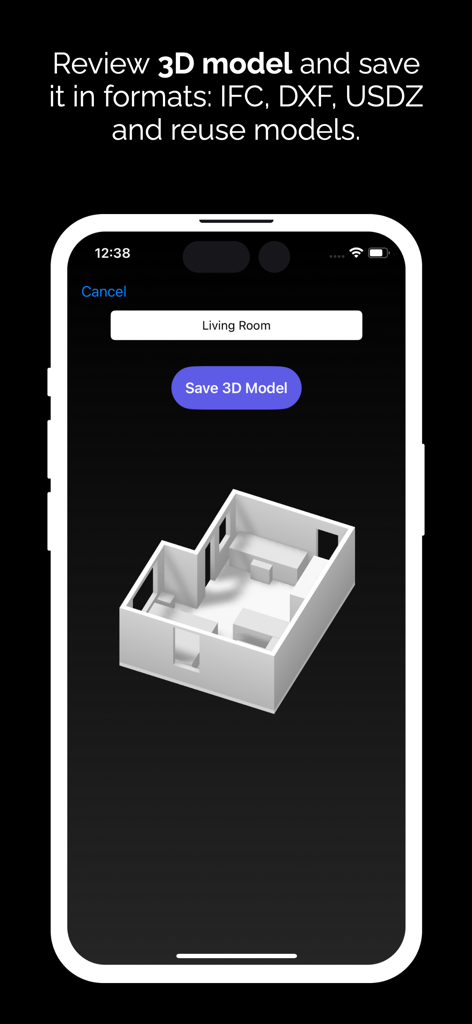
IFC DXF 및 USDZ 형식으로 저장 옵션이 있는 3D 객실 모델을 보여주는 모바일 화면

IFC DXF 및 USDZ 형식으로 저장 옵션이 있는 3D 객실 모델을 보여주는 모바일 화면

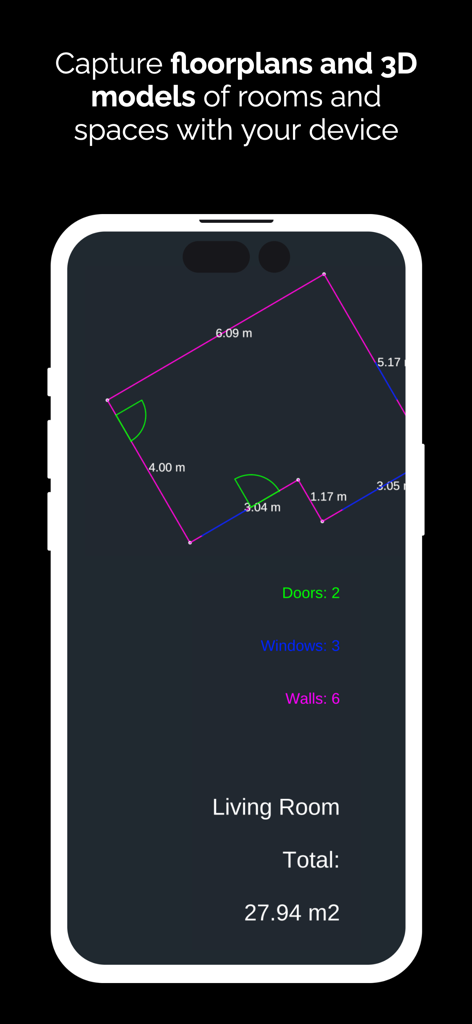
객실 측정 기능이 있는 2D 평면도 캡처를 보여주는 스마트폰 화면

객실 측정 기능이 있는 2D 평면도 캡처를 보여주는 스마트폰 화면

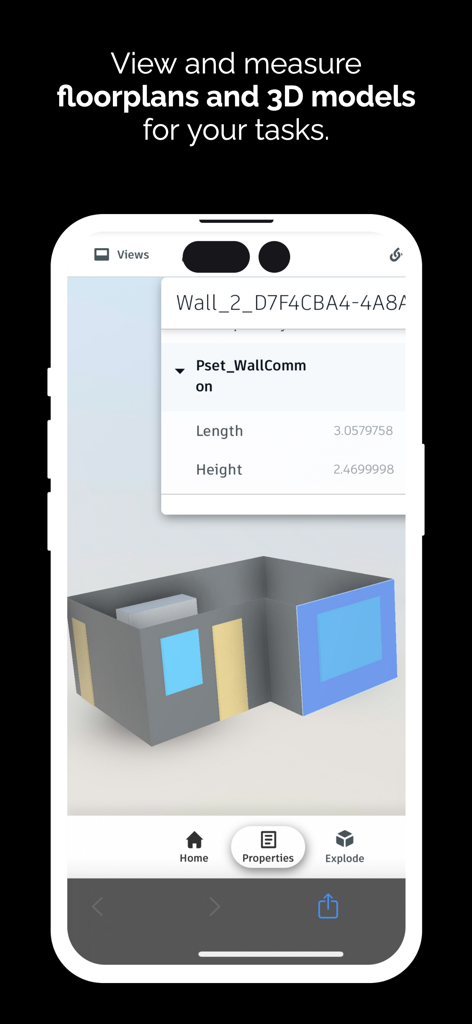
3D 객실 모델과 벽 치수 세부 정보를 표시하는 iPhone 앱 화면

3D 객실 모델과 벽 치수 세부 정보를 표시하는 iPhone 앱 화면

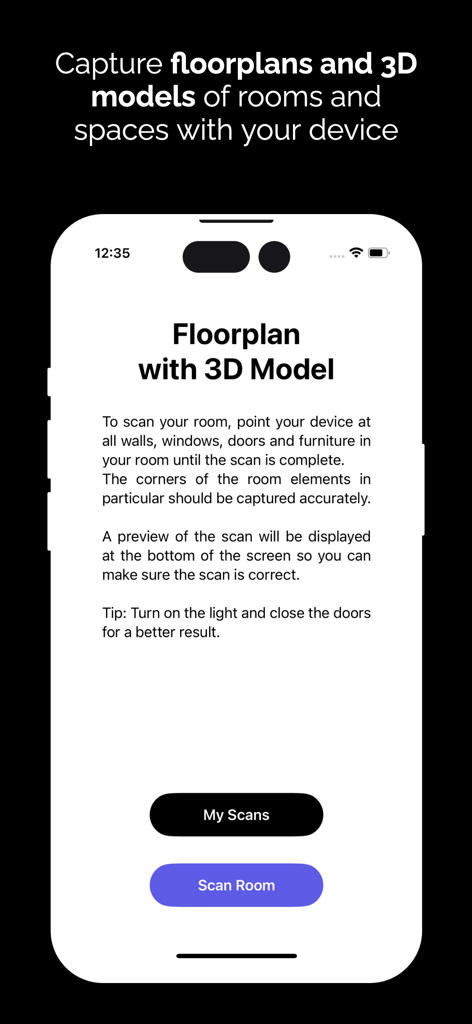
3D 모델을 만들기 위해 방을 스캔하는 방법에 대한 지침이 있는 Floorplan 3D 앱을 보여주는 iPhone 화면

3D 모델을 만들기 위해 방을 스캔하는 방법에 대한 지침이 있는 Floorplan 3D 앱을 보여주는 iPhone 화면

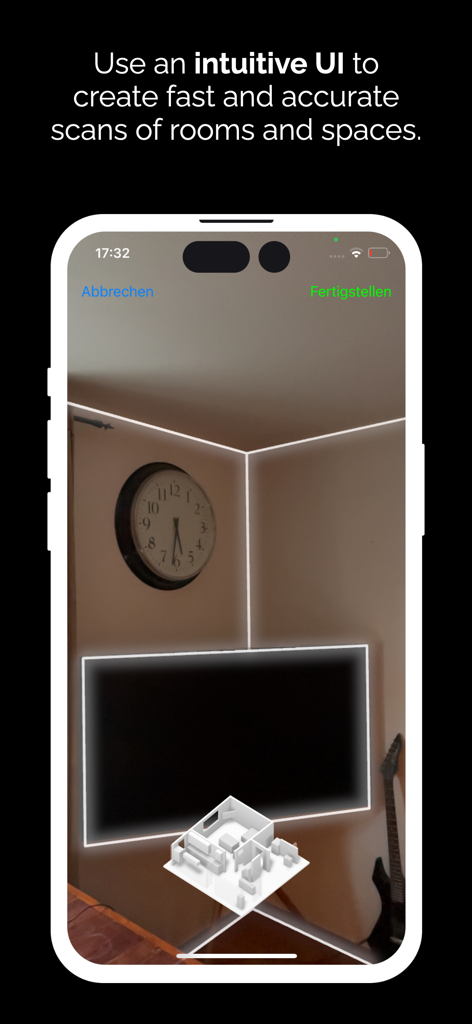
LiDAR 기술을 사용하여 3D 평면도를 만들기 위한 증강 현실 공간 스캔을 보여주는 스마트폰 화면

LiDAR 기술을 사용하여 3D 평면도를 만들기 위한 증강 현실 공간 스캔을 보여주는 스마트폰 화면

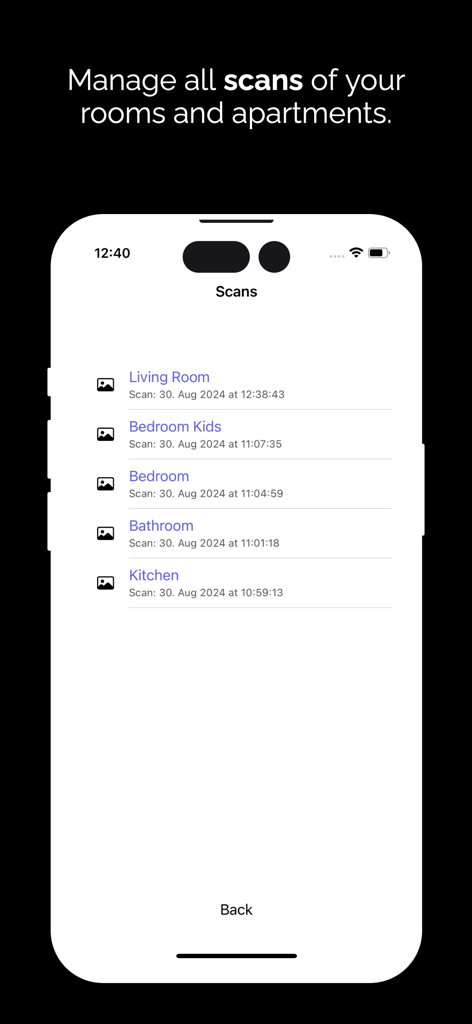
Floorplan 3D 앱에서 거실, 침실, 주방의 저장된 공간 스캔 목록을 보여주는 인터페이스

Floorplan 3D 앱에서 거실, 침실, 주방의 저장된 공간 스캔 목록을 보여주는 인터페이스

간편해진 전문가 수준의 계획

이 앱을 돋보이게 하는 도구, 1K+ 명의 사용자가 선택.

📱

즉석 LiDAR 스캔

줄자는 이제 그만. iPhone Pro를 사용하여 밀리미터 수준의 정확도로 방의 치수, 문, 창문을 실시간으로 캡처하세요.

🤖

AI 기반 자재 목록

예산 추측은 이제 그만. AI가 상세한 자재 목록과 비용 견적을 생성하여 계약업체나 지역 철물점에 PDF로 내보낼 수 있습니다.

🏗️

전문가급 내보내기

다양한 플랫폼에서 작업하세요. 디자인을 DXF, IFC 또는 USDZ 파일로 내보내 Revit, SketchUp 또는 ArchiCAD에서 작업을 원활하게 계속하세요.

앱 소개

에 대해 알아야 할 모든 것 Floorplan 3D & 2D.

설명

Transform your room planning with the latest LiDAR technology! Discover the Floor Plan 3D Planner app to create precise floor plans, detailed 2D plans and impressive 3D models. Whether you're designing a home, renovating a room, furnishing an office or simply visualizing your ideas, our app makes it easy for you. Features: - Easy real-time capture: Use innovative LiDAR technology to scan walls, doors and windows with impressive accuracy. Capture furniture and other elements effortlessly and efficiently! - Intuitive user interface: Our user-friendly app allows you to create your designs quickly and easily. - Creation of material lists and estimates using AI. Artificial intelligence makes suggestions that you can also export as PDF files in list form and floor plan illustrations. - 2D and 3D visualization: Switch seamlessly between 2D plans and 3D models to get a clear picture of your space. Customize the layout and experience your ideas in real time. - Innovative design tools: Quickly add furniture, change colors and materials and design your space the way you want. - Share and collaborate: Export your plans and models effortlessly or share them directly with friends and family to get feedback or brainstorm together. You can reuse our models in other programs such as Autodesk Revit, Trimble Sketchup or Nemetschek Archicad. We create an IFC or DXF or USDZ file for you, which you can use. Say goodbye to conventional methods! With the 3D floor plan planner, you can revolutionize your planning - efficiently, quickly and easily. Whether for private projects or professional applications, our app is the perfect companion for anyone who wants to take interior design to the next level. Download the 3D floor plan planner today and experience the future of room planning! There is no need to create a user account and no subscription is required to use the app.

최신 버전

3.0.4

크기

13.3 MB

출시일

2024년 8월 30일

꿈의 공간 계획 시작하기—구독 불필요

LiDAR 기술을 사용하여 몇 초 만에 공간을 스캔, 디자인, 견적하는 차세대 DIY 사용자 및 전문가와 함께하세요. 지금 다운로드하여 완벽한 개인 정보 보호와 숨겨진 비용 없이 전문가 수준의 3D 평면도를 경험하세요.

다운로드: App Store

App information, icons, screenshots, and descriptions displayed on this page are sourced from the Apple App Store and are the property of their respective developers. Download estimates and rankings are based on MWM's proprietary models and may not reflect actual figures. This page is provided for informational and analytical purposes only.

Believe this page infringes your intellectual property? File a dispute