Flowchart Creator(Pro)
다운로드: App Store

이 페이지는 앱이나 개발자의 공식 페이지가 아니며, 정보 제공 및 논평을 목적으로 작성된 독립 편집 간행물입니다. 명시적으로 달리 언급되지 않는 한, 해당 앱이나 개발자는 MWM, Apple, Google Play, 앱 퍼블리셔 또는 앱 개발자와 제휴, 보증, 후원, 승인 또는 공식적으로 연결되어 있지 않으며, 이 페이지의 어떤 내용도 해당 앱이 MWM의 서비스를 사용하여 개발되었음을 의미하지 않습니다. 모든 상표, 로고, 스크린샷 및 기타 콘텐츠는 해당 소유자의 자산입니다.

로고: Flowchart Creator(Pro)
다운로드: App Store

Flowchart Creator(Pro)

학생과 전문가를 위해 설계된 직관적인 다이어그램 도구로 논리를 간소화하세요. 몇 초 안에 프레젠테이션 준비가 된 워크플로와 알고리즘을 만들고, 사용자 정의하고, 내보낼 수 있습니다.

주요 수치

다운로드

100

사용자 평점

1.0/5

총 평가 수

0

개발사

Hrishi Suthar

카테고리

Education

지원 언어

1

최신 버전

1.0.4

크기

31.6 MB

출시일

2025년 3월 11일
기능

더 나은 시스템을 더 빠르게 디자인하세요

논리 매핑을 위한 전문가 선택. 코드를 설계하든 비즈니스 프로세스를 간소화하든, 당사의 Pro 도구는 복잡성을 명확성으로 바꿉니다.

완전 맞춤형 요소

기본 도형을 넘어서세요. 전문 브랜드 또는 특정 프로젝트 요구 사항에 맞게 투명도, 테두리 및 색상을 사용자 정의하세요.

지능형 워크플로 링크

원하는 대로 흐름을 정의하세요. 정확하고 전문적인 수준의 다이어그램 작성을 위해 구부러지거나 직선 연결선과 스마트 드래그 앤 드롭 핸들러를 사용하세요.

다음 스크린샷과 설명은 앱의 공식 스토어 목록에서 직접 가져온 것이며 앱 개발자의 자산입니다.

앱 스토어

스크린샷
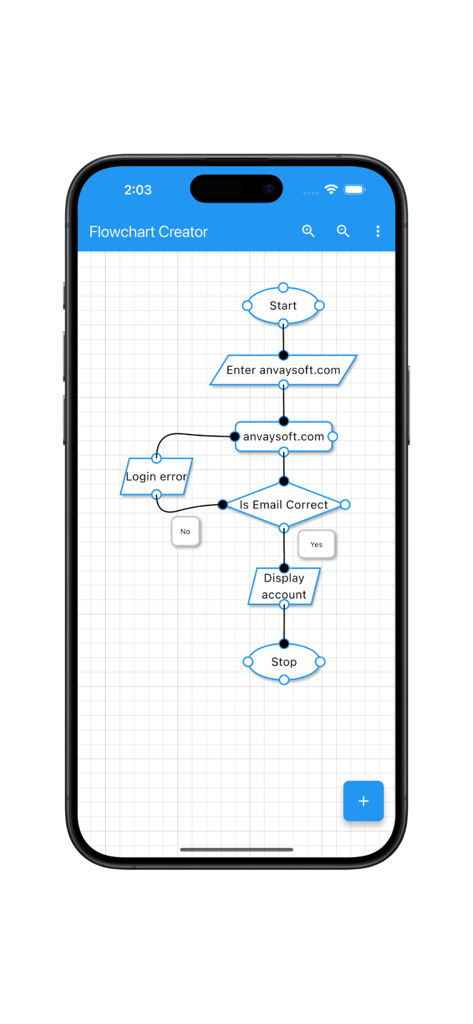
Flowchart Creator(Pro) - Flowchart Creator Pro의 모바일 앱 인터페이스가 그리드 배경에 로그인 프로세스 논리 다이어그램을 표시합니다.
Flowchart Creator Pro의 모바일 앱 인터페이스가 그리드 배경에 로그인 프로세스 논리 다이어그램을 표시합니다.

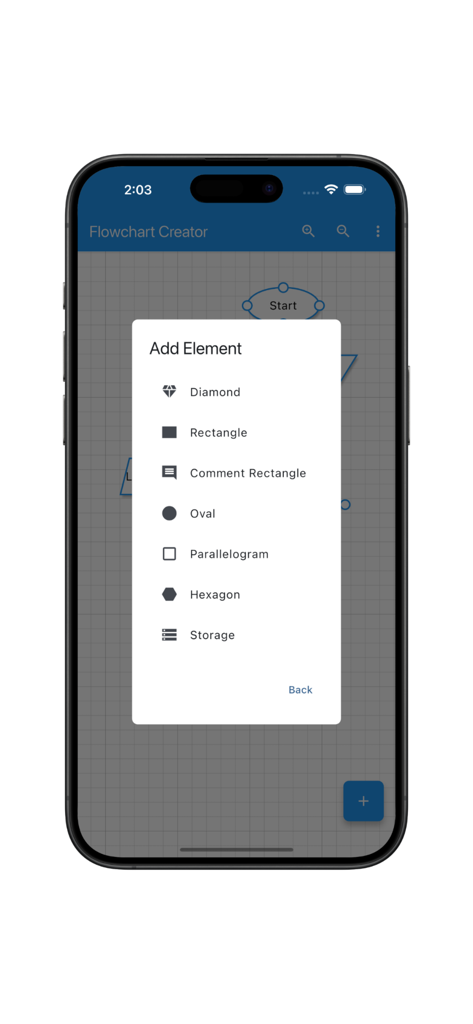
Flowchart Creator(Pro) - Flowchart Creator Pro 모바일 앱 인터페이스에 다이아몬드, 사각형, 타원 도형 옵션이 있는 요소 추가 메뉴가 표시됩니다.
Flowchart Creator Pro 모바일 앱 인터페이스에 다이아몬드, 사각형, 타원 도형 옵션이 있는 요소 추가 메뉴가 표시됩니다.

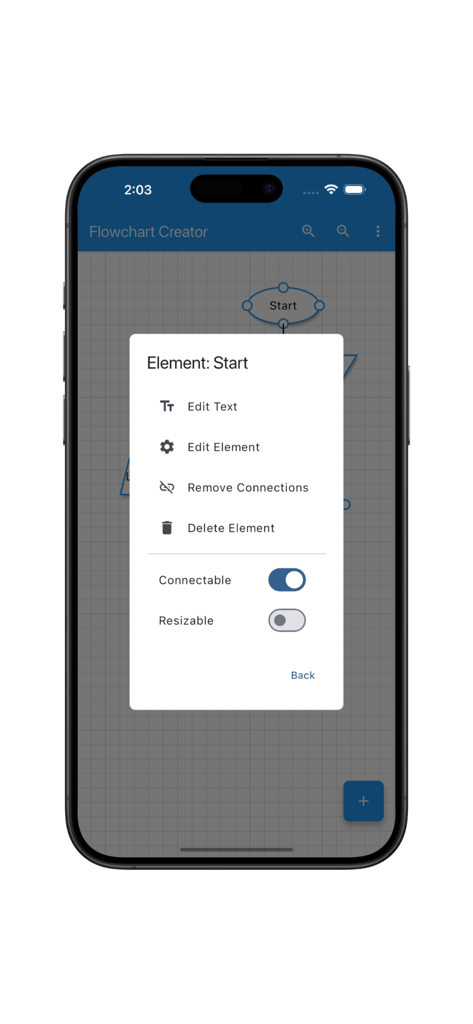
Flowchart Creator(Pro) - Flowchart Creator Pro 앱이 모바일 장치에서 요소 편집 옵션을 보여줍니다.
Flowchart Creator Pro 앱이 모바일 장치에서 요소 편집 옵션을 보여줍니다.

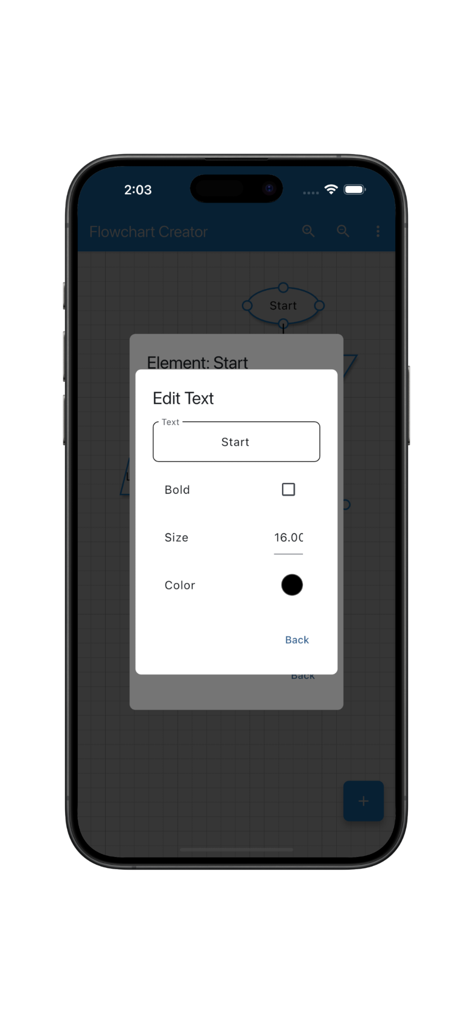
Flowchart Creator(Pro) - Flowchart Creator Pro에서 순서도 도형의 텍스트 편집 옵션을 보여주는 모바일 인터페이스.
Flowchart Creator Pro에서 순서도 도형의 텍스트 편집 옵션을 보여주는 모바일 인터페이스.

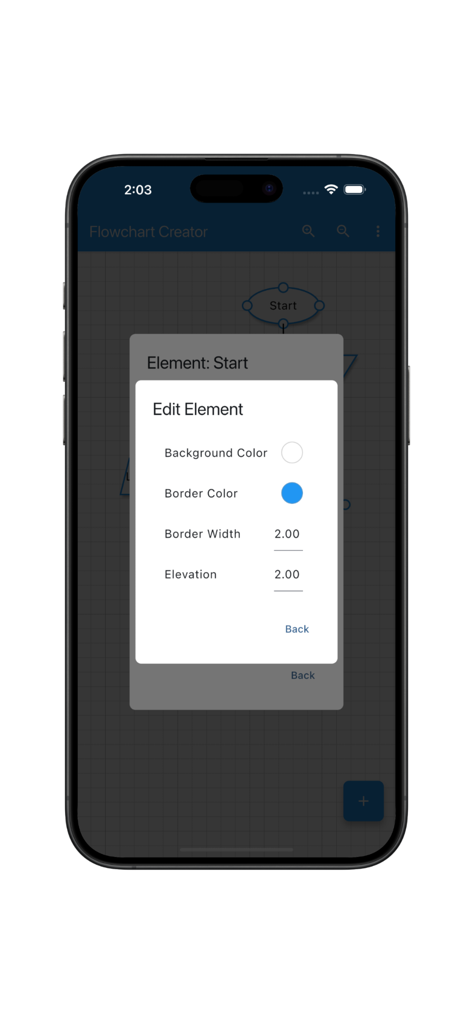
Flowchart Creator(Pro) - Flowchart Creator Pro의 인터페이스가 도형 색상 및 테두리 속성을 편집하는 옵션을 보여줍니다.
Flowchart Creator Pro의 인터페이스가 도형 색상 및 테두리 속성을 편집하는 옵션을 보여줍니다.

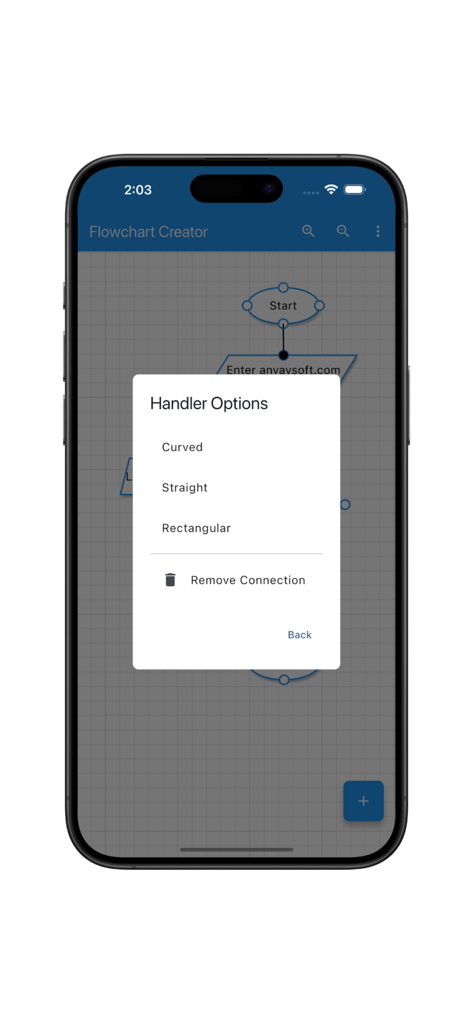
Flowchart Creator(Pro) - Flowchart Creator Pro 앱 인터페이스가 다이어그램 연결선을 구부러지거나 직선 또는 사각형으로 사용자 정의하는 옵션을 보여줍니다.
Flowchart Creator Pro 앱 인터페이스가 다이어그램 연결선을 구부러지거나 직선 또는 사각형으로 사용자 정의하는 옵션을 보여줍니다.

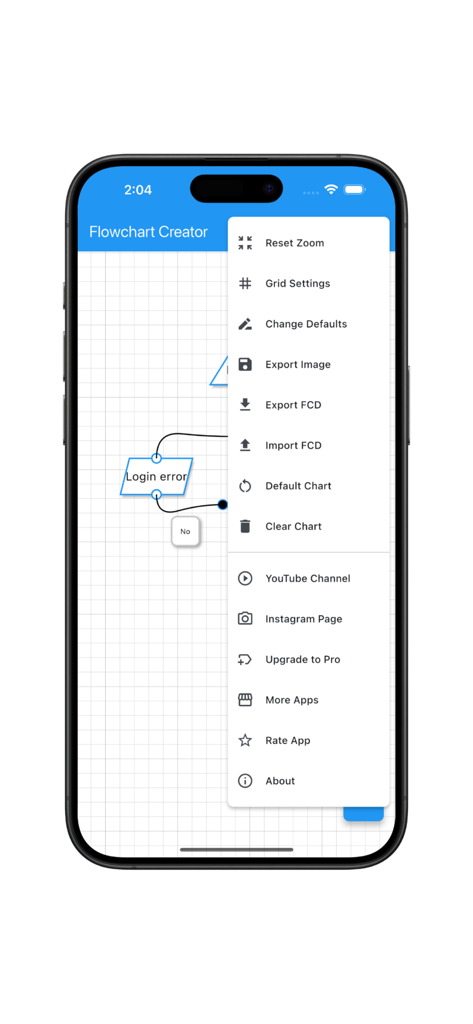
Flowchart Creator(Pro) - Flowchart Creator Pro 앱 메뉴에 모바일 화면에 내보내기 및 그리드 설정이 표시됩니다.
Flowchart Creator Pro 앱 메뉴에 모바일 화면에 내보내기 및 그리드 설정이 표시됩니다.

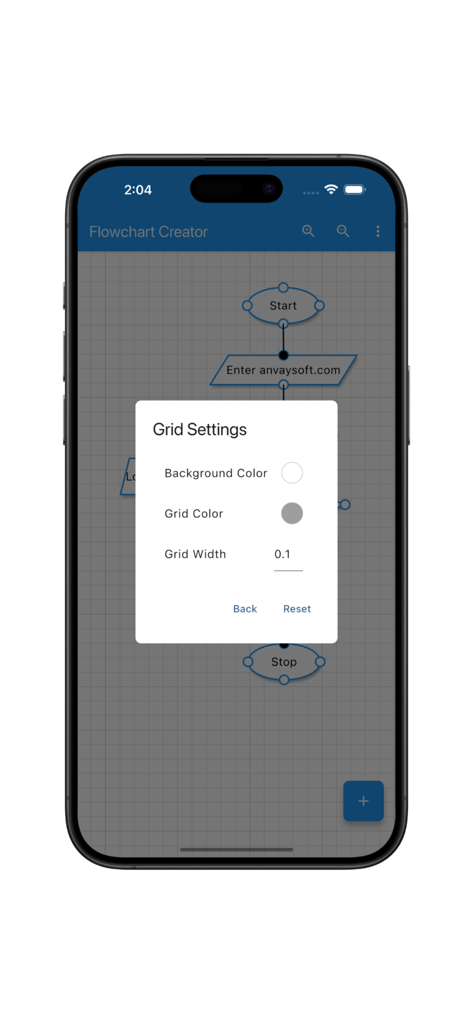
Flowchart Creator(Pro) - Flowchart Creator Pro 앱 인터페이스가 iPhone에서 그리드 설정 사용자 지정 메뉴를 보여줍니다.

Flowchart Creator Pro 앱 인터페이스가 iPhone에서 그리드 설정 사용자 지정 메뉴를 보여줍니다.

설명

Welcome to the Flowchart Creator app, designed to provide an intuitive and powerful diagramming experience. Whether you’re a student, professional, or an enthusiast, our app offers a seamless way to visualise ideas, processes, and workflows with ease. Key Features: Diverse Flowchart Elements Create stunning flowcharts with a variety of shapes, including rectangles, diamonds, ovals, parallelograms, hexagons, and more. Every element is fully customisable to suit your design needs. Text Customisation Personalise your diagrams with fully editable text. Adjust font style, size and colour to make your flowcharts more readable and engaging. Element Customisation Modify the colour, border, transparency, and size of each element to create visually appealing flowcharts tailored to your project. Handler Customisation Connect elements effortlessly with customisable connection styles. Choose between straight, curved, or rectangular connectors to define the flow of your diagram. Drag-and-drop handlers make adjusting connections smooth and intuitive. Resizable Elements Scale elements freely to fit your layout without losing clarity. Resize, rotate, and align shapes effortlessly for a well-structured flowchart. Grid Customisation Customise the background colour, grid colour, and grid line width to match your preferred workflow and enhance the clarity of your flowchart. Whether you’re designing algorithms, business workflows, or brainstorming ideas, the Flowchart Creator app is your perfect companion. With a rich set of features and user-friendly tools, you can bring your concepts to life effortlessly. Developed by Anvaysoft Programmer- Hrishi Suthar Made with love in India

Download

다운로드: App Store

이 페이지는 앱이나 개발자의 공식 페이지가 아니며, 정보 제공 및 논평을 목적으로 작성된 독립 편집 간행물입니다. 명시적으로 달리 언급되지 않는 한, 해당 앱이나 개발자는 MWM, Apple, Google Play, 앱 퍼블리셔 또는 앱 개발자와 제휴, 보증, 후원, 승인 또는 공식적으로 연결되어 있지 않으며, 이 페이지의 어떤 내용도 해당 앱이 MWM의 서비스를 사용하여 개발되었음을 의미하지 않습니다. 모든 상표, 로고, 스크린샷 및 기타 콘텐츠는 해당 소유자의 자산입니다.








