FlowSavvy: AI Schedule Planner

FlowSavvy: AI Schedule Planner


다운로드: App Store
로고: FlowSavvy: AI Schedule Planner

FlowSavvy: AI 일정 플래너가 할 일 목록을 자동으로 완벽한 캘린더로 만들어 드립니다

"캘린더 테트리스"는 이제 그만. FlowSavvy의 지능형 AI가 할 일을 바쁜 일정에 맞추어 자동으로 배치하고, 예상치 못한 일이 발생할 때마다 모든 것을 다시 계산하여 계획 피로 없이 생산성을 유지할 수 있도록 도와줍니다.

다운로드: App Store

개발사

Schezzy LLC

카테고리

Productivity

다운로드

1K+

사용자 평점

4.8/5

총 평가 수

400

지원 언어

1

하루를 시각화하세요

이 인터페이스를 사용하는 1K+ 명의 사용자.

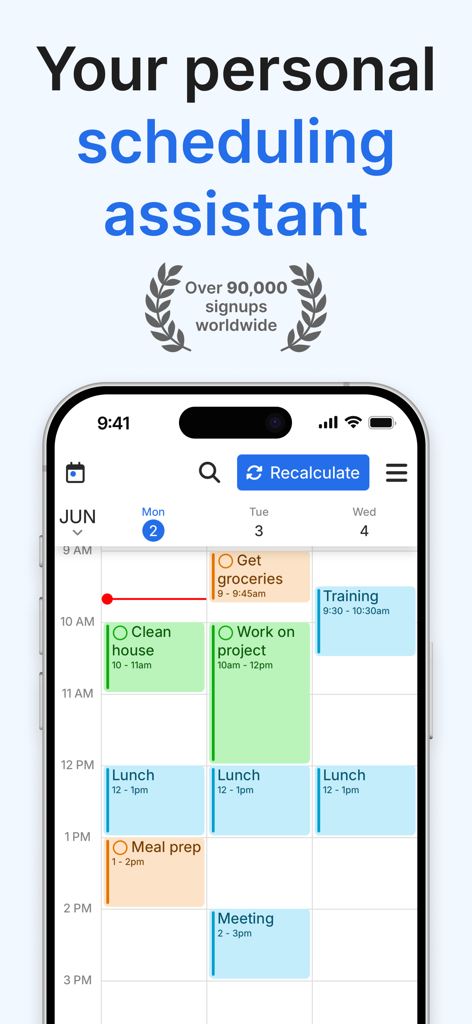
FlowSavvy AI 일정 플래너 앱 인터페이스, 캘린더에 시간 차단된 작업 표시

FlowSavvy AI 일정 플래너 앱 인터페이스, 캘린더에 시간 차단된 작업 표시

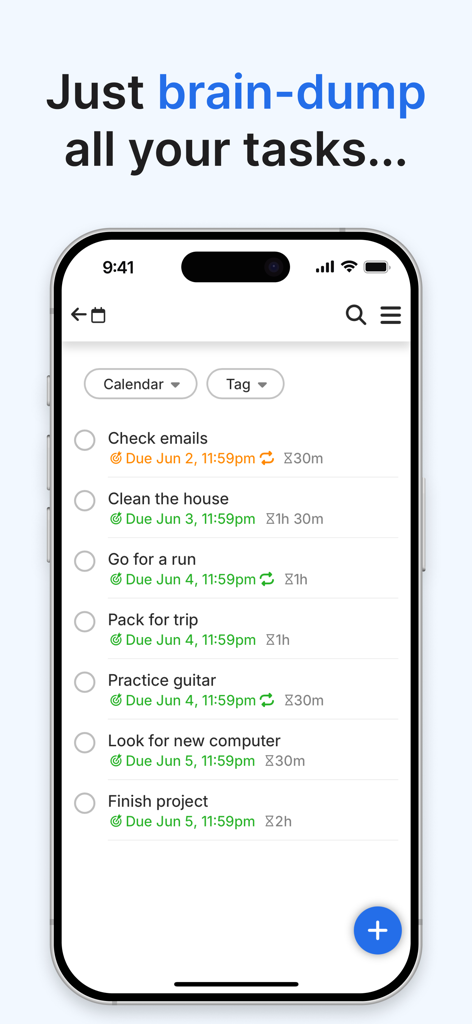
FlowSavvy 인터페이스, 마감일 및 기간이 있는 목록에 할 일 마음 비우기

FlowSavvy 인터페이스, 마감일 및 기간이 있는 목록에 할 일 마음 비우기

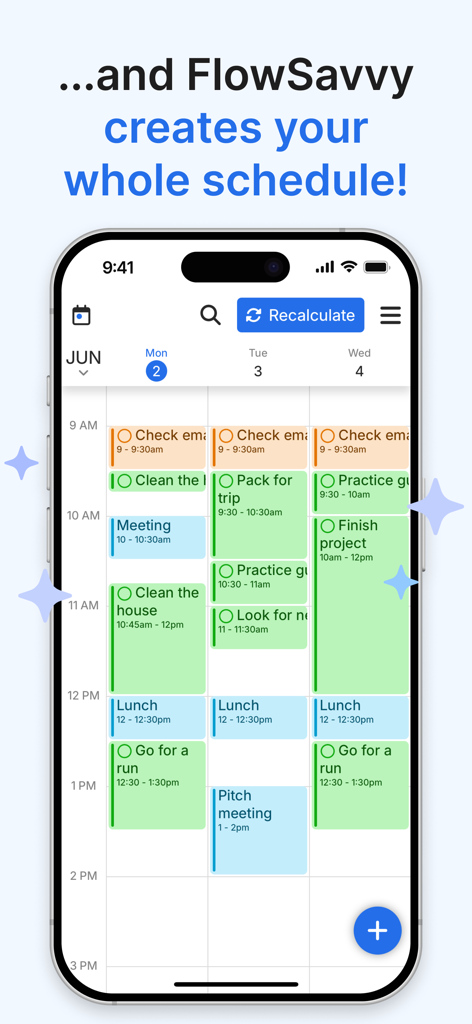
FlowSavvy 모바일 앱 인터페이스, 색상으로 구분된 시간 차단된 작업이 있는 AI 생성 주간 일정 표시

FlowSavvy 모바일 앱 인터페이스, 색상으로 구분된 시간 차단된 작업이 있는 AI 생성 주간 일정 표시

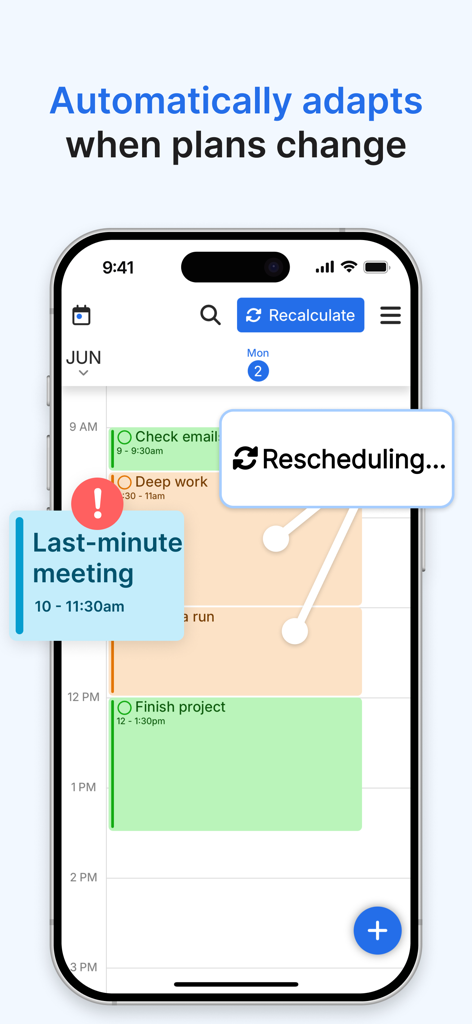
FlowSavvy 모바일 앱 인터페이스, 마지막 순간 회의가 추가될 때 자동 일정 재계산 시연

FlowSavvy 모바일 앱 인터페이스, 마지막 순간 회의가 추가될 때 자동 일정 재계산 시연

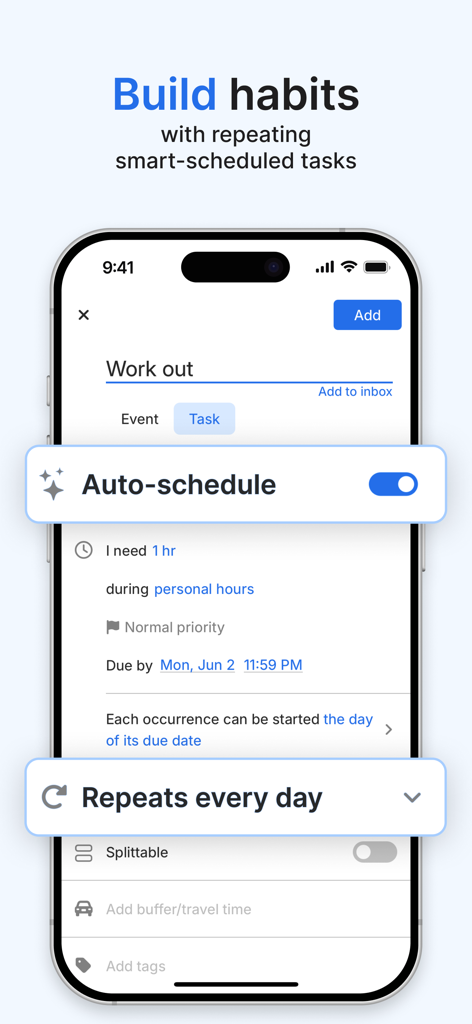
스마트폰 화면, FlowSavvy 앱 인터페이스, 자동 일정 수립 기능이 활성화된 일일 운동 습관 만들기

스마트폰 화면, FlowSavvy 앱 인터페이스, 자동 일정 수립 기능이 활성화된 일일 운동 습관 만들기

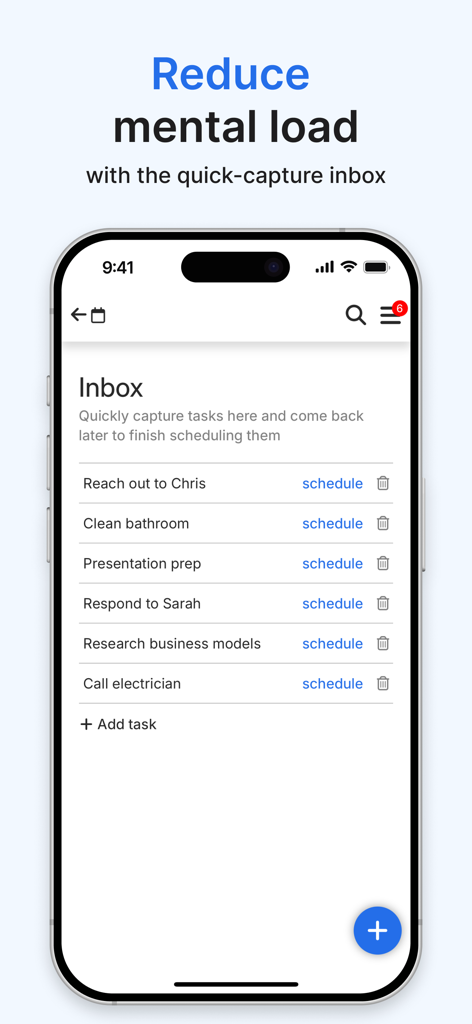
FlowSavvy 앱 인터페이스, 빠른 캡처 작업 받은 편지함 표시

FlowSavvy 앱 인터페이스, 빠른 캡처 작업 받은 편지함 표시

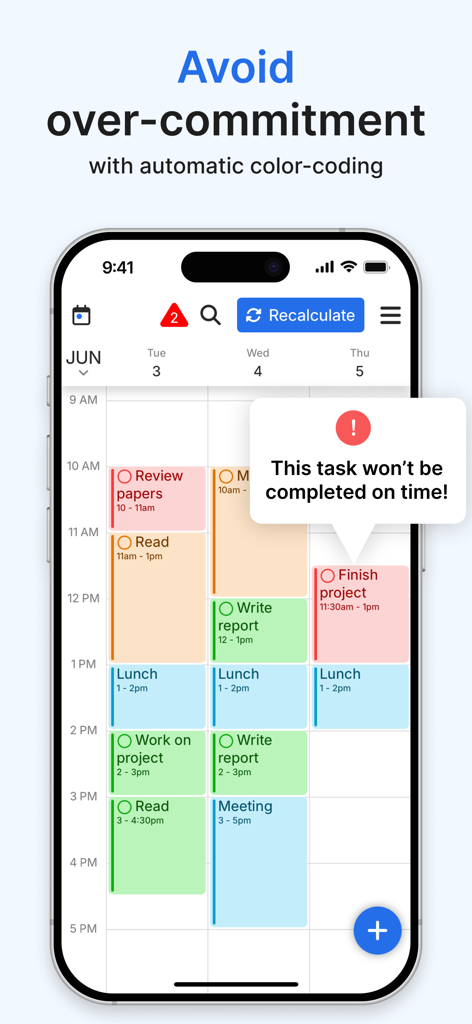
FlowSavvy 모바일 앱 인터페이스, 작업 완료 시간에 대한 경고가 있는 캘린더 표시

FlowSavvy 모바일 앱 인터페이스, 작업 완료 시간에 대한 경고가 있는 캘린더 표시

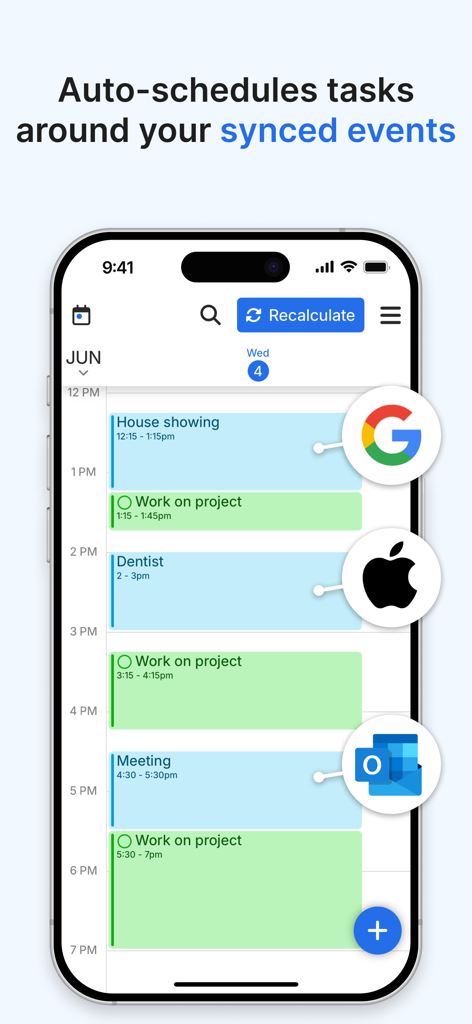
FlowSavvy 앱 인터페이스, Google, Apple 및 Outlook 캘린더의 동기화된 이벤트 주변에 자동 예약된 작업 표시

FlowSavvy 앱 인터페이스, Google, Apple 및 Outlook 캘린더의 동기화된 이벤트 주변에 자동 예약된 작업 표시

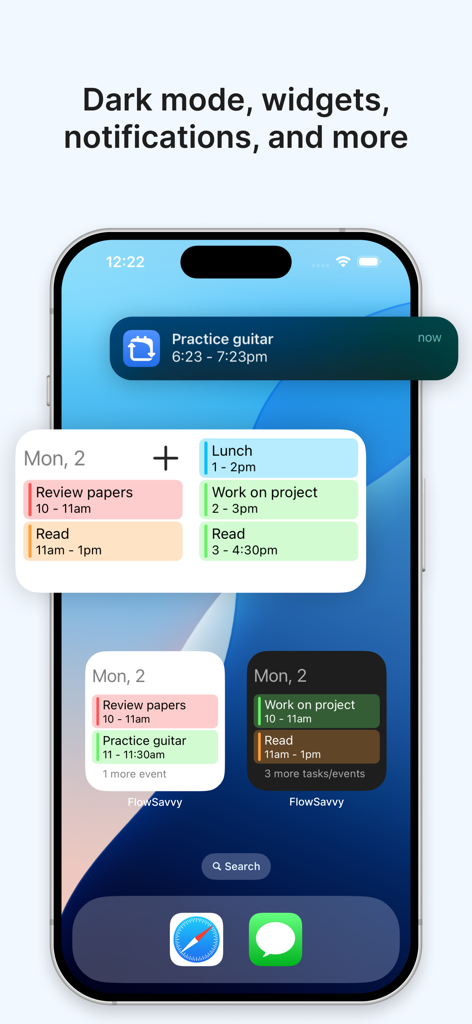
FlowSavvy 앱 홈 화면, iPhone에서 생산성 위젯 및 작업 알림 표시

FlowSavvy 앱 홈 화면, iPhone에서 생산성 위젯 및 작업 알림 표시

할 일 목록이 아닌 시간을 마스터하세요

이 앱을 돋보이게 하는 도구, 1K+ 명의 사용자가 선택.

🗓️

지능형 자동 일정 수립

수동 시간 차단에 몇 시간씩 낭비하지 마세요. 저희 AI는 마감일과 사용 가능한 시간을 분석하여 현실적이고 성과가 높은 일일 계획을 세워 드립니다.

🔄

원클릭 재계산

인생은 예측 불가능합니다. 회의가 길어지거나 뒤처지면 버튼을 눌러 전체 일정을 즉시 다시 만들고 죄책감 없이 다시 궤도에 오르세요.

⚖️

동적 업무량 균형

번아웃을 미리 방지하세요. FlowSavvy는 큰 작업을 자동으로 분할하고 여러 날에 걸쳐 업무량을 균형 있게 조정하여 목표를 달성할 수 있도록 보장합니다.

앱 소개

에 대해 알아야 할 모든 것 FlowSavvy: AI Schedule Planner.

설명

FlowSavvy is an AI Schedule that intelligently plans tasks from your to-do list into your calendar so you can see exactly what needs to get done and when. Advanced Auto-Scheduling: • Automatically split tasks when they don’t fit in your schedule • Automatically balance your workload over multiple days • Automatically rebuild your schedule whenever you make a change • 1-click recalculate your entire schedule when you get behind • Generate your perfect schedule from your to do list up to 8 weeks ahead • Customizable auto-scheduling settings • Customizable scheduling hours (Work hours, Personal hours, etc.) Task/Event Features: • Set due dates and durations and have FlowSavvy decide where to schedule them or fix them to a specific time • Repeating events and tasks • Partial completes and progress tracking • Complete tasks directly from the calendar • All day events and busy/free events Other features: • Push notification reminders • Sync with Google Calendar, iCloud, and Outlook • Multiple calendar views and to-do list views • Unlimited events, tasks, and calendars • Quick capture tasks in the inbox, schedule them later • Dark mode and custom colors for events and tasks • Home screen widgets that show your schedule offline for a week Terms of Use: https://www.apple.com/legal/internet-services/itunes/dev/stdeula/

최신 버전

3.8

크기

48.2 MB

출시일

2022년 4월 23일

계획은 그만, 성과는 시작하세요.

FlowSavvy로 시간 차단을 자동화하는 수천 명의 뛰어난 성과를 내는 사람들과 함께하세요. 지금 다운로드하고 AI가 '언제'를 처리하게 하여 '무엇'에 집중하세요.

다운로드: App Store

App information, icons, screenshots, and descriptions displayed on this page are sourced from the Apple App Store and are the property of their respective developers. Download estimates and rankings are based on MWM's proprietary models and may not reflect actual figures. This page is provided for informational and analytical purposes only.

Believe this page infringes your intellectual property? File a dispute