Font Maker: Create Your Font
다운로드: App Store

이 페이지는 앱이나 개발자의 공식 페이지가 아니며, 정보 제공 및 논평을 목적으로 작성된 독립 편집 간행물입니다. 명시적으로 달리 언급되지 않는 한, 해당 앱이나 개발자는 MWM, Apple, Google Play, 앱 퍼블리셔 또는 앱 개발자와 제휴, 보증, 후원, 승인 또는 공식적으로 연결되어 있지 않으며, 이 페이지의 어떤 내용도 해당 앱이 MWM의 서비스를 사용하여 개발되었음을 의미하지 않습니다. 모든 상표, 로고, 스크린샷 및 기타 콘텐츠는 해당 소유자의 자산입니다.

로고: Font Maker: Create Your Font
다운로드: App Store

Font Maker: Create Your Font

디지털 플래너, 인스타그램 스토리, 창의적인 프로젝트를 위해 몇 분 안에 개인화된 .TTF 폰트를 만드세요. 당신의 감각을 소유하고 모든 메시지를 진정으로 당신의 것으로 만드세요.

주요 수치

다운로드

139K+

사용자 평점

4.0/5

총 평가 수

1K+

개발사

Burak Eray Kayis

카테고리

Photo & Video

지원 언어

32

최신 버전

5.0.2

크기

27.6 MB

출시일

2022년 10월 25일
기능

모든 단어를 진정으로 당신의 것으로 만드세요

당신의 독특한 개성을 반영하는 맞춤 폰트를 디자인하세요. 디지털 플래너부터 바이럴 소셜 콘텐츠까지, 당신의 시그니처 스타일은 몇 번의 탭만으로 완성됩니다.

손으로 그린 듯한 독창성

평범한 폰트는 이제 그만. 손가락이나 Apple Pencil을 사용하여 100% 개인적이고 독창적인 맞춤 글꼴을 만드세요.

자주 사용하는 앱에서 작동

생성물을 .TTF 파일로 내보내 Canva, GoodNotes, Word 및 좋아하는 모든 디자인 도구에서 원활하게 사용하세요.

다음 스크린샷과 설명은 앱의 공식 스토어 목록에서 직접 가져온 것이며 앱 개발자의 자산입니다.

앱 스토어

스크린샷
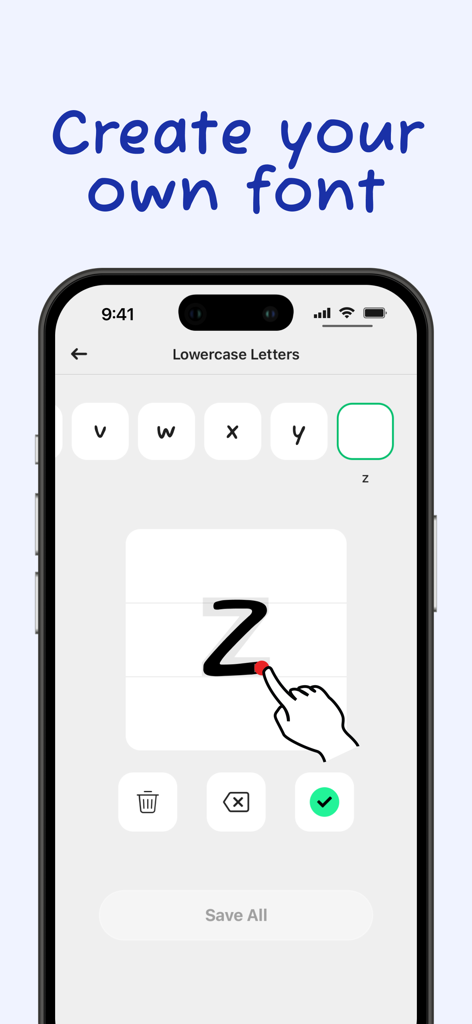
Font Maker: Create Your Font - 맞춤 손글씨 폰트를 만들기 위해 소문자 z를 그리는 손을 보여주는 모바일 앱 인터페이스.
맞춤 손글씨 폰트를 만들기 위해 소문자 z를 그리는 손을 보여주는 모바일 앱 인터페이스.

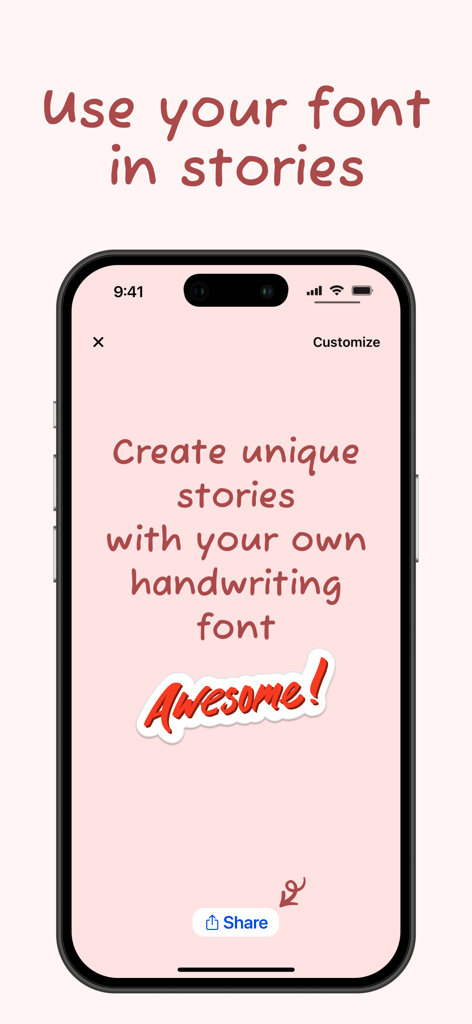
Font Maker: Create Your Font - 공유 버튼이 있는 소셜 미디어 스토리에 사용되는 맞춤 손글씨 폰트를 보여주는 아이폰 화면
공유 버튼이 있는 소셜 미디어 스토리에 사용되는 맞춤 손글씨 폰트를 보여주는 아이폰 화면

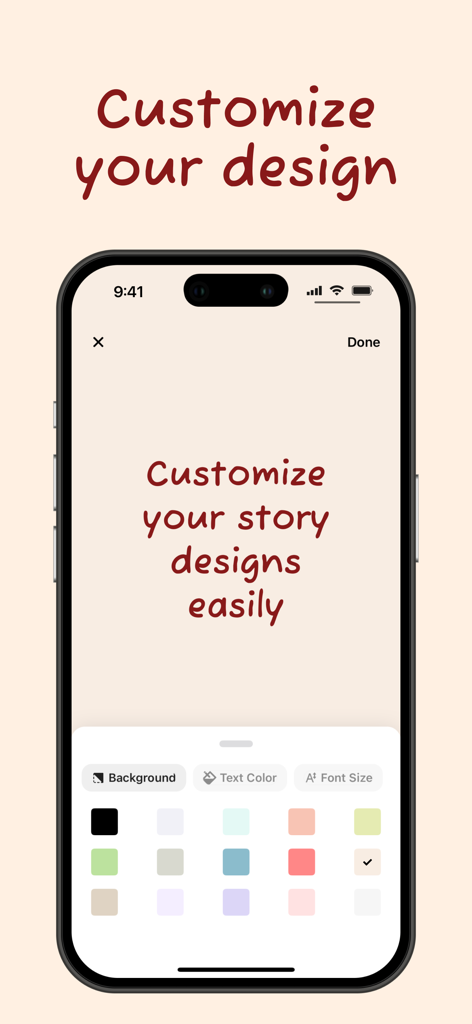
Font Maker: Create Your Font - 개인 손글씨 폰트를 사용하여 소셜 미디어 스토리 디자인을 위한 사용자 정의 옵션을 보여주는 인터페이스
개인 손글씨 폰트를 사용하여 소셜 미디어 스토리 디자인을 위한 사용자 정의 옵션을 보여주는 인터페이스

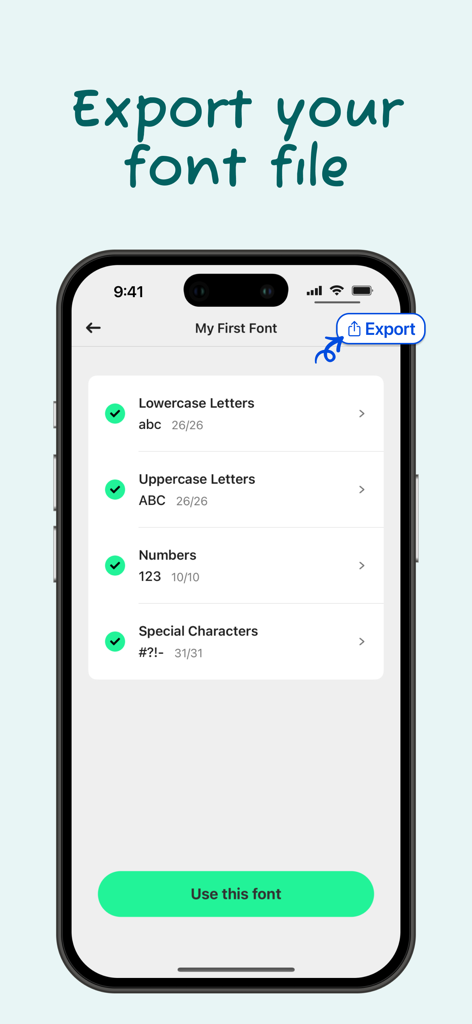
Font Maker: Create Your Font - 맞춤 손글씨 폰트를 ttf 파일로 저장하는 옵션을 보여주는 Font Maker 앱의 내보내기 화면 인터페이스.

맞춤 손글씨 폰트를 ttf 파일로 저장하는 옵션을 보여주는 Font Maker 앱의 내보내기 화면 인터페이스.

설명

Amazing Features in Font Maker: Create Your Font app: - Create & Save Forever: Design your handwriting fonts and save them permanently. - Multilingual Support: Supports 40+ languages and alphabets. Find your own alphabet easily. - Complete Character Set: Add lowercase, uppercase, numbers, and special characters for a comprehensive font. - Export as .TTF: Export your font as a .TTF file and use it directly in any desktop or mobile app like Word, PowerPoint, and other design apps. - Customizable Designs: Create amazing stories and posts, customize your design, and share them on social media to stand out. - Adjustable Thickness: Choose your font's thickness (light, medium, or bold) according to your preference. - Template Saving: Save your designs as templates and reuse them whenever you want. How does Font Maker work? 1. Draw Your Characters: Draw your letters, numbers, and special characters with your own handwriting. 2. Save Your Font: Tap the "Save All" button to process your drawings and create your custom font. 3. Use Your Font: Tap the "Use this font" button and write anything you want on the screen. 4. Customize Your Design: Change the background color, text color, and font size easily. 5. Share & Export: Share your design on social media or export your font file with one tap! Font Maker: Create Your Font offers a one-time payment option for a lifetime premium membership, currently priced at $4.99 in the United States. If you need any assistance, please contact us: support@fontmakerapps.com Privacy Policy: https://fontmakerapps.com/docs/privacy-policy.html Terms of Use: https://fontmakerapps.com/docs/terms-of-use.html

Download

다운로드: App Store

이 페이지는 앱이나 개발자의 공식 페이지가 아니며, 정보 제공 및 논평을 목적으로 작성된 독립 편집 간행물입니다. 명시적으로 달리 언급되지 않는 한, 해당 앱이나 개발자는 MWM, Apple, Google Play, 앱 퍼블리셔 또는 앱 개발자와 제휴, 보증, 후원, 승인 또는 공식적으로 연결되어 있지 않으며, 이 페이지의 어떤 내용도 해당 앱이 MWM의 서비스를 사용하여 개발되었음을 의미하지 않습니다. 모든 상표, 로고, 스크린샷 및 기타 콘텐츠는 해당 소유자의 자산입니다.








