Foodie Scanner
Foodie Scanner
다운로드: App Store

이 페이지는 앱이나 개발자의 공식 페이지가 아니며, 정보 제공 및 논평을 목적으로 작성된 독립 편집 간행물입니다. 명시적으로 달리 언급되지 않는 한, 해당 앱이나 개발자는 MWM, Apple, Google Play, 앱 퍼블리셔 또는 앱 개발자와 제휴, 보증, 후원, 승인 또는 공식적으로 연결되어 있지 않으며, 이 페이지의 어떤 내용도 해당 앱이 MWM의 서비스를 사용하여 개발되었음을 의미하지 않습니다. 모든 상표, 로고, 스크린샷 및 기타 콘텐츠는 해당 소유자의 자산입니다.


로고: Foodie Scanner
다운로드: App Store

Foodie Scanner

식료품점에서 추측하는 것을 멈추세요. 구독, 광고 없이 오프라인에서도 작동하는 일회성 구매 도구로 모든 성분 목록을 스캔하여 숨겨진 첨가물 및 E 번호를 알아보세요. 깔끔한 라벨 생활 방식을 위한 순수한 투명성만 제공합니다.

주요 수치

다운로드

1K+

사용자 평점

1.0/5

총 평가 수

0

개발사

Ghica Reinvent Media srl

카테고리

Food & Drink

지원 언어

-

최신 버전

1.1.7

크기

62.4 MB

출시일

2025년 6월 11일
기능

더 스마트하게 스캔하고 더 건강하게 섭취하세요

즉각적이고 과학적으로 뒷받침된 식품 첨가물 및 숨겨진 화학 물질 분석으로 식료품점에서 정보에 입각한 결정을 내리세요.

즉각적인 성분 분석

더 이상 작은 라벨을 찡그리며 보지 마세요. 성분 목록을 사진으로 찍으면 몇 초 안에 숨겨진 모든 첨가물과 E 번호를 알 수 있습니다.

색상으로 구분된 안전 등급

직관적인 빨강, 노랑, 초록 시스템으로 위험을 쉽게 식별하고 잠재적인 건강 영향 및 권장 일일 섭취량을 자세히 알아보세요.

다음 스크린샷과 설명은 앱의 공식 스토어 목록에서 직접 가져온 것이며 앱 개발자의 자산입니다.

앱 스토어

스크린샷
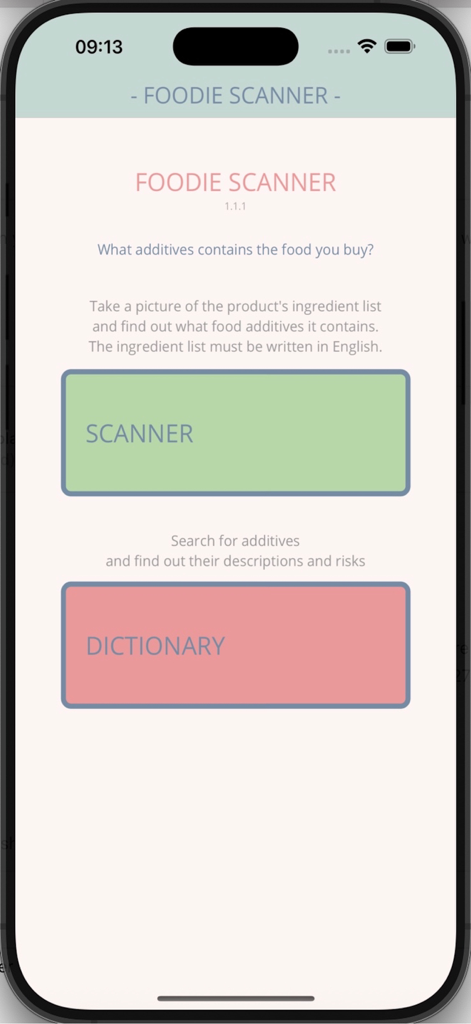
Foodie Scanner - 푸디 스캐너 앱의 홈 화면, 성분 스캔 및 첨가물 사전 버튼 포함

푸디 스캐너 앱의 홈 화면, 성분 스캔 및 첨가물 사전 버튼 포함

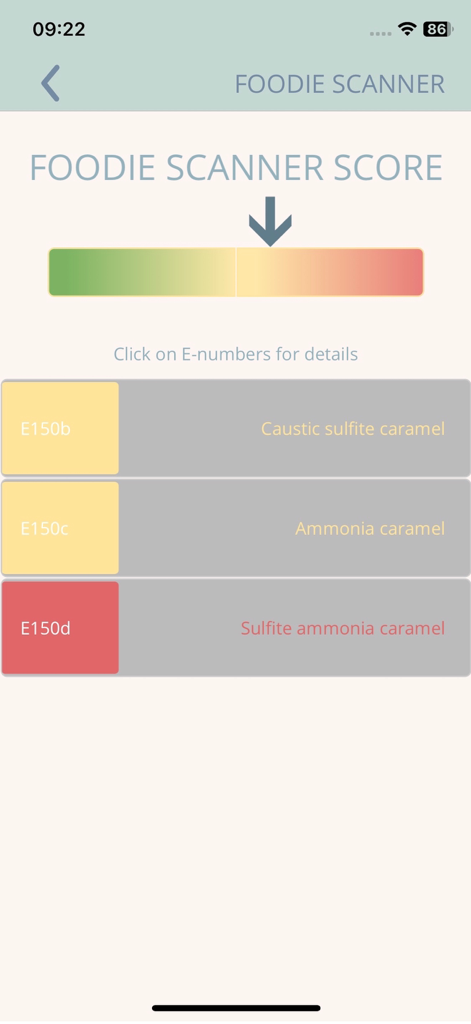
Foodie Scanner - E150b 및 E150d와 같은 식별된 식품 첨가물에 대한 색상으로 구분된 안전 등급을 표시하는 푸디 스캐너 앱 화면
E150b 및 E150d와 같은 식별된 식품 첨가물에 대한 색상으로 구분된 안전 등급을 표시하는 푸디 스캐너 앱 화면

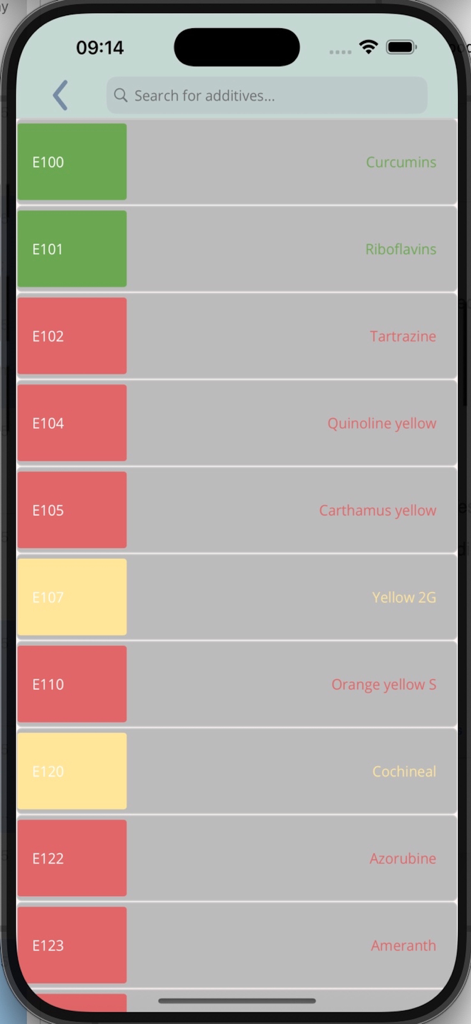
Foodie Scanner - 푸디 스캐너 앱에서 색상으로 구분된 안전 등급이 있는 식품 첨가물 및 E 번호 목록
푸디 스캐너 앱에서 색상으로 구분된 안전 등급이 있는 식품 첨가물 및 E 번호 목록

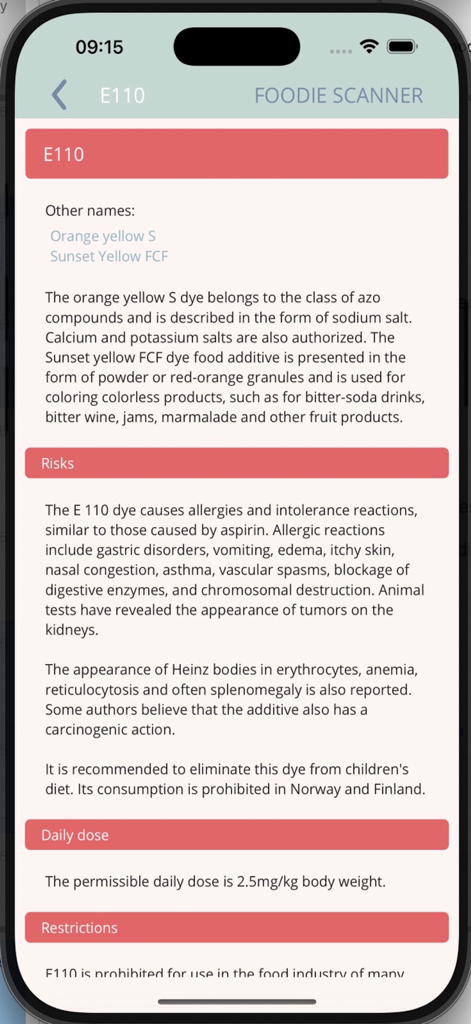
Foodie Scanner - 푸디 스캐너 모바일 앱에서 식품 첨가물 E110에 대한 자세한 건강 위험 보고서
푸디 스캐너 모바일 앱에서 식품 첨가물 E110에 대한 자세한 건강 위험 보고서

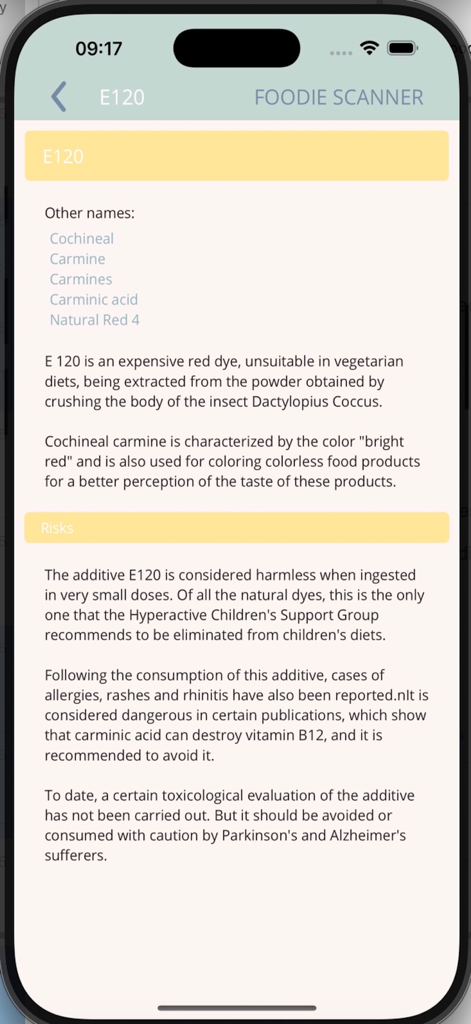
Foodie Scanner - 푸디 스캐너 앱에서 식품 첨가물 E120에 대한 자세한 위험 및 설명
푸디 스캐너 앱에서 식품 첨가물 E120에 대한 자세한 위험 및 설명

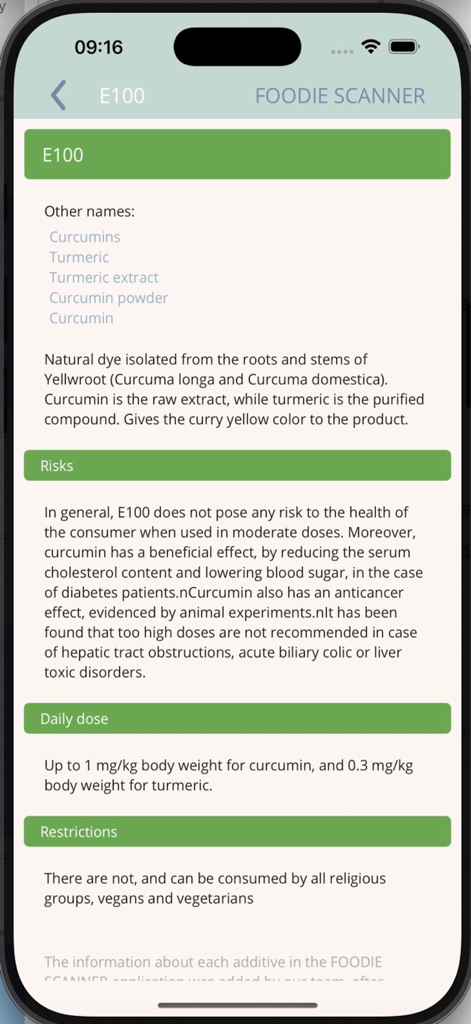
Foodie Scanner - 푸디 스캐너 앱에서 식품 첨가물 E100에 대한 자세한 건강 및 안전 정보

푸디 스캐너 앱에서 식품 첨가물 E100에 대한 자세한 건강 및 안전 정보

설명

Foodie Scanner helps you understand what’s inside your food. Take a photo of any ingredient list written in English and instantly detect all food additives (E-numbers) used in that product. Perfect for parents, families, or anyone looking to make safer, healthier choices. Why Users Love Foodie Scanner: - One-time purchase (3.99 EUR) - No subscriptions - No ads - Unlimited scans - Works offline after download Simple, fast, and always available. How the Scanner Works: 1. Press the Scanner button. 2. Photograph the ingredient list (not the barcode). 3. Tap OK. 4. The app highlights all additives (E-numbers) found in the product. For best results, ensure the ingredient text is clear and well-lit. Color-Coded Additive Safety: Each additive is labeled with a clear color-coded category: - Green - Generally safe - Yellow - Limited research; use caution - Red - Potential health concerns Tap any additive to see: - Other names - Description - Possible risks - Recommended daily intake - Restrictions (if any) Why We Created This App: As parents, we began reading ingredient labels and realized how many additives we didn't recognize. Foodie Scanner was created to help anyone understand food labels quickly and confidently. Know your food. Scan smarter. Choose healthier. Download Foodie Scanner today. Disclaimer: THIS APP DOES NOT PROVIDE MEDICAL ADVICE. The information, including but not limited to, text, graphics, images and other material contained on this app are for informational purposes only. No material on this app is intended to be a substitute for professional medical advice, diagnosis or treatment. Always seek the advice of your physician or other qualified health care provider with any questions you may have regarding a medical condition or treatment and before undertaking a new health care regimen, and never disregard professional medical advice or delay in seeking it because of something you have read on this App.

Download

다운로드: App Store

이 페이지는 앱이나 개발자의 공식 페이지가 아니며, 정보 제공 및 논평을 목적으로 작성된 독립 편집 간행물입니다. 명시적으로 달리 언급되지 않는 한, 해당 앱이나 개발자는 MWM, Apple, Google Play, 앱 퍼블리셔 또는 앱 개발자와 제휴, 보증, 후원, 승인 또는 공식적으로 연결되어 있지 않으며, 이 페이지의 어떤 내용도 해당 앱이 MWM의 서비스를 사용하여 개발되었음을 의미하지 않습니다. 모든 상표, 로고, 스크린샷 및 기타 콘텐츠는 해당 소유자의 자산입니다.