Frame Screenshots: Shareshot
다운로드: App Store

이 페이지는 앱이나 개발자의 공식 페이지가 아니며, 정보 제공 및 논평을 목적으로 작성된 독립 편집 간행물입니다. 명시적으로 달리 언급되지 않는 한, 해당 앱이나 개발자는 MWM, Apple, Google Play, 앱 퍼블리셔 또는 앱 개발자와 제휴, 보증, 후원, 승인 또는 공식적으로 연결되어 있지 않으며, 이 페이지의 어떤 내용도 해당 앱이 MWM의 서비스를 사용하여 개발되었음을 의미하지 않습니다. 모든 상표, 로고, 스크린샷 및 기타 콘텐츠는 해당 소유자의 자산입니다.

로고: Frame Screenshots: Shareshot
다운로드: App Store

Frame Screenshots: Shareshot

픽셀 완벽한 시각적 에셋으로 스크린샷을 몇 초 만에 변환하세요. 개발자, 디자이너 및 Apple 파워 유저를 위한 수상 경력의 디자인.

주요 수치

다운로드

12K+

사용자 평점

4.6/5

총 평가 수

100

개발사

Montana Floss Co. Ltd.

카테고리

Graphics & Design

지원 언어

1

최신 버전

1.4.2

크기

134.9 MB

출시일

2024년 8월 13일
기능

몇 초 만에 완성하는 전문적인 비주얼

정제되지 않은 원본 스크린샷 공유는 이제 그만. Shareshot은 팔로워와 고객에게 깊은 인상을 줄 수 있도록 설계된 고품질, Apple 호환 에셋으로 캡처한 이미지를 변환합니다.

파워 유저 자동화

Siri 단축키와 일괄 처리를 활용하여 수십 개의 스크린샷을 즉시 프레임하세요. 다음 앱 출시 또는 포트폴리오 업데이트에 완벽합니다.

픽셀 완벽 정확도

늘어나거나 어색하게 잘린 이미지에 작별을 고하세요. 당사의 프레임은 기기 해상도에 자동으로 맞춰져 매번 선명하고 고급스러운 마감을 제공합니다.

다음 스크린샷과 설명은 앱의 공식 스토어 목록에서 직접 가져온 것이며 앱 개발자의 자산입니다.

앱 스토어

스크린샷
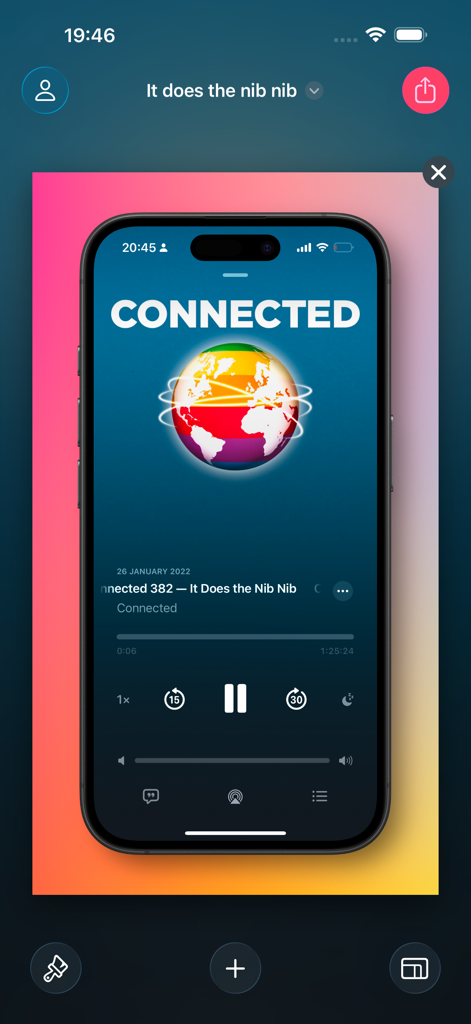
Frame Screenshots: Shareshot - 생생한 분홍색과 노란색 그라데이션 배경 위에 기기 프레임 안의 iPhone 스크린샷을 표시하는 Shareshot 앱 인터페이스.
생생한 분홍색과 노란색 그라데이션 배경 위에 기기 프레임 안의 iPhone 스크린샷을 표시하는 Shareshot 앱 인터페이스.

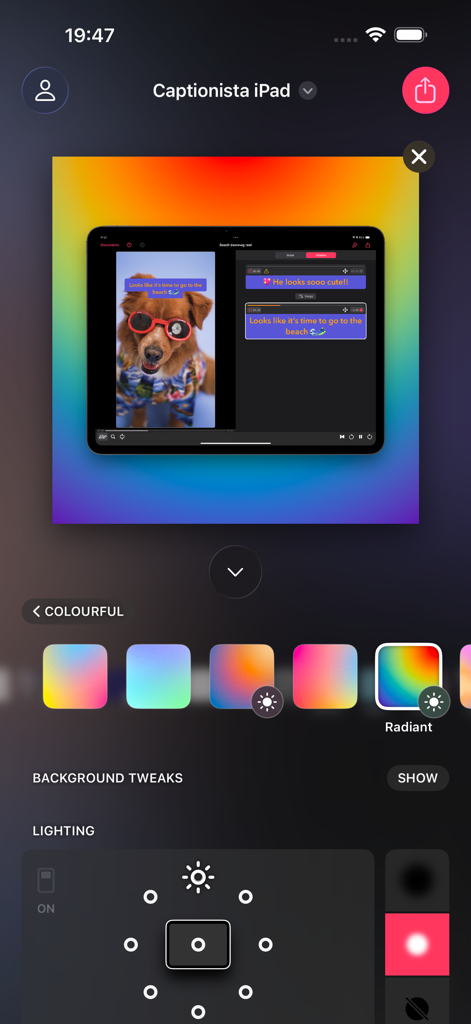
Frame Screenshots: Shareshot - 빛나는 그라데이션 배경과 조명 조절 컨트롤이 있는 iPad 기기 프레임을 보여주는 Shareshot 앱 인터페이스
빛나는 그라데이션 배경과 조명 조절 컨트롤이 있는 iPad 기기 프레임을 보여주는 Shareshot 앱 인터페이스

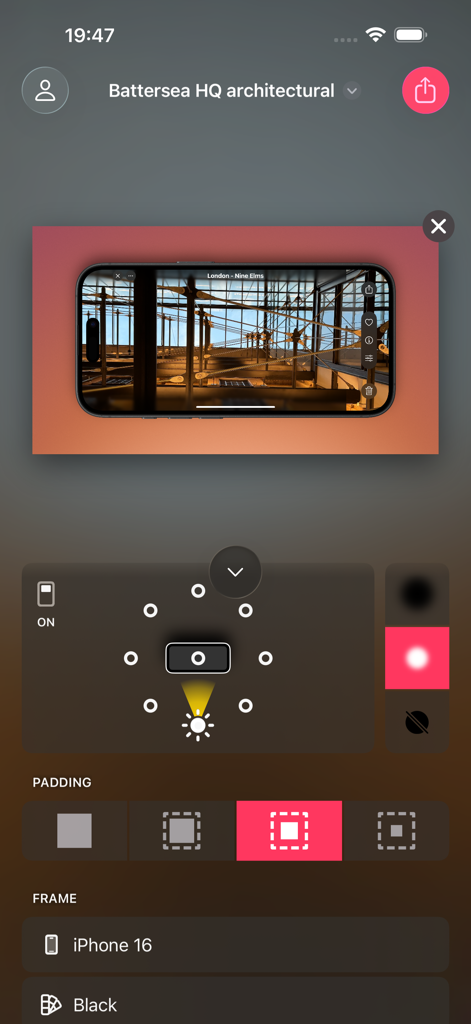
Frame Screenshots: Shareshot - 배경 조명 및 패딩 컨트롤이 있는 iPhone 16 프레임 안에 풍경 건축 스크린샷을 보여주는 Shareshot 모바일 앱 인터페이스.
배경 조명 및 패딩 컨트롤이 있는 iPhone 16 프레임 안에 풍경 건축 스크린샷을 보여주는 Shareshot 모바일 앱 인터페이스.

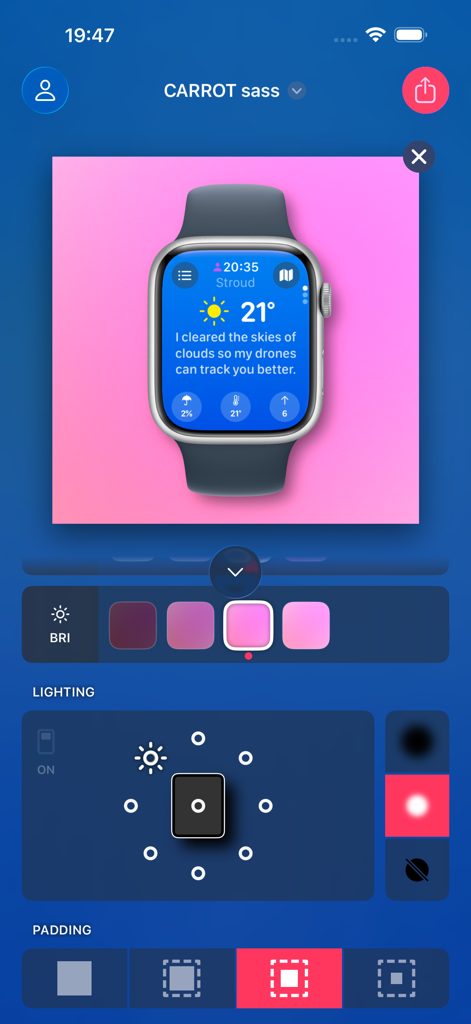
Frame Screenshots: Shareshot - 날씨 앱 스크린샷과 배경 조명 컨트롤이 있는 Apple Watch 프레임을 보여주는 Shareshot 앱 인터페이스
날씨 앱 스크린샷과 배경 조명 컨트롤이 있는 Apple Watch 프레임을 보여주는 Shareshot 앱 인터페이스

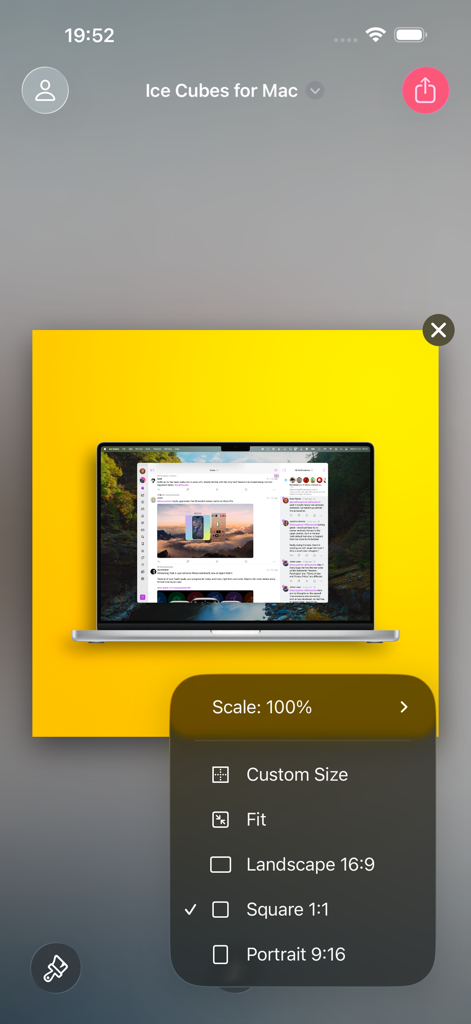
Frame Screenshots: Shareshot - 종횡비 선택 메뉴와 프레임 처리된 MacBook 스크린샷을 보여주는 Shareshot 앱 인터페이스.
종횡비 선택 메뉴와 프레임 처리된 MacBook 스크린샷을 보여주는 Shareshot 앱 인터페이스.

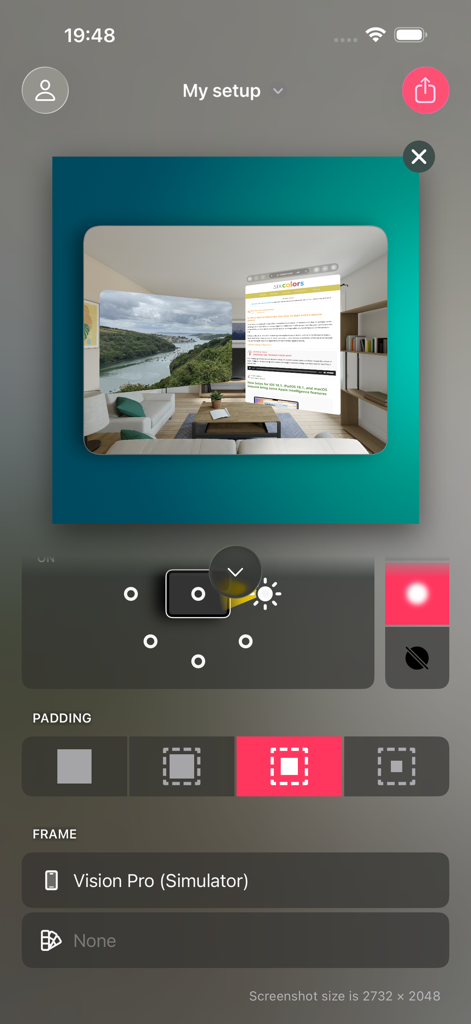
Frame Screenshots: Shareshot - Apple Vision Pro 시뮬레이터를 위한 스크린샷 편집 도구를 보여주는 Shareshot 앱 인터페이스
Apple Vision Pro 시뮬레이터를 위한 스크린샷 편집 도구를 보여주는 Shareshot 앱 인터페이스

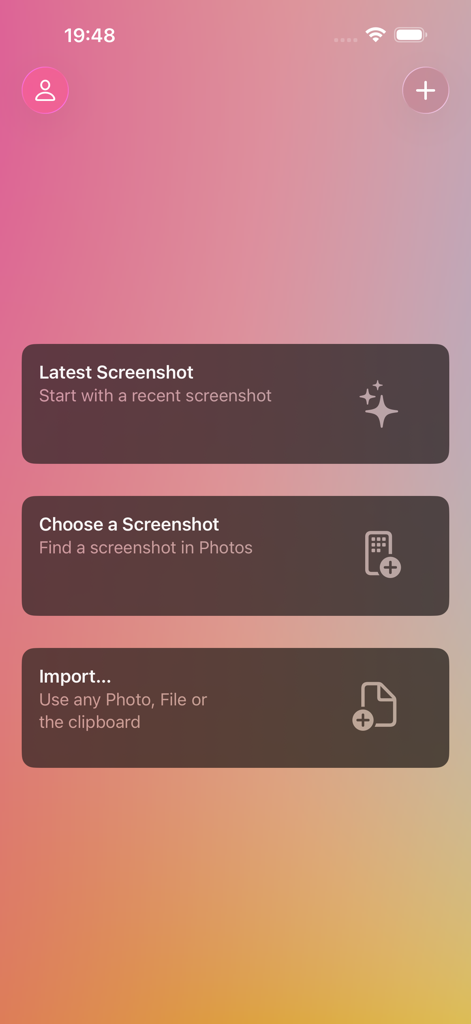
Frame Screenshots: Shareshot - 최신 스크린샷 선택, 사진에서 선택 또는 파일 가져오기 옵션을 보여주는 Shareshot 앱 메인 인터페이스.

최신 스크린샷 선택, 사진에서 선택 또는 파일 가져오기 옵션을 보여주는 Shareshot 앱 메인 인터페이스.

설명

~~ Winner of MacStories Selects "Best Design" 2024 ~~ Add a beautiful background and perfectly fitted device frame to screenshots from iPhone, iPad, Mac, Apple Watch, and more. Choose a screenshot, select the output size, background and lighting effects — then share in seconds. Perfect for sharing home screen layouts! Shareshot is free to use with a watermark and some style limitations. Get a Pro subscription to remove restrictions and get full access to lighting controls, custom background images and custom frame support for the perfect screenshot! All bezels are included without paying. BACKGROUNDS * Add a pretty background — with thousands of gradient variations, striped patterns, and solidarity flags to show off your screenshot. * Highlight your screenshot with the light position control for shadow and lighting effects in the background. (*) * Use any image as a background. (*) * Take a solid colour from your brand as a background. * Support for a clear background when adding a frame for use in other workflows. (*) * Use the current Apple Music artwork as a background. THE PERFECT FRAME * The frame always fits the resolution of the screenshot, no janky stretched or cropped images. * Frame gaming screenshots from Nintendo Switch & playdate. * "Fit Frame" mode for web & other media where you need to place a screenshot. * Add your own custom frame with a clear area where the screenshot should be — frame any images! * Use any image if no frame is required, or choose "No frame" if you prefer to go without. INTELLIGENCE * Any newly added screenshot is automatically detected. * A very recent screenshot will be opened at app launch. * Style memory remembers every background setting between sessions. * Frame Memory recalls the last used frame variant for each device. SHORTCUTS & SIRI * Automate batch processing with powerful Shortcuts actions to frame each screenshot in the input. * "Frame last screenshot" action takes the last screenshot in your Photo library, will add a frame to it and add the background and styling you choose. * "Open Shareshot with most recent screenshot" opens the app with the latest screenshot, as part of a Shortcuts workflow. * "Frame Screenshots" takes screenshot images as input, will add the correct frame and style the background of them all. * "Frame Screenshots with a custom background" uses a background image you pass in. * Siri "App Shortcut" support for saying "New Shareshot" to frame the last screenshot, opens the app ready for you to tweak the background. ADVANCED FEATURES * Control Widget for framing the last screenshot taken. * Export scale control including 100% for pixel-perfect exports. * Export to custom fixed sizes or fixed widths to fit your website content. * Keyboard shortcuts, drag & drop, copy & paste of images into and out of the app. 
(*) - Requires Pro For Terms of Use see: https://www.apple.com/legal/internet-services/itunes/dev/stdeula/

Download

다운로드: App Store

이 페이지는 앱이나 개발자의 공식 페이지가 아니며, 정보 제공 및 논평을 목적으로 작성된 독립 편집 간행물입니다. 명시적으로 달리 언급되지 않는 한, 해당 앱이나 개발자는 MWM, Apple, Google Play, 앱 퍼블리셔 또는 앱 개발자와 제휴, 보증, 후원, 승인 또는 공식적으로 연결되어 있지 않으며, 이 페이지의 어떤 내용도 해당 앱이 MWM의 서비스를 사용하여 개발되었음을 의미하지 않습니다. 모든 상표, 로고, 스크린샷 및 기타 콘텐츠는 해당 소유자의 자산입니다.







