Free TV Remote™ for LG TVs
다운로드: App Store

이 페이지는 앱이나 개발자의 공식 페이지가 아니며, 정보 제공 및 논평을 목적으로 작성된 독립 편집 간행물입니다. 명시적으로 달리 언급되지 않는 한, 해당 앱이나 개발자는 MWM, Apple, Google Play, 앱 퍼블리셔 또는 앱 개발자와 제휴, 보증, 후원, 승인 또는 공식적으로 연결되어 있지 않으며, 이 페이지의 어떤 내용도 해당 앱이 MWM의 서비스를 사용하여 개발되었음을 의미하지 않습니다. 모든 상표, 로고, 스크린샷 및 기타 콘텐츠는 해당 소유자의 자산입니다.

로고: Free TV Remote™ for LG TVs
다운로드: App Store

Free TV Remote™ for LG TVs

iPhone을 고성능 매직 리모컨으로 바꾸세요. LG 스마트 TV에 즉시 연결하고 내장 터치패드, 음성 검색, 번개처럼 빠른 키보드로 손쉬운 탐색을 즐기세요.

주요 수치

다운로드

4K+

사용자 평점

4.2/5

총 평가 수

400

개발사

SEAMOBI TECH PTE LTD

카테고리

Utilities

지원 언어

13

최신 버전

1.2.3

크기

65.7 MB

출시일

2024년 3월 27일
기능

LG TV의 모든 잠재력을 발휘하세요

iPhone을 궁극적인 매직 리모컨으로 바꾸세요. 현대적인 거실을 위해 설계된 원활한 탐색, 더 빠른 검색, 제로에 가까운 설정 노력을 경험하세요.

번개처럼 빠른 키보드

찾고 누르는 좌절감은 멈추세요. iPhone의 키보드를 사용하여 몇 초 만에 영화 제목, 비밀번호 및 검색어를 입력하세요.

유체 터치패드 탐색

트랙패드의 정밀도로 메뉴를 스와이프하고 클릭하여 뻑뻑한 물리 버튼을 부드럽고 직관적인 제스처로 대체하세요.

다음 스크린샷과 설명은 앱의 공식 스토어 목록에서 직접 가져온 것이며 앱 개발자의 자산입니다.

앱 스토어

스크린샷
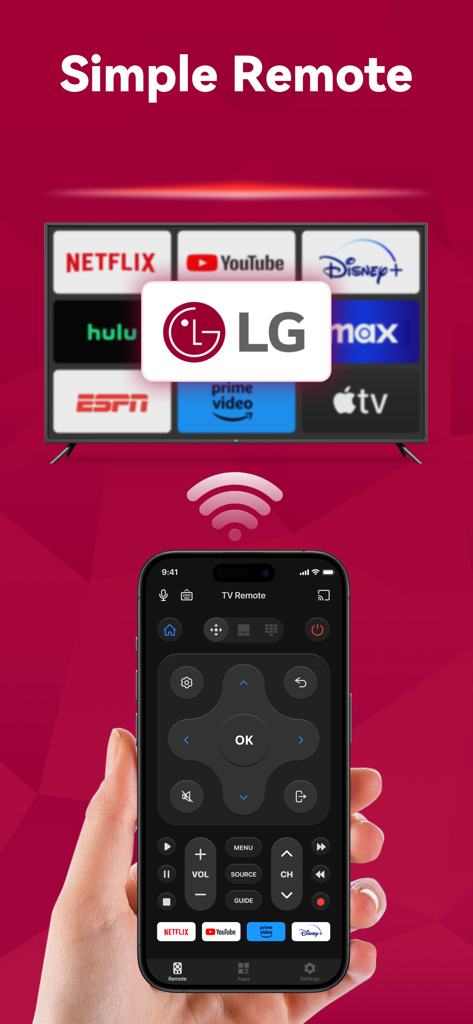
Free TV Remote™ for LG TVs - Wi-Fi를 통해 스마트 TV에 연결되는 LG TV 리모컨 앱 인터페이스가 있는 iPhone을 들고 있는 손.
Wi-Fi를 통해 스마트 TV에 연결되는 LG TV 리모컨 앱 인터페이스가 있는 iPhone을 들고 있는 손.

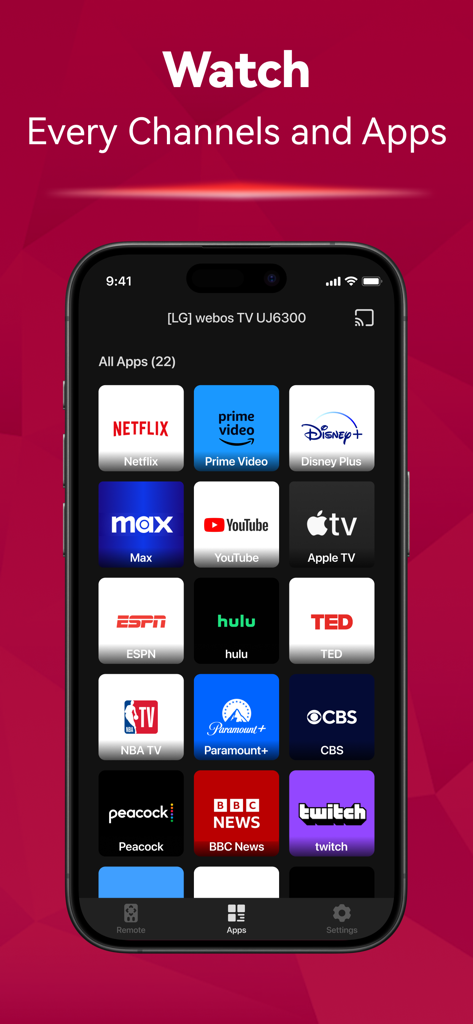
Free TV Remote™ for LG TVs - Netflix, YouTube, Hulu 등 다양한 스트리밍 아이콘을 보여주는 LG TV 리모컨 앱의 스마트폰 화면
Netflix, YouTube, Hulu 등 다양한 스트리밍 아이콘을 보여주는 LG TV 리모컨 앱의 스마트폰 화면

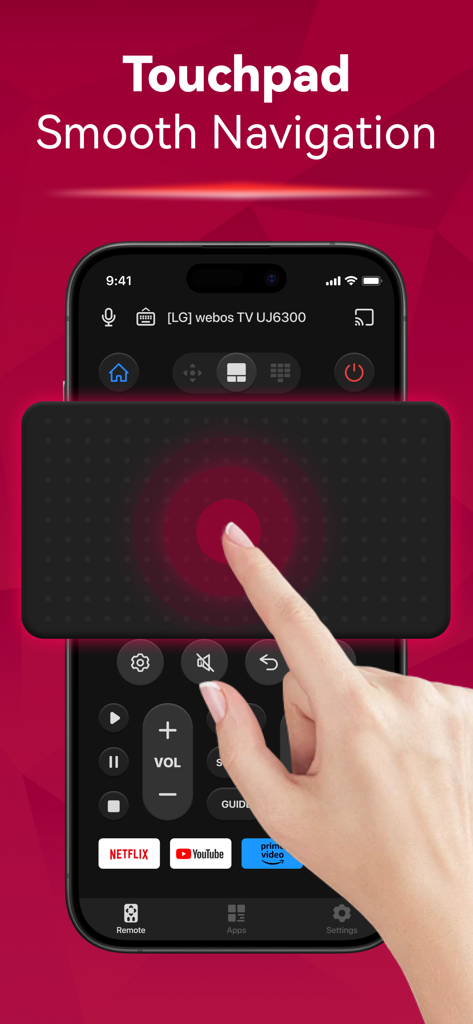
Free TV Remote™ for LG TVs - iPhone에서 터치패드 탐색 기능을 보여주는 LG TV용 무료 TV 리모컨 앱 인터페이스
iPhone에서 터치패드 탐색 기능을 보여주는 LG TV용 무료 TV 리모컨 앱 인터페이스

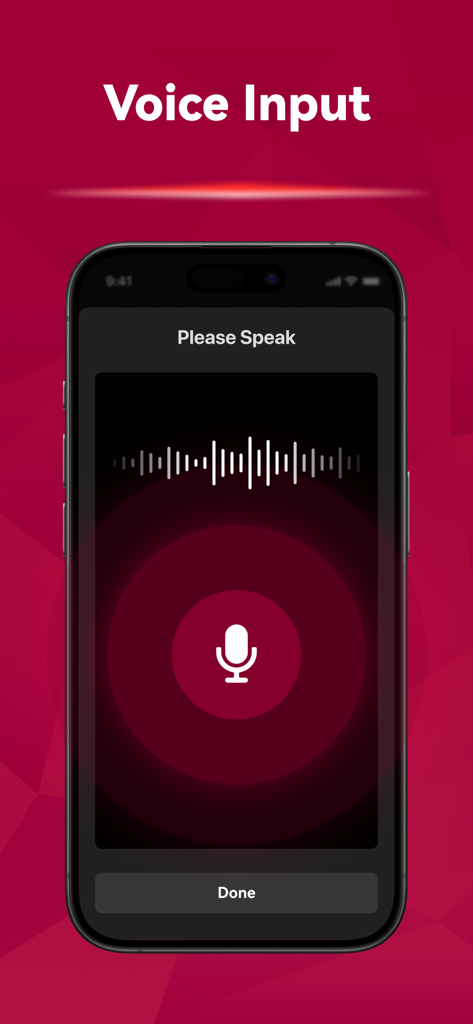
Free TV Remote™ for LG TVs - 마이크 아이콘과 음파 시각화가 있는 LG TV용 무료 TV 리모컨 앱의 음성 입력 인터페이스.
마이크 아이콘과 음파 시각화가 있는 LG TV용 무료 TV 리모컨 앱의 음성 입력 인터페이스.

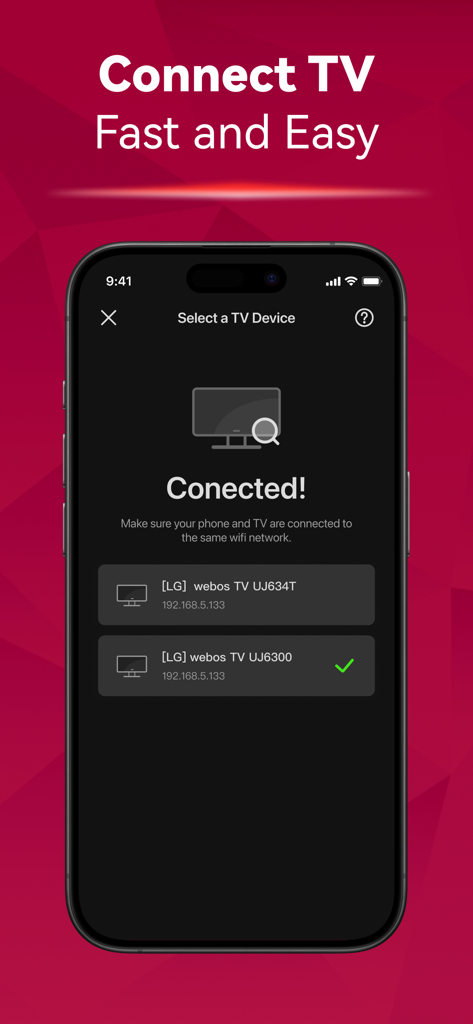
Free TV Remote™ for LG TVs - 동일한 Wi-Fi 네트워크에서 감지된 스마트 TV 목록을 보여주는 LG TV 리모컨 앱의 설정 화면

동일한 Wi-Fi 네트워크에서 감지된 스마트 TV 목록을 보여주는 LG TV 리모컨 앱의 설정 화면

설명

Can't find your remote again? Introducing the TV Remote app! Say goodbye to the hassle of searching for your remote. Simply connect it to the same Wi-Fi network as your TV, you can effortlessly turn the TV on/off, switch channels, adjust the volume and manage content playback - just like a typical physical remote control. It even has a touchpad and voice input for added convenience. Enhance your TV experience with the TV Remote app today! Here are the guidelines for using the TV Remote: 1. Download and install the universal TV Remote app. 2. Select a TV that is connected to the same WiFi network. 3. Tap to connect. 4. Voila! The TV Remote control is now all set up. Enjoy seamless control of your TV with these simple steps! With the TV Remote app, you'll enjoy a range of convenient features: - Automatic detection of TVs on the same WiFi network makes setup a breeze. - Rapid TV control gives you instant access to volume adjustment, reverse, and fast forward functions. - Experience smooth and efficient TV control with the touchpad feature. - Swift text input and search functionality help you find your favorite shows and movies quickly. - Power on/off your TV directly from your device including LED, OLED, 4K etc. - Take advantage of voice search functionality for hands-free control. - Just like a standard remote like AKB series, or Magic Remote Enjoy the functionalities and features of the app at your own discretion. For troubleshooting: - The app can only connect to the same WiFi network as your TV device. - For connection failure with TV, app reinstallation and TV reboot are suggested to resolve most issues. Privacy Policy: https://sites.google.com/view/tv-remote-ios-privacy-policy Terms of Use: https://sites.google.com/view/tv-remote-ios-terms-of-use

Download

다운로드: App Store

이 페이지는 앱이나 개발자의 공식 페이지가 아니며, 정보 제공 및 논평을 목적으로 작성된 독립 편집 간행물입니다. 명시적으로 달리 언급되지 않는 한, 해당 앱이나 개발자는 MWM, Apple, Google Play, 앱 퍼블리셔 또는 앱 개발자와 제휴, 보증, 후원, 승인 또는 공식적으로 연결되어 있지 않으며, 이 페이지의 어떤 내용도 해당 앱이 MWM의 서비스를 사용하여 개발되었음을 의미하지 않습니다. 모든 상표, 로고, 스크린샷 및 기타 콘텐츠는 해당 소유자의 자산입니다.








