이 페이지는 앱이나 개발자의 공식 페이지가 아니며, 정보 제공 및 논평을 목적으로 작성된 독립 편집 간행물입니다. 명시적으로 달리 언급되지 않는 한, 해당 앱이나 개발자는 MWM, Apple, Google Play, 앱 퍼블리셔 또는 앱 개발자와 제휴, 보증, 후원, 승인 또는 공식적으로 연결되어 있지 않으며, 이 페이지의 어떤 내용도 해당 앱이 MWM의 서비스를 사용하여 개발되었음을 의미하지 않습니다. 모든 상표, 로고, 스크린샷 및 기타 콘텐츠는 해당 소유자의 자산입니다.
G-Bowl
서킷 애호가 및 프로 드라이버를 위한 최고의 G-포스 데이터 로거. 물리학을 시각화하고, 코너링을 개선하며, 실시간 오디오 피드백과 고정밀 분석을 통해 기술을 완벽하게 만드세요.
서킷에서 포디움을 노리든, 5성급 승객 편의를 목표로 하든, G-Bowl은 스마트폰을 고정밀 텔레메트리 실험실로 바꾸어 실력을 향상시킵니다.
눈을 뗄 필요 없는 성능 오디오
직관적인 사운드 피치를 통해 G-포스 강도를 들어보세요. 화면을 보지 않고도 타이어의 한계를 마스터하고 정점을 향한 집중력을 유지하세요.
전문가급 데이터 로깅
G-포스, 요 레이트, 저크, GPS 데이터를 정밀하게 기록하세요. CSV로 로그를 내보내 심층적인 Excel 분석을 하거나 '고스트 카' 기능을 사용하여 개선 사항을 시각화하세요.
다음 스크린샷과 설명은 앱의 공식 스토어 목록에서 직접 가져온 것이며 앱 개발자의 자산입니다.
앱 스토어
스크린샷
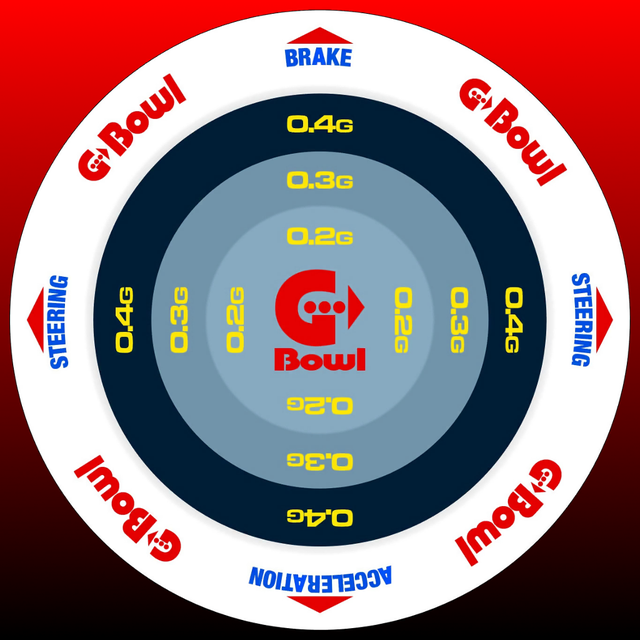
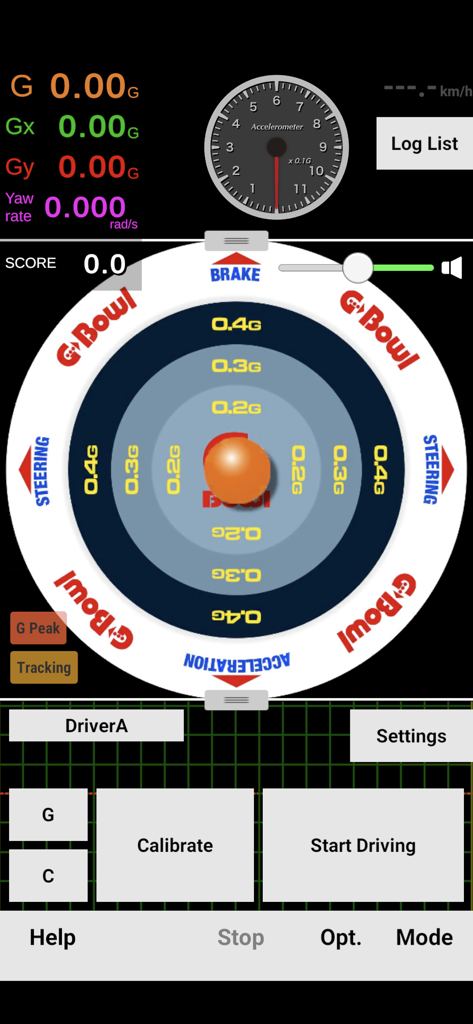
G-Bowl 앱 인터페이스, 원형 G-포스 미터, 가속도계 다이얼, 실시간 운전 텔레메트리 데이터 표시
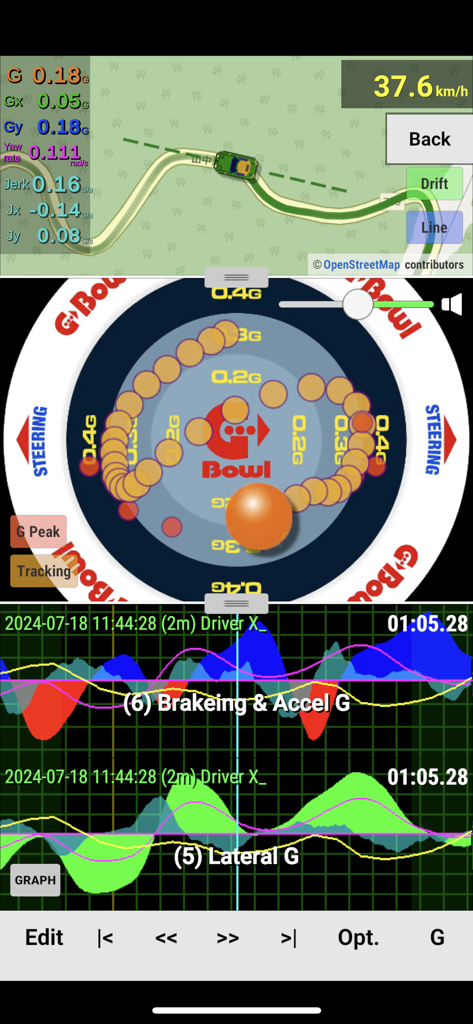
G-Bowl 앱 인터페이스, 실시간 G-포스 텔레메트리, GPS 지도, 운전 데이터 그래프 표시
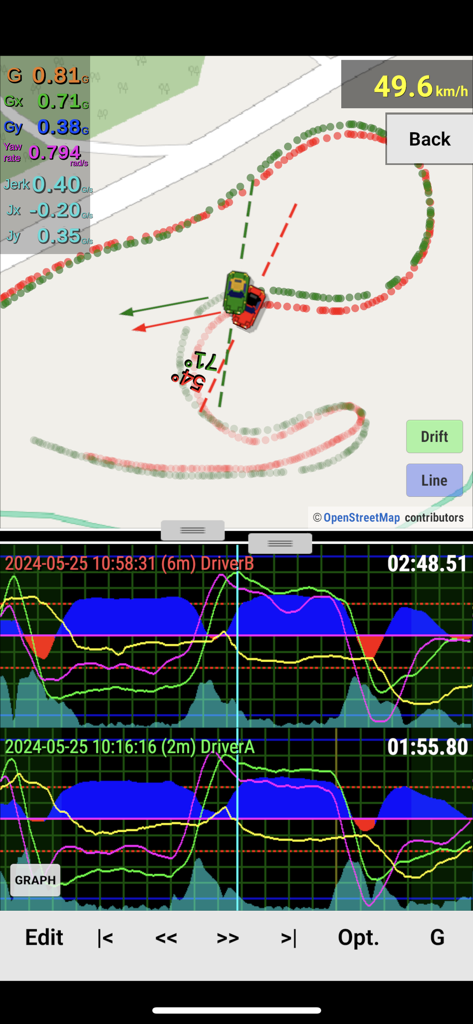
G-Bowl 앱 인터페이스, 텔레메트리 그래프 및 드리프트 지도와 운전 로그 비교
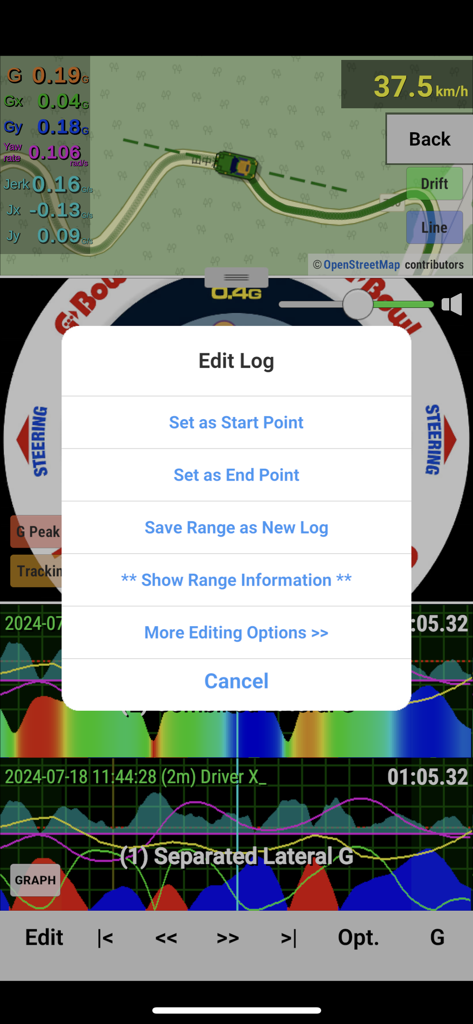
G-Bowl 앱 인터페이스, 텔레메트리 데이터 그래프 및 지도 보기에 대한 운전 로그 편집 옵션 표시
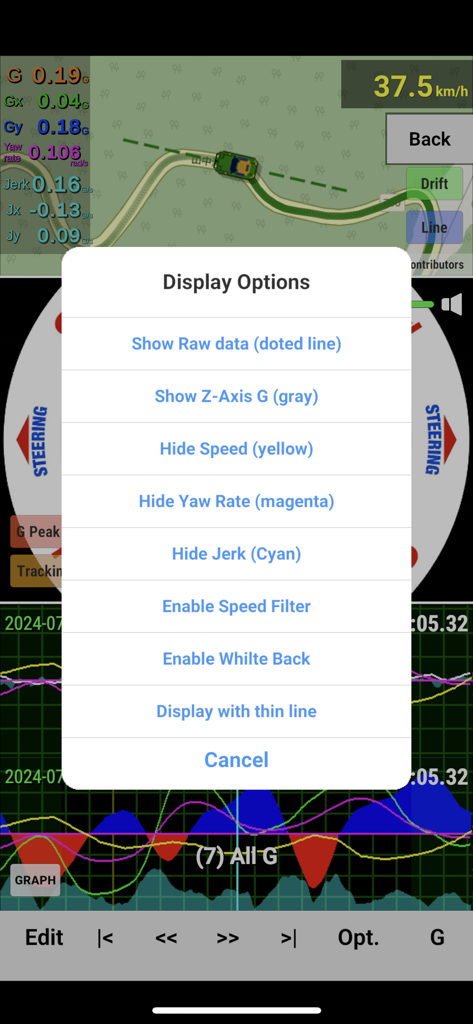
G-Bowl 앱 화면, 운전 텔레메트리 데이터에 대한 디스플레이 옵션 메뉴 표시
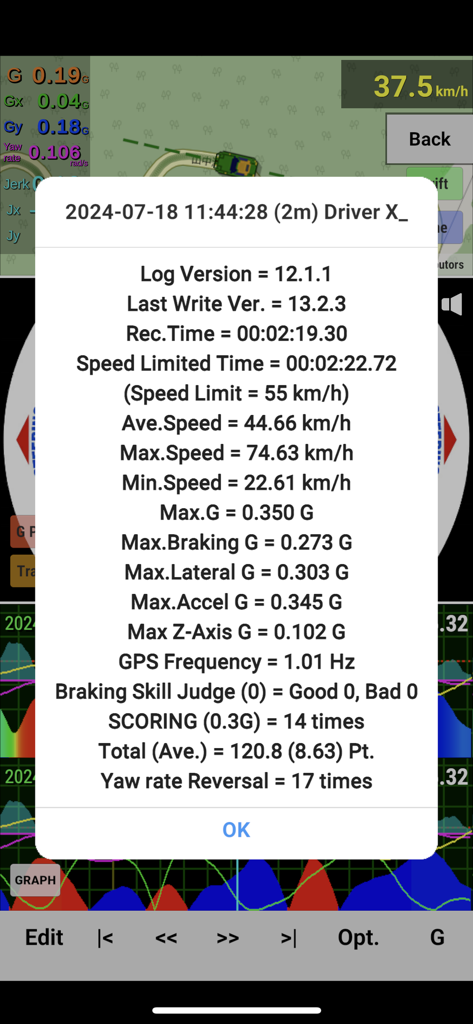
G-Bowl 앱에서 속도 및 G-포스 텔레메트리 데이터를 보여주는 상세 운전 로그 요약
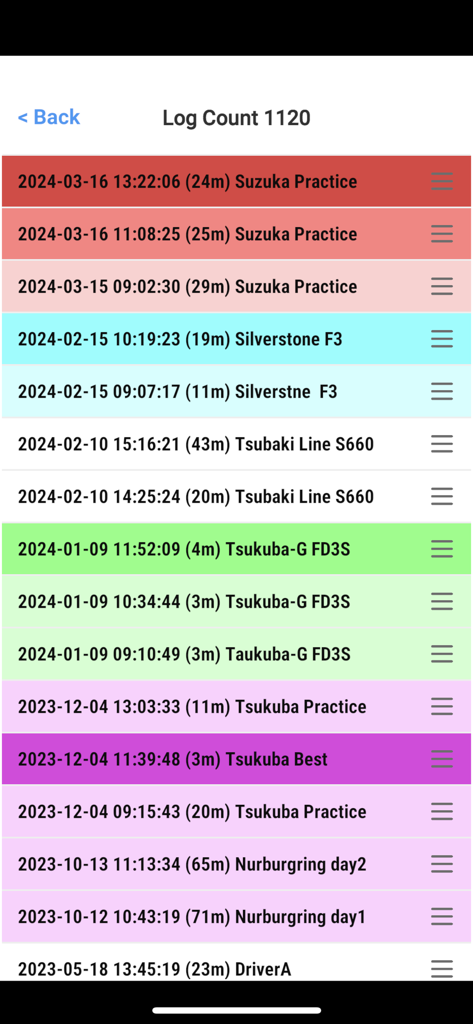
서킷의 스즈카 및 실버스톤에서의 연습 세션을 보여주는 G-Bowl 앱의 운전 데이터 로그 목록
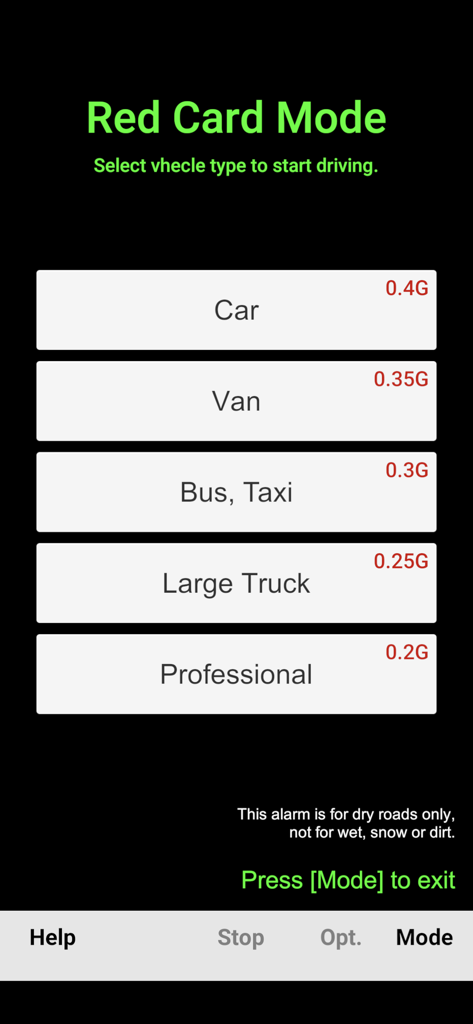
차량 유형 및 G-포스 모니터링 한계를 선택하기 위한 G-Bowl 앱 레드 카드 모드 화면
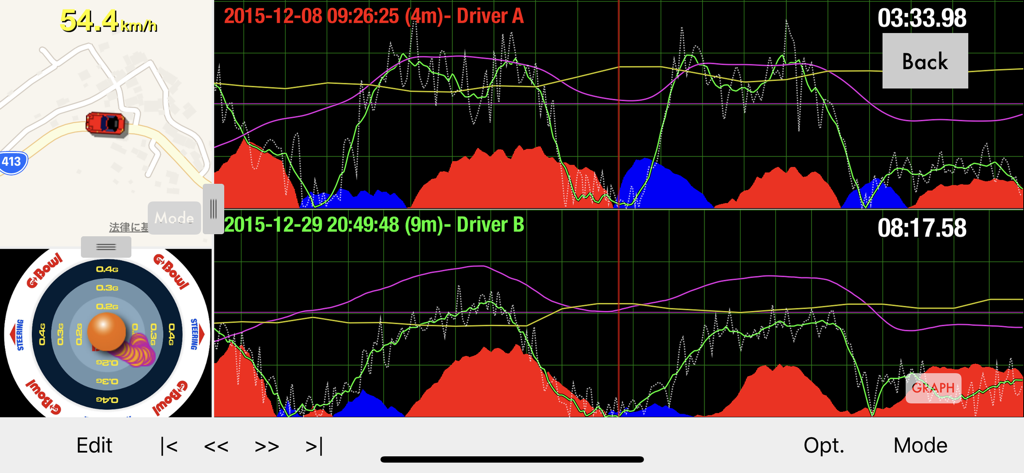
G-Force 및 GPS 데이터를 보여주는 두 드라이버의 운전 텔레메트리 그래프를 나란히 비교하는 G-Bowl 앱
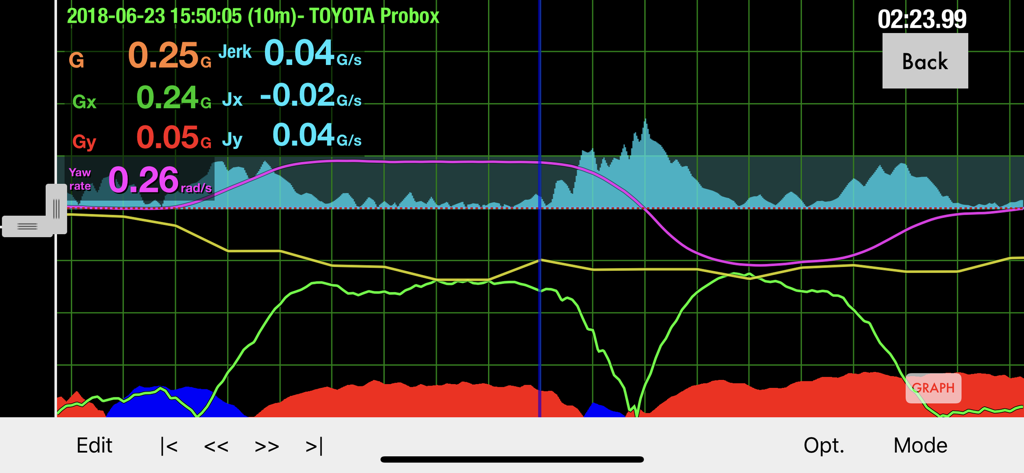
성능 분석을 위해 G-포스, 저크 및 요 레이트를 표시하는 G-Bowl 앱의 상세 운전 텔레메트리 그래프.
설명
G-Bowl is a training and analysis tool designed to improve driving skills, whether for comfortable driving, circuit racing, or drift driving.
With features that provide audio cues and warning sounds based on G-force intensity, it is also highly effective for professional driver training, including skills testing for bus and taxi drivers.
In addition to recording G-forces experienced during driving, G-Bowl also logs GPS location data, speed, yaw rate, and jerk, making it a powerful data logger for driving analysis.
Furthermore, the app offers various features such as diagnostic and warning functions, driving data editing, and data sharing options (email, Excel export, etc.).
For more detailed product information, please visit the official webs: https://en.ifulsoft.com/
MAIN FUCTIONS
- Data logger function with G-force measurement and GPS information for circuit use
- Display of G-force trajectory, G-meter, and real-time graph
- Overlay display of speed, yaw rate, jerk, and raw G-force data
- Easy mode available for anyone to use with a single button
- G-force strength indicated by sound pitch (know the G-force without looking at the screen while driving!)
- Warning sound when G-force or jerk exceeds the limit
- Cornering G-force scoring function
- Record, playback, analyze, cut-edit, and compare two driving logs
- Auto-pause (automatically pauses and resumes log recording at traffic lights)
- GPS map display, driving line, drift angle, and ghost car display
- Share driving logs (via AirDrop, email, cloud, etc.)
- Export in CSV format compatible with PC (Excel, etc.)
- Supports Bluetooth external GPS units
USER SUPPORT
Please contact us via the Help button or the "Support" on the official website.
We also welcome inquiries before purchase.
EASY MODE USAGE INSTRUCTION
This is a simple warning mode that can be used with one button.
Press the [MODE] button at the bottom right of the screen to switch to "Red Card Mode."
Then, just set your smartphone in the holder and press the button to select your car model.
Drive while listening to the G-force strength and try to avoid triggering the warning sound.
This mode is recommended for those who are not good with machines or who want a quick way to train for the second type of certification.
HOW TO USE NORMAL MODE
1.Preparation
Place your smartphone in the direction of the car's movement (it can be upright for better visibility).
The most important thing is to choose a location with minimal vibration.
It is recommended to place it on a stable surface like the floor or center console.
(The dashboard or smartphone stand is not recommended due to high vibration.)
2.Level Set
Park the car on a level surface and press the [Calibrate] button to record the level position.
3.Driving & Recording
Once preparation and level set are complete, press the [Start Driving] button to begin driving.
After finishing the drive, press the [Stop] button to save the data.
4.Log List
Press the [Log List] button at the top right of the screen to display a list of saved driving logs.
You can touch a log to play, share, or delete it.
5.Log Playback
In the log playback screen, you have options for playback, comparing two data sets, editing, and display options.
You can touch the graph to play/pause, and pinch/drag to change the scale.
Important: If the graph appears jagged even when driving on a smooth paved road, it means your smartphone is picking up vibrations from the car. Please place your smartphone in a stable location to capture a clean graph.
(You can also adjust the "Noise Filter Level" from the [Settings].)
SETTINGS
Press the [Settings] button in the App to open the settings screen. There are over 50 settings available.
For more details, please refer to the [Help] button or visit the official website .
https://en.ifulsoft.com/
이 페이지는 앱이나 개발자의 공식 페이지가 아니며, 정보 제공 및 논평을 목적으로 작성된 독립 편집 간행물입니다. 명시적으로 달리 언급되지 않는 한, 해당 앱이나 개발자는 MWM, Apple, Google Play, 앱 퍼블리셔 또는 앱 개발자와 제휴, 보증, 후원, 승인 또는 공식적으로 연결되어 있지 않으며, 이 페이지의 어떤 내용도 해당 앱이 MWM의 서비스를 사용하여 개발되었음을 의미하지 않습니다. 모든 상표, 로고, 스크린샷 및 기타 콘텐츠는 해당 소유자의 자산입니다.