
이 페이지는 앱이나 개발자의 공식 페이지가 아니며, 정보 제공 및 논평을 목적으로 작성된 독립 편집 간행물입니다. 명시적으로 달리 언급되지 않는 한, 해당 앱이나 개발자는 MWM, Apple, Google Play, 앱 퍼블리셔 또는 앱 개발자와 제휴, 보증, 후원, 승인 또는 공식적으로 연결되어 있지 않으며, 이 페이지의 어떤 내용도 해당 앱이 MWM의 서비스를 사용하여 개발되었음을 의미하지 않습니다. 모든 상표, 로고, 스크린샷 및 기타 콘텐츠는 해당 소유자의 자산입니다.

GBA, PSP, DS Game Emulator
iPhone에서 클래식 게임을 다시 즐겨보세요. 포켓몬부터 파이널 판타지까지, 저장 상태, 빨리 감기, 사용자 정의 컨트롤러 스킨과 같은 최신 기능을 갖춘 GBA, DS 및 PSP 게임을 즐기세요.
다운로드
366K+사용자 평점
총 평가 수
700개발사
카테고리
Entertainment지원 언어
1최신 버전
3.7크기
323.6 MB출시일
2024년 11월 13일어린 시절 전체가 iPhone에서 재해석됩니다
게임보이부터 PSP까지, 오늘날의 플레이 방식에 맞춰 설계된 최신 기능을 갖춘 세계에서 가장 상징적인 콘솔을 즐기세요.
올인원 레트로 허브
GBA, DS, PSP 등 간에 원활하게 전환하세요. 하나의 앱으로 수천 개의 전설적인 모험을 손끝에서 즐길 수 있습니다.
더 스마트하게 플레이하세요
저장 상태로 어려운 레벨을 마스터하고 빨리 감기로 반복 작업을 빠르게 완료하세요. 통근 중에 게임을 즐기기에 완벽합니다.
자주 묻는 질문
에 대해 알아야 할 모든 것 GBA, PSP, DS Game Emulator
GBA, PSP, DS 게임 에뮬레이터란 무엇인가요?
GBA, PSP, DS 게임 에뮬레이터는 GB, GBA, GBC, DS, NES, SNES, N64, PSP, PSX, PS1을 포함한 클래식 게임 시스템을 위한 올인원 에뮬레이터 역할을 하는 iOS 앱입니다.
Gameboy Emulator: Retro Games는 어떤 게임 콘솔을 지원하나요?
Gameboy Emulator: Retro Games는 GB, GBA, GBC, DS, NES, SNES, N64, PSP, PSX, PS1 콘솔을 지원합니다. 향후 업데이트에서 추가 콘솔 지원이 계획되어 있습니다.
GBA, PSP, DS 게임 에뮬레이터에서 게임 진행 상황을 어떻게 저장하나요?
네, GBA, PSP, DS 게임 에뮬레이터는 사용자가 일시 중지 메뉴에서 직접 게임 진행 상황을 쉽게 저장하고 불러올 수 있도록 합니다. 여러 게임 저장을 위한 무제한 저장 슬롯을 제공합니다.
Gameboy Emulator: Retro Games에는 빠른 앞으로 감기 기능이 포함되어 있나요?
네, Gameboy Emulator: Retro Games에는 빠른 앞으로 감기 기능이 포함되어 있습니다. 사용자는 일시 중지 메뉴에서 사용할 수 있는 빠른 전환으로 느린 게임 섹션을 가속할 수 있습니다.
GBA, PSP, DS 게임 에뮬레이터에서 컨트롤러 모양을 사용자 정의할 수 있나요?
네, GBA, PSP, DS 게임 에뮬레이터는 사용자가 사용자 정의 컨트롤러 스킨으로 게임 플레이를 개인화할 수 있도록 합니다. 선택할 수 있는 다양하고 세련된 옵션이 있습니다.
Gameboy Emulator: Retro Games는 멀티플레이어 게임을 지원하나요?
네, Gameboy Emulator: Retro Games는 멀티플레이어 기능을 지원합니다. 사용자는 친구에게 도전하고 함께 플레이할 수 있으며, 종종 동일한 WiFi 네트워크에 장치가 있어야 합니다.
GBA, PSP, DS 게임 에뮬레이터의 구독 비용은 얼마인가요?
GBA, PSP, DS 게임 에뮬레이터의 구독 비용은 1주일에 4.99달러, 1개월에 6.99달러, 또는 평생 이용권에 29.99달러입니다. 자동 갱신 구독입니다.
Gameboy Emulator: Retro Games용 게임을 다운로드하는 것은 합법적인가요?
Gameboy Emulator: Retro Games는 사용자가 합법적으로 얻은 게임 파일만 사용하도록 요구합니다. 무단 다운로드는 불법이며, 앱은 해적 행위를 지원하거나 묵인하지 않습니다.
GBA, PSP, DS 게임 에뮬레이터 구독을 관리하거나 취소하는 방법은 무엇인가요?
사용자는 구매 후 설정 > iTunes 및 App Store > Apple ID > 구독 관리에서 GBA, PSP, DS 게임 에뮬레이터 구독을 iTunes 계정 설정을 통해 관리하거나 취소할 수 있습니다.
GBA, PSP, DS 게임 에뮬레이터는 커뮤니티 기능을 제공하나요?
네, GBA, PSP, DS 게임 에뮬레이터는 커뮤니티 기능을 포함하고 있습니다. 사용자는 게임 레벨과 상태를 공유하고, 다른 게이머의 콘텐츠를 다운로드하고, 퀴즈에 참여할 수 있습니다.
다음 스크린샷과 설명은 앱의 공식 스토어 목록에서 직접 가져온 것이며 앱 개발자의 자산입니다.
앱 스토어
스크린샷
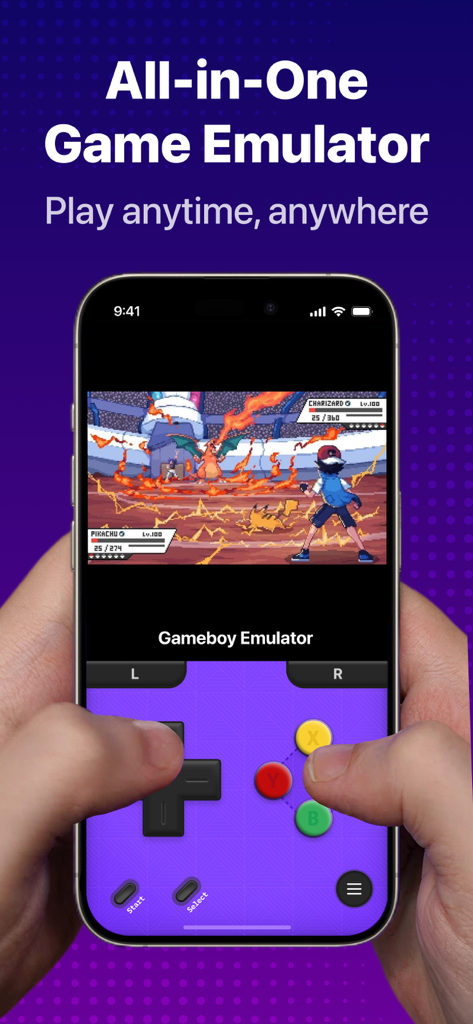
사용자 정의 보라색 컨트롤러 스킨을 사용하여 올인원 게임 에뮬레이터로 복고풍 게임 전투를 표시하는 iPhone
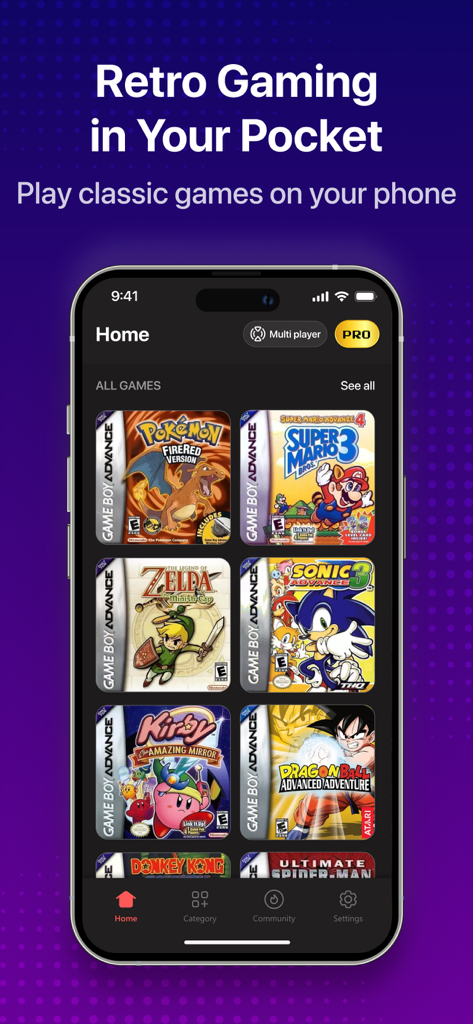
포켓몬 및 슈퍼 마리오와 같은 고전 타이틀의 커버가 포함된 복고풍 게임 에뮬레이터 라이브러리를 보여주는 iPhone 화면
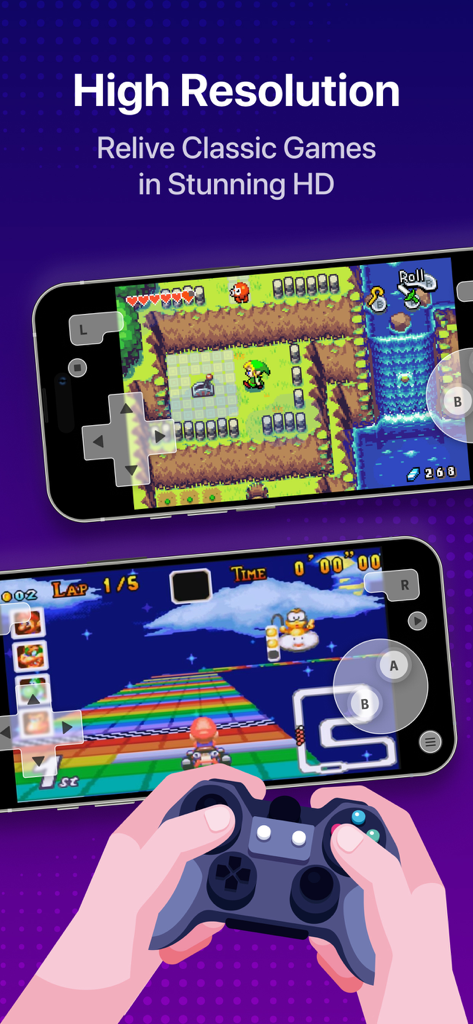
모바일 장치에서 HD로 고전 게임을 보여주는 고해상도 복고풍 게임 에뮬레이터
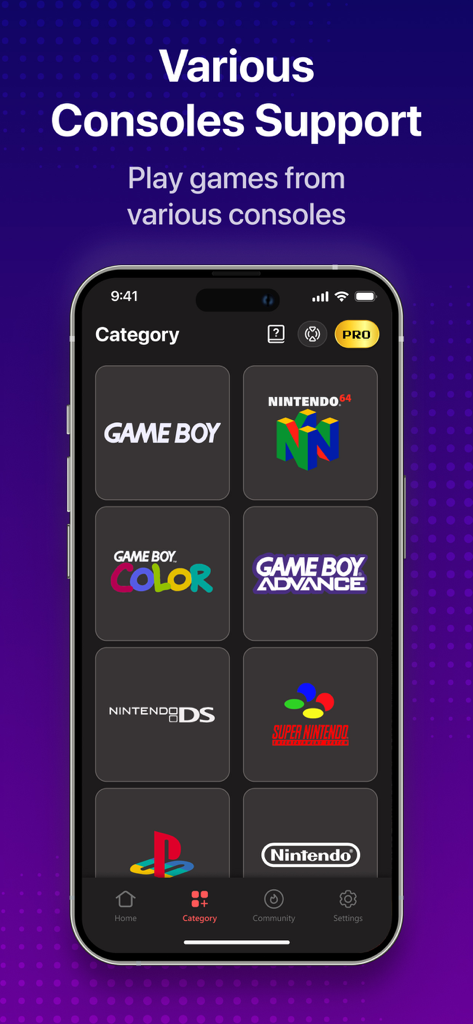
에뮬레이터 앱 인터페이스의 게임보이 및 닌텐도 64를 포함한 지원되는 복고풍 게임 콘솔 목록
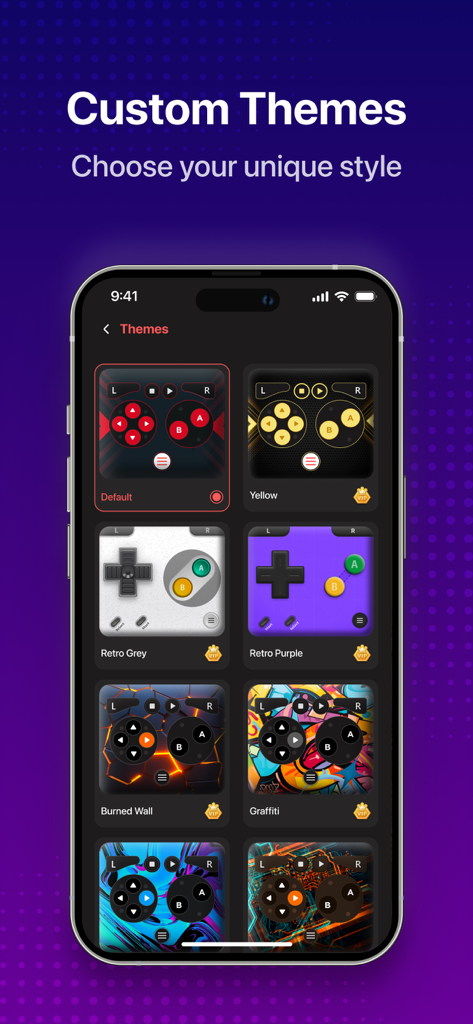
게임 에뮬레이터 앱에 대한 다양한 다채롭고 복고풍 스타일의 컨트롤러 스킨 옵션을 보여주는 메뉴
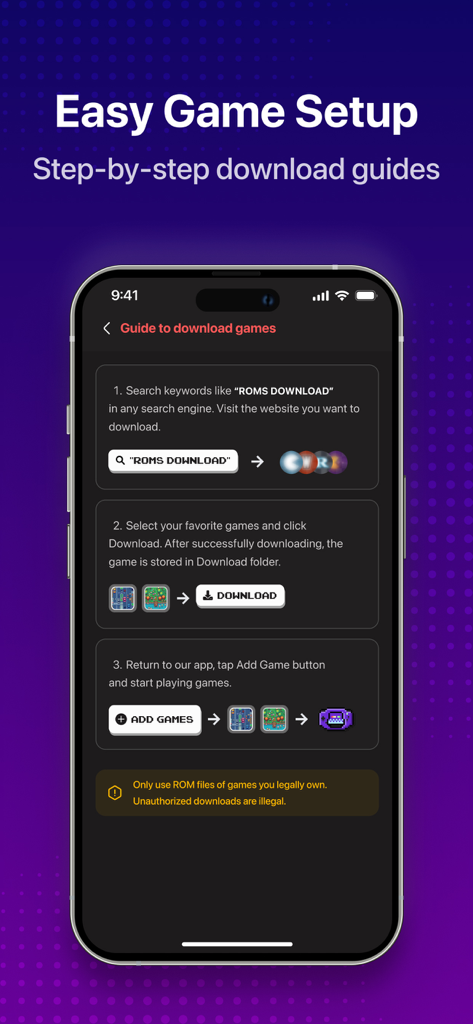
에뮬레이터 앱에 게임을 다운로드하고 추가하는 단계별 가이드
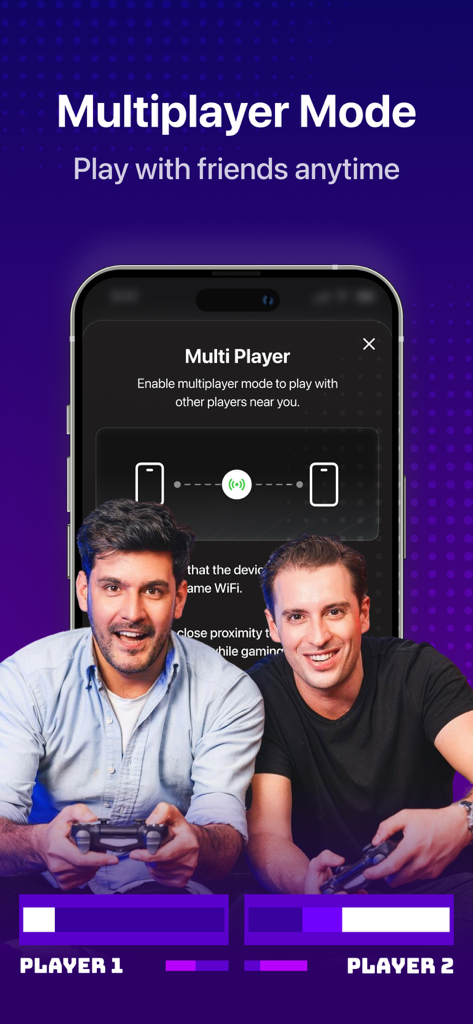
두 남자가 iPhone에서 함께 플레이하기 위해 게임 에뮬레이터 앱의 멀티플레이어 모드 기능을 사용하고 있습니다.
설명
Download
비슷한 앱
유사한 기능과 사용자 경험을 가진 앱
Retra - app console emulator
MODERN DEV LP

Manic EMU - Game Emulator
傲霜 李

Game Emulator: GamePod Emu
Aytek Sokmen

Gamuroid: All Game Emulator
UNIVERSAL TECHLAB COMPANY LIMITED

Lucky Emulator – GBA & DS
LUCKY MUSHROOM LIMITED
MyBoyGame-All in one Emulator
明 李

Game Emulator - RePlay
彩连 刘

Delta - Game Emulator
Yvette Testut
Emu — Game Consoles App
METRONOM YAZILIM LIMITED SIRKETI
이 페이지는 앱이나 개발자의 공식 페이지가 아니며, 정보 제공 및 논평을 목적으로 작성된 독립 편집 간행물입니다. 명시적으로 달리 언급되지 않는 한, 해당 앱이나 개발자는 MWM, Apple, Google Play, 앱 퍼블리셔 또는 앱 개발자와 제휴, 보증, 후원, 승인 또는 공식적으로 연결되어 있지 않으며, 이 페이지의 어떤 내용도 해당 앱이 MWM의 서비스를 사용하여 개발되었음을 의미하지 않습니다. 모든 상표, 로고, 스크린샷 및 기타 콘텐츠는 해당 소유자의 자산입니다.