
이 페이지는 앱이나 개발자의 공식 페이지가 아니며, 정보 제공 및 논평을 목적으로 작성된 독립 편집 간행물입니다. 명시적으로 달리 언급되지 않는 한, 해당 앱이나 개발자는 MWM, Apple, Google Play, 앱 퍼블리셔 또는 앱 개발자와 제휴, 보증, 후원, 승인 또는 공식적으로 연결되어 있지 않으며, 이 페이지의 어떤 내용도 해당 앱이 MWM의 서비스를 사용하여 개발되었음을 의미하지 않습니다. 모든 상표, 로고, 스크린샷 및 기타 콘텐츠는 해당 소유자의 자산입니다.

다운로드
25M+사용자 평점
총 평가 수
224.6K개발사
카테고리
Utilities지원 언어
78최신 버전
2.3.19크기
82.8 MB출시일
2016년 5월 12일Gboard의 핵심 기능 분석
아이폰 사용자들을 위한 Google 키보드의 주요 강점
내장된 Google 검색
이 앱은 사용자가 키보드 내에서 앱 전환 없이 Google 검색을 통해 정보를 찾고 공유할 수 있게 해줍니다.
글라이드 타이핑
이 도구는 손가락을 키보드에서 떼지 않고 문자를 미끄러지듯이 입력하여 빠르고 효율적인 타이핑 경험을 제공합니다.
이모티콘 검색
이 앱은 사용자가 키워드 검색을 통해 완벽한 이모티콘을 신속하게 찾아 대화에 풍부한 감정을 더할 수 있게 돕습니다.
GIF 검색
이 앱은 사용자가 대화의 맥락에 맞는 GIF를 쉽게 찾아 선택함으로써 메시지에 유머와 생동감을 불어넣을 수 있도록 합니다.
스티커
이 도구는 사용자가 자신의 개성을 표현하거나 대화를 더욱 풍성하게 만들 수 있는 스티커를 공유하거나 직접 생성할 수 있게 합니다.
다국어 지원
이 앱은 광범위한 언어를 지원하여 다양한 언어권의 사용자들이 자신의 모국어로 편리하게 의사소통할 수 있도록 돕습니다.
자주 묻는 질문
에 대해 알아야 할 모든 것 Gboard – the Google Keyboard
What is Gboard?
Gboard is Google's keyboard for iPhone and iPad, offering features like GIFs, emoji search, Glide Typing, and integrated Google Search directly from the keyboard.
Does Gboard have integrated search functionality?
Yes, Gboard features built-in Google Search. Users can search for nearby places, videos, images, weather, news, sports scores, and more, then send results without leaving the app.
Can I search for emojis in Gboard?
Yes, Gboard includes an emoji search feature. This allows users to quickly find the perfect emoji by typing keywords directly into the search bar.
Does Gboard support stickers?
Yes, Gboard supports stickers. Users can create or share stickers to express themselves, with access to a sticker gallery.
What is Glide Typing in Gboard?
Glide Typing in Gboard allows users to type faster by sliding their finger from letter to letter on the keyboard. This feature streamlines the typing process.
Does Gboard collect personal information?
Gboard sends searches, usage statistics, and voice input for transcription to Google. It does not send other typed content like passwords or chats.
Can Gboard access my contacts?
Yes, if enabled in Gboard search settings, it can search contacts on your device for sharing. However, Gboard does not send these contact queries to Google.
What languages does Gboard support?
Gboard supports numerous languages including English, Spanish, French, German, Japanese, Korean, Simplified Chinese, and many more for iPhone and iPad. The description lists over 50 languages.
Can I customize Gboard's appearance?
Yes, Gboard offers customizable themes. Users can change the keyboard's visual appearance to personalize their typing experience.
Does Gboard offer voice typing?
Yes, Gboard includes a voice typing feature. Users can speak to input text, and Gboard sends this voice input to Google for transcription.
다음 스크린샷과 설명은 앱의 공식 스토어 목록에서 직접 가져온 것이며 앱 개발자의 자산입니다.
앱 스토어
스크린샷
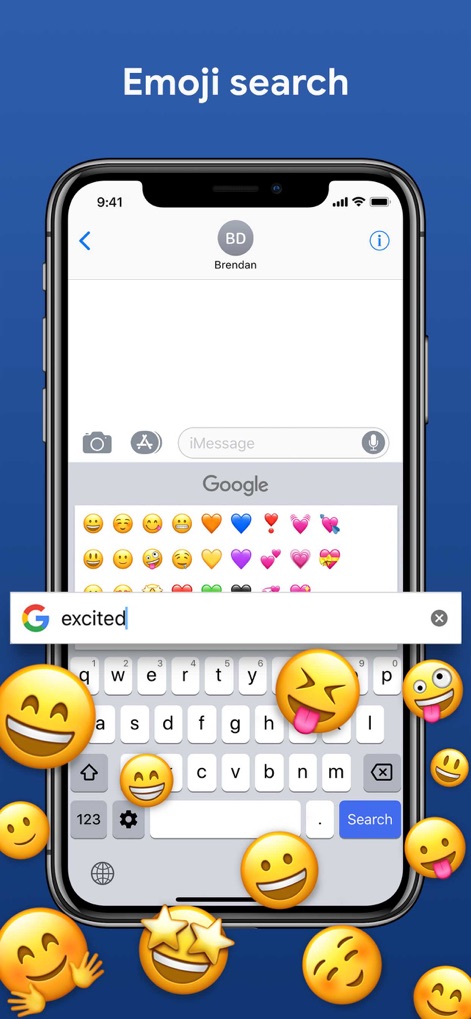
이모지 즉시 검색
사용자는 검색 바에 'excited'와 같은 감정을 입력하여 원하는 이모지를 즉시 찾아 풍부한 감정 표현을 할 수 있습니다.
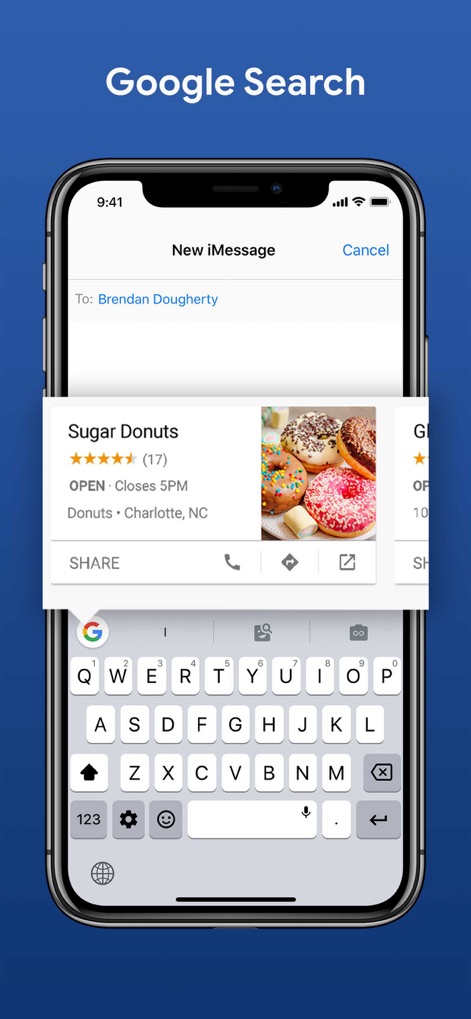
키보드 내 검색
이 앱을 통해 사용자는 키보드에서 직접 'Sugar Donuts'와 같은 정보를 Google에서 검색하고, 평점과 위치 같은 결과를 즉시 확인할 수 있습니다.
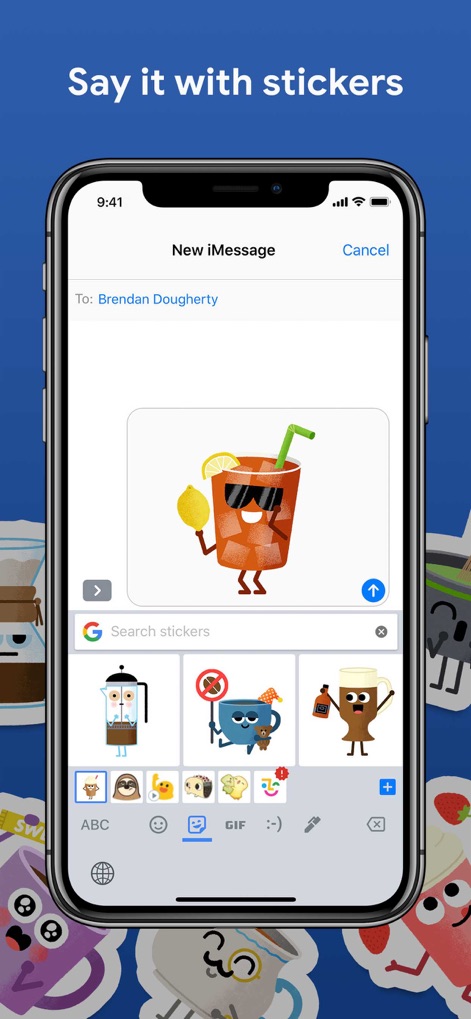
개성 있는 스티커
사용자는 대화창에 시각적으로 풍부한 스티커를 삽입하여 메시지를 더욱 다채롭게 만들 수 있으며, 하단에서 다양한 스티커 옵션을 탐색할 수 있습니다.
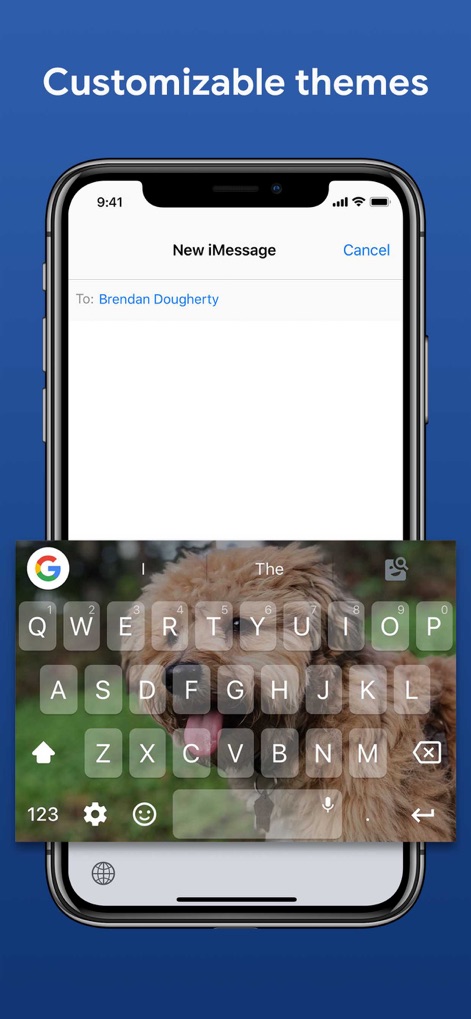
나만의 키보드 테마
이 키보드는 사용자가 개인 사진을 배경으로 설정하여 '강아지 사진'과 같은 개성 있는 테마로 키보드를 꾸밀 수 있게 하여, 고유한 사용자 경험을 제공합니다.
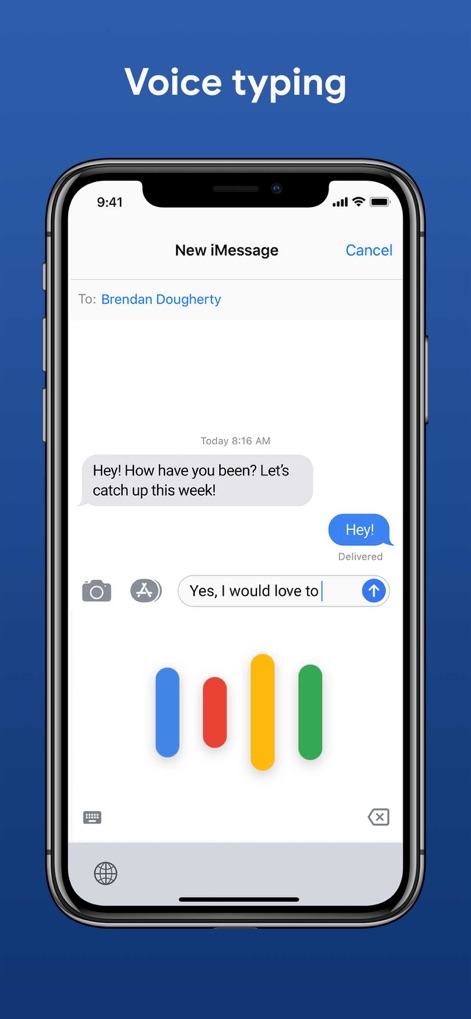
편리한 음성 입력
사용자는 이 앱의 음성 입력 기능을 통해 'Yes, I would love to'와 같이 음성으로 손쉽게 텍스트를 입력할 수 있으며, 입력 중 컬러풀한 웨이브 시각화로 진행 상황을 확인할 수 있습니다.
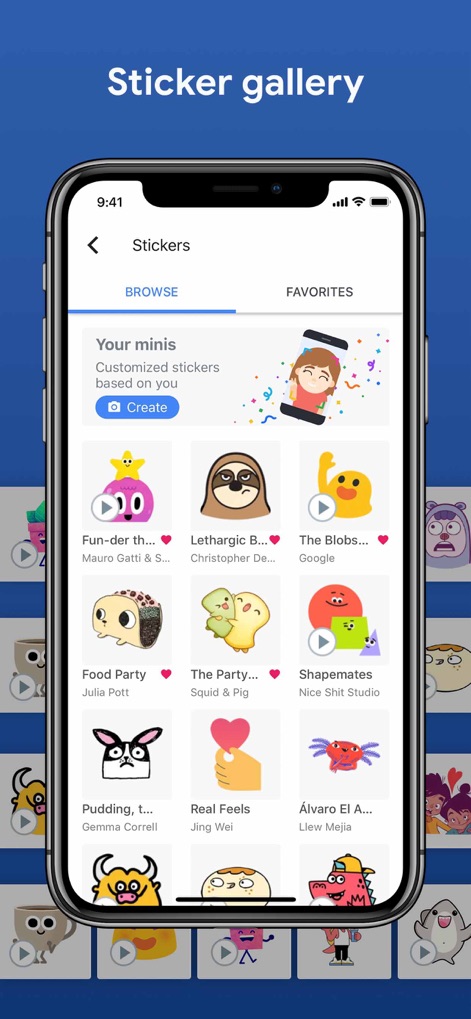
풍성한 스티커 갤러리
이 도구는 '스티커' 갤러리에서 '검색' 및 '즐겨찾기' 탭을 제공하여 사용자가 다양한 스티커 팩('Your minis'와 같은)을 손쉽게 탐색하고 관리할 수 있도록 돕습니다.
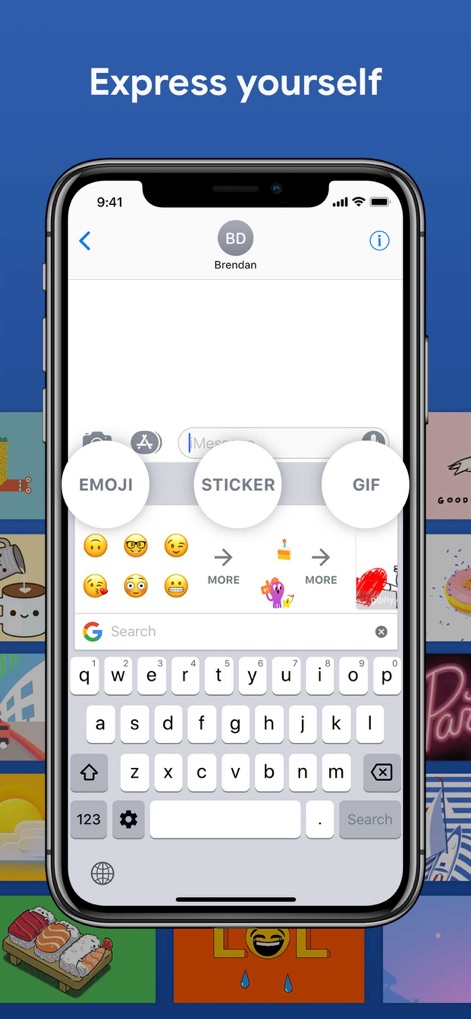
다채로운 자기 표현
이 앱은 키보드 상단에 '이모지', '스티커', 'GIF' 바로 가기를 통합 제공하여 사용자가 다양한 방식으로 자신을 표현하고 메시지를 더욱 풍부하게 만들 수 있도록 지원합니다.
설명
Download
이 페이지는 앱이나 개발자의 공식 페이지가 아니며, 정보 제공 및 논평을 목적으로 작성된 독립 편집 간행물입니다. 명시적으로 달리 언급되지 않는 한, 해당 앱이나 개발자는 MWM, Apple, Google Play, 앱 퍼블리셔 또는 앱 개발자와 제휴, 보증, 후원, 승인 또는 공식적으로 연결되어 있지 않으며, 이 페이지의 어떤 내용도 해당 앱이 MWM의 서비스를 사용하여 개발되었음을 의미하지 않습니다. 모든 상표, 로고, 스크린샷 및 기타 콘텐츠는 해당 소유자의 자산입니다.