
이 페이지는 앱이나 개발자의 공식 페이지가 아니며, 정보 제공 및 논평을 목적으로 작성된 독립 편집 간행물입니다. 명시적으로 달리 언급되지 않는 한, 해당 앱이나 개발자는 MWM, Apple, Google Play, 앱 퍼블리셔 또는 앱 개발자와 제휴, 보증, 후원, 승인 또는 공식적으로 연결되어 있지 않으며, 이 페이지의 어떤 내용도 해당 앱이 MWM의 서비스를 사용하여 개발되었음을 의미하지 않습니다. 모든 상표, 로고, 스크린샷 및 기타 콘텐츠는 해당 소유자의 자산입니다.

Microsoft SwiftKey AI Keyboard
당신의 두뇌가 생각하는 속도에 맞춰 손가락이 움직인다. 이 앱은 당신의 언어를 집어삼키고, 말을 글자로 폭주시키는 광기를 선사한다.
다운로드
12.5M+사용자 평점
총 평가 수
433.3K개발사
카테고리
Utilities지원 언어
6최신 버전
4.2.9크기
172.7 MB출시일
2014년 9월 17일Microsoft SwiftKey AI 키보드 주요 기능 분석
AI 기반 지능형 키보드가 제공하는 개인화된 입력 경험과 효율성 향상 방안
AI 기반 학습 및 개인화된 입력
이 키보드는 사용자의 고유한 타이핑 스타일(속어, 별명, 이모티콘 등)을 지속적으로 학습하고 적응하여 빠르고 정확한 입력을 지원하며 개인화된 경험을 제공합니다.
AI 기반 자동 고침 및 예측 텍스트
이 도구는 AI를 활용하여 실제 작동하는 자동 고침 기능과 유용한 예측 텍스트를 제공함으로써, 사용자가 오류 없이 신속하게 의사를 전달하고 생산성을 높일 수 있게 합니다.
스와이프(Swipe-to-type) 입력 방식
이 키보드는 손가락으로 글자를 스와이프하여 빠르게 입력할 수 있는 기능을 제공하여 타이핑 속도를 혁신적으로 향상시키고 효율적인 모바일 사용을 지원합니다.
확장 가능한 도구 모음
이 앱은 빠른 단축키로 채워진 확장 가능한 도구 모음을 제공하여 사용자가 자주 사용하는 기능에 편리하게 접근할 수 있도록 돕고 전반적인 생산성을 향상시킵니다.
다양한 테마를 통한 키보드 맞춤 설정
수십 가지 테마 중에서 선택할 수 있게 하여, 사용자가 키보드를 자신의 스타일과 기기에 맞게 사용자 지정하고 개성을 표현할 수 있도록 합니다.
이모티콘 및 GIF 지원
이 키보드는 이모티콘과 GIF 전송을 지원하며, 사용자가 즐겨 사용하는 이모티콘까지 학습하여 친구들과 더욱 풍부하고 다채로운 방식으로 소통할 수 있게 합니다.
자주 묻는 질문
에 대해 알아야 할 모든 것 Microsoft SwiftKey AI Keyboard
How does Microsoft SwiftKey AI Keyboard improve typing speed?
Microsoft SwiftKey AI Keyboard learns your writing style, including slang and emojis, and offers helpful predictions and accurate autocorrect. It also features swipe-to-type functionality to enhance typing speed.
Does Microsoft SwiftKey AI Keyboard offer predictive text?
Yes, Microsoft SwiftKey AI Keyboard provides helpful predictions that adapt to your unique typing style. This includes word choice, slang, nicknames, and emoji usage, making communication faster.
Can users customize the appearance of the Microsoft SwiftKey keyboard?
Yes, users can customize the Microsoft SwiftKey keyboard with dozens of themes. This allows matching the keyboard's style to personal preferences, offering a personalized typing experience.
Does the Microsoft SwiftKey AI Keyboard support swipe typing?
Yes, Microsoft SwiftKey AI Keyboard supports swipe typing. This feature allows users to type words by gliding their finger across the keyboard, enhancing both speed and efficiency.
What is the Copilot feature in Microsoft SwiftKey?
Copilot in SwiftKey integrates AI capabilities directly into the keyboard. It allows users to interact with AI for various tasks, such as asking for jokes or generating conversational responses.
Does Microsoft SwiftKey offer emoji predictions?
Yes, Microsoft SwiftKey offers emoji predictions. It learns your favorite emojis and suggests relevant emojis based on your typing context, streamlining emoji usage.
Can Microsoft SwiftKey AI Keyboard correct typing errors?
Yes, Microsoft SwiftKey AI Keyboard provides effective autocorrect functionality. This feature helps to correct typing errors in real-time and ensures accurate communication.
What is the toolbar feature in Microsoft SwiftKey?
The toolbar in Microsoft SwiftKey is an expandable menu located on the keyboard. It is filled with quick shortcuts, providing convenient access to various keyboard features and functions.
다음 스크린샷과 설명은 앱의 공식 스토어 목록에서 직접 가져온 것이며 앱 개발자의 자산입니다.
앱 스토어
스크린샷

AI Copilot 통합
이 앱은 Copilot AI와 통합되어 사용자의 질문에 답하고, 농담을 생성하며, 지능형 키보드 내에서 다양한 상호작용 기능을 제공합니다.
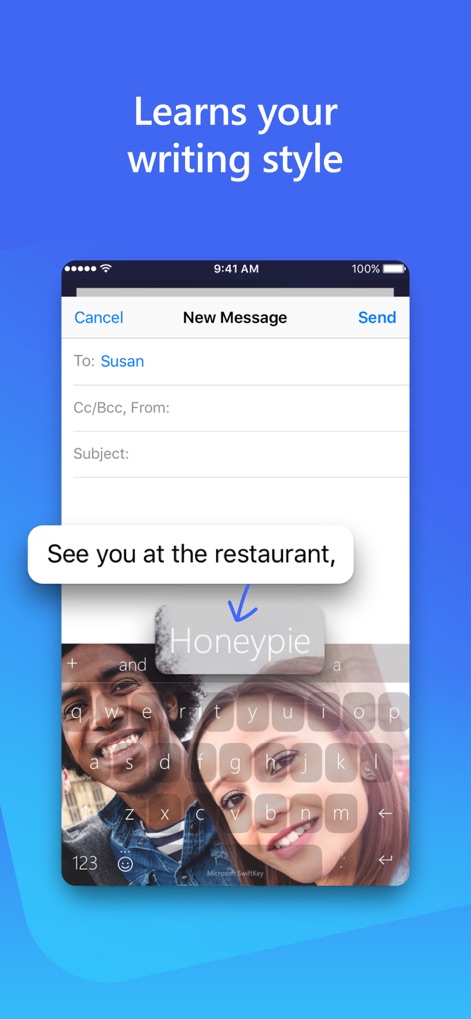
개인화된 학습 키보드
사용자의 고유한 타이핑 스타일에 맞춰 학습하는 이 앱은 배경 이미지와 함께 단어 제안을 제공하여 더욱 개인화된 입력 경험을 선사합니다.
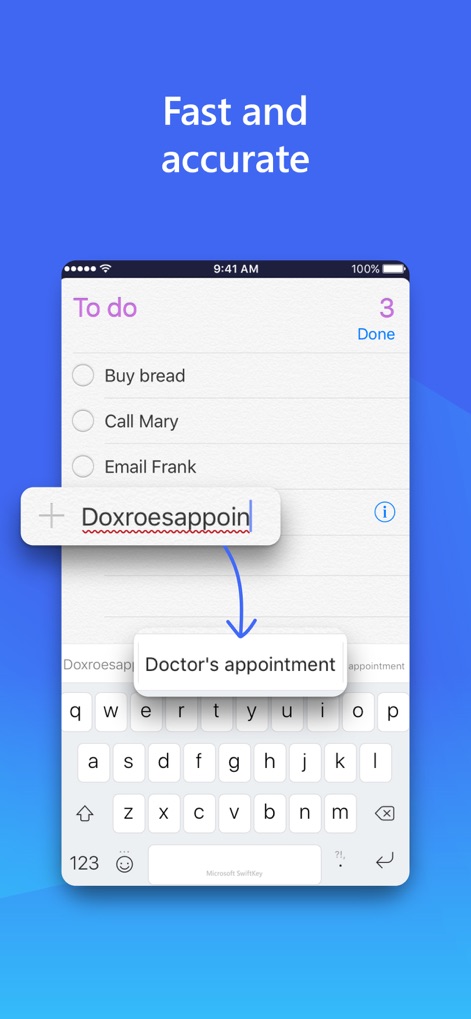
빠르고 정확한 입력
이 앱은 사용자가 입력하는 동안 'Doctor's appointment'와 같은 정확한 단어를 예측하여 오타를 빠르게 수정하고 효율적인 메시지 작성을 돕습니다.
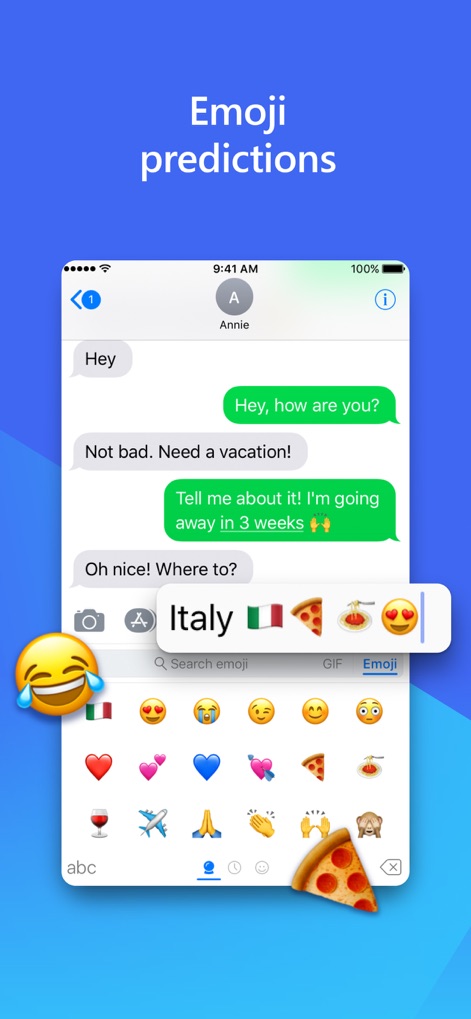
지능형 이모지 예측
사용자는 메시지 내용에 따라 'Italy'와 같은 단어에 맞는 국가 국기, 피자, 파스타 이모지를 자동으로 제안받아 감정을 풍부하게 표현할 수 있습니다.

원활한 다국어 전환
이 앱은 'Goodnight. Te quiero'와 같이 여러 언어를 혼합하여 입력할 때 사용자가 스페인어와 영어, 중국어와 영어 등 언어 간에 쉽게 전환할 수 있도록 지원합니다.
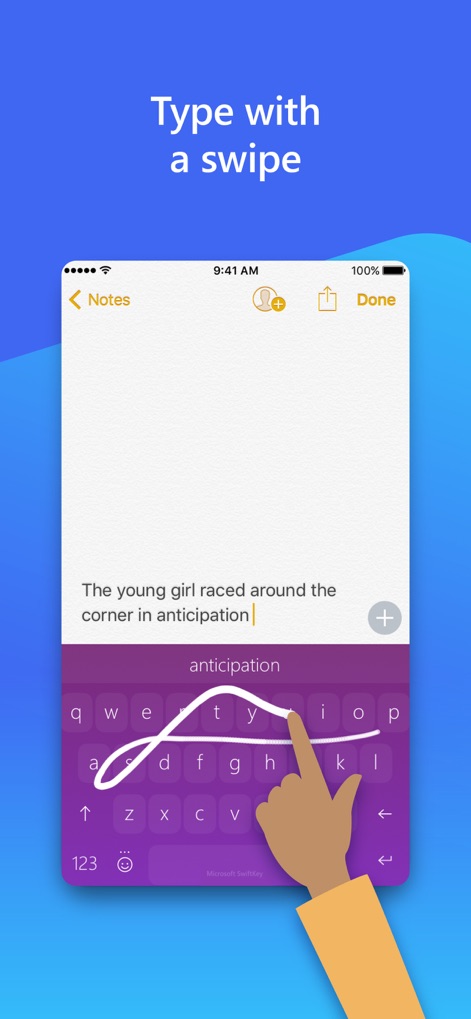
스와이프로 간편하게 입력
사용자는 키보드 위를 손가락으로 스와이프하여 'anticipation'과 같은 단어를 쉽게 입력할 수 있으며, 이는 빠른 타이핑과 오타 감소에 기여합니다.
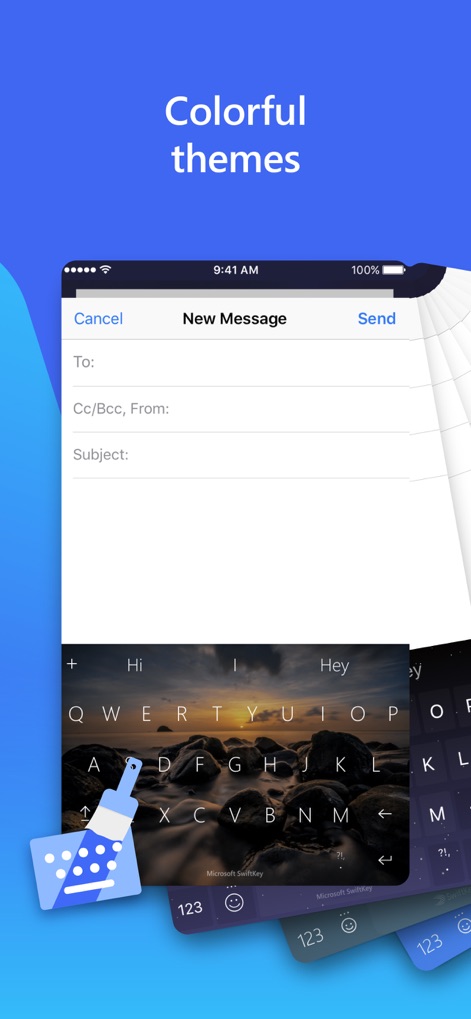
다채로운 테마 사용자 지정
이 앱은 아름다운 풍경 테마와 같은 다양한 배경 옵션을 제공하여 사용자가 키보드 디자인을 개인의 스타일에 맞게 자유롭게 꾸밀 수 있도록 합니다.
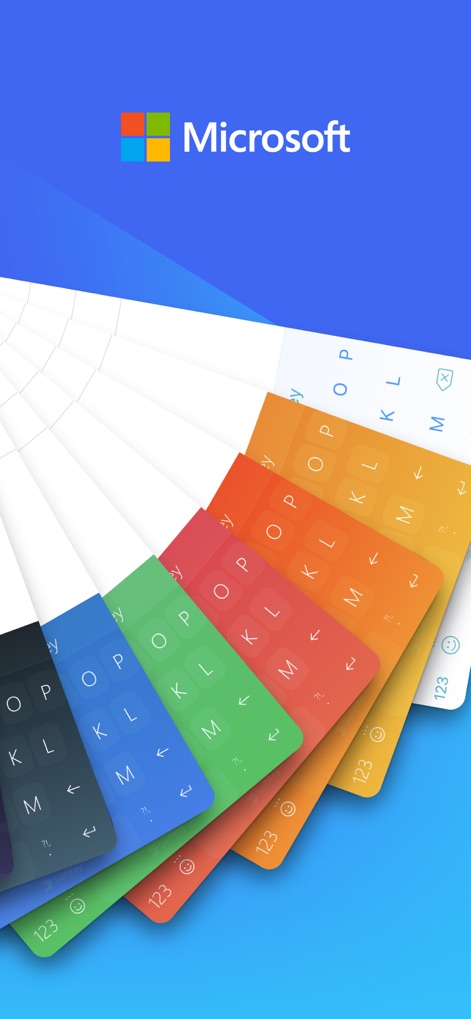
세련된 디자인 선택
이 앱은 사용자가 오렌지, 초록, 파랑 등 다양한 단색 키보드 테마 중에서 선택하여 자신의 기기를 세련된 스타일로 완성할 수 있도록 돕습니다.
설명
Download
이 페이지는 앱이나 개발자의 공식 페이지가 아니며, 정보 제공 및 논평을 목적으로 작성된 독립 편집 간행물입니다. 명시적으로 달리 언급되지 않는 한, 해당 앱이나 개발자는 MWM, Apple, Google Play, 앱 퍼블리셔 또는 앱 개발자와 제휴, 보증, 후원, 승인 또는 공식적으로 연결되어 있지 않으며, 이 페이지의 어떤 내용도 해당 앱이 MWM의 서비스를 사용하여 개발되었음을 의미하지 않습니다. 모든 상표, 로고, 스크린샷 및 기타 콘텐츠는 해당 소유자의 자산입니다.