Geo Elevation: Path Analyzer
다운로드: App Store

이 페이지는 앱이나 개발자의 공식 페이지가 아니며, 정보 제공 및 논평을 목적으로 작성된 독립 편집 간행물입니다. 명시적으로 달리 언급되지 않는 한, 해당 앱이나 개발자는 MWM, Apple, Google Play, 앱 퍼블리셔 또는 앱 개발자와 제휴, 보증, 후원, 승인 또는 공식적으로 연결되어 있지 않으며, 이 페이지의 어떤 내용도 해당 앱이 MWM의 서비스를 사용하여 개발되었음을 의미하지 않습니다. 모든 상표, 로고, 스크린샷 및 기타 콘텐츠는 해당 소유자의 자산입니다.

로고: Geo Elevation: Path Analyzer
다운로드: App Store

Geo Elevation: Path Analyzer

대화형 고도 프로필과 전문적인 데이터로 지형을 마스터하세요. iPhone, Mac 및 Vision Pro 전반에 걸쳐 정밀하게 다음 하이킹, 라이딩 또는 모험을 계획하세요.

주요 수치

다운로드

51K+

사용자 평점

3.5/5

총 평가 수

100

개발사

ObjectGraph LLC

카테고리

Navigation

지원 언어

-

최신 버전

1.6

크기

4.3 MB

출시일

2012년 3월 24일
기능

출발 전 모든 경사면을 마스터하세요

지도 데이터를 실행 가능한 통찰력으로 전환하세요. 도전적인 정상 등반이나 경치 좋은 자전거 타기를 계획하든 Geo Elevation은 자신감을 가지고 탐색하는 데 필요한 고화질 지형 프로필을 제공합니다.

시각적 경로 분석

혼란스러운 등고선은 잊으세요. 경로를 그리고 여정의 모든 봉우리와 계곡을 강조하는 실시간 고도 차트를 확인하세요.

원활한 Apple 통합

귀하의 라이프스타일에 맞춰 디자인되었습니다. Mac에서 계획하고, Vision Pro에서 공간 3D로 시각화하고, iPhone에서 고도 데이터를 주머니에 담아 다니세요.

다음 스크린샷과 설명은 앱의 공식 스토어 목록에서 직접 가져온 것이며 앱 개발자의 자산입니다.

앱 스토어

스크린샷
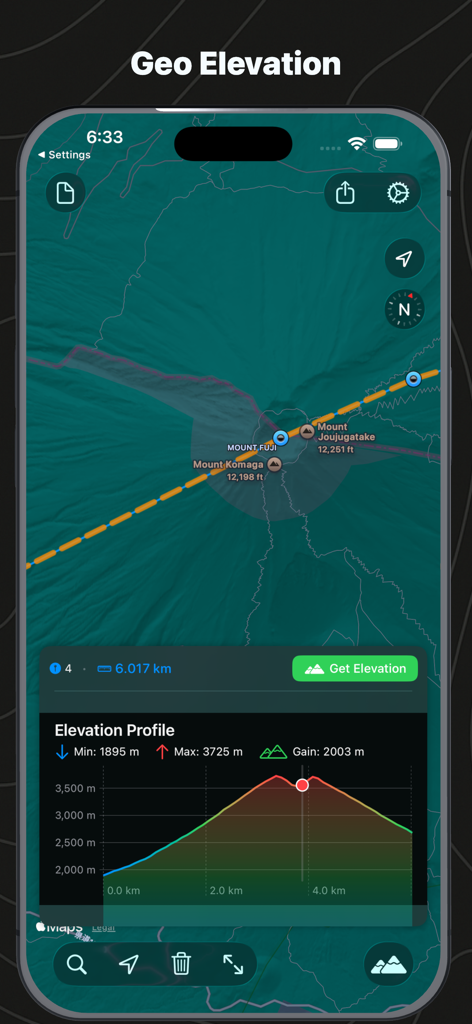
Geo Elevation: Path Analyzer - 후지산 지도와 해당 고도 프로필 차트를 보여주는 인터페이스

후지산 지도와 해당 고도 프로필 차트를 보여주는 인터페이스

Geo Elevation: Path Analyzer - 지형 배경에 그려진 경로를 보여주는 Geo Elevation 앱 스플래시 화면
지형 배경에 그려진 경로를 보여주는 Geo Elevation 앱 스플래시 화면

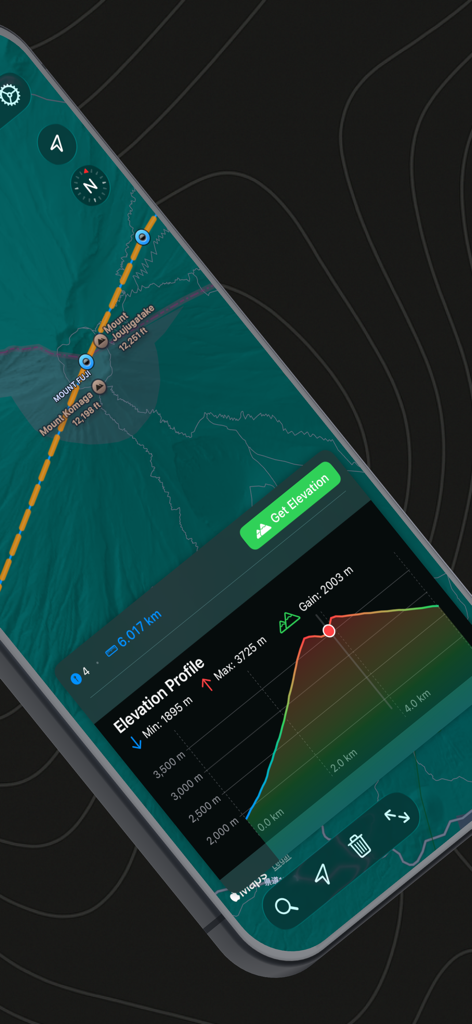
Geo Elevation: Path Analyzer - Geo Elevation 앱에서 후지산의 고도 프로필 및 지도 보기
Geo Elevation 앱에서 후지산의 고도 프로필 및 지도 보기

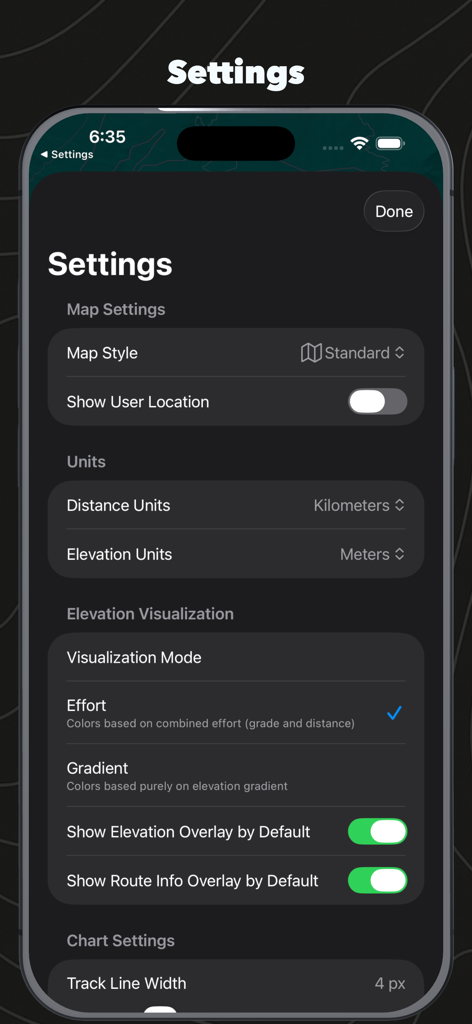
Geo Elevation: Path Analyzer - 지도 스타일 단위 설정 및 고도 시각화 옵션을 보여주는 Geo Elevation 앱 설정 메뉴
지도 스타일 단위 설정 및 고도 시각화 옵션을 보여주는 Geo Elevation 앱 설정 메뉴

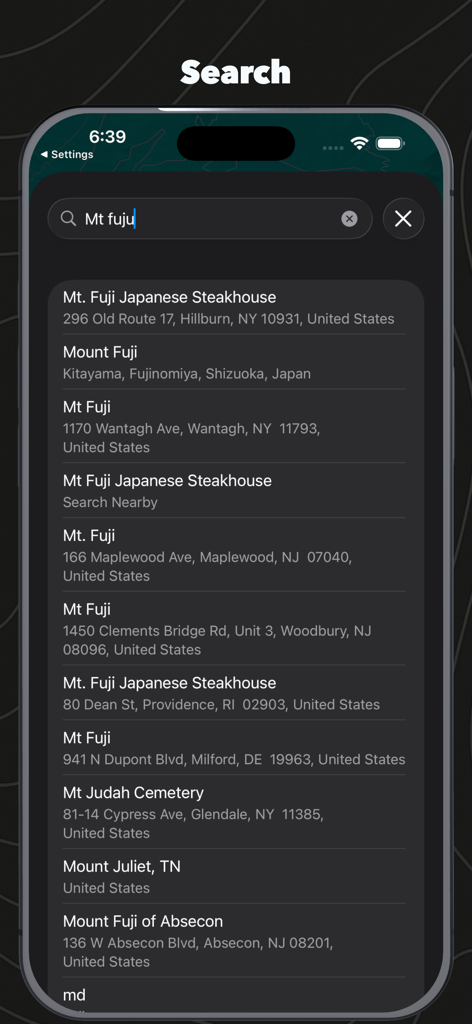
Geo Elevation: Path Analyzer - 후지산 결과를 보여주는 Geo Elevation Path Analyzer의 위치 검색 인터페이스

후지산 결과를 보여주는 Geo Elevation Path Analyzer의 위치 검색 인터페이스

설명

Geo Elevation - Elevation Profile Visualizer Create beautiful elevation profiles by drawing paths on a map. Simply tap to add points along your route and instantly see a detailed elevation chart showing the terrain profile. Perfect for hikers, cyclists, runners, and anyone curious about topography. Visualize how mountains rise, valleys descend, and coastlines meet the sea - all with interactive charts that sync with your map view. [Key Features] • Universal app - Works seamlessly on iPhone, iPad, Mac, Apple TV, and Vision Pro • Interactive split view - Map on top, elevation chart below • Smart sampling - Automatically calculates optimal sample points based on path distance (1 sample per 100m) • Multiple elevation sources - Choose between ASTER 30m and MapZen data • Real-time interaction - Tap or hover on the chart to highlight the corresponding location on your map • Comprehensive statistics - View min/max elevation and total elevation gain • Flexible units - Configure distance (km, mi, m, ft, nmi, yd) and elevation (m, ft) units independently • Zoom controls - Drag to zoom on the elevation chart (macOS), double-tap to reset • Location search - Quickly find and navigate to any location • Current location support - Start mapping from where you are • Multiple map types - Switch between standard, satellite, and hybrid views [Use Cases] • Trail Planning: Understand the difficulty of hiking or biking routes by visualizing elevation changes • Education: Explore Earth's topography - from mountain peaks to ocean trenches • Fitness Training: Plan running or cycling routes based on elevation profiles • Geography Learning: Investigate how terrain changes from mountains to coastlines • Adventure Planning: Assess elevation challenges before your next outdoor adventure [How It Works] 1. Tap or click points on the map to create your path 2. View the elevation profile instantly in the chart below 3. Interact with the chart to explore specific points along your route 4. Adjust units and map types to suit your needs Experience the world's topography in a whole new way. Whether you're planning your next adventure or exploring from your couch, Geo Elevation makes understanding terrain profiles simple and intuitive. Note: Elevation data requires an internet connection and is sourced from high-quality global elevation databases.

Download

다운로드: App Store

이 페이지는 앱이나 개발자의 공식 페이지가 아니며, 정보 제공 및 논평을 목적으로 작성된 독립 편집 간행물입니다. 명시적으로 달리 언급되지 않는 한, 해당 앱이나 개발자는 MWM, Apple, Google Play, 앱 퍼블리셔 또는 앱 개발자와 제휴, 보증, 후원, 승인 또는 공식적으로 연결되어 있지 않으며, 이 페이지의 어떤 내용도 해당 앱이 MWM의 서비스를 사용하여 개발되었음을 의미하지 않습니다. 모든 상표, 로고, 스크린샷 및 기타 콘텐츠는 해당 소유자의 자산입니다.