GeoBallistics
GeoBallistics
다운로드: App Store

이 페이지는 앱이나 개발자의 공식 페이지가 아니며, 정보 제공 및 논평을 목적으로 작성된 독립 편집 간행물입니다. 명시적으로 달리 언급되지 않는 한, 해당 앱이나 개발자는 MWM, Apple, Google Play, 앱 퍼블리셔 또는 앱 개발자와 제휴, 보증, 후원, 승인 또는 공식적으로 연결되어 있지 않으며, 이 페이지의 어떤 내용도 해당 앱이 MWM의 서비스를 사용하여 개발되었음을 의미하지 않습니다. 모든 상표, 로고, 스크린샷 및 기타 콘텐츠는 해당 소유자의 자산입니다.


로고: GeoBallistics
다운로드: App Store

GeoBallistics

기술 사수를 위한 올인원 생태계. 전문 3 DOF 솔버, 위성으로 매핑된 거리 카드, 원활한 하드웨어 통합을 결합하여 추측을 없애고 모든 사격을 마스터하십시오.

주요 수치

다운로드

8K+

사용자 평점

4.0/5

총 평가 수

200

개발사

Sheltered Wings, Inc.

카테고리

Utilities

지원 언어

1

최신 버전

7.2.9(373)

크기

76.5 MB

출시일

2015년 8월 25일
기능

현대 사수를 위한 정밀 엔지니어링

하드웨어, 기상 데이터 및 위성 이미지를 통합하여 한 발로 정확도를 높이는 전문가 수준의 탄도 생태계로 추측을 없애십시오.

고급 3 DOF 솔버

극한 거리에서 코리올리스 효과, 스핀 드리프트 및 공기 역학적 점프를 고려하여 초정밀 솔루션을 계산합니다.

원활한 하드웨어 동기화

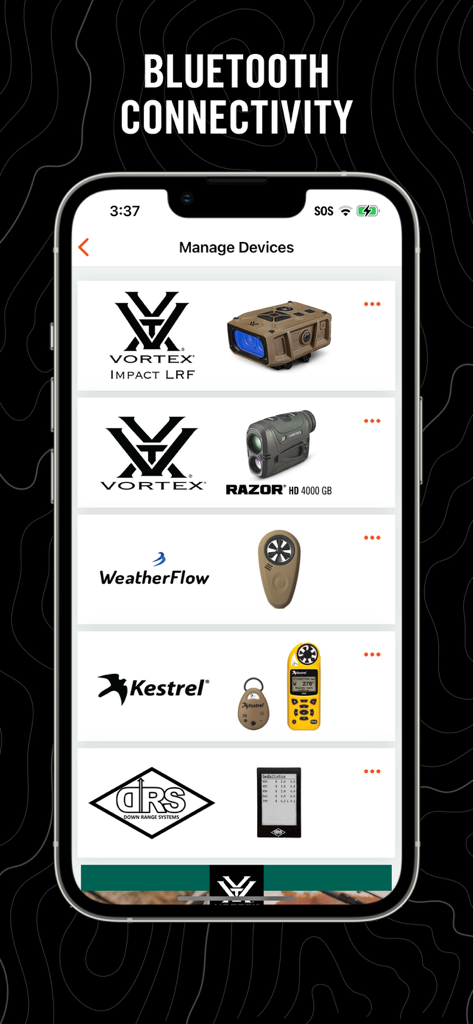
Vortex Razor HD, Kestrel 및 WeatherFlow 장치와 직접 연결하여 실시간 대기 데이터 및 즉각적인 거리 업데이트를 받으십시오.

다음 스크린샷과 설명은 앱의 공식 스토어 목록에서 직접 가져온 것이며 앱 개발자의 자산입니다.

앱 스토어

스크린샷
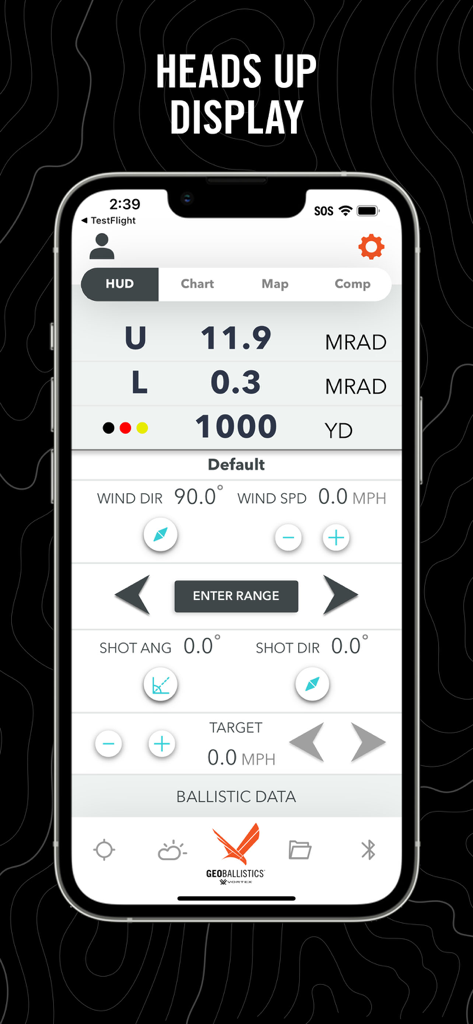
GeoBallistics - GeoBallistics 앱 헤드업 디스플레이에 탄도 계산 및 표적 거리 표시
GeoBallistics 앱 헤드업 디스플레이에 탄도 계산 및 표적 거리 표시

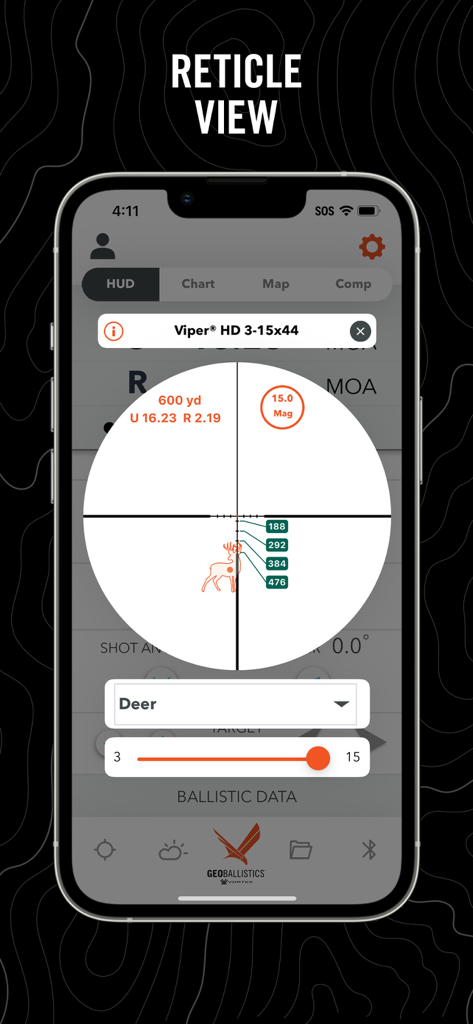
GeoBallistics - GeoBallistics 앱 망원경 시야에 사슴 표적에 대한 탄도 계산 표시
GeoBallistics 앱 망원경 시야에 사슴 표적에 대한 탄도 계산 표시

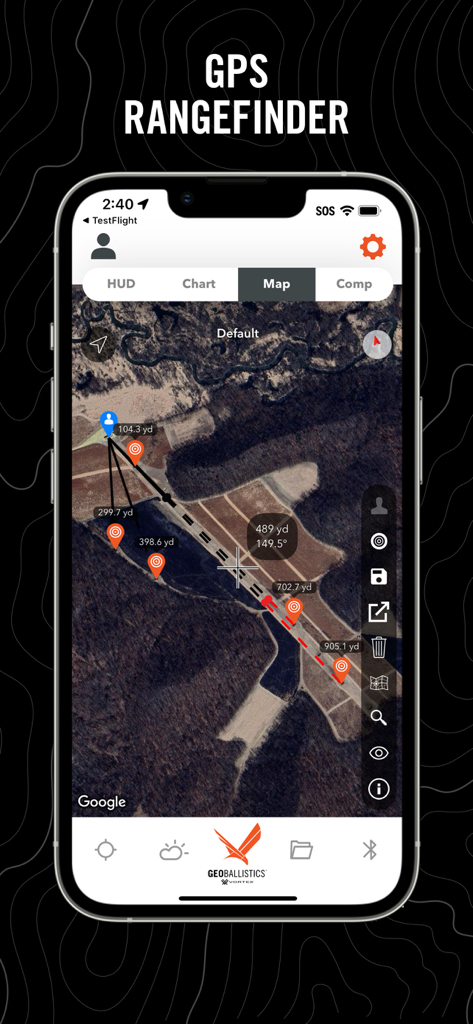
GeoBallistics - GeoBallistics 앱 GPS 거리 측정기 인터페이스에 거리 핀 및 표적 마커가 있는 위성 이미지 표시
GeoBallistics 앱 GPS 거리 측정기 인터페이스에 거리 핀 및 표적 마커가 있는 위성 이미지 표시

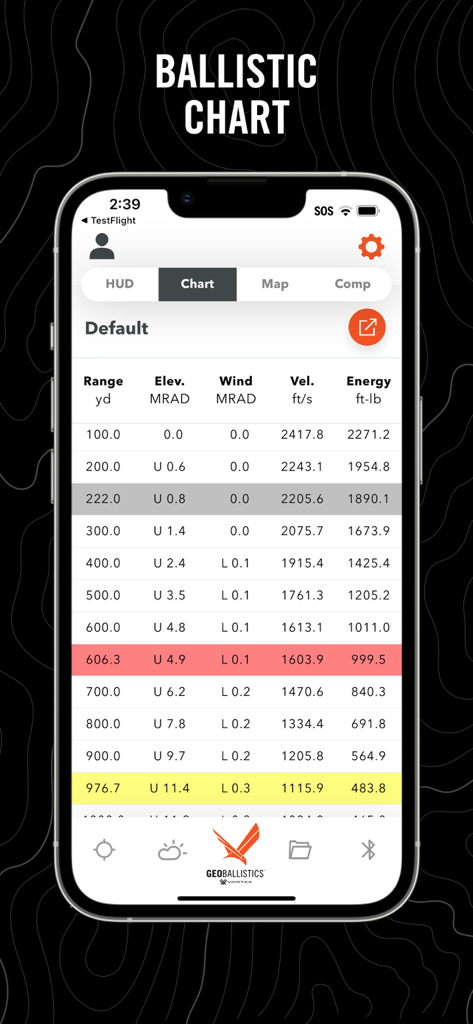
GeoBallistics - GeoBallistics 앱 스크린샷에 거리, 고도, 풍향, 속도 및 에너지 데이터가 포함된 상세한 탄도 차트 표시
GeoBallistics 앱 스크린샷에 거리, 고도, 풍향, 속도 및 에너지 데이터가 포함된 상세한 탄도 차트 표시

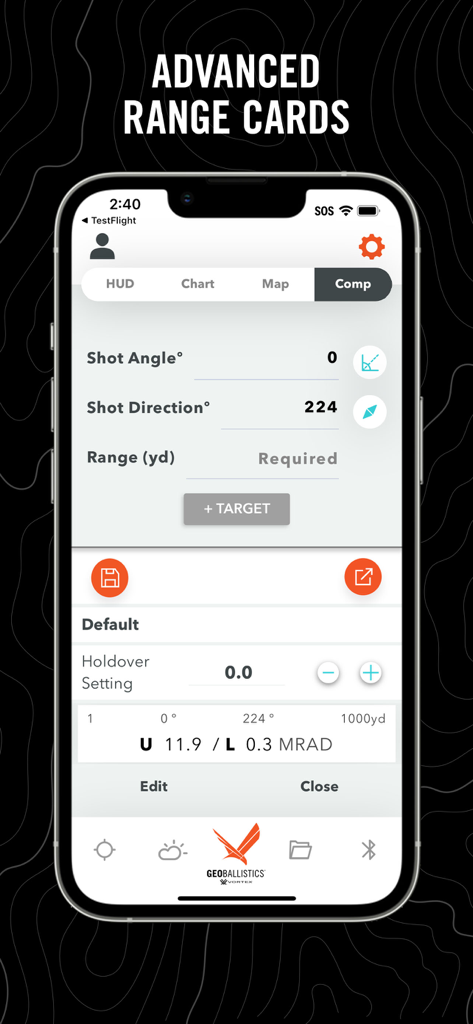
GeoBallistics - GeoBallistics 앱 인터페이스에 정밀 사격을 위한 Comp Mode의 고급 거리 카드 및 사격 매개변수 표시
GeoBallistics 앱 인터페이스에 정밀 사격을 위한 Comp Mode의 고급 거리 카드 및 사격 매개변수 표시

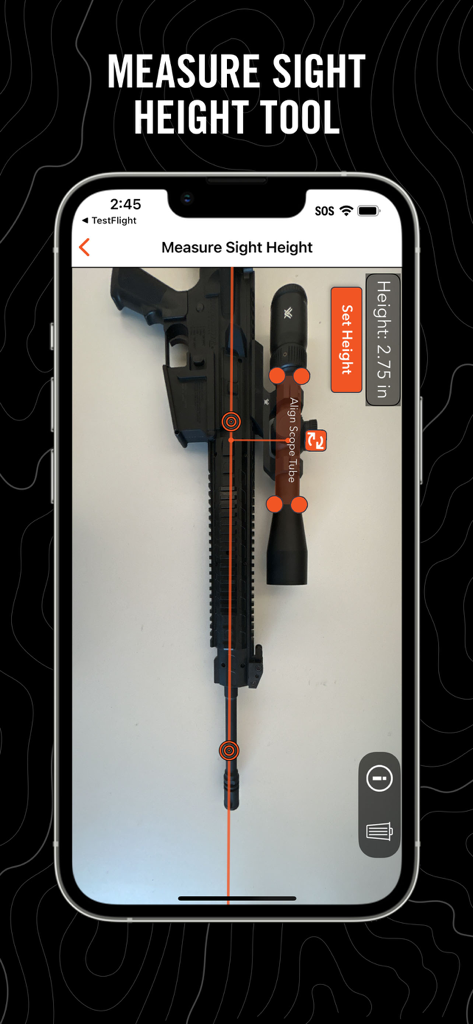
GeoBallistics - GeoBallistics 앱에 조준경이 있는 라이플에 사용되는 조준 높이 측정 도구 표시
GeoBallistics 앱에 조준경이 있는 라이플에 사용되는 조준 높이 측정 도구 표시

GeoBallistics - GeoBallistics 앱의 장치 관리 화면에 Vortex 및 Kestrel 하드웨어와의 Bluetooth 연결 표시

GeoBallistics 앱의 장치 관리 화면에 Vortex 및 Kestrel 하드웨어와의 Bluetooth 연결 표시

설명

About This App: GeoBallistics is a mobile app available for iOS devices and is compatible with Vortex Razor HD 4000 GB and Impact 4000 devices. The app allows users the freedom to build and create unlimited rifle profiles, connect with weather-hardware for onsite atmospherics, build/save/export satellite imagery range cards, and more. Key App Features: • Online Rifle Backup (PRO version) • Online Range Card Backup (PRO version) • Match Downloads (PRO version) • Shooting Range Downloads (PRO version) • Movers Calculator • First Ever Holdover calculator • Advanced Ballistics Solver • Comprehensive Bullet Library • Online weather access with station pressure • Free WeatherFlow hardware compatibility • Kestrel LiNK hardware compatibility (PRO version) • Shot-angle calculator • Shot-bearing calculator • Unlimited Rifle Profiles (PRO version) • Ability to save charts to camera roll (PRO version) • Ability to export charts as .csv (PRO version) • Ability to save/load satellite range cards for later use (PRO version) • Muzzle Velocity Truing • Coriolis effect auto-calculated with position and latitude The GeoBallistics mobile app is powered by the BallisticsARC (Ballistics, Atmospherics, and Range Card) solver, and combines the functionality of a ballistics calculator, an atmospheric device, and a GPS rangefinder into one application. The BallisticsARC solver is an advanced 3 DOF solver with provisions for MV vs Temp, Coriolis, spin drift, crosswind jump, moving targets, multiple targets with unique azimuths and angles and much more. GeoBallistics includes 4 modes: HUD Mode, Chart Mode, Map Mode, and Comp Mode. All modes are accessible with 1 custom rifle. In order to add additional rifles and save/export range cards, use Kestrel devices, or backup data online, you must upgrade to the PRO version for a one-time fee. HUD Mode puts everything you need on one screen for a single target. This is also where the moving target feature and max ordinate display is located. Chart Mode is a traditional calculator that allows for a complete solution. Solutions include considerations for gyroscopic drift, Coriolis effect, wind influence, shot angle, atmospheric conditions, and more. Chart Mode also allows FREE integration of the WeatherFlow products. Map Mode allows users to range targets by dropping pins on satellite imagery of a shooting location. Range and solution are displayed by tapping on the target pins. Map Mode also introduces external ballistic data overlays on satellite imagery. These overlays display a bullet's performance along its path according to parameters specified for each rifle profile. Comp Mode allows the user to enter a course of fire with multiple targets with unique variables such as shot angle and shot azimuth. Now features the Holdover Data Zero setting (HDZ) calculator. This is a first-in-class feature that allows you to easily set an optimal zero for holdover stages.

Download

다운로드: App Store

이 페이지는 앱이나 개발자의 공식 페이지가 아니며, 정보 제공 및 논평을 목적으로 작성된 독립 편집 간행물입니다. 명시적으로 달리 언급되지 않는 한, 해당 앱이나 개발자는 MWM, Apple, Google Play, 앱 퍼블리셔 또는 앱 개발자와 제휴, 보증, 후원, 승인 또는 공식적으로 연결되어 있지 않으며, 이 페이지의 어떤 내용도 해당 앱이 MWM의 서비스를 사용하여 개발되었음을 의미하지 않습니다. 모든 상표, 로고, 스크린샷 및 기타 콘텐츠는 해당 소유자의 자산입니다.








