
이 페이지는 앱이나 개발자의 공식 페이지가 아니며, 정보 제공 및 논평을 목적으로 작성된 독립 편집 간행물입니다. 명시적으로 달리 언급되지 않는 한, 해당 앱이나 개발자는 MWM, Apple, Google Play, 앱 퍼블리셔 또는 앱 개발자와 제휴, 보증, 후원, 승인 또는 공식적으로 연결되어 있지 않으며, 이 페이지의 어떤 내용도 해당 앱이 MWM의 서비스를 사용하여 개발되었음을 의미하지 않습니다. 모든 상표, 로고, 스크린샷 및 기타 콘텐츠는 해당 소유자의 자산입니다.

GlucoseWatch
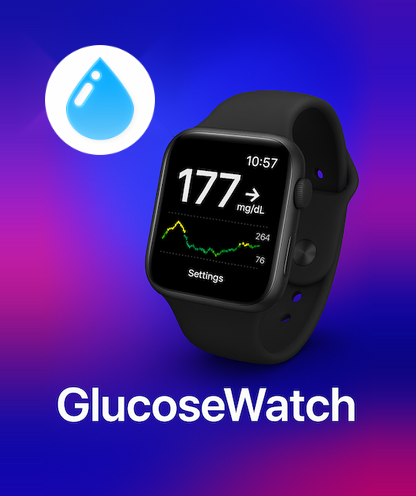
Freestyle Libre 사용자를 위한 최고의 Apple Watch 동반자. 컴플리케이션으로 눈에 띄지 않게 혈당 수치를 모니터링하고, Apple Health와 동기화하고, 100% 로컬 처리를 통해 민감한 데이터를 안전하게 보호하세요.
다운로드
2K+사용자 평점
총 평가 수
0개발사
카테고리
Health & Fitness지원 언어
1최신 버전
1.4.4크기
3.2 MB출시일
2025년 5월 27일필요한 곳에 바로 있는 혈당 데이터
혈당 관리가 의학적인 업무처럼 느껴져서는 안 됩니다. GlucoseWatch는 속도, 개인 정보 보호 및 원활한 에코시스템 통합에 중점을 두고 Freestyle Libre 데이터를 손목으로 가져옵니다.
한눈에 보는 모니터링
Apple Watch 컴플리케이션으로 현재 수치와 추세를 눈에 띄지 않게 확인하세요. 손목을 살짝 움직이는 것만으로도 휴대폰을 꺼내지 않고 정보를 얻을 수 있습니다.
개인 정보 보호 우선 보안
민감한 건강 데이터는 로컬에 보관됩니다. iOS Keychain을 사용하여 기기에서 자격 증명 및 값을 처리하므로 데이터가 외부 서버에 절대 도달하지 않도록 합니다.
다음 스크린샷과 설명은 앱의 공식 스토어 목록에서 직접 가져온 것이며 앱 개발자의 자산입니다.
앱 스토어
스크린샷
GlucoseWatch 앱이 Apple Watch에서 혈당 수치와 추세 그래프를 표시하고 있습니다.
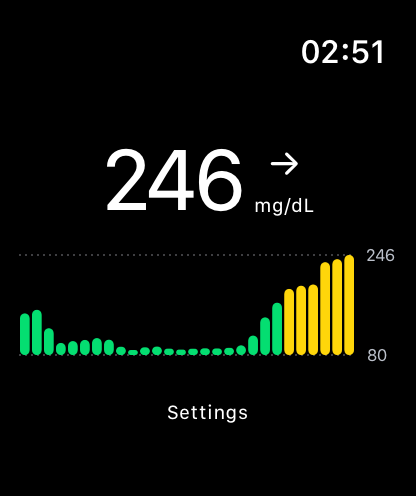
GlucoseWatch가 현재 혈당 수치와 추세 그래프를 표시하는 Apple Watch 디스플레이
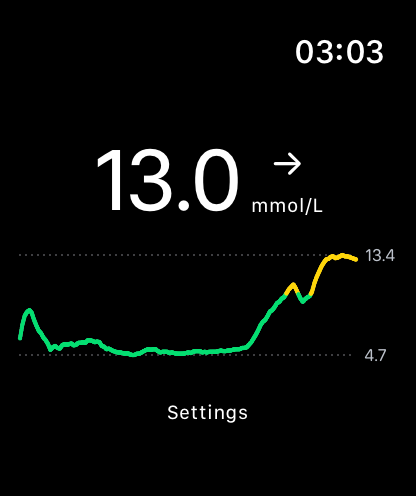
GlucoseWatch 앱의 Apple Watch 인터페이스에 혈당 13.0 mmol/L와 색상 추세 그래프가 표시됩니다.
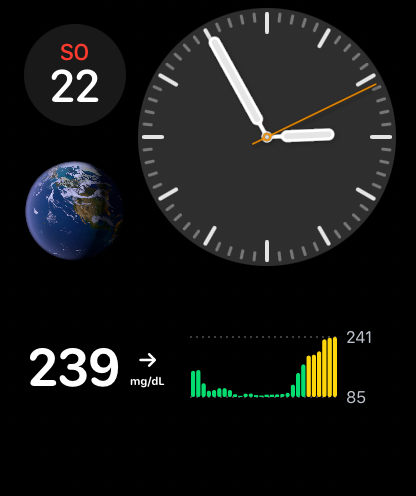
혈당 수치 239와 추세 그래프를 보여주는 GlucoseWatch 컴플리케이션이 있는 Apple Watch 페이스
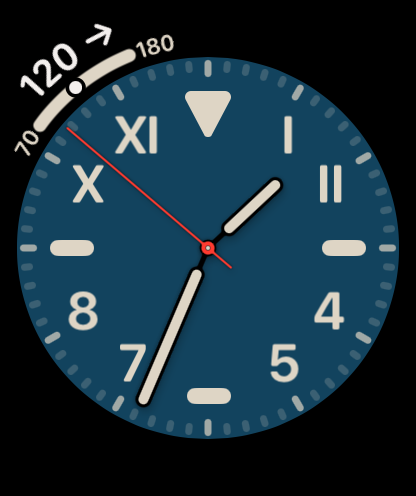
혈당 수치 120과 안정적인 추세 화살표가 있는 GlucoseWatch 컴플리케이션을 표시하는 Apple Watch 페이스
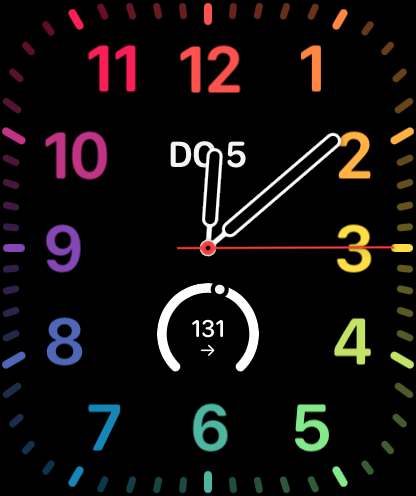
Apple Watch 페이스 하단에 원형 컴플리케이션으로 혈당 수치 131이 표시됩니다.
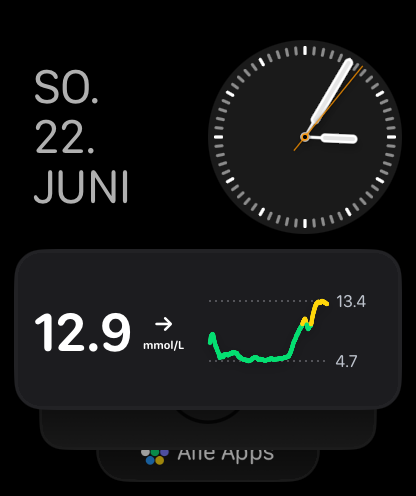
혈당 수치 12.9 mmol/L와 추세 그래프를 보여주는 Apple Watch의 GlucoseWatch 컴플리케이션
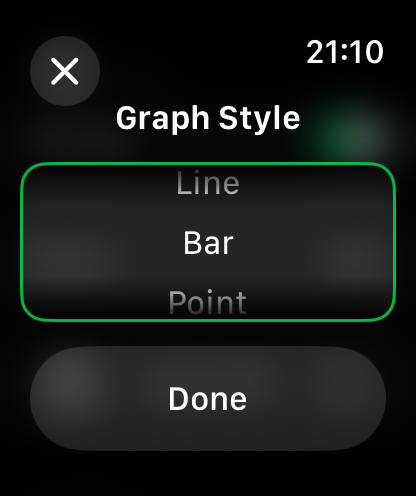
혈당 데이터 시각화를 위한 그래프 스타일 옵션을 보여주는 Apple Watch 화면
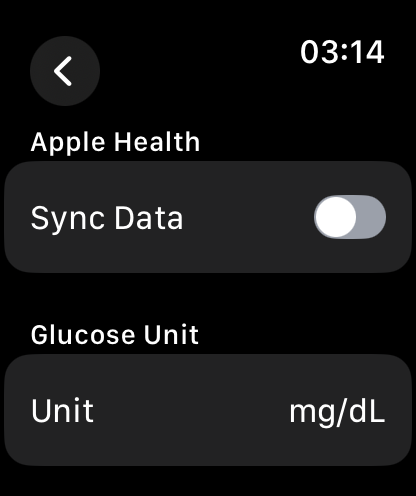
Apple Health 및 혈당 단위 설정을 위한 데이터 동기화 토글을 보여주는 Apple Watch의 GlucoseWatch 설정 화면
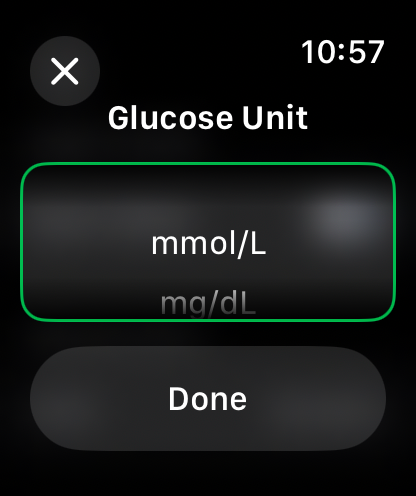
혈당 단위 mmol/L 또는 mg/dL을 선택하는 Apple Watch 앱 화면
설명
Download
비슷한 앱
같은 카테고리의 상위 앱

Strava: Run, Bike, Walk
Strava Inc.

Flo Cycle & Period Tracker
FLO HEALTH UK LIMITED

AI Calorie Tracker by Yazio
YAZIO GmbH

MyFitnessPal: Calorie Counter
MyFitnessPal, Inc.

Mi Fitness (Xiaomi Wear Lite)
Beijing Xiaomi Co., Ltd

美柚 - 经期·备孕·怀孕·育儿&亲友版
Xiamen Meet You Co., Ltd.

Cal AI - Calorie Tracker
Viral Development LLC

Yuka - Food & Cosmetic Scanner
Yuca

BitePal: Food Tracker Pet
REFACE LITHUANIA UAB
이 페이지는 앱이나 개발자의 공식 페이지가 아니며, 정보 제공 및 논평을 목적으로 작성된 독립 편집 간행물입니다. 명시적으로 달리 언급되지 않는 한, 해당 앱이나 개발자는 MWM, Apple, Google Play, 앱 퍼블리셔 또는 앱 개발자와 제휴, 보증, 후원, 승인 또는 공식적으로 연결되어 있지 않으며, 이 페이지의 어떤 내용도 해당 앱이 MWM의 서비스를 사용하여 개발되었음을 의미하지 않습니다. 모든 상표, 로고, 스크린샷 및 기타 콘텐츠는 해당 소유자의 자산입니다.