GOToronto: GO Transit Sidekick
다운로드: App Store

이 페이지는 앱이나 개발자의 공식 페이지가 아니며, 정보 제공 및 논평을 목적으로 작성된 독립 편집 간행물입니다. 명시적으로 달리 언급되지 않는 한, 해당 앱이나 개발자는 MWM, Apple, Google Play, 앱 퍼블리셔 또는 앱 개발자와 제휴, 보증, 후원, 승인 또는 공식적으로 연결되어 있지 않으며, 이 페이지의 어떤 내용도 해당 앱이 MWM의 서비스를 사용하여 개발되었음을 의미하지 않습니다. 모든 상표, 로고, 스크린샷 및 기타 콘텐츠는 해당 소유자의 자산입니다.

로고: GOToronto: GO Transit Sidekick
다운로드: App Store

GOToronto: GO Transit Sidekick

실시간 플랫폼 업데이트, 실시간 상태, 오프라인 시간표로 GO 네트워크를 탐색하세요. 시간 엄수와 원활한 대중교통 경험을 요구하는 파워 통근자를 위해 설계되었습니다.

주요 수치

다운로드

146K+

사용자 평점

4.7/5

총 평가 수

1K+

개발사

Edward Lam

카테고리

Navigation

지원 언어

1

최신 버전

2.9.15

크기

4.3 MB

출시일

2010년 4월 3일
기능

GTA 통근을 마스터하세요

현대 GO Transit 이용자를 위해 설계된 궁극의 동반자로 더 빠르고 스트레스 없는 여정을 경험하세요.

실시간 플랫폼 정보

실시간 출발 업데이트와 열차 상태를 화면에 즉시 전달하여 역 불안을 해소하세요.

신뢰할 수 있는 오프라인 내비게이션

터널이나 음영 지역에서도 전체 시간표와 성인 요금에 액세스하세요. 안심을 위해 데이터 연결이 필요하지 않습니다.

다음 스크린샷과 설명은 앱의 공식 스토어 목록에서 직접 가져온 것이며 앱 개발자의 자산입니다.

앱 스토어

스크린샷
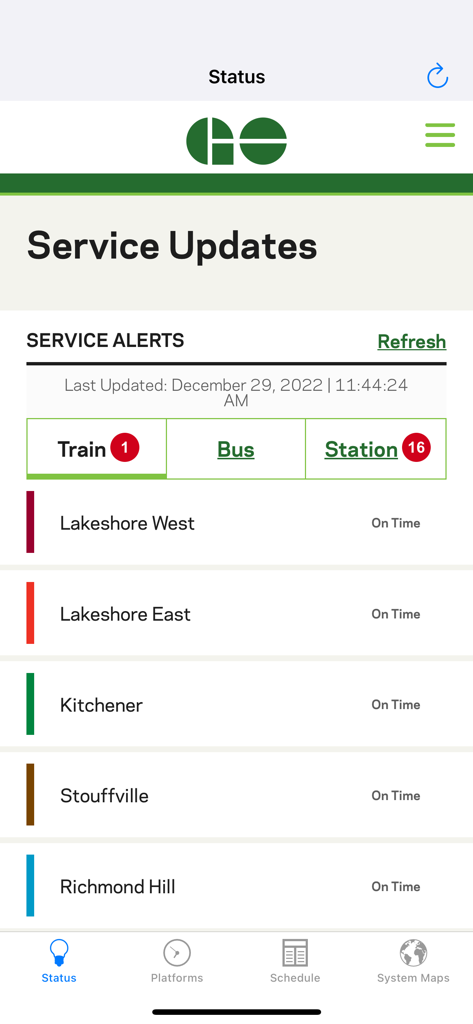
GOToronto: GO Transit Sidekick - GOToronto 앱의 서비스 업데이트 및 열차 상태

GOToronto 앱의 서비스 업데이트 및 열차 상태

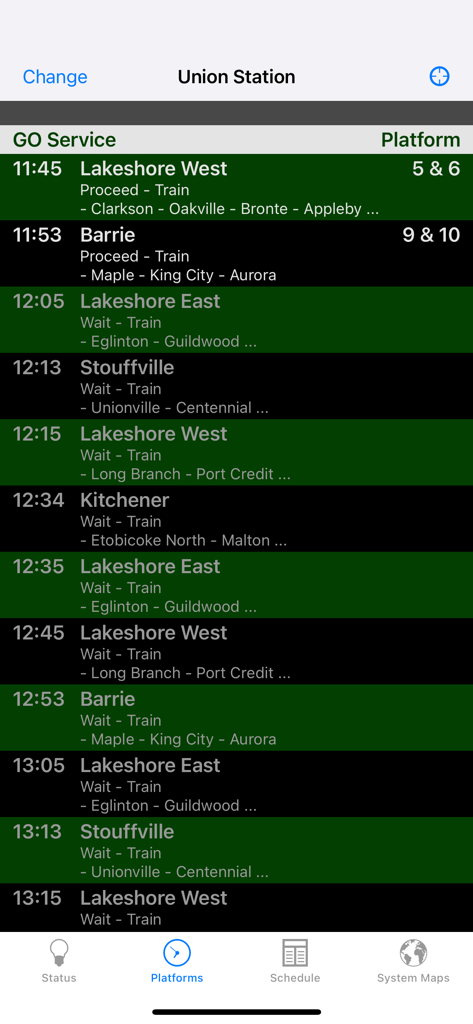
GOToronto: GO Transit Sidekick - GOToronto 앱이 유니온 스테이션의 실시간 열차 출발 상태 및 플랫폼 번호를 표시합니다
GOToronto 앱이 유니온 스테이션의 실시간 열차 출발 상태 및 플랫폼 번호를 표시합니다

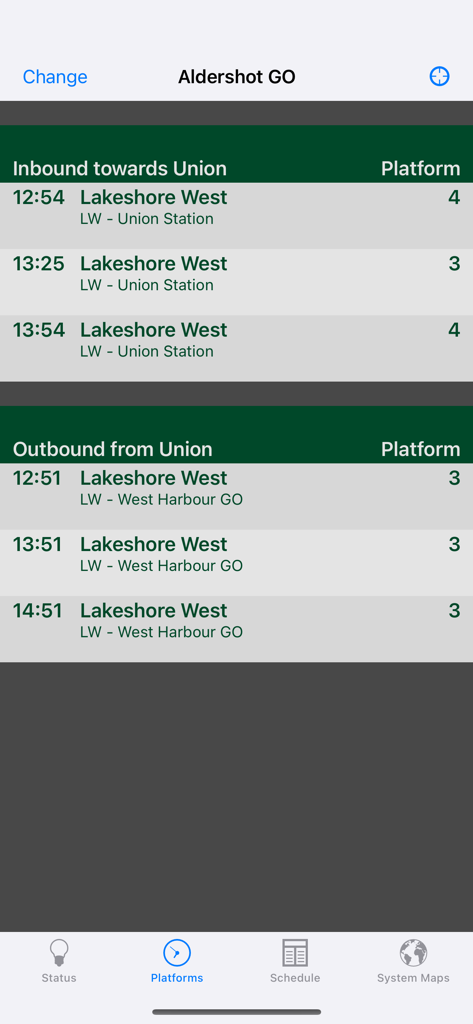
GOToronto: GO Transit Sidekick - Aldershot GO 역의 Lakeshore West 노선에 대한 열차 출발 시간 및 플랫폼 번호를 보여주는 모바일 화면
Aldershot GO 역의 Lakeshore West 노선에 대한 열차 출발 시간 및 플랫폼 번호를 보여주는 모바일 화면

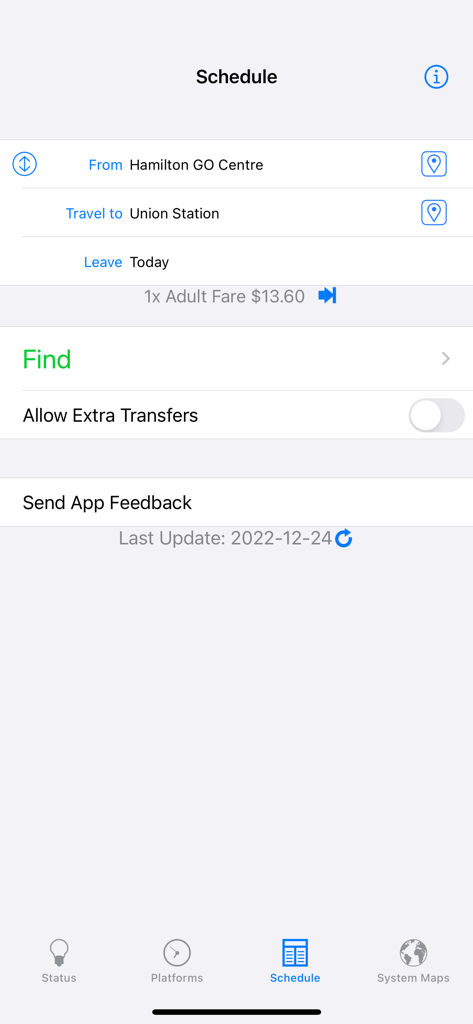
GOToronto: GO Transit Sidekick - Hamilton에서 Union Station까지의 여정을 보여주는 GOToronto 앱의 대중교통 시간표 계획 화면
Hamilton에서 Union Station까지의 여정을 보여주는 GOToronto 앱의 대중교통 시간표 계획 화면

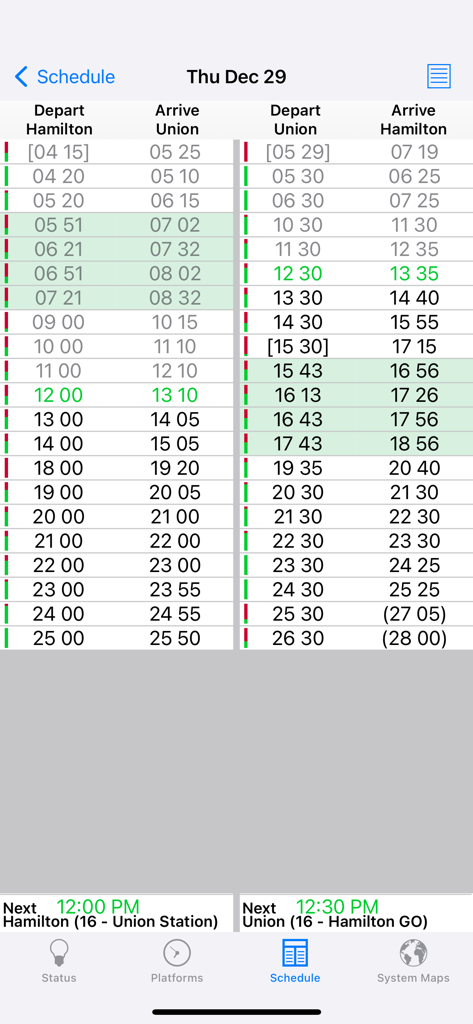
GOToronto: GO Transit Sidekick - 토론토 Union Station과 Hamilton 간 GO Transit 열차 및 버스 출발 및 도착 시간을 보여주는 표
토론토 Union Station과 Hamilton 간 GO Transit 열차 및 버스 출발 및 도착 시간을 보여주는 표

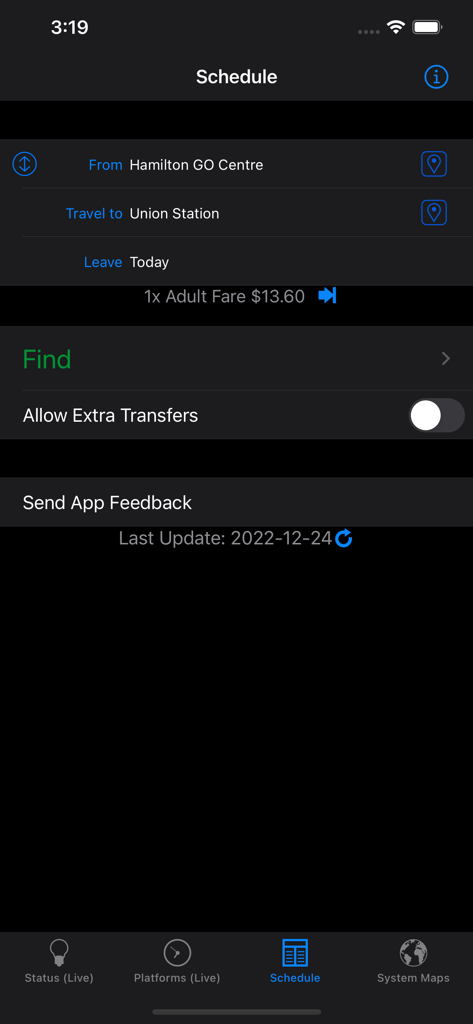
GOToronto: GO Transit Sidekick - Hamilton에서 Union Station까지의 경로 계획을 보여주는 GOToronto 앱 시간표 화면
Hamilton에서 Union Station까지의 경로 계획을 보여주는 GOToronto 앱 시간표 화면

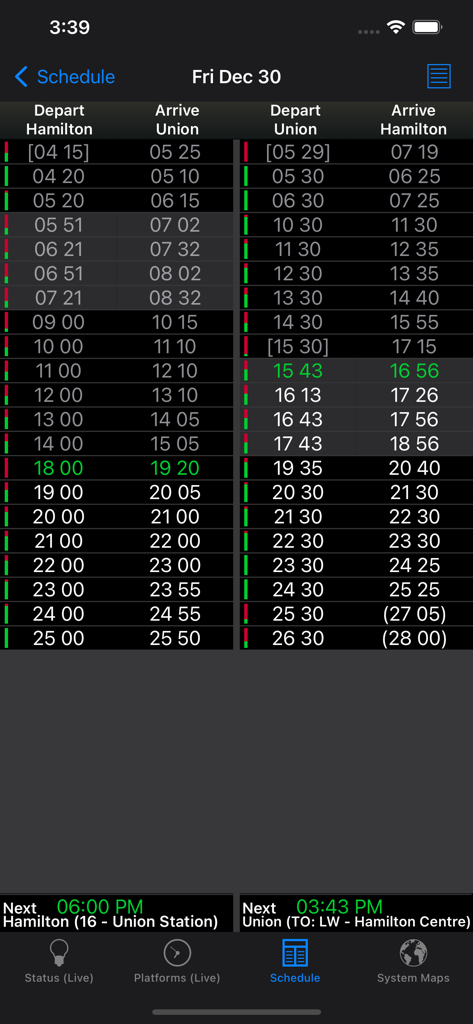
GOToronto: GO Transit Sidekick - Hamilton과 Union Station 간의 출발 및 도착 시간을 보여주는 대중교통 시간표 표
Hamilton과 Union Station 간의 출발 및 도착 시간을 보여주는 대중교통 시간표 표

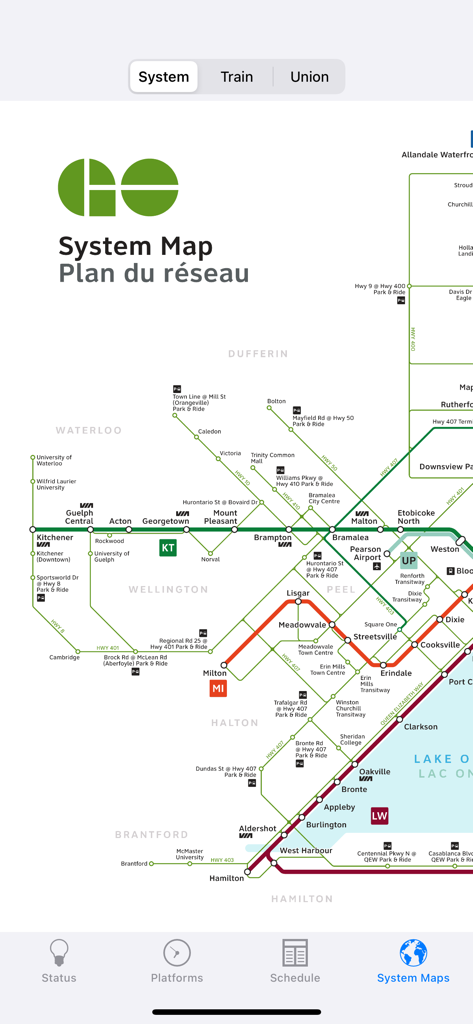
GOToronto: GO Transit Sidekick - 광역 토론토 지역의 다양한 철도 및 버스 노선을 보여주는 GOToronto 앱 내 상세 GO Transit 시스템 지도
광역 토론토 지역의 다양한 철도 및 버스 노선을 보여주는 GOToronto 앱 내 상세 GO Transit 시스템 지도

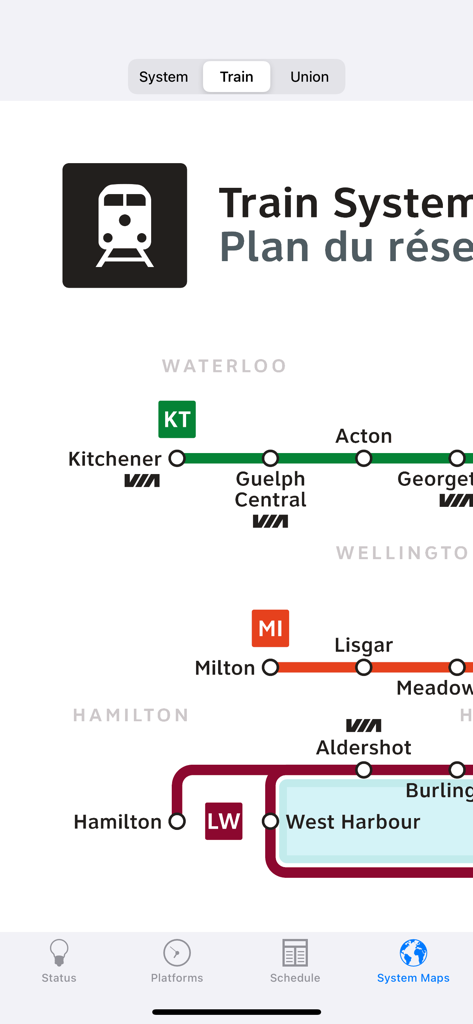
GOToronto: GO Transit Sidekick - 다양한 노선과 역을 보여주는 GO Transit 열차 시스템 지도의 일부
다양한 노선과 역을 보여주는 GO Transit 열차 시스템 지도의 일부

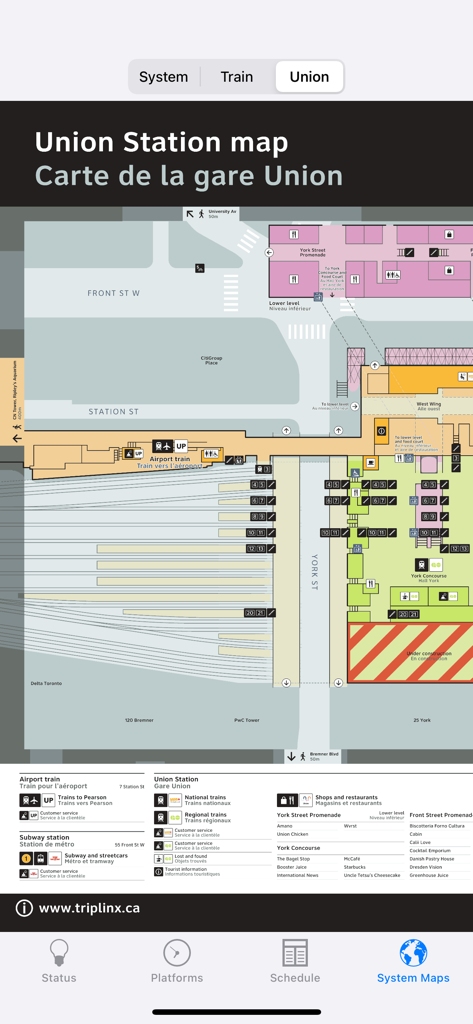
GOToronto: GO Transit Sidekick - 플랫폼, 거리 수준 및 주변 랜드마크를 보여주는 GOToronto 모바일 앱 내 토론토 Union Station의 상세 지도

플랫폼, 거리 수준 및 주변 랜드마크를 보여주는 GOToronto 모바일 앱 내 토론토 Union Station의 상세 지도

설명

A full featured, yet easy to use app for GO Transit riders in the Greater Toronto Area (GTA) in Ontario, Canada. Get live statuses over the Internet, and regardless of connection, find the fastest trips for your destination (up to 2 transfers). Buy once for both the iPhone and iPad. FEATURES ● Current status for both trains and buses as reported by GOTransit.com ● Live platform departure status for ALL train stations ● Find times by departure/arrival stops for trips (up to 2 transfers) without needing an Internet connection. Automatically checks for new schedules to download within the app when launched with an Internet connection. ● Adult fares for all planned trips without an Internet connection. Full fare info if you do. ● Quick table view of the shortest trips ● Find the closest stop to your current location. Easily launch the Maps app with directions loaded for getting to your selected stop. Take a look at the screenshots to see how easy and useful this app is! TESTIMONIALS "I know designing a good search interface is hard, but yours is already pretty good. Having schedules is what makes the app worth purchasing, so you’ve got the right idea there. I’ve always been frustrated with the GO website, your app is already easier to use!" -Michael "Your app is awesome. A fantastic idea. It shows how to use technology to improve our lives." -Miguel USAGE TIPS ● Tap on the "From"/"Travel to" table cells to set your trip departure/arrival. ● In the trips view, use the icon in the upper-right corner to switch between details and overview mode. ● Use the "Info" button at the top-right of the Search screen to get explanations on the schedules. SUPPORT Send any problems via e-mail to tripleQuadSupport@gmail.com ● If you experience crashing when starting up after an upgrade, delete the app and download again (free of charge) from the App Store. ● To get the latest schedule, connect to the Internet first, then launch GOToronto and go to the Schedule screen. A prompt should come up automatically asking to be downloaded. If not prompted, then tap the "refresh" icon at the bottom next to the Last Updated message. If you experience problems downloading, try again after restarting your device (turn it off and on). Try using a different internet connection (eg. non-corporate network) if you are still having download issues. --- GOToronto is not affiliated nor endorsed by GO Transit. Data used in this product or service is provided with the permission of Metrolinx. Metrolinx makes no representations or warranties of any kind, express or implied, and assumes no responsibility for the accuracy or currency of the data used in this product or service.

Download

다운로드: App Store

이 페이지는 앱이나 개발자의 공식 페이지가 아니며, 정보 제공 및 논평을 목적으로 작성된 독립 편집 간행물입니다. 명시적으로 달리 언급되지 않는 한, 해당 앱이나 개발자는 MWM, Apple, Google Play, 앱 퍼블리셔 또는 앱 개발자와 제휴, 보증, 후원, 승인 또는 공식적으로 연결되어 있지 않으며, 이 페이지의 어떤 내용도 해당 앱이 MWM의 서비스를 사용하여 개발되었음을 의미하지 않습니다. 모든 상표, 로고, 스크린샷 및 기타 콘텐츠는 해당 소유자의 자산입니다.