GPS - Find My Family & Friends
다운로드: App Store

이 페이지는 앱이나 개발자의 공식 페이지가 아니며, 정보 제공 및 논평을 목적으로 작성된 독립 편집 간행물입니다. 명시적으로 달리 언급되지 않는 한, 해당 앱이나 개발자는 MWM, Apple, Google Play, 앱 퍼블리셔 또는 앱 개발자와 제휴, 보증, 후원, 승인 또는 공식적으로 연결되어 있지 않으며, 이 페이지의 어떤 내용도 해당 앱이 MWM의 서비스를 사용하여 개발되었음을 의미하지 않습니다. 모든 상표, 로고, 스크린샷 및 기타 콘텐츠는 해당 소유자의 자산입니다.


로고: GPS - Find My Family & Friends
다운로드: App Store

GPS - Find My Family & Friends

어린이와 노약자의 안전을 지키기 위해 당사의 안전하고 배터리 효율적인 트래커를 신뢰하는 10만 이상의 가족과 함께하세요. 복잡한 설정 없이 QR 코드 스캔만으로 즉시 연결됩니다.

주요 수치

다운로드

103K+

사용자 평점

4.1/5

총 평가 수

0

개발사

Parth Pandya

카테고리

Navigation

지원 언어

7

최신 버전

4.0

크기

46.7 MB

출시일

2016년 2월 5일
기능

바쁜 가족을 위한 안전과 안심

복잡하고 무거운 앱 대신 실시간 추적, 투명한 공유, 간편한 연결을 위해 당사를 신뢰하는 수천 명의 부모님들과 함께하세요.

즉각적인 QR 코드 페어링

복잡한 초대 코드로 시간을 낭비하지 마세요. QR 코드를 스캔하기만 하면 자녀나 연세 드신 부모님과 즉시 동기화되어 몇 초 만에 추적을 시작할 수 있습니다.

실시간 안전 인사이트

지도 위의 단순한 점 그 이상을 확인하세요. 이동 상태, 방향, 이동 속도를 볼 수 있어, 초보 운전자인 십대 자녀를 둔 부모님께 필수적인 안심 기능을 제공합니다.

다음 스크린샷과 설명은 앱의 공식 스토어 목록에서 직접 가져온 것이며 앱 개발자의 자산입니다.

앱 스토어

스크린샷
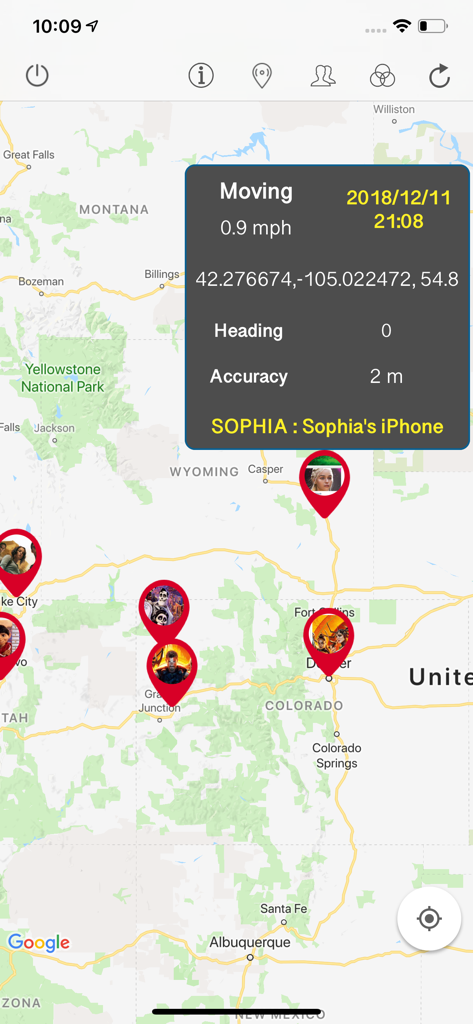
GPS - Find My Family & Friends - 속도와 GPS 좌표를 포함한 Sophia의 iPhone용 상세 데이터 오버레이와 함께 여러 가족 구성원의 위치를 보여주는 지도 보기.
속도와 GPS 좌표를 포함한 Sophia의 iPhone용 상세 데이터 오버레이와 함께 여러 가족 구성원의 위치를 보여주는 지도 보기.

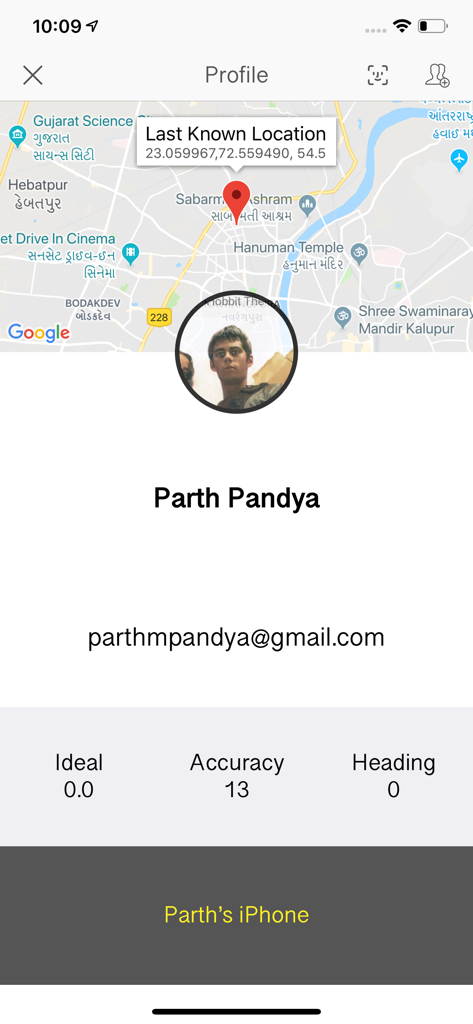
GPS - Find My Family & Friends - 마지막으로 확인된 위치와 장치 상태를 보여주는 지도가 포함된 가족 구성원 프로필을 표시하는 앱 인터페이스
마지막으로 확인된 위치와 장치 상태를 보여주는 지도가 포함된 가족 구성원 프로필을 표시하는 앱 인터페이스

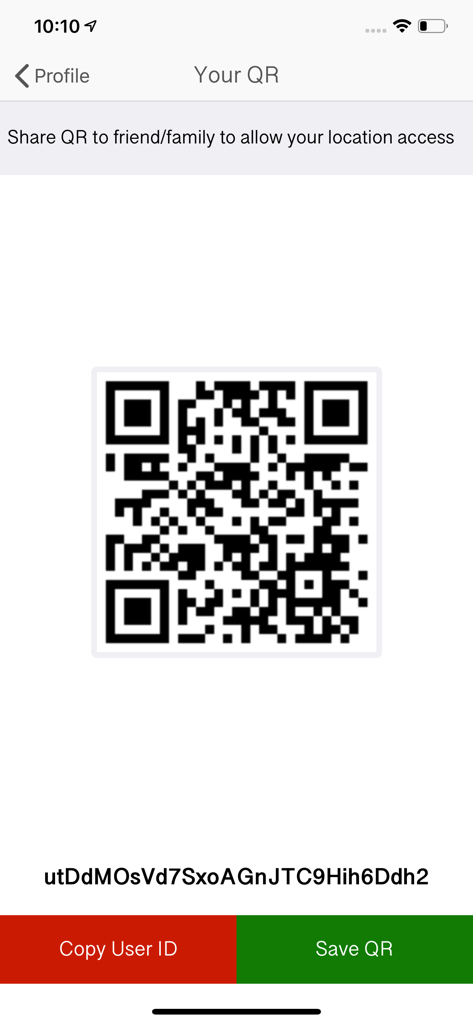
GPS - Find My Family & Friends - 가족 및 친구와 위치를 공유하기 위한 QR 코드 화면

가족 및 친구와 위치를 공유하기 위한 QR 코드 화면

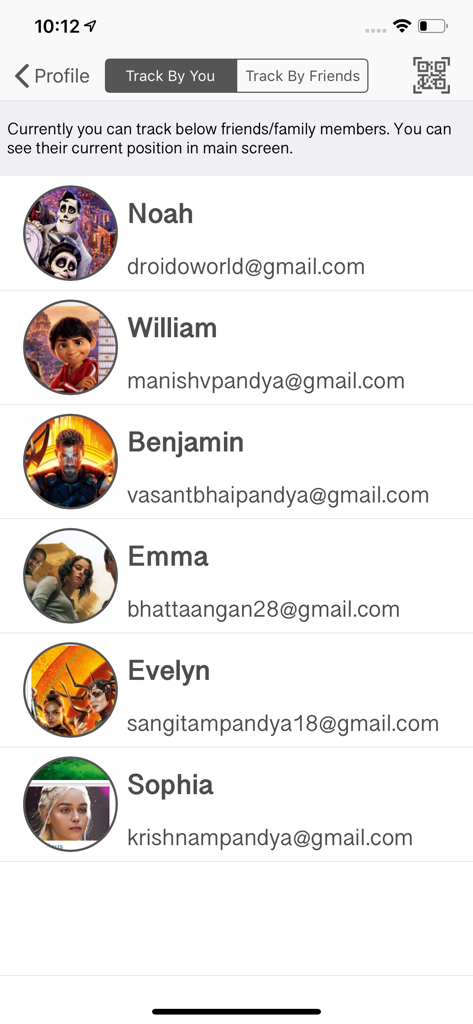
GPS - Find My Family & Friends - 추적 중인 가족 구성원 목록을 이름 및 프로필 사진과 함께 보여주는 모바일 앱 인터페이스
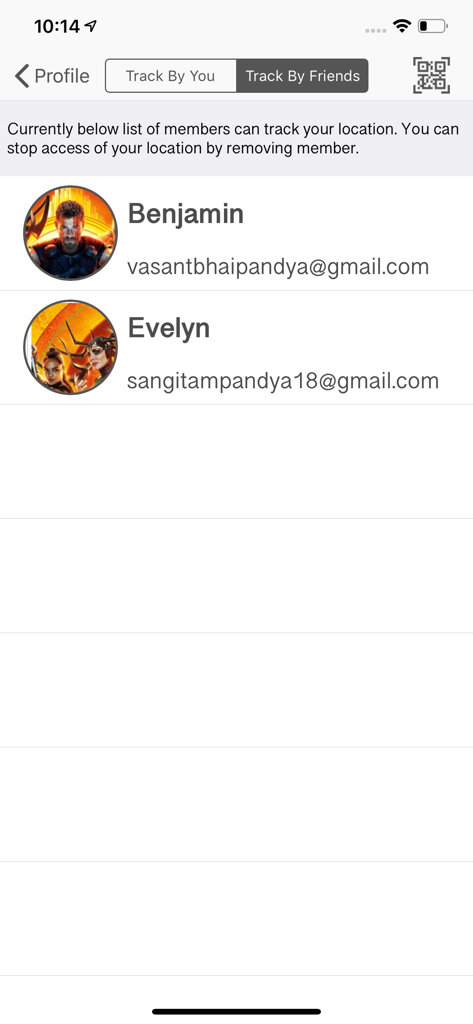
추적 중인 가족 구성원 목록을 이름 및 프로필 사진과 함께 보여주는 모바일 앱 인터페이스

GPS - Find My Family & Friends - 사용자의 위치를 추적할 수 있는 권한이 있는 친구 및 가족 구성원 목록을 보여주는 인터페이스
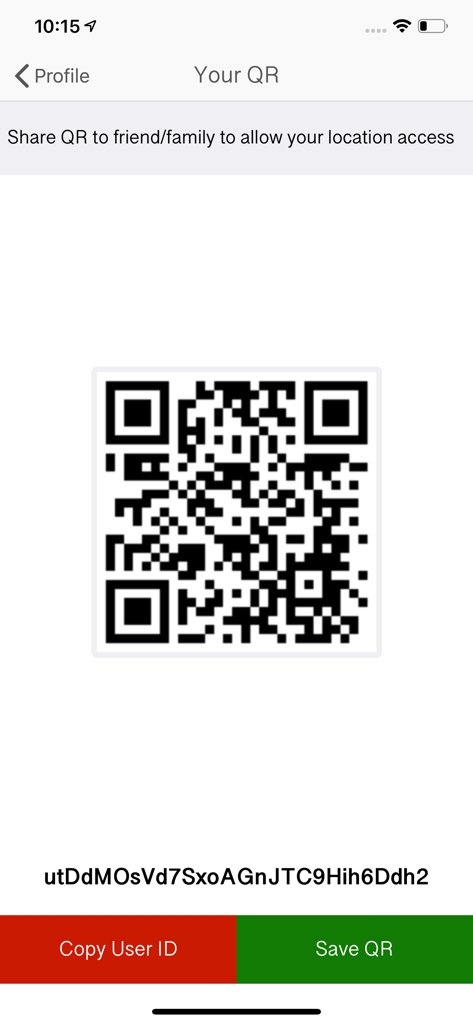
사용자의 위치를 추적할 수 있는 권한이 있는 친구 및 가족 구성원 목록을 보여주는 인터페이스

GPS - Find My Family & Friends - GPS 위치 공유 앱 내에서 가족 구성원을 연결하기 위한 QR 코드 및 사용자 ID 화면
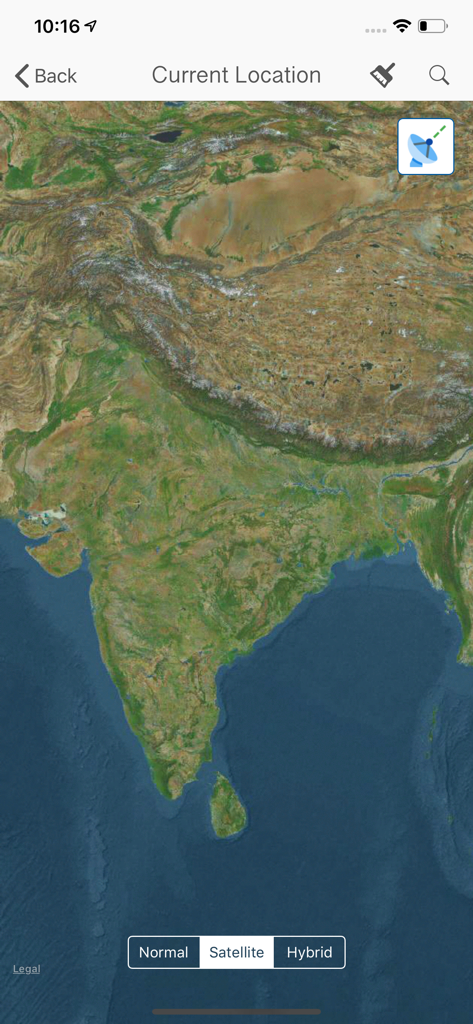
GPS 위치 공유 앱 내에서 가족 구성원을 연결하기 위한 QR 코드 및 사용자 ID 화면

GPS - Find My Family & Friends - GPS 가족 안전 앱의 인도 아대륙 위성 지도 보기

GPS 가족 안전 앱의 인도 아대륙 위성 지도 보기

설명

Are you worried about your family members? Where they are going and what they are doing? Here is the solution and get free from this tension. This application will track your family members or friends and gives their latest location to you! Good to hear, isn’t it? App Features: > Track your family and friends in single screen instantly > Get latest updated location of your family member > Easy access to get authenticate Scan QR / User ID to track location > Get to know who are tracking you right now and you can deny them to your location. > Get detail location details of your family member with date, time, speed etc > Your current location and place finder HOW TO USE THIS APP? To easy understanding consider you as a FATHER and you want to track your daughter’s current location. 1. Download and create your own account and login. (Required information: Name, Email ID, Password, Profile Picture). 2. Start Tracking your daughter with entering her User ID / scan her QR. (Your daughter must have this app and need to login with her credentials, She can also deny you to access her location by removing you from her whitelist). NOTE that, If your daughter able to check that who are accessing her location and she can also able to deny those members. QUESTIONS: 1. What type of information will you get after accepting a request? Ans: After accepting request, FATHER(Consider above example to understand) will get, His daughter is ideal or moving. If moving then what is her speed, Her Exact Location, Timestamp, Device name from where her daughter accessing/Logged in this app, Heading, Accuracy of location, and altitude. 2. How many members can I include for tracking? Ans: You can track 2 members for FREE and then you need to buy package as per member requirements. Currently 3 pack is available for 5/7/10 member track request in minimum cost. 3. How to use it? You need to create your own account and share your QR / User Id to whom you allow to track access your location. Same way you need to scan QR / user Id of your family members to get access of their latest location. 4. How to get my UserId / QR? Login with your account > Go to Profile Screen > Go To 'Your QR' Screen. Here is your own QR and user Id below it. You can Copy user Id OR save QR to local storage also. 5. How To track my family member? Install this app to all device you want to track and create individual login credentials. Login with your own account > Go To 'Profile' Screen > Go To 'Track By You' Screen > Click On Top Right QR Scan Button to Scan your family member QR or enter their user id manually. (You can track maximum 2 members for free. You can buy track pack based on member requirements.) 6. I need help / support from technical side. Ans: Go to help center, You can directly Email to developer OR visit our web site. Or you also can join social page to discuss your problem. IMPORTANT: ——— 1. Continued use of GPS running in the background can dramatically decrease battery life. 2. This app will not send any personal data without your permission. 3. This app will access your current location and gallery to upload profile picture. 4. It never Encrypt / Decrypt personal data. 5. All tracking data is stored on secure server, There is no chance to have data.

Download

다운로드: App Store

이 페이지는 앱이나 개발자의 공식 페이지가 아니며, 정보 제공 및 논평을 목적으로 작성된 독립 편집 간행물입니다. 명시적으로 달리 언급되지 않는 한, 해당 앱이나 개발자는 MWM, Apple, Google Play, 앱 퍼블리셔 또는 앱 개발자와 제휴, 보증, 후원, 승인 또는 공식적으로 연결되어 있지 않으며, 이 페이지의 어떤 내용도 해당 앱이 MWM의 서비스를 사용하여 개발되었음을 의미하지 않습니다. 모든 상표, 로고, 스크린샷 및 기타 콘텐츠는 해당 소유자의 자산입니다.