GPS Map Camera – GeoTag
다운로드: App Store

이 페이지는 앱이나 개발자의 공식 페이지가 아니며, 정보 제공 및 논평을 목적으로 작성된 독립 편집 간행물입니다. 명시적으로 달리 언급되지 않는 한, 해당 앱이나 개발자는 MWM, Apple, Google Play, 앱 퍼블리셔 또는 앱 개발자와 제휴, 보증, 후원, 승인 또는 공식적으로 연결되어 있지 않으며, 이 페이지의 어떤 내용도 해당 앱이 MWM의 서비스를 사용하여 개발되었음을 의미하지 않습니다. 모든 상표, 로고, 스크린샷 및 기타 콘텐츠는 해당 소유자의 자산입니다.

로고: GPS Map Camera – GeoTag
다운로드: App Store

GPS Map Camera – GeoTag

전문적인 현장 점검부터 잊을 수 없는 여행 추억까지, 촬영하는 모든 사진에 실시간 지도, GPS 좌표, 날씨 데이터를 자동으로 오버레이하세요.

주요 수치

다운로드

0

사용자 평점

1.0/5

총 평가 수

0

개발사

Bhaskar Rao

카테고리

Photo & Video

지원 언어

22

최신 버전

1.0

크기

29.2 MB

출시일

2026년 1월 14일
기능

정확한 시각적 기록을 위한 최고의 도구

작업 현장을 관리하든 오지를 탐험하든, GPS Map Camera는 모든 사진에 정확한 위치 및 환경 메타데이터를 직접 임베딩하여 데이터 수집을 자동화합니다.

검증된 전문가 보고서

모든 이미지에 전체 주소, GPS 좌표, 회사 로고에 대한 자동 스탬프를 제공하여 분쟁을 없애고 현장 증거를 확실하게 제공하세요.

실시간 환경 데이터

고도, 나침반 방향, 실시간 날씨 조건을 포착하여 시각적인 것을 넘어 사진을 포괄적인 환경 기록으로 전환하세요.

다음 스크린샷과 설명은 앱의 공식 스토어 목록에서 직접 가져온 것이며 앱 개발자의 자산입니다.

앱 스토어

스크린샷
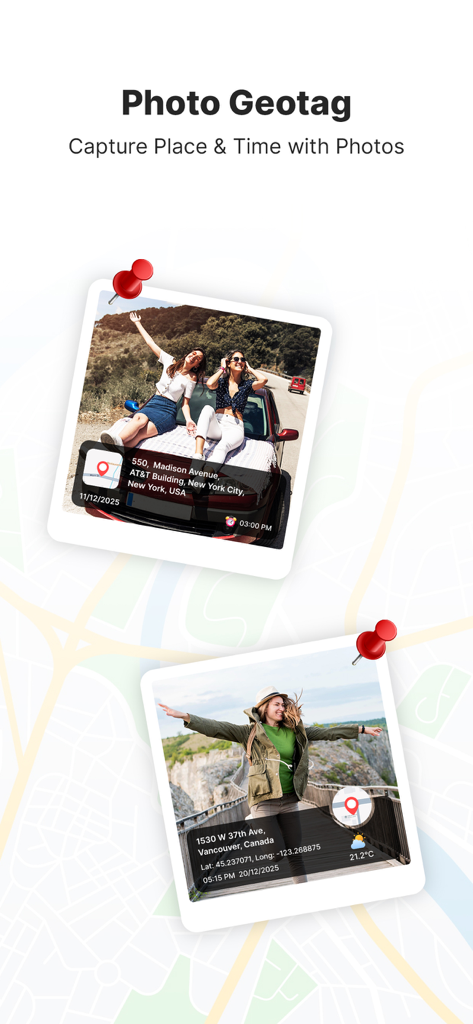
GPS Map Camera – GeoTag - 위치 주소와 좌표가 있는 지오태그된 사진을 보여주는 GPS Map Camera 앱 인터페이스
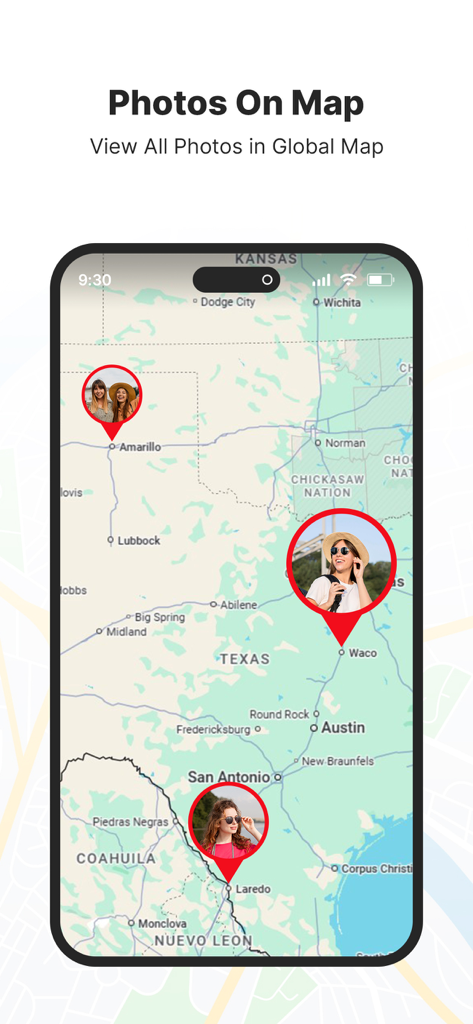
위치 주소와 좌표가 있는 지오태그된 사진을 보여주는 GPS Map Camera 앱 인터페이스

GPS Map Camera – GeoTag - 위치 핀이 있는 지오태그된 사진을 표시하는 지도 인터페이스

위치 핀이 있는 지오태그된 사진을 표시하는 지도 인터페이스
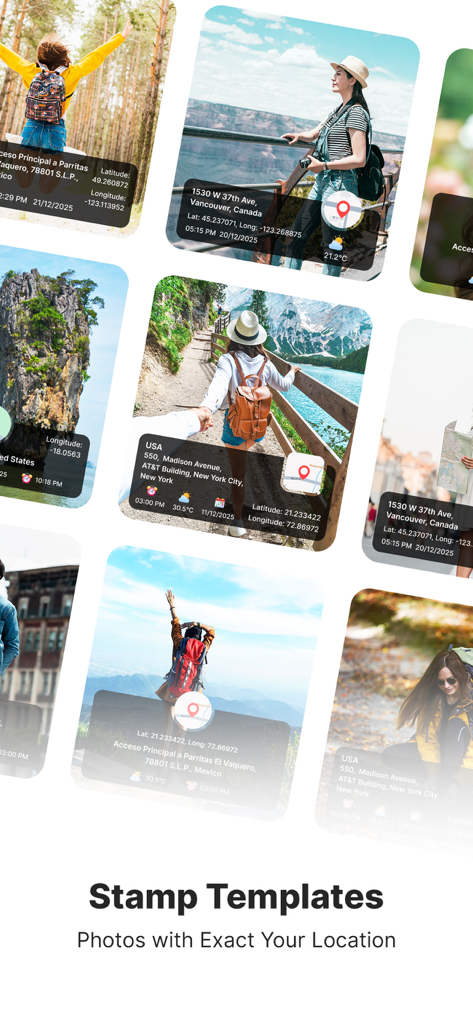
GPS Map Camera – GeoTag - 좌표와 주소를 보여주는 GPS 위치 스탬프가 있는 사진 모음

좌표와 주소를 보여주는 GPS 위치 스탬프가 있는 사진 모음

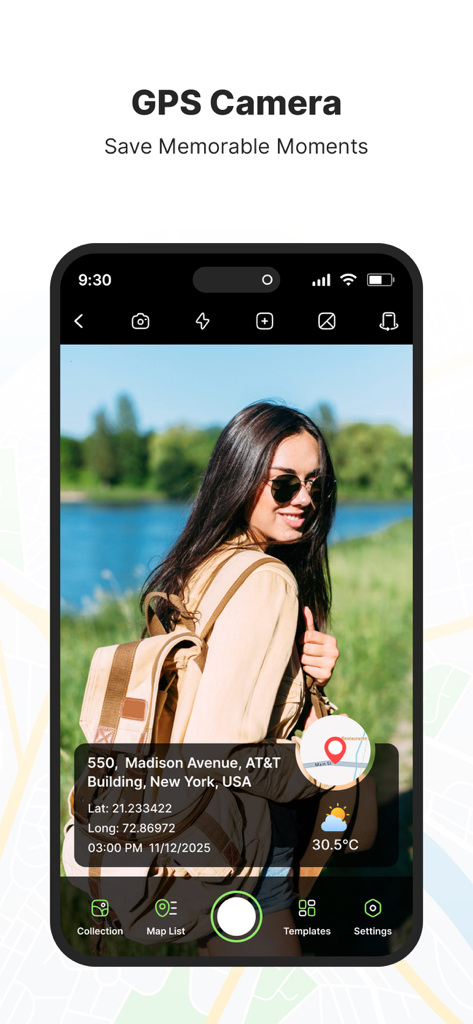
GPS Map Camera – GeoTag - 위치 주소와 좌표를 보여주는 GPS 스탬프가 있는 사진

위치 주소와 좌표를 보여주는 GPS 스탬프가 있는 사진

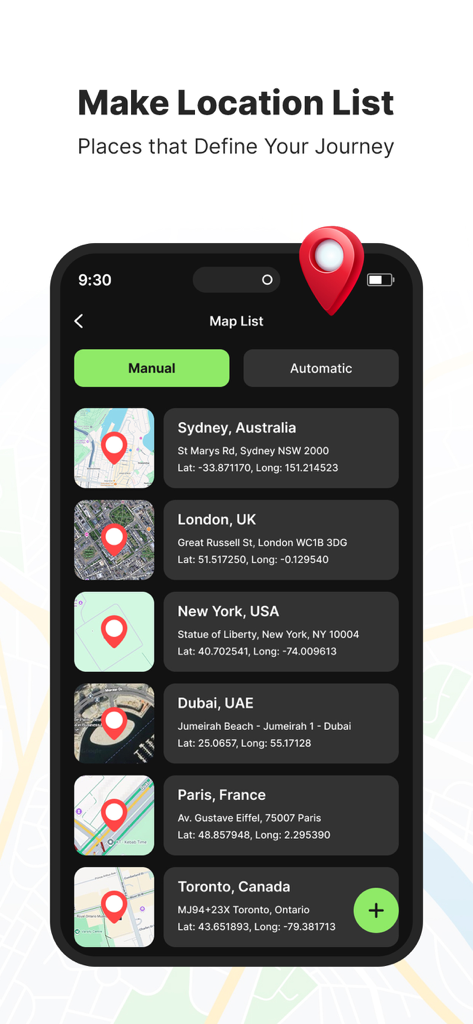
GPS Map Camera – GeoTag - GPS 좌표 및 지도 미리보기가 있는 저장된 위치 목록을 표시하는 앱 인터페이스
GPS 좌표 및 지도 미리보기가 있는 저장된 위치 목록을 표시하는 앱 인터페이스

GPS Map Camera – GeoTag - 일반 위성 지형 및 하이브리드 지도 스타일 옵션을 보여주는 GPS Map Camera 앱 화면
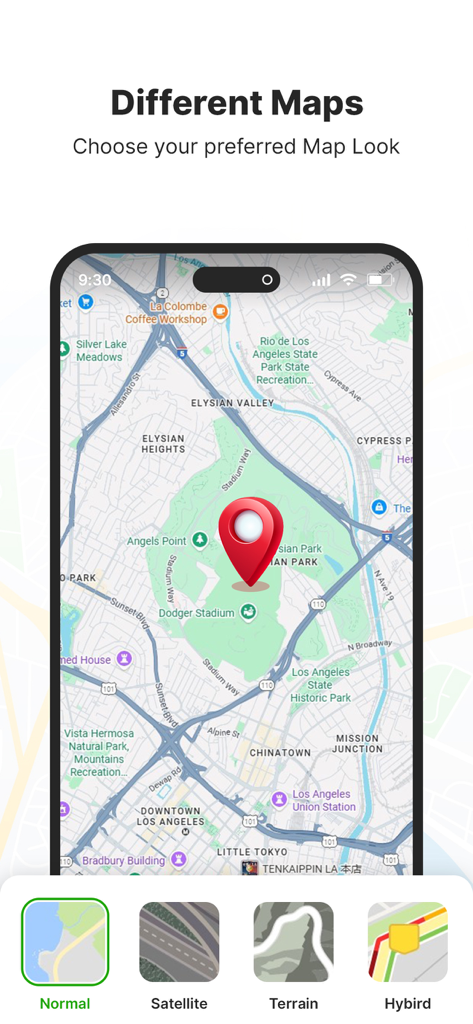
일반 위성 지형 및 하이브리드 지도 스타일 옵션을 보여주는 GPS Map Camera 앱 화면

GPS Map Camera – GeoTag - 위치 및 시간 데이터로 GPS 사진 스탬프를 사용자 정의하는 인터페이스
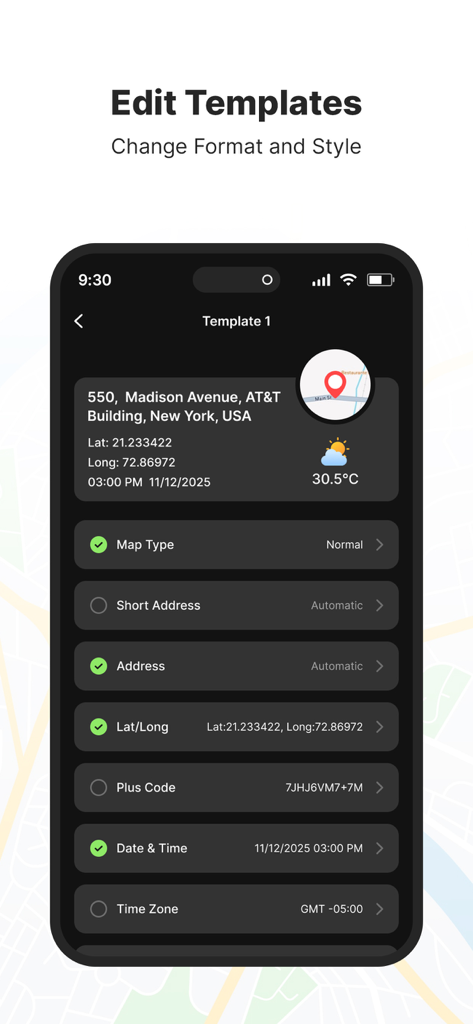
위치 및 시간 데이터로 GPS 사진 스탬프를 사용자 정의하는 인터페이스

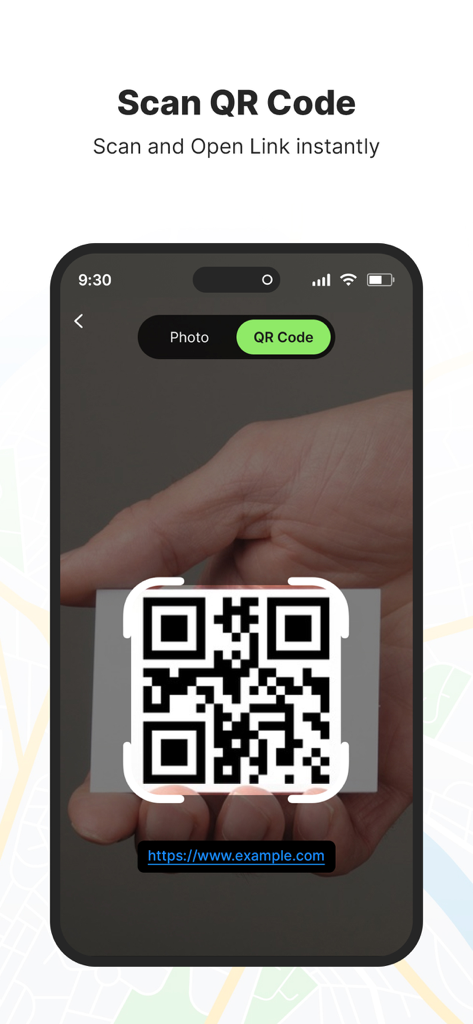
GPS Map Camera – GeoTag - 링크를 즉시 열기 위해 QR 코드 스캔 기능을 보여주는 스마트폰 화면

링크를 즉시 열기 위해 QR 코드 스캔 기능을 보여주는 스마트폰 화면

설명

GPS Map Camera – GeoTag Relive your travel memories and place-based moments with GPS Map Camera. Capture photos with accurate GPS map stamps, including date & time, live map, latitude, longitude, weather, compass direction, magnetic field, and altitude—directly added to your camera photos. Track your live location while taking pictures and create geotagged photos of streets, landmarks, and destinations. Easily share location-stamped photos with family and friends and let them experience your travel memories exactly where they happened Features: • Custom GPS camera with grid, aspect ratio, flash, focus, mirror, timer, and camera level • Automatic or manual photo map and GPS data settings • Built-in QR code scanner for quick and easy scanning • Classic template with automatically fetched location and stamp details • Advanced Template Includes: 1. Map Options: Choose photo map styles such as Normal, Satellite, Terrain, or Hybrid 2. Short Address: Automatically add a brief location name to photos 3. Full Address: Select and add location using manual or automatic location picker 4. Latitude & Longitude: Display GPS coordinates in decimal format 5. Plus Code: Add accurate or concise location codes 6. Date & Time: Apply date and timestamp using multiple format options 7. Time Zone: Support for GMT and UTC time zones 8. Logo: Upload and display your brand logo on photos 9. Notes: Add custom notes or descriptions to images 10.Weather: Show temperature in Celsius or Fahrenheit 11.Wind Speed: Display wind measurement details 12.Pressure: Add atmospheric pressure of the location 13.Altitude: Automatically calculate and display altitude 14.Accuracy: Show GPS accuracy directly on the image This app contains subscription Monthly pro at $1.99 and Yearly pro at $9.99 to use ads free versions of the premium app which can cancel anytime. To learn about our privacy policy, please visit: https://bhaskarrao2209.blogspot.com/2025/12/privacy-policy.html For our terms of use, please visit: https://bhaskarrao2209.blogspot.com/2025/12/terms-of-service.html GPS Map Camera – GeoTag - Capture photos with GPS location, map, address, date, and time automatically stamped.

Download

다운로드: App Store

이 페이지는 앱이나 개발자의 공식 페이지가 아니며, 정보 제공 및 논평을 목적으로 작성된 독립 편집 간행물입니다. 명시적으로 달리 언급되지 않는 한, 해당 앱이나 개발자는 MWM, Apple, Google Play, 앱 퍼블리셔 또는 앱 개발자와 제휴, 보증, 후원, 승인 또는 공식적으로 연결되어 있지 않으며, 이 페이지의 어떤 내용도 해당 앱이 MWM의 서비스를 사용하여 개발되었음을 의미하지 않습니다. 모든 상표, 로고, 스크린샷 및 기타 콘텐츠는 해당 소유자의 자산입니다.