GPS Map Camera & Timestamp
다운로드: App Store

이 페이지는 앱이나 개발자의 공식 페이지가 아니며, 정보 제공 및 논평을 목적으로 작성된 독립 편집 간행물입니다. 명시적으로 달리 언급되지 않는 한, 해당 앱이나 개발자는 MWM, Apple, Google Play, 앱 퍼블리셔 또는 앱 개발자와 제휴, 보증, 후원, 승인 또는 공식적으로 연결되어 있지 않으며, 이 페이지의 어떤 내용도 해당 앱이 MWM의 서비스를 사용하여 개발되었음을 의미하지 않습니다. 모든 상표, 로고, 스크린샷 및 기타 콘텐츠는 해당 소유자의 자산입니다.

로고: GPS Map Camera & Timestamp
다운로드: App Store

GPS Map Camera & Timestamp

정확한 GPS 좌표, 실시간 지도 오버레이 및 사용자 지정 타임스탬프를 즉시 포함하세요. 모든 촬영에서 검증 가능한 데이터와 비교할 수 없는 컨텍스트가 필요한 건설, 부동산 및 현장 전문가를 위한 필수 도구입니다.

주요 수치

다운로드

400

사용자 평점

1.0/5

총 평가 수

0

개발사

Darshan Navapariya

카테고리

Navigation

지원 언어

1

최신 버전

1.1.1

크기

24.0 MB

출시일

2025년 5월 9일
기능

모든 프로젝트를 위한 정밀 문서화

전문적인 신뢰성과 현장 보고에 적합하도록 설계된 자동 GPS, 시간 및 환경 오버레이로 사진을 데이터가 풍부한 기록으로 변환하세요.

검증 가능한 GPS 및 지도 스탬프

정확한 좌표, 거리 주소 및 실시간 지도를 자동으로 포함하여 모든 현장 방문에 대한 반박할 수 없는 위치 증거를 제공합니다.

전문 브랜딩 및 메모

회사 로고 및 사용자 지정 프로젝트 메모를 이미지에 직접 추가하여 단순한 스냅샷을 전문적인 현장 보고서로 변환합니다.

다음 스크린샷과 설명은 앱의 공식 스토어 목록에서 직접 가져온 것이며 앱 개발자의 자산입니다.

앱 스토어

스크린샷
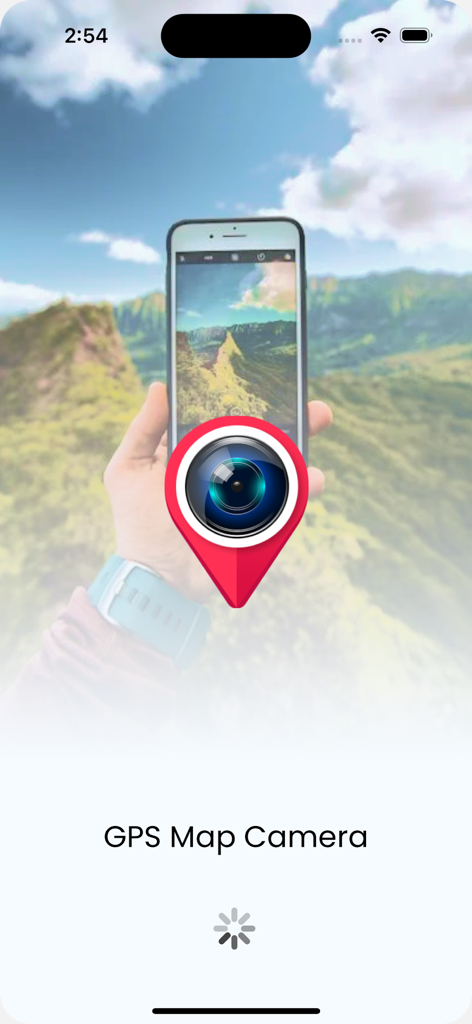
GPS Map Camera & Timestamp - 빨간색 위치 핀 안에 카메라 렌즈 아이콘이 있는 GPS 지도 카메라 앱의 시작 화면.
빨간색 위치 핀 안에 카메라 렌즈 아이콘이 있는 GPS 지도 카메라 앱의 시작 화면.

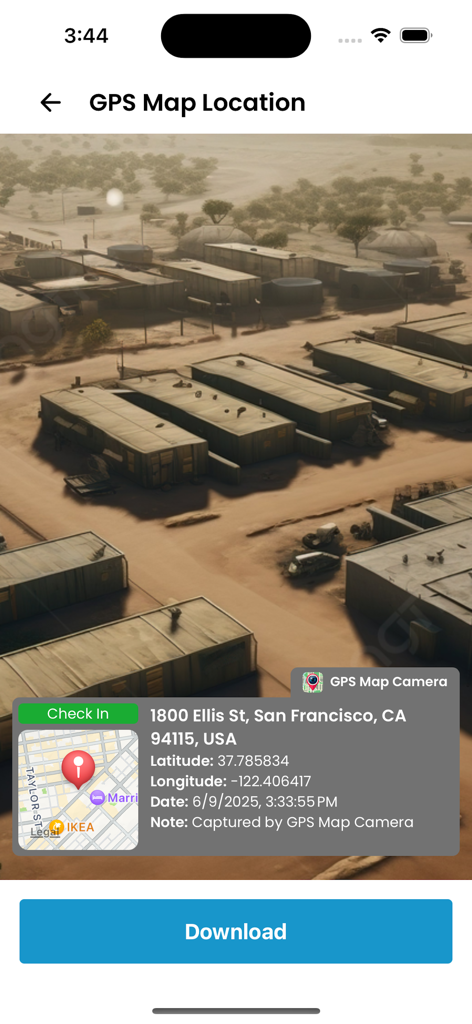
GPS Map Camera & Timestamp - 주소, 좌표 및 타임스탬프를 포함한 위치 스탬프가 있는 사진을 보여주는 GPS 지도 카메라 앱의 인터페이스.
주소, 좌표 및 타임스탬프를 포함한 위치 스탬프가 있는 사진을 보여주는 GPS 지도 카메라 앱의 인터페이스.

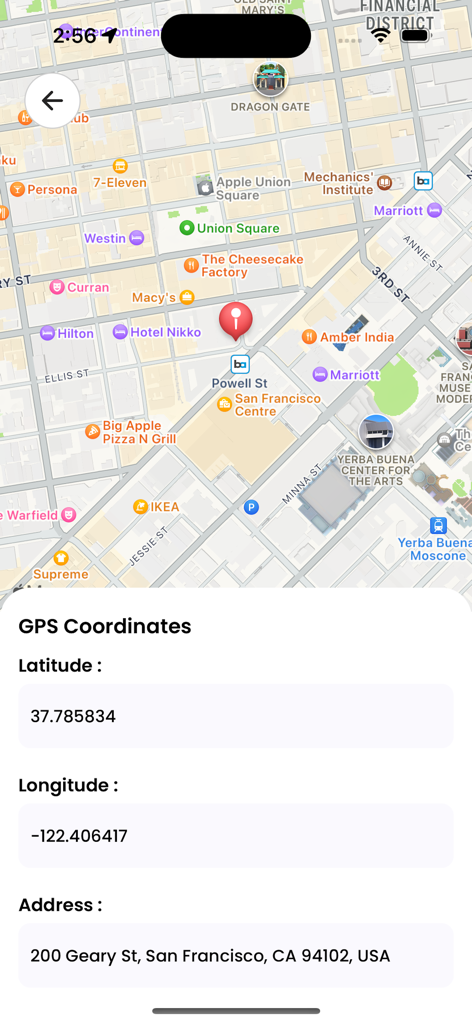
GPS Map Camera & Timestamp - 위도, 경도 및 거리 주소 세부 정보가 있는 샌프란시스코 지도를 보여주는 모바일 앱 화면
위도, 경도 및 거리 주소 세부 정보가 있는 샌프란시스코 지도를 보여주는 모바일 앱 화면

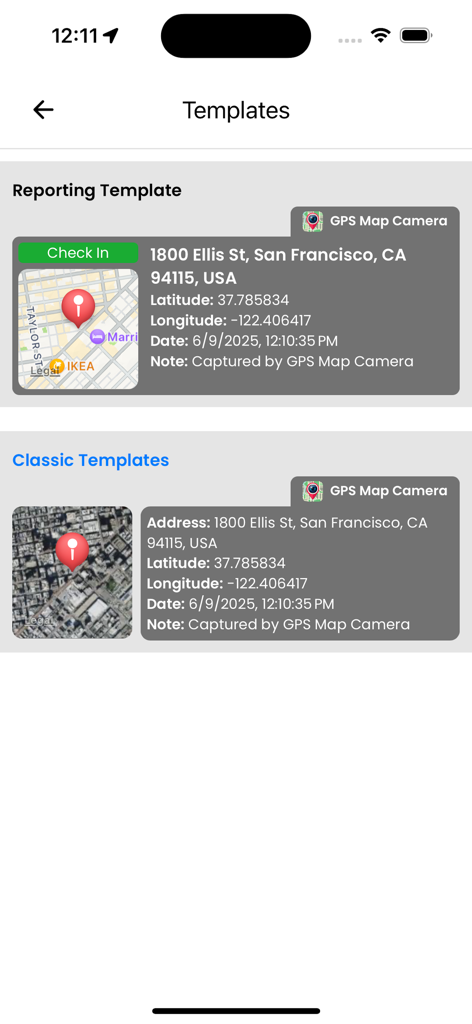
GPS Map Camera & Timestamp - GPS 좌표 및 지도 세부 정보를 보여주는 보고 및 클래식 사진 오버레이 템플릿 선택 사항
GPS 좌표 및 지도 세부 정보를 보여주는 보고 및 클래식 사진 오버레이 템플릿 선택 사항

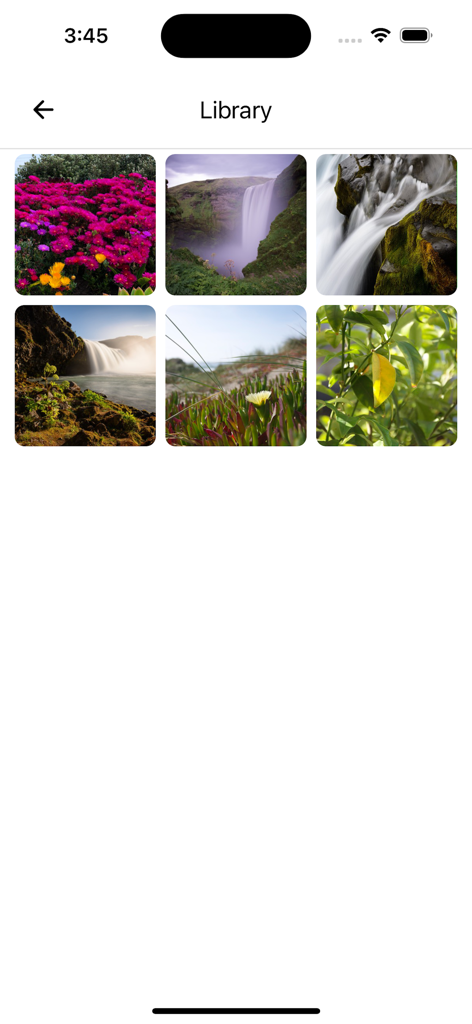
GPS Map Camera & Timestamp - 자연 사진 그리드를 표시하는 앱 라이브러리 화면.

자연 사진 그리드를 표시하는 앱 라이브러리 화면.

설명

GPS Map Camera & Timestamp Ever need to prove exactly where and when a photo was taken? Wish your travel photos had a map right on them for context? GPS Map Camera & Timestamp is the ultimate tool to automatically add precise, fully customizable stamps to your photos in real-time. Turn your phone into a powerful notecam. For every photo you take, automatically embed a rich overlay of data including GPS coordinates, location address, a live map, date and time, weather, and more. It's the perfect geotagging application for professionals, travelers, and anyone who needs to capture photos with verifiable context. KEY FEATURES: GPS Location & Map Stamps * Coordinates: Add precise Latitude & Longitude in both DMS and Decimal formats. * Live Map: Overlay a real-time Map view directly onto your photo. Choose from Normal, Satellite, Terrain, or Hybrid styles. * Full Address: Automatically fetch and stamp the current street address. * Accuracy & Altitude: Record GPS accuracy and elevation data for precise documentation. Date & Timestamp * Automatic Timestamping: Capture the exact date and time a photo is taken. * Custom Formats: Choose from numerous professional date and time formats to suit your needs. Weather & Environmental Data * Live Weather: Stamp the current temperature (C/F), humidity, and wind speed. * Atmospheric Details: Include pressure and magnetic field data for comprehensive field reports. Complete Customization * Professional Templates: Select from a range of clean, professional templates and arrange stamps exactly how you want them. * Your Logo & Notes: Add your own brand logo as a watermark and write custom notes directly on the image. * Hashtags: Include relevant hashtags to organize your projects or social media posts. Full-Featured Camera * Enjoy a powerful built-in camera with Grid, Aspect Ratio, Flash, Focus Control, Timer, and Front/Selfie camera support. PERFECT FOR: * Construction & Engineering: Document site progress, surveys, and reports with verifiable location and timestamps. * Real Estate Professionals: Capture property photos with accurate address, coordinates, and date for listings and client updates. * Travelers & Explorers: Create a visual travel diary. Never forget where you took that amazing shot. * Field Workers & Surveyors: Gather evidence and create location-stamped records for any job. * Journalists & Event Organizers: Add verifiable proof of location and time to your photos. * Anyone Creating Memories: Give your photos the context they deserve, remembering every detail of your special moments. HOW IT WORKS IN 3 SIMPLE STEPS: 1. Customize Your Stamps: Open the app and choose the template, data, and formats you want to display. 2. Point & Shoot: Use the in-app camera to take a photo. All your selected data is stamped automatically and in real-time. 3. Save & Share: Your geotagged photo is saved to your gallery, ready to be shared with clients, colleagues, friends, or family. Stop taking simple photos; start creating detailed visual records. Download GPS Map Camera & Timestamp today and add unbeatable context to every shot!

Download

다운로드: App Store

이 페이지는 앱이나 개발자의 공식 페이지가 아니며, 정보 제공 및 논평을 목적으로 작성된 독립 편집 간행물입니다. 명시적으로 달리 언급되지 않는 한, 해당 앱이나 개발자는 MWM, Apple, Google Play, 앱 퍼블리셔 또는 앱 개발자와 제휴, 보증, 후원, 승인 또는 공식적으로 연결되어 있지 않으며, 이 페이지의 어떤 내용도 해당 앱이 MWM의 서비스를 사용하여 개발되었음을 의미하지 않습니다. 모든 상표, 로고, 스크린샷 및 기타 콘텐츠는 해당 소유자의 자산입니다.