GPS & Maps: Location Tracker
다운로드: App Store

이 페이지는 앱이나 개발자의 공식 페이지가 아니며, 정보 제공 및 논평을 목적으로 작성된 독립 편집 간행물입니다. 명시적으로 달리 언급되지 않는 한, 해당 앱이나 개발자는 MWM, Apple, Google Play, 앱 퍼블리셔 또는 앱 개발자와 제휴, 보증, 후원, 승인 또는 공식적으로 연결되어 있지 않으며, 이 페이지의 어떤 내용도 해당 앱이 MWM의 서비스를 사용하여 개발되었음을 의미하지 않습니다. 모든 상표, 로고, 스크린샷 및 기타 콘텐츠는 해당 소유자의 자산입니다.

로고: GPS & Maps: Location Tracker
다운로드: App Store

GPS & Maps: Location Tracker

전문가 수준의 좌표 시스템, 고도 기록 및 웨이포인트 추적 기능을 사용하여 어떤 지형이든 완벽하게 마스터하세요. 정확성이 필수적인 지오캐싱, 하이킹 및 기술적인 탐험가를 위해 제작되었습니다.

주요 수치

다운로드

1M+

사용자 평점

4.4/5

총 평가 수

6K+

개발사

Kraus und Karnath GbR 2Kit Consulting

카테고리

Navigation

지원 언어

3

최신 버전

4.3

크기

32.4 MB

출시일

2011년 11월 23일
기능

사람이 다니지 않는 길을 위한 정밀함

단순한 지도를 넘어선 정확성을 요구하는 탐험가를 위해 설계된 전문가 수준의 GPS 도구, 실시간 추적 및 특수 좌표 시스템으로 모험을 강화하세요.

군사 등급 정밀도

MGRS, UTM, 십진수 도수 간에 즉시 전환하세요. 모든 환경에서 지오캐싱, 측량 또는 전술 내비게이션을 위한 정확한 위치를 확보하세요.

정량화된 모험

가장 높은 고도, 최대 속도 및 실시간 가속도를 기록하세요. 산악 트레일, 넓은 바다 또는 비행 경로를 가로지르는 진행 상황을 추적하는 데 완벽합니다.

다음 스크린샷과 설명은 앱의 공식 스토어 목록에서 직접 가져온 것이며 앱 개발자의 자산입니다.

앱 스토어

스크린샷
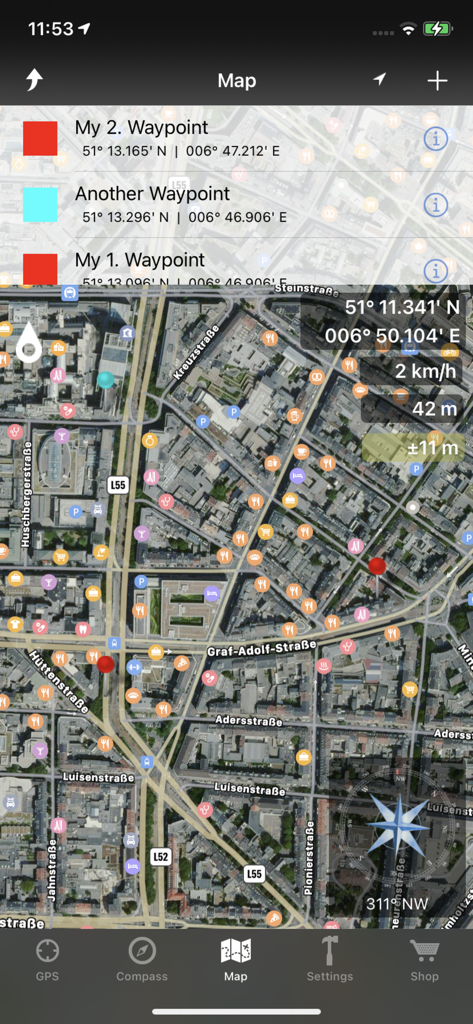
GPS & Maps: Location Tracker - 웨이포인트, GPS 좌표, 고도 및 나침반을 표시하는 위성 지도 인터페이스.
웨이포인트, GPS 좌표, 고도 및 나침반을 표시하는 위성 지도 인터페이스.

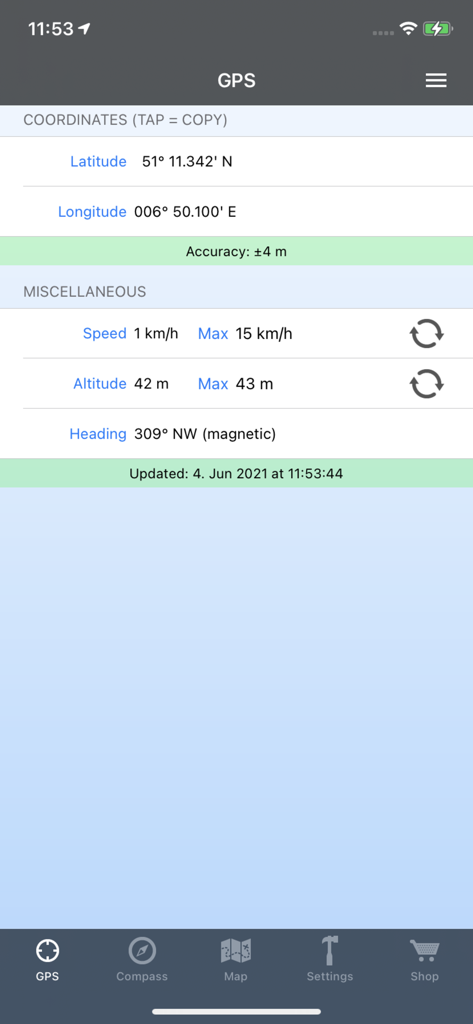
GPS & Maps: Location Tracker - 정확한 좌표, 속도 및 고도를 보여주는 GPS 앱 화면

정확한 좌표, 속도 및 고도를 보여주는 GPS 앱 화면

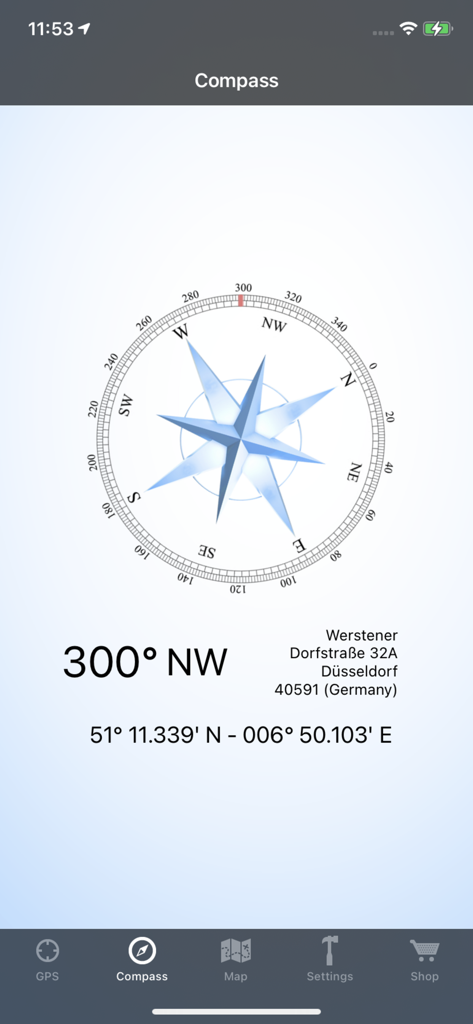
GPS & Maps: Location Tracker - 북서쪽 방향 300도와 정확한 GPS 좌표를 표시하는 디지털 나침반 인터페이스
북서쪽 방향 300도와 정확한 GPS 좌표를 표시하는 디지털 나침반 인터페이스

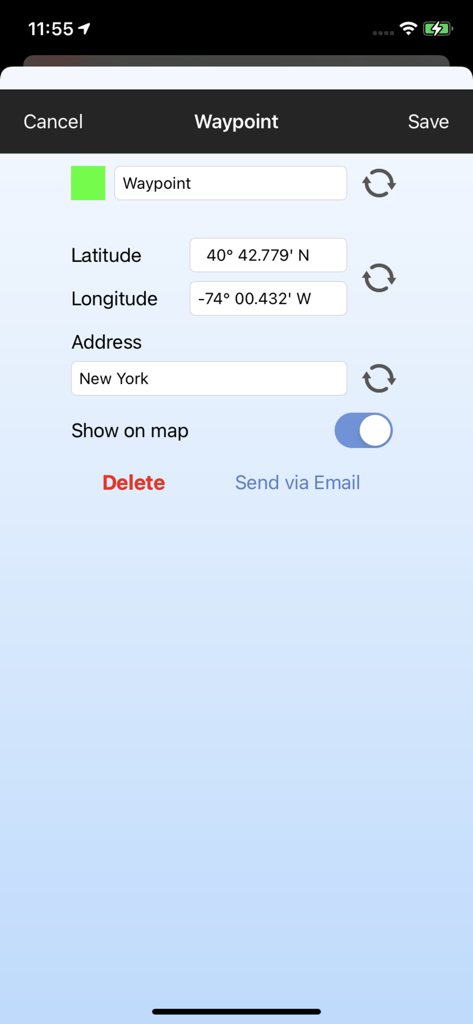
GPS & Maps: Location Tracker - 웨이포인트 이름 및 GPS 좌표 편집 인터페이스

웨이포인트 이름 및 GPS 좌표 편집 인터페이스

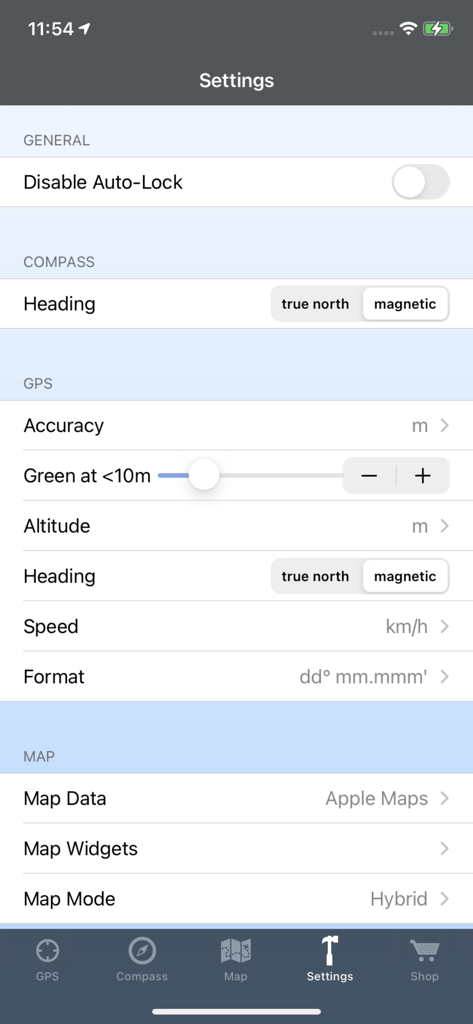
GPS & Maps: Location Tracker - 나침반 방향, GPS 단위 및 지도 데이터 소스에 대한 구성 옵션을 보여주는 GPS 및 지도 앱의 설정 화면

나침반 방향, GPS 단위 및 지도 데이터 소스에 대한 구성 옵션을 보여주는 GPS 및 지도 앱의 설정 화면

설명

GPS & Maps is a simple, yet powerful GPS app for supporting navigation and outdoor activities like geocaching, sailing, skating, trekking, biking or traveling by airplane. It measures your position, height and acceleration with accuracy information and in different units like feet, meter, miles and kilometers. Your highest altitude and speed will also be logged. You can show and save your current position or other waypoints on a map and pick one of the following formats to view your coordinates: - GPS Coordinates (Latitude/Longitude) - Decimal Degrees - Degrees/Minutes/Seconds - UTM: Universal Transverse Mercator - MGRS: Military Grid Reference System GPS & Maps is a must have for geocachers, due to the easy switching between coordinates and map. The integrated flashlight enables users like geocachers to find targets even in dark environments without having to use a separate device. Via in-app purchase you can add some useful features to GPS & Maps: - Premium Edition: Unlock all of the following features. - Waypoints: Save your current location as a marker on the map. Add new locations like geo caches to the map by entering GPS coordinates. Pick different colors for waypoints. Export waypoints via e-mail. Show or hide saved waypoints on the map. - Map Widgets: The draggable Map Widgets show your location, altitude, speed, address and GPS accuracy directly on the map. You can change the widget transparency and textcolor in the settings to optimize readability on different map tiles and map data sources like Google Maps or Open Street Map. - Compass: The compass shows your heading relative to magnetic north or true north (configurable in the settings) and your current location coordinates. It also shows additional information like street, city and country. If you buy Compass and Map Widgets the Compass will also be displays as a widget on the map. - Open Street Map: This feature enhances the map with additional map data from Open Street Map. - Google Maps: This feature enhances the map with additional map data from Google Maps. The map modes 'standard', 'satellite', 'hybrid' and 'terrain' can be selected in the options menu. - iCloud Backup & Restore Please keep in mind that the accuracy of your position and acceleration always depends on the intensity of the available GPS signal. Compass and heading information are only available on devices with magnetometer.

Download

다운로드: App Store

이 페이지는 앱이나 개발자의 공식 페이지가 아니며, 정보 제공 및 논평을 목적으로 작성된 독립 편집 간행물입니다. 명시적으로 달리 언급되지 않는 한, 해당 앱이나 개발자는 MWM, Apple, Google Play, 앱 퍼블리셔 또는 앱 개발자와 제휴, 보증, 후원, 승인 또는 공식적으로 연결되어 있지 않으며, 이 페이지의 어떤 내용도 해당 앱이 MWM의 서비스를 사용하여 개발되었음을 의미하지 않습니다. 모든 상표, 로고, 스크린샷 및 기타 콘텐츠는 해당 소유자의 자산입니다.