GPS Speedometer – MPH Tracker
다운로드: App Store

이 페이지는 앱이나 개발자의 공식 페이지가 아니며, 정보 제공 및 논평을 목적으로 작성된 독립 편집 간행물입니다. 명시적으로 달리 언급되지 않는 한, 해당 앱이나 개발자는 MWM, Apple, Google Play, 앱 퍼블리셔 또는 앱 개발자와 제휴, 보증, 후원, 승인 또는 공식적으로 연결되어 있지 않으며, 이 페이지의 어떤 내용도 해당 앱이 MWM의 서비스를 사용하여 개발되었음을 의미하지 않습니다. 모든 상표, 로고, 스크린샷 및 기타 콘텐츠는 해당 소유자의 자산입니다.

로고: GPS Speedometer – MPH Tracker
다운로드: App Store

GPS Speedometer – MPH Tracker

정밀한 속도 추적, 끊김 없는 내비게이션, 그리고 모든 여정에서 안전하고 유익하며 체계적으로 지낼 수 있도록 설계된 지능형 AI 비서를 경험하세요.

주요 수치

다운로드

40K+

사용자 평점

4.4/5

총 평가 수

100

개발사

MAKA PELKA LTD

카테고리

Navigation

지원 언어

21

최신 버전

2.1.1

크기

126.4 MB

출시일

2024년 2월 24일
기능

올인원 대시보드로 도로를 마스터하세요

앱 피로를 떨쳐버리세요. 초정밀 속도 추적, 스마트 내비게이션, AI 동반자를 전문 운전자와 로드 트립족을 위해 설계된 하나의 고대비 인터페이스로 결합했습니다.

정밀 추적으로 티켓을 피하세요

매우 정확한 GPS 속도 모니터링으로 안전하고 티켓 없이 운전하세요. 고대비의 큰 숫자 디스플레이는 오토바이나 밝은 햇빛 아래에서도 어떤 속도에서도 한눈에 볼 수 있습니다.

당신의 개인 AI 동반자

가장 저렴한 주유소, 숨겨진 주차 공간 찾기, 또는 즉각적인 여행 요약 받기. 내장된 AI 비서는 핸즈프리로 질문에 답해주므로 운전에 집중할 수 있습니다.

다음 스크린샷과 설명은 앱의 공식 스토어 목록에서 직접 가져온 것이며 앱 개발자의 자산입니다.

앱 스토어

스크린샷
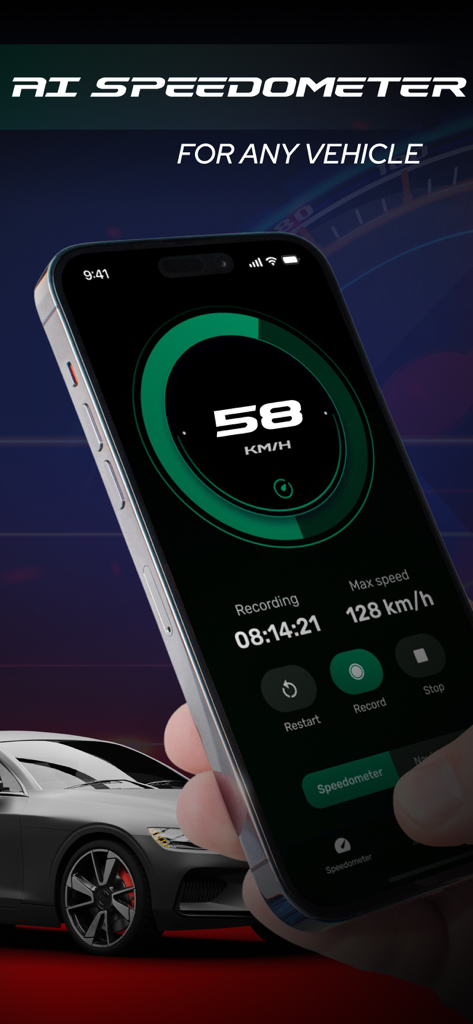
GPS Speedometer – MPH Tracker - 어떤 차량이든 디지털 속도 추적을 보여주는 스마트폰의 GPS 속도계 – MPH 추적기 앱 인터페이스
어떤 차량이든 디지털 속도 추적을 보여주는 스마트폰의 GPS 속도계 – MPH 추적기 앱 인터페이스

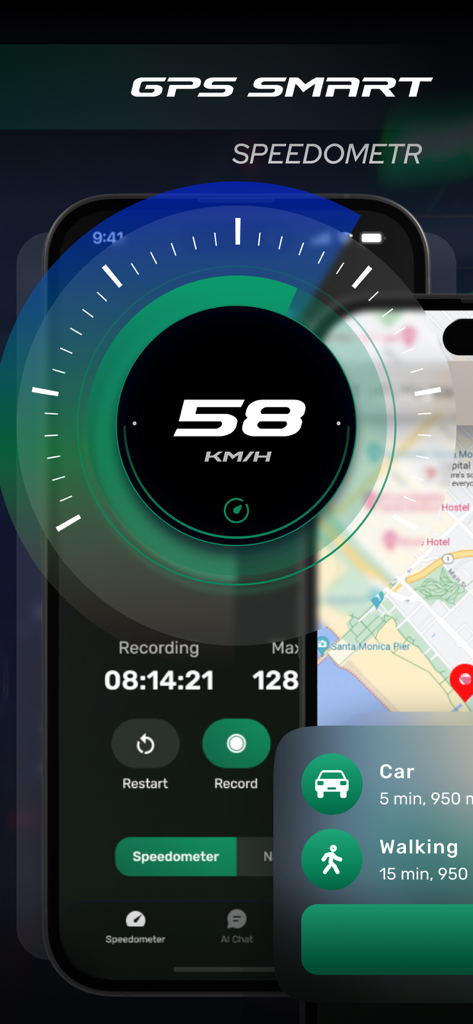
GPS Speedometer – MPH Tracker - 여행 기록 통계 및 지도 보기가 포함된 킬로미터당 속도를 보여주는 고대비 디지털 속도계 인터페이스
여행 기록 통계 및 지도 보기가 포함된 킬로미터당 속도를 보여주는 고대비 디지털 속도계 인터페이스

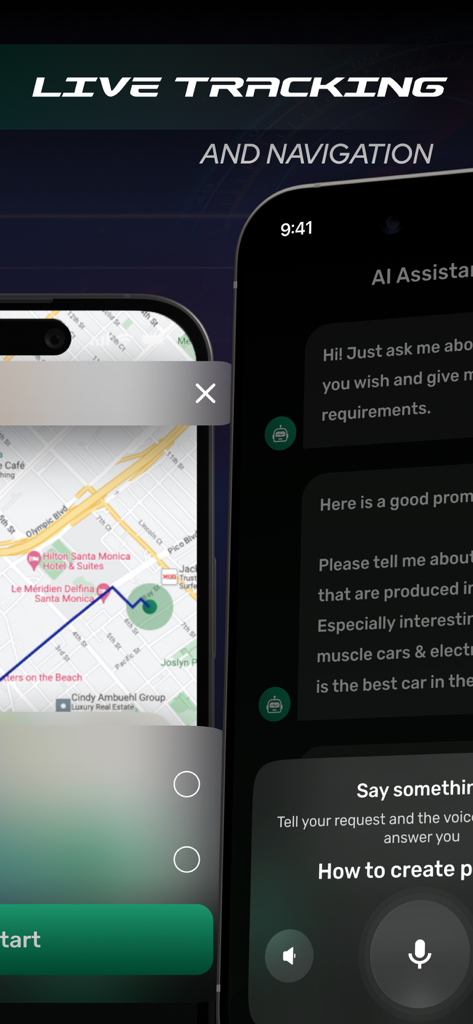
GPS Speedometer – MPH Tracker - GPS 속도계 앱 내에서 실시간 추적 내비게이션 지도와 AI 비서 음성 채팅 기능을 보여주는 스크린샷
GPS 속도계 앱 내에서 실시간 추적 내비게이션 지도와 AI 비서 음성 채팅 기능을 보여주는 스크린샷

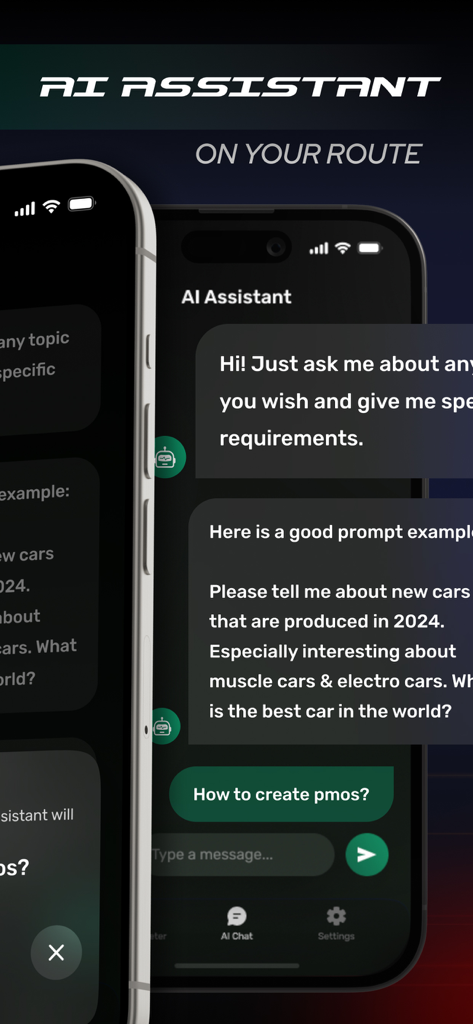
GPS Speedometer – MPH Tracker - GPS 속도계 앱의 AI 비서 기능을 보여주는 모바일 앱 화면

GPS 속도계 앱의 AI 비서 기능을 보여주는 모바일 앱 화면

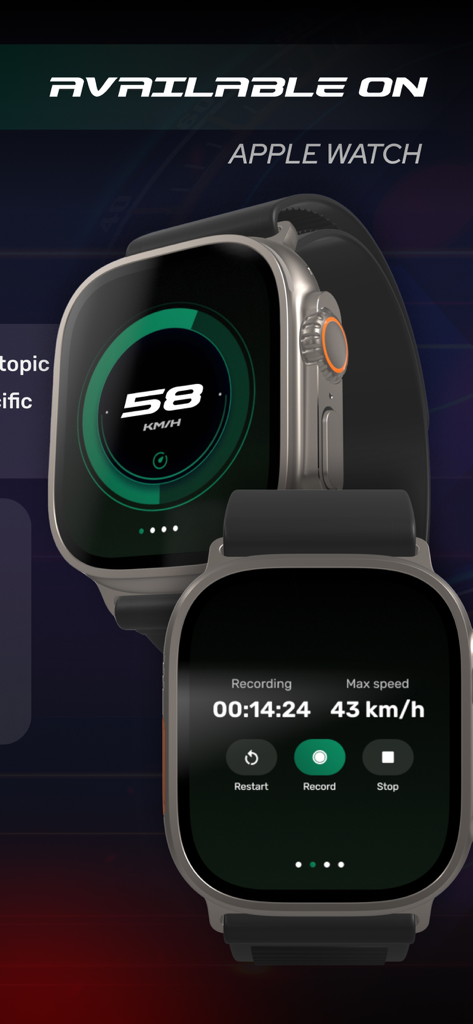
GPS Speedometer – MPH Tracker - Apple Watch의 GPS 속도계 및 MPH 추적기 인터페이스

Apple Watch의 GPS 속도계 및 MPH 추적기 인터페이스

설명

AI Speedometer — speedometer, navigator, and AI chat in one app Speedometer combines an accurate GPS speedometer, convenient turn-by-turn navigation, and a smart chat assistant. Monitor your speed, build routes, get tips and answers — all in one interface that remains clear and safe while driving. Speedometer – Accurate GPS speed with instant response – Choice of measurement units – Average and maximum speed per trip – Distance traveled and travel time – Large digits and high-contrast theme for better readability – Direction indicator – One-tap fixation of key stats Navigator – Route building to addresses and points of interest – Quick search through recent and favorite places – Automatic rerouting when deviating from the route – Informative map with clear markings and pinch-to-zoom – Direction indicator AI Chatbot – Free-form answers to your questions on the go – Route hints: gas stations, cafés, parking spots along the way – Explanation of road terms and travel planning tips – To-do lists and reminders before your trip – Trip summaries generated on request Performance & Reliability – Optimized resource usage during long trips – Stable performance when network coverage changes or reconnecting – Smooth animation and clean typography for minimal distraction Who It’s For – Car drivers for everyday city and highway trips – Motorcyclists for speed control and convenient route navigation – Couriers and delivery services for quick route adjustments – Travelers for planning stops and keeping a trip log Advantages – One app instead of three separate tools – Intuitive interface: key functions are available with one tap – Clear visualization and large controls – Smart AI tips help you make decisions on the road – Thought-out presets and flexible settings for any scenario Important Notes – Always follow traffic laws and do not get distracted while driving – Speedometer and navigation accuracy depend on GPS signal quality and surroundings – Use voice guidance and mount your device securely in a holder Speedometer helps you keep track of speed, quickly find places you need, and get the right answers — making every trip calm, predictable, and safe. Subscription Information – AI Speedometer offers subscriptions; – Payment will be charged to your Apple ID account upon confirmation of purchase; – Subscription automatically renews unless auto-renew is turned off at least 24 hours before the end of the current period; – The account will be charged for renewal within 24 hours prior to the end of the current period, with the cost of renewal provided; – You can manage subscriptions and turn off auto-renew after purchase by going to your App Store account settings; – Subscription can be canceled at any time in your Apple ID settings; – All prices include applicable local sales taxes; – If subscriptions with a 3-day free trial are offered, then after the 3-day trial the subscription will automatically renew at the specified rate unless canceled before the trial ends; – Any unused portion of a free trial period, if offered, will be forfeited when a subscription is purchased. Privacy Policy: banautapp.com/policy.html Terms of Use: banautapp.com/terms.html

Download

다운로드: App Store

이 페이지는 앱이나 개발자의 공식 페이지가 아니며, 정보 제공 및 논평을 목적으로 작성된 독립 편집 간행물입니다. 명시적으로 달리 언급되지 않는 한, 해당 앱이나 개발자는 MWM, Apple, Google Play, 앱 퍼블리셔 또는 앱 개발자와 제휴, 보증, 후원, 승인 또는 공식적으로 연결되어 있지 않으며, 이 페이지의 어떤 내용도 해당 앱이 MWM의 서비스를 사용하여 개발되었음을 의미하지 않습니다. 모든 상표, 로고, 스크린샷 및 기타 콘텐츠는 해당 소유자의 자산입니다.