
이 페이지는 앱이나 개발자의 공식 페이지가 아니며, 정보 제공 및 논평을 목적으로 작성된 독립 편집 간행물입니다. 명시적으로 달리 언급되지 않는 한, 해당 앱이나 개발자는 MWM, Apple, Google Play, 앱 퍼블리셔 또는 앱 개발자와 제휴, 보증, 후원, 승인 또는 공식적으로 연결되어 있지 않으며, 이 페이지의 어떤 내용도 해당 앱이 MWM의 서비스를 사용하여 개발되었음을 의미하지 않습니다. 모든 상표, 로고, 스크린샷 및 기타 콘텐츠는 해당 소유자의 자산입니다.

GPS Speedometer: MPH Tracker
이 앱은 주행 데이터를 분석하고 사고를 즉시 감지하여 사용자가 항상 한 수 앞서 안전하게 움직이도록 합니다. 단순한 속도계가 아니라, 도로 위의 지능형 감시 시스템입니다.
다운로드
5M+사용자 평점
총 평가 수
16.0K개발사
카테고리
Navigation지원 언어
21최신 버전
18.2크기
106.4 MB출시일
2013년 10월 1일종합적인 속도 모니터링 및 여행 추적을 위한 심층 검토
GPS Speedometer: MPH Tracker 앱 분석
사고 감지 및 긴급 알림
이 앱은 자동 사고 감지 기능을 통해 충돌 발생 시 긴급 연락처에 사용자의 실시간 위치를 즉시 알림으로써, 위급 상황에서 신속한 지원을 보장합니다.
속도 제한 알림
이 도구는 사용자가 설정한 속도 제한을 초과할 경우 알림을 제공하여, 운전 중 안전을 강화하고 과속을 방지할 수 있도록 돕습니다.
운전 성능 분석 및 점수
이 앱은 속도, 제동 및 가속에 대한 상세한 분석을 통해 운전 습관을 평가하고, 각 운전 후 점수를 제공하여 안전하고 효율적인 운전을 개선할 수 있게 합니다.
상세 여행 추적 및 기록
이 앱은 이동 거리, 평균 속도, 최고 속도 및 총 이동 시간 등 상세한 여행 데이터를 기록하고 저장하여, 사용자가 자신의 이동 기록을 체계적으로 관리할 수 있도록 합니다.
대시캠 모드 및 클라우드 저장
이 도구는 사용자의 기기를 대시캠으로 활용하여 주행 중 영상을 녹화하고, 녹화된 파일을 클라우드에 안전하게 저장하여 언제든 접근하고 관리할 수 있도록 지원합니다.
다용도 속도계 디스플레이
이 앱은 KM/H, MPH, KTS 단위 전환, 아날로그 및 디지털 속도계, 평균 및 최고 속도 표시, 자전거/자동차 모드 전환 등 다양한 디스플레이 옵션을 제공하여 맞춤형 속도 모니터링을 가능하게 합니다.
스마트워치 연동
이 앱은 Apple Watch를 통해 여행 추적을 시작, 일시정지, 중지할 수 있게 하며, 실시간 지도를 포함한 속도, 거리, 시간 정보를 손목에서 직접 확인할 수 있도록 하여 편리함을 더합니다.
주차 위치 저장 및 안내
이 도구는 주차 위치를 표시하고 저장된 위치로 다시 안내하는 기능을 제공하여, 사용자가 자신의 차량을 쉽게 찾고 효율적으로 이동 계획을 세울 수 있도록 돕습니다.
실시간 지도 표시
이 앱은 표준, 위성 또는 하이브리드 보기 옵션을 통해 지도상에 현재 속도와 위치를 실시간으로 표시하여, 사용자가 자신의 이동 상황을 직관적으로 파악할 수 있게 합니다.
실시간 날씨 정보
이 앱은 현재 위치의 날씨 조건과 일출/일몰 시간을 제공하여, 사용자가 여행 계획을 세우거나 이동 중 주변 환경을 인지하는 데 유용한 정보를 제공합니다.
자주 묻는 질문
에 대해 알아야 할 모든 것 GPS Speedometer: MPH Tracker
What types of journeys can the GPS Speedometer: MPH Tracker app monitor?
The GPS Speedometer: MPH Tracker app offers comprehensive monitoring for speed and journeys across various activities, including cycling, driving, boating, and flying.
Can I change the speed units in the GPS Speedometer: MPH Tracker app?
Yes, the GPS Speedometer: MPH Tracker app allows users to easily switch speed measurement units between KM/H, MPH, and KTS.
Does the GPS Speedometer: MPH Tracker app provide speed limit alerts?
Yes, the GPS Speedometer: MPH Tracker app features customizable speed limit alarms. It sends notifications when your speed exceeds the set limit, enhancing driving safety.
What tracking data does the GPS Speedometer: MPH Tracker app record?
The GPS Speedometer: MPH Tracker app tracks traveled distance, average speed, top speed, and total travel time. It stores this data history and allows quick resets.
Can the GPS Speedometer: MPH Tracker app function as a dash camera?
Yes, the GPS Speedometer: MPH Tracker app includes a Car Camera feature, enabling your device to record video as a dash cam. It supports customizable settings and cloud storage.
How does the GPS Speedometer: MPH Tracker app help locate a parked car?
The GPS Speedometer: MPH Tracker app allows users to mark their parked vehicle and navigate back to it using Google Maps, Apple Maps, or the in-app navigation, showing real-time distance.
Does the GPS Speedometer: MPH Tracker app offer a Head-Up Display (HUD) mode?
Yes, the GPS Speedometer: MPH Tracker app features a HUD Mode. This projects a floating speed window display onto your car's windshield for easy viewing.
Is there Apple Watch support for the GPS Speedometer: MPH Tracker app?
Yes, the GPS Speedometer: MPH Tracker app provides full Apple Watch support. Users can start, pause, and stop trip tracking, view live maps, and monitor speed, distance, and time from their wrist.
Does the GPS Speedometer: MPH Tracker app include accident detection?
Yes, the GPS Speedometer: MPH Tracker app provides automatic accident detection. It alerts emergency contacts with your live location upon detecting sudden impacts, ensuring quick assistance.
Does using the GPS Speedometer: MPH Tracker app impact battery life?
Yes, the continued use of GPS in the background by the GPS Speedometer: MPH Tracker app can dramatically decrease device battery life.
What display modes are available in the GPS Speedometer: MPH Tracker app?
The GPS Speedometer: MPH Tracker app offers both analog and digital speedometer displays. Analog is available in portrait mode, and a full-screen digital display appears in landscape mode.
Can I view my driving performance analysis in the GPS Speedometer: MPH Tracker app?
Yes, the GPS Speedometer: MPH Tracker app provides detailed driving performance analysis. It tracks speed, braking, and acceleration, assigning a driving score after each trip for improvement.
다음 스크린샷과 설명은 앱의 공식 스토어 목록에서 직접 가져온 것이며 앱 개발자의 자산입니다.
앱 스토어
스크린샷
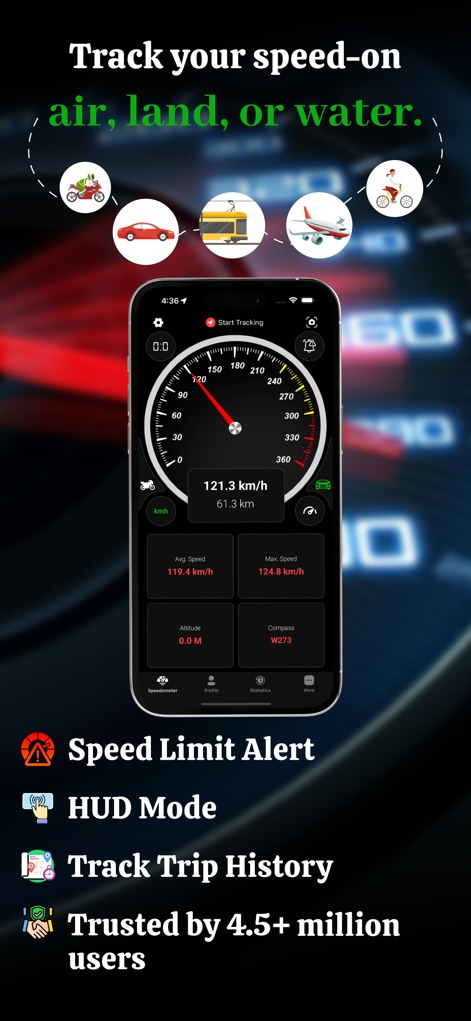
이 앱은 다양한 운송 수단 아이콘과 아날로그 속도계 디스플레이를 통해 사용자의 속도를 정확하게 추적합니다.
정확한 속도 모니터링
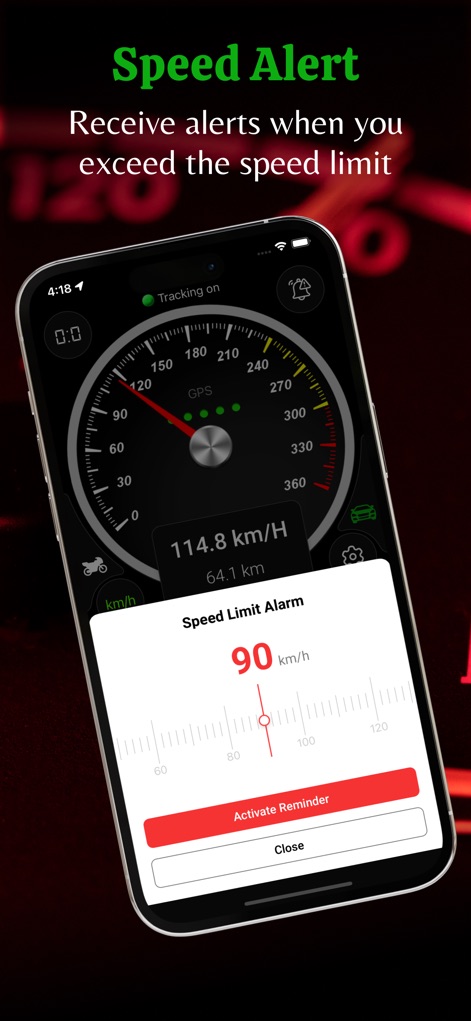
사용자는 맞춤 설정 가능한 속도 제한 알람 팝업과 '리마인더 활성화' 버튼으로 안전한 운전을 유지할 수 있습니다.
안전 속도 알림
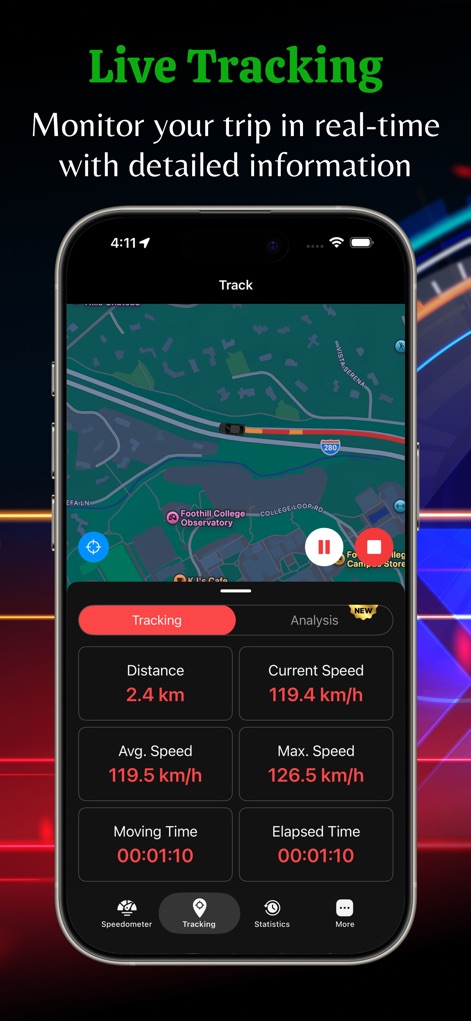
이 도구는 지도에 표시된 실시간 이동 경로와 함께 거리, 평균 속도 등 상세한 여정 데이터를 제공합니다.
실시간 여정 추적
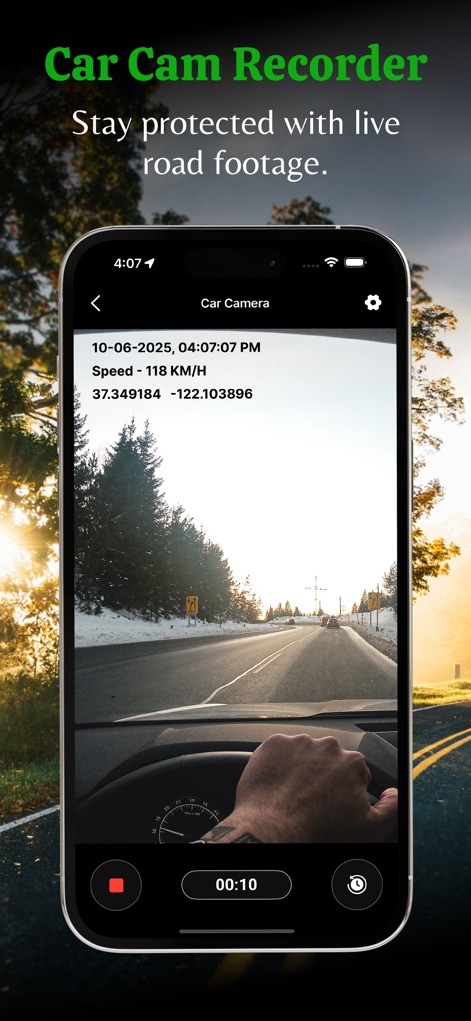
이 앱은 사용자의 장치를 대시캠으로 전환하여 주행 중인 도로 영상과 함께 시간 및 속도 정보를 기록합니다.
차량용 카메라 녹화
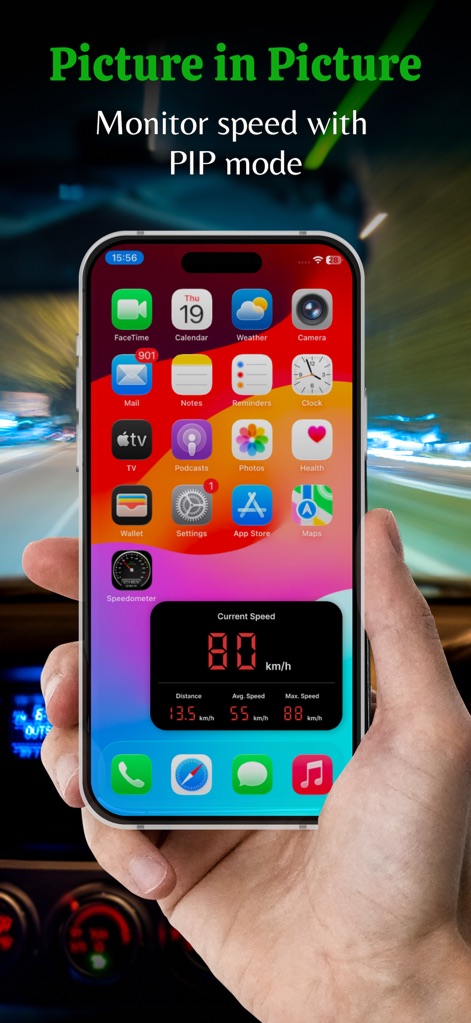
사용자는 PIP 모드를 통해 다른 앱을 사용하는 동안에도 현재 속도와 이동 거리를 작은 오버레이 창에서 편리하게 확인할 수 있습니다.
PIP 속도 모니터링
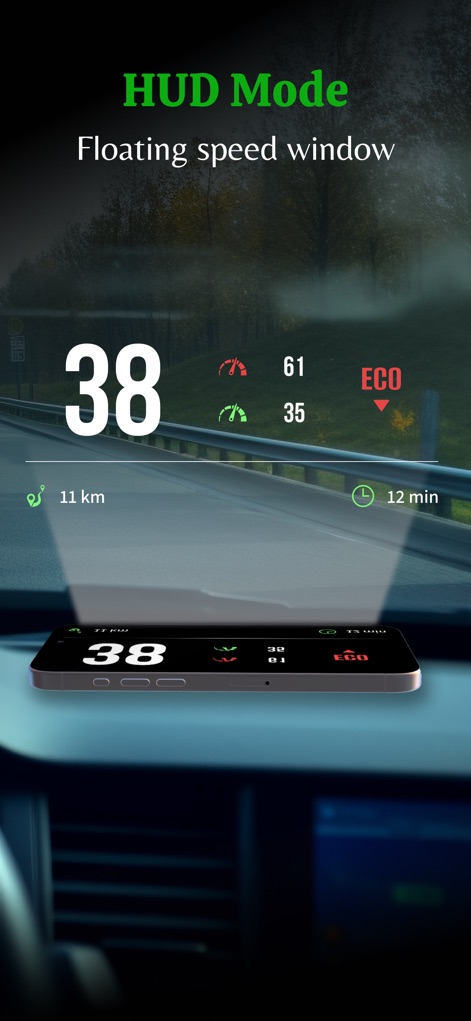
이 기능은 운전자의 시야를 방해하지 않으면서 앞 유리창에 현재 속도와 예상 도착 시간 정보를 투영합니다.
HUD 모드 디스플레이
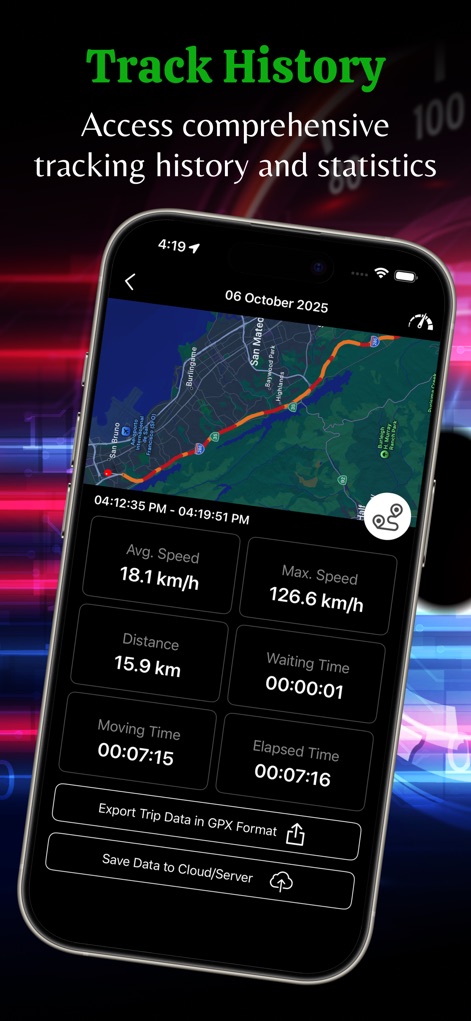
이 도구는 사용자의 이동 경로가 표시된 지도를 포함하여 평균 속도, 이동 시간 등 포괄적인 여정 통계 및 기록을 제공합니다.
자세한 여정 기록
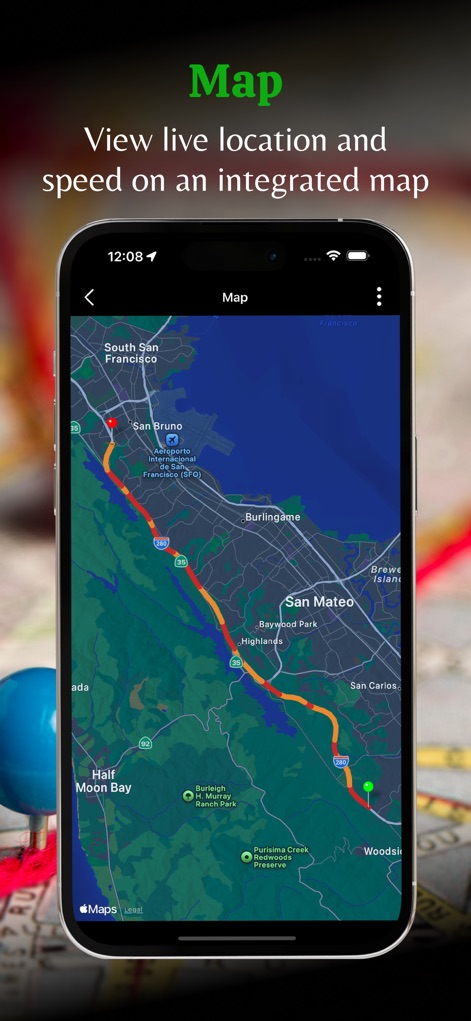
사용자는 통합 지도에서 현재 위치와 함께 이동 경로를 시각적으로 확인하고, 경로 상의 속도 변화를 색상으로 구분하여 파악할 수 있습니다.
통합 지도 보기
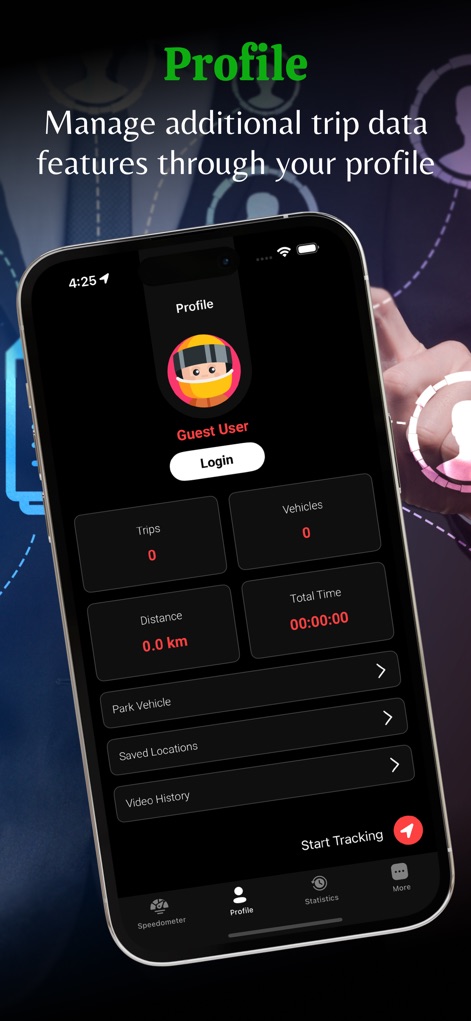
사용자는 이 앱의 프로필 화면에서 총 이동 거리와 시간 같은 개인화된 데이터를 확인하고, 차량 주차 위치 저장 및 비디오 기록과 같은 기능을 관리할 수 있습니다.
개인 프로필 관리

이 앱은 통화 변환기와 날씨 정보를 포함한 추가 옵션과 함께 주유소, 주차장 등 주변 편의 시설을 검색하는 기능을 제공합니다.
주변 편의 시설
설명
Download
비슷한 앱
유사한 기능과 사용자 경험을 가진 앱

Speedometer»
Tim O's Studios, LLC

Speedometer: Speed Control.
Sandy Masey

Speedometer Simple
WATT APPS LTD

GPS Speedometer HUD - SpeedAce
Changsha Liangchao Technology Co., Ltd.
Speedometer 55 GPS Speed & HUD
Stanislav Dvoychenko

GPS Speedometer MPH Tracker
BITHAUS.TECH, UNIPESSOAL LDA

Speedometer∞
Roman Baulin

Speedometer GPS: Speed Monitor
Changsha Duyou Network Technology Co., Ltd

Digital Speed GPS Speedometer
BITHAUS.TECH, UNIPESSOAL LDA
이 페이지는 앱이나 개발자의 공식 페이지가 아니며, 정보 제공 및 논평을 목적으로 작성된 독립 편집 간행물입니다. 명시적으로 달리 언급되지 않는 한, 해당 앱이나 개발자는 MWM, Apple, Google Play, 앱 퍼블리셔 또는 앱 개발자와 제휴, 보증, 후원, 승인 또는 공식적으로 연결되어 있지 않으며, 이 페이지의 어떤 내용도 해당 앱이 MWM의 서비스를 사용하여 개발되었음을 의미하지 않습니다. 모든 상표, 로고, 스크린샷 및 기타 콘텐츠는 해당 소유자의 자산입니다.