이 페이지는 앱이나 개발자의 공식 페이지가 아니며, 정보 제공 및 논평을 목적으로 작성된 독립 편집 간행물입니다. 명시적으로 달리 언급되지 않는 한, 해당 앱이나 개발자는 MWM, Apple, Google Play, 앱 퍼블리셔 또는 앱 개발자와 제휴, 보증, 후원, 승인 또는 공식적으로 연결되어 있지 않으며, 이 페이지의 어떤 내용도 해당 앱이 MWM의 서비스를 사용하여 개발되었음을 의미하지 않습니다. 모든 상표, 로고, 스크린샷 및 기타 콘텐츠는 해당 소유자의 자산입니다.
GradeBook Pro: Teacher Toolkit
성적, 출석, 행동 추적을 위한 올인원 도구 모음으로 교실을 간소화하세요. — 관리 업무 부담을 줄이고 매주 몇 시간씩 절약하도록 설계되었습니다.
주요 수치
다운로드
9K+
사용자 평점
3.1/5
총 평가 수
0
개발사
Ringtones LLC (U.S.)
카테고리
Education
지원 언어
1
최신 버전
4.0
크기
51.8 MB
출시일
2010년 11월 8일
기능
수업 시간을 되찾는 데 필요한 모든 것
GradeBook Pro는 수작업 서류 작업을 없애고 학생 성공에 집중하고 싶은 전문 교사를 위해 설계된 올인원 디지털 도우미입니다.
동적 성적 관리
가중치 또는 점수 기반 척도를 쉽게 처리하세요. 평균을 즉시 계산하고 사용자 지정 성적 범위를 특정 커리큘럼 요구 사항에 맞게 수동 계산 없이 조정하세요.
원활한 교실 추적
출석을 기록하고 학생 행동을 실시간으로 모니터링하세요. 학생 사진과 사용자 지정 행동 레이블을 사용하여 교실 기록을 체계적이고 개인적이며 정확하게 유지하세요.
다음 스크린샷과 설명은 앱의 공식 스토어 목록에서 직접 가져온 것이며 앱 개발자의 자산입니다.
앱 스토어
스크린샷
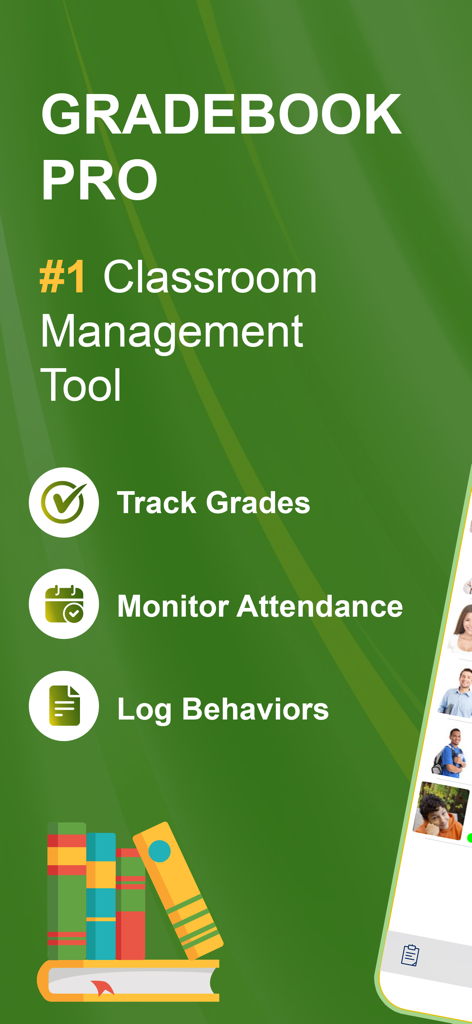
GradeBook Pro 앱 화면은 성적 추적, 출석 모니터링, 행동 기록과 같은 교실 관리 기능을 강조합니다.
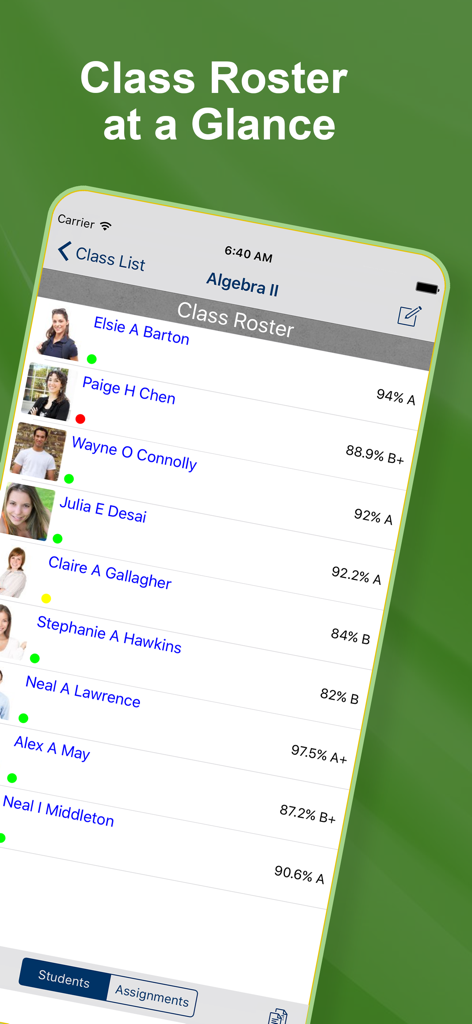
GradeBook Pro 학급 명단 화면은 대수 II 학생의 이름, 사진, 출석 상태 및 현재 성적을 보여줍니다.
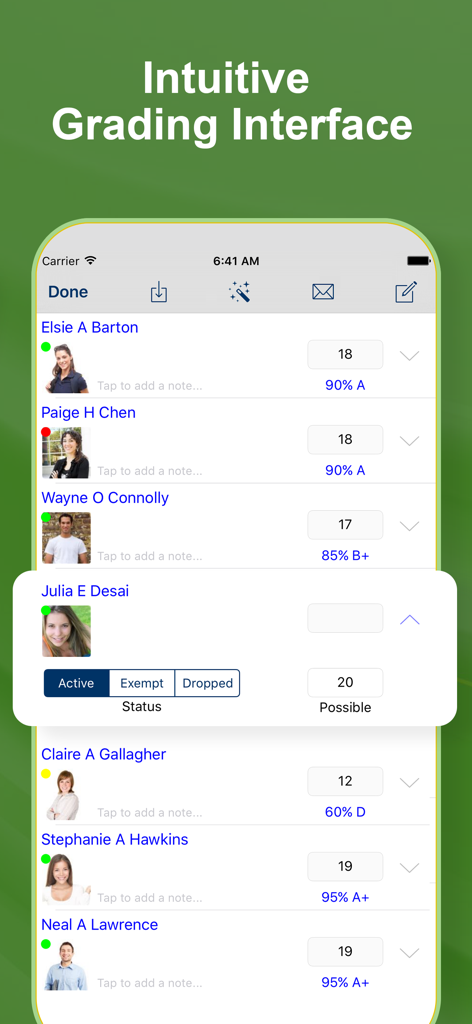
GradeBook Pro 앱의 직관적인 학생 채점 인터페이스는 학생 이름, 사진 및 성적을 보여줍니다.
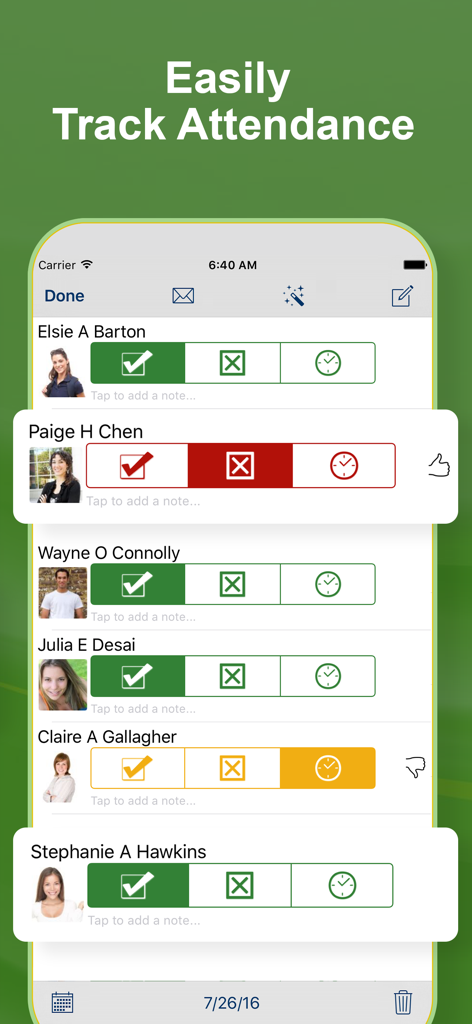
학생 사진과 함께 출석 추적 및 현재, 결석, 지각 상태 아이콘을 보여주는 인터페이스.
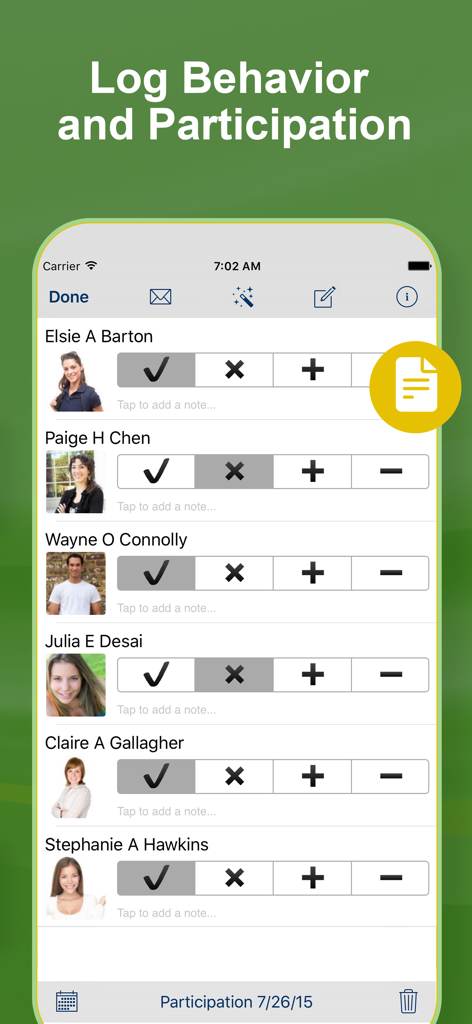
학생 행동 및 참여 기록을 위한 GradeBook Pro 앱의 인터페이스.
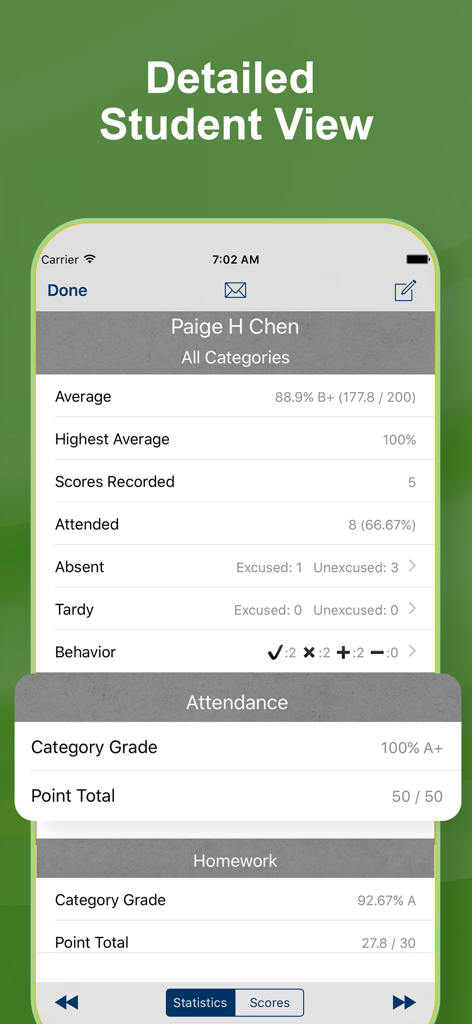
개별 학생의 성적, 출석 및 행동 통계가 포함된 상세한 학생 성과 보기를 보여주는 모바일 앱 화면.
설명
GradeBook Pro is a powerful and intuitive classroom management tool. Record scores, attendance, and student performance in an app designed with professional educators in mind.
GradeBook Pro is a complete solution, there are no in-app purchases, subscriptions, advertisements, limitations, or third party services to pay for.
Grades
• Weighted and standard point-based scales are supported.
• Customize the grade scale with unlimited letter grade ranges.
• Categorize assignments to see student grades by category.
• Award extra credit or deduct penalty points.
• Drop or exempt a score to exclude it from the grade calculation.
• Override the number of points possible on a student-by-student basis.
• Record a note with any score.
• View student average grade, highest grade, and total point score.
• Categorized classes report overall and category-specific grades.
Behavior
• Assign custom labels to four selectable behavior marks.
• Quickly track performance, participation, preparedness, behavior, conduct, or any other criteria.
Attendance
• Mark students as Present, Absent, or Tardy.
• Absent and tardy entries can be flagged as excused or unexcused.
• View photos while recording attendance.
• Email a daily attendance summary.
• Quickly create email addressed to all present, absent, or tardy students.
• Student attendance status is displayed on the main and score entry screen.
Reporting
• Create attendance, grade, performance, and roster reports for the class.
• Create attendance, grade, performance, and summary reports for individual students.
• Export grade, attendance, and performance data to CSV formatted files.
• Upload reports to Dropbox, email them, or view them on the in-app report viewer.
• Email a list of ungraded students by assignment.
Other
• Five color themes to choose from.
• Import class rosters or scores via email, iCloud Drive, Dropbox, Box, etc…
• Backup and restore with via iCloud Drive, Dropbox, Box, etc…
• Assign photos to students to view when recording grades or taking attendance.
• Copy students, assignments, grade scales, and categories between classes.
• Prevent unauthorized access with a launch passcode.
===
GRADEBOOK PRO SUBSCRIPTION PRICING & TERMS
We offer an auto-renewing subscription option:
- Subscriptions are from $4.99 USD monthly with 3 days trial or $34.99 yearly.
- Payment will be charged to iTunes Account at confirmation of purchase
- You will be able to access full features of the app for the duration of the subscription
- Subscription automatically renews for the same price and duration period as the original one week unless auto-renew is turned off at least 24-hours before the end of the current period
- Account will be charged for renewal within 24-hours prior to the end of the current period at the cost of the chosen package weekly
- Subscriptions may be managed by the user and auto-renewal may be turned off by going to the user's iTunes Account Settings after purchase
- No cancellation of the current subscription is allowed during active subscription period
- You may cancel a subscription during its free trial period via the subscription setting through your iTunes account. This must be done 24 hours before the end of the subscription period to avoid being charged. Please visit http://support.apple.com/kb/ht4098 for more information
- You may turn off the auto-renewal of your subscription via your iTunes Account Settings. However, you are not able to cancel the current subscription during its active period
- Any unused portion of a free-trial period, will be forfeited when the user purchases a subscription
For more information, please check:
https://www.apple.com/legal/internet-services/itunes/dev/stdeula/
이 페이지는 앱이나 개발자의 공식 페이지가 아니며, 정보 제공 및 논평을 목적으로 작성된 독립 편집 간행물입니다. 명시적으로 달리 언급되지 않는 한, 해당 앱이나 개발자는 MWM, Apple, Google Play, 앱 퍼블리셔 또는 앱 개발자와 제휴, 보증, 후원, 승인 또는 공식적으로 연결되어 있지 않으며, 이 페이지의 어떤 내용도 해당 앱이 MWM의 서비스를 사용하여 개발되었음을 의미하지 않습니다. 모든 상표, 로고, 스크린샷 및 기타 콘텐츠는 해당 소유자의 자산입니다.