
이 페이지는 앱이나 개발자의 공식 페이지가 아니며, 정보 제공 및 논평을 목적으로 작성된 독립 편집 간행물입니다. 명시적으로 달리 언급되지 않는 한, 해당 앱이나 개발자는 MWM, Apple, Google Play, 앱 퍼블리셔 또는 앱 개발자와 제휴, 보증, 후원, 승인 또는 공식적으로 연결되어 있지 않으며, 이 페이지의 어떤 내용도 해당 앱이 MWM의 서비스를 사용하여 개발되었음을 의미하지 않습니다. 모든 상표, 로고, 스크린샷 및 기타 콘텐츠는 해당 소유자의 자산입니다.


GradeWay for HAC
번거로운 포털에서 시간 낭비는 그만. Home Access Center를 위한 가장 강력한 학생 대시보드로 즉각적인 성적 통찰력을 얻고, 'What If' 시나리오를 시뮬레이션하고, 실시간으로 GPA를 추적하세요.
다운로드
788K+사용자 평점
총 평가 수
64K+개발사
카테고리
Education지원 언어
1최신 버전
3.0.6크기
36.5 MB출시일
2020년 9월 5일학업 성과를 마스터하세요
추측은 그만, 성공을 시작하세요. GradeWay는 성적, GPA, 일정을 뛰어난 성과를 내는 학생들을 위해 설계된 강력하고 모바일 우선 대시보드에 담아줍니다.
예측 'What-If' 계산기
기말고사 스트레스를 줄이세요. 모의 점수를 시뮬레이션하여 평균에 미치는 영향을 정확히 파악하고 다음 시험에 대한 현실적인 목표를 설정하세요.
즉각적인 성적 통찰력
색상으로 구분된 추세로 앞서나가세요. 시간 경과에 따른 진행 상황을 추적하고 새로운 성적이 게시되는 즉시 알림을 받으세요.
자주 묻는 질문
에 대해 알아야 할 모든 것 GradeWay for HAC
GradeWay는 어떤 학교 시스템과 호환됩니까?
GradeWay는 학생 정보 시스템으로 Home Access Center를 사용하는 모든 학군과 호환되어 사용자에게 광범위한 접근성을 보장합니다.
GradeWay를 사용할 때마다 로그인을 해야 하나요?
아니요, GradeWay는 '로그인 유지' 기능을 제공합니다. 지속적인 액세스를 위해 Home Access Center 자격 증명을 한 번만 입력하면 됩니다.
GradeWay는 학생 성적을 어떻게 표시하나요?
GradeWay는 마킹 기간별로 정리된 모든 과목에 대한 색상 코딩된 평균을 한눈에 보여줍니다. 사용자는 범주별로 개별 성적과 반 평균도 볼 수 있습니다.
GradeWay는 제 성적 추세를 시간 경과에 따라 분석할 수 있나요?
예, GradeWay의 성적 인사이트 기능을 사용하면 사용자는 시간 경과에 따른 반 평균을 보고, 추세를 관찰하고, 개선 사항을 추적할 수 있습니다. 또한 최근 추가된 성적도 강조 표시합니다.
GradeWay에 성적을 위한 'What If' 계산기가 있나요?
예, GradeWay에는 'What If' 계산기가 포함되어 있습니다. 이 도구를 사용하면 모의 성적을 추가하거나 기존 점수를 변경하여 평균을 예측하고 그 영향을 확인할 수 있습니다.
GradeWay는 GPA를 계산하나요?
예, GradeWay는 가중 및 비가중 GPA를 정확하게 계산합니다. 평균, 성적 증명서 및 학점을 사용하며, 정확도를 위해 척도를 편집하고 과목을 제외하는 도구를 제공합니다.
GradeWay를 사용하여 숙제와 과제를 계획할 수 있나요?
예, GradeWay는 포괄적인 플래너 기능을 제공합니다. 사용자는 숙제를 정리하고, 미리 알림을 설정하고, Home Access Center 과목과 통합된 과제를 볼 수 있습니다.
GradeWay는 어떤 Home Access Center 정보에 액세스할 수 있게 해주나요?
GradeWay는 Home Access Center 기능을 간소화하여 사용자가 앱 내에서 편리하게 수업 일정, 성적표, 진도 보고서, 성적 증명서 및 출석 기록을 볼 수 있도록 합니다.
GradeWay에 종 스케줄 추적 기능이 있나요?
예, GradeWay에는 종 스케줄 추적 기능이 포함되어 있습니다. 종 시간을 시뮬레이션하고, 남은 기간 시간을 표시하며, 사용자가 스케줄을 준수하도록 알림을 보냅니다.
GradeWay 앱을 사용하여 선생님에게 이메일을 보낼 수 있나요?
예, GradeWay를 사용하면 사용자가 앱 내에서 직접 선생님에게 이메일을 보낼 수 있습니다. 이메일 주소를 수동으로 입력할 필요 없이 통신을 간소화합니다.
GradeWay는 여러 학생 계정 추가를 허용하나요?
예, GradeWay는 단일 장치에서 여러 학생 계정 추가를 지원합니다. 이 기능은 프로필 간의 쉬운 전환을 가능하게 하여 부모에게 이상적입니다.
GradeWay에서 어떤 개인화 옵션을 사용할 수 있나요?
GradeWay는 밝은 모드와 어두운 모드, 10가지 색상 테마, 사용자 지정 프로필 사진 및 표시 이름을 포함한 광범위한 개인화를 제공합니다. 또한 Face ID 또는 Touch ID를 통한 보안 로그인을 지원합니다.
GradeWay는 PowerSchool과 제휴되어 있나요?
아니요, GradeWay는 PowerSchool LLC 또는 그 계열사와 제휴하거나 보증하지 않습니다. GradeWay가 지원하는 Home Access Center는 PowerSchool의 상표입니다.
다음 스크린샷과 설명은 앱의 공식 스토어 목록에서 직접 가져온 것이며 앱 개발자의 자산입니다.
앱 스토어
스크린샷
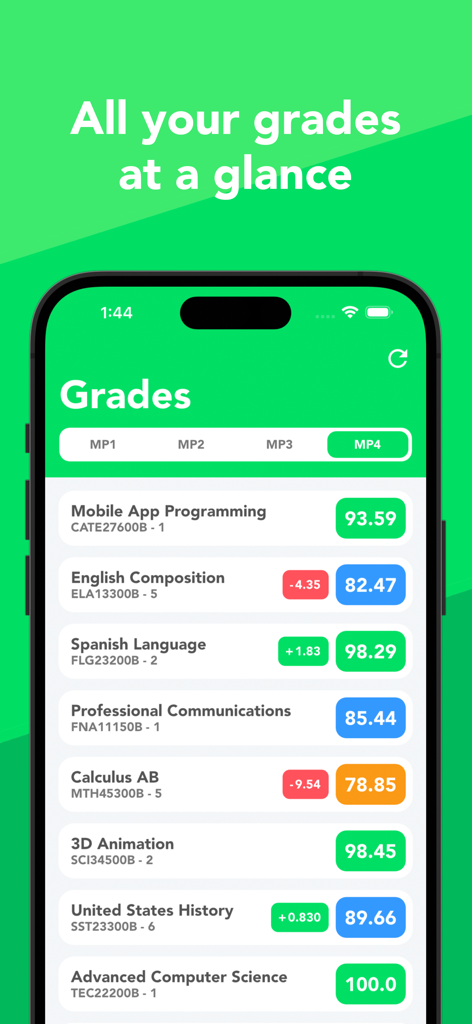
GradeWay 앱 인터페이스에 색상 코딩된 학교 과목 목록과 현재 숫자 등급 표시
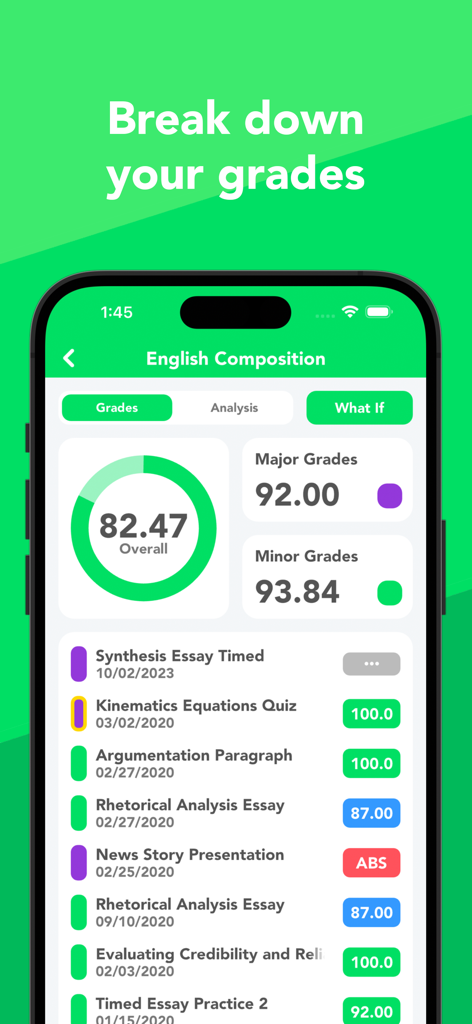
GradeWay 앱에 영어 작문 등급 분석과 전체 점수 및 개별 과제 등급 표시
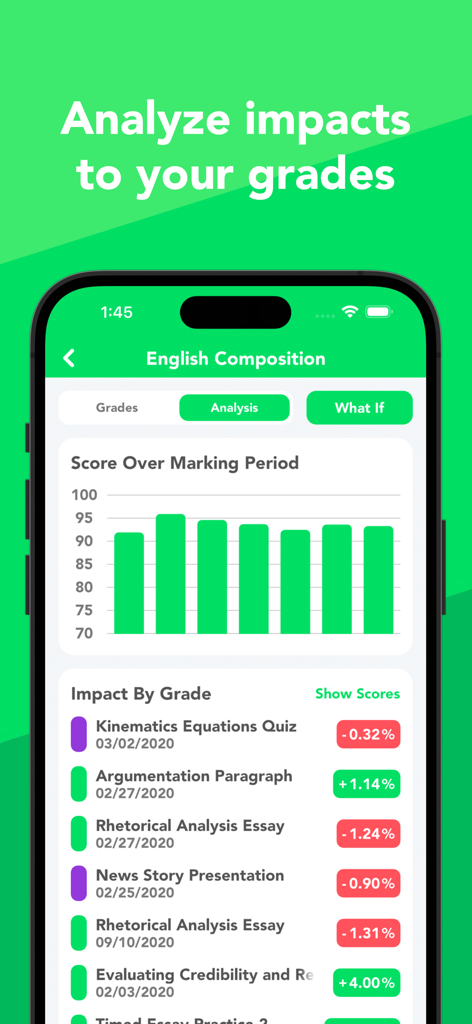
학생 등급에 대한 특정 과제의 영향률과 등급 분석 차트를 보여주는 모바일 앱 화면
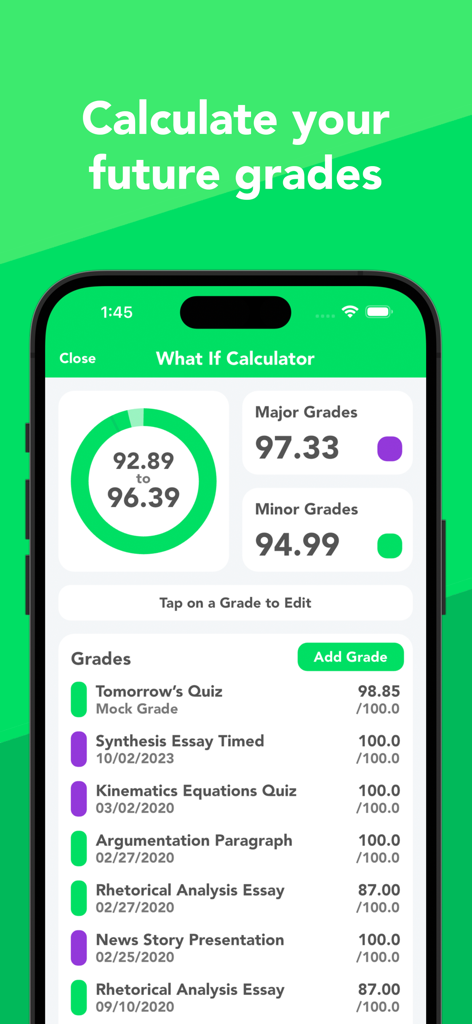
GradeWay 앱 'What If' 계산기 스크린샷으로 미래 등급 예측 및 모의 과제 표시
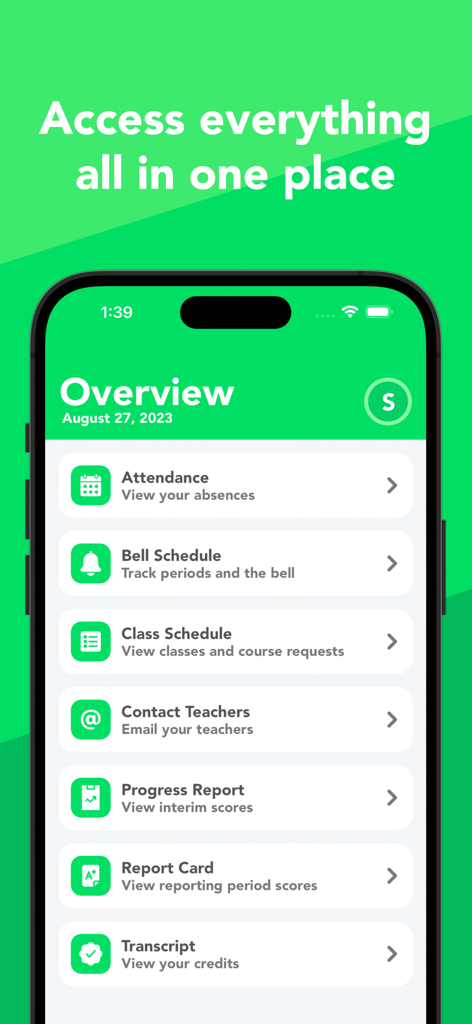
GradeWay for HAC 앱의 개요 대시보드로 출석, 수업 일정 및 진행 상황 보고서 링크 표시
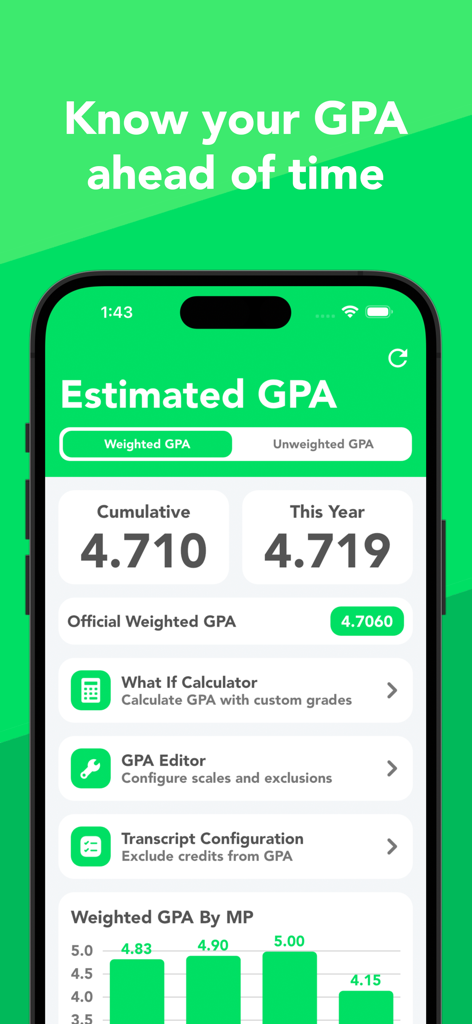
GradeWay for HAC 스크린샷으로 예상 가중치 GPA 및 'What If' 계산기 표시
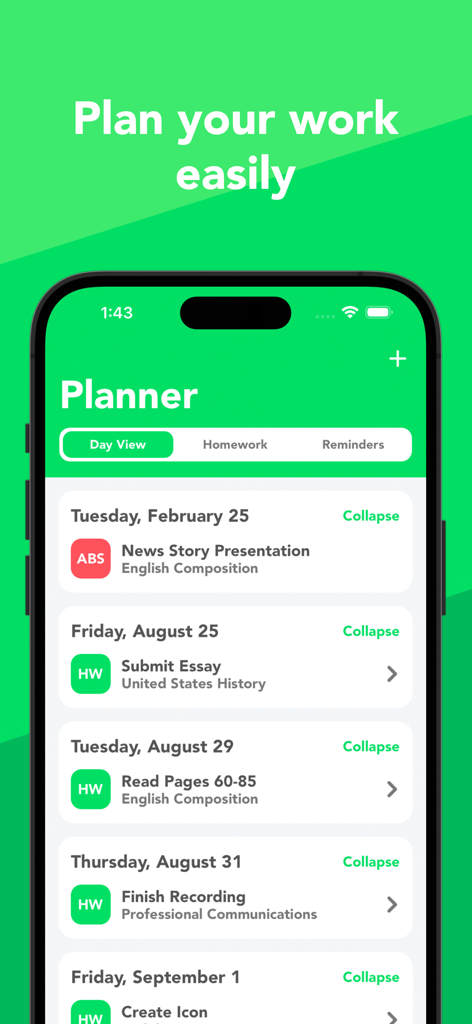
GradeWay for HAC 학생 플래너 인터페이스로 숙제 및 수업 과제 일일 보기 표시
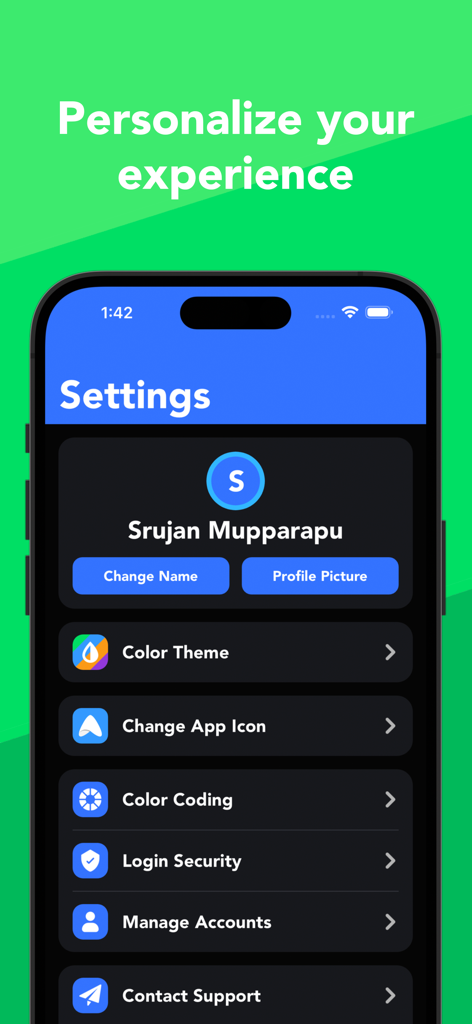
GradeWay 앱 설정 화면으로 색상 테마, 앱 아이콘 및 프로필 관리 개인화 옵션 표시
설명
Download
비슷한 앱
유사한 기능과 사용자 경험을 가진 앱
Want mark!
Dzmitry Sysoyeu

Grades - Grade Calculator, GPA
Plutonium Apps, LLC

Notan
Tien Do Nam

Folium-Libretto Universitario
Michele Galbiati

核桃编程家长端
Guangdong Walnut Online Non Discipline Training School Co., Ltd
Gradekit: Track Grades & GPA
Adrien Truong

Simulateur de moyenne au Bac
WarthogLab
AvMark - средний балл
Olga Vasilkova

MoyennesED
Diego Finocchiaro
이 페이지는 앱이나 개발자의 공식 페이지가 아니며, 정보 제공 및 논평을 목적으로 작성된 독립 편집 간행물입니다. 명시적으로 달리 언급되지 않는 한, 해당 앱이나 개발자는 MWM, Apple, Google Play, 앱 퍼블리셔 또는 앱 개발자와 제휴, 보증, 후원, 승인 또는 공식적으로 연결되어 있지 않으며, 이 페이지의 어떤 내용도 해당 앱이 MWM의 서비스를 사용하여 개발되었음을 의미하지 않습니다. 모든 상표, 로고, 스크린샷 및 기타 콘텐츠는 해당 소유자의 자산입니다.