GridMaker
GridMaker
다운로드: App Store

이 페이지는 앱이나 개발자의 공식 페이지가 아니며, 정보 제공 및 논평을 목적으로 작성된 독립 편집 간행물입니다. 명시적으로 달리 언급되지 않는 한, 해당 앱이나 개발자는 MWM, Apple, Google Play, 앱 퍼블리셔 또는 앱 개발자와 제휴, 보증, 후원, 승인 또는 공식적으로 연결되어 있지 않으며, 이 페이지의 어떤 내용도 해당 앱이 MWM의 서비스를 사용하여 개발되었음을 의미하지 않습니다. 모든 상표, 로고, 스크린샷 및 기타 콘텐츠는 해당 소유자의 자산입니다.


로고: GridMaker
다운로드: App Store

GridMaker

공예, 미술 또는 기술 프로젝트를 위한 완벽하게 확장된 템플릿을 디자인하세요. 인치 또는 미터 단위로 모든 세부 정보를 사용자 정의하고 고품질 SVG 또는 PDF 파일을 내보내세요. 모두 광고 없이 완벽한 개인 정보 보호를 제공합니다.

주요 수치

다운로드

20K+

사용자 평점

3.0/5

총 평가 수

100

개발사

NNN Software LLC

카테고리

Education

지원 언어

1

최신 버전

1.29.5

크기

130.3 MB

출시일

2016년 12월 22일
기능

모든 제작자를 위한 정밀 도구

귀하의 공예에 맞춰 전문 등급의 그리드를 만들고, 사용자 정의하고, 내보내세요. 섬유 예술가, 기술 디자이너 또는 순수 미술 화가이든 GridMaker는 광고 없이 완벽한 정확성을 제공하며 개인 정보를 완벽하게 보호합니다.

비교할 수 없는 수학적 정밀도

미터법과 인치법 단위를 즉시 전환하세요. 뜨개질, 목공 또는 복잡한 기술 레이아웃을 위한 정확한 선 두께와 간격을 정의하세요.

현대 제작자를 위한 설계

그리드를 SVG, PDF 또는 PNG로 내보내세요. 디자인을 레이저 커터, Cricut 기계 및 전문 디자인 소프트웨어와 원활하게 통합하세요.

다음 스크린샷과 설명은 앱의 공식 스토어 목록에서 직접 가져온 것이며 앱 개발자의 자산입니다.

앱 스토어

스크린샷
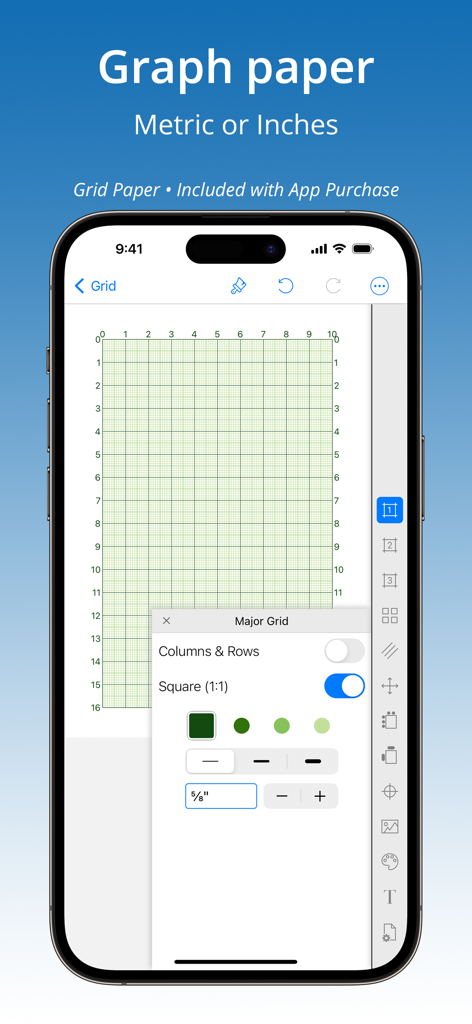
GridMaker - GridMaker 앱이 맞춤형 그래프 용지 설정으로 표시되는 스마트폰 화면
GridMaker 앱이 맞춤형 그래프 용지 설정으로 표시되는 스마트폰 화면

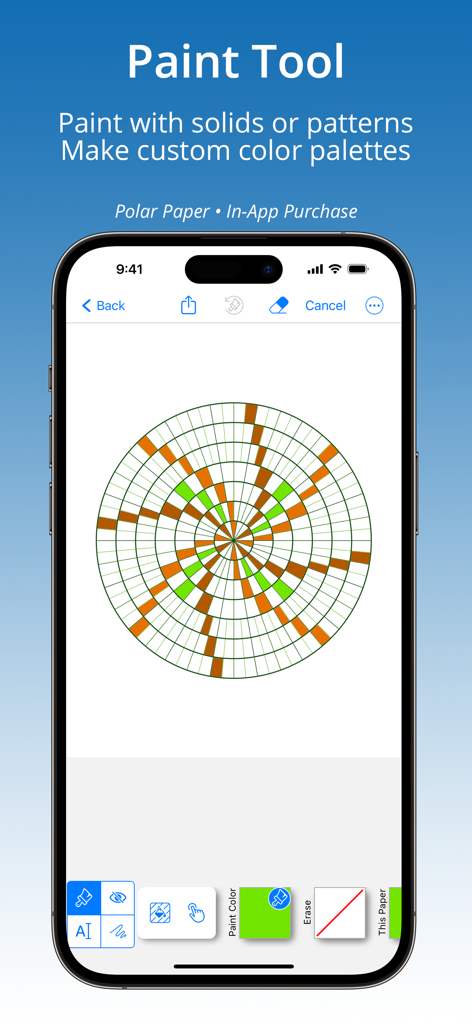
GridMaker - 녹색과 갈색 패턴이 있는 원형 극좌표 용지 그리드에 페인트 도구를 시연하는 GridMaker 앱 인터페이스
녹색과 갈색 패턴이 있는 원형 극좌표 용지 그리드에 페인트 도구를 시연하는 GridMaker 앱 인터페이스

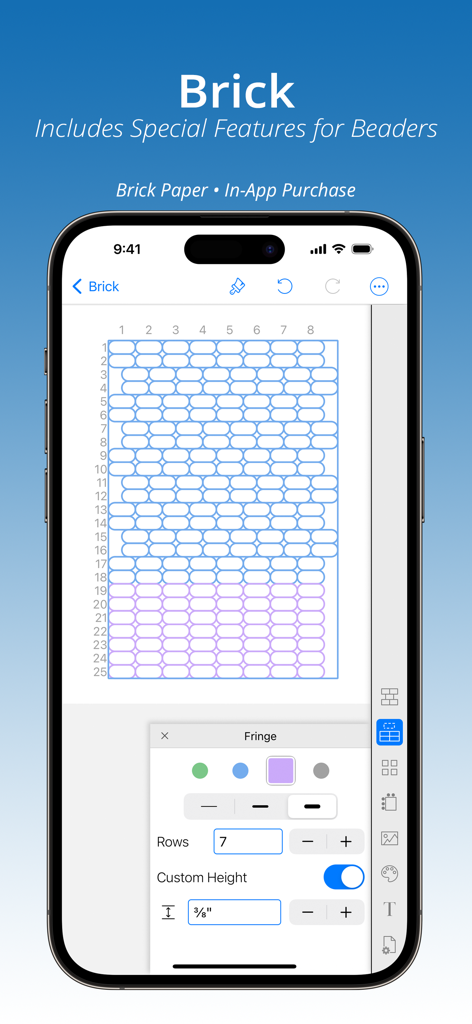
GridMaker - 비즈 작업 및 공예 프로젝트를 위해 사용자 정의된 벽돌 패턴 그리드를 보여주는 GridMaker 앱 인터페이스
비즈 작업 및 공예 프로젝트를 위해 사용자 정의된 벽돌 패턴 그리드를 보여주는 GridMaker 앱 인터페이스

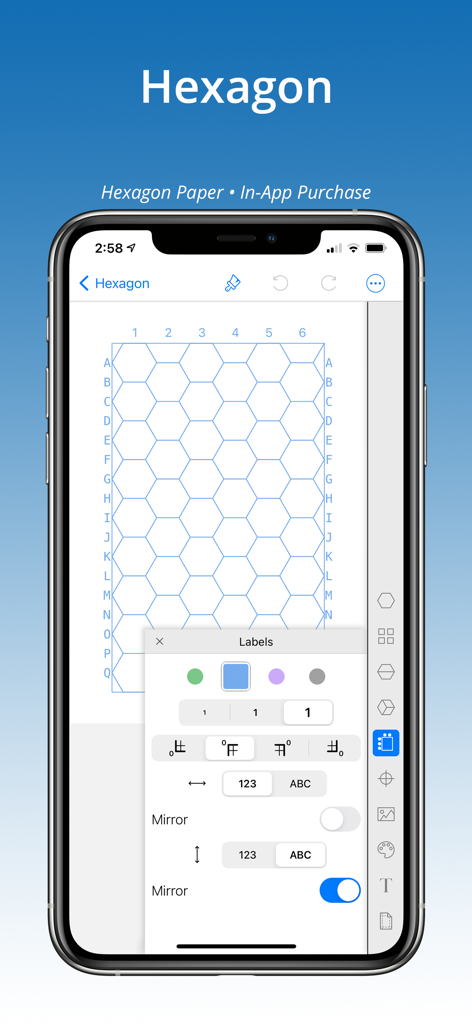
GridMaker - GridMaker 앱에서 영숫자 레이블이 있는 사용자 정의 가능한 육각형 그리드를 보여주는 스마트폰 화면
GridMaker 앱에서 영숫자 레이블이 있는 사용자 정의 가능한 육각형 그리드를 보여주는 스마트폰 화면

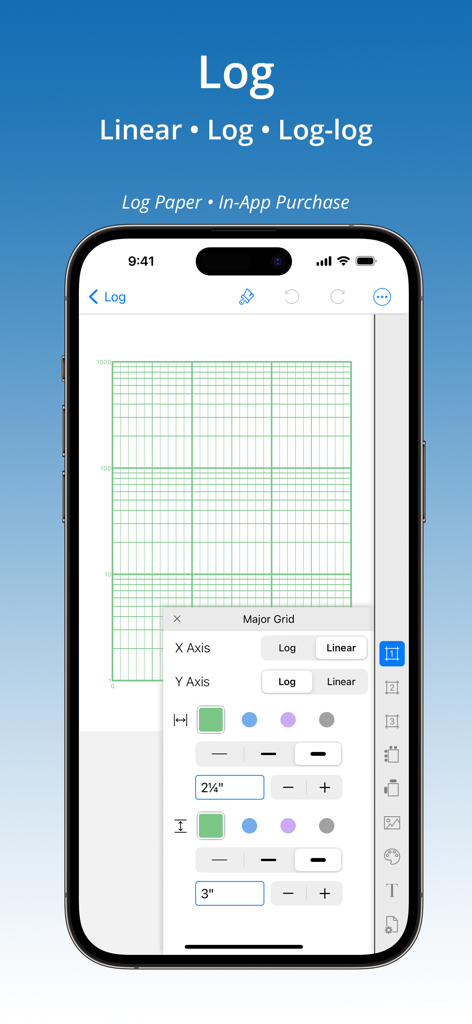
GridMaker - iPhone에서 GridMaker 앱의 인터페이스에서 로그 및 로그-로그 그래프 용지 사용자 정의 옵션을 보여줌
iPhone에서 GridMaker 앱의 인터페이스에서 로그 및 로그-로그 그래프 용지 사용자 정의 옵션을 보여줌

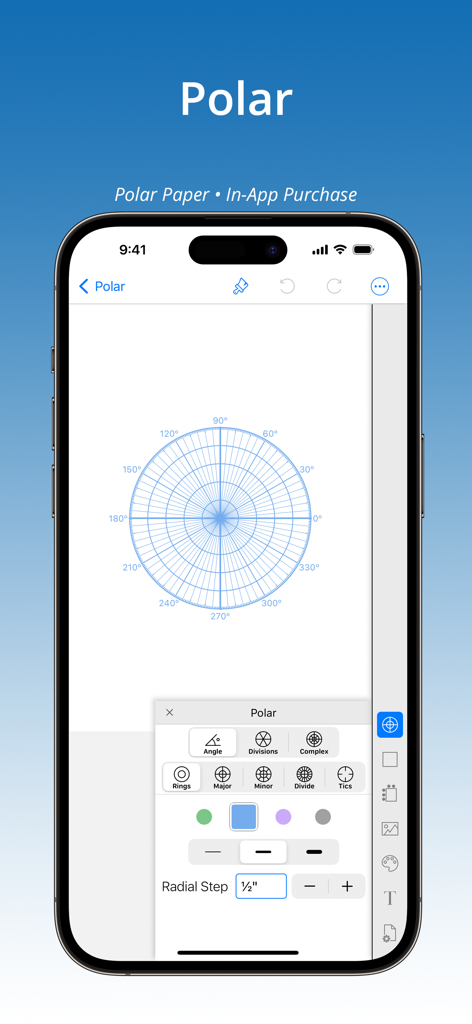
GridMaker - iPhone의 GridMaker 앱 인터페이스에서 맞춤형 극좌표 그리드 설정 및 방사형 단계를 표시함
iPhone의 GridMaker 앱 인터페이스에서 맞춤형 극좌표 그리드 설정 및 방사형 단계를 표시함

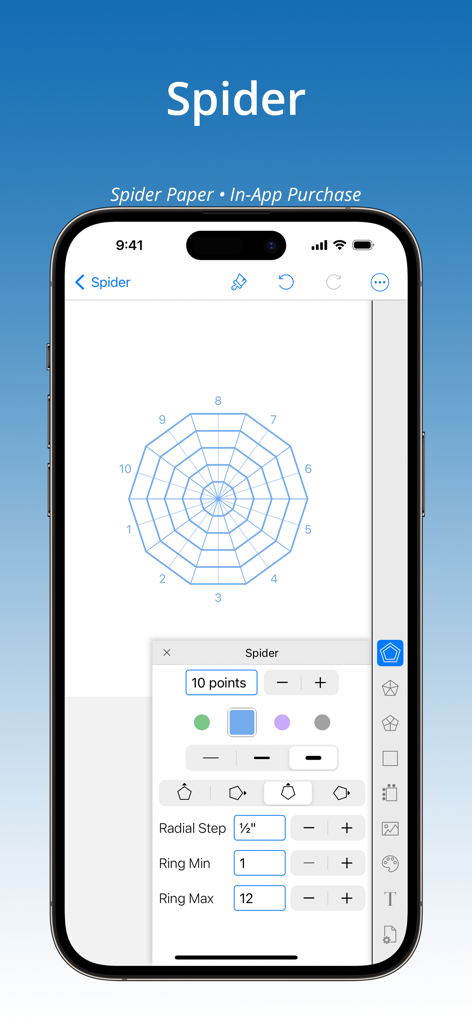
GridMaker - GridMaker 앱 인터페이스에서 방사형 거미줄 용지 사용자 정의 옵션을 보여줌
GridMaker 앱 인터페이스에서 방사형 거미줄 용지 사용자 정의 옵션을 보여줌

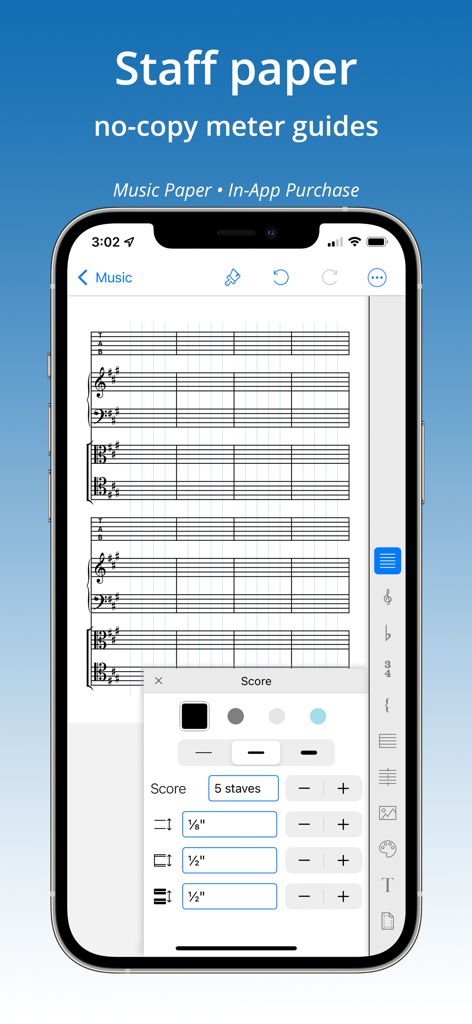
GridMaker - GridMaker 앱 인터페이스에서 맞춤형 음악 오선지 용지 생성

GridMaker 앱 인터페이스에서 맞춤형 음악 오선지 용지 생성

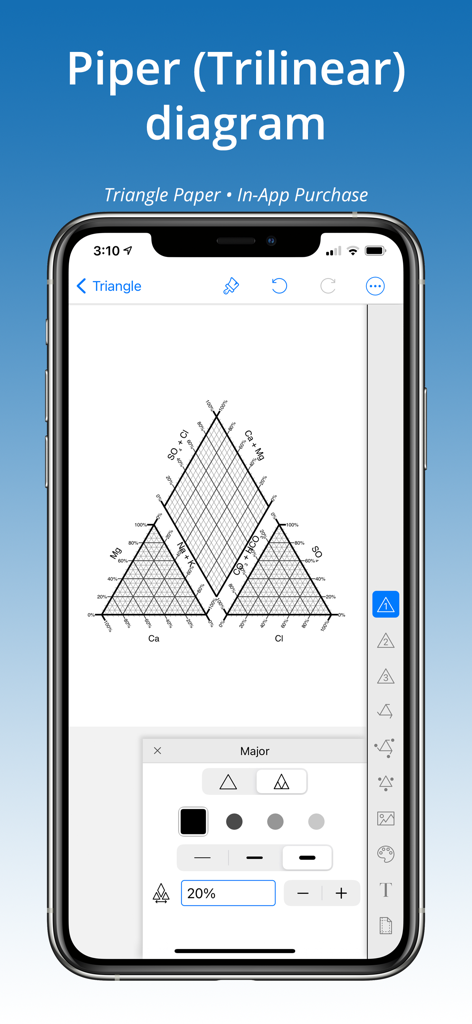
GridMaker - GridMaker 앱에서 생성된 Piper 삼각도를 보여주는 iPhone 화면
GridMaker 앱에서 생성된 Piper 삼각도를 보여주는 iPhone 화면

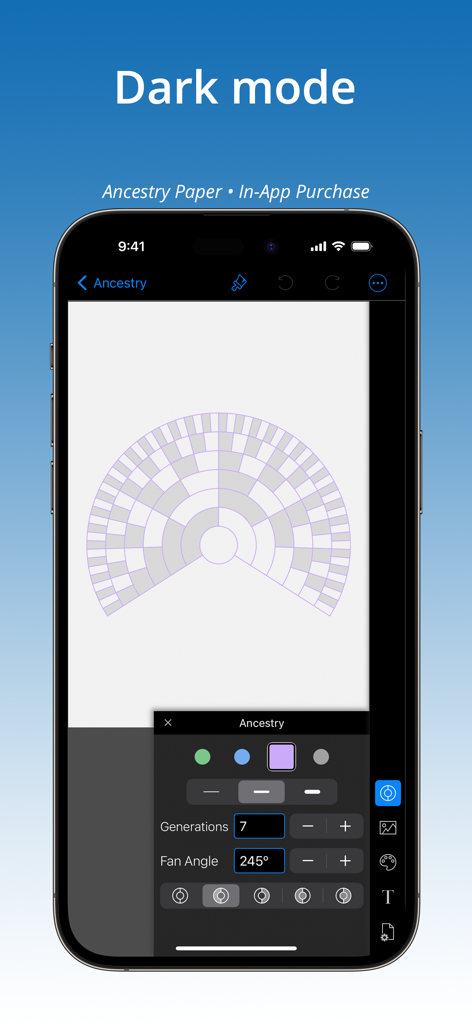
GridMaker - GridMaker 모바일 앱 인터페이스가 어두운 모드로 표시되며 사용자 정의 가능한 조상 부채꼴 차트 그리드를 보여줌

GridMaker 모바일 앱 인터페이스가 어두운 모드로 표시되며 사용자 정의 가능한 조상 부채꼴 차트 그리드를 보여줌

설명

Create accurate grids in inches or metric to print or share as PNG, PDF or SVG. Includes Paint Tool with built-in color palettes or add colors to create unlimited custom pallets from images, live camera, color wheel, RGB or HSB codes. Place image behind any grid for analysis or artist grid method. No ads or tracking. Purchase includes 3 papers GRID, DIAGONAL, DOT: — GRID — • Set to square or rectangle grid. • Adjust grid line weight. Set grids to an exact size — perfect for knitters and crafters! Up to four line colors on a grid, special feature adds custom line colors. • Label rows & columns with numbers [1,2,3] or letters [A,B,C] and set starting corner, values, and stepping. • Label grid axes. • Place axis and label. • Add diagonal lines to split grid into half- or quarter- triangles. • Place a center-dot with adjustable placement. — DOT (ISOMETRIC) — • 5 dot styles. • Set to isometric or rectangular dot pattern. • Specify exact dot spacing, then connect dots with horizontal, vertical, and diagonal lines. • Place a center-dot anywhere on the page. • Label rows & columns with numbers [1,2,3] or letters [A,B,C]. Set starting corner. — DIAGONAL — • Adjust grid line weight. • Divide & sub-divide blocks. Add spacing between blocks, grid, and center-point. — InApp PURCHASES — Add 8 hard-to-find specialty papers. Buy any five papers (or purchase the ’All Papers Forever’ BUNDLE) to unlock all papers forever. Credit is given for every purchase so that on purchase of any fifth paper the bundle is instantly added: Hexagon Brick Log-Log & Semi-Log Polar Spider Ancestry Music Triangle (Ternary) — FEATURES OF ALL PAPERS — √ Paint Tool. Color grid. Make custom color palettes. Add annotations. √ Place an image under any grid, then adjust size and placement. √ Metric (cm or mm) and Inch settings for grid and page size. √ Choice of Print Settings for standard papers (such as 8.5x11 or A4) with adjustable margins, or set page at a custom size. √ Print or share grids as a PDF, PNG or SVG to other apps for further editing — even as templates to laser or pattern cutting machines. √ Share painted grids as a PNG or PDF. √ Work up close using pinch-n-zoom. √ Show multiple grids on a page with tiling. √ Up to four grid line colors, special feature adds custom line colors. √ Title grid with choice of font, size, bold/italic, and color. √ Place a center-point on several papers. √ Library of templates (Quick Picks) offer inspiration and a short cut to creating grids. √ Purchases work on all devices — iPhone, iPad, and iPod. Don’t see the paper or feature you need? Send an email and we’ll see what we can do!

Download

다운로드: App Store

이 페이지는 앱이나 개발자의 공식 페이지가 아니며, 정보 제공 및 논평을 목적으로 작성된 독립 편집 간행물입니다. 명시적으로 달리 언급되지 않는 한, 해당 앱이나 개발자는 MWM, Apple, Google Play, 앱 퍼블리셔 또는 앱 개발자와 제휴, 보증, 후원, 승인 또는 공식적으로 연결되어 있지 않으며, 이 페이지의 어떤 내용도 해당 앱이 MWM의 서비스를 사용하여 개발되었음을 의미하지 않습니다. 모든 상표, 로고, 스크린샷 및 기타 콘텐츠는 해당 소유자의 자산입니다.