GroupCal - Shared Calendar

GroupCal - Shared Calendar

다운로드: App Store
로고: GroupCal - Shared Calendar

GroupCal: 그룹, 가족 및 비즈니스를 위한 올인원 공유 캘린더

일정 혼란을 멈추세요. 가족, 직장, 커뮤니티를 하나의 통합된 보기로 조정하세요. 전화번호만으로 누구나 즉시 초대하세요.

개발사

24me Ltd

카테고리

Productivity

다운로드

337K+

사용자 평점

4.6/5

총 평가 수

500

지원 언어

32

한눈에 보는 정리

이 인터페이스를 사용하는 337K+ 명의 사용자.

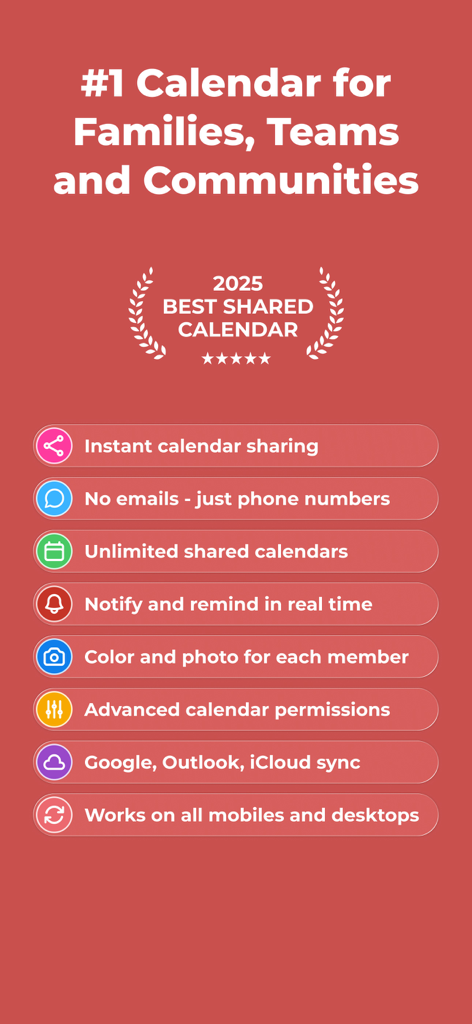
전화번호 초대 및 Google, Outlook과의 동기화를 포함한 공유 캘린더를 위한 GroupCal 기능 목록

전화번호 초대 및 Google, Outlook과의 동기화를 포함한 공유 캘린더를 위한 GroupCal 기능 목록

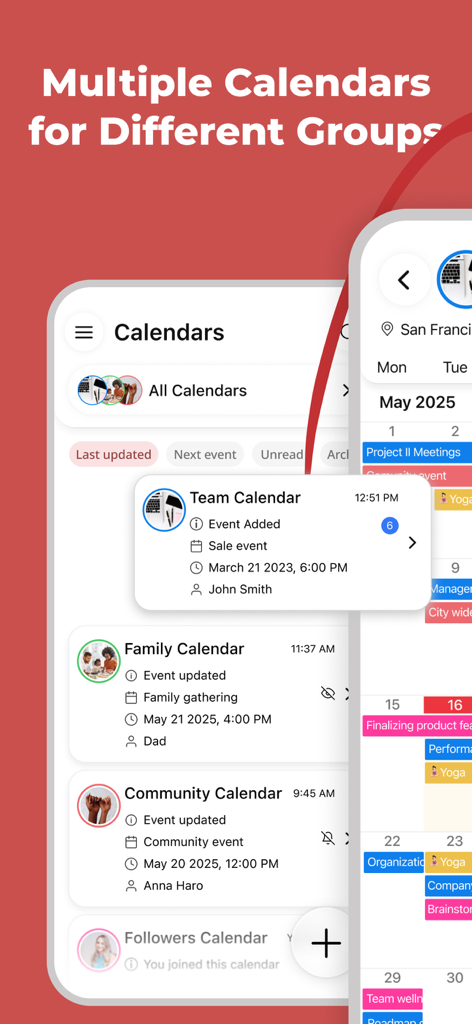
팀, 가족, 커뮤니티 그룹을 위한 여러 공유 캘린더를 표시하는 GroupCal 앱 인터페이스

팀, 가족, 커뮤니티 그룹을 위한 여러 공유 캘린더를 표시하는 GroupCal 앱 인터페이스

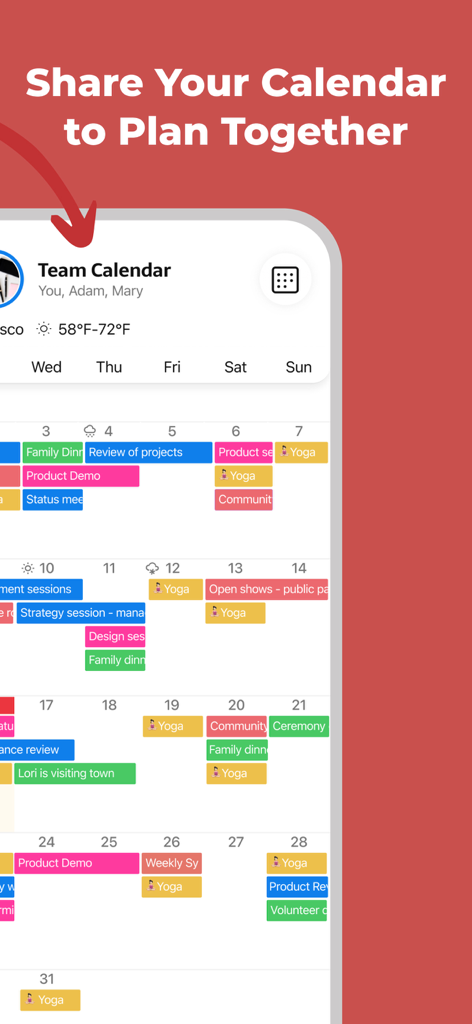
색상으로 구분된 이벤트를 표시하는 공유 팀 캘린더를 보여주는 GroupCal 모바일 앱 인터페이스

색상으로 구분된 이벤트를 표시하는 공유 팀 캘린더를 보여주는 GroupCal 모바일 앱 인터페이스

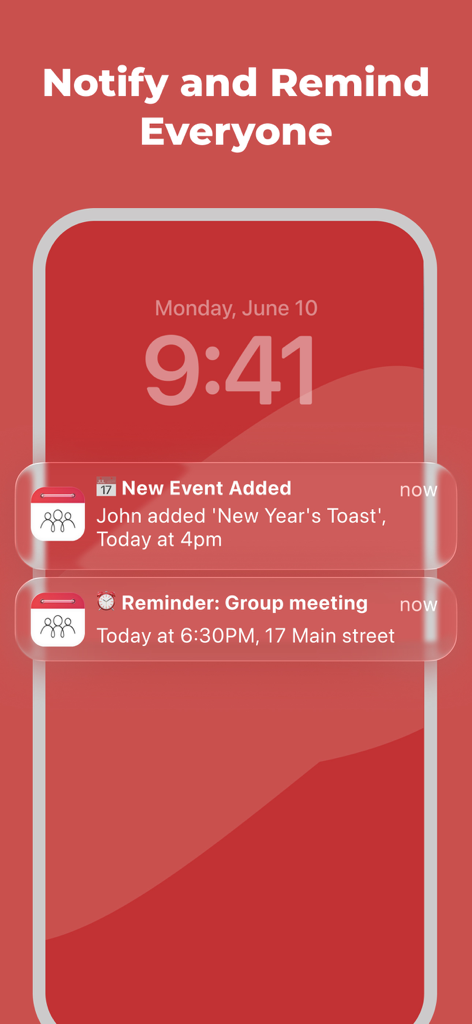
새 이벤트 및 그룹 미리 알림에 대한 GroupCal 공유 캘린더 알림을 표시하는 스마트폰 잠금 화면

새 이벤트 및 그룹 미리 알림에 대한 GroupCal 공유 캘린더 알림을 표시하는 스마트폰 잠금 화면

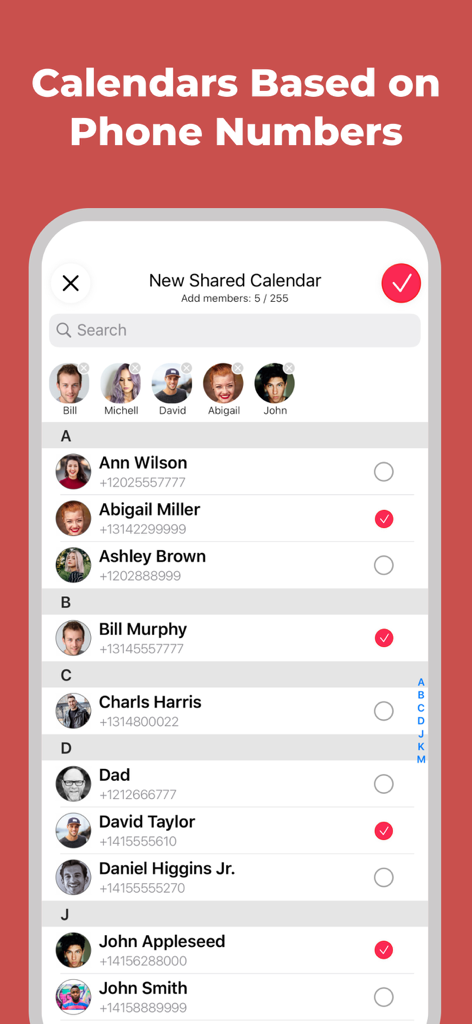
GroupCal에서 새 공유 캘린더를 만들기 위해 전화번호로 연락처를 선택하는 모습을 보여주는 모바일 화면

GroupCal에서 새 공유 캘린더를 만들기 위해 전화번호로 연락처를 선택하는 모습을 보여주는 모바일 화면

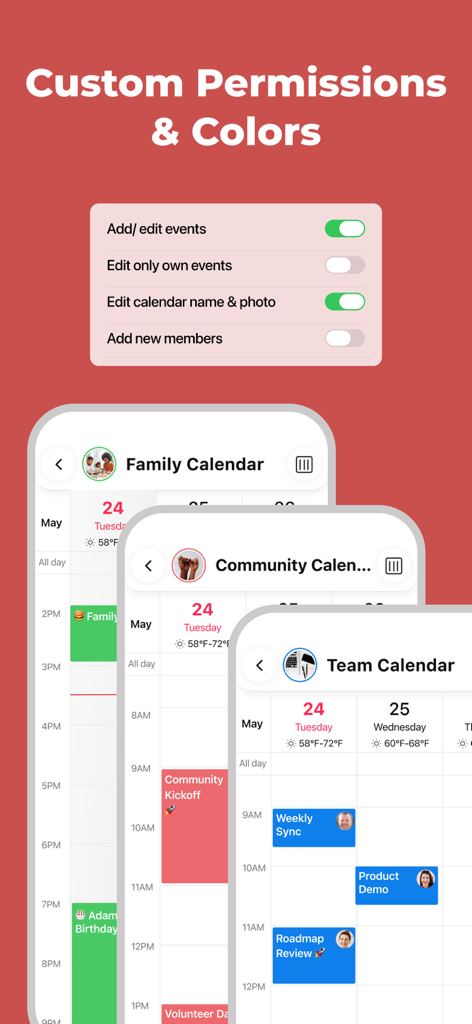
가족, 커뮤니티, 팀을 위한 맞춤 캘린더 권한 설정 및 색상으로 구분된 캘린더를 보여주는 GroupCal 앱 인터페이스

가족, 커뮤니티, 팀을 위한 맞춤 캘린더 권한 설정 및 색상으로 구분된 캘린더를 보여주는 GroupCal 앱 인터페이스

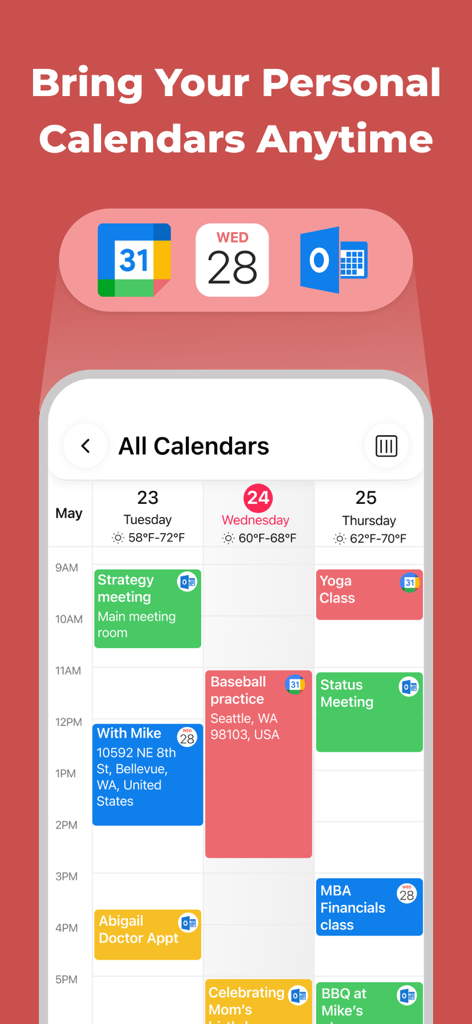
통합된 보기에서 Google, Apple 및 Outlook 캘린더의 통합 이벤트를 보여주는 모바일 앱 화면

통합된 보기에서 Google, Apple 및 Outlook 캘린더의 통합 이벤트를 보여주는 모바일 앱 화면

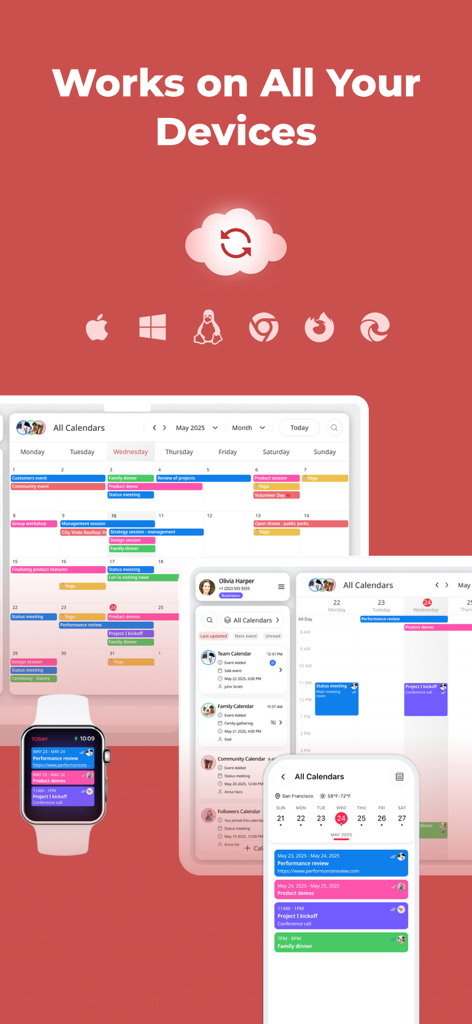
스마트폰, 태블릿, 스마트워치 전반에 걸쳐 표시되는 GroupCal 공유 캘린더 인터페이스. 다중 장치 동기화 및 플랫폼 간 호환성 강조

스마트폰, 태블릿, 스마트워치 전반에 걸쳐 표시되는 GroupCal 공유 캘린더 인터페이스. 다중 장치 동기화 및 플랫폼 간 호환성 강조

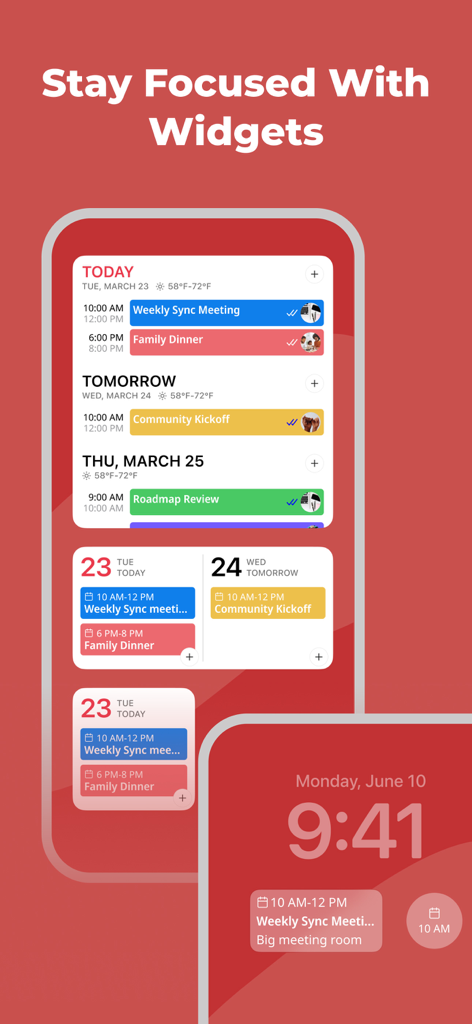
다양한 홈 및 잠금 화면 위젯을 특징으로 하는 GroupCal 공유 캘린더 앱

다양한 홈 및 잠금 화면 위젯을 특징으로 하는 GroupCal 공유 캘린더 앱

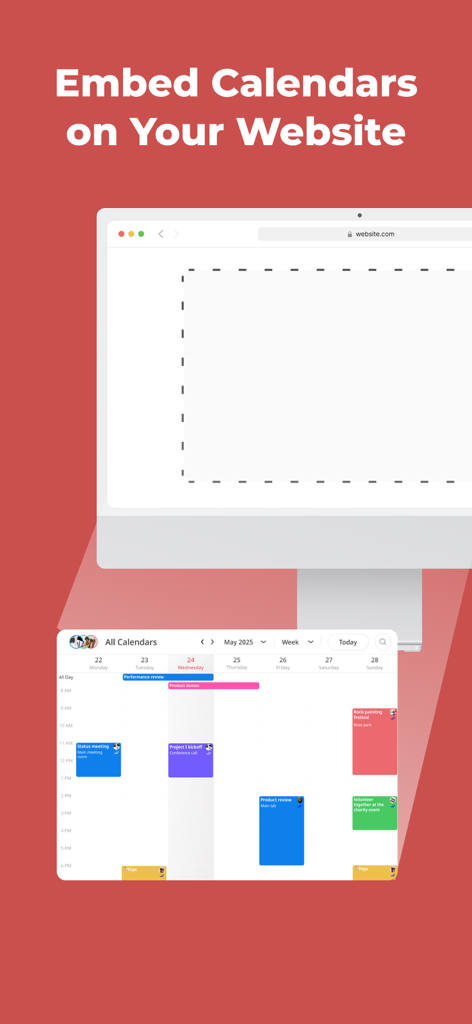
비즈니스 웹사이트에 공유 캘린더를 삽입하는 방법을 보여주는 GroupCal 앱 기능

비즈니스 웹사이트에 공유 캘린더를 삽입하는 방법을 보여주는 GroupCal 앱 기능

스트레스 없이 동기화 상태 유지

이 앱을 돋보이게 하는 도구, 337K+ 명의 사용자가 선택.

🗓️

전체 라이프스타일을 위한 하나의 보기

개인 Apple, Google 및 Outlook 캘린더와 공유 그룹 이벤트를 병합하여 이중 예약을 방지하고 전체 일정을 한눈에 확인하세요.

📲

전화번호로 초대

이메일 번거로움을 건너뛰세요. 연락처 목록을 사용하거나 WhatsApp, iMessage 또는 SMS를 통해 빠른 링크를 보내 캘린더를 즉시 공유하세요.

실시간 책임 추적

초대를 확인했는지 궁금해하지 마세요. 그룹을 체계적으로 관리하고 제시간에 완료할 수 있도록 즉각적인 알림을 받고 누가 이벤트를 보거나 수락했는지 추적하세요.

앱 소개

에 대해 알아야 할 모든 것 GroupCal - Shared Calendar.

설명

GroupCal is the most powerful platform for individuals and businesses, to share calendars with groups, families, customers, followers and any community. Inviting members to a shared calendar is quick and easy. Simply send a link to members, or invite them using their phone numbers from your contact list. They will be able to instantly view the calendar on any device. Members of shared calendars get real time updates when events are added or updated. GroupCal is free, easy to use, and available on any mobile device. ==== GroupCal - Main Features ==== SHARED CALENDARS FOR VARIOUS PURPOSES People use GroupCal to create shared calendars such as: • Family calendar for parents and children • Calendar for businesses with all activities and events • Calendar for teams to share meetings, projects and schedule • Calendar for students, teachers and classes • Calendar for a group of friends • Calendar for a group with a common interest • Public calendar for universities, clubs, bands and brands - anyone can search and join it CREATE MULTIPLE SHARED CALENDARS EASILY Create multiple shared calendars for different topics and groups. Each calendar is used for its own topic and with its own members. INVITE USING PHONE NUMBERS. NO NEED FOR EMAIL ADDRESS Invite members using their phone numbers, right from your contact list, or by sending a link via Email, Messenger, WhatsApp, or SMS. No need to have email addresses of the members. ALL YOUR CALENDARS IN ONE PLACE Your Existing Calendars are also in GroupCal. Your private schedule from Apple Calendar, Google Calendar, and Outlook is presented in GroupCal, side by side to the shared calendar you create or join using GroupCal. You get a unified view of all your calendars on one screen and in one place. BUSINESSES - CREATE PUBLIC CALENDARS Set calendars as “public” to have them visible to anyone around the world. Public calendars are searchable by GroupCal users. REAL TIME NOTIFICATIONS Members of shared calendars get real time updates and notifications when they are added to the calendar, and when events are added or updated. JOINING SHARED CALENDARS IS SO EASY Either click on a link a member sent to you, or join an existing public calendar on GroupCal by using the search option: discover your University's schedule, Yoga class schedule, your favorite band’s concerts and more. COLOR CODED CALENDARS AND SPECIAL CUSTOMIZATION Select a color and a photo for each calendar to easily distinguish between calendars and their events. KNOW HOW’S ATTENDING Get a better visibility about each event: see when the event was delivered per member, and who accepted or declined participation. MINIMALIST DESIGN & USER FRIENDLY GroupCal has a simple and clear design that makes it super easy to use. It’s built to be very user friendly and intuitive. Features in the app are accompanied with short explanations so you don’t have to spend much time to learn and get used to it. ADD REMINDERS AND TASKS TO CALENDAR EVENTS Use advanced features such as recurrence to events, multiple reminders for each event, or notes and subtasks which are assigned to events. ADVANCED CALENDAR PERMISSIONS Choose the permission level for each shared calendar. Assign admins, set whether the calendar’s name and photo can be changed, who is allowed to add or update events, and whether members can add other new members to the calendar. CROSS PLATFORM GroupCal is available worldwide for all major platforms.

최신 버전

4.2.0

크기

70.8 MB

출시일

2019년 12월 30일

모든 관계자를 같은 페이지에 맞춰보세요

정신적 부담을 덜어준 GroupCal을 사용하는 30만 명 이상의 사용자와 함께하세요. 이메일은 필요 없어요. 링크로 가족, 팀 또는 그룹을 초대하고 몇 초 안에 동기화를 시작하세요.

다운로드: App Store

App information, icons, screenshots, and descriptions displayed on this page are sourced from the Apple App Store and are the property of their respective developers. Download estimates and rankings are based on MWM's proprietary models and may not reflect actual figures. This page is provided for informational and analytical purposes only.

Believe this page infringes your intellectual property? File a dispute