GstarCAD
GstarCAD
다운로드: App Store

이 페이지는 앱이나 개발자의 공식 페이지가 아니며, 정보 제공 및 논평을 목적으로 작성된 독립 편집 간행물입니다. 명시적으로 달리 언급되지 않는 한, 해당 앱이나 개발자는 MWM, Apple, Google Play, 앱 퍼블리셔 또는 앱 개발자와 제휴, 보증, 후원, 승인 또는 공식적으로 연결되어 있지 않으며, 이 페이지의 어떤 내용도 해당 앱이 MWM의 서비스를 사용하여 개발되었음을 의미하지 않습니다. 모든 상표, 로고, 스크린샷 및 기타 콘텐츠는 해당 소유자의 자산입니다.


로고: GstarCAD
다운로드: App Store

GstarCAD

모든 기기에서 전문가 수준의 3D 모델링, 실시간 클라우드 주석, 즉각적인 팀 협업으로 AEC 워크플로우를 강화하세요.

주요 수치

다운로드

4K+

사용자 평점

1.0/5

총 평가 수

0

개발사

Gstarsoft Co., Ltd

카테고리

Business

지원 언어

20

최신 버전

1.5.0

크기

210.7 MB

출시일

2024년 7월 10일
기능

사무실에서 현장까지 프로젝트 마스터

협업을 간소화하고 프로젝트 데이터를 보호하며 손안에서 고성능 3D 모델링을 구현하는 통합 CAD 플랫폼으로 엔지니어링 및 설계 팀에 힘을 실어주세요.

원활한 크로스 플랫폼 동기화

사무실과 현장의 격차를 없애세요. 단일 통합 계정으로 데스크톱, 웹, 모바일에서 DWG 도면에 액세스하고 편집하고 관리하세요.

실시간 LiveCollab

음성 동기화 뷰포트와 클라우드 주석을 사용하여 즉각적인 도면 검토를 수행하여 위치에 관계없이 프로젝트 이해 관계자가 일관성을 유지하도록 하세요.

다음 스크린샷과 설명은 앱의 공식 스토어 목록에서 직접 가져온 것이며 앱 개발자의 자산입니다.

앱 스토어

스크린샷
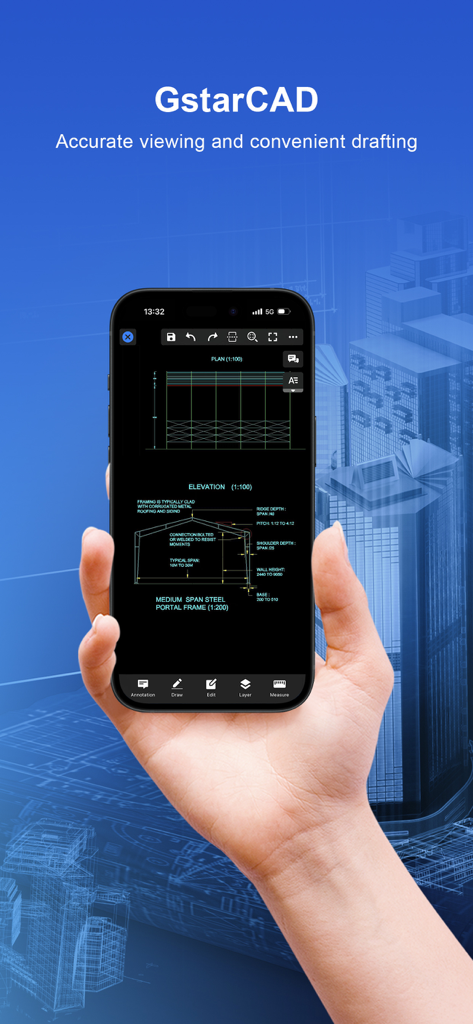
GstarCAD - GstarCAD 모바일 앱 내에서 건축 CAD 도면을 표시하는 스마트폰을 들고 있는 손.
GstarCAD 모바일 앱 내에서 건축 CAD 도면을 표시하는 스마트폰을 들고 있는 손.

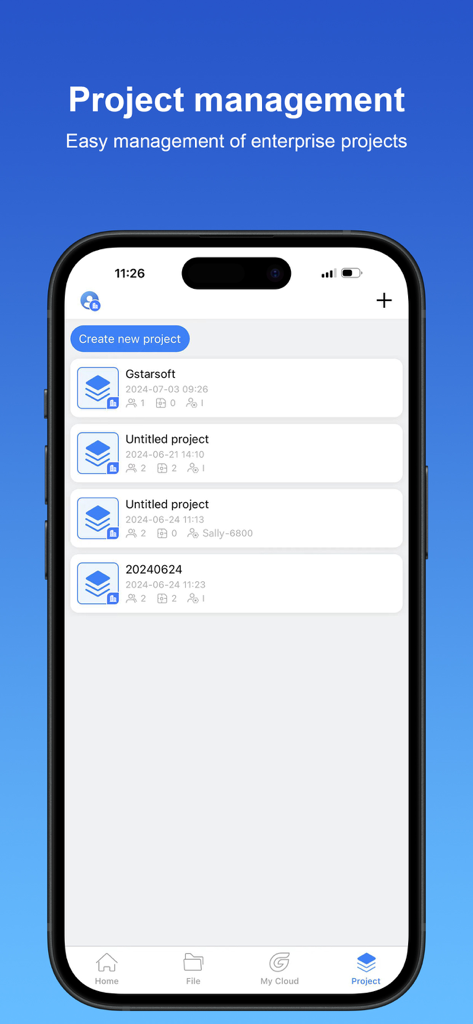
GstarCAD - GstarCAD 모바일 앱 프로젝트 관리 화면에 CAD 프로젝트 목록과 새 프로젝트 만들기 버튼 표시
GstarCAD 모바일 앱 프로젝트 관리 화면에 CAD 프로젝트 목록과 새 프로젝트 만들기 버튼 표시

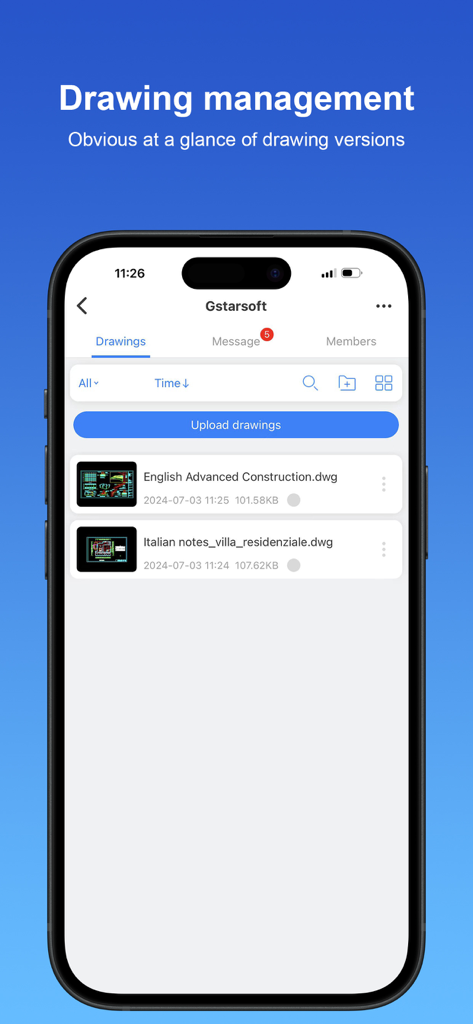
GstarCAD - GstarCAD 모바일 앱 인터페이스에 관리 대시보드의 건축 및 건설 도면 목록 표시.
GstarCAD 모바일 앱 인터페이스에 관리 대시보드의 건축 및 건설 도면 목록 표시.

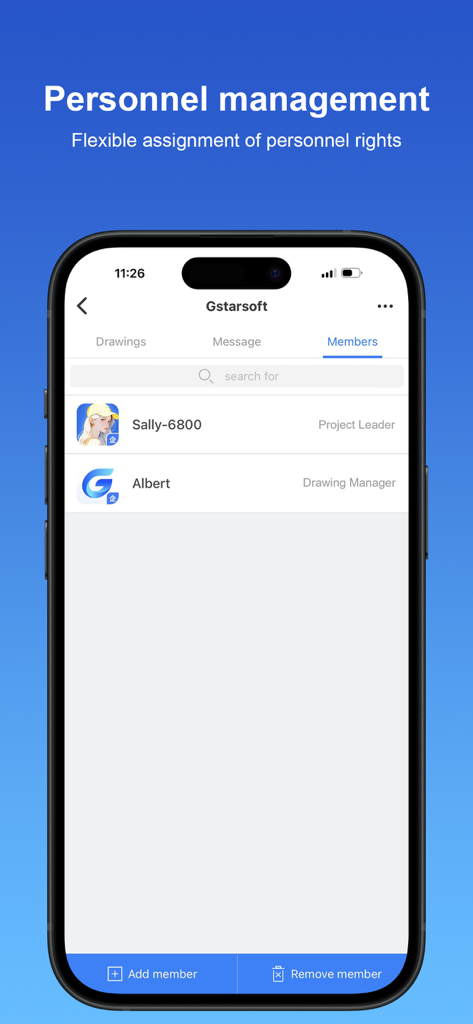
GstarCAD - GstarCAD 모바일 앱 인사 관리 화면에 프로젝트 멤버 및 할당된 역할 표시.

GstarCAD 모바일 앱 인사 관리 화면에 프로젝트 멤버 및 할당된 역할 표시.

설명

GstarCAD for Mobile is a CAD software with excellent performance, which constitutes GstarCAD 365 cloud solution in a cross-terminal way with GstarCAD View, GstarCAD for Web and GstarCAD Cloud Application. It provides multi-scenario CAD cloud applications and services, including but not limited to cloud design, cloud storage, cloud sharing, cloud annotation, cloud project, cloud cooperation, and cloud collaboration, creating an efficient collaborative office platform based on CAD drawings and models for users. 1. User system design realizes cross-platform interoperability The user system realizes cross-platform and multi-terminal account interoperability. It covers all kinds of GstarCAD professional software and GstarCAD for Mobile, GstarCAD View, GstarCAD for web and so on. Users can achieve seamless switch between terminals and log in freely with only one account. 2.Product collaboration module integration The products of each terminal have been integrated with the project collaboration module. After logging in, users can access the functions of cloud annotation, cloud storage and drawing management to efficiently collaborate on CAD projects and ensure data security and convenient management. 3. Data management during collaboration process is regarded as an enterprise asset, covering drawings, annotations, chat logs and other information. To ensure security and compliance, administrators can check and manage data according to permission rules through the management backend. 4. Cloud annotation supports project members to annotate directly on drawings, which automatically show others' annotations synchronously. This function meets the needs of instant feedback of on-site problems and accurate proofreading of drawings, effectively facilitating communication and collaboration among project team members. 5. LiveCollab allows users to organize drawing reviews at any time. The CAD viewport is synchronized during voice and graphic communication to ensure smooth communication. In addition, it supports multi-user annotations to improve the efficiency and accuracy of teamwork. 6.Shared Resource Library enables efficient sharing of fonts, frames, linetypes, print styles, profiles, fill files, templates, and material files, making it easy for team members to access standardized resources. 7. The system is fully compatible with dozens of 3D file formats such as SW, Creo, UG, RVT and SKP. Rotation, panning, zooming, exploded view, cutaway view and other functions are integrated to provide an efficient and comprehensive 3D model browsing experience.

Download

다운로드: App Store

이 페이지는 앱이나 개발자의 공식 페이지가 아니며, 정보 제공 및 논평을 목적으로 작성된 독립 편집 간행물입니다. 명시적으로 달리 언급되지 않는 한, 해당 앱이나 개발자는 MWM, Apple, Google Play, 앱 퍼블리셔 또는 앱 개발자와 제휴, 보증, 후원, 승인 또는 공식적으로 연결되어 있지 않으며, 이 페이지의 어떤 내용도 해당 앱이 MWM의 서비스를 사용하여 개발되었음을 의미하지 않습니다. 모든 상표, 로고, 스크린샷 및 기타 콘텐츠는 해당 소유자의 자산입니다.








