Guerrilla Filmmaker: Camera
다운로드: App Store

이 페이지는 앱이나 개발자의 공식 페이지가 아니며, 정보 제공 및 논평을 목적으로 작성된 독립 편집 간행물입니다. 명시적으로 달리 언급되지 않는 한, 해당 앱이나 개발자는 MWM, Apple, Google Play, 앱 퍼블리셔 또는 앱 개발자와 제휴, 보증, 후원, 승인 또는 공식적으로 연결되어 있지 않으며, 이 페이지의 어떤 내용도 해당 앱이 MWM의 서비스를 사용하여 개발되었음을 의미하지 않습니다. 모든 상표, 로고, 스크린샷 및 기타 콘텐츠는 해당 소유자의 자산입니다.


로고: Guerrilla Filmmaker: Camera
다운로드: App Store

Guerrilla Filmmaker: Camera

자동 초점 이동, 최대 150Mbps의 프로 비트 전송률, 맞춤형 아나모픽 지원 기능을 갖춘 유일한 앱으로 iPhone에서 할리우드 수준의 도구를 잠금 해제하세요.

주요 수치

다운로드

102K+

사용자 평점

4.5/5

총 평가 수

0

개발사

Guerrilla Apps Ltd

카테고리

Photo & Video

지원 언어

1

최신 버전

2.22

크기

17.6 MB

출시일

2015년 6월 30일
기능

전문가급 시네마틱 제어

모던한 1인 제작자를 위해 설계된 세밀한 수동 제어 및 업계 최고의 자동화 기능으로 iPhone을 고급 시네마 카메라로 변환하세요.

독보적인 자동화

정확한 초점 이동 및 노출 변화를 프로그래밍하여 촬영팀 없이도 복잡하고 전문가 수준의 카메라 움직임을 구현하세요.

프로 모니터링 도구

피킹, 가색상 및 최대 150Mbps의 맞춤형 비트 전송률로 매번 완벽한 기술 구현을 달성하세요.

다음 스크린샷과 설명은 앱의 공식 스토어 목록에서 직접 가져온 것이며 앱 개발자의 자산입니다.

앱 스토어

스크린샷
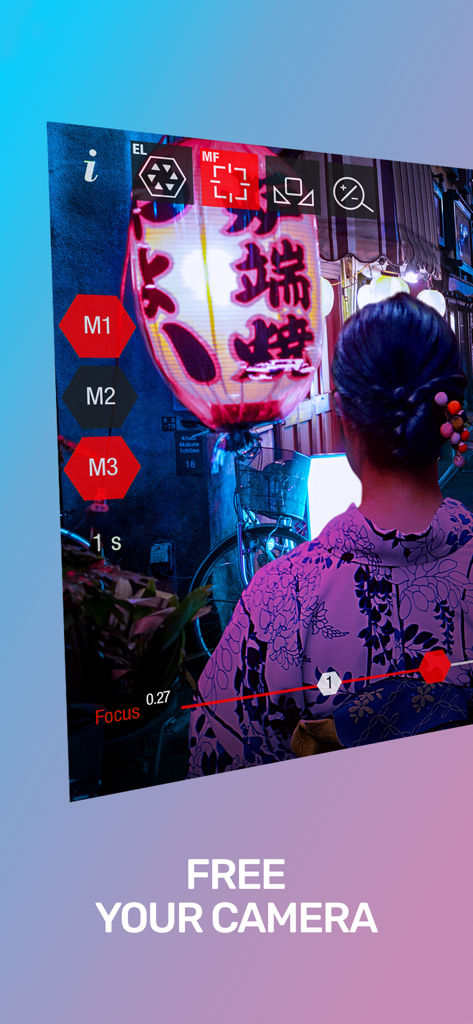
Guerrilla Filmmaker: Camera - 전문가용 카메라 앱 인터페이스, 수동 초점 및 노출 제어, 시네마틱 야경 장면 표시
전문가용 카메라 앱 인터페이스, 수동 초점 및 노출 제어, 시네마틱 야경 장면 표시

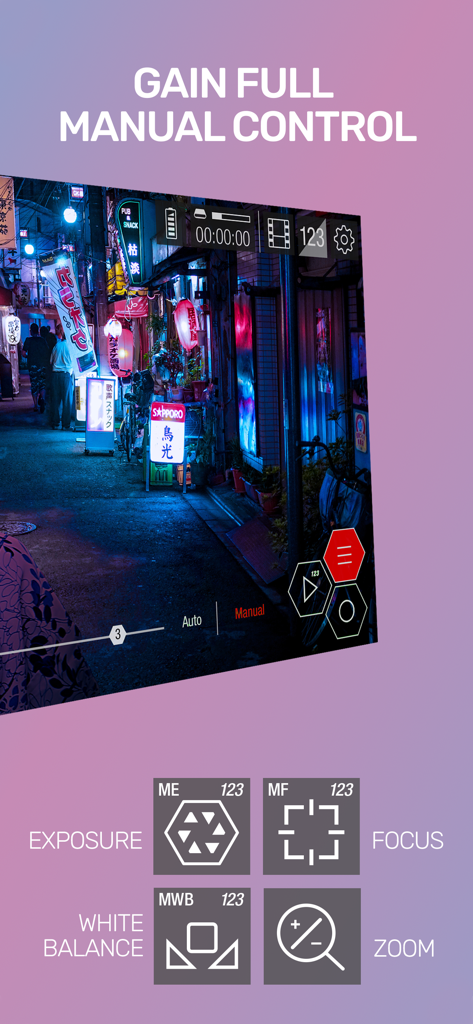
Guerrilla Filmmaker: Camera - 게릴라 영화감독 앱 인터페이스, 노출, 초점, 화이트 밸런스, 줌에 대한 수동 카메라 제어 표시
게릴라 영화감독 앱 인터페이스, 노출, 초점, 화이트 밸런스, 줌에 대한 수동 카메라 제어 표시

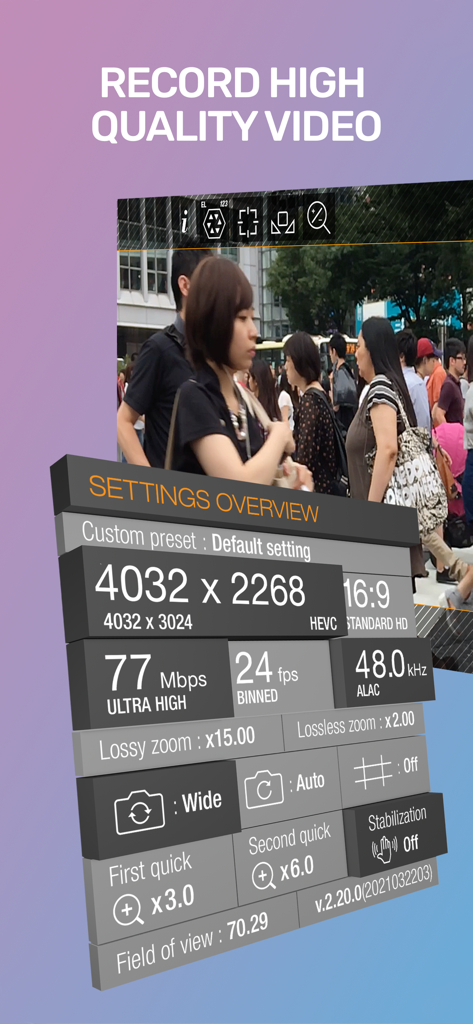
Guerrilla Filmmaker: Camera - 게릴라 영화감독 앱, 해상도 및 비트 전송률과 같은 고급 비디오 녹화 설정 표시
게릴라 영화감독 앱, 해상도 및 비트 전송률과 같은 고급 비디오 녹화 설정 표시

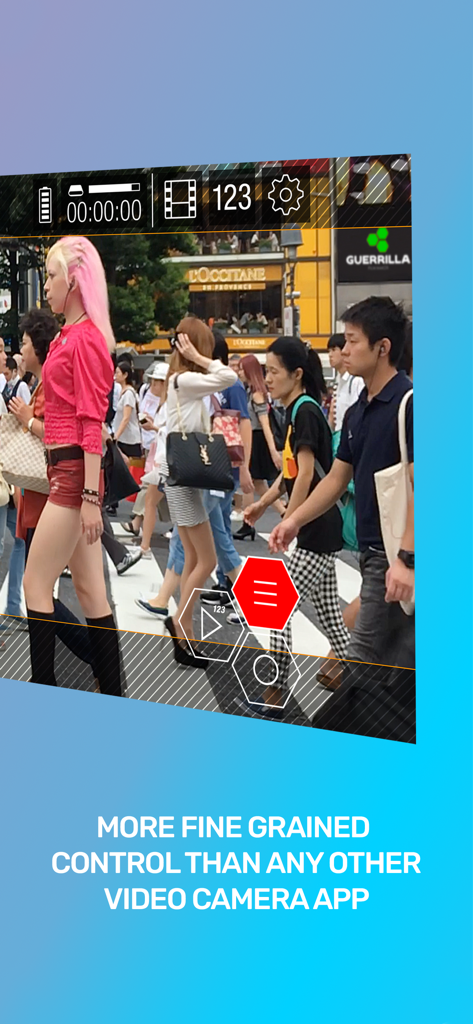
Guerrilla Filmmaker: Camera - 전문 비디오 카메라 인터페이스, 거리 장면에서 수동 노출 및 초점 제어 표시
전문 비디오 카메라 인터페이스, 거리 장면에서 수동 노출 및 초점 제어 표시

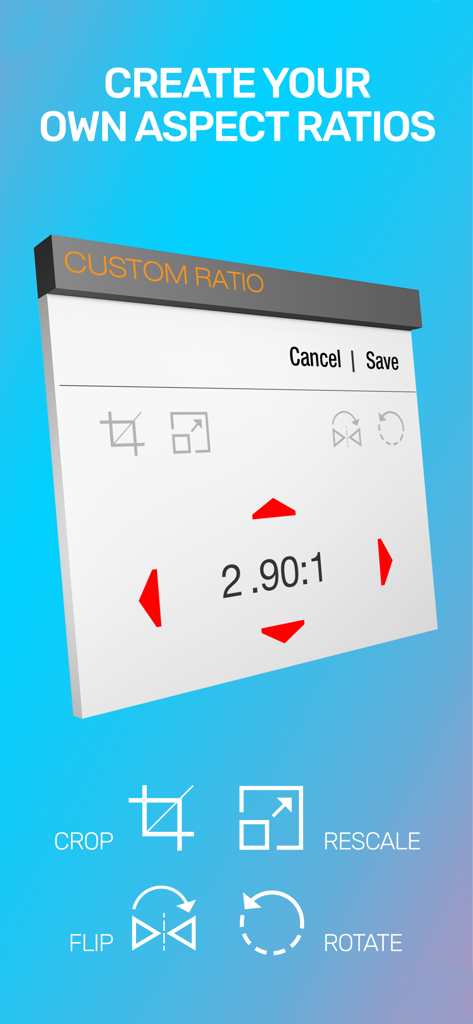
Guerrilla Filmmaker: Camera - 작업, 크기 조정, 뒤집기 및 회전 도구가 있는 맞춤형 화면 비율 설정을 보여주는 게릴라 영화감독 앱의 화면
작업, 크기 조정, 뒤집기 및 회전 도구가 있는 맞춤형 화면 비율 설정을 보여주는 게릴라 영화감독 앱의 화면

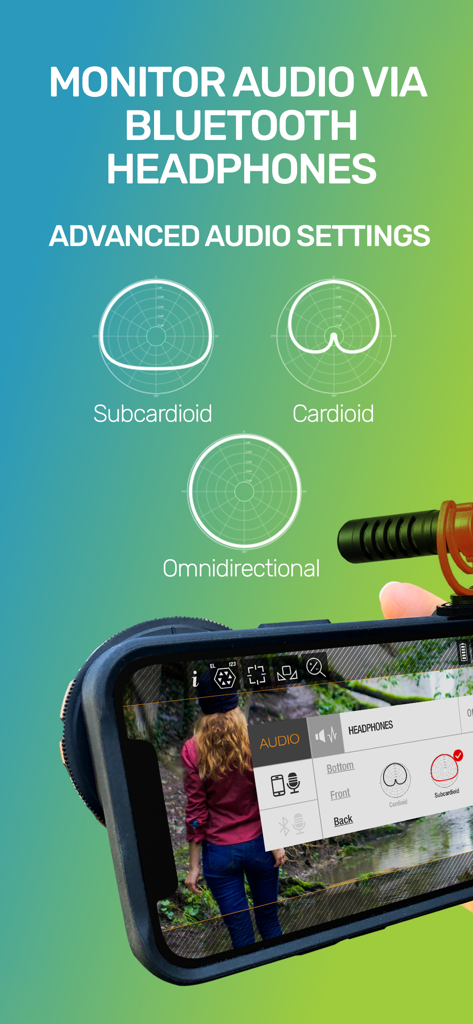
Guerrilla Filmmaker: Camera - 폴라 패턴 및 블루투스 모니터링 옵션을 보여주는 게릴라 영화감독 앱의 고급 오디오 설정
폴라 패턴 및 블루투스 모니터링 옵션을 보여주는 게릴라 영화감독 앱의 고급 오디오 설정

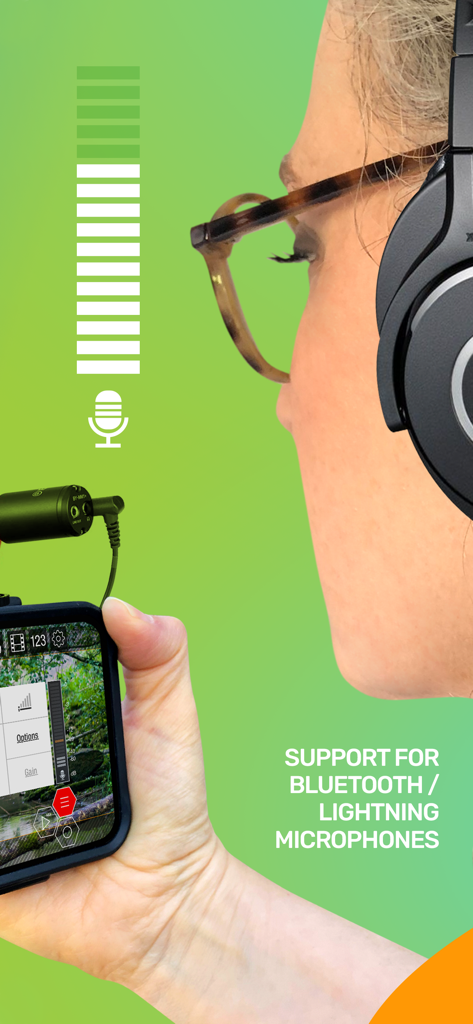
Guerrilla Filmmaker: Camera - iPhone에서 게릴라 영화감독 앱과 함께 외부 마이크를 사용하는 여성
iPhone에서 게릴라 영화감독 앱과 함께 외부 마이크를 사용하는 여성

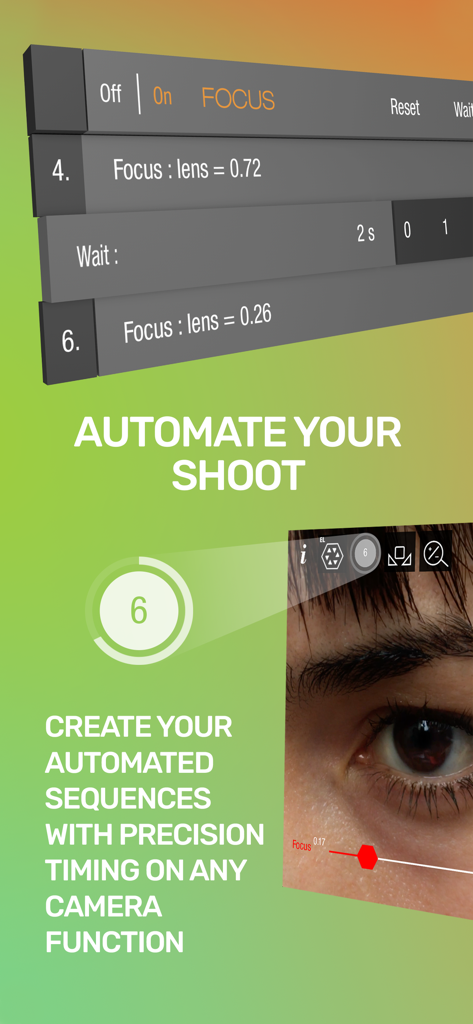
Guerrilla Filmmaker: Camera - 전문 모바일 영화 제작을 위한 정밀 타이밍으로 자동화된 초점 이동 시퀀스를 보여주는 인터페이스
전문 모바일 영화 제작을 위한 정밀 타이밍으로 자동화된 초점 이동 시퀀스를 보여주는 인터페이스

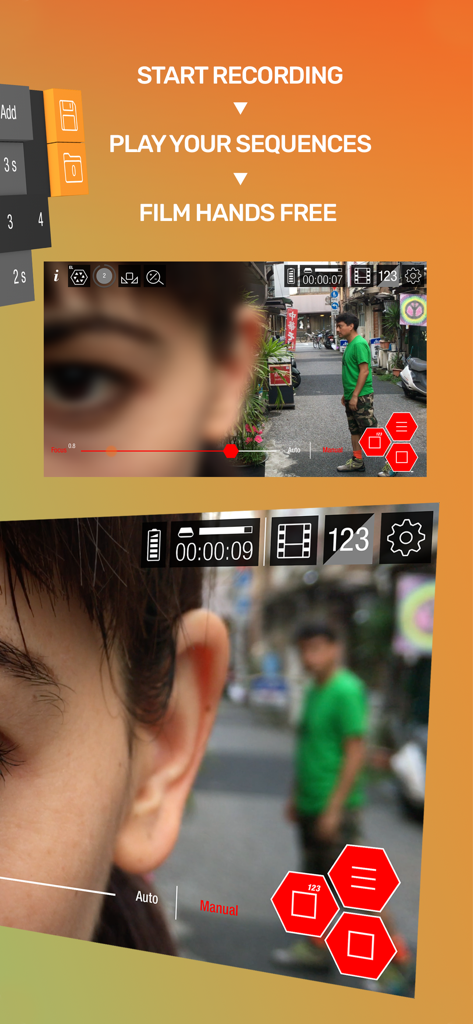
Guerrilla Filmmaker: Camera - 전문 모바일 영화 제작을 위한 핸즈프리 자동 카메라 시퀀스

전문 모바일 영화 제작을 위한 핸즈프리 자동 카메라 시퀀스

Guerrilla Filmmaker: Camera - 아나모픽 렌즈 지원 및 Apple Featured 수상과 함께 일회성 구매 가격과 같은 기능을 보여주는 게릴라 영화감독 앱 프로모션 화면

아나모픽 렌즈 지원 및 Apple Featured 수상과 함께 일회성 구매 가격과 같은 기능을 보여주는 게릴라 영화감독 앱 프로모션 화면

설명

** Featured in App Store “Best New Apps” and “Make Great Videos” ** Guerrilla Filmmaker is the go-to video camera app used by professional and aspiring filmmakers, documentary makers, vloggers and anyone wanting to get the most out of the camera in their pocket. --- 5 STAR REVIEWS FOR GUERRILLA FILMMAKER --- "Love it, gotta have it" "The best, hands down, 4K video camera app!!!" "This app has some serious caliber... Automation is the most amazing part in this app." -- EXTENSIVE BUILT IN INSTRUCTIONAL VIDEOS -- Guerrilla Filmmaker has features that no other video recording app has. We also designed the interface for quick control using touch gestures. To help you get the most out of Guerrilla Filmmaker, every feature is demonstrated through an extensive set of in-app instructional videos. --- ONE OF A KIND AUTOMATION FEATURES --- Guerrilla Filmmaker is the only video camera app that lets you automate any camera function (focus, exposure, white balance, zoom) so that you can plan your shot, playback your automation sequence and record hands free. Take full control by setting exact focus, exposure, white balance and zoom points and dial in the timing. Set up a pull focus sequence from one subject to another. Automate changing exposure as you track from indoors to outdoors. Create any automation sequence you can imagine. --- CREATE CUSTOM ASPECT RATIOS --- Use one of the built in aspect ratios including Moondog anamorphic or create your very own. Support for image flip, rotation and anamorphic squeeze to allow building aspect ratios for any custom external lens. --- GESTURE SHORTCUTS --- • Swipe to quickly change between focus, zoom, white balance and exposure • Long press to focus or expose at image point • Long press to bring up magnified inspection window for precise focus adjustment • Double tap to lock all functions to manual mode • Double tap to reset all functions to auto mode • Double tap to quickly zoom in to a predefined magnification • Swipe to remove interface elements for a clean viewfinder • Start recording right from the iOS home screen by long pressing the Guerrilla Filmmaker icon and selecting a preset setting --- VIDEO RECORDING FEATURES --- • More fine grained settings than any other video recorder app • Manual focus, exposure, white balance and zoom • Auto mode • 4K resolution (device dependent) • All device resolutions available • Video bit rates up to 150Mbps (device dependent) • 48.0kHz or 44.1kHz audio sample rate • Custom frame rates up to 240fps (device and resolution dependent) • Choose any frame rate, not just predefined frame rates • Built in aspect ratios (HD, 4:3, CinemaScope, Moondog lens, etc) • Custom aspect ratios (build your own) • Focus peaking tool • False color tool • ProRes, HEVC and H264 video codecs • Gray card calibration • Video stabilization • Support for external microphones • Headphone monitoring • Inbuilt microphone polar pattern selection • Audio meter --- CUSTOM PRESETS --- • Save your settings as a named preset • Add the preset as a home screen shortcut • Long press the Guerrilla Filmmaker app icon and select a preset shortcut to begin recording immediately from the home screen with the desired settings --- BEAUTIFUL FILM LIBRARY --- • Share your clips via AirDrop or lightning cable connected via Finder app • Share via iOS share-capable apps such as CapCut, Facebook, WhatsApp, iMovie etc • Playback with adjustable frame rate to view in slow motion or fast speed • Meta data displayed is read from the recorded file so you can be sure that what you have is what you expected --- FEEDBACK & SUPPORT --- If you have any questions or suggestions, please let us know via in-app feedback or email us at feedback@guerrilla-apps.com Keep those feature requests coming and if you’re enjoying Guerrilla Filmmaker please consider leaving a review on the App Store.

Download

다운로드: App Store

이 페이지는 앱이나 개발자의 공식 페이지가 아니며, 정보 제공 및 논평을 목적으로 작성된 독립 편집 간행물입니다. 명시적으로 달리 언급되지 않는 한, 해당 앱이나 개발자는 MWM, Apple, Google Play, 앱 퍼블리셔 또는 앱 개발자와 제휴, 보증, 후원, 승인 또는 공식적으로 연결되어 있지 않으며, 이 페이지의 어떤 내용도 해당 앱이 MWM의 서비스를 사용하여 개발되었음을 의미하지 않습니다. 모든 상표, 로고, 스크린샷 및 기타 콘텐츠는 해당 소유자의 자산입니다.