Guitar Interval Ear Trainer
다운로드: App Store

이 페이지는 앱이나 개발자의 공식 페이지가 아니며, 정보 제공 및 논평을 목적으로 작성된 독립 편집 간행물입니다. 명시적으로 달리 언급되지 않는 한, 해당 앱이나 개발자는 MWM, Apple, Google Play, 앱 퍼블리셔 또는 앱 개발자와 제휴, 보증, 후원, 승인 또는 공식적으로 연결되어 있지 않으며, 이 페이지의 어떤 내용도 해당 앱이 MWM의 서비스를 사용하여 개발되었음을 의미하지 않습니다. 모든 상표, 로고, 스크린샷 및 기타 콘텐츠는 해당 소유자의 자산입니다.

로고: Guitar Interval Ear Trainer
다운로드: App Store

Guitar Interval Ear Trainer

멜로디를 듣고 즉시 연주하는 것 사이의 격차를 해소하세요. 진지한 음악가들을 위해 개발되었으며, 언제 어디서든 인터벌을 식별하고, 스케일 패턴을 시각화하며, 귀를 날카롭게 다듬을 수 있습니다.

주요 수치

다운로드

197K+

사용자 평점

4.4/5

총 평가 수

100

개발사

Rolf Steenge

카테고리

Music

지원 언어

1

최신 버전

5.02

크기

27.9 MB

출시일

2010년 6월 15일
기능

귀로 프렛보드 마스터하기

추측을 멈추고 들리는 것을 연주하세요. 우리의 전문적인 훈련기는 진지한 음악가들을 위해 설계된 전문적인 도구로 음악 이론과 기타 넥 사이의 격차를 해소합니다.

시각적 프렛보드 매핑

음을 듣고 연주하는 것 사이의 격차를 해소하세요. 일반적인 피아노 기반 앱과 달리, 모든 인터벌을 기타 넥에 직접 매핑하여 즉각적인 근육 기억을 구축합니다.

핸즈프리 연습 모드

독특한 음성 기능을 사용하여 일상 통근 시간이나 '죽은 시간'을 극대화하세요. 화면을 보거나 기기를 만질 필요 없이 이동 중에 귀를 날카롭게 다듬으세요.

다음 스크린샷과 설명은 앱의 공식 스토어 목록에서 직접 가져온 것이며 앱 개발자의 자산입니다.

앱 스토어

스크린샷
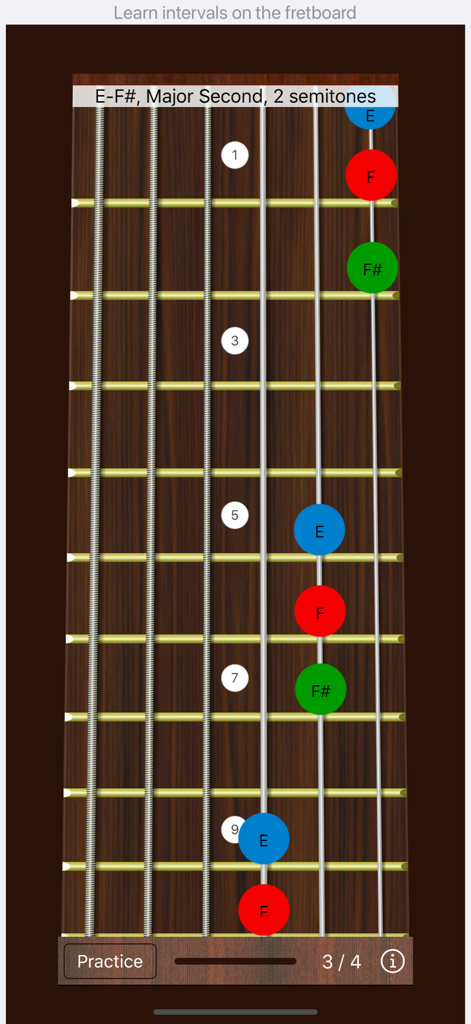
Guitar Interval Ear Trainer - 기타 프렛보드가 귀 훈련 연습을 위한 장2도 인터벌 시각화를 표시하고 있습니다.
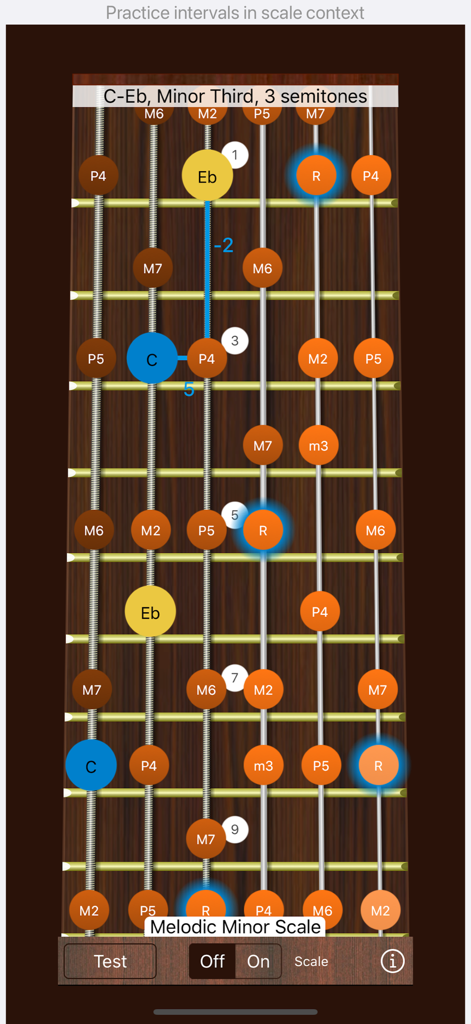
기타 프렛보드가 귀 훈련 연습을 위한 장2도 인터벌 시각화를 표시하고 있습니다.

Guitar Interval Ear Trainer - 기타 인터벌 귀 훈련기 프렛보드 인터페이스가 귀 훈련 연습을 위한 멜로딕 마이너 스케일과 단3도 인터벌을 보여줍니다.
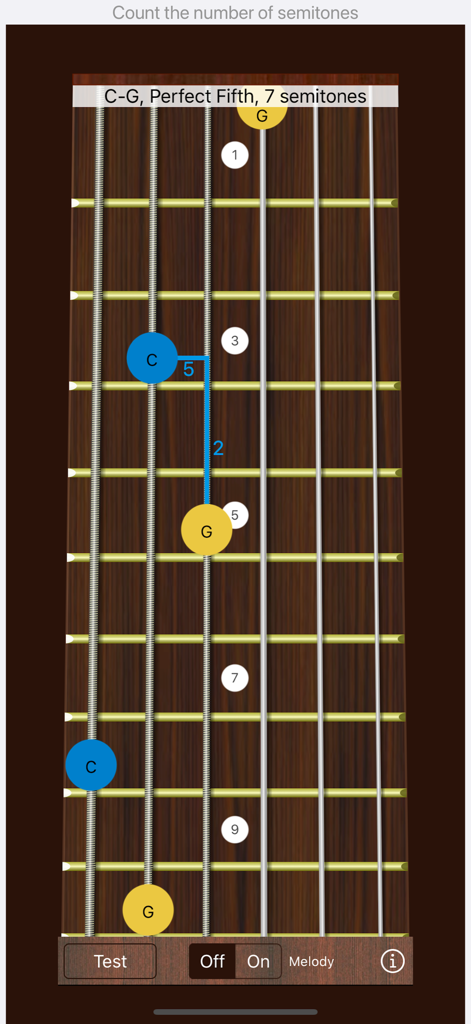
기타 인터벌 귀 훈련기 프렛보드 인터페이스가 귀 훈련 연습을 위한 멜로딕 마이너 스케일과 단3도 인터벌을 보여줍니다.

Guitar Interval Ear Trainer - 기타 인터벌 귀 훈련기 앱 스크린샷으로 기타 프렛보드에 완전5도 인터벌 시각화가 표시됩니다.
기타 인터벌 귀 훈련기 앱 스크린샷으로 기타 프렛보드에 완전5도 인터벌 시각화가 표시됩니다.

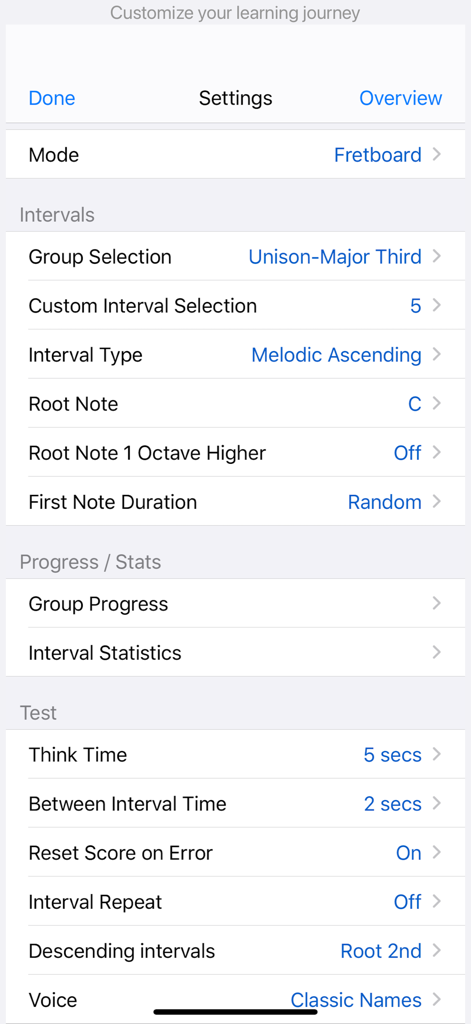
Guitar Interval Ear Trainer - 기타 인터벌 귀 훈련기 앱의 설정 메뉴로 인터벌 및 테스트 매개변수 사용자 정의 옵션이 표시됩니다.
기타 인터벌 귀 훈련기 앱의 설정 메뉴로 인터벌 및 테스트 매개변수 사용자 정의 옵션이 표시됩니다.

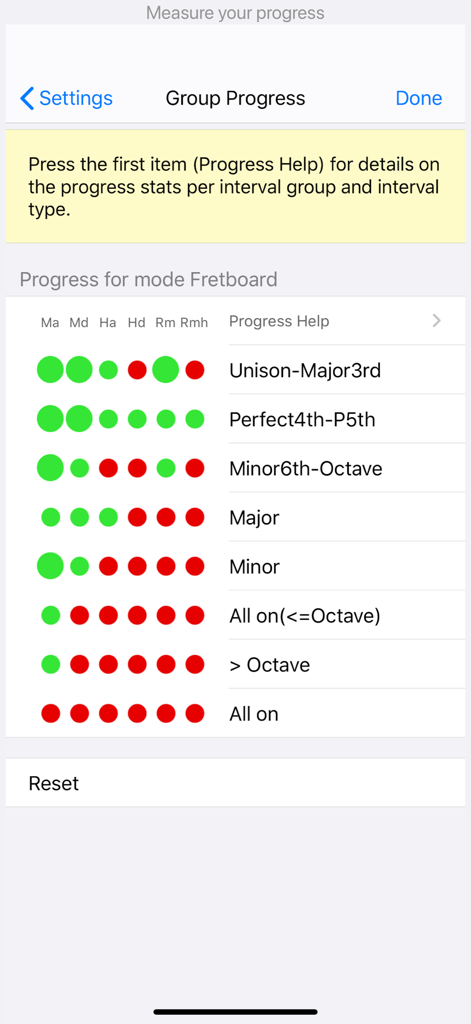
Guitar Interval Ear Trainer - 다양한 인터벌 유형에 대한 색상 코딩 표시기가 있는 음악 인터벌 학습 통계를 보여주는 그룹 진행률 화면.

다양한 인터벌 유형에 대한 색상 코딩 표시기가 있는 음악 인터벌 학습 통계를 보여주는 그룹 진행률 화면.

설명

One of the first steps in ear training is recognizing intervals, which are the distances between two notes. Because every melody, chord, or scale consists of a series of intervals, this is a fundamental and valuable skill in music. Our app is designed to help you identify intervals and learn how to locate them on the guitar. By improving your knowledge of intervals on the guitar, you can easily decipher chord progressions, replicate melodies as you hear them, gain a better understanding of written music, and more. Key Features - Choose from 17 selectable intervals, ranging from unison and minor seconds to major tenths. - Select between melodic and harmonic intervals, for both ascending and descending. - Get a visual representation of intervals on the guitar. - Choose the root note from two octaves. - Use portrait, portrait upside down, and landscape modes. - Optional voice function for convenient training, even in the car. - Practice and test (quiz)modes. - Intervals are categorized by difficulty level, with each group having 6 progress indicators corresponding to different interval types (melodic ascending/descending, harmonic ascending/descending, random melodic, random harmonic/melodic). - Optional reference melodies for each interval can be played, helping you learn intervals faster. - When practicing harmonic intervals, the app classifies the interval as consonant or dissonant, helping you identify harmonic intervals effectively. - Access over 10 alternate tunings, including NST (new standard tuning) and all fourths tuning, making it easier to recognize similar patterns across the fretboard for the same intervals. - An option to play only tapped notes (interval type "None") is available, which is useful for figuring out melodies or experimenting with alternate tunings. - In practice mode, the root can also be played as the second note in the interval. -In Test Mode, you can choose an infinite think-time. When infinite think-time is selected, tap anywhere outside the fretboard to replay the interval. - The app supports left-handed and bass guitars. - Enharmonic equivalent notes are used to maintain classical interval names, ensuring consistency with written music (e.g., the 3-semitone interval C - D# will be called a minor third C - Eb). - Practice and test intervals within a scale context, as the same intervals can sound different in various scales. This feature allows you to play partial scale runs of the interval automatically backward and/or forward in your chosen scale. - Visualize over 15 essential scales on the fretboard. The scale notes are clustered and colored to clearly indicate the root note to which the interval applies. - Our app is universal, designed for iPhone and iPad. - Support for all screen sizes. - Dark mode support (iOS 13+). - Tested on iOS and iPadOS 26.

Download

다운로드: App Store

이 페이지는 앱이나 개발자의 공식 페이지가 아니며, 정보 제공 및 논평을 목적으로 작성된 독립 편집 간행물입니다. 명시적으로 달리 언급되지 않는 한, 해당 앱이나 개발자는 MWM, Apple, Google Play, 앱 퍼블리셔 또는 앱 개발자와 제휴, 보증, 후원, 승인 또는 공식적으로 연결되어 있지 않으며, 이 페이지의 어떤 내용도 해당 앱이 MWM의 서비스를 사용하여 개발되었음을 의미하지 않습니다. 모든 상표, 로고, 스크린샷 및 기타 콘텐츠는 해당 소유자의 자산입니다.







