HabitDone -Daily Habit Tracker

HabitDone -Daily Habit Tracker

다운로드: App Store
로고: HabitDone -Daily Habit Tracker

HabitDone: 우아한 정밀함으로 일일 루틴 마스터하기

현대적인 성취자를 위해 설계된 깔끔하고 개인 정보 보호 우선 습관 추적기로 목표를 달성하세요. 놀라운 히트맵과 데이터 인사이트를 통해 진행 상황을 시각화하세요—로그인이 필요 없으며 순수한 성장만 있습니다.

개발사

Xi'an Jianqu Technology Co., Ltd.

카테고리

Productivity

다운로드

16K+

사용자 평점

4.4/5

총 평가 수

0

지원 언어

5

당신의 성장, 시각화

이 인터페이스를 사용하는 16K+ 명의 사용자.

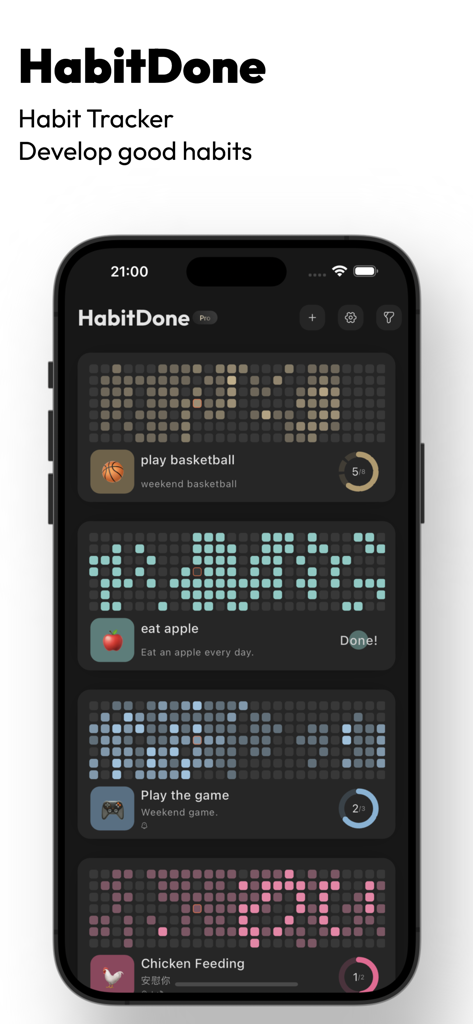
어두운 테마의 다채로운 히트맵과 진행률 표시기가 있는 일일 습관을 보여주는 HabitDone 앱 인터페이스

어두운 테마의 다채로운 히트맵과 진행률 표시기가 있는 일일 습관을 보여주는 HabitDone 앱 인터페이스

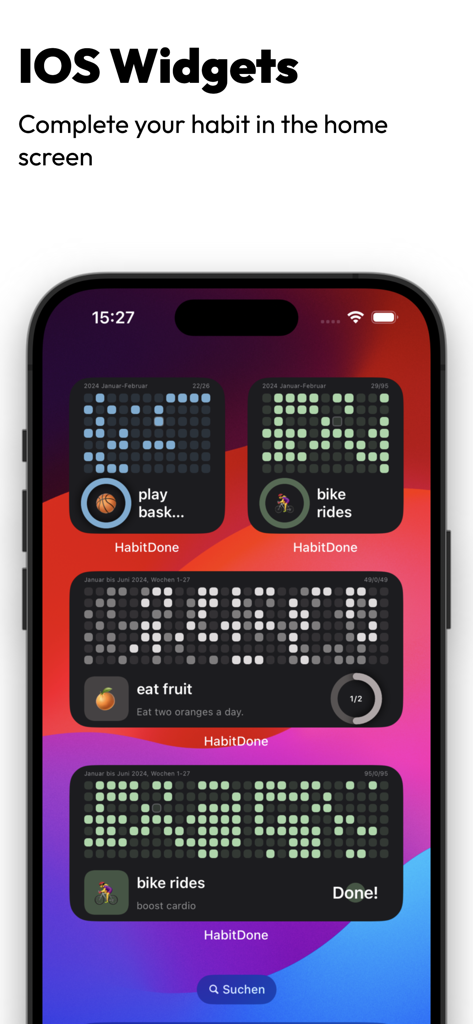
습관 진행률 히트맵을 보여주는 HabitDone의 iOS 홈 화면 위젯

습관 진행률 히트맵을 보여주는 HabitDone의 iOS 홈 화면 위젯

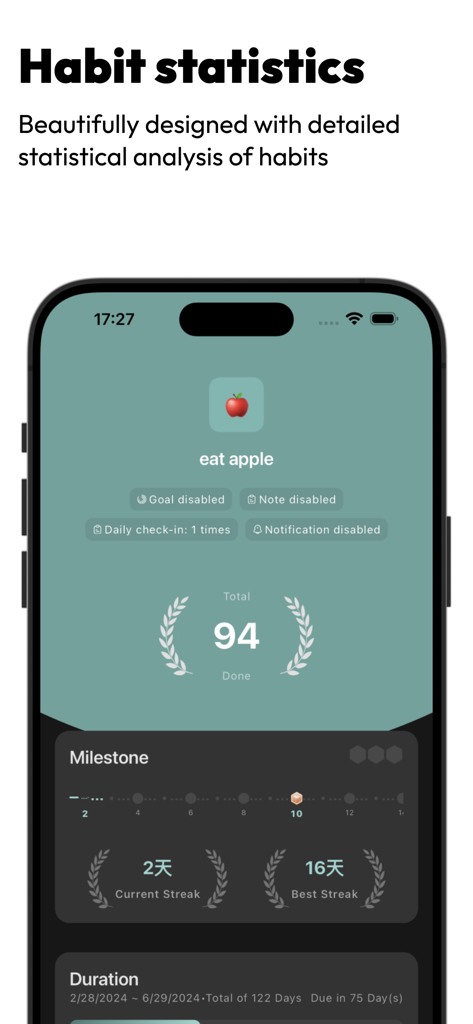
일일 목표에 대한 습관 통계, 현재 연속 기록 및 마일스톤을 보여주는 HabitDone 앱 스크린샷

일일 목표에 대한 습관 통계, 현재 연속 기록 및 마일스톤을 보여주는 HabitDone 앱 스크린샷

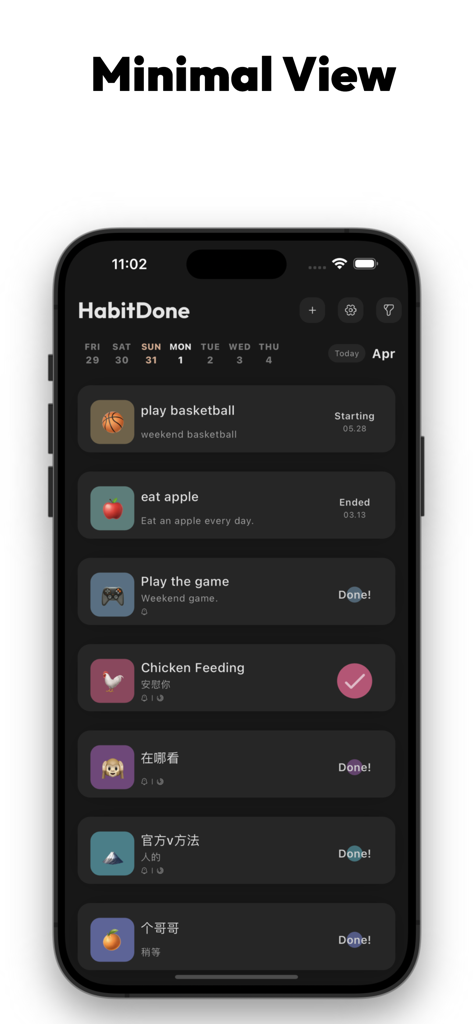
어두운 모드 인터페이스에서 일일 습관의 최소 목록을 표시하는 HabitDone 앱 대시보드

어두운 모드 인터페이스에서 일일 습관의 최소 목록을 표시하는 HabitDone 앱 대시보드

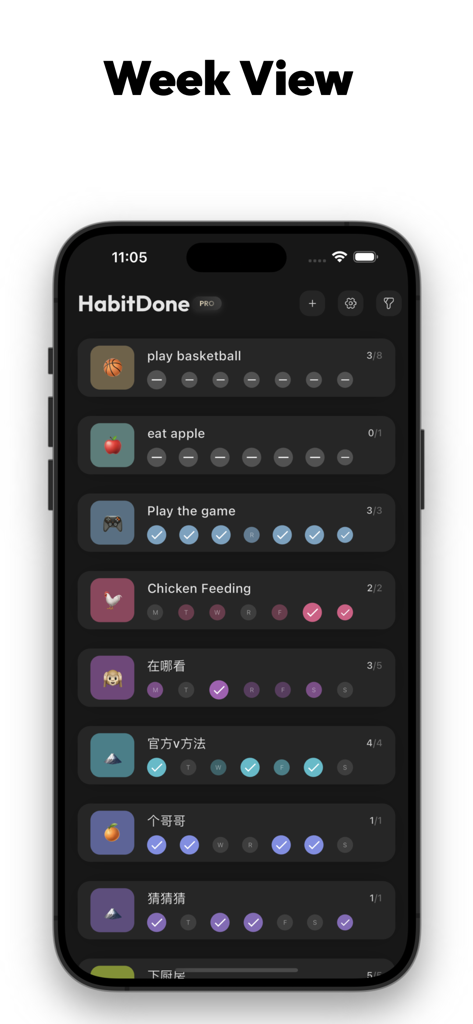
다양한 습관에 대한 주간 진행률 보기를 보여주는 HabitDone 앱 스크린샷

다양한 습관에 대한 주간 진행률 보기를 보여주는 HabitDone 앱 스크린샷

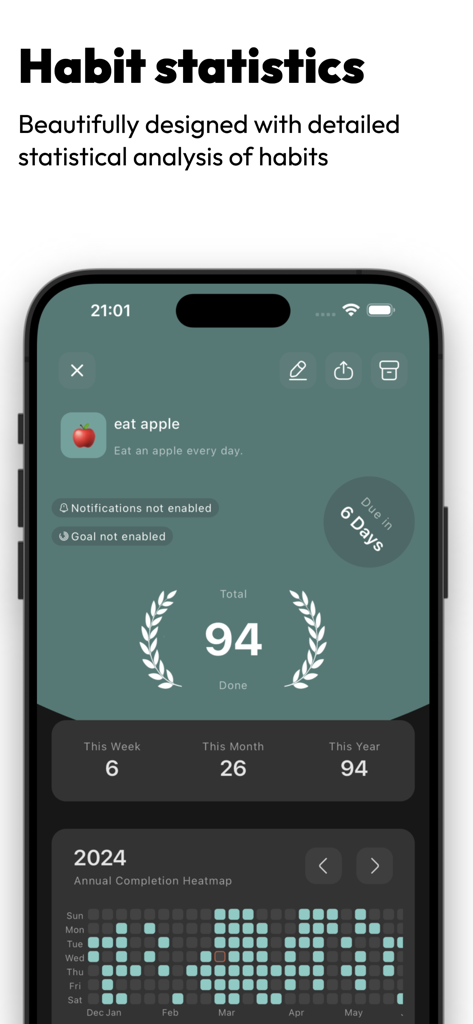
상세한 습관 통계와 연간 완료 히트맵을 보여주는 HabitDone 앱 인터페이스

상세한 습관 통계와 연간 완료 히트맵을 보여주는 HabitDone 앱 인터페이스

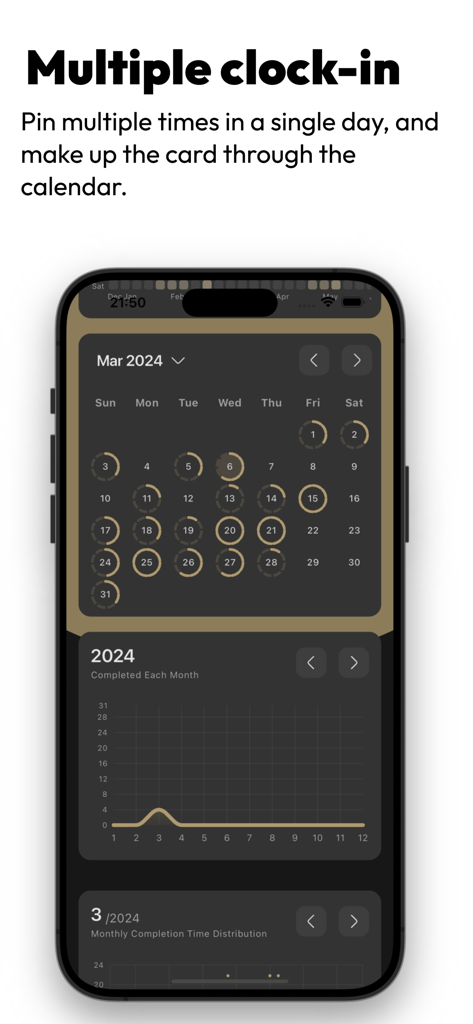
캘린더에 여러 일일 확인과 월간 습관 완료 선 차트를 보여주는 HabitDone 앱 인터페이스

캘린더에 여러 일일 확인과 월간 습관 완료 선 차트를 보여주는 HabitDone 앱 인터페이스

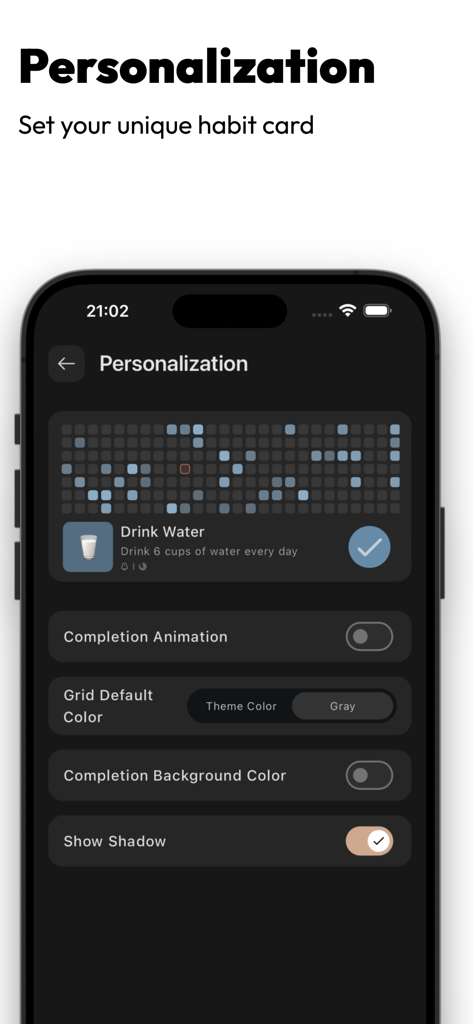
물 마시기 진행률 히트맵과 사용자 정의 가능한 습관 카드 설정을 보여주는 HabitDone 앱 개인화 화면

물 마시기 진행률 히트맵과 사용자 정의 가능한 습관 카드 설정을 보여주는 HabitDone 앱 개인화 화면

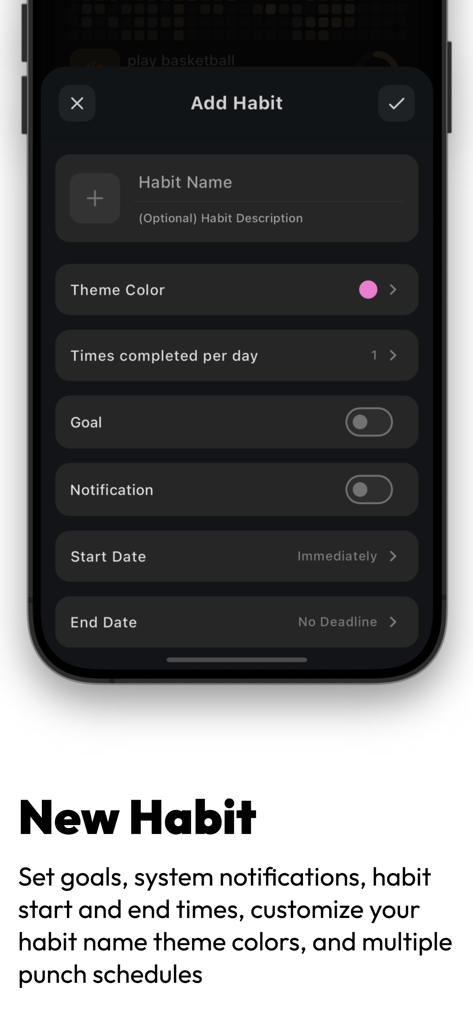
테마 색상 및 알림과 같은 사용자 정의 가능한 옵션으로 새 습관을 만들기 위한 HabitDone 앱 인터페이스를 보여주는 스마트폰 화면

테마 색상 및 알림과 같은 사용자 정의 가능한 옵션으로 새 습관을 만들기 위한 HabitDone 앱 인터페이스를 보여주는 스마트폰 화면

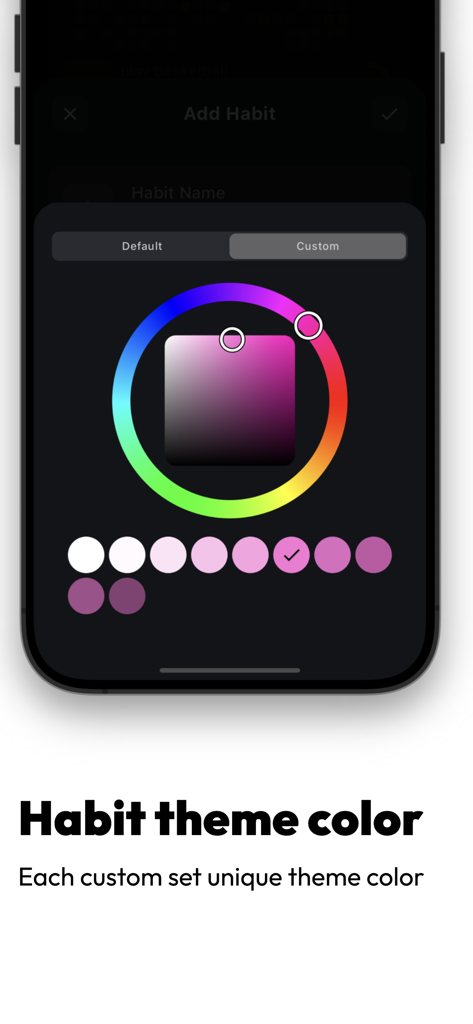
HabitDone 앱에서 습관 추적을 위한 사용자 정의 색상 테마 선택 인터페이스

HabitDone 앱에서 습관 추적을 위한 사용자 정의 색상 테마 선택 인터페이스

일일 성장 마스터하기

이 앱을 돋보이게 하는 도구, 16K+ 명의 사용자가 선택.

📊

통찰력 있는 시각적 분석

GitHub 스타일의 히트맵과 산점도로 동기 부여를 유지하고 일관성을 아름답고 실행 가능한 데이터로 변환하세요.

🔒

완벽한 데이터 개인 정보 보호

데이터는 당신의 것입니다. 계정이 필요 없으며 외부 서버가 없으므로 개인 습관은 100% 비공개로 안전하게 유지됩니다.

🎨

미적 취향에 맞게 맞춤 설정

맞춤 아이콘과 테마로 여정을 개인화하고, 여러 번의 일일 확인으로 복잡한 루틴을 관리하세요.

앱 소개

에 대해 알아야 할 모든 것 HabitDone -Daily Habit Tracker.

설명

HabitDone is a modern habit tracking app that helps you achieve your goals and stay motivated through its clean and modern interface. You can set multiple habits, establish goals, and track your progress. It utilizes visually appealing heat maps to track your progress and provides various data analysis features. Additionally, it supports custom theme colors, multiple check-ins per day, personalized icons, habit descriptions, and system reminders to keep you motivated. Key features include: Habit Tracking Customize habit names, descriptions, personalized icons, system notification settings, and set the frequency of completion for each habit. Multiple Check-Ins Set habits to be completed multiple times per day. You can choose the number of times to check in each day. Goal Setting Set your goals for how often you want to complete your habits—whether it's weekly, daily, or monthly. You have the flexibility to define it as you wish. Reminder Functionality HabitDone can set system reminders, allowing you to schedule reminders on specific days and times each week. You'll receive notifications at the designated times to help you stay on track with your habits. Chart Analysis HabitDone provides heat maps, line charts, scatter plots, calendars, and various other dimensions for tracking and analyzing your habits. Data Import/Export HabitDone supports data import and export functions to ensure the safety of your data. You can store your data at any location at any time. Privacy Protection Your data is completely private and secure—no login is required, there are no servers, and no data is stored. About the terms: Privacy Policy:https://disonwei.notion.site/Privacy-Policy-bbba240f3b2a417ab1da85f9dbf0c263?pvs=4 User Agreement:https://disonwei.notion.site/Terms-Conditions-b09695626e3c4dcdbe44b20fd447bebf?pvs=4

최신 버전

3.1.2

크기

58.9 MB

출시일

2024년 1월 20일

일일 루틴 마스터할 준비가 되셨나요?

iOS에서 가장 개인적이고 데이터 중심적인 추적기로 더 나은 습관을 구축하는 16,000명 이상의 사용자와 함께하세요. 계정 없음, 서버 없음—깔끔하고 아름다운 진행 상황만 있습니다.

다운로드: App Store

App information, icons, screenshots, and descriptions displayed on this page are sourced from the Apple App Store and are the property of their respective developers. Download estimates and rankings are based on MWM's proprietary models and may not reflect actual figures. This page is provided for informational and analytical purposes only.

Believe this page infringes your intellectual property? File a dispute