Haptic Testing: Developer Tool
다운로드: App Store

이 페이지는 앱이나 개발자의 공식 페이지가 아니며, 정보 제공 및 논평을 목적으로 작성된 독립 편집 간행물입니다. 명시적으로 달리 언급되지 않는 한, 해당 앱이나 개발자는 MWM, Apple, Google Play, 앱 퍼블리셔 또는 앱 개발자와 제휴, 보증, 후원, 승인 또는 공식적으로 연결되어 있지 않으며, 이 페이지의 어떤 내용도 해당 앱이 MWM의 서비스를 사용하여 개발되었음을 의미하지 않습니다. 모든 상표, 로고, 스크린샷 및 기타 콘텐츠는 해당 소유자의 자산입니다.

로고: Haptic Testing: Developer Tool
다운로드: App Store

Haptic Testing: Developer Tool

iOS 및 watchOS 개발자가 전문적인 수준의 햅틱을 테스트, 시각화 및 구현할 수 있는 궁극의 샌드박스입니다. 추측은 그만하고 바로 사용 가능한 코드 스니펫으로 몰입감 있는 촉각 경험을 구축하세요.

주요 수치

다운로드

10K+

사용자 평점

4.5/5

총 평가 수

0

개발사

Ivan Obodianskyi

카테고리

Developer Tools

지원 언어

1

최신 버전

2.1

크기

27.1 MB

출시일

2024년 10월 10일
기능

완벽한 촉각 경험 만들기

앱의 느낌이 어떤지 추측하지 마세요. 모든 진동을 미리 보고, 패턴을 시각화하고, 수상 경력에 빛나는 상호 작용을 만드는 데 필요한 코드를 얻으세요.

즉각적인 햅틱 청취

iOS 및 watchOS 피드백의 전체 범위를 실시간으로 테스트하세요. 재빌드 없이 부드럽고, 강하고, 단단한 충격 간의 차이를 즉시 느껴보세요.

즉시 구현 가능한 코드

완벽한 느낌을 찾으셨나요? 바로 사용 가능한 Swift 스니펫을 프로젝트에 직접 복사하여 붙여넣으세요. 워크플로 시간을 몇 분에서 몇 초로 단축하세요.

다음 스크린샷과 설명은 앱의 공식 스토어 목록에서 직접 가져온 것이며 앱 개발자의 자산입니다.

앱 스토어

스크린샷
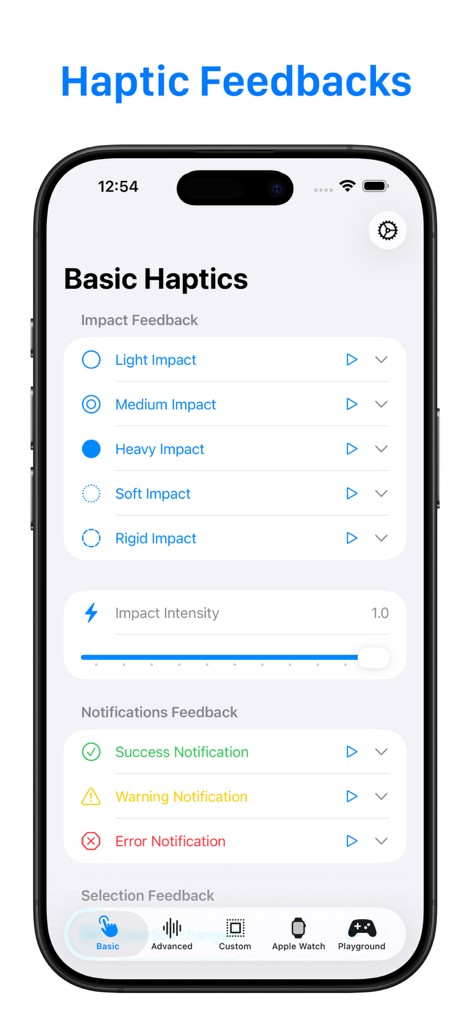
Haptic Testing: Developer Tool - 개발자를 위한 기본 충격 및 알림 피드백 설정이 있는 햅틱 테스트 앱 인터페이스를 보여주는 iPhone 화면
개발자를 위한 기본 충격 및 알림 피드백 설정이 있는 햅틱 테스트 앱 인터페이스를 보여주는 iPhone 화면

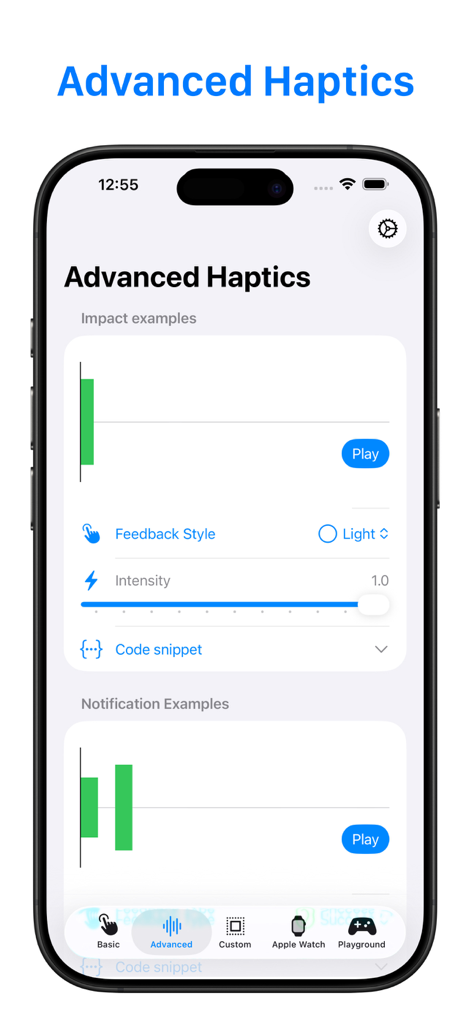
Haptic Testing: Developer Tool - 충격 예시 및 피드백 스타일 컨트롤에 대한 시각화 장치를 보여주는 고급 햅틱 테스트 화면
충격 예시 및 피드백 스타일 컨트롤에 대한 시각화 장치를 보여주는 고급 햅틱 테스트 화면

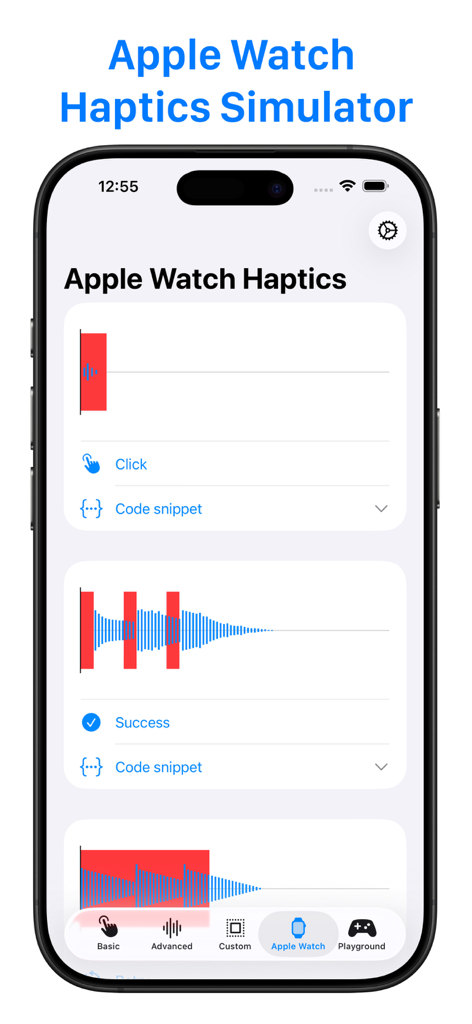
Haptic Testing: Developer Tool - 클릭 및 성공 햅틱 피드백에 대한 시각적 패턴을 보여주는 Apple Watch 햅틱 시뮬레이터 화면
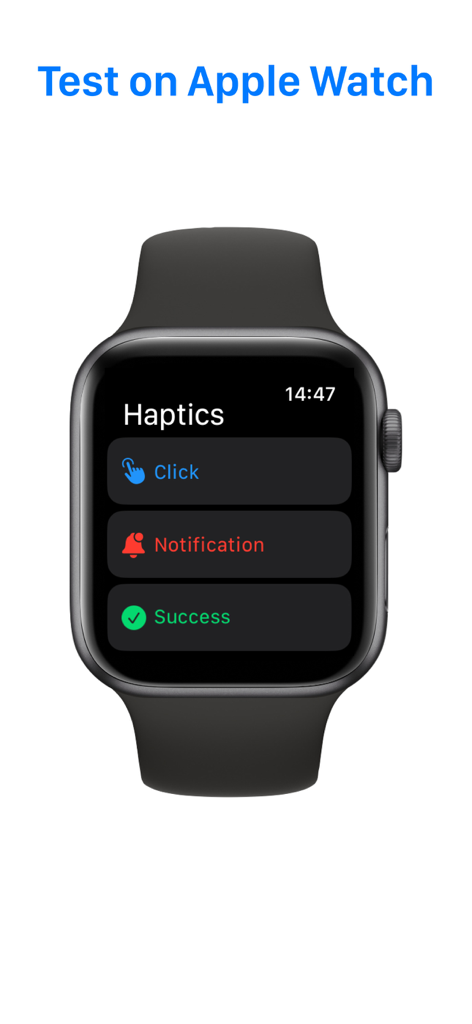
클릭 및 성공 햅틱 피드백에 대한 시각적 패턴을 보여주는 Apple Watch 햅틱 시뮬레이터 화면

Haptic Testing: Developer Tool - 개발자를 위한 햅틱 피드백 테스트 옵션을 표시하는 Apple Watch 인터페이스
개발자를 위한 햅틱 피드백 테스트 옵션을 표시하는 Apple Watch 인터페이스

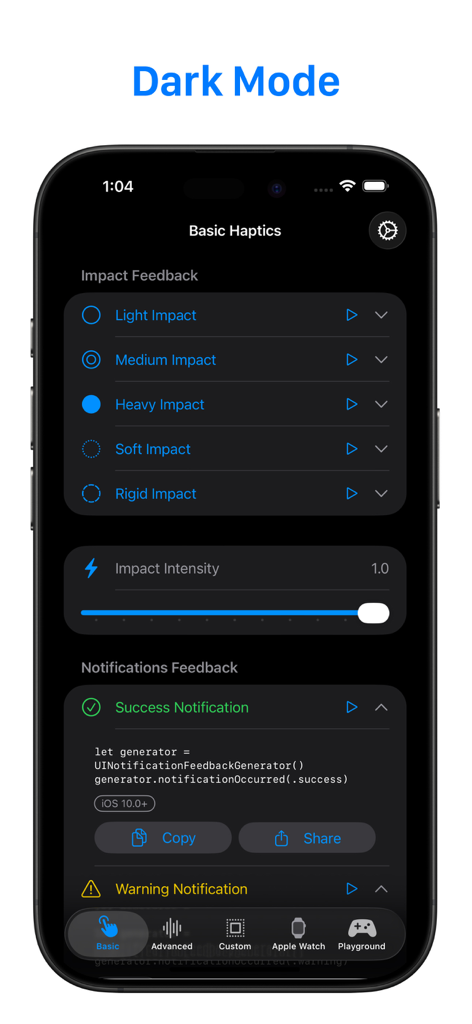
Haptic Testing: Developer Tool - 어두운 모드에서 기본 충격 피드백 옵션과 Swift 코드 스니펫을 보여주는 햅틱 테스트 앱의 스크린샷
어두운 모드에서 기본 충격 피드백 옵션과 Swift 코드 스니펫을 보여주는 햅틱 테스트 앱의 스크린샷

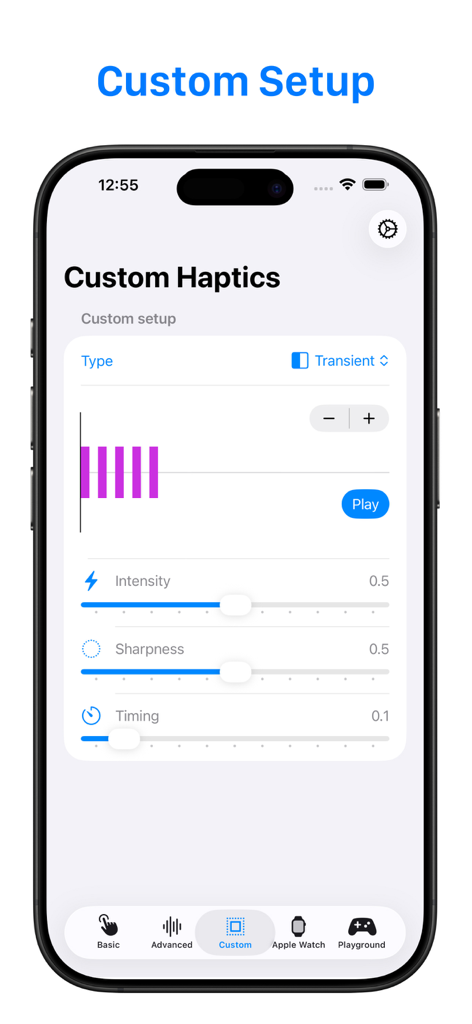
Haptic Testing: Developer Tool - 강도 및 선명도 슬라이더를 보여주는 사용자 지정 햅틱 테스트를 위한 모바일 앱 인터페이스
강도 및 선명도 슬라이더를 보여주는 사용자 지정 햅틱 테스트를 위한 모바일 앱 인터페이스

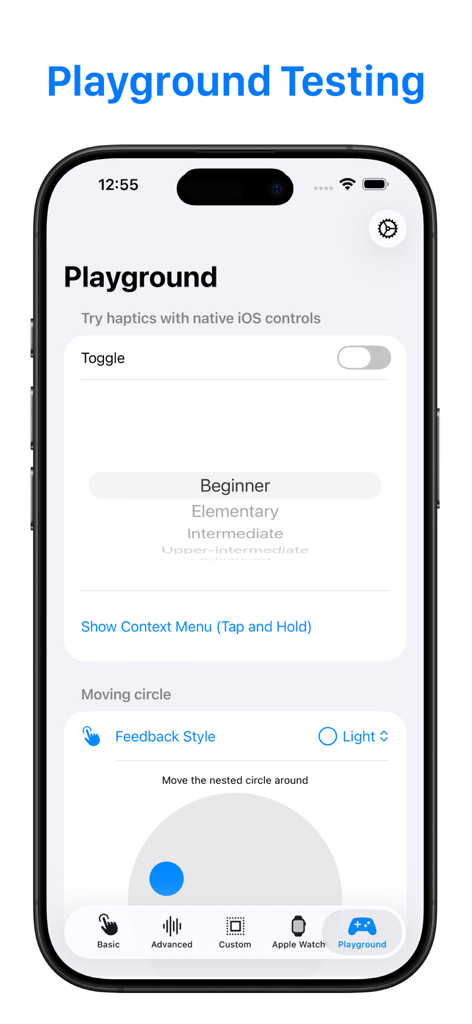
Haptic Testing: Developer Tool - 촉각 피드백 테스트를 위한 토글 및 피커와 같은 기본 iOS 컨트롤을 표시하는 햅틱 테스트 앱 플레이그라운드 화면
촉각 피드백 테스트를 위한 토글 및 피커와 같은 기본 iOS 컨트롤을 표시하는 햅틱 테스트 앱 플레이그라운드 화면

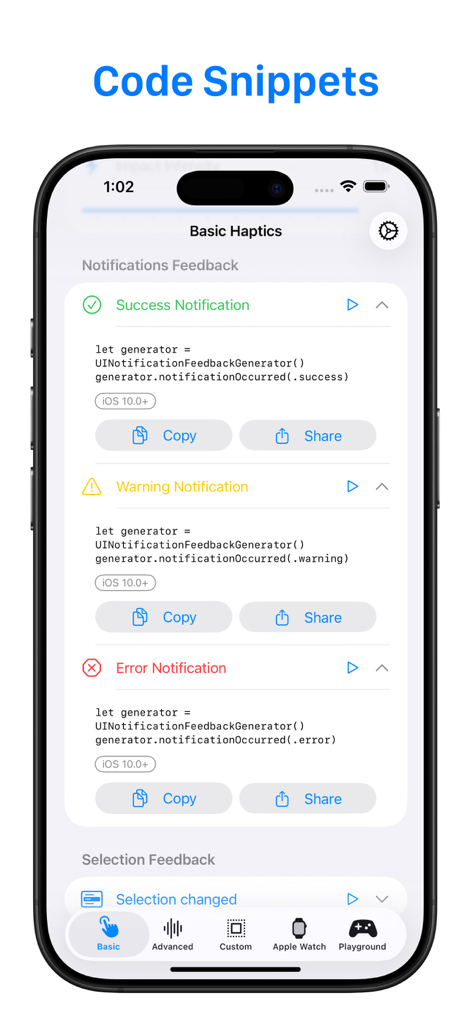
Haptic Testing: Developer Tool - 성공 경고 및 오류 햅틱 피드백에 대한 코드 스니펫을 보여주는 개발자 도구 인터페이스

성공 경고 및 오류 햅틱 피드백에 대한 코드 스니펫을 보여주는 개발자 도구 인터페이스

설명

Haptics Feedback is powerful tool designed for developers and enthusiasts who want to perfect the tactile experiences on iPhone, iPad, and Apple Watch. Why Haptics Feedback? Haptics are an essential part of any modern app, enhancing user engagement by adding physical responses to actions like taps, swipes, or alerts. With Haptics Feedback, you can easily experiment with different types of haptic responses, see how they feel in real time, and get the code snippets you need to implement them in your own projects. Key Features: 1. Comprehensive Haptic Testing: Test the full range of haptic feedback types on iOS and watchOS devices, including: 2. Advanced Haptics Visualizer: For developers who want to dive deeper into the haptics design process, the Advanced View offers a powerful visual representation of the haptic feedback. 3. Apple Watch Haptics Testing: Designing an Apple Watch app or extension? Haptics Feedback offers a seamless way to test and adjust haptics directly on your Apple Watch. Get hands-on with real-time feedback on your wrist. Not wearing your watch? No problem! Use the built-in Apple Watch Haptics Simulator right on your iPhone to see how haptics would perform on the watch. 4. Developer-Focused Design: Haptics Feedback is tailored specifically for developers, providing not only the tools to test and visualize haptics, but also the code snippets needed to implement them. Each feature has been designed to simplify the process of adding haptics to your apps, reducing guesswork and saving you time. Who Is This App For? - App Developers: Enhance the user experience in your apps by integrating perfect haptics that match every action. - Game Developers: Craft immersive and tactile game experiences that pull players deeper into your game world. - UX/UI Designers: Experiment with haptics to bring your interface designs to life and create memorable interactions. - Tech Enthusiasts: Discover how haptic feedback works, experiment with different styles, and learn how to bring a professional touch to app interactions. Why Haptics Matter Imagine pressing a button in your app and feeling a subtle vibration that confirms your action, or getting an alert on your Apple Watch that not only makes a sound but gives you a tap on your wrist. These sensations create a more intuitive, engaging, and satisfying user experience. With Haptics Feedback, you can test these scenarios and make sure they feel just right before adding them to your app.

Download

다운로드: App Store

이 페이지는 앱이나 개발자의 공식 페이지가 아니며, 정보 제공 및 논평을 목적으로 작성된 독립 편집 간행물입니다. 명시적으로 달리 언급되지 않는 한, 해당 앱이나 개발자는 MWM, Apple, Google Play, 앱 퍼블리셔 또는 앱 개발자와 제휴, 보증, 후원, 승인 또는 공식적으로 연결되어 있지 않으며, 이 페이지의 어떤 내용도 해당 앱이 MWM의 서비스를 사용하여 개발되었음을 의미하지 않습니다. 모든 상표, 로고, 스크린샷 및 기타 콘텐츠는 해당 소유자의 자산입니다.








