HealthView
HealthView
다운로드: App Store

이 페이지는 앱이나 개발자의 공식 페이지가 아니며, 정보 제공 및 논평을 목적으로 작성된 독립 편집 간행물입니다. 명시적으로 달리 언급되지 않는 한, 해당 앱이나 개발자는 MWM, Apple, Google Play, 앱 퍼블리셔 또는 앱 개발자와 제휴, 보증, 후원, 승인 또는 공식적으로 연결되어 있지 않으며, 이 페이지의 어떤 내용도 해당 앱이 MWM의 서비스를 사용하여 개발되었음을 의미하지 않습니다. 모든 상표, 로고, 스크린샷 및 기타 콘텐츠는 해당 소유자의 자산입니다.


로고: HealthView
다운로드: App Store

HealthView

애플 건강을 강력하고 개인화된 대시보드로 변신시키세요. 자가 측정(Quantified Self)을 위해 설계된 맞춤형 위젯과 워치 컴플리케이션으로 심박수부터 영양까지 50개 이상의 지표를 추적할 수 있습니다.

주요 수치

다운로드

1M+

사용자 평점

4.5/5

총 평가 수

21K+

개발사

Kodeon, Inc.

카테고리

Health & Fitness

지원 언어

10

최신 버전

3.10.2

크기

48.4 MB

출시일

2015년 9월 22일
기능

건강 데이터 마스터하기

하위 메뉴를 헤매지 마세요. HealthView는 복잡한 애플 건강 앱을 자가 측정을 위해 구축된 깔끔하고 맞춤 설정 가능한 대시보드로 바꿔줍니다.

나만의 맞춤형 커맨드 센터

가장 중요한 지표에 우선순위를 두세요. 최대 산소 섭취량(VO2 max)과 심박 변이도(HRV)부터 카페인 섭취량까지, 개인의 건강 목표를 반영하는 대시보드를 구성하세요.

한눈에 들어오는 모니터링

앱을 열지 않고도 진행 상황을 추적하세요. 맞춤형 iOS 위젯과 Apple Watch 컴플리케이션을 사용하여 홈 화면이나 손목에서 즉시 생체 신호를 확인할 수 있습니다.

다음 스크린샷과 설명은 앱의 공식 스토어 목록에서 직접 가져온 것이며 앱 개발자의 자산입니다.

앱 스토어

스크린샷
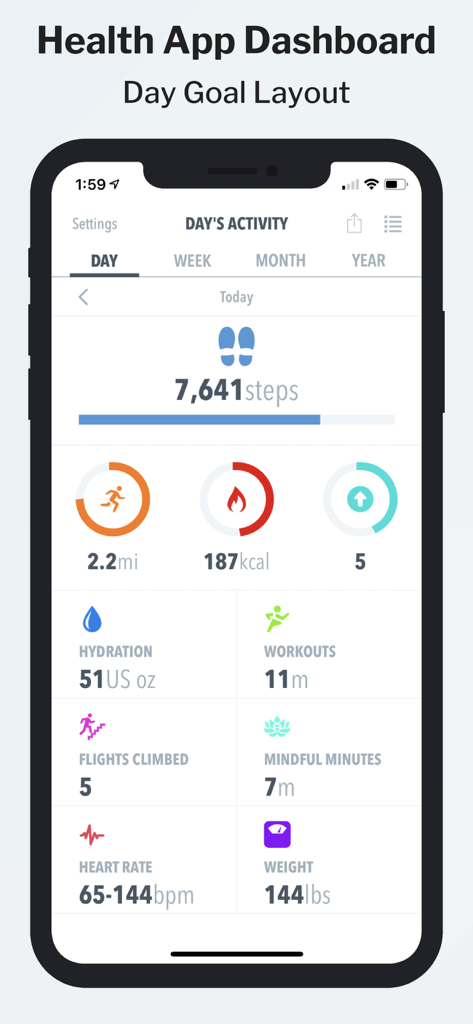
HealthView - 걸음 수, 칼로리, 심박수를 포함한 일일 건강 지표를 표시하는 HealthView 앱 대시보드
걸음 수, 칼로리, 심박수를 포함한 일일 건강 지표를 표시하는 HealthView 앱 대시보드

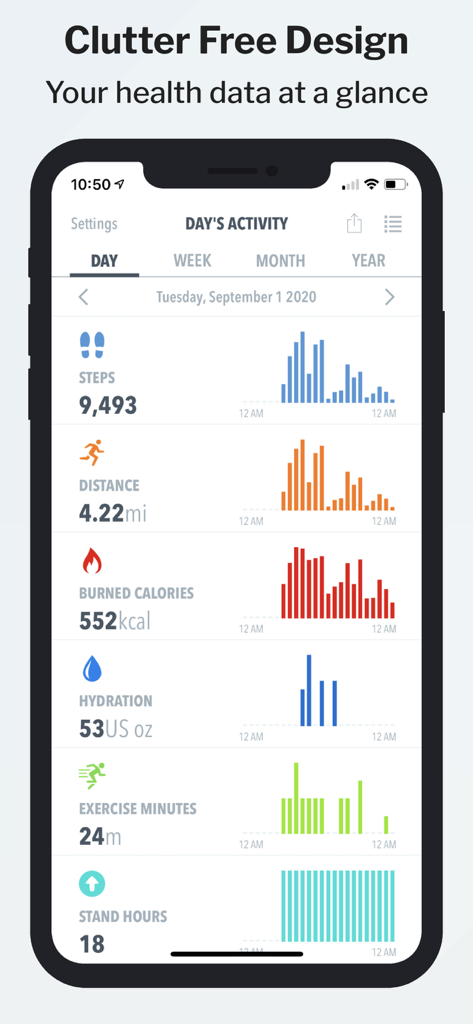
HealthView - 걸음 수, 거리, 칼로리를 막대 그래프와 함께 보여주는 깔끔한 일일 활동 지표 대시보드의 HealthView 앱
걸음 수, 거리, 칼로리를 막대 그래프와 함께 보여주는 깔끔한 일일 활동 지표 대시보드의 HealthView 앱

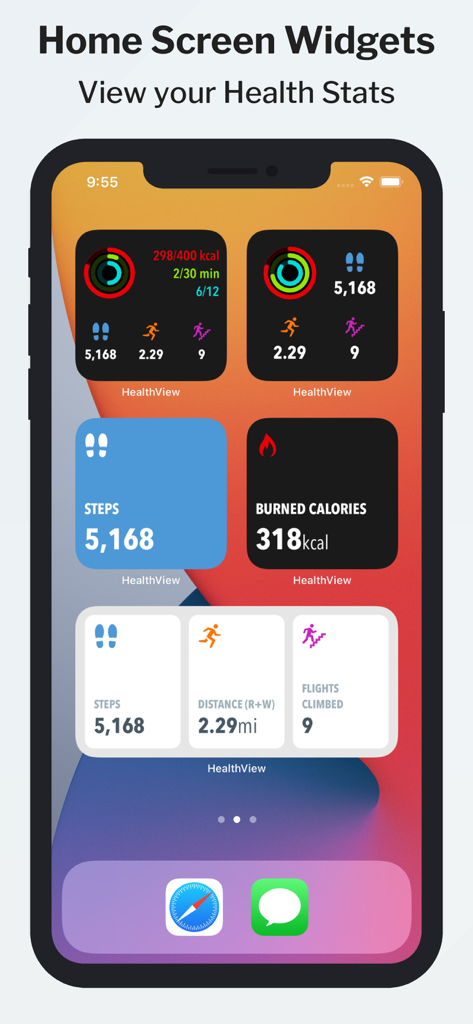
HealthView - iPhone 홈 화면의 HealthView 맞춤형 건강 위젯

iPhone 홈 화면의 HealthView 맞춤형 건강 위젯

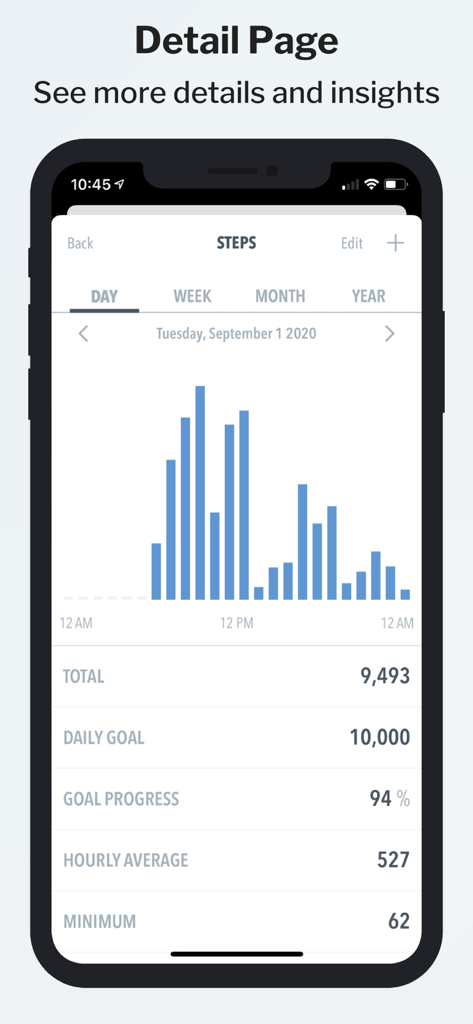
HealthView - 목표 진행 상황과 건강 지표가 포함된 일일 걸음 수 막대 그래프를 보여주는 HealthView 모바일 앱
목표 진행 상황과 건강 지표가 포함된 일일 걸음 수 막대 그래프를 보여주는 HealthView 모바일 앱

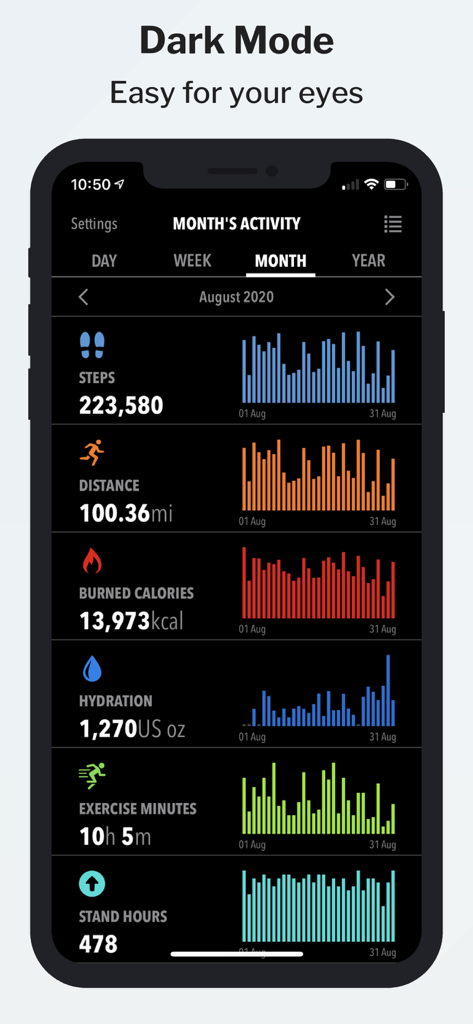
HealthView - 걸음 수, 거리, 칼로리에 대한 건강 차트를 보여주는 다크 모드의 HealthView 앱 월간 활동 대시보드
걸음 수, 거리, 칼로리에 대한 건강 차트를 보여주는 다크 모드의 HealthView 앱 월간 활동 대시보드

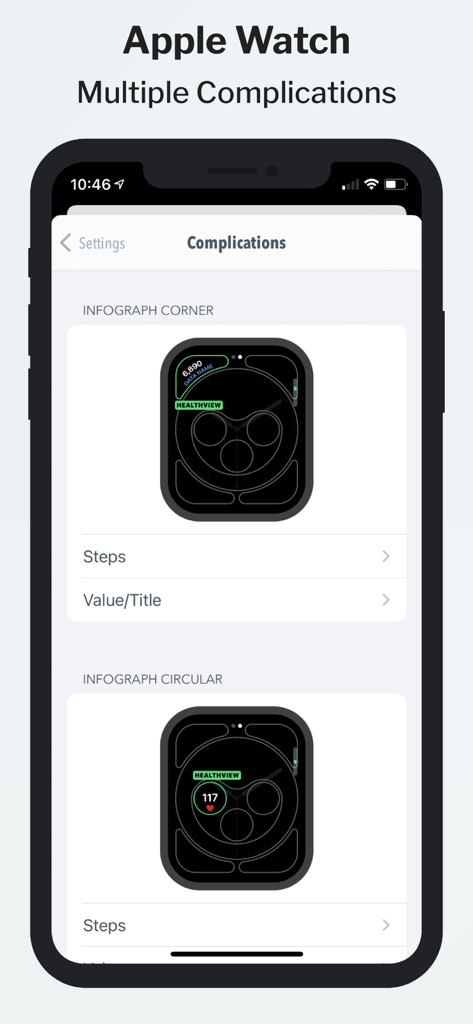
HealthView - 다양한 시계 페이스의 Apple Watch 컴플리케이션 설정 옵션을 보여주는 HealthView 앱 인터페이스
다양한 시계 페이스의 Apple Watch 컴플리케이션 설정 옵션을 보여주는 HealthView 앱 인터페이스

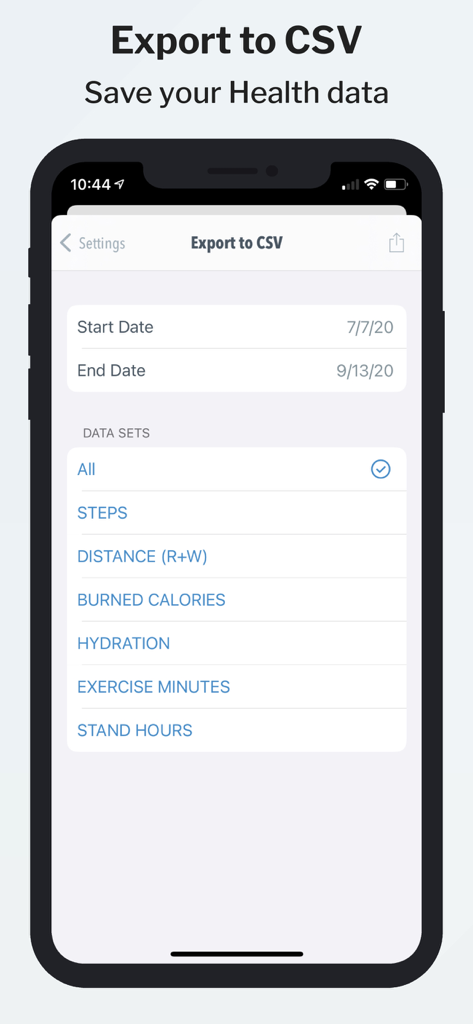
HealthView - 특정 건강 데이터 세트 및 날짜 범위를 선택할 수 있는 CSV 내보내기 기능을 보여주는 HealthView 앱 인터페이스
특정 건강 데이터 세트 및 날짜 범위를 선택할 수 있는 CSV 내보내기 기능을 보여주는 HealthView 앱 인터페이스

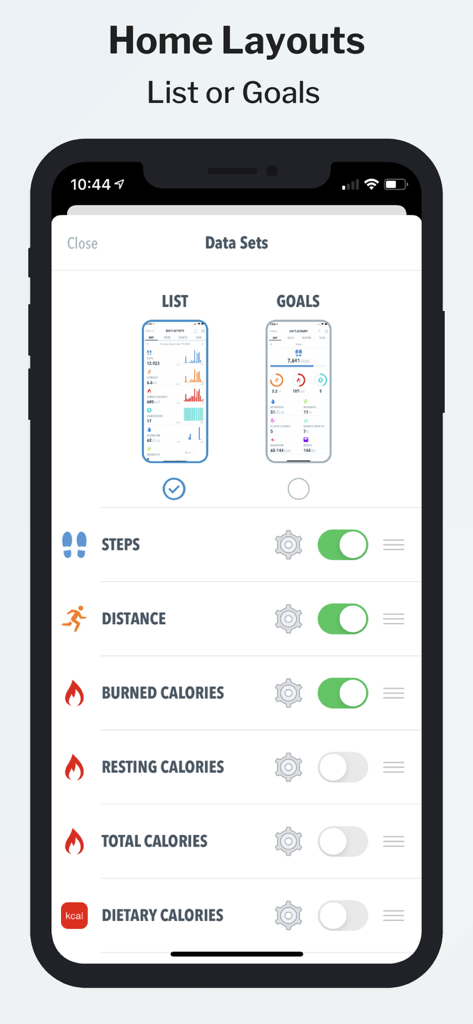
HealthView - 목록과 목표 사이의 홈 레이아웃을 맞춤 설정하고 건강 지표를 전환할 수 있는 옵션을 보여주는 HealthView 앱 인터페이스
목록과 목표 사이의 홈 레이아웃을 맞춤 설정하고 건강 지표를 전환할 수 있는 옵션을 보여주는 HealthView 앱 인터페이스

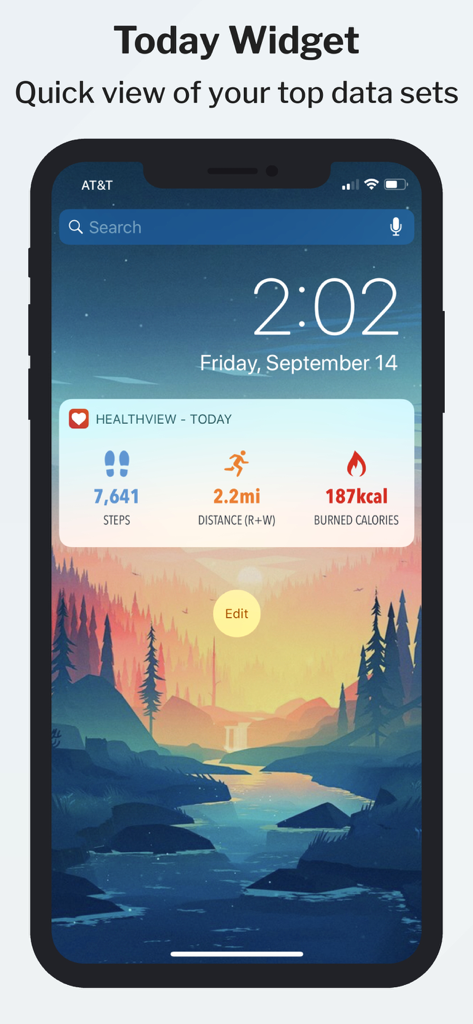
HealthView - 일일 걸음 수, 거리 및 소모 칼로리를 보여주는 iPhone의 HealthView 오늘 위젯

일일 걸음 수, 거리 및 소모 칼로리를 보여주는 iPhone의 HealthView 오늘 위젯

설명

HealthView app integrates with the Apple Health app and allows you to see your health data in a broad clean way, by allowing you to drill down to more details in an easy and quick way! Apple Watch complications will show your activity levels from your pedometer data - this feature is very convenient if you want to glance over your activity data quickly. New in version 3.0: Widgets! See your health data at a glance right on our home screen! Customizable look and feel, view all datasets that you have configured and more! See your health and fitness widget. HealthView also features the ability to customize and show up to 3 data sets in the Today View widget! If you have any questions, please don't hesitate to contact our support! Supported Data Sets: Steps Count Distance Burned Calories Resting Calories Total Calories Stand Hours Water Workouts Flights Climbed Heart Rate Resting Heart Rate Heart Rate Variability Walking Heart Rate Sleep Dietary Calories Weight BMI Body Fat Body Temperature Lean Body Mass Waist Size Cycling Nike Fuel Caffeine Swimming Strokes Swimming Distance Mindful Minutes Blood Glucose Blood Pressure Wheelchair Distance Pushes Exercise Carbohydrates Fiber Protein Sodium Total fat Dietary Sugar Saturated Fat Monounsaturated Fat Polyunsaturated Fat Calcium Iron Potassium Vitamin C Vitamin D Vitamin B12 VO2max Dietary Cholesterol Forced Expiratory Volume Peak Expiratory Flow Rate Pulse Oximetry Sexual Activity Ovulation Test Results ------------- The app offers an auto-renewing Premium Subscription. Payment will be charged to iTunes Account at confirmation of purchase. Subscription automatically renews unless auto-renew is turned off at least 24-hours before the end of the current period. Account will be charged for renewal within 24-hours prior to the end of the current period, and identify the cost of the renewal. Subscriptions may be managed by the user and auto-renewal may be turned off by going to the user's Account Settings after purchase. Any unused portion of a free trial period, if offered, will be forfeited when the user purchases a subscription to that publication, where applicable. NOTE: HealthView reads data only from Apple Health app. No data is being sent outside of your device. Health app access required. Privacy Policy: https://growthbundle.com/privacy-policy Terms of Use: https://growthbundle.com/terms-of-service

Download

다운로드: App Store

이 페이지는 앱이나 개발자의 공식 페이지가 아니며, 정보 제공 및 논평을 목적으로 작성된 독립 편집 간행물입니다. 명시적으로 달리 언급되지 않는 한, 해당 앱이나 개발자는 MWM, Apple, Google Play, 앱 퍼블리셔 또는 앱 개발자와 제휴, 보증, 후원, 승인 또는 공식적으로 연결되어 있지 않으며, 이 페이지의 어떤 내용도 해당 앱이 MWM의 서비스를 사용하여 개발되었음을 의미하지 않습니다. 모든 상표, 로고, 스크린샷 및 기타 콘텐츠는 해당 소유자의 자산입니다.