Hindenburg Field Recorder

Hindenburg Field Recorder

다운로드: App Store
로고: Hindenburg Field Recorder

Hindenburg 필드 레코더: 모든 스토리를 전문가의 정확성으로 담아내세요

라디오 저널리스트와 팟캐스터를 위한 필수 도구입니다. 고음질 오디오를 녹음하고, 실시간으로 마커를 설정하며, 기기에서 바로 방송 준비가 된 인터뷰를 편집할 수 있습니다.

개발사

Hindenburg Systems ApS

카테고리

Business

다운로드

144K+

사용자 평점

4.0/5

총 평가 수

100

지원 언어

7

주머니 속 스튜디오

이 인터페이스를 사용하는 144K+ 명의 사용자.

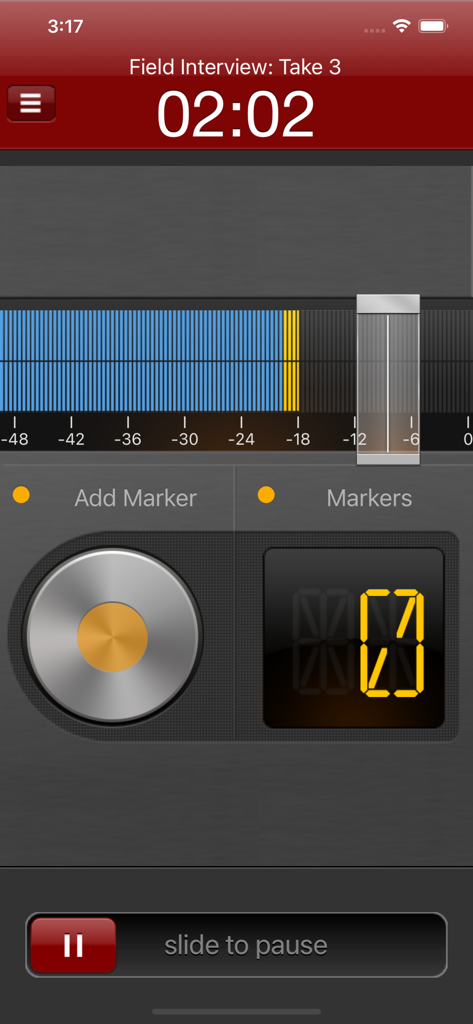
Hindenburg 필드 레코더 인터페이스가 마커와 볼륨 레벨이 표시된 활성 오디오 녹음 세션을 보여줍니다.
Hindenburg 필드 레코더 인터페이스가 마커와 볼륨 레벨이 표시된 활성 오디오 녹음 세션을 보여줍니다.

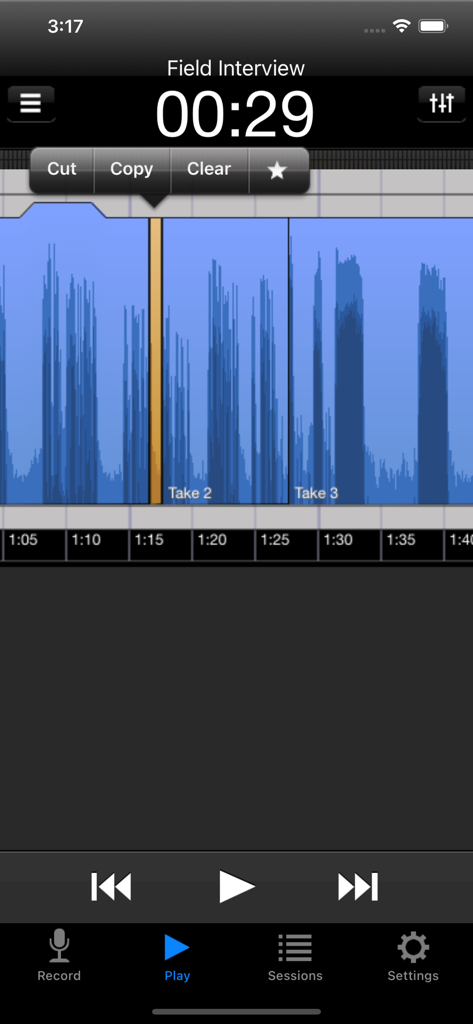
Hindenburg 필드 레코더 앱이 현장 인터뷰 세션 중에 자르기 및 복사 옵션이 있는 오디오 파형 편집을 보여줍니다.
Hindenburg 필드 레코더 앱이 현장 인터뷰 세션 중에 자르기 및 복사 옵션이 있는 오디오 파형 편집을 보여줍니다.

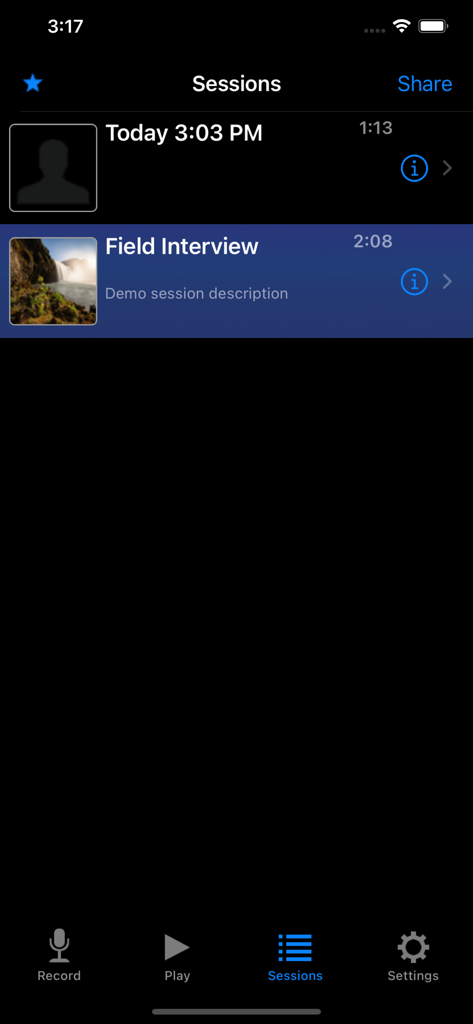
Hindenburg 필드 레코더 앱 내의 오디오 녹음 세션 목록으로, 타임스탬프와 필드 인터뷰와 같은 제목이 표시됩니다.
Hindenburg 필드 레코더 앱 내의 오디오 녹음 세션 목록으로, 타임스탬프와 필드 인터뷰와 같은 제목이 표시됩니다.

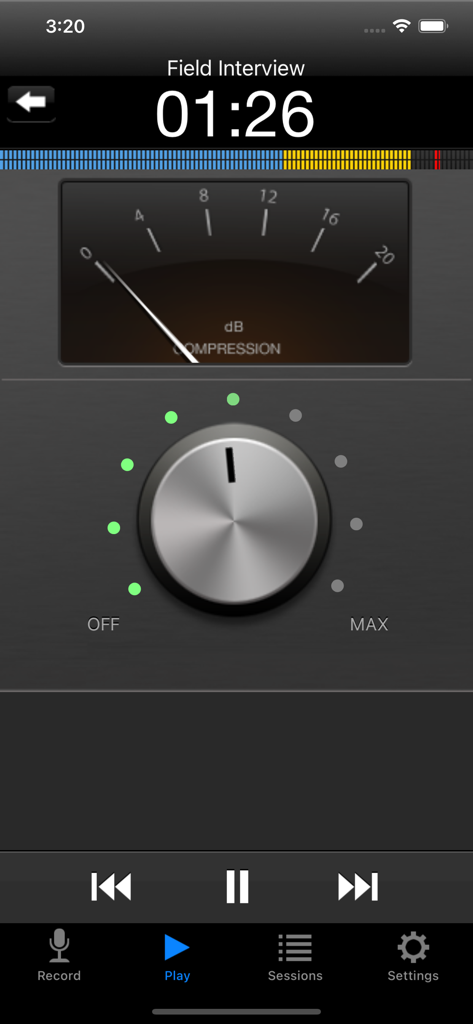
Hindenburg 필드 레코더 앱 화면이 오디오 압축 설정과 dB 미터를 보여줍니다.

Hindenburg 필드 레코더 앱 화면이 오디오 압축 설정과 dB 미터를 보여줍니다.

스토리를 담고 오디오를 마스터하세요

이 앱을 돋보이게 하는 도구, 144K+ 명의 사용자가 선택.

🎙️

전문 고음질 녹음

24비트/48kHz 지원으로 모든 뉘앙스를 포착하여 현장 녹음이 최고의 라디오 및 팟캐스트 표준을 충족하도록 보장합니다.

🔖

즉석 사운드바이트 탐색

더 이상 인용구를 놓치지 마세요. 녹음 중에 마커를 설정하여 주요 순간을 정확히 파악하고 후반 작업 워크플로우를 가속화하세요.

원활한 스튜디오 통합

비파괴 편집 도구를 사용하여 편집하고 Hindenburg Pro 또는 FTP 서버로 직접 내보내어 마감일을 맞추세요.

앱 소개

에 대해 알아야 할 모든 것 Hindenburg Field Recorder.

설명

Hindenburg Field Recorder is made with radio production in mind. It will work equally well for anyone conducting interviews for podcasts or research. It’s all about the story..... Create your interview in three simple steps: Step 1: Record interview and set markers at points of interest Step 2: Edit recording with cut, copy, paste and more... Step 3: Share your interview with attached picture and location Recording Simply begin recording whenever a story occurs. Set markers at points of interest in the interview. Markers make it easier to navigate large interviews. Finding those good soundbites can otherwise be a tedious job. Add additional recordings to your session. This could be speaks or background sounds and more. Editing Hindenburg Field Recorder has all the editing features needed for creating a radio interview. The interface is kept simple and uncluttered. But there is more to it than meets the eye. * Non-destructive editing with full undo/redo. * Cut, copy, paste, insert, break, clear, move, trim and change volume of regions * Adjust playback position with audible scrub * Rehearse edit or play selection * Add fade in and fade out or create cross-fades between regions * Create, delete and rename markers, jump between markers * Copy and paste audio between sessions * Add jingles or sound bites from the favorites clipboard. * Use the built in compressor/limiter to increase overall volume. To find out more check the support URL where you will find a download link to the the PDF guide. 
 Share There are five ways of getting your interviews out of the device. 1. Send to your computer (With Hindenburg Pro) 2. Send as e-mail 3. Upload to FTP server 4. Share to iTunes 5. Use "Open in..." to share to other apps Specifications: Records audio as 16 or 24-bit / 44.1 or 48kHz PCM. Stereo recording supported with suitable accessories. Option to monitor with headphones while recording. Share audio as WAV, AAC, MP2 or ALAC with adjustable compression parameters. Hindenburg Radio Tools are developed and tested in a collaborations with radio professionals.

최신 버전

1.82

크기

2.9 MB

출시일

2010년 1월 10일

다음 수상 경력 스토리를 담아보세요

세계 최고의 저널리스트 및 팟캐스터와 함께하세요. 전문 라디오 제작 및 고음질 스토리텔링을 위해 설계된 현장 테스트 레코더를 다운로드하세요.

다운로드: App Store

App information, icons, screenshots, and descriptions displayed on this page are sourced from the Apple App Store and are the property of their respective developers. Download estimates and rankings are based on MWM's proprietary models and may not reflect actual figures. This page is provided for informational and analytical purposes only.

Believe this page infringes your intellectual property? File a dispute