Hisense TV Remote: SenseMote

Hisense TV Remote: SenseMote

다운로드: App Store
로고: Hisense TV Remote: SenseMote

Hisense TV 리모컨: SenseMote – 스마트 엔터테인먼트, 단순화되다

분실된 리모컨을 더 이상 찾지 마세요. 빠른 타이핑을 위한 스마트 가상 키보드, 즉각적인 앱 실행, 원활한 Wi-Fi 연결을 갖춘 SenseMote로 iPhone에서 Hisense TV를 손쉽게 제어하세요.

개발사

Zain Saeed Mughal

카테고리

Utilities

다운로드

6K+

사용자 평점

4.6/5

총 평가 수

0

지원 언어

1

손안의 제어

이 인터페이스를 사용하는 6K+ 명의 사용자.

SenseMote 앱 디지털 리모컨 Hisense 스마트 TV용

SenseMote 앱 디지털 리모컨 Hisense 스마트 TV용

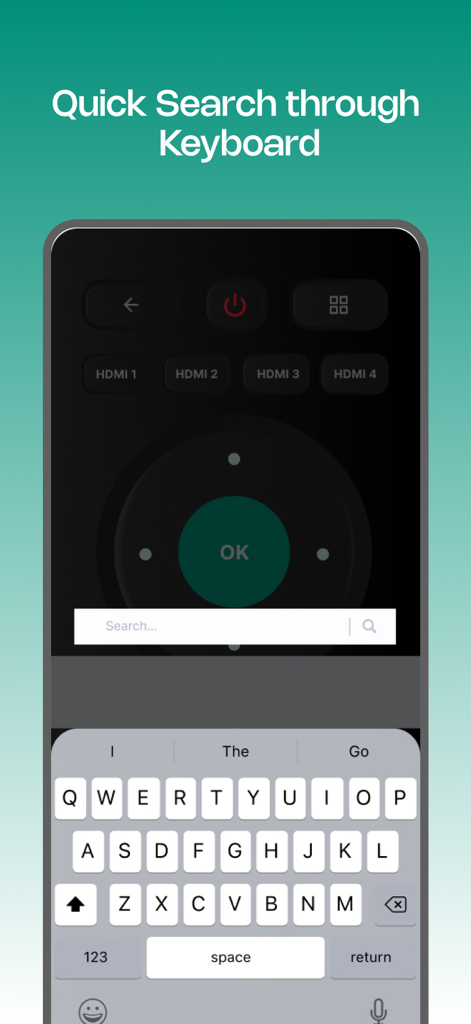
스마트폰 인터페이스, Hisense 스마트 TV에서 빠른 검색을 위한 가상 키보드 표시
스마트폰 인터페이스, Hisense 스마트 TV에서 빠른 검색을 위한 가상 키보드 표시

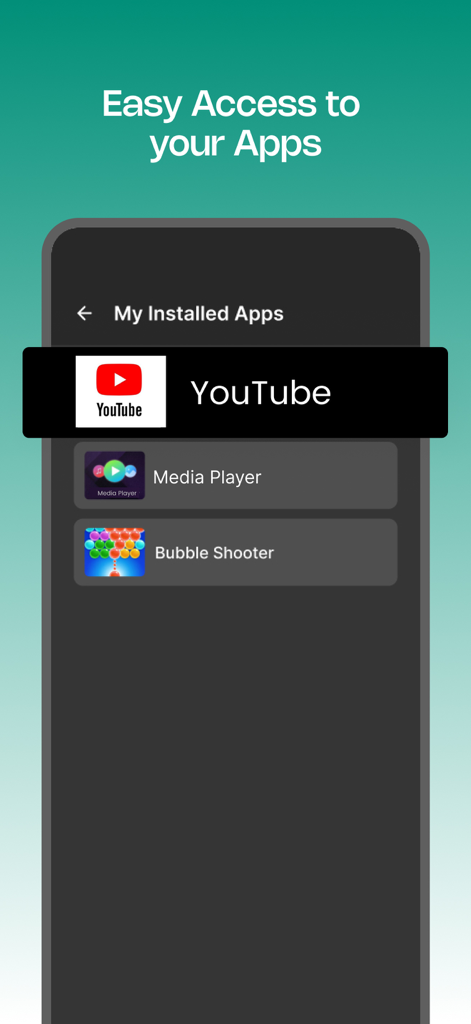
SenseMote 앱 인터페이스, YouTube 및 미디어 플레이어와 같은 설치된 TV 앱에 쉽게 액세스할 수 있는 화면 표시
SenseMote 앱 인터페이스, YouTube 및 미디어 플레이어와 같은 설치된 TV 앱에 쉽게 액세스할 수 있는 화면 표시

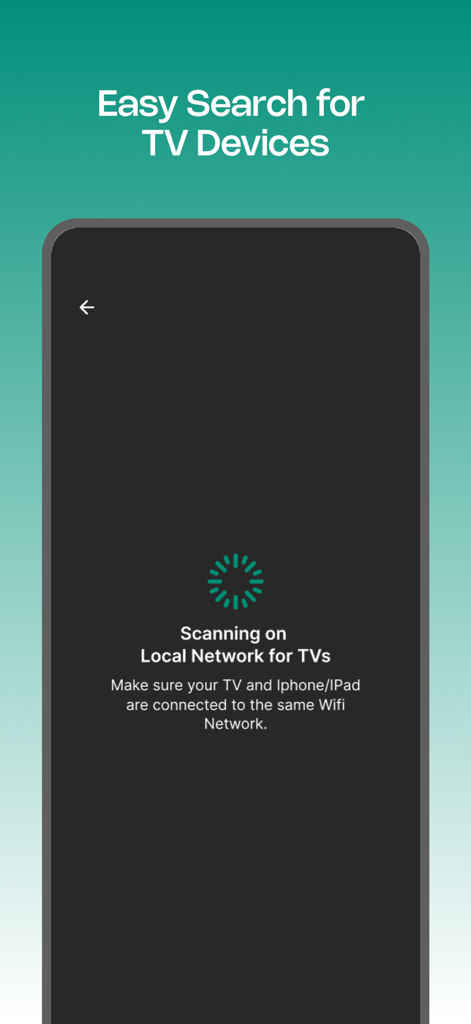
Hisense TV 리모컨 앱, 로컬 Wi-Fi 네트워크에서 장치 검색 중
Hisense TV 리모컨 앱, 로컬 Wi-Fi 네트워크에서 장치 검색 중

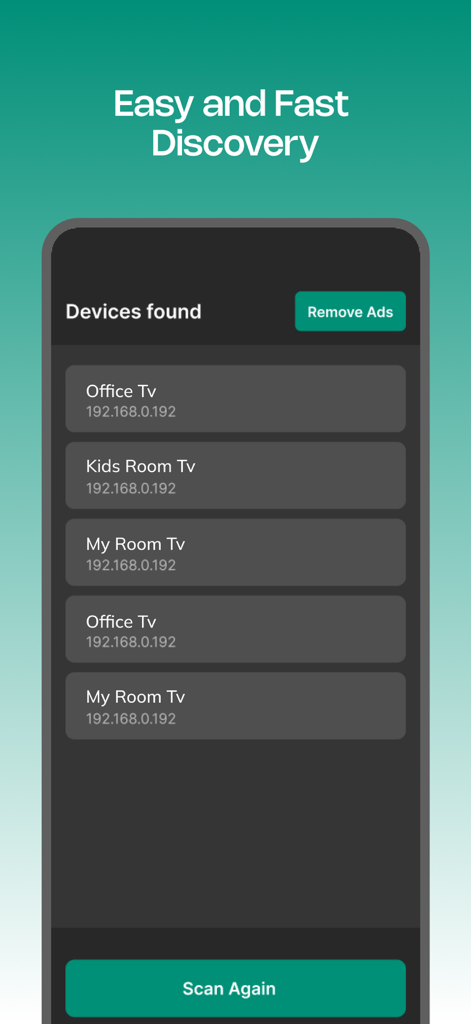
SenseMote 앱 인터페이스, 로컬 Wi-Fi 네트워크에서 검색된 Hisense TV 목록 표시

SenseMote 앱 인터페이스, 로컬 Wi-Fi 네트워크에서 검색된 Hisense TV 목록 표시

시청 경험을 마스터하세요

이 앱을 돋보이게 하는 도구, 6K+ 명의 사용자가 선택.

⌨️

쉬운 텍스트 입력

화면 타이핑의 번거로움을 피하세요. iPhone 키보드를 사용하여 프로그램 검색 및 비밀번호 입력을 즉시 완료하세요.

🚀

원탭 앱 실행

바로 실행하세요. 더 빠른 몰아보기를 위해 앱에서 Netflix, Disney+, YouTube를 직접 실행하세요.

📶

원활한 연결

자동 감지로 복잡한 설정이 필요 없습니다. 홈 Wi-Fi에 연결하기만 하면 지연 없이 TV를 완벽하게 제어할 수 있습니다.

앱 소개

에 대해 알아야 할 모든 것 Hisense TV Remote: SenseMote.

설명

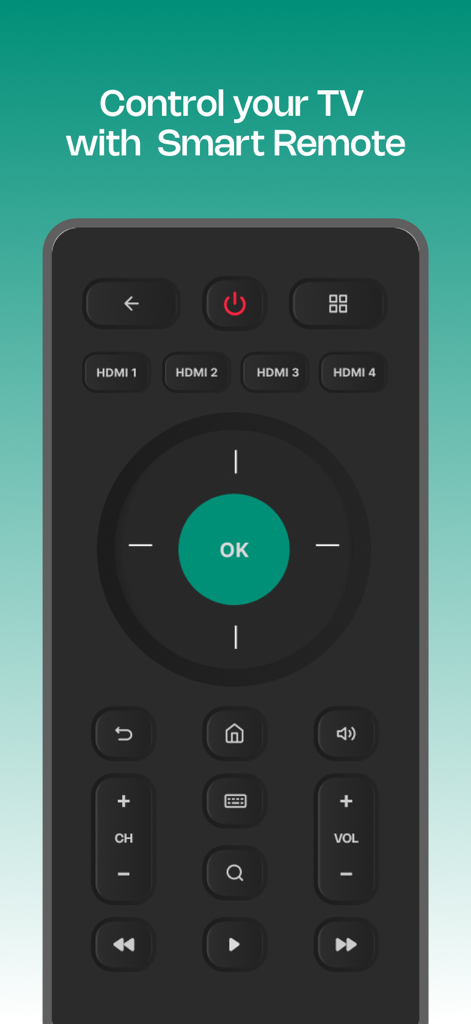
Remote not working? The Hisense TV Remote offers a reliable solution to control your Smart TVs directly from your smartphone. Make your home entertainment enjoyable with the free TV Remote for Hisense app, designed to enhance your viewing experience. Similarly, a simple user interface makes operating your TV a breeze. How does it work? * Install the Hisense TV Remote app on your smartphone and ensure your device is connected to the same Wi-Fi network as your TV. * Open the app and follow the on-screen instructions to connect it to your TV or any compatible device. * The app will automatically detect available TVs on the network, allowing you to select the one you want to control. Features User-Friendly Interface: Easily manage your TV remote Hisense functions with a simple, intuitive layout. Smart Pairing: Easily connect via Wi-Fi without any issues for a smooth experience. Quick App Access: Easily launch your favorite apps on your Smart TV for hassle-free binge-watching. Power On/Off: Power your TV on or off directly from the app, eliminating the need for a physical remote. Smart Virtual Keyboard: Search and navigate your favorite content via a virtual keyboard. Instant Controls: Get quick control over volume adjustment, mute, play/pause and much more. Free & Convenient: Download the TV remote app free and access your TV without any extra cost. Compatibility: The Hisense TV Remote app is compatible with all Hisense TVs and Vidaa OS providing you full control over your television. Customer Support * Reach our customer support to provide feedback and expect a prompt response. Your feedback is valuable for the improvement of the TV Remote Hisense. Disclaimer This TV Remote app is not affiliated with any TV brand. It has been created solely for user convenience, enabling them to control their TV from their mobile device. Upgrade to the subscription plan Get access to the remote control experience for your TV with ads-free, weekly, monthly and yearly subscription plans. Your payment will be charged to your iTunes Account at confirmation of purchase. Secondly, your subscription will renew automatically, but you can turn off auto-renewal by accessing your Account Settings 24 hours before the end of the current period. Contact us at: zsmapps2024@gmail.com Terms of use: Terms of Use: https://www.apple.com/legal/internet-services/itunes/dev/stdeula/

최신 버전

2.9

크기

20.0 MB

출시일

2024년 11월 21일

더 이상 리모컨을 찾지 마세요

iPhone을 최고의 Hisense 컨트롤러로 바꾸세요. 빠른 타이핑, 즉각적인 앱 액세스, Wi-Fi를 통한 원활한 제어를 위해 SenseMote로 업그레이드한 6,000명 이상의 사용자와 함께하세요.

다운로드: App Store

App information, icons, screenshots, and descriptions displayed on this page are sourced from the Apple App Store and are the property of their respective developers. Download estimates and rankings are based on MWM's proprietary models and may not reflect actual figures. This page is provided for informational and analytical purposes only.

Believe this page infringes your intellectual property? File a dispute