Home Widget - for HomeKit
다운로드: App Store

이 페이지는 앱이나 개발자의 공식 페이지가 아니며, 정보 제공 및 논평을 목적으로 작성된 독립 편집 간행물입니다. 명시적으로 달리 언급되지 않는 한, 해당 앱이나 개발자는 MWM, Apple, Google Play, 앱 퍼블리셔 또는 앱 개발자와 제휴, 보증, 후원, 승인 또는 공식적으로 연결되어 있지 않으며, 이 페이지의 어떤 내용도 해당 앱이 MWM의 서비스를 사용하여 개발되었음을 의미하지 않습니다. 모든 상표, 로고, 스크린샷 및 기타 콘텐츠는 해당 소유자의 자산입니다.


로고: Home Widget - for HomeKit
다운로드: App Store

Home Widget - for HomeKit

앱을 뒤져 불을 끄는 것을 멈추세요. 가장 빠르고 가장 아름다운 스마트 홈 경험을 위해 홈 및 잠금 화면의 아름답고 사용자 지정 가능한 위젯으로 전체 HomeKit 생태계를 제어하세요.

주요 수치

다운로드

23K+

사용자 평점

4.1/5

총 평가 수

200

개발사

Clement Marty

카테고리

Utilities

지원 언어

7

최신 버전

1.9.4

크기

98.6 MB

출시일

2021년 12월 10일
기능

스마트 홈을 제어하세요

앱 검색을 건너뛰고 라이프스타일에 맞는 아름답고 고성능 위젯으로 전체 HomeKit 생태계를 관리하세요.

원탭 잠금 화면 액세스

앱을 열지 않고도 잠금 화면 또는 오늘 보기에서 복잡한 장면을 트리거하거나 개별 장치를 즉시 전환하세요.

프로 수준의 사용자 지정

개인 iOS 홈 화면 미학과 완벽하게 어울리는 사용자 지정 아이콘, 흐림 효과, 색상으로 멋진 제어판을 디자인하세요.

다음 스크린샷과 설명은 앱의 공식 스토어 목록에서 직접 가져온 것이며 앱 개발자의 자산입니다.

앱 스토어

스크린샷
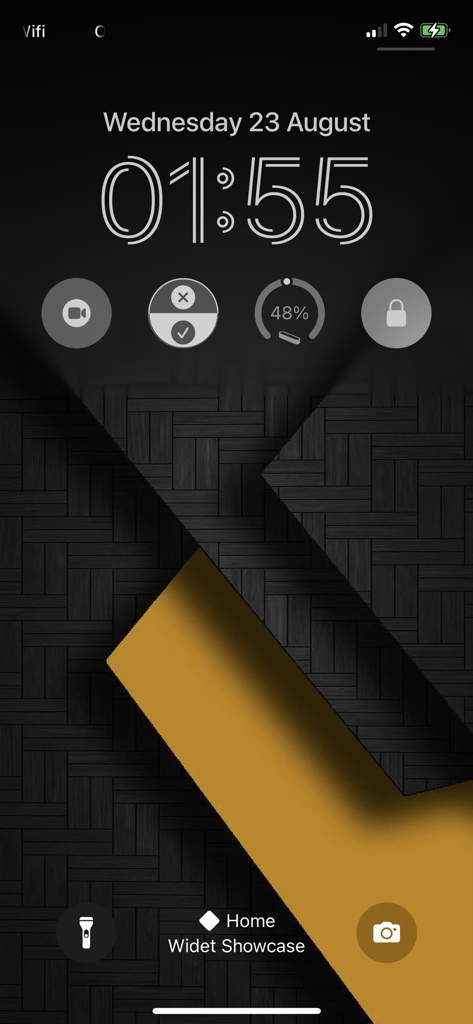
Home Widget - for HomeKit - 스마트 홈 제어를 위한 원형 HomeKit 위젯이 있는 스마트폰 잠금 화면.
스마트 홈 제어를 위한 원형 HomeKit 위젯이 있는 스마트폰 잠금 화면.

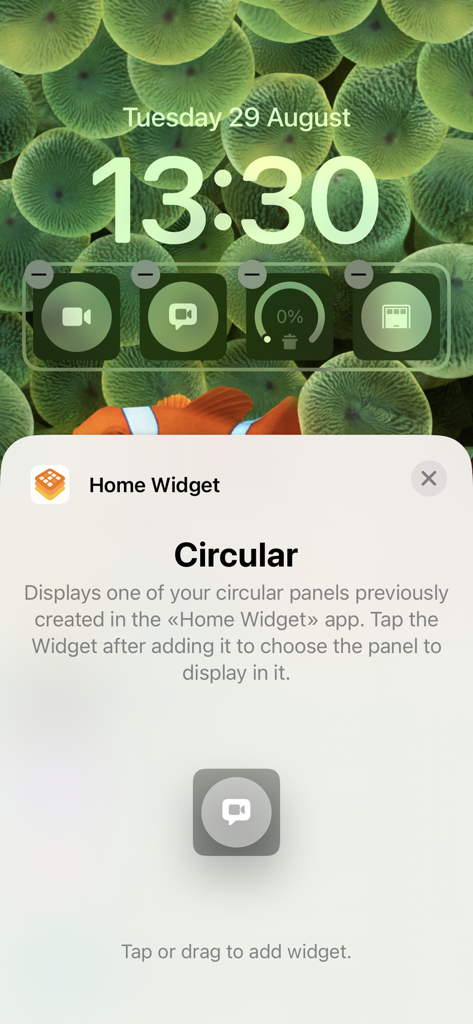
Home Widget - for HomeKit - 카메라 및 차고 문과 같은 HomeKit 스마트 홈 장치를 제어하기 위한 사용자 지정 원형 위젯을 보여주는 iOS 잠금 화면 인터페이스
카메라 및 차고 문과 같은 HomeKit 스마트 홈 장치를 제어하기 위한 사용자 지정 원형 위젯을 보여주는 iOS 잠금 화면 인터페이스

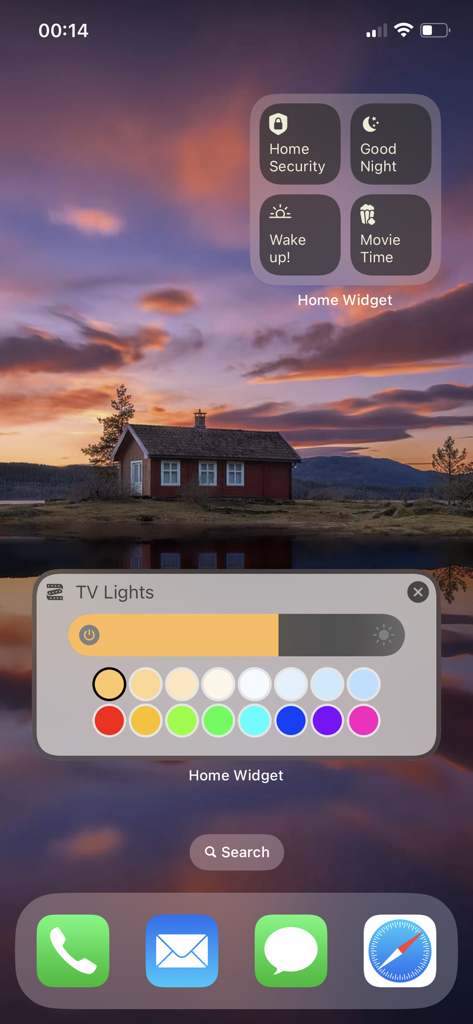
Home Widget - for HomeKit - 보안 장면 및 TV 조명 색상 제어를 위한 스마트 홈 위젯을 표시하는 iPhone 홈 화면
보안 장면 및 TV 조명 색상 제어를 위한 스마트 홈 위젯을 표시하는 iPhone 홈 화면

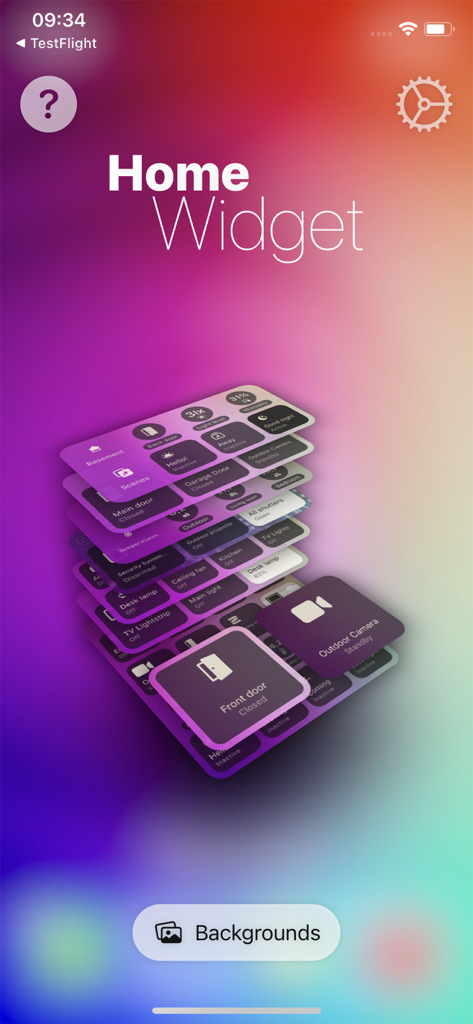
Home Widget - for HomeKit - 다채로운 그라데이션 배경에 쌓인 스마트 홈 제어판을 보여주는 Home Widget 앱 인터페이스
다채로운 그라데이션 배경에 쌓인 스마트 홈 제어판을 보여주는 Home Widget 앱 인터페이스

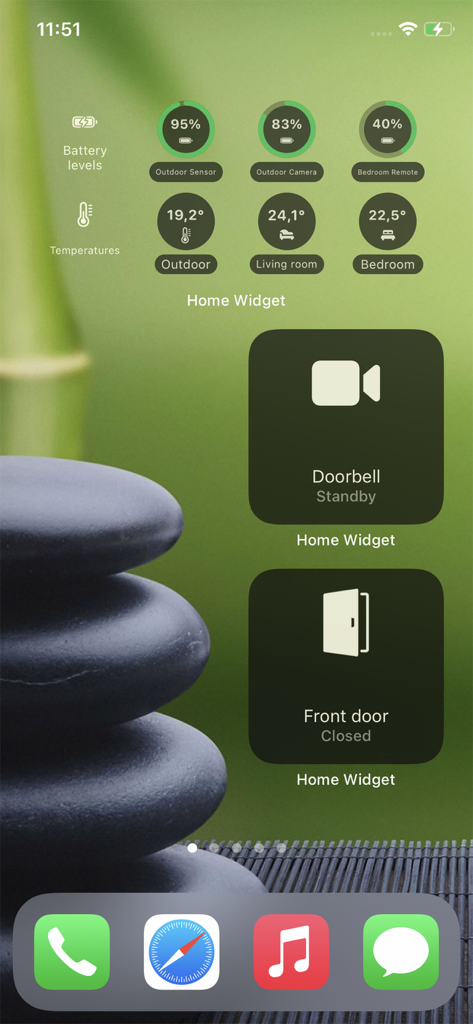
Home Widget - for HomeKit - 배터리 수준, 온도 및 문 제어를 위한 HomeKit 위젯이 있는 iPhone 홈 화면
배터리 수준, 온도 및 문 제어를 위한 HomeKit 위젯이 있는 iPhone 홈 화면

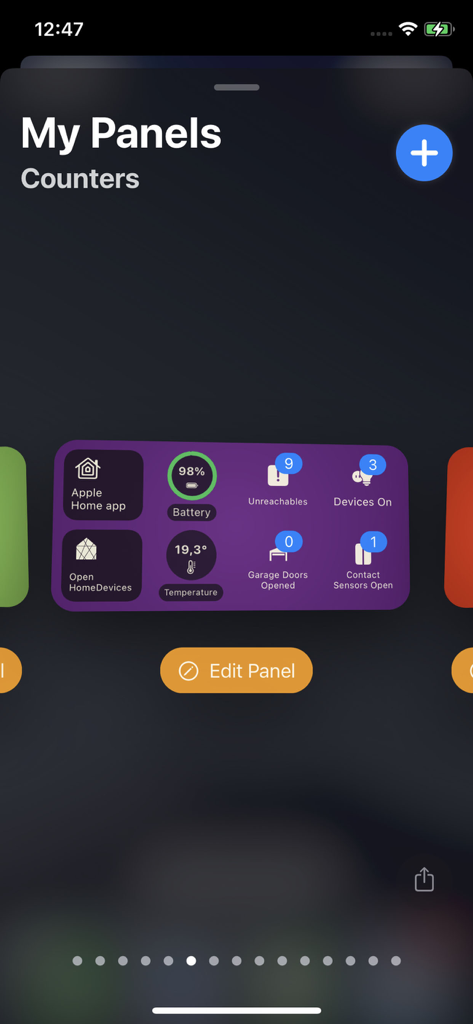
Home Widget - for HomeKit - 스마트 홈 장치 카운터 및 상태 패널을 보여주는 Home Widget 앱 대시보드
스마트 홈 장치 카운터 및 상태 패널을 보여주는 Home Widget 앱 대시보드

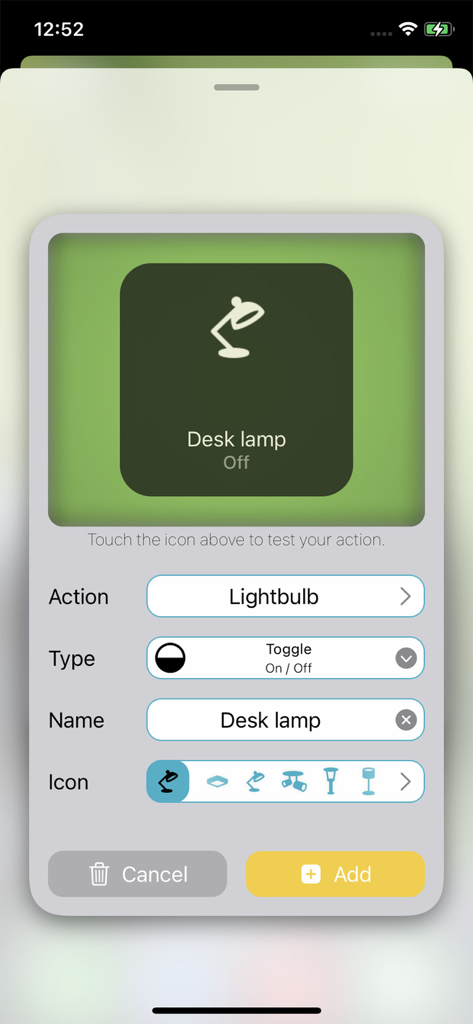
Home Widget - for HomeKit - HomeKit용 Home Widget 앱에서 책상 램프 위젯 구성

HomeKit용 Home Widget 앱에서 책상 램프 위젯 구성

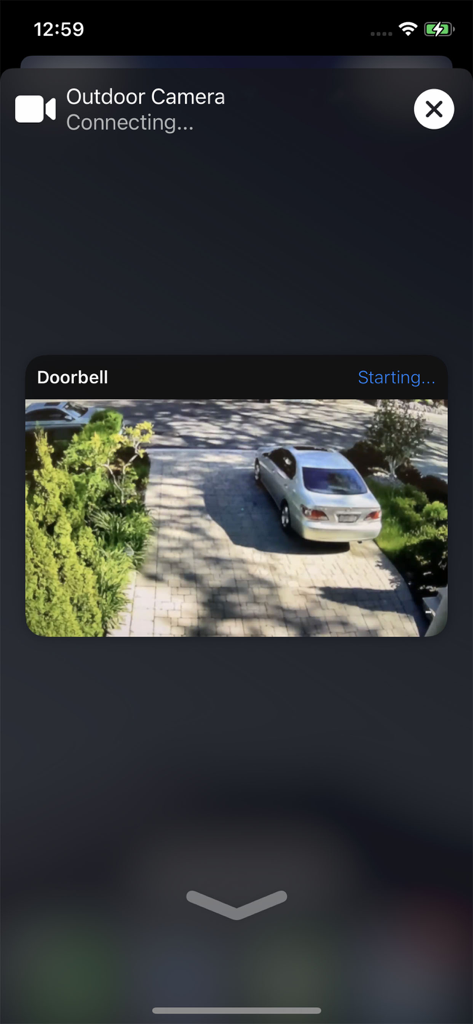
Home Widget - for HomeKit - iPhone에서 실시간 외부 카메라 및 진입로 초인종 피드를 보여주는 스마트 홈 인터페이스.
iPhone에서 실시간 외부 카메라 및 진입로 초인종 피드를 보여주는 스마트 홈 인터페이스.

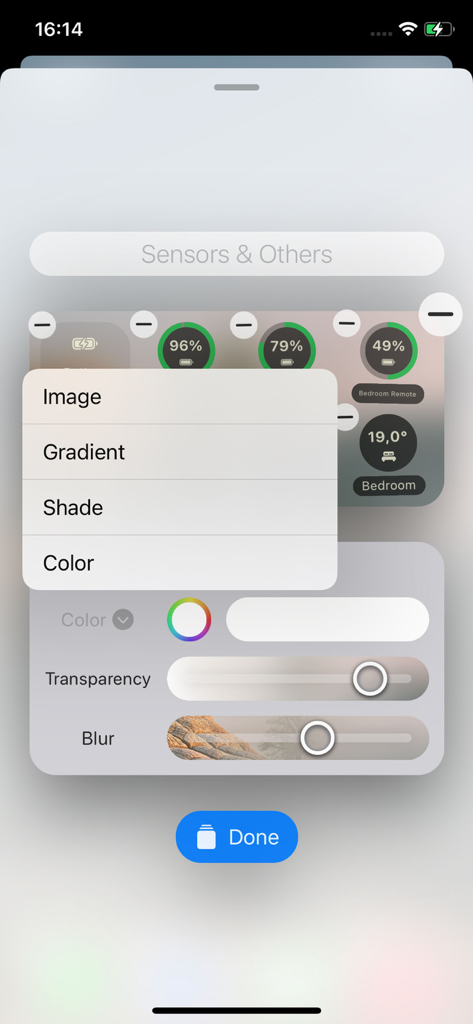
Home Widget - for HomeKit - 투명도 및 흐림 효과 슬라이더가 있는 HomeKit 위젯 사용자 지정 인터페이스
투명도 및 흐림 효과 슬라이더가 있는 HomeKit 위젯 사용자 지정 인터페이스

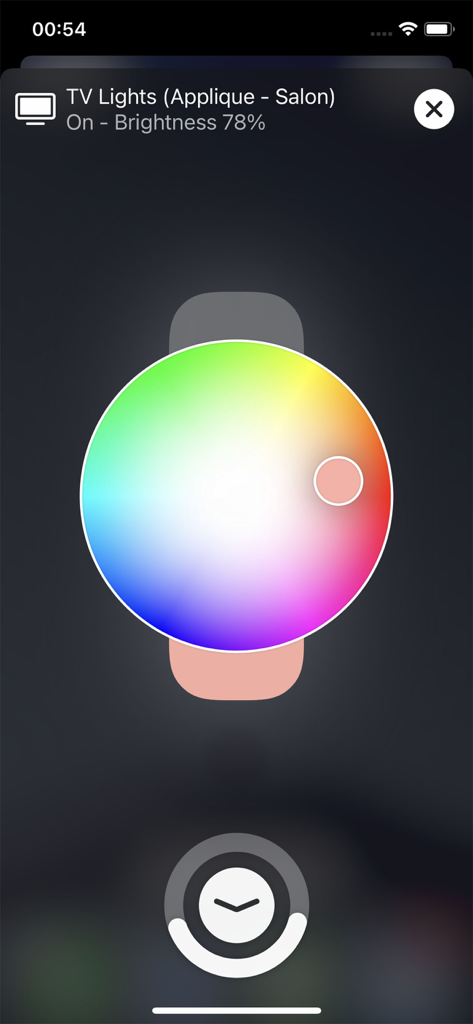
Home Widget - for HomeKit - Home Widget 앱에서 스마트 조명을 제어하기 위한 원형 색상환 인터페이스

Home Widget 앱에서 스마트 조명을 제어하기 위한 원형 색상환 인터페이스

설명

Welcome to an enhanced home control experience with Home Widget for HomeKit app – the ultimate solution for managing your HomeKit devices effortlessly, right from your Home screen. Say goodbye to the hassle of searching and organizing, and say hello to streamlined control and customization. Have you ever dreamed of controlling your HomeKit devices right from your Home screen? Of checking the status of your HomeKit accessories without moving? Of customizing each action button without spending hours on it? Of finding the same actions always in the same place on your Home Screen? of toggling a device right from the Lock Screen? Your dreams have become reality through our innovation! Home Widget has been specifically designed for this purpose! You can now interact with your entire HomeKit universe (accessories, scenes, groups, shortcuts and cameras) from your iPhone or iPad Home Screen with the brand new iOS Home Widgets. We were keen to design an app as simple as possible, in the spirit of iOS Widgets so that it is both efficient and pleasant to use. Enough with words, let's dive into action! You just create a panel in the application, you then add it accessories, scenes or sensors and even shortcuts, and that's it! All you have to do is add your Widget to the Home Screen and you can control your home right away. It’s a child’s play! HomeKit camera are also supported. You can open a live feed just with one tap from your widgets. And if you are like us and do like everything to have its place, you can customize the icons, the names, the background colors of the panels, add transparency, blur, play with settings, and endlessly customize your control panels and widgets. You can also dim your lights with an integrated dimmer or even change the color. Whether you have only a single connected lock or an entire HomeKit home, take the time to try it out. The possibilities are truly immense. For example, if you want to hide a button that opens your front door under the Calendar Widget, it's simple! A stack of Widgets, a "Home Widget" under the Calendar Widget and you're done. Last but not least, the great thing about Home Widget is that it it maintains the state of accessories, just like iOS Control Center does. If a lamp is on then the button is bright, if it is off it is dark. One last tip for the road, you can also position your HomeKit widgets on the "Today View" by swiping right from the Home Screen or Lock Screen. This gives you access to your home from the locked screen. (It remains protected by Face ID / Touch ID). To shorten it, “Home Widget”: 
• brings HomeKit widgets to iPhone and iPad • allows you to create customizable HomeKit control panels and actions • provides state feedback for HomeKit accessories, scenes and groups 
• shares panels between different devices via iCloud • shares panels between different accounts using AirDrop Family sharing is enabled on all our subscriptions and in-app purchase so you can use it across all the family devices. Turn your iPhone or iPad into a real HomeKit control center! Some functionalities require “Home Widget Premium” which is available as a one-time in-app purchase or for those who prefer, it also comes as as an annual or monthly subscription. Its price is extremely affordable and will allow us to keep improving and maintaining this smart app. Your feedback is invaluable so please do not hesitate to contact us to give us your thoughts or make suggestions: contact@vision-apps.com If you like it do not hesitate to recommend this app to your friends. The Vision-App team HomeKit is trademark of Apple Inc., registered in the U.S. and other countries --- Term of Use: https://www.apple.com/legal/internet-services/itunes/dev/stdeula/ Privacy Policy: http://vision-apps.com/privacypolicy.html

Download

다운로드: App Store

이 페이지는 앱이나 개발자의 공식 페이지가 아니며, 정보 제공 및 논평을 목적으로 작성된 독립 편집 간행물입니다. 명시적으로 달리 언급되지 않는 한, 해당 앱이나 개발자는 MWM, Apple, Google Play, 앱 퍼블리셔 또는 앱 개발자와 제휴, 보증, 후원, 승인 또는 공식적으로 연결되어 있지 않으며, 이 페이지의 어떤 내용도 해당 앱이 MWM의 서비스를 사용하여 개발되었음을 의미하지 않습니다. 모든 상표, 로고, 스크린샷 및 기타 콘텐츠는 해당 소유자의 자산입니다.