Hotspot Info
Hotspot Info
다운로드: App Store

이 페이지는 앱이나 개발자의 공식 페이지가 아니며, 정보 제공 및 논평을 목적으로 작성된 독립 편집 간행물입니다. 명시적으로 달리 언급되지 않는 한, 해당 앱이나 개발자는 MWM, Apple, Google Play, 앱 퍼블리셔 또는 앱 개발자와 제휴, 보증, 후원, 승인 또는 공식적으로 연결되어 있지 않으며, 이 페이지의 어떤 내용도 해당 앱이 MWM의 서비스를 사용하여 개발되었음을 의미하지 않습니다. 모든 상표, 로고, 스크린샷 및 기타 콘텐츠는 해당 소유자의 자산입니다.


로고: Hotspot Info
다운로드: App Store

Hotspot Info

모바일 핫스팟에 대한 완전한 투명성을 확보하세요. 연결된 클라이언트를 모니터링하고, 실시간 트래픽을 추적하며, iOS에서는 볼 수 없는 심층 기술 진단에 액세스하세요.

주요 수치

다운로드

26K+

사용자 평점

1.6/5

총 평가 수

0

개발사

Csaba Iranyi

카테고리

Utilities

지원 언어

1

최신 버전

1.19

크기

5.5 MB

출시일

2014년 12월 6일
기능

모바일 네트워크를 완전히 제어하세요

개인 핫스팟 성능 및 보안에 대한 투명하고 저수준의 데이터가 필요한 전문가를 위한 궁극의 진단 대시보드입니다.

연결된 장치 식별

IP 및 MAC 주소 감지를 통해 네트워크를 실시간으로 감사하여 무단 액세스 및 프리로더로부터 핫스팟을 보호하세요.

고급 신호 진단

무선 주파수 및 간섭 수준을 분석하여 모바일 오피스를 최적화하고 중요한 화상 통화를 위해 연결이 안정적으로 유지되도록 하세요.

다음 스크린샷과 설명은 앱의 공식 스토어 목록에서 직접 가져온 것이며 앱 개발자의 자산입니다.

앱 스토어

스크린샷
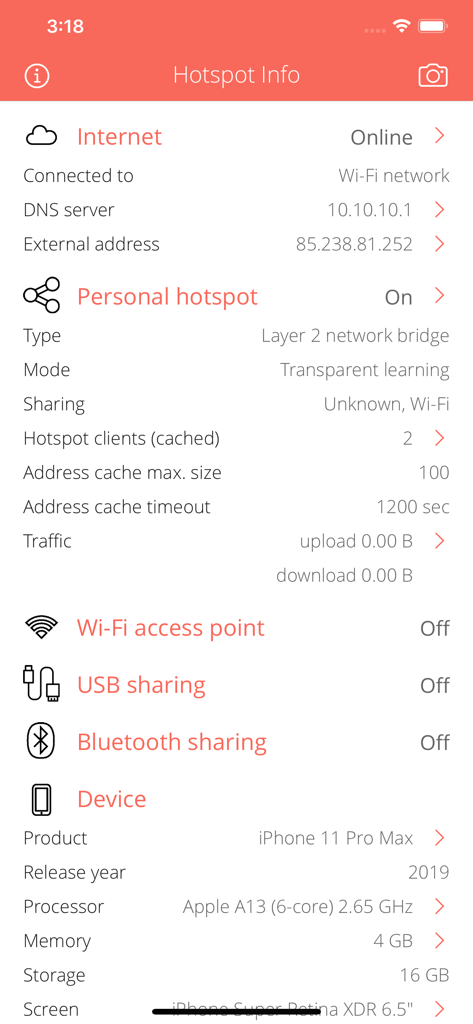
Hotspot Info - 인터넷 연결 및 개인 핫스팟 상태를 보여주는 핫스팟 정보 앱의 기술 대시보드.
인터넷 연결 및 개인 핫스팟 상태를 보여주는 핫스팟 정보 앱의 기술 대시보드.

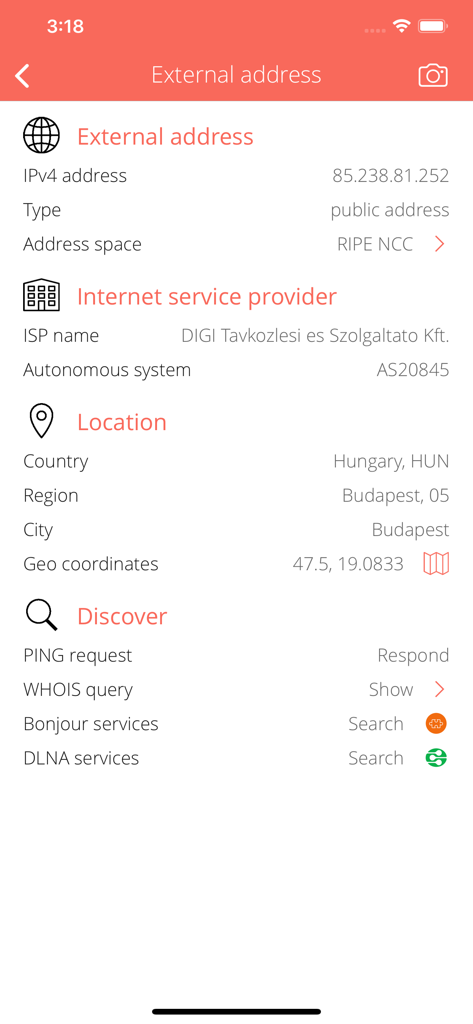
Hotspot Info - 외부 IP 주소 ISP 정보 및 지리적 위치 화면

외부 IP 주소 ISP 정보 및 지리적 위치 화면

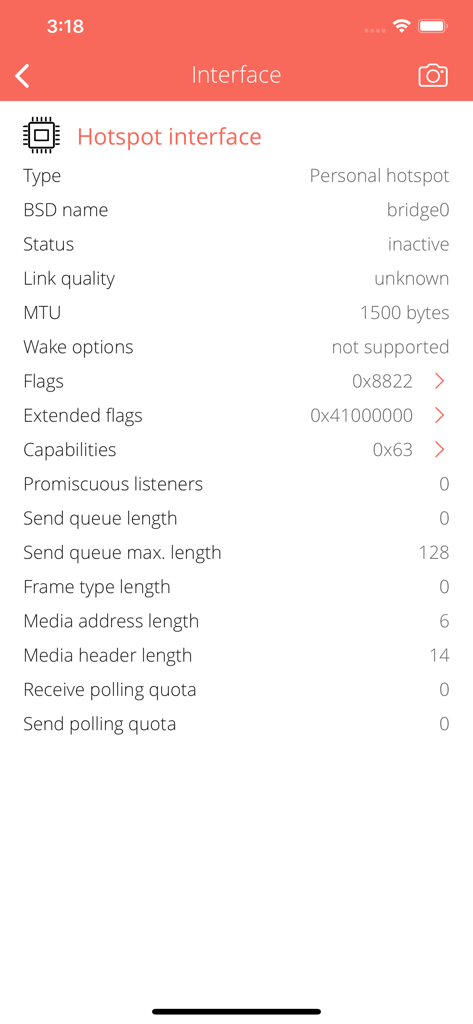
Hotspot Info - 핫스팟 인터페이스의 기술 세부 정보(BSD 이름, MTU 및 네트워크 플래그 포함)
핫스팟 인터페이스의 기술 세부 정보(BSD 이름, MTU 및 네트워크 플래그 포함)

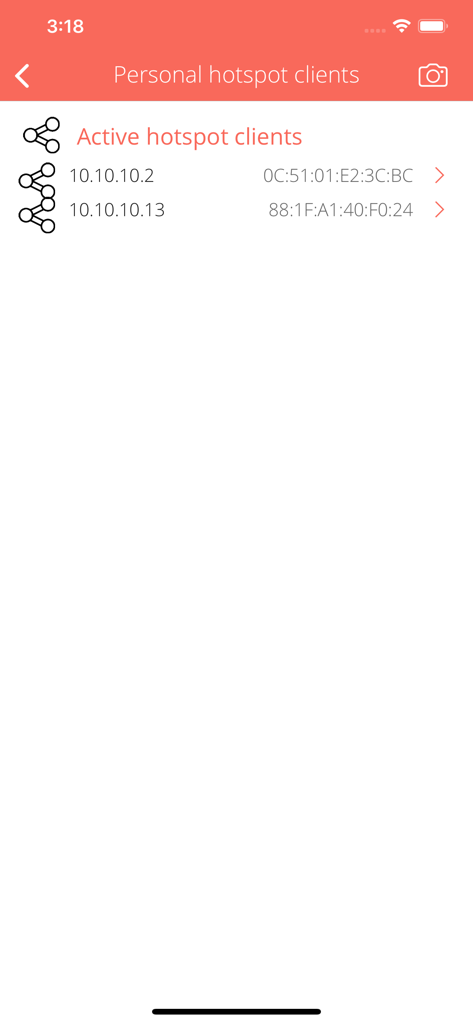
Hotspot Info - IP 및 MAC 주소로 개인 핫스팟에 연결된 활성 클라이언트를 표시하는 앱 인터페이스.
IP 및 MAC 주소로 개인 핫스팟에 연결된 활성 클라이언트를 표시하는 앱 인터페이스.

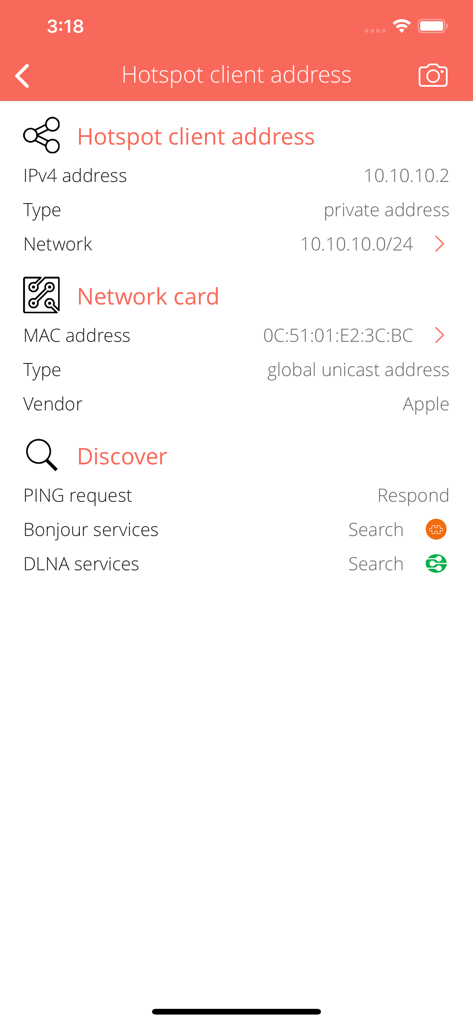
Hotspot Info - IP 및 MAC 주소를 포함한 연결된 핫스팟 클라이언트에 대한 상세 네트워크 정보를 보여주는 기술 대시보드
IP 및 MAC 주소를 포함한 연결된 핫스팟 클라이언트에 대한 상세 네트워크 정보를 보여주는 기술 대시보드

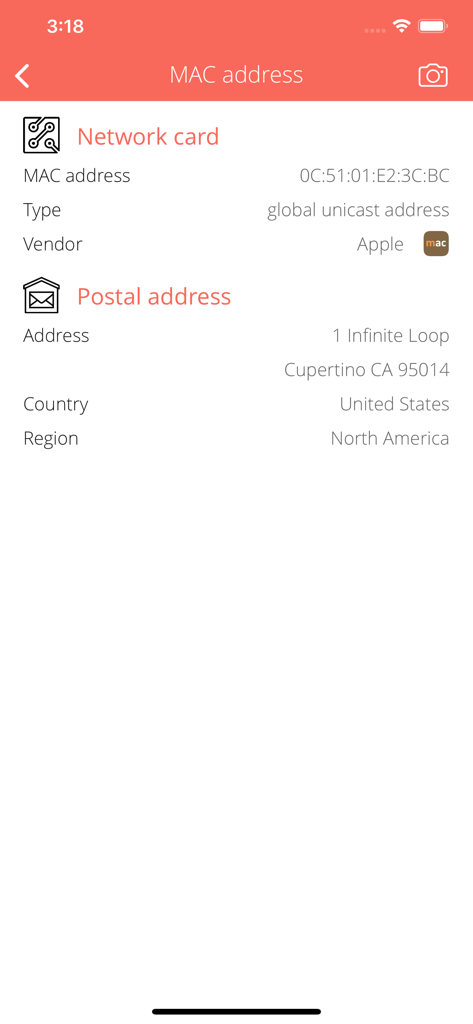
Hotspot Info - 네트워크 카드 유형 및 Apple의 공급업체 정보를 보여주는 MAC 주소 조회 상세 보기
네트워크 카드 유형 및 Apple의 공급업체 정보를 보여주는 MAC 주소 조회 상세 보기

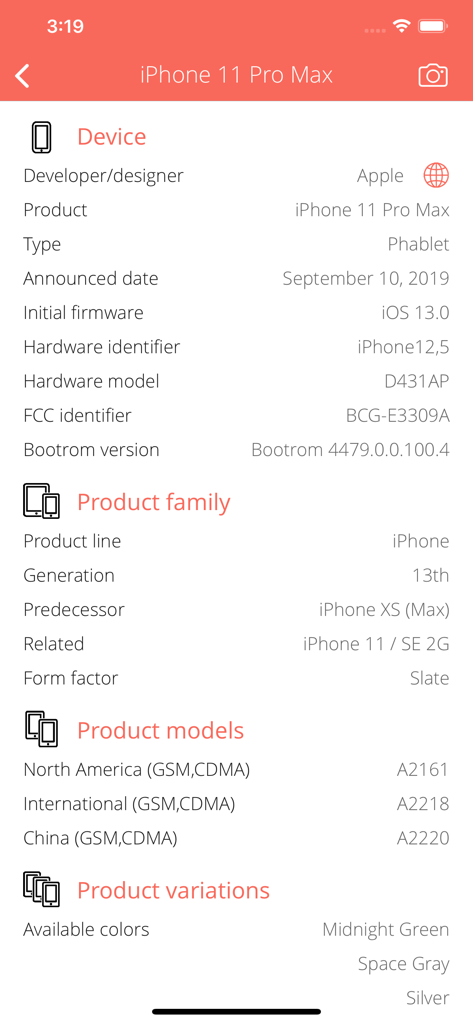
Hotspot Info - 앱에서 iPhone 11 Pro Max의 상세 기술 사양 표시

앱에서 iPhone 11 Pro Max의 상세 기술 사양 표시

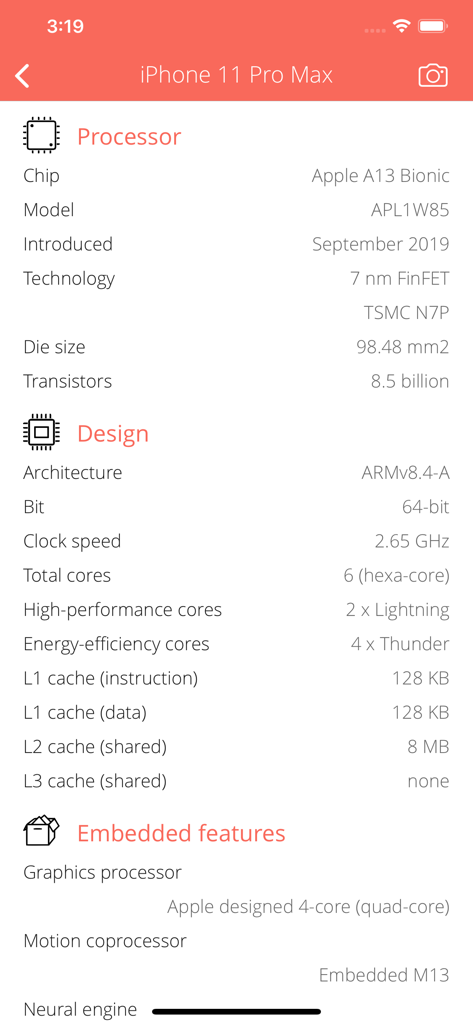
Hotspot Info - iPhone 11 Pro Max 프로세서 및 시스템 디자인의 기술 사양

iPhone 11 Pro Max 프로세서 및 시스템 디자인의 기술 사양

Hotspot Info - 크기, 클럭 속도 및 기술을 표시하는 iPhone 11 Pro Max의 기술 메모리 세부 정보
크기, 클럭 속도 및 기술을 표시하는 iPhone 11 Pro Max의 기술 메모리 세부 정보

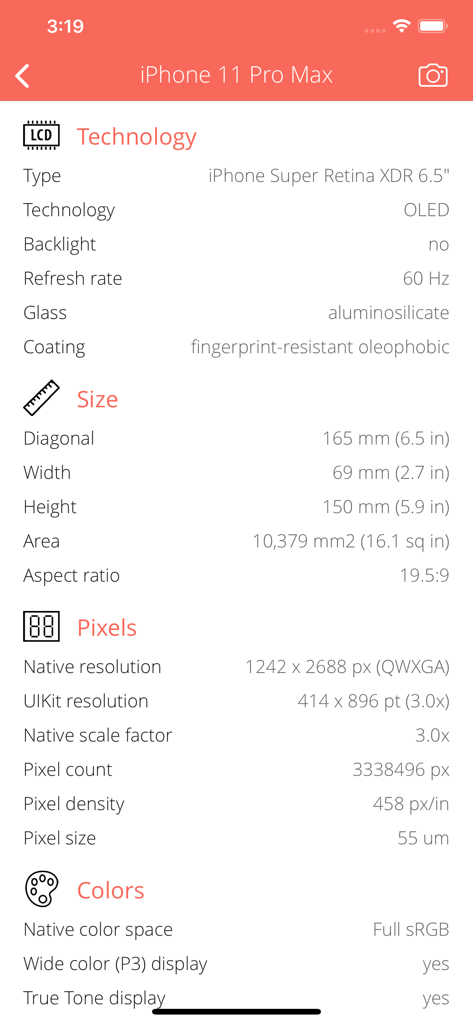
Hotspot Info - iPhone 11 Pro Max의 디스플레이 기술 및 해상도를 보여주는 기술 하드웨어 사양 화면

iPhone 11 Pro Max의 디스플레이 기술 및 해상도를 보여주는 기술 하드웨어 사양 화면

설명

Everything you want to know about your PERSONAL HOTSPOT but were afraid to ask. Hotspot Info is a small and useful utility that lets you see detailed information about current Personal Hotspot sharing from sharing types to connected clients and more. Personal Hotspot lets you connect your computers and devices to the Internet using the cellular data connection on your device. You can share only a cellular data connection; you cannot share a Wi-Fi connection. PERSONAL HOTSPOT INFO • Detect current network sharing types. Support Wi-Fi access point, Bluetooth and USB sharing. • Detailed informations about communication type, speed, mode. • Analyze currently connected hotspot clients. Show IP and MAC address, PING capability, etc. • Low-level informations about the personal hotspot (bridge), W-Fi access point, Bluetooth and USB interface, technical parameters, flags. • Interface traffic counters: upload, download, errors, quality of service (QoS) categories. WI-FI ACCESS POINT INFORMATIONS • Show max. speed by Wi-Fi technologies. • Show Wi-Fi radio frequencies. • Show Wi-Fi radio interference informations. • Show Wi-Fi sharing options. USB SHARING INFORMATIONS • Show USB sharing options. BLUETOOTH SHARING INFORMATIONS • Show Bluetooth protocols and standards supported by your device: Classic, High Speed (HS), Low Energy (LE) or Bluetooth Smart. • Show Bluetooth tethering options: cellular internet connection sharing options via Bluetooth to other iOS devices. • Show supported Bluetooth power class, max. ranges. • Show device supported Bluetooth frequencies and channels with radio interference informations. INTERNET INFO • Show default gateways, IP addresses, networks. • Show DNS servers, search domain names, local MAC addresses, host name resolve. • Depth external address analysis: ISP name, autonomous system name, whois, ping, regional internet registry info. • Full offline MAC vendor database. REACH UI FEATURES • Info menu with feedback and privacy settings • Use the camera icon (upper-right corner) to create and print/send/share a screenshot from the entire page. • Pull down with your finger to refresh the informations. • Long press on a cell to copy/print/send/open as/share the cell value. • Shake your device to refresh the informations.

Download

다운로드: App Store

이 페이지는 앱이나 개발자의 공식 페이지가 아니며, 정보 제공 및 논평을 목적으로 작성된 독립 편집 간행물입니다. 명시적으로 달리 언급되지 않는 한, 해당 앱이나 개발자는 MWM, Apple, Google Play, 앱 퍼블리셔 또는 앱 개발자와 제휴, 보증, 후원, 승인 또는 공식적으로 연결되어 있지 않으며, 이 페이지의 어떤 내용도 해당 앱이 MWM의 서비스를 사용하여 개발되었음을 의미하지 않습니다. 모든 상표, 로고, 스크린샷 및 기타 콘텐츠는 해당 소유자의 자산입니다.