HUD Widgets

HUD Widgets

다운로드: App Store
로고: HUD Widgets

HUD 위젯: 대시보드를 미래형 헤드업 디스플레이로 바꾸세요

도로에서 눈을 떼지 않고 세련된 주행이 가능하도록 설계된 전문가급 속도계, 실시간 주행 분석, 에코 드라이빙 지표로 차량을 업그레이드하세요.

개발사

HUDWAY LLC.

카테고리

Navigation

다운로드

1M+

사용자 평점

3.6/5

총 평가 수

400

지원 언어

9

콕핏 경험

이 인터페이스를 사용하는 1M+ 명의 사용자.

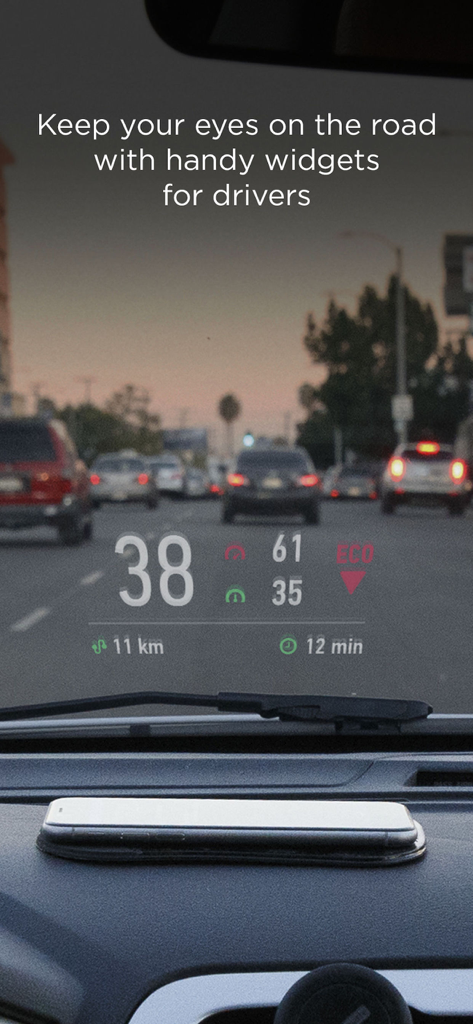
차량 앞 유리에 반사된 스마트폰 화면에 안전 운전을 위한 디지털 속도계와 주행 지표가 표시된 모습
차량 앞 유리에 반사된 스마트폰 화면에 안전 운전을 위한 디지털 속도계와 주행 지표가 표시된 모습

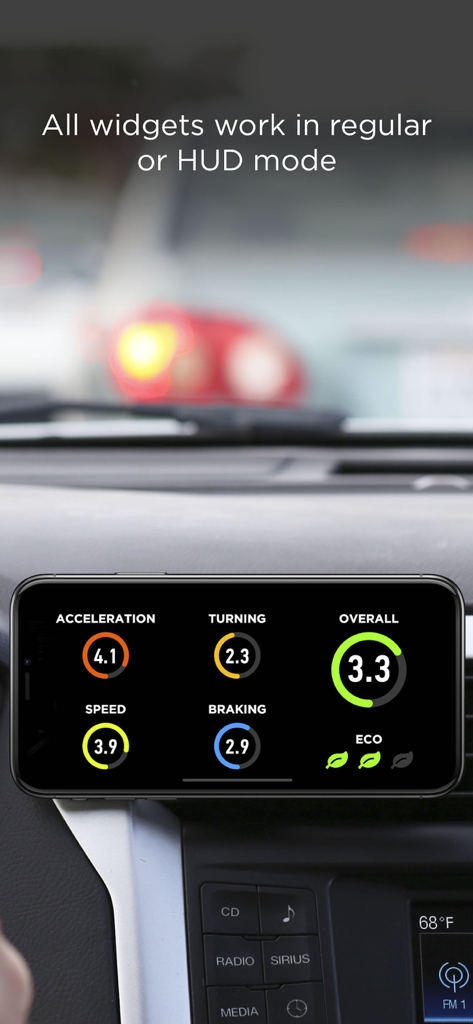
차량 대시보드에서 가속 및 제동 점수와 같은 HUD 위젯 주행 지표를 보여주는 스마트폰
차량 대시보드에서 가속 및 제동 점수와 같은 HUD 위젯 주행 지표를 보여주는 스마트폰

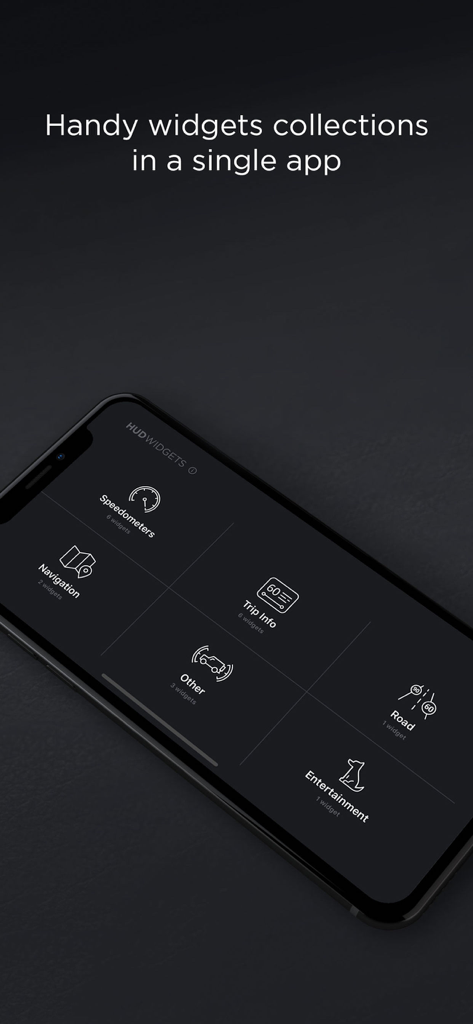
속도계, 내비게이션, 주행 정보, 엔터테인먼트 옵션이 포함된 HUD 위젯 앱 메뉴를 보여주는 스마트폰 화면
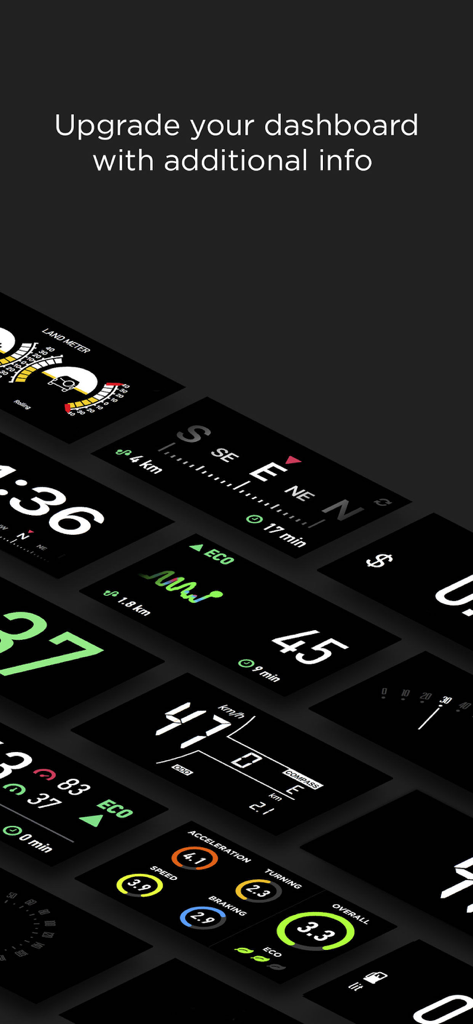
속도계, 내비게이션, 주행 정보, 엔터테인먼트 옵션이 포함된 HUD 위젯 앱 메뉴를 보여주는 스마트폰 화면

속도, 내비게이션, 주행 지표를 위한 디지털 자동차 위젯 모음
속도, 내비게이션, 주행 지표를 위한 디지털 자동차 위젯 모음

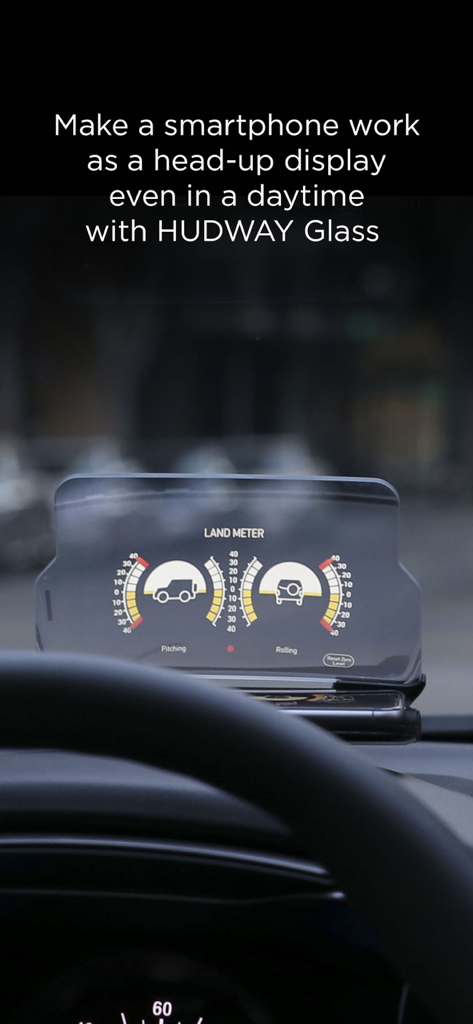
HUDWAY Glass 헤드업 디스플레이 액세서리에 표시된 피치와 롤을 보여주는 차량용 랜드 미터 위젯

HUDWAY Glass 헤드업 디스플레이 액세서리에 표시된 피치와 롤을 보여주는 차량용 랜드 미터 위젯

당신의 드라이브를 업그레이드하세요

이 앱을 돋보이게 하는 도구, 1M+ 명의 사용자가 선택.

🛸

헤드업 디스플레이 모드

주요 통계를 앞 유리에 투사하여 더 안전한 시선 고정 주행 경험을 제공하고, 어떤 차든 첨단 콕핏처럼 느끼게 합니다.

📊

성능 추적

주행 점수, 연비, 주행 비용을 분석하여 출퇴근을 최적화하고 도로 안전을 게임처럼 즐겨보세요.

🚜

전지형 유틸리티

오프로드 모험 중 차량의 피치와 롤을 모니터링하는 전문가급 랜드 미터로 트레일을 공략하세요.

앱 소개

에 대해 알아야 할 모든 것 HUD Widgets.

설명

HUD Widgets app is a set of handy and popular navigation widgets, like speedometers, trip info, landmeter, weather, eco-driving, etc... All widgets work in regular or head-up display (HUD) mode. Speedometers: — Classic digital speedometer — Digital, with compass, odometer, and distance traveled (Chevrolet Aveo style) — A set of retro speedometers: Cadillac style, arched, circular GPS trip information: — See how safely you drive: the app calculates your driving score based on your acceleration, braking, turns, and speeding data. — Know your fuel consumption per each trip and the expenses on it. — Information on your current, maximum and average speed, distance and time traveled — Large compass — Eco-driving. Acceleration and deceleration graphs indicate driving efficiency Other: — Internet Radio — Land meter. Indicates the angle of car slope or tilt — pitching and rolling — Weather and clock Launch the app, select the widget, and place the smartphone close to the windshield (to use it in HUD mode, with the screen image reflected onto the windshield), or fix it in the mount. Attention! 1. On a clear day, the device screen brightness is typically insufficient to give a decent reflection for HUD mode. In that situation, you can use the app in standard mode with the phone fixed with some mount, OR stay HUD using our HUDWAY Glass accessory (more at hudwayglass.com or see bellow). At night, in dusk, or in dull weather the reflection is normally well-discernible. 2. Continuous use of geolocation services (GPS and GLONASS) may drain your device battery fast. 3. When driving, make sure that your smartphone or tablet is well fixed in some mount or on some sticky pad, and doesn't prevent you from clearly seeing the road. HUDWAY Glass car accessory makes smartphone work as a head-up display in any car even in daytime. Removes doubling, offers sharp enlarged reflection image. Learn more: http://hudwayglass.com Privacy Policy http://hudwayapp.com/privacy Terms of Use http://hudwayapp.com/en/terms/

최신 버전

2.1.6

크기

53.8 MB

출시일

2016년 4월 11일

대시보드를 첨단 콕핏으로 변환하세요

HUD 위젯을 사용하여 속도, 연비, 주행 데이터를 앞 유리에 투사하는 100만 명 이상의 운전자와 함께하세요.

다운로드: App Store

App information, icons, screenshots, and descriptions displayed on this page are sourced from the Apple App Store and are the property of their respective developers. Download estimates and rankings are based on MWM's proprietary models and may not reflect actual figures. This page is provided for informational and analytical purposes only.

Believe this page infringes your intellectual property? File a dispute