IC Photo Singapore
IC Photo Singapore
다운로드: App Store

이 페이지는 앱이나 개발자의 공식 페이지가 아니며, 정보 제공 및 논평을 목적으로 작성된 독립 편집 간행물입니다. 명시적으로 달리 언급되지 않는 한, 해당 앱이나 개발자는 MWM, Apple, Google Play, 앱 퍼블리셔 또는 앱 개발자와 제휴, 보증, 후원, 승인 또는 공식적으로 연결되어 있지 않으며, 이 페이지의 어떤 내용도 해당 앱이 MWM의 서비스를 사용하여 개발되었음을 의미하지 않습니다. 모든 상표, 로고, 스크린샷 및 기타 콘텐츠는 해당 소유자의 자산입니다.


로고: IC Photo Singapore
다운로드: App Store

IC Photo Singapore

약국 사진 부스와 반려의 위험을 피하세요. 전 세계 어디서든 원활하게 디지털로 제출할 수 있도록 NRIC 또는 여권 사진을 정확한 400x514px 사양에 맞춰 캡처, 자르기, 크기 조절하세요.

주요 수치

다운로드

313K+

사용자 평점

4.2/5

총 평가 수

400

개발사

Tinkertanker

카테고리

Photo & Video

지원 언어

9

최신 버전

1.3.1

크기

11.3 MB

출시일

2011년 12월 1일
기능

전문 증명사진, 즉시 규격 준수

약국 방문을 건너뛰고 높은 수수료를 피하세요. 휴대폰에서 직접 싱가포르 여권, NRIC 또는 취업 허가 신청에 맞는 완벽하게 형식화된 사진을 만드세요.

정밀 프레임 가이드

반려의 위험을 없애세요. 직관적인 오버레이를 통해 얼굴과 어깨가 ICA의 엄격한 기준에 항상 완벽하게 맞춰지도록 보장합니다.

디지털 업로드에 최적화

필요한 400x514px로 자동 크기 조절. Singpass 또는 ICA 포털에 원활하게 업로드할 수 있도록 카메라 롤에 직접 저장하세요.

다음 스크린샷과 설명은 앱의 공식 스토어 목록에서 직접 가져온 것이며 앱 개발자의 자산입니다.

앱 스토어

스크린샷
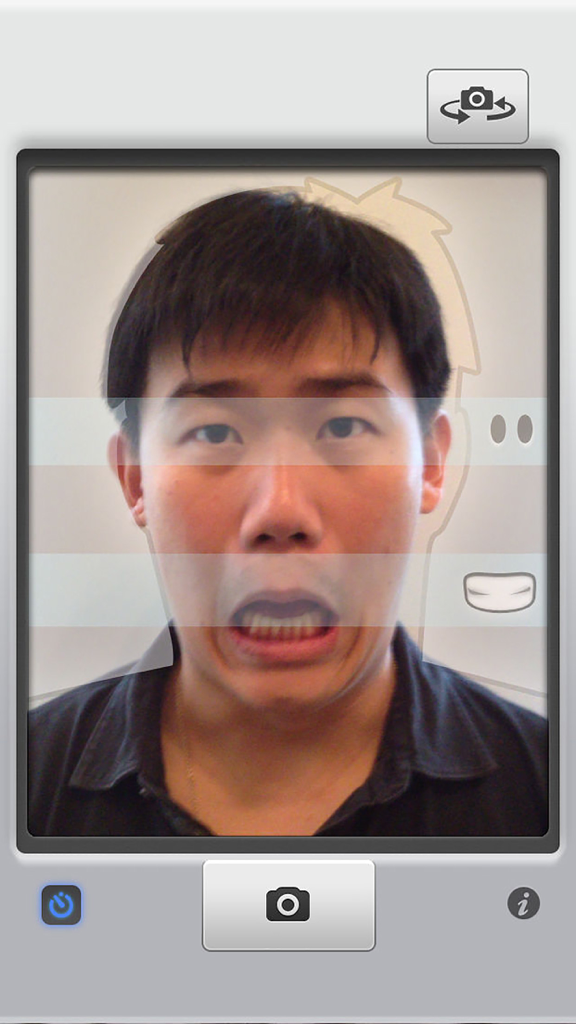
IC Photo Singapore - IC Photo Singapore 앱 인터페이스에서 얼굴 정렬 가이드를 사용하여 여권 사진을 찍는 남자의 셀카.
IC Photo Singapore 앱 인터페이스에서 얼굴 정렬 가이드를 사용하여 여권 사진을 찍는 남자의 셀카.

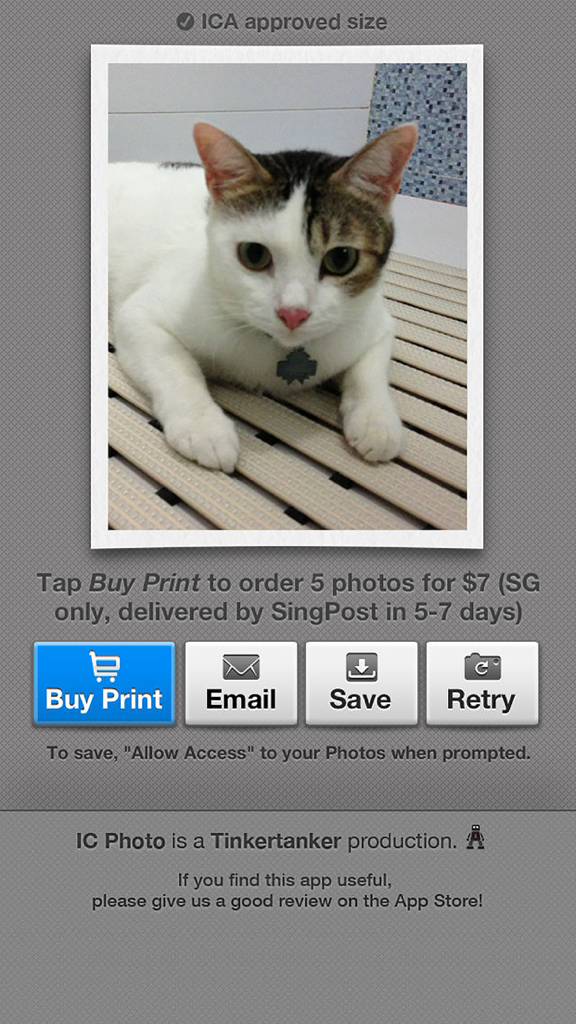
IC Photo Singapore - IC Photo Singapore 앱의 스크린샷으로, 인쇄물 구매, 이메일 보내기 또는 디지털 ID 사진 저장 버튼이 있는 사진 검토 화면을 보여줍니다.
IC Photo Singapore 앱의 스크린샷으로, 인쇄물 구매, 이메일 보내기 또는 디지털 ID 사진 저장 버튼이 있는 사진 검토 화면을 보여줍니다.

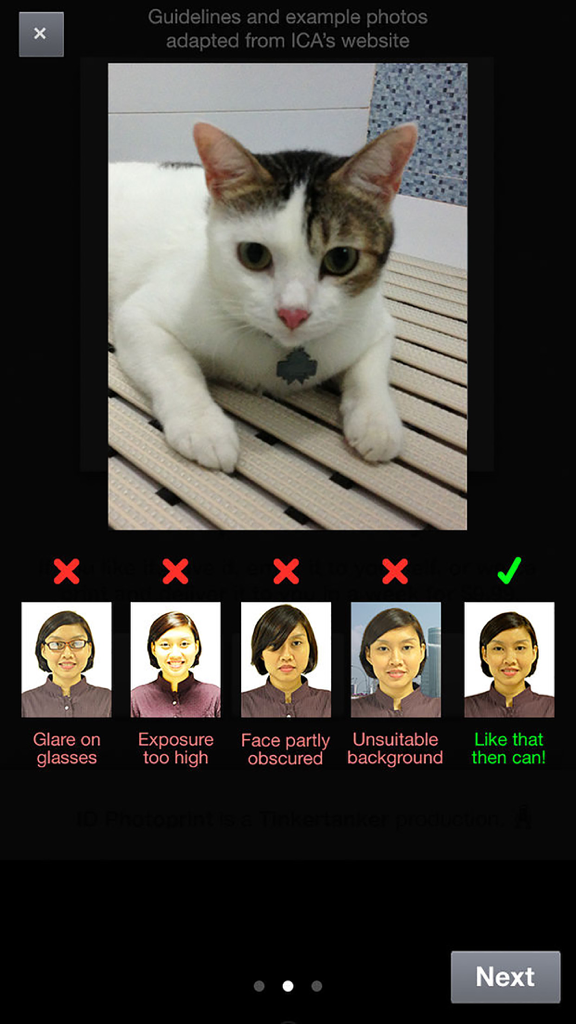
IC Photo Singapore - ICA 지침에 따른 올바른 ID 사진과 잘못된 ID 사진의 예

ICA 지침에 따른 올바른 ID 사진과 잘못된 ID 사진의 예

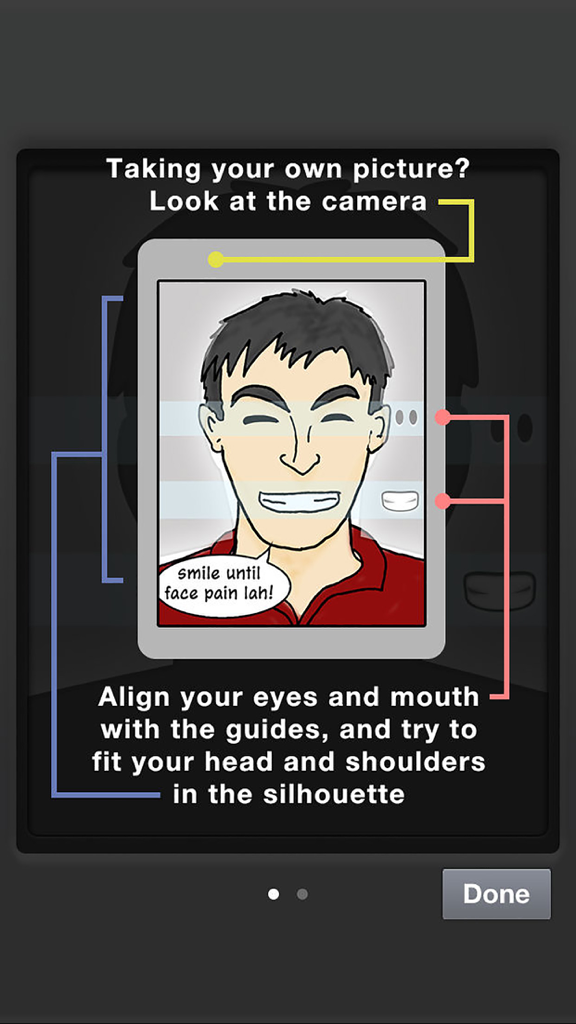
IC Photo Singapore - 싱가포르 신분증 사진 규격 준수를 위해 눈과 입을 정렬하는 가이드를 보여주는 교육용 화면
싱가포르 신분증 사진 규격 준수를 위해 눈과 입을 정렬하는 가이드를 보여주는 교육용 화면

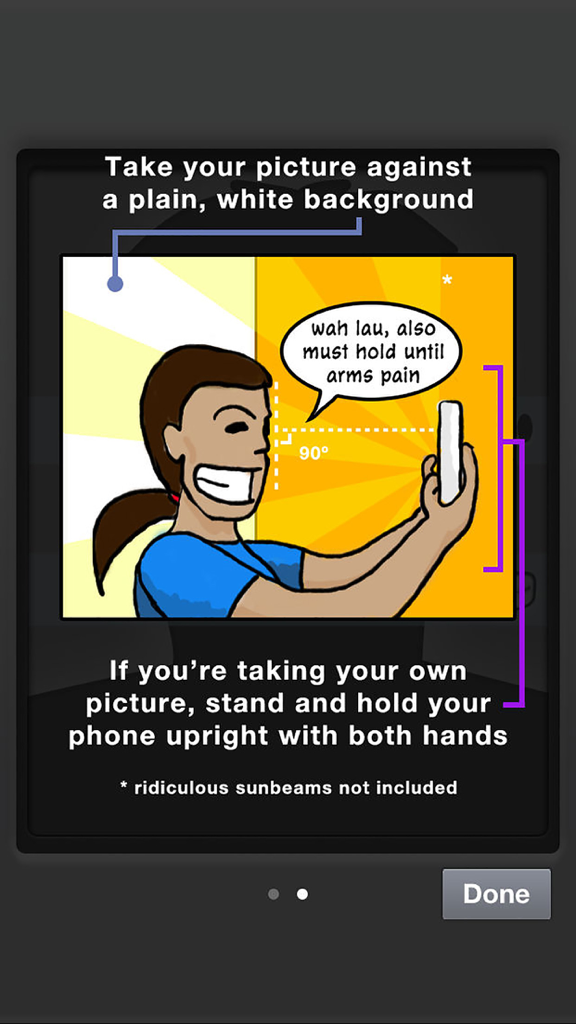
IC Photo Singapore - 흰색 배경에 휴대폰을 사용하여 규격에 맞는 신분증 사진을 찍는 방법에 대한 지침이 포함된 만화 일러스트

흰색 배경에 휴대폰을 사용하여 규격에 맞는 신분증 사진을 찍는 방법에 대한 지침이 포함된 만화 일러스트

설명

Need a photo to renew your Singapore NRIC or passport, or to apply for an employment pass? Don't spend $7 at a photo booth or 7 hours with your digital camera and photo editing tools — just use this app to take a perfectly cropped picture that you can submit online to ICA. If you need printed copies, you can order them from within the app! No need to leave the house — we'll send them to you in a few days. (Singapore only!) FEATURES • Works on iPad, iPhone, and iPod touch with camera • It's super easy! Just line yourself up with the guides to make sure you’re framed correctly • Take your own picture (for devices with front-facing cameras), or have someone else take it for you • A countdown timer to help you prepare for the shot. You can disable this countdown timer to take photos of fast-moving objects like children, pets, and the cost of living in Singapore. • If you send a photo of your pet to ICA, please don't say we suggested it. • Take as many pictures as you want, to get that perfect shot for your NRIC/passport • Your photo is automatically cropped and resized for ICA's specifications for NRIC/passport photos (400 x 514px) • Email it to yourself, or save it to your Camera Roll, so you can finish your online application later • Free! • OR you can ask us to print it for you. That's not free. • With the guides, you won’t get a letter from ICA that telling you to "show more shoulder" in your photo. We’re not kidding, this actually happened to one of us • Share your ID photo to Twitter or Facebook after saving or emailing it! We don't know why you'd want to do this, but you can. • Did we mention it’s free? • Why are you still reading this, we’ve run out of features PRINTED PHOTOS • Order printed IC photos, mailed to you in a few days. • Cheaper and more convenient than photo booths, because you don't even need to leave the house. Unless you stay in a photo booth, in which case, umm, sure, you win. • Perfect for attaching to job application forms, and as gifts. Really, really terrible gifts. • Pay by PayPal or credit card. If you get an error that says "Saving failed with error: data unavailable", you have to allow IC Photo access to the Camera Roll. Do this: • Go to the iPhone or iPad's Settings • Tap on Privacy, then Photos. • Look for IC Photo, and make sure the toggle is "On" • We need access to your Camera Roll to save to it. Don't worry, we don't do anything with your photos. If you have questions or suggestions, please email icphoto@tinkertanker.com. Thanks!

Download

다운로드: App Store

이 페이지는 앱이나 개발자의 공식 페이지가 아니며, 정보 제공 및 논평을 목적으로 작성된 독립 편집 간행물입니다. 명시적으로 달리 언급되지 않는 한, 해당 앱이나 개발자는 MWM, Apple, Google Play, 앱 퍼블리셔 또는 앱 개발자와 제휴, 보증, 후원, 승인 또는 공식적으로 연결되어 있지 않으며, 이 페이지의 어떤 내용도 해당 앱이 MWM의 서비스를 사용하여 개발되었음을 의미하지 않습니다. 모든 상표, 로고, 스크린샷 및 기타 콘텐츠는 해당 소유자의 자산입니다.