
이 페이지는 앱이나 개발자의 공식 페이지가 아니며, 정보 제공 및 논평을 목적으로 작성된 독립 편집 간행물입니다. 명시적으로 달리 언급되지 않는 한, 해당 앱이나 개발자는 MWM, Apple, Google Play, 앱 퍼블리셔 또는 앱 개발자와 제휴, 보증, 후원, 승인 또는 공식적으로 연결되어 있지 않으며, 이 페이지의 어떤 내용도 해당 앱이 MWM의 서비스를 사용하여 개발되었음을 의미하지 않습니다. 모든 상표, 로고, 스크린샷 및 기타 콘텐츠는 해당 소유자의 자산입니다.

iCharging - play screensaver
지루한 기본 화면 대신 멋진 비주얼과 사용자 정의 사운드를 사용하세요. iPhone을 위해 설계된 전문 진단으로 배터리 사이클 수명을 모니터링하고 성능을 최적화하세요.
다운로드
485K+사용자 평점
총 평가 수
100개발사
카테고리
Reference지원 언어
7최신 버전
1.3.0크기
118.3 MB출시일
2021년 3월 2일충전 경험 업그레이드
멋진 비주얼과 심층적인 배터리 인사이트로 평범한 일상 충전을 개인화된 첨단 경험으로 바꾸는 485,000명 이상의 사용자들과 함께하세요.
미학적 충전 화면
iPhone을 연결하는 순간 자동으로 활성화되는 멋진 애니메이션 컬렉션으로 자신을 표현하세요.
고급 배터리 분석
배터리 사이클 수명, 상태 값, 실시간 전력 감지를 상세하게 추적하여 기본 설정을 넘어서세요.
자주 묻는 질문
에 대해 알아야 할 모든 것 iCharging - play screensaver
iCharging은 어떤 충전 애니메이션을 제공하나요?
iCharging은 충전 화면 보호기 애니메이션을 무료로 선택할 수 있습니다. 사용자는 앱 설정에서 다양한 추천 애니메이션 중에서 선택할 수 있습니다.
iCharging은 충전 전력을 감지할 수 있나요?
네, iCharging은 원클릭으로 충전 전력을 감지할 수 있습니다. 또한 충전 정보를 자동으로 기록하고 위젯에 표시합니다.
iCharging은 충전 알림음 사용자 정의를 허용하나요?
네, iCharging은 충전 알림음의 무료 사용자 정의를 지원합니다. 사용자는 앱 내에서 추천 사운드 목록 중에서 선택할 수 있습니다.
iCharging은 배터리 상태 분석을 제공하나요?
네, iCharging은 배터리 수명 주기, 실제 용량, 건강 값 등 상세한 배터리 정보 분석을 제공합니다.
iCharging은 배터리 용량 및 상태 값을 수정할 수 있나요?
네, iCharging은 배터리 용량 및 상태 값 수정을 지원합니다. 이 기능은 앱의 주요 기능에 자세히 설명되어 있습니다.
자동 애니메이션 표시를 위해 iCharging은 어떤 iOS 버전을 요구하나요?
iCharging은 화면 보호기 애니메이션 튜토리얼이 충전 시 자동으로 켜지려면 iOS 14 이상이 필요합니다.
iCharging 프리미엄 구독 비용은 얼마인가요?
iCharging 월간 프리미엄 사용자 구독은 연속 월간 구독 상품의 경우 월 $0.49입니다.
iCharging 구독을 어떻게 취소하나요?
iCharging 구독을 취소하려면 Apple "설정" > "iTunes Store 및 App Store" > "Apple ID" > "계정 설정" > "구독 중"으로 이동한 다음 취소하십시오.
iCharging은 구독을 자동 갱신하나요?
네, iCharging 구독은 자동 갱신됩니다. 만료 24시간 전에 Apple의 iTunes 계정에 요금이 청구됩니다. 갱신을 피하려면 만료 최소 24시간 전에 취소하십시오.
iCharging 개인정보 처리방침은 어디에서 찾을 수 있나요?
iCharging 개인정보 처리방침은 http://suwenclub.cn/apps/chargingscreen/privacypolicy.html에서 확인할 수 있습니다.
다음 스크린샷과 설명은 앱의 공식 스토어 목록에서 직접 가져온 것이며 앱 개발자의 자산입니다.
앱 스토어
스크린샷
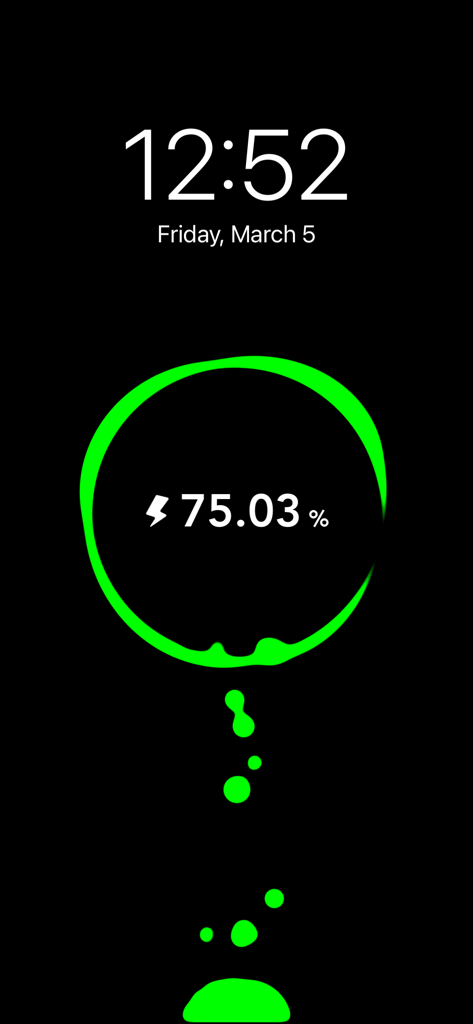
어두운 화면 보호기에 75% 배터리를 표시하는 녹색 네온 액체 충전 애니메이션에 시간과 날짜가 표시됩니다.
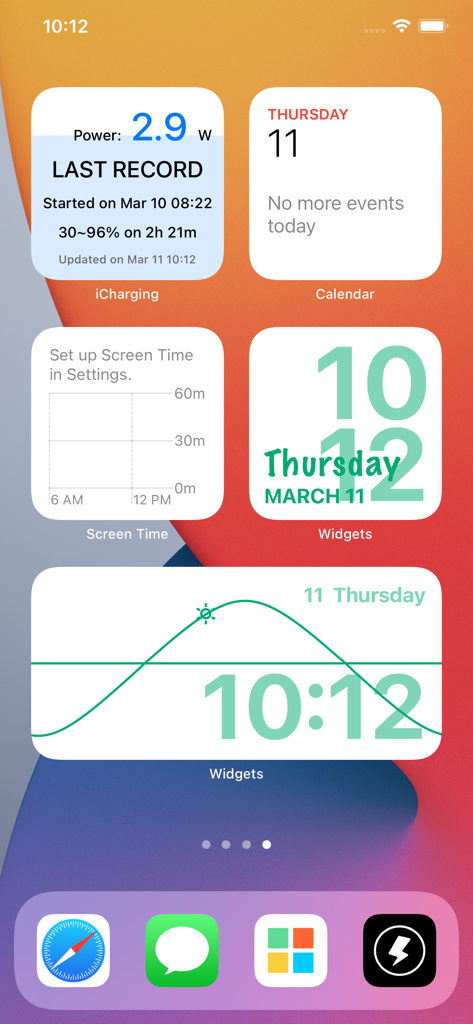
미학적 시계 위젯과 iCharging 배터리 전원 위젯이 포함된 iPhone 홈 화면
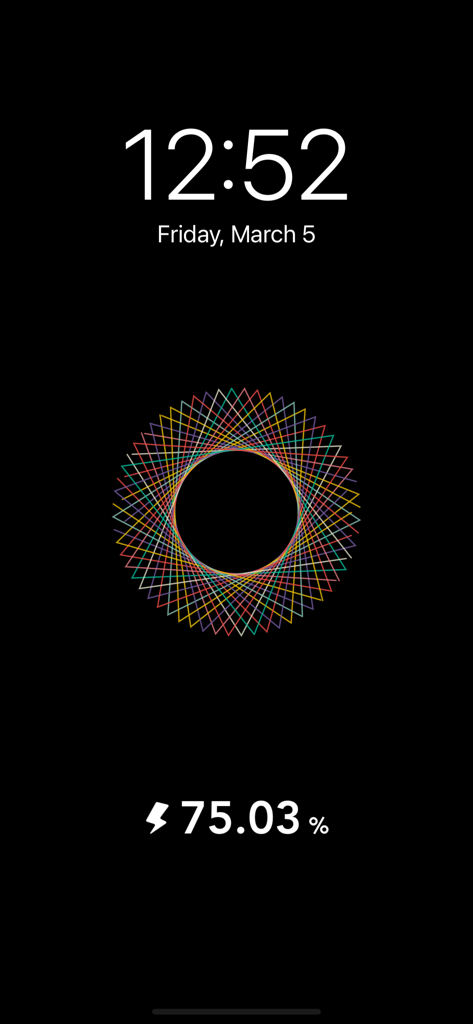
배터리 퍼센트와 디지털 시계가 표시된 검은색 iPhone 충전 화면 보호기에 표시되는 다채로운 기하학적 만다라 애니메이션
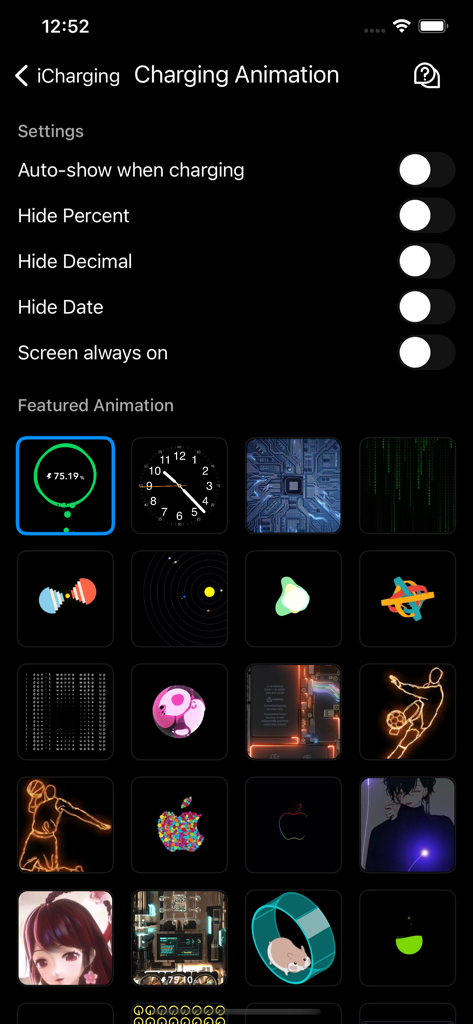
다양한 충전 애니메이션 스타일과 디스플레이 설정을 보여주는 iCharging 앱 인터페이스.
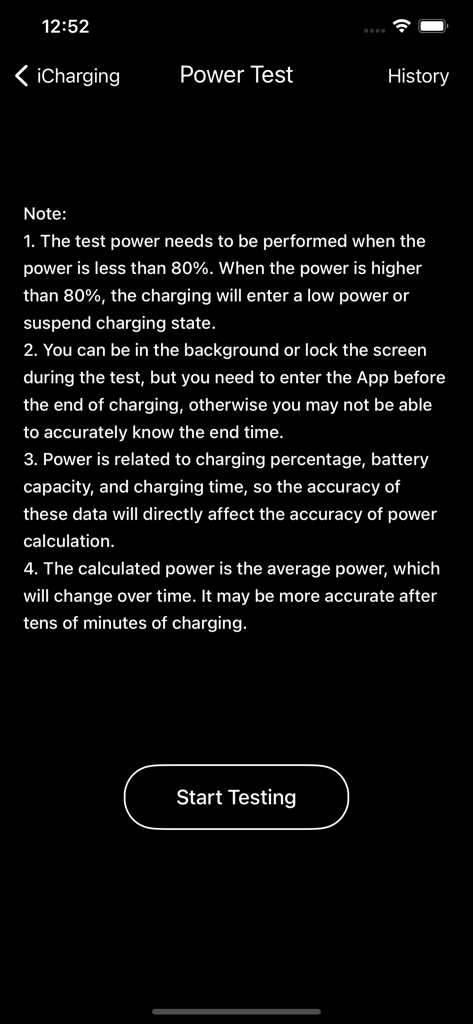
사용 노트와 시작 테스트 버튼을 보여주는 iCharging 앱의 파워 테스트 화면 스크린샷
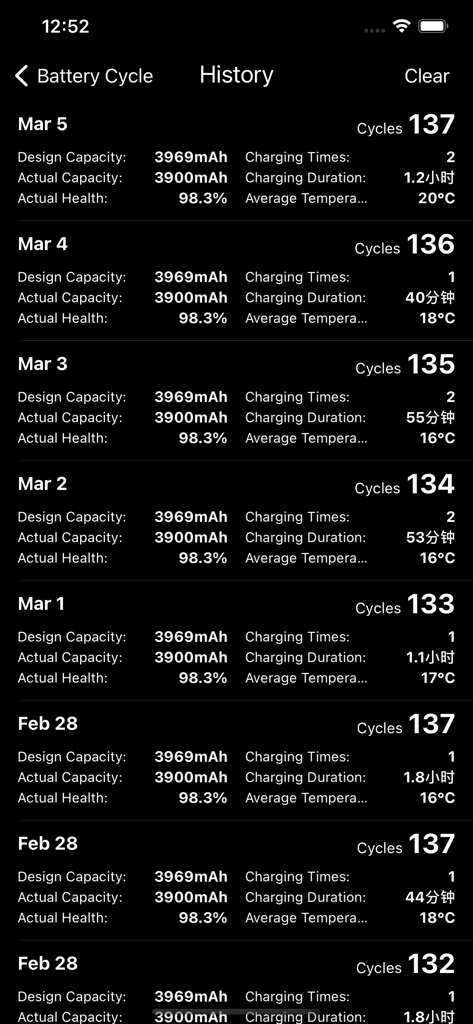
iCharging 앱 내의 배터리 사이클 상태 용량 및 충전 시간의 상세 일일 로그
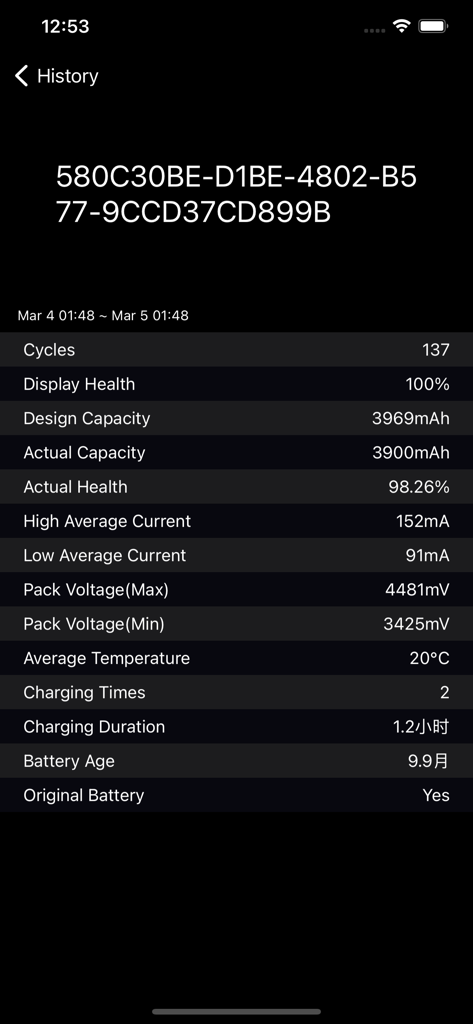
사이클 횟수, 상태 백분율, 충전 시간과 같은 자세한 iPhone 배터리 기록을 보여주는 기술 대시보드
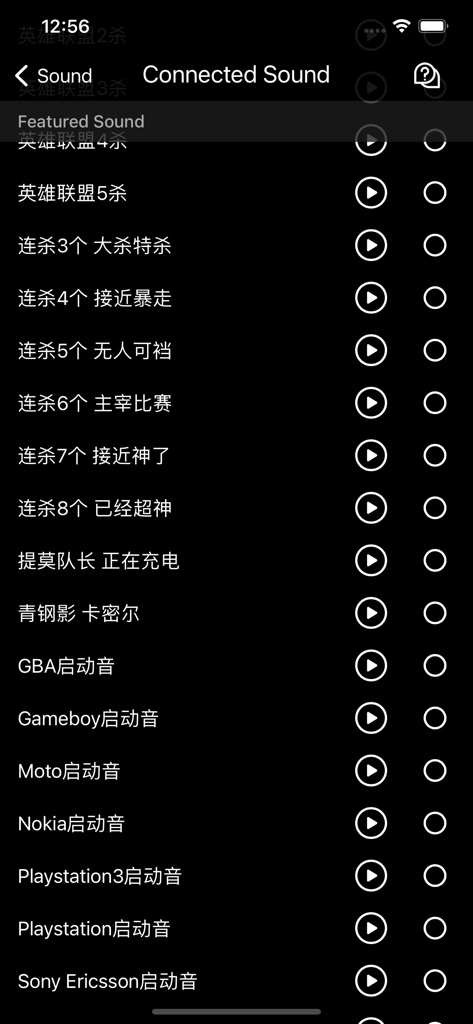
레트로 게임 및 전화 시작음과 같은 전화가 충전될 때 재생할 사용자 정의 사운드 목록을 보여주는 iCharging 앱의 메뉴
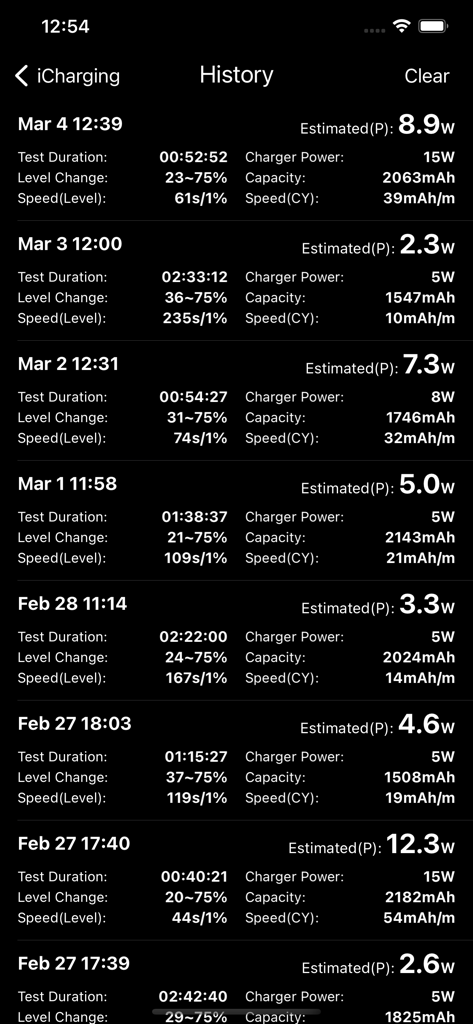
iCharging 앱 인터페이스에 배터리 충전 전력 및 시간 통계의 기록 로그 표시
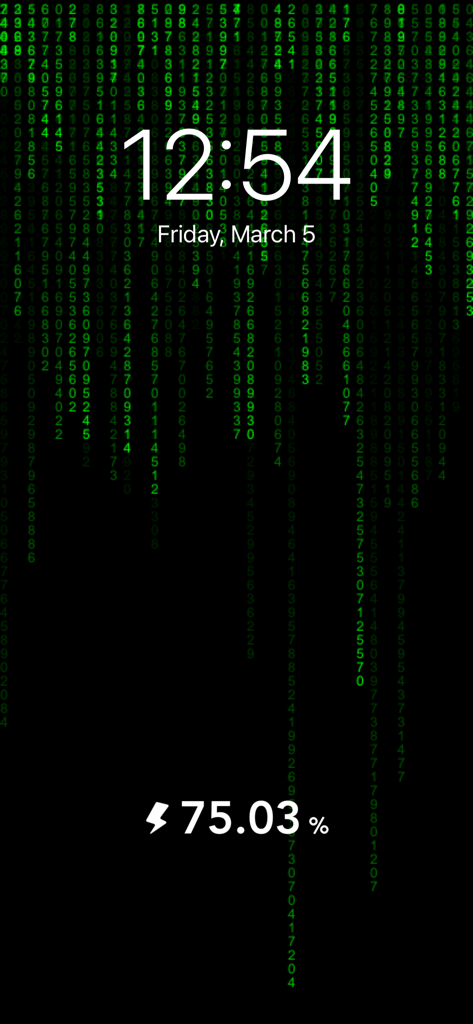
시간과 배터리 백분율을 보여주는 Matrix 테마 충전 애니메이션 화면 보호기
설명
Download
비슷한 앱
유사한 기능과 사용자 경험을 가진 앱
Live Wallpapers 4K ChargeWall
超亮 刘
Battery Care+
HIGHONE GAMES LIMITED
charging play
妮琳 张
EnergAI
慧 阳

Charger Master
东海 刘
Charging Show - Cool Play !
Xiamen iScreen Information Technology Co., Ltd.

Live Charging: Cool Wallpapers
SANTECO TECHNOLOGY CO., LIMITED
OPixels-Charging Wallpaper
MISSU LIMITED
充电福星宝
雨点 陈
이 페이지는 앱이나 개발자의 공식 페이지가 아니며, 정보 제공 및 논평을 목적으로 작성된 독립 편집 간행물입니다. 명시적으로 달리 언급되지 않는 한, 해당 앱이나 개발자는 MWM, Apple, Google Play, 앱 퍼블리셔 또는 앱 개발자와 제휴, 보증, 후원, 승인 또는 공식적으로 연결되어 있지 않으며, 이 페이지의 어떤 내용도 해당 앱이 MWM의 서비스를 사용하여 개발되었음을 의미하지 않습니다. 모든 상표, 로고, 스크린샷 및 기타 콘텐츠는 해당 소유자의 자산입니다.