iDOS 3
iDOS 3
다운로드: App Store

이 페이지는 앱이나 개발자의 공식 페이지가 아니며, 정보 제공 및 논평을 목적으로 작성된 독립 편집 간행물입니다. 명시적으로 달리 언급되지 않는 한, 해당 앱이나 개발자는 MWM, Apple, Google Play, 앱 퍼블리셔 또는 앱 개발자와 제휴, 보증, 후원, 승인 또는 공식적으로 연결되어 있지 않으며, 이 페이지의 어떤 내용도 해당 앱이 MWM의 서비스를 사용하여 개발되었음을 의미하지 않습니다. 모든 상표, 로고, 스크린샷 및 기타 콘텐츠는 해당 소유자의 자산입니다.

로고: iDOS 3
다운로드: App Store

iDOS 3

PC 게임 및 생산성의 황금 시대를 다시 경험하세요. Bluetooth 키보드, 마우스 및 게임 컨트롤러를 완벽하게 지원하여 전설적인 MS-DOS 소프트웨어를 실행하세요.

주요 수치

다운로드

50K+

사용자 평점

4.3/5

총 평가 수

100

개발사

潮激 李

카테고리

Utilities

지원 언어

1

최신 버전

3.3

크기

7.7 MB

출시일

2024년 8월 9일
기능

주머니 속의 강력한 PC

iDOS 3은 iPhone 및 iPad에 컴퓨팅의 황금 시대를 가져와, 정통 MS-DOS 에뮬레이션과 현대 하드웨어의 다용성을 결합합니다.

정밀한 레트로 게이밍

사용자 지정 가능한 가상 게임패드, 8축 DPAD 및 외부 Bluetooth 컨트롤러를 완벽하게 지원하여 고전 게임을 다시 경험하세요.

완벽한 주변 기기 지원

Bluetooth 키보드와 마우스를 연결하여 iPad를 90년대 게임, 코딩 또는 방해 없는 글쓰기를 위한 워크스테이션으로 바꾸세요.

다음 스크린샷과 설명은 앱의 공식 스토어 목록에서 직접 가져온 것이며 앱 개발자의 자산입니다.

앱 스토어

스크린샷
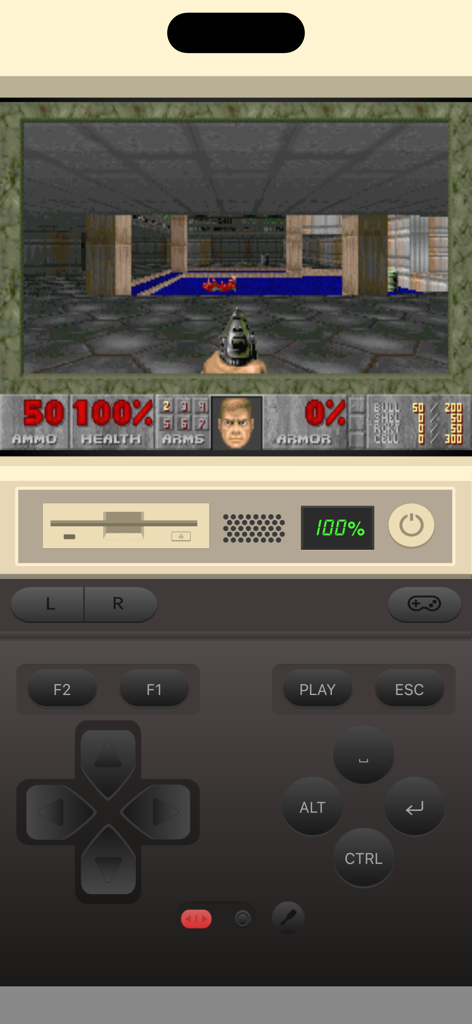
iDOS 3 - iPhone에서 가상 게임패드로 레트로 DOS 게임을 실행하는 iDOS 3 앱
iPhone에서 가상 게임패드로 레트로 DOS 게임을 실행하는 iDOS 3 앱

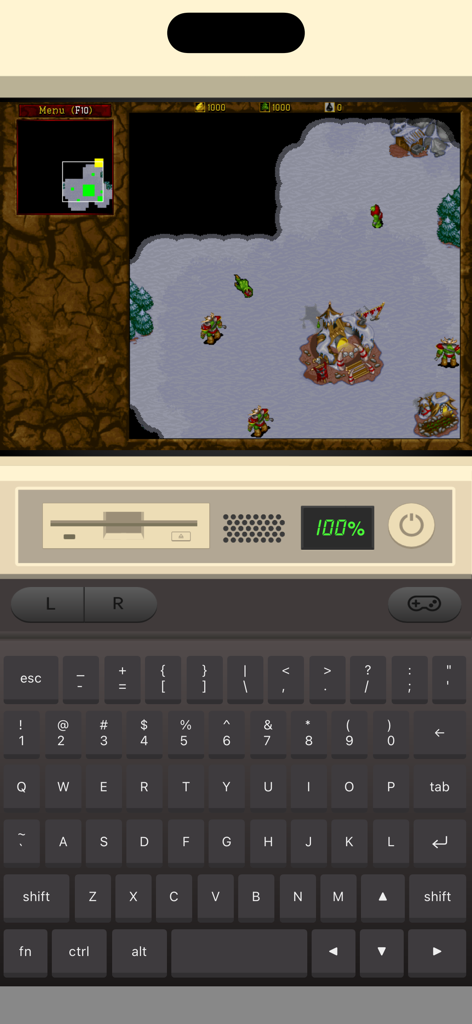
iDOS 3 - 가상 PC 키보드로 레트로 DOS 게임을 실행하는 iDOS 3 앱 인터페이스
가상 PC 키보드로 레트로 DOS 게임을 실행하는 iDOS 3 앱 인터페이스

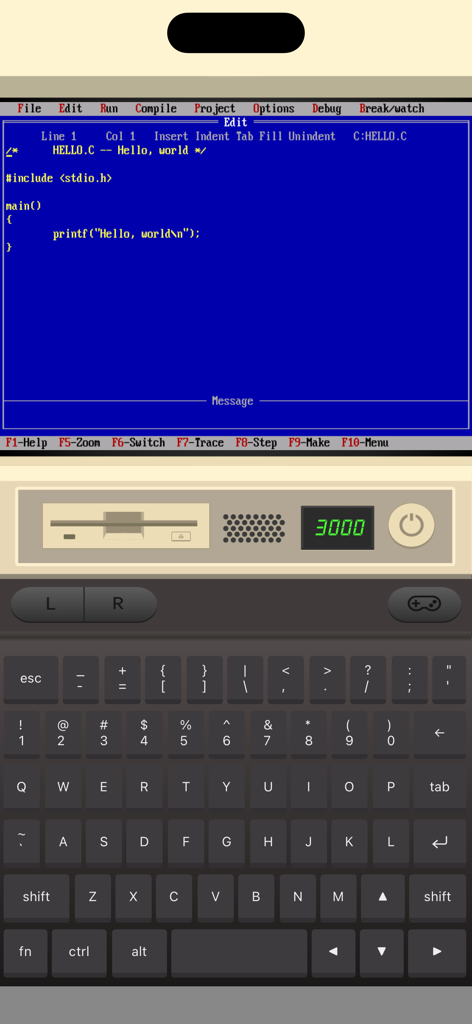
iDOS 3 - 가상 키보드와 빈티지 PC 인터페이스를 사용하여 클래식 MS-DOS 환경에서 C 프로그래밍 편집기를 보여주는 iPhone의 iDOS 3 앱
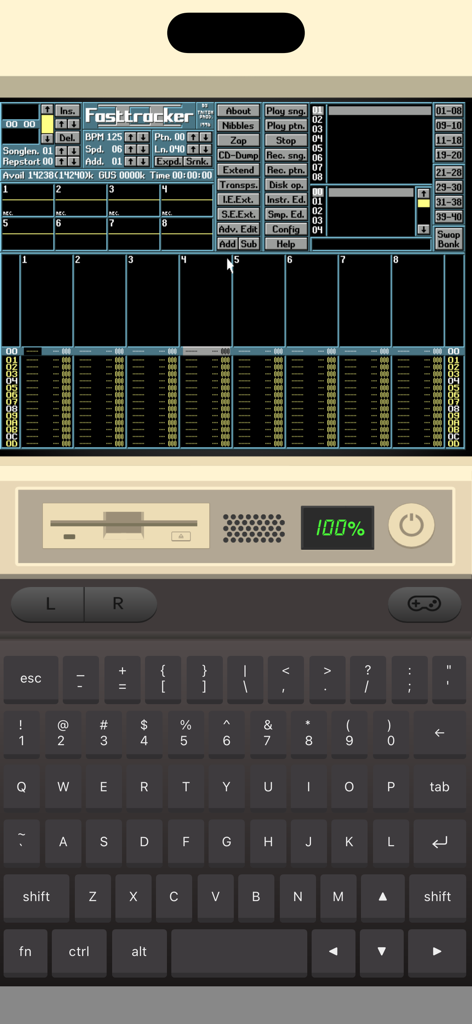
가상 키보드와 빈티지 PC 인터페이스를 사용하여 클래식 MS-DOS 환경에서 C 프로그래밍 편집기를 보여주는 iPhone의 iDOS 3 앱

iDOS 3 - 가상 키보드와 하드웨어 컨트롤을 사용하여 레트로 MS-DOS 소프트웨어를 실행하는 iDOS 3 모바일 앱 인터페이스
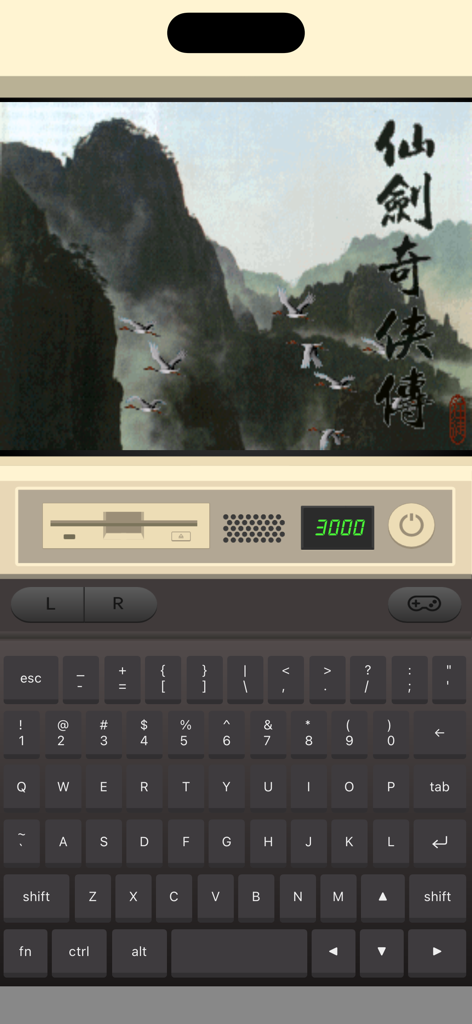
가상 키보드와 하드웨어 컨트롤을 사용하여 레트로 MS-DOS 소프트웨어를 실행하는 iDOS 3 모바일 앱 인터페이스

iDOS 3 - iPhone에서 가상 키보드로 레트로 DOS 게임을 실행하는 iDOS 3 앱

iPhone에서 가상 키보드로 레트로 DOS 게임을 실행하는 iDOS 3 앱

설명

Play classic DOS games on your iPhone and iPad! iDOS turns your device right into a powerful DOS gaming PC, with modern game control to make your old favorites as playable as possible. You can also use iDOS for non-gaming purposes, such as word processing, casual programming. Apps in the DOS days are often simpler and surprisingly productive. KEYBOARD iDOS provides a PC compatible on-screen keyboard with carefully designed layouts for different devices and orientations. The keyboard has a sliding control in landscape mode so that you can keep it from covering critical part of the screen. Bluetooth keyboard is fully supported on iOS 14+. GAMEPAD iDOS provides a virtual gamepad with key bindings that are fairly common in DOS games. You can customize the bindings. The DPAD works in 8-axis way. It can also be toggled into a joystick. External bluetooth game controllers are supported. Make sure your game controller is connected (System Settings->Bluetooth). To customize button bindings, go to iDOS in landscape mode, tap on bluetooth icon on the auto-hiding top bar. MOUSE The screen area serves as a trackpad for moving mouse pointer. Tap on the screen for left click. If direct touch is enabled, the mouse pointer will move to where you tap. Hold one finger on the screen, and tap with another finger for right click. On-screen mouse buttons are also provided for your convenience. Bluetooth mouse are fully supported on iOS 14+. AUDIO iDOS supports mt32 emulation, MIDI sound fonts, cuesheet based CDimage with compressed audio tracks (ogg/mp3/flac). SUPPORT - Visit https://litchie.com/dospad for more information - Send email to idos@litchie.com - Follow the developer on Twitter: https://twitter.com/litchiedev - iDOS is open source, report issue on https://github.com/litchie/dospad

Download

다운로드: App Store

이 페이지는 앱이나 개발자의 공식 페이지가 아니며, 정보 제공 및 논평을 목적으로 작성된 독립 편집 간행물입니다. 명시적으로 달리 언급되지 않는 한, 해당 앱이나 개발자는 MWM, Apple, Google Play, 앱 퍼블리셔 또는 앱 개발자와 제휴, 보증, 후원, 승인 또는 공식적으로 연결되어 있지 않으며, 이 페이지의 어떤 내용도 해당 앱이 MWM의 서비스를 사용하여 개발되었음을 의미하지 않습니다. 모든 상표, 로고, 스크린샷 및 기타 콘텐츠는 해당 소유자의 자산입니다.








