iFly EFB
iFly EFB
다운로드: App Store

이 페이지는 앱이나 개발자의 공식 페이지가 아니며, 정보 제공 및 논평을 목적으로 작성된 독립 편집 간행물입니다. 명시적으로 달리 언급되지 않는 한, 해당 앱이나 개발자는 MWM, Apple, Google Play, 앱 퍼블리셔 또는 앱 개발자와 제휴, 보증, 후원, 승인 또는 공식적으로 연결되어 있지 않으며, 이 페이지의 어떤 내용도 해당 앱이 MWM의 서비스를 사용하여 개발되었음을 의미하지 않습니다. 모든 상표, 로고, 스크린샷 및 기타 콘텐츠는 해당 소유자의 자산입니다.


로고: iFly EFB
다운로드: App Store

iFly EFB

메뉴 탐색은 그만두고 비행에 집중하세요. 3D 합성 시야, 지오레퍼런스된 차트, 텍사스 기반의 조종사 팀이 제공하는 실제 지원 기능을 갖춘 직관적인 인터페이스를 경험해 보세요.

주요 수치

다운로드

43K+

사용자 평점

4.5/5

총 평가 수

300

개발사

Adventure Pilot, LLC

카테고리

Navigation

지원 언어

-

최신 버전

13.3.53

크기

79.9 MB

출시일

2013년 10월 18일
기능

복잡함 없는 고급 내비게이션

실제 조종석 사용을 위해 설계된 풍부한 기능을 갖춘 전자 비행 가방을 경험해 보세요. 가독성, 안전성, 사용 편의성을 최우선으로 생각합니다.

직관적인 조종석 인터페이스

가독성을 위해 큰 글꼴과 누르기 쉬운 버튼으로 디자인되어 화면이 아닌 비행에 집중할 수 있도록 합니다.

3D 합성 시야 및 경고

3D 지형, 장애물, 전체 ADS-B 지원을 통한 실시간 교통 경고로 상황 인식 능력을 향상시킵니다.

다음 스크린샷과 설명은 앱의 공식 스토어 목록에서 직접 가져온 것이며 앱 개발자의 자산입니다.

앱 스토어

스크린샷
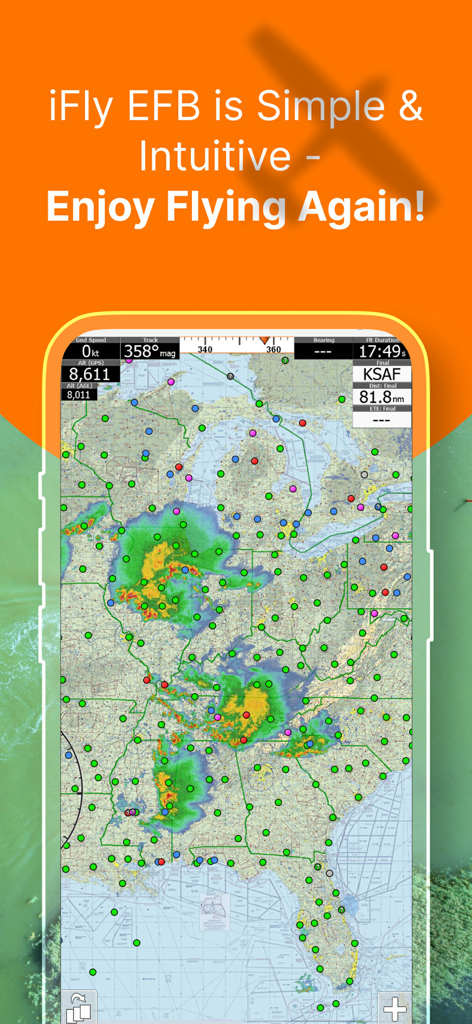
iFly EFB - iFly EFB 앱 인터페이스가 미국 비행 내비게이션 지도에 날씨 레이더 오버레이와 비행 데이터를 표시하고 있습니다.
iFly EFB 앱 인터페이스가 미국 비행 내비게이션 지도에 날씨 레이더 오버레이와 비행 데이터를 표시하고 있습니다.

iFly EFB - iFly EFB 합성 시야 및 비행 내비게이션 인터페이스

iFly EFB 합성 시야 및 비행 내비게이션 인터페이스

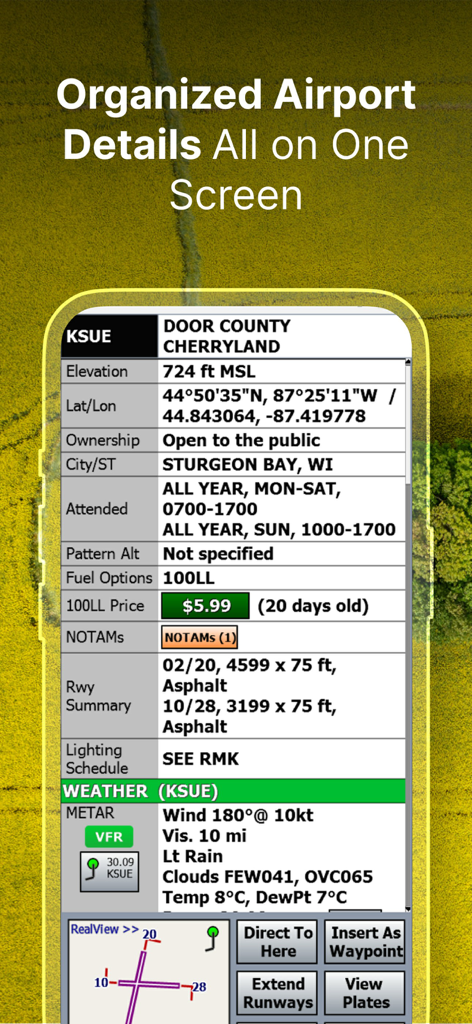
iFly EFB - iFly EFB 앱에서 정리된 공항 정보 및 날씨 데이터

iFly EFB 앱에서 정리된 공항 정보 및 날씨 데이터

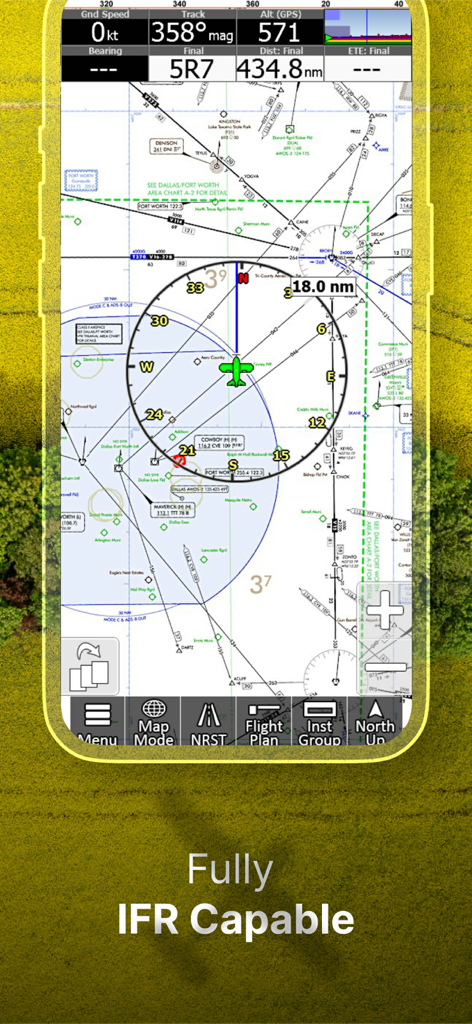
iFly EFB - iFly EFB 모바일 앱 인터페이스가 비행 데이터를 포함한 상세 IFR 내비게이션 차트를 표시하고 있습니다.
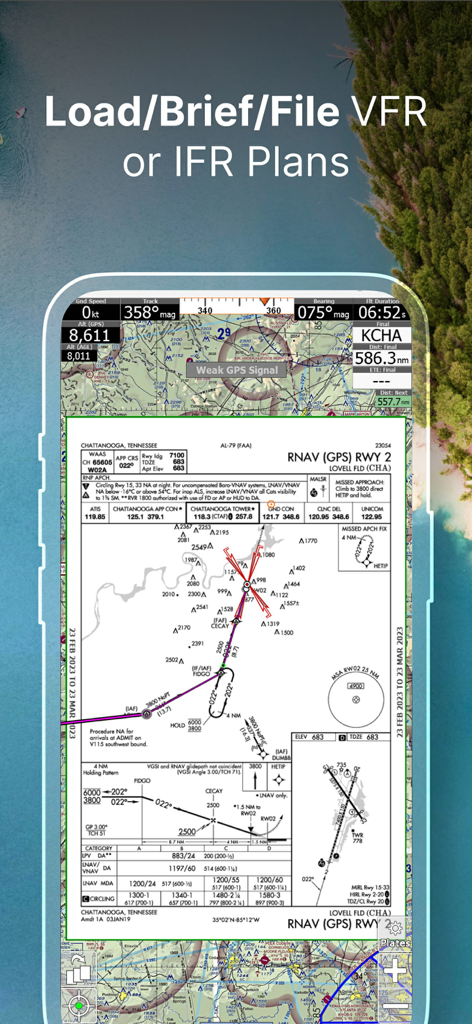
iFly EFB 모바일 앱 인터페이스가 비행 데이터를 포함한 상세 IFR 내비게이션 차트를 표시하고 있습니다.

iFly EFB - iFly EFB 앱이 비행 계획을 위해 지오레퍼런스된 RNAV 접근판을 표시하고 있습니다.
iFly EFB 앱이 비행 계획을 위해 지오레퍼런스된 RNAV 접근판을 표시하고 있습니다.

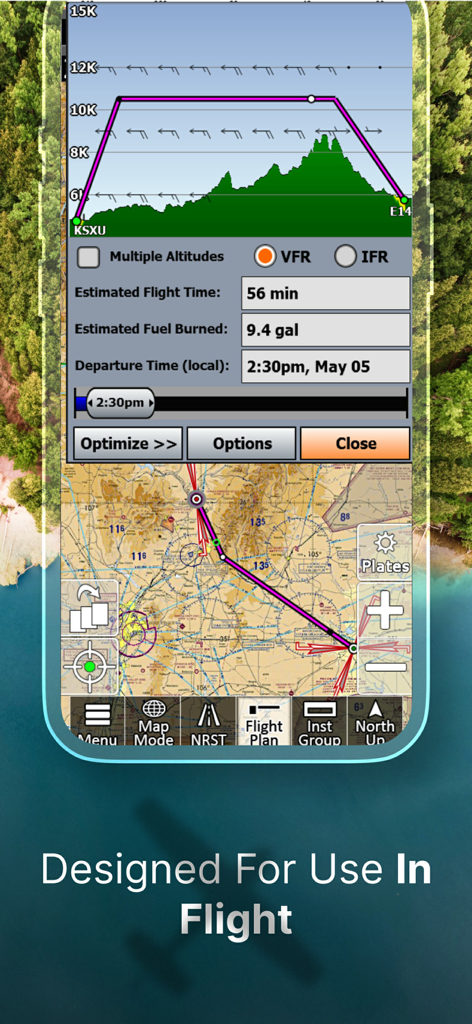
iFly EFB - iFly EFB 앱 인터페이스가 조종사를 위한 내비게이션 지도와 지형이 있는 수직 비행 경로 프로필을 표시하고 있습니다.
iFly EFB 앱 인터페이스가 조종사를 위한 내비게이션 지도와 지형이 있는 수직 비행 경로 프로필을 표시하고 있습니다.

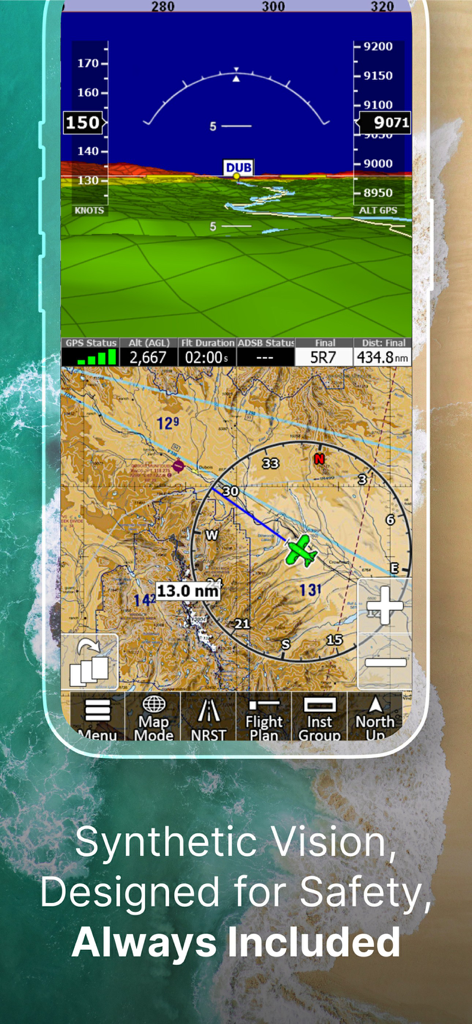
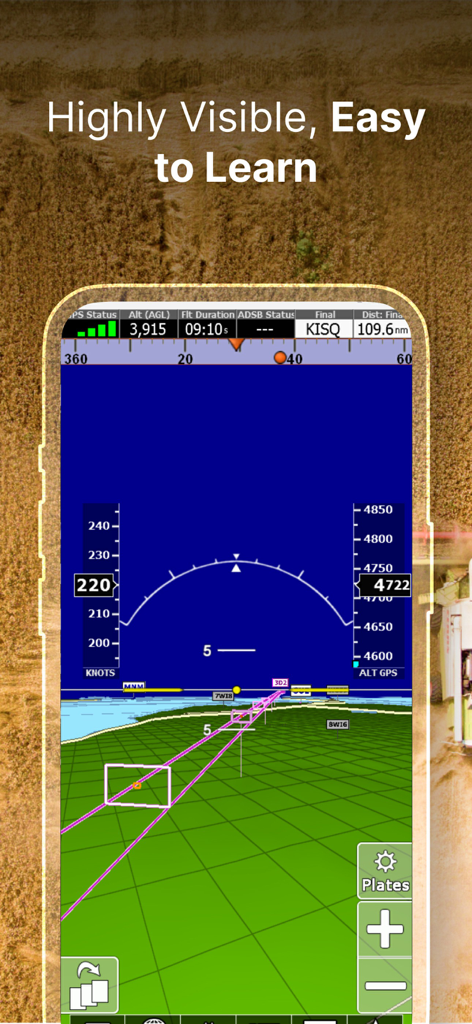
iFly EFB - iFly EFB 앱이 모바일 장치에 3D 합성 시야와 비행 계기들을 표시하고 있습니다.
iFly EFB 앱이 모바일 장치에 3D 합성 시야와 비행 계기들을 표시하고 있습니다.

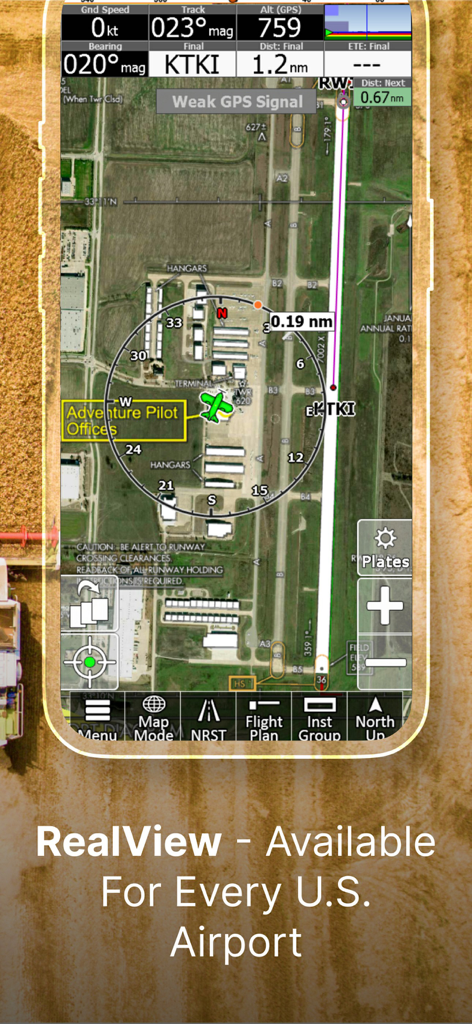
iFly EFB - iFly EFB 앱 내 맥키니 국립공항의 위성 보기로, 내비게이션 계기 및 비행 데이터가 포함된 RealView 이미지 기능이 표시됩니다.
iFly EFB 앱 내 맥키니 국립공항의 위성 보기로, 내비게이션 계기 및 비행 데이터가 포함된 RealView 이미지 기능이 표시됩니다.

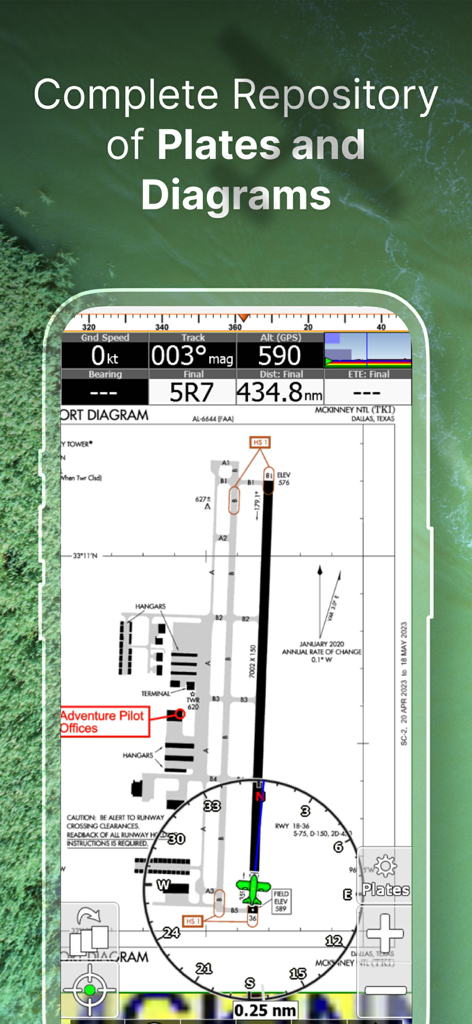
iFly EFB - iFly EFB 앱이 FAA 공항 다이어그램과 비행 내비게이션 계기들을 표시하고 있습니다.
iFly EFB 앱이 FAA 공항 다이어그램과 비행 내비게이션 계기들을 표시하고 있습니다.

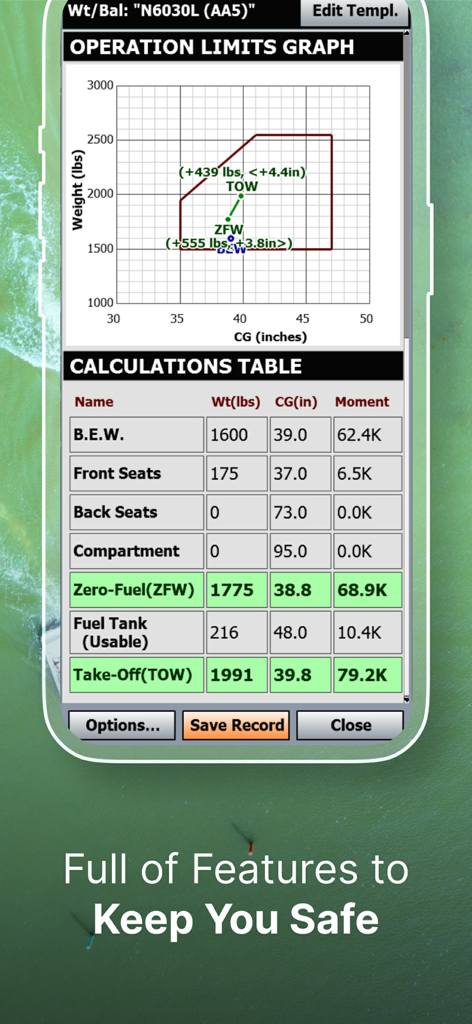
iFly EFB - iFly EFB 무게 및 균형 계산기 화면에 운용 한계 그래프와 비행 적재 계산이 표시됩니다.

iFly EFB 무게 및 균형 계산기 화면에 운용 한계 그래프와 비행 적재 계산이 표시됩니다.

설명

iFly EFB delivers the perfect combination of affordability, capability, and usability for both VFR and IFR Pilots. Safely and quickly get the information you need so you can focus on flying! Key reasons to try iFly EFB: 1) Ease of use in the cockpit: Our intuitive and simple interface, easy to hit buttons, simple map gestures, large fonts, and more make this the best EFB for in-flight use 2) Pilot focused company: We have staff (pilots) on the ground at our office in Texas waiting to answer your questions. Call 214-585-0444 or email support@adventurepilot.com, we're here to help 3) Price: We are one of the most competitively priced EFBs on the market 4) Capabilities: We are one of the most capable EFBs on the market! Need proof? Visit www.iFlyEFB.com/Compare Following are some of our features and benefits: •Geo-Reference Approach Plates and Airport Diagrams •3D Synthetic Vision / EFIS Mode •Terrain, Obstructions, Traffic, and Airspaces Alerts •Complete ADSB support •AutoTaxi+ for safe taxing at any airport •RealView airport imagery •RealPlan automatic VFR Planner •Auto-load approach into plan •Complete VFR and IFR databases and charts (FAA) •Sectionals •Customizable Instruments •Public & Private Airports •Winds aloft including forecasts for 36 hours •Hi/Lo-Enroute Charts •Terminal Area Charts(TAC) •World Aeronautical Charts(WAC) •Vector Mode •Weather (Pre-Flight or ADS-B Live) •Hi-res Winds Aloft Optimizing •Rapid Flight planning •Plates & Diagrams (Approach, Departure Plates, Stars, SIDs Airport Diagrams) •Instruments Panel •Day/Night Mode •Online Flight Plan Filing •Custom Instrument Layouts (24 Instruments, e.g. HSI, Vertical Profile, and AHRS) •Vertical Terrain planning and Airspace preview •Find Nearest •History •North Up / Track Up •Pinch Zooming w/ One Touch Feature •Dynamic Distance Ring •Hybrid Compass Rose w/ Nav Function •Extended Course Line •Flight Trails •Past Flights •Rubber Band route modification •Custom Aircraft icons •AutoTaxi+ •Alerts & Warnings •Button Fading (maximizes screen space) •Custom User Waypoints •Customizable Instruments •Simulator Mode

Download

다운로드: App Store

이 페이지는 앱이나 개발자의 공식 페이지가 아니며, 정보 제공 및 논평을 목적으로 작성된 독립 편집 간행물입니다. 명시적으로 달리 언급되지 않는 한, 해당 앱이나 개발자는 MWM, Apple, Google Play, 앱 퍼블리셔 또는 앱 개발자와 제휴, 보증, 후원, 승인 또는 공식적으로 연결되어 있지 않으며, 이 페이지의 어떤 내용도 해당 앱이 MWM의 서비스를 사용하여 개발되었음을 의미하지 않습니다. 모든 상표, 로고, 스크린샷 및 기타 콘텐츠는 해당 소유자의 자산입니다.