iGlide Pro
iGlide Pro
다운로드: App Store

이 페이지는 앱이나 개발자의 공식 페이지가 아니며, 정보 제공 및 논평을 목적으로 작성된 독립 편집 간행물입니다. 명시적으로 달리 언급되지 않는 한, 해당 앱이나 개발자는 MWM, Apple, Google Play, 앱 퍼블리셔 또는 앱 개발자와 제휴, 보증, 후원, 승인 또는 공식적으로 연결되어 있지 않으며, 이 페이지의 어떤 내용도 해당 앱이 MWM의 서비스를 사용하여 개발되었음을 의미하지 않습니다. 모든 상표, 로고, 스크린샷 및 기타 콘텐츠는 해당 소유자의 자산입니다.


로고: iGlide Pro
다운로드: App Store

iGlide Pro

글라이더 조종사를 위한 최고의 디지털 조종석. OLC 점수를 최적화하고, FAI 삼각형을 마스터하며, 실시간 열풍 및 최종 활공 분석의 수학적 확실성으로 탐색하세요.

주요 수치

다운로드

60K+

사용자 평점

4.8/5

총 평가 수

0

개발사

Logic Design

카테고리

Navigation

지원 언어

4

최신 버전

2.9.65

크기

59.6 MB

출시일

2012년 8월 9일
기능

정밀함으로 모든 비행을 마스터하세요

iGlide Pro는 iPad를 전문 디지털 조종석으로 변환하여 경쟁 레이싱과 안전한 크로스컨트리 탐험에 필요한 데이터 기반 도구를 제공합니다.

경쟁 과제 최적화

실시간 최적화 및 자동화된 대회 규칙 구현으로 OLC 점수를 극대화하고 FAI 삼각형을 마스터하세요.

지형 인식 최종 활공

지형 고도 및 항공기 극점 데이터를 고려한 고급 최종 활공 계산을 사용하여 절대적인 수학적 확실성으로 비행하세요.

다음 스크린샷과 설명은 앱의 공식 스토어 목록에서 직접 가져온 것이며 앱 개발자의 자산입니다.

앱 스토어

스크린샷
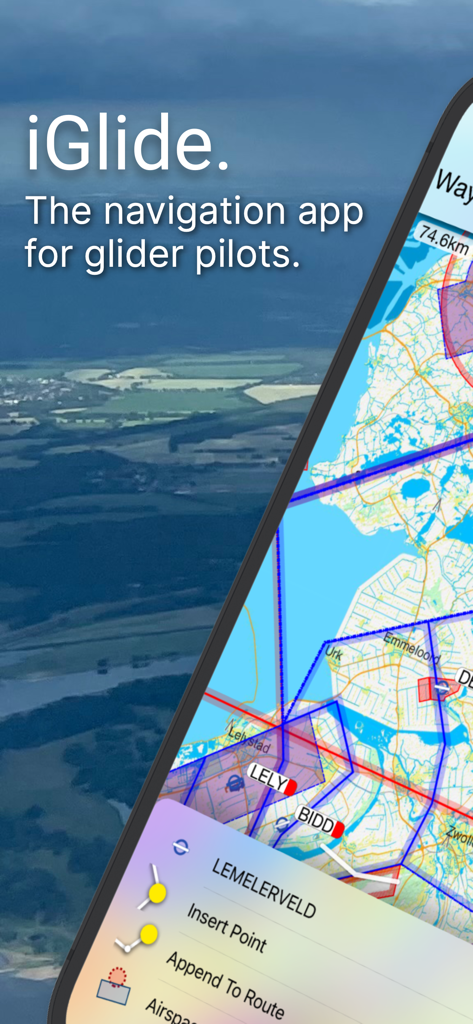
iGlide Pro - 글라이더 조종사를 위한 iGlide Pro 내비게이션 앱 인터페이스, 상세한 항공 지도 및 경로 계획 메뉴 표시
글라이더 조종사를 위한 iGlide Pro 내비게이션 앱 인터페이스, 상세한 항공 지도 및 경로 계획 메뉴 표시

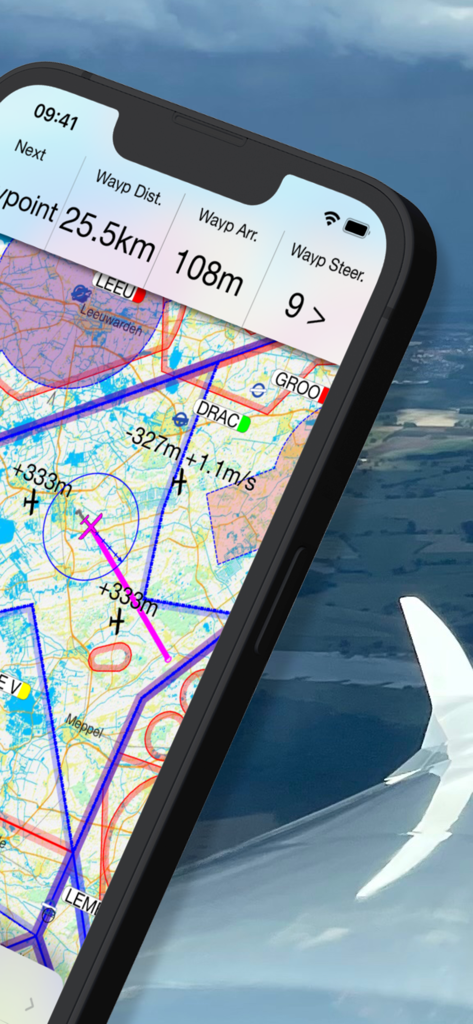
iGlide Pro - iGlide Pro 글라이딩 내비게이션 지도, 스마트폰 화면에 비행 데이터 및 지형도 표시
iGlide Pro 글라이딩 내비게이션 지도, 스마트폰 화면에 비행 데이터 및 지형도 표시

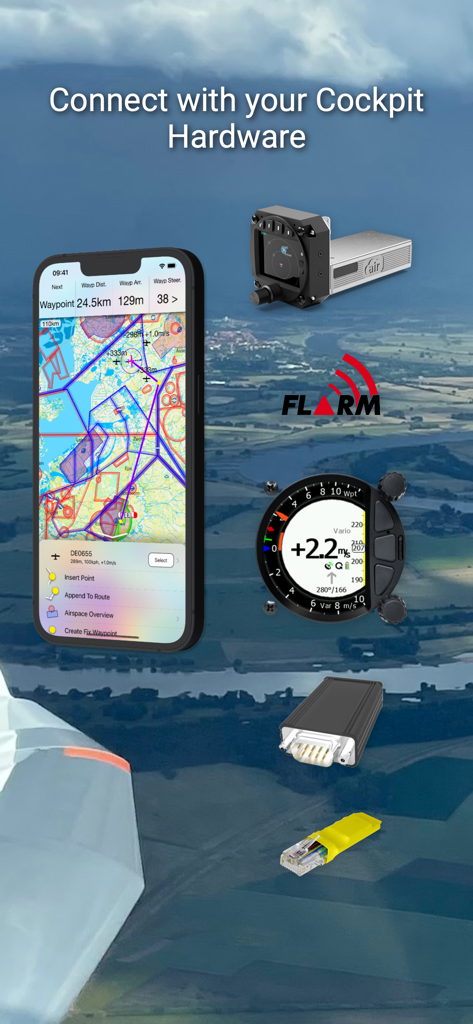
iGlide Pro - iGlide Pro 앱 인터페이스, 글라이더 조종석 하드웨어 및 FLARM 시스템과의 통합 표시
iGlide Pro 앱 인터페이스, 글라이더 조종석 하드웨어 및 FLARM 시스템과의 통합 표시

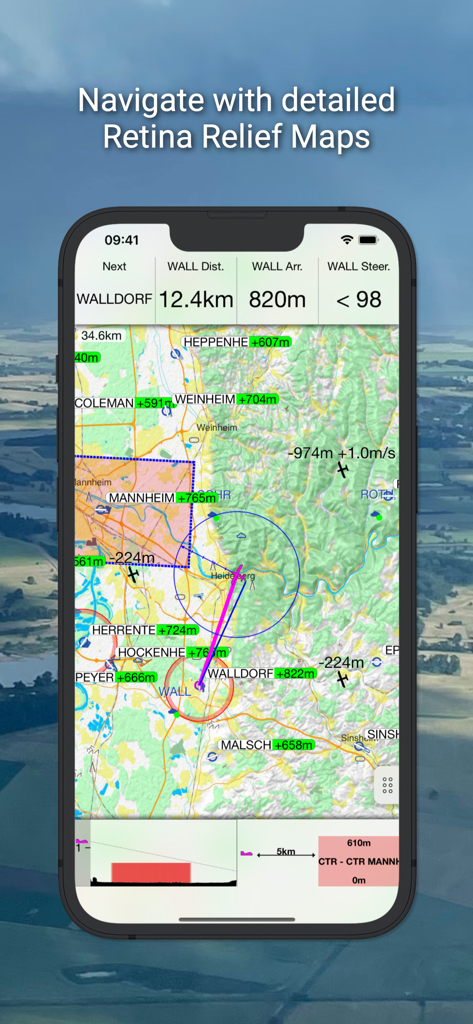
iGlide Pro - iGlide Pro 앱 인터페이스, 글라이딩 내비게이션 데이터와 상세한 지형도 표시
iGlide Pro 앱 인터페이스, 글라이딩 내비게이션 데이터와 상세한 지형도 표시

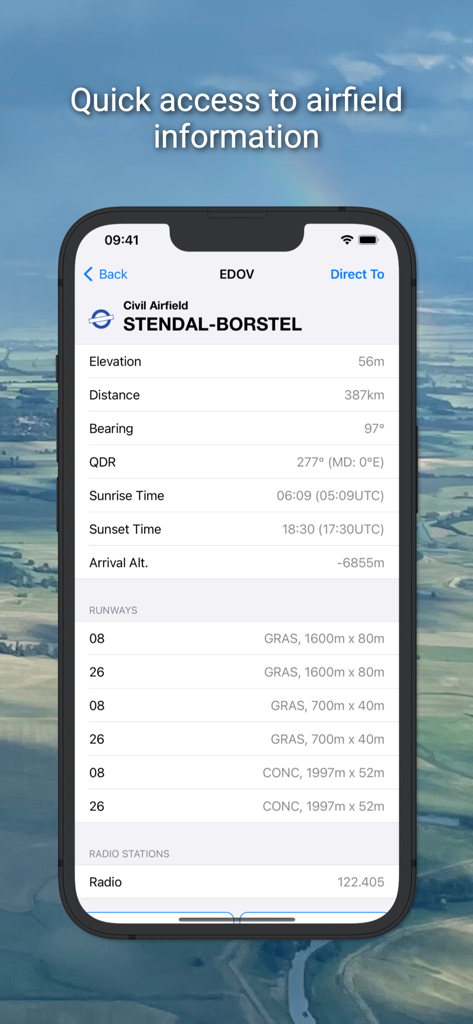
iGlide Pro - iGlide Pro 앱 인터페이스, Stendal Borstel에 대한 상세 비행장 데이터 표시
iGlide Pro 앱 인터페이스, Stendal Borstel에 대한 상세 비행장 데이터 표시

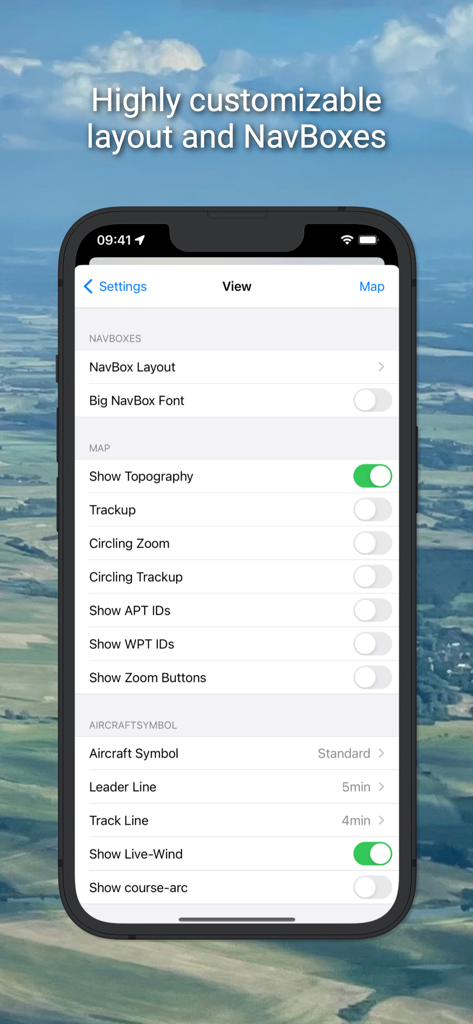
iGlide Pro - iGlide Pro 앱의 설정 메뉴 보기, 사용자 정의 가능한 내비게이션 레이아웃 및 지도 옵션 표시
iGlide Pro 앱의 설정 메뉴 보기, 사용자 정의 가능한 내비게이션 레이아웃 및 지도 옵션 표시

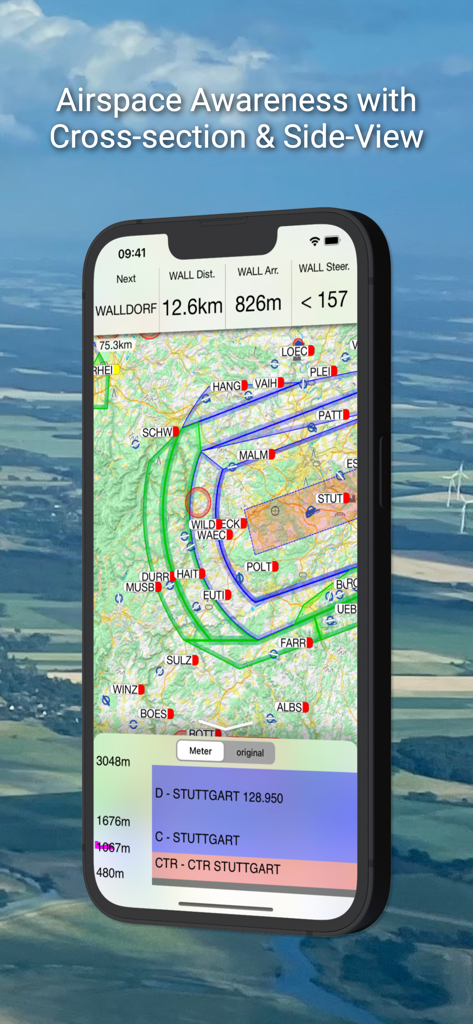
iGlide Pro - iGlide Pro 글라이딩 내비게이션 앱, 지도 및 측면 단면도와 함께 영공 인식 표시

iGlide Pro 글라이딩 내비게이션 앱, 지도 및 측면 단면도와 함께 영공 인식 표시

설명

NaviLogic iGlide - the Soaring Navigation app for iOS iGlide is a soaring navigation App with advanced functionality that is amazingly easy to use. iGlide supports glider pilots during a competition, a cross-country flight, or just during short recreational flights. iGlide comes in three editions at three price-points. Starting with "iGlide lite" and "iGlide advanced" up to "iGlide pro". All apps can be upgraded later-on by paying the price difference in an in-app-purchase. Features of iGlide lite: - Simple and easy to use Direct-To function to a single waypoint. - Easy to read, high-resolution terrain map with detailed topographical features. - Free daily updates for aviation data such as airspaces, airfields, and navaids. - Final glide calculator with Ballast, Bugs, MacCready, and aircraft polar data. - Profile view showing terrain and airspace en route. - Vertical airspace overview and airspace warnings - Free airport and airspace-database with free updates - Flight-statistics with logbook - Traffic is displayed on the map if an appropriate data source is connected (FLARM, AIR TRAFFIC or similar). - Visual and voice traffic warnings, if an appropriate data source is connected. - Many display options individually configurable. - Flight-logging (IGC and KML format). - Live tracking on different servers (livetrack24, skylines, sky-mobile). - Track-Line showing the preceding flightpath on the map. - Data import for all common data formats (CUP/DAT/OpenAir/PLR etc.) - Live METAR weather data for selected airports. Additional features in iGlide advanced: - Route planning over any number of waypoints. - Directly upload flight logs to OLC (www.onlinecontest.org) or send via eMail. - Rubberband function for quick and easy route manipulation. - Accurate wind calculation. Additional features in iGlide pro: - Calculation and optimization of the current OLC scoring distance. - Extensive route planning with turn areas, assigned areas and implementation of FAI Rules (e.g. finish circle). - FAI triangle optimization. - Comprehensive in-flight statistics functions. - Final glide calculation over terrain. - Live and super-easy AAT optimization. - Thermal Climb Optimizer. 
IMPORTANT SYSTEM REQUIREMENTS: iOS 13 or newer. Devices running older versions are not supported.

Download

다운로드: App Store

이 페이지는 앱이나 개발자의 공식 페이지가 아니며, 정보 제공 및 논평을 목적으로 작성된 독립 편집 간행물입니다. 명시적으로 달리 언급되지 않는 한, 해당 앱이나 개발자는 MWM, Apple, Google Play, 앱 퍼블리셔 또는 앱 개발자와 제휴, 보증, 후원, 승인 또는 공식적으로 연결되어 있지 않으며, 이 페이지의 어떤 내용도 해당 앱이 MWM의 서비스를 사용하여 개발되었음을 의미하지 않습니다. 모든 상표, 로고, 스크린샷 및 기타 콘텐츠는 해당 소유자의 자산입니다.








