Image to Text Scanner OCR Scan
다운로드: App Store

이 페이지는 앱이나 개발자의 공식 페이지가 아니며, 정보 제공 및 논평을 목적으로 작성된 독립 편집 간행물입니다. 명시적으로 달리 언급되지 않는 한, 해당 앱이나 개발자는 MWM, Apple, Google Play, 앱 퍼블리셔 또는 앱 개발자와 제휴, 보증, 후원, 승인 또는 공식적으로 연결되어 있지 않으며, 이 페이지의 어떤 내용도 해당 앱이 MWM의 서비스를 사용하여 개발되었음을 의미하지 않습니다. 모든 상표, 로고, 스크린샷 및 기타 콘텐츠는 해당 소유자의 자산입니다.

로고: Image to Text Scanner OCR Scan
다운로드: App Store

Image to Text Scanner OCR Scan

고급 OCR 기술로 생산성을 높이세요. 종이 노트를 스캔하고, 메모를 편집하고, 몇 초 안에 PDF 또는 텍스트로 내보내세요. 이동 중인 학생 및 전문가에게 완벽합니다.

주요 수치

다운로드

4K+

사용자 평점

4.4/5

총 평가 수

200

개발사

Mind Spark Solution

카테고리

Utilities

지원 언어

17

최신 버전

1.9.15

크기

51.9 MB

출시일

2023년 7월 25일
기능

몇 초 안에 종이에서 디지털 워크플로로

노트를 다시 입력하는 데 몇 시간을 낭비하지 마세요. 고급 OCR 기술을 사용하여 iPhone 또는 iPad에서 손글씨를 즉시 편집 가능하고 검색 가능하며 공유 가능한 디지털 텍스트로 변환하세요.

정밀한 필기 인식

고급 AI는 다양한 필기 스타일을 정확하게 식별하여 수동 노력 없이 메모와 스케치를 깨끗하고 기계가 읽을 수 있는 텍스트로 변환합니다.

Apple Pencil 사용자에게 최적화

iPad를 위한 완벽한 동반자입니다. 필기 스타일러스 노트와 Notion, Evernote, Slack과 같은 생산성 앱 간의 격차를 원활하게 해소하세요.

다음 스크린샷과 설명은 앱의 공식 스토어 목록에서 직접 가져온 것이며 앱 개발자의 자산입니다.

앱 스토어

스크린샷
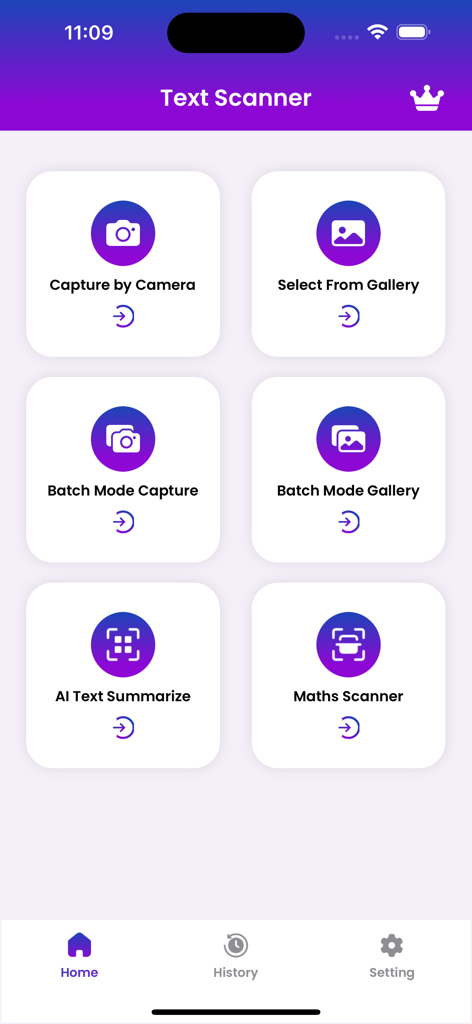
Image to Text Scanner OCR Scan - OCR 기능(카메라 캡처, 갤러리 선택, AI 텍스트 요약 등)을 보여주는 이미지 텍스트 스캐너 앱의 메인 메뉴
OCR 기능(카메라 캡처, 갤러리 선택, AI 텍스트 요약 등)을 보여주는 이미지 텍스트 스캐너 앱의 메인 메뉴

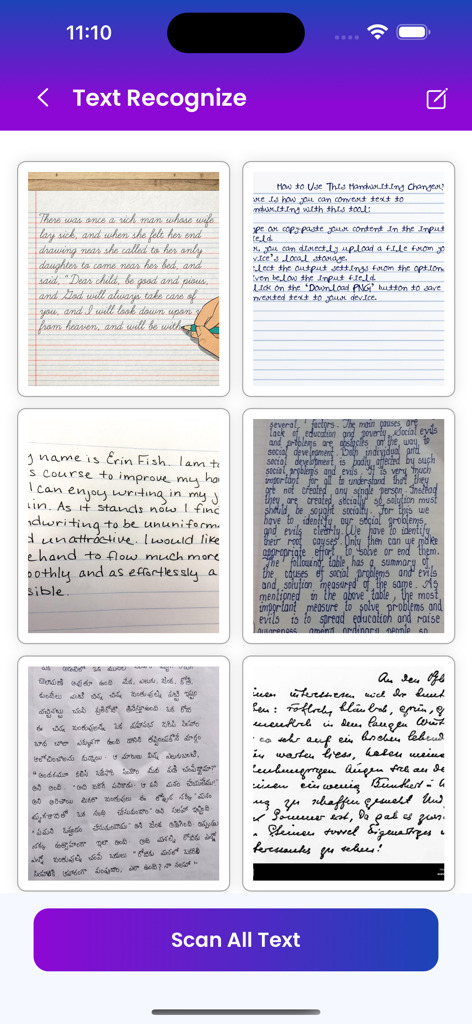
Image to Text Scanner OCR Scan - 텍스트 인식을 위한 손글씨 노트 갤러리와 모든 텍스트 스캔 버튼을 보여주는 모바일 앱 화면
텍스트 인식을 위한 손글씨 노트 갤러리와 모든 텍스트 스캔 버튼을 보여주는 모바일 앱 화면

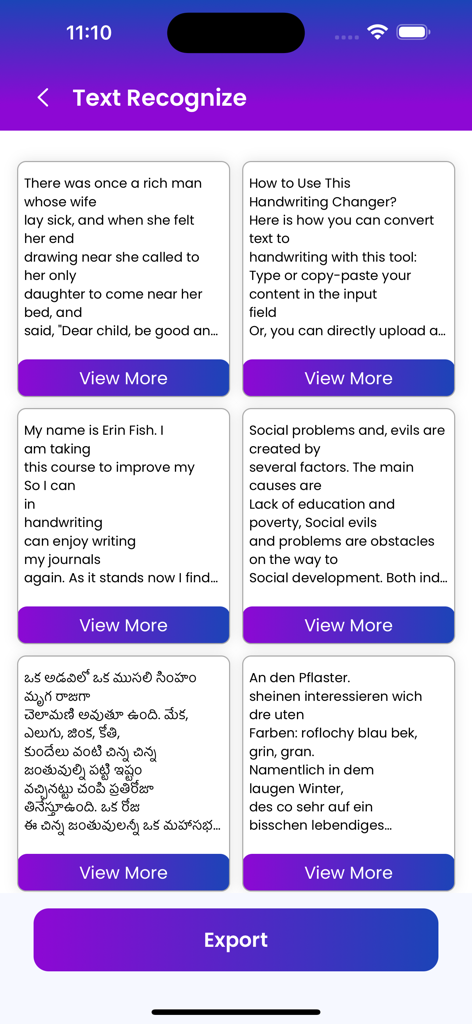
Image to Text Scanner OCR Scan - 영어 및 텔루구어를 포함한 여러 언어로 인식된 텍스트가 포함된 여러 카드와 하단에 내보내기 버튼이 표시되는 모바일 앱 인터페이스
영어 및 텔루구어를 포함한 여러 언어로 인식된 텍스트가 포함된 여러 카드와 하단에 내보내기 버튼이 표시되는 모바일 앱 인터페이스

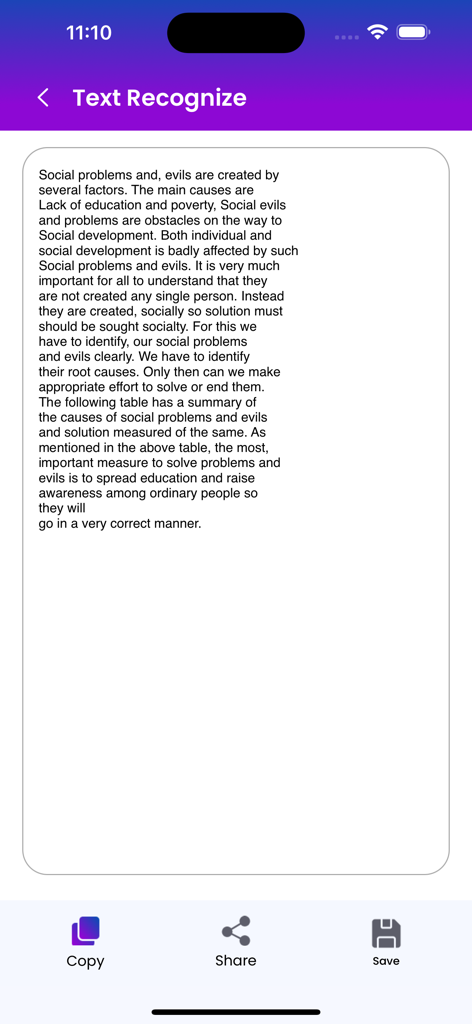
Image to Text Scanner OCR Scan - 하단에 복사, 공유 및 저장 옵션이 있는 디지털화된 텍스트를 보여주는 모바일 앱 화면
하단에 복사, 공유 및 저장 옵션이 있는 디지털화된 텍스트를 보여주는 모바일 앱 화면

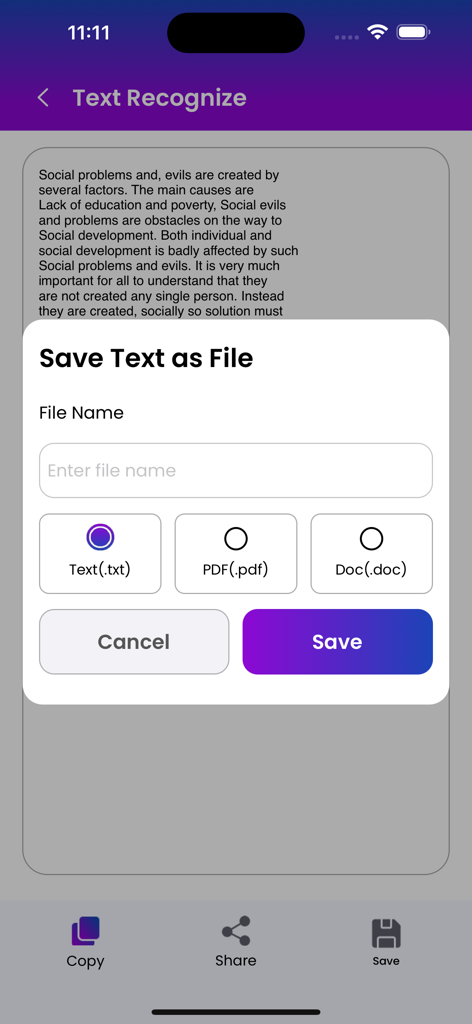
Image to Text Scanner OCR Scan - TXT, PDF 또는 DOC 파일로 스캔된 텍스트를 저장하는 팝업을 보여주는 모바일 앱 인터페이스

TXT, PDF 또는 DOC 파일로 스캔된 텍스트를 저장하는 팝업을 보여주는 모바일 앱 인터페이스

설명

A handwriting to text converter app is a mobile application that allows users to convert their handwritten notes or text into digital text. The app uses advanced optical character recognition (OCR) technology to accurately identify and convert handwritten text into typed text. To use the app, users simply write their notes or text on a piece of paper or a touch screen device using a stylus or their finger. The app then captures an image of the handwritten text and processes it using OCR technology to convert it into editable text. The converted text can then be saved as a digital file or shared with others via email or social media. handwriting to text converter apps also include additional features such as the ability to edit the converted text. Overall, a handwriting to text converter app is a useful tool for anyone who prefers to take notes or write by hand but wants the convenience of having their notes in a digital format. A handwriting to text scanner app is a powerful tool that enables users to convert their handwritten notes into digital text. Here are some common features that such an app may offer: Optical Character Recognition (OCR): The app uses advanced OCR technology to convert the handwritten text into machine-readable text. Handwriting Recognition: The app is capable of recognizing different handwriting styles and can convert them into text accurately. Language Support: The app supports multiple languages, allowing users to convert text in various languages. Formatting: The app may offer formatting options such as font size, color, and style to customize the text output. Exporting Options: Users can export the converted text as a plain text file or save it as a document in popular formats like PDF & Text. Editing Tools: The app may offer basic editing tools such as cut, copy, and paste, allowing users to edit the converted text easily. Overall, a handwriting to text scanner app can be a convenient and powerful tool for digitizing handwritten notes, making them easier to edit, share, and search. read our privacy & terms :- privacy :- https://mindsparksolution.com/privacy terms & condition :- https://mindsparksolution.com/terms

Download

다운로드: App Store

이 페이지는 앱이나 개발자의 공식 페이지가 아니며, 정보 제공 및 논평을 목적으로 작성된 독립 편집 간행물입니다. 명시적으로 달리 언급되지 않는 한, 해당 앱이나 개발자는 MWM, Apple, Google Play, 앱 퍼블리셔 또는 앱 개발자와 제휴, 보증, 후원, 승인 또는 공식적으로 연결되어 있지 않으며, 이 페이지의 어떤 내용도 해당 앱이 MWM의 서비스를 사용하여 개발되었음을 의미하지 않습니다. 모든 상표, 로고, 스크린샷 및 기타 콘텐츠는 해당 소유자의 자산입니다.








