ImagExif 2 - edit exif data
다운로드: App Store

이 페이지는 앱이나 개발자의 공식 페이지가 아니며, 정보 제공 및 논평을 목적으로 작성된 독립 편집 간행물입니다. 명시적으로 달리 언급되지 않는 한, 해당 앱이나 개발자는 MWM, Apple, Google Play, 앱 퍼블리셔 또는 앱 개발자와 제휴, 보증, 후원, 승인 또는 공식적으로 연결되어 있지 않으며, 이 페이지의 어떤 내용도 해당 앱이 MWM의 서비스를 사용하여 개발되었음을 의미하지 않습니다. 모든 상표, 로고, 스크린샷 및 기타 콘텐츠는 해당 소유자의 자산입니다.


로고: ImagExif 2 - edit exif data
다운로드: App Store

ImagExif 2 - edit exif data

실제 EXIF 편집 및 강력한 일괄 처리 기능으로 이미지 데이터에 대한 완전한 제어권을 확보하세요. 일회성 구매, 구독 없음, 정밀도를 중시하는 사진가를 위한 완벽한 개인 정보 보호.

주요 수치

다운로드

16K+

사용자 평점

4.5/5

총 평가 수

100

개발사

Thomas Oswald

카테고리

Photo & Video

지원 언어

2

최신 버전

2.4.40

크기

71.3 MB

출시일

2021년 3월 3일
기능

사진 메타데이터 완벽 제어

정밀하게 EXIF 데이터를 편집하고, 개인 정보를 보호하며, 디지털 라이브러리를 구성하는 전문가용, 구독 없는 도구입니다.

완벽한 EXIF 및 IPTC 편집

전문가 수준의 정확도로 iPhone 또는 iPad에서 카메라 설정, 사진가 정보 및 기술 메타데이터를 직접 수정하세요.

정밀한 지오태깅

DSLR 사용자에게 적합합니다. 사진 라이브러리가 항상 완벽하게 매핑되도록 대화형 지도를 사용하여 위치 데이터를 추가하거나 수정하세요.

다음 스크린샷과 설명은 앱의 공식 스토어 목록에서 직접 가져온 것이며 앱 개발자의 자산입니다.

앱 스토어

스크린샷
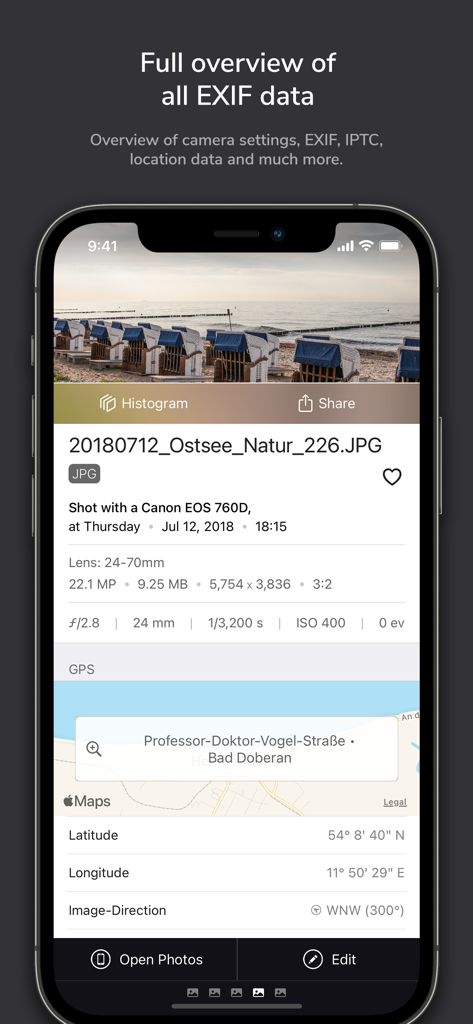
ImagExif 2 - edit exif data - ImagExif 2의 스크린샷으로, 상세한 사진 메타데이터 및 GPS 좌표를 보여줍니다.
ImagExif 2의 스크린샷으로, 상세한 사진 메타데이터 및 GPS 좌표를 보여줍니다.

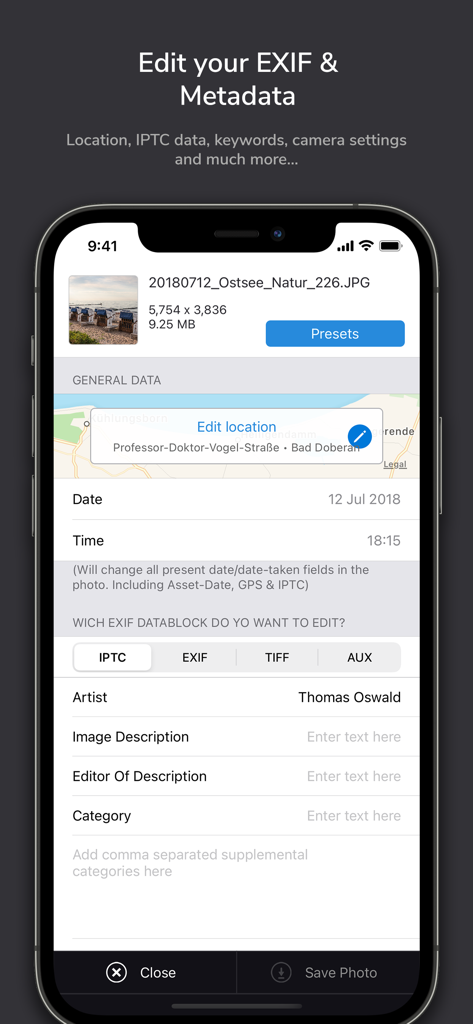
ImagExif 2 - edit exif data - 스마트폰의 ImagExif 2 앱 인터페이스로, 위치 날짜 및 IPTC 아티스트 정보에 대한 사진 메타데이터 편집 도구를 보여줍니다.
스마트폰의 ImagExif 2 앱 인터페이스로, 위치 날짜 및 IPTC 아티스트 정보에 대한 사진 메타데이터 편집 도구를 보여줍니다.

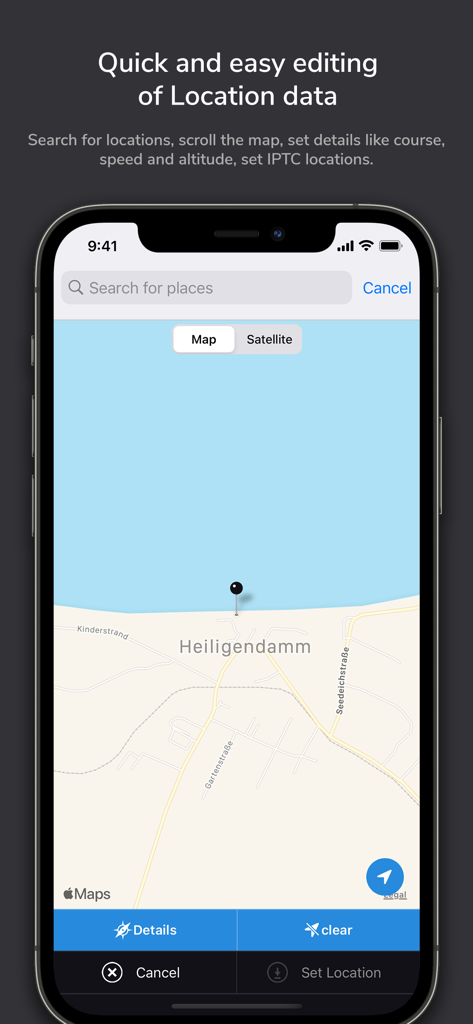
ImagExif 2 - edit exif data - 지도 및 검색 표시줄을 사용하여 사진 위치 데이터 편집을 위한 ImagExif 2 앱 인터페이스를 보여주는 iPhone 화면.
지도 및 검색 표시줄을 사용하여 사진 위치 데이터 편집을 위한 ImagExif 2 앱 인터페이스를 보여주는 iPhone 화면.

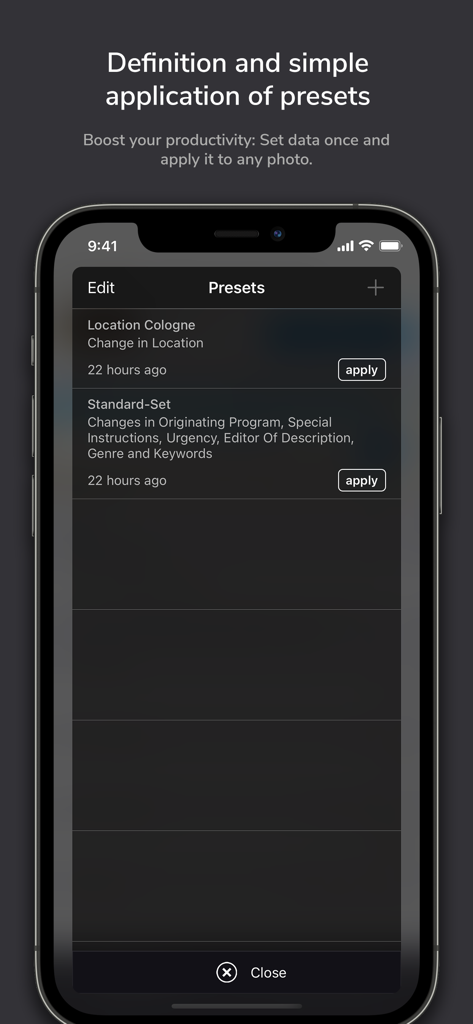
ImagExif 2 - edit exif data - 생산성 향상을 위해 위치 쾰른 및 표준 세트와 같은 저장된 메타데이터 사전 설정 목록을 보여주는 ImagExif 2 앱의 모바일 인터페이스.
생산성 향상을 위해 위치 쾰른 및 표준 세트와 같은 저장된 메타데이터 사전 설정 목록을 보여주는 ImagExif 2 앱의 모바일 인터페이스.

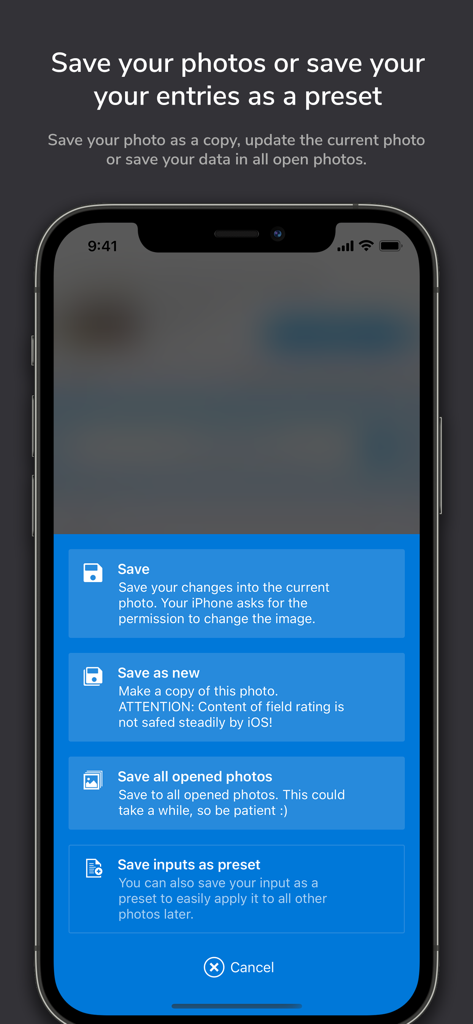
ImagExif 2 - edit exif data - 메타데이터 저장 옵션 및 사전 설정 생성 메뉴를 보여주는 ImagExif 2 앱 인터페이스.
메타데이터 저장 옵션 및 사전 설정 생성 메뉴를 보여주는 ImagExif 2 앱 인터페이스.

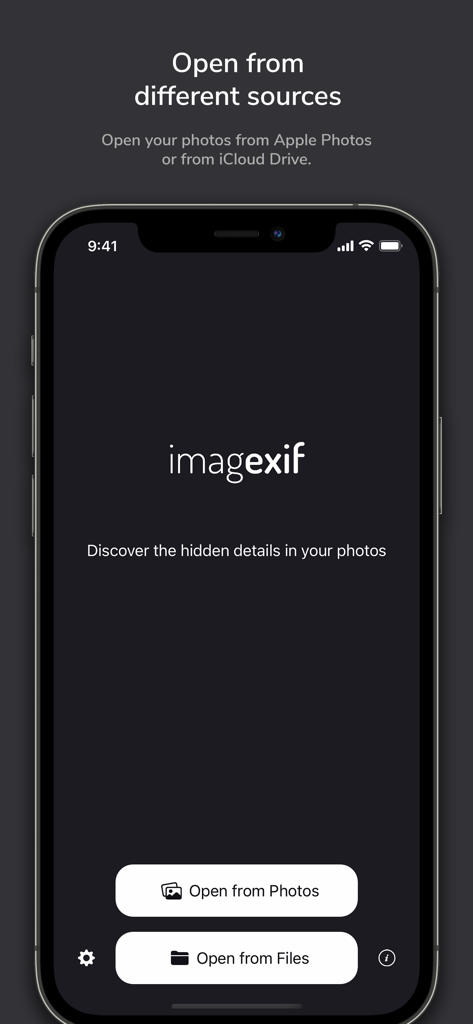
ImagExif 2 - edit exif data - Apple Photos 또는 iCloud 파일에서 사진을 여는 버튼이 있는 ImagExif 2 앱 홈 화면.
Apple Photos 또는 iCloud 파일에서 사진을 여는 버튼이 있는 ImagExif 2 앱 홈 화면.

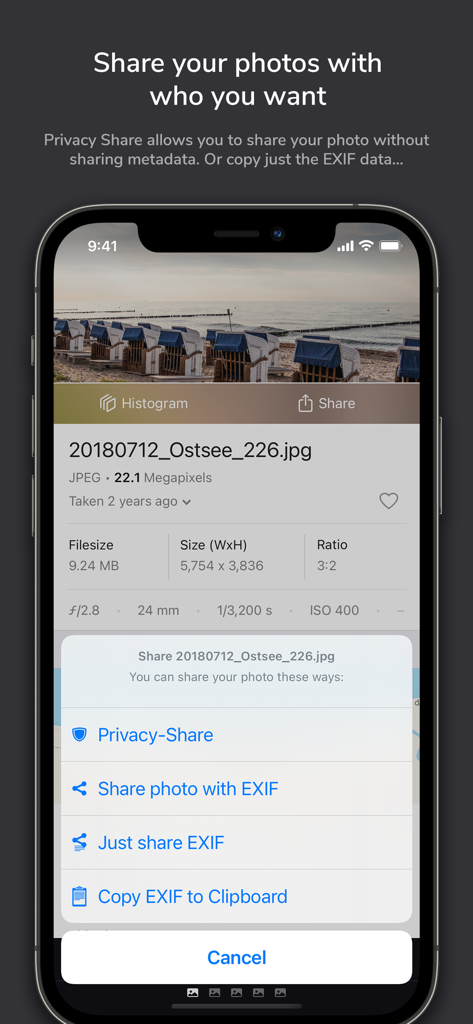
ImagExif 2 - edit exif data - 사진 메타데이터를 제거하기 위한 ImagExif 2의 개인 정보 보호 공유 메뉴.
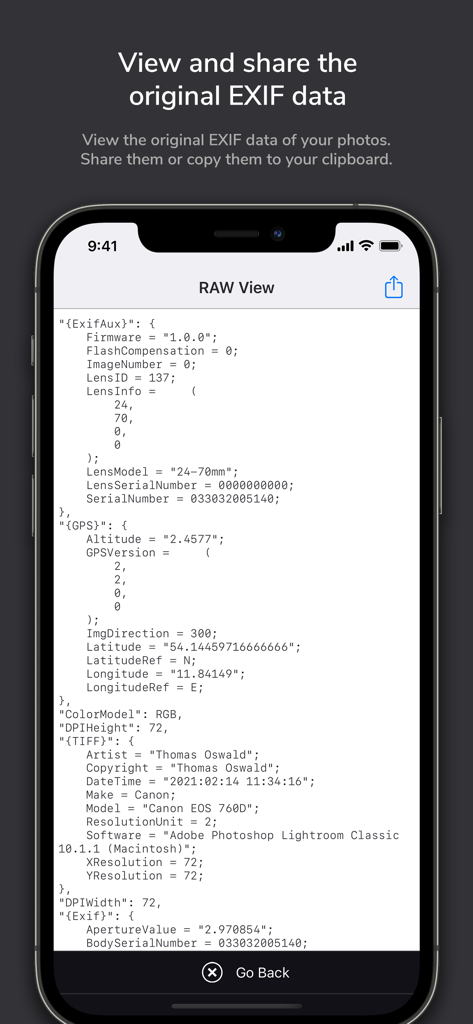
사진 메타데이터를 제거하기 위한 ImagExif 2의 개인 정보 보호 공유 메뉴.

ImagExif 2 - edit exif data - iPhone에서 사진에 대한 상세한 원시 EXIF 및 메타데이터를 표시하는 ImagExif 2 앱의 스크린샷.

iPhone에서 사진에 대한 상세한 원시 EXIF 및 메타데이터를 표시하는 ImagExif 2 앱의 스크린샷.

설명

This app gives you full control over the EXIF and metadata of your photos! ImagExif 2 focuses on real EXIF data, not just iOS metadata—this sets it apart from most of its competitors. 14 strong arguments why you need this app: 1. No subscription, no trial, no in-app purchases: buy once, use always on iPad and iPhone. 2. Display EXIF, IPTC and other metadata of photos in iOS devices, iCloud Files and iCloud Stream. 3. Edit, remove EXIF & metadata like camera info, photographer info, location & IPTC info and much more - in Apple Photos and also in iCloud Files! Geotagging directly on a map with location search.4. Edit location coordinates completely free without having so select specific places. 5. Save your work by using customizable templates - presets. 6. Batch processing of many photos at the same time. 7. Display EXIF data in an extension directly in the Photos app or in iMessage and many more. 8. Privacy share: protect your privacy and share your photos with your people with or without EXIF data. 9. Display EXIF source text - incl. its export. 10. Copy EXIF data directly to clipboard. 11. Focus on simple workflows and intuitive handling. 12. No collection of personal data like many copy-cat apps in this category. 13. Runs on iPad and iPhone. 14. Is under active development. Real customer testimonials: "Finally - This program is exactly what I was looking for. Easy to use but very effective and comprehensive. And the best: Pay once and good! Thanks to the developer!" "Just good! - Comprehensive and zero effort to use. For me the best app to edit the EXIF data of my photos. The presets are great and finally no in-app purchases! Keep it up!" "IPad version - it is here - Many thanks to the developer. Now I can add location information to photos on iPad. The developer also responds very quickly to requests and suggestions for improvement." "For a long time I was missing a possibility on the iPhone / iPad to store the location data of photos, because I still shoot a lot with "old" DSLRs and they do not have GPS. With this, this also works from Apple's photo app. Without complications. That's how it should be!" The app works with: - All photos in your iPhone or iPad photo library. - Photos in iCloud (Apple's exclusive file app, locally and in the cloud. Third-party cloud apps are only partially supported because their manufacturers do not fully support Apple's file API – please use with caution!) What the app doesn't do: - Changing the filename: EXIF isn't about filenames. Also iOS does not allow the renaming of photos in the Photos Library. - Until now it can't edit RAW (will come in a later release) or PNG (see below why). - Full support of third-party cloud apps (e.g., GDrive or OneDrive) are only partially supported because their manufacturers do not fully support apples files api. Do you have questions or need help? Write to support@imagexif.de, we're happy to help! Question: What is EXIF data? EXIF stands for "Exchangeable Image File Format." When you take or receive a photo with a digital camera, it contains invisible metadata. This is information attached to the photo that describes, for example, certain properties and settings of the camera or even the place where the picture was taken. Services that can read this data are able to collect the circumstances and contexts of the photos and match them with certain other events (e.g. calendar entries, motion profiles, etc.). Question: Why doesn't the app handle PNG? Unfortunately, the Photos API does not allow modification of PNG files, but saves them as JPG. Therefore, to avoid confusion, imagExif cannot edit PNGs.

Download

다운로드: App Store

이 페이지는 앱이나 개발자의 공식 페이지가 아니며, 정보 제공 및 논평을 목적으로 작성된 독립 편집 간행물입니다. 명시적으로 달리 언급되지 않는 한, 해당 앱이나 개발자는 MWM, Apple, Google Play, 앱 퍼블리셔 또는 앱 개발자와 제휴, 보증, 후원, 승인 또는 공식적으로 연결되어 있지 않으며, 이 페이지의 어떤 내용도 해당 앱이 MWM의 서비스를 사용하여 개발되었음을 의미하지 않습니다. 모든 상표, 로고, 스크린샷 및 기타 콘텐츠는 해당 소유자의 자산입니다.








