iMake-Profile Furniture Design
다운로드: App Store

이 페이지는 앱이나 개발자의 공식 페이지가 아니며, 정보 제공 및 논평을 목적으로 작성된 독립 편집 간행물입니다. 명시적으로 달리 언급되지 않는 한, 해당 앱이나 개발자는 MWM, Apple, Google Play, 앱 퍼블리셔 또는 앱 개발자와 제휴, 보증, 후원, 승인 또는 공식적으로 연결되어 있지 않으며, 이 페이지의 어떤 내용도 해당 앱이 MWM의 서비스를 사용하여 개발되었음을 의미하지 않습니다. 모든 상표, 로고, 스크린샷 및 기타 콘텐츠는 해당 소유자의 자산입니다.

로고: iMake-Profile Furniture Design
다운로드: App Store

iMake-Profile Furniture Design

몇 분 안에 맞춤형 모듈형 가구를 디자인하세요. 다음 프로젝트를 위한 간편한 3D 도구와 자동 자재 목록으로 전문가 수준의 옷장, 선반, 작업대를 제작하세요.

주요 수치

다운로드

23K+

사용자 평점

4.4/5

총 평가 수

300

개발사

超 叶

카테고리

Graphics & Design

지원 언어

3

최신 버전

1.5.0

크기

41.0 MB

출시일

2025년 3월 24일
기능

전문적인 가구 디자인, 간소화됨

현대 제작자가 정밀하게 제작할 수 있도록 지원합니다. 몇 분 안에 가구 컨셉을 상세한 3D 모델과 쇼핑 목록으로 전환하세요.

빠른 모듈식 모델링

전문 CAD의 가파른 학습 곡선을 건너뛰세요. 스마트 모듈식 프리셋을 사용하여 노력 없이 빠르게 맞춤형 옷장과 작업대를 제작하세요.

자동 자재 명세서

수동 계산은 이제 그만. 알루미늄 프로파일과 커넥터의 정확한 자재 목록을 즉시 생성하여 철물점 쇼핑을 오류 없이 완료하세요.

다음 스크린샷과 설명은 앱의 공식 스토어 목록에서 직접 가져온 것이며 앱 개발자의 자산입니다.

앱 스토어

스크린샷
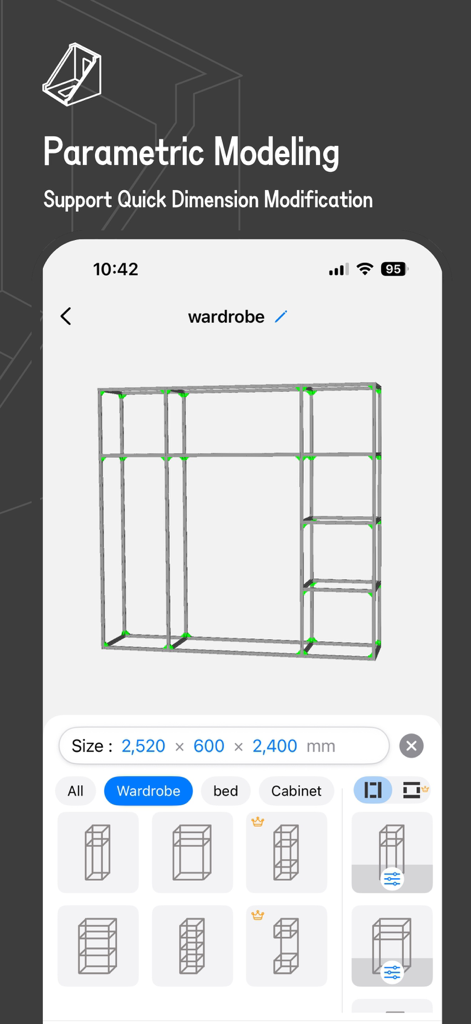
iMake-Profile Furniture Design - iMake 앱 인터페이스에서 파라메트릭 모델링 및 치수 도구가 있는 3D 모듈식 옷장 프레임 디자인 표시
iMake 앱 인터페이스에서 파라메트릭 모델링 및 치수 도구가 있는 3D 모듈식 옷장 프레임 디자인 표시

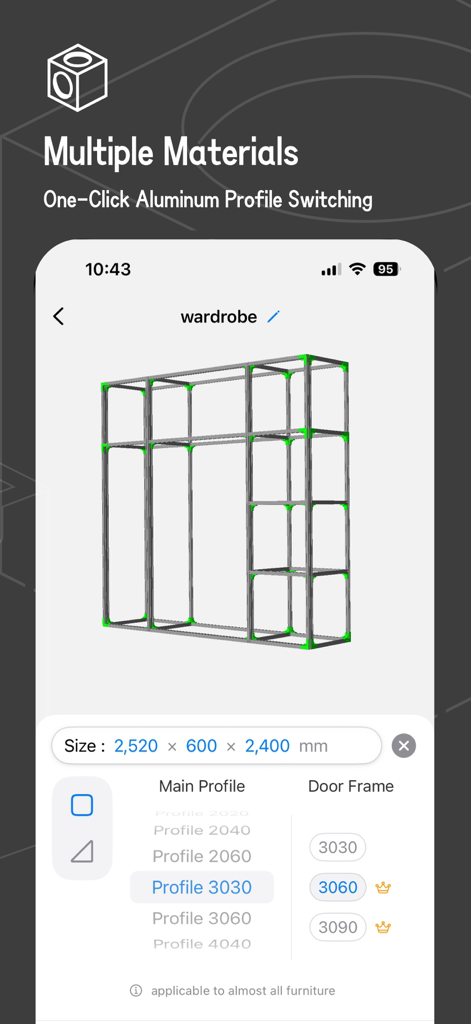
iMake-Profile Furniture Design - iMake 앱에서 맞춤 설정 가능한 프로파일 및 크기 옵션이 있는 알루미늄 옷장 프레임의 3D 모델링
iMake 앱에서 맞춤 설정 가능한 프로파일 및 크기 옵션이 있는 알루미늄 옷장 프레임의 3D 모델링

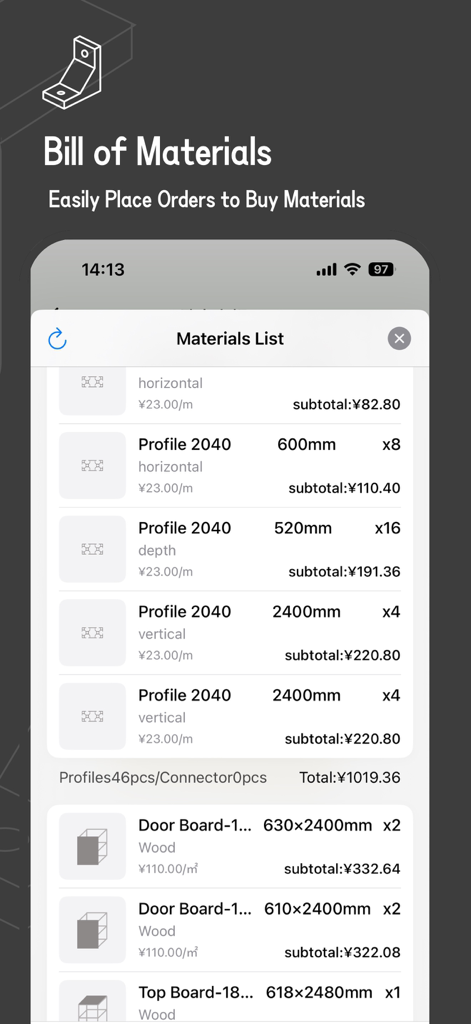
iMake-Profile Furniture Design - iMake 앱에서 알루미늄 프로파일 가구 부품의 수량 및 치수를 보여주는 상세 자재 목록
iMake 앱에서 알루미늄 프로파일 가구 부품의 수량 및 치수를 보여주는 상세 자재 목록

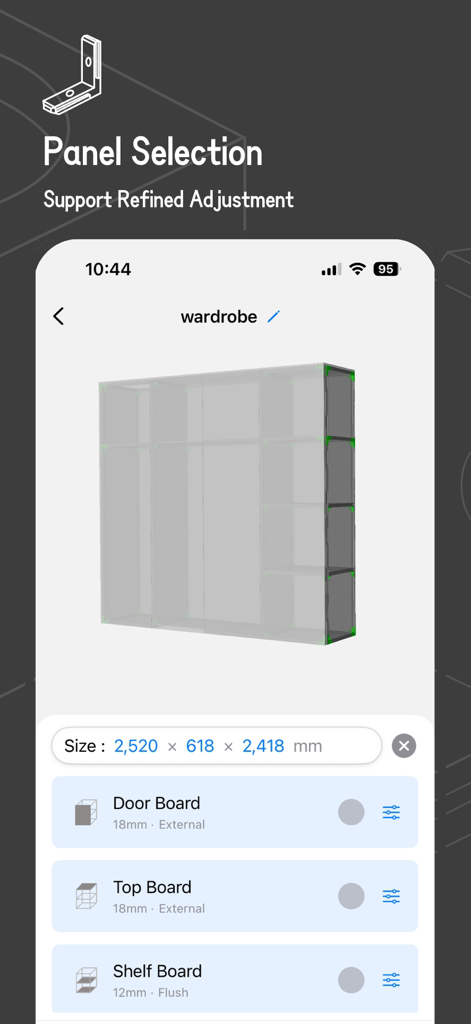
iMake-Profile Furniture Design - iMake 앱 내에서 옷장, 침대 등 맞춤 설정 가능한 패널 및 보드 설정이 있는 3D 옷장 모델
iMake 앱 내에서 옷장, 침대 등 맞춤 설정 가능한 패널 및 보드 설정이 있는 3D 옷장 모델

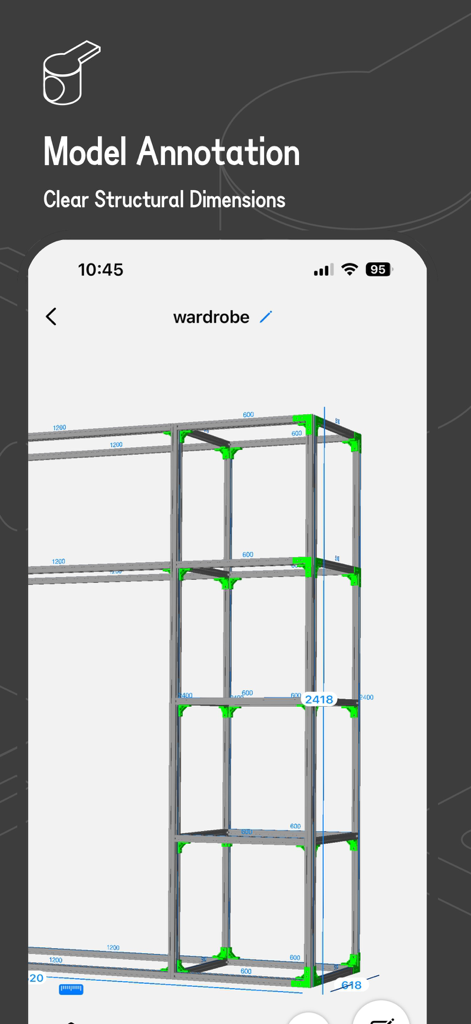
iMake-Profile Furniture Design - 명확한 구조 치수 및 주석이 있는 알루미늄 프로파일 옷장 프레임의 3D 모델
명확한 구조 치수 및 주석이 있는 알루미늄 프로파일 옷장 프레임의 3D 모델

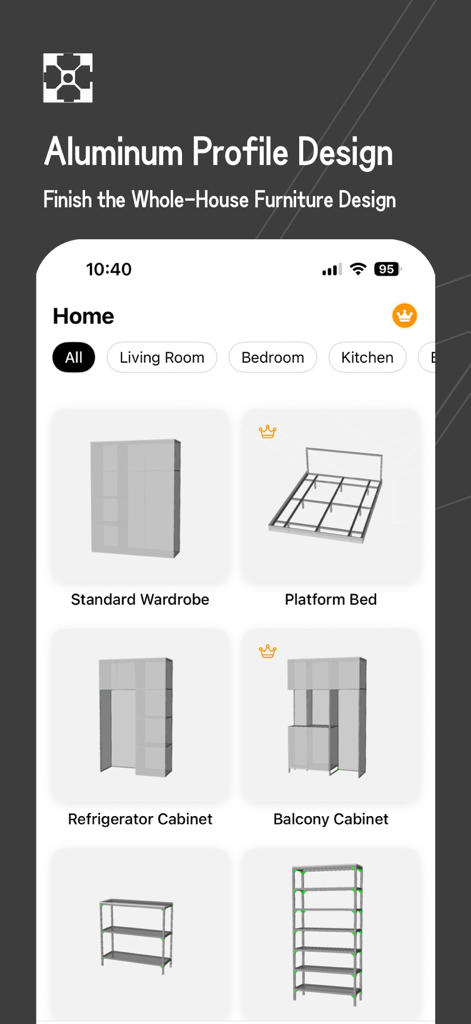
iMake-Profile Furniture Design - iMake 앱 화면에 알루미늄 프로파일을 사용한 옷장 및 침대와 같은 가구 디자인 프리셋 표시

iMake 앱 화면에 알루미늄 프로파일을 사용한 옷장 및 침대와 같은 가구 디자인 프리셋 표시

설명

iMake is an aluminum profile 3D modeling tool. It enables you to complete the aluminum profile modeling of common furniture such as wardrobes and bookcases within a few minutes. It also supports generating a material list for easy material purchase.​ 【Main Features】​ - Multiple presets of common models, making it easy for beginners to get started.​ - Modular framework combination for quickly building framework models.​ - Free selection of framework profiles, and the ability to set door frame profiles separately. Also, choose from a variety of matching connectors.​ - The overall size can be adjusted quickly, and the size of individual components can be freely edited.​ - Free combination of panels, and detailed parameter adjustment is also supported.​ - Automatically generate 3D models, support the individual display and hiding of model components for easy structure viewing.​ - Automatically generate a material list for convenient material purchase.​ - Models are automatically synced to iCloud, so you don't have to worry about file loss.​ 【Subscription Information​】 - The NestCraft App offers a free version and a PRO subscription option.​ - The free version allows full use of all our features.​ - PRO subscription unlocks all components and materials.​ - The free version supports saving up to 2 files, while the PRO version has no limit.​ Subscription are using the standard Apple Terms of Use (EULA): https://www.apple.com/legal/internet-services/itunes/dev/stdeula/ 【Upcoming Features​】 - Export the material list to xlsx, with support for selecting specific profile models, making it easier to communicate when purchasing materials.​ - Support for exporting CAD drawings of panels, which is convenient for processing/purchasing.​ - Custom adjustment of some materials for greater modeling freedom.​ - More features are under development...​ If you like this app, please give us a favorable review. Your support will give us more motivation to continuously optimize. Privacy Policy: https://zaoleme.github.io/AluNest-privacy-policy/privacy.html Terms of Use: https://zaoleme.github.io/AluNest-privacy-policy/terms.html

Download

다운로드: App Store

이 페이지는 앱이나 개발자의 공식 페이지가 아니며, 정보 제공 및 논평을 목적으로 작성된 독립 편집 간행물입니다. 명시적으로 달리 언급되지 않는 한, 해당 앱이나 개발자는 MWM, Apple, Google Play, 앱 퍼블리셔 또는 앱 개발자와 제휴, 보증, 후원, 승인 또는 공식적으로 연결되어 있지 않으며, 이 페이지의 어떤 내용도 해당 앱이 MWM의 서비스를 사용하여 개발되었음을 의미하지 않습니다. 모든 상표, 로고, 스크린샷 및 기타 콘텐츠는 해당 소유자의 자산입니다.







