iMotion
iMotion
다운로드: App Store

이 페이지는 앱이나 개발자의 공식 페이지가 아니며, 정보 제공 및 논평을 목적으로 작성된 독립 편집 간행물입니다. 명시적으로 달리 언급되지 않는 한, 해당 앱이나 개발자는 MWM, Apple, Google Play, 앱 퍼블리셔 또는 앱 개발자와 제휴, 보증, 후원, 승인 또는 공식적으로 연결되어 있지 않으며, 이 페이지의 어떤 내용도 해당 앱이 MWM의 서비스를 사용하여 개발되었음을 의미하지 않습니다. 모든 상표, 로고, 스크린샷 및 기타 콘텐츠는 해당 소유자의 자산입니다.

로고: iMotion
다운로드: App Store

iMotion

완전한 수동 제어로 멋진 4K 애니메이션과 시네마틱 스토리를 제작하세요. 바이럴 소셜 콘텐츠부터 취미 작품까지, 여러분의 상상력을 몇 초 만에 현실로 만드세요.

주요 수치

다운로드

1M+

사용자 평점

4.4/5

총 평가 수

10K+

개발사

SKETCHES SRL

카테고리

Photo & Video

지원 언어

1

최신 버전

6.5

크기

145.6 MB

출시일

2011년 5월 5일
기능

모션의 예술을 마스터하세요

바이럴 소셜 콘텐츠부터 시네마틱 브릭필름까지, 최신 크리에이터를 위한 하이엔드 도구로 iPhone을 전문 애니메이션 스튜디오로 변환하세요.

핸즈프리 스마트 캡처

마이크 트리거를 사용하여 기기를 만지지 않고 프레임을 캡처하세요. 카메라 흔들림을 없애야 하는 솔로 크리에이터 및 스톱모션 취미 활동가에게 완벽합니다.

프로 수준의 카메라 제어

수동 노출, 초점 및 화이트 밸런스 설정을 통해 렌즈를 완전히 제어하고, 멋진 4K UHD 품질로 걸작을 내보내세요.

다음 스크린샷과 설명은 앱의 공식 스토어 목록에서 직접 가져온 것이며 앱 개발자의 자산입니다.

앱 스토어

스크린샷
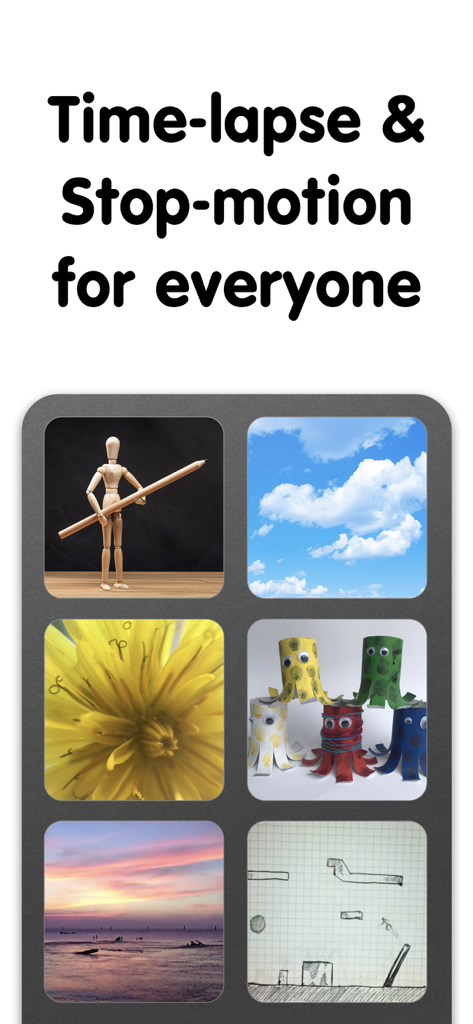
iMotion - iMotion 앱 스크린샷은 구름, 자연, 수제 공예품을 포함한 타임랩스 및 스톱모션 동영상 프로젝트 예시를 보여줍니다.
iMotion 앱 스크린샷은 구름, 자연, 수제 공예품을 포함한 타임랩스 및 스톱모션 동영상 프로젝트 예시를 보여줍니다.

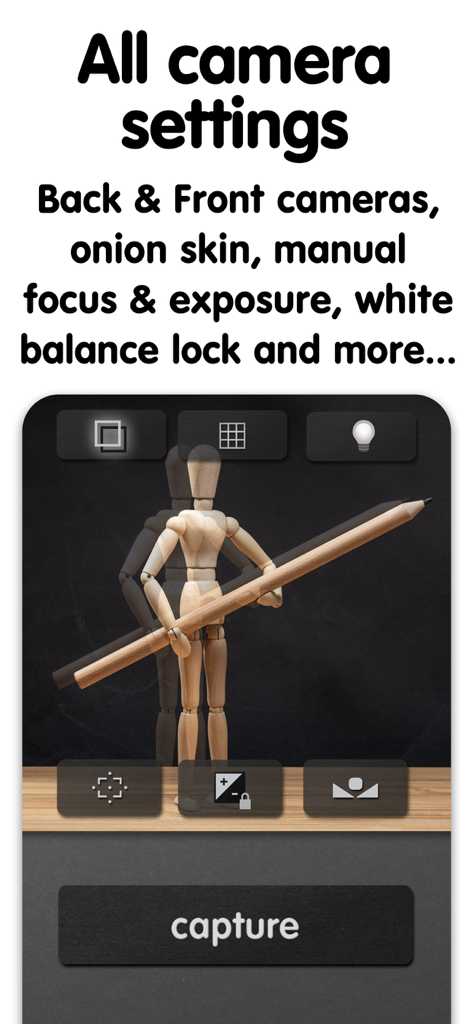
iMotion - iMotion 카메라 인터페이스는 스톱모션 애니메이션을 위한 수동 초점 노출 및 양파 껍질 설정을 보여줍니다.
iMotion 카메라 인터페이스는 스톱모션 애니메이션을 위한 수동 초점 노출 및 양파 껍질 설정을 보여줍니다.

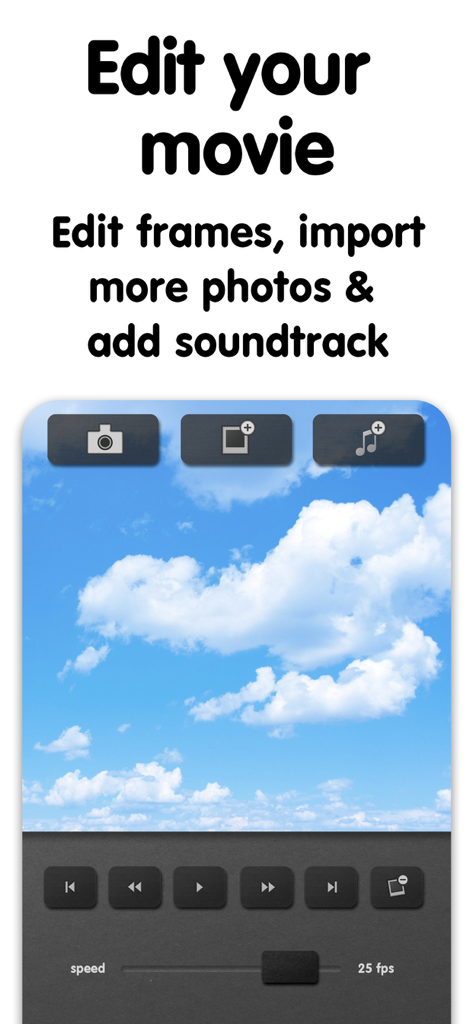
iMotion - iMotion 앱의 인터페이스는 프레임 및 사운드트랙에 대한 비디오 편집 도구를 보여줍니다.
iMotion 앱의 인터페이스는 프레임 및 사운드트랙에 대한 비디오 편집 도구를 보여줍니다.

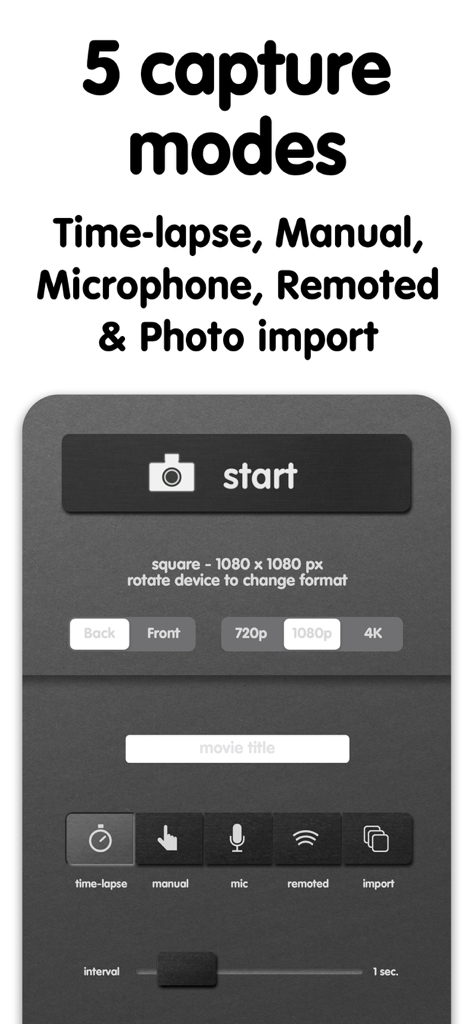
iMotion - iMotion 앱 인터페이스는 스톱모션 및 타임랩스 비디오를 위한 5가지 캡처 모드 및 해상도 설정을 표시합니다.
iMotion 앱 인터페이스는 스톱모션 및 타임랩스 비디오를 위한 5가지 캡처 모드 및 해상도 설정을 표시합니다.

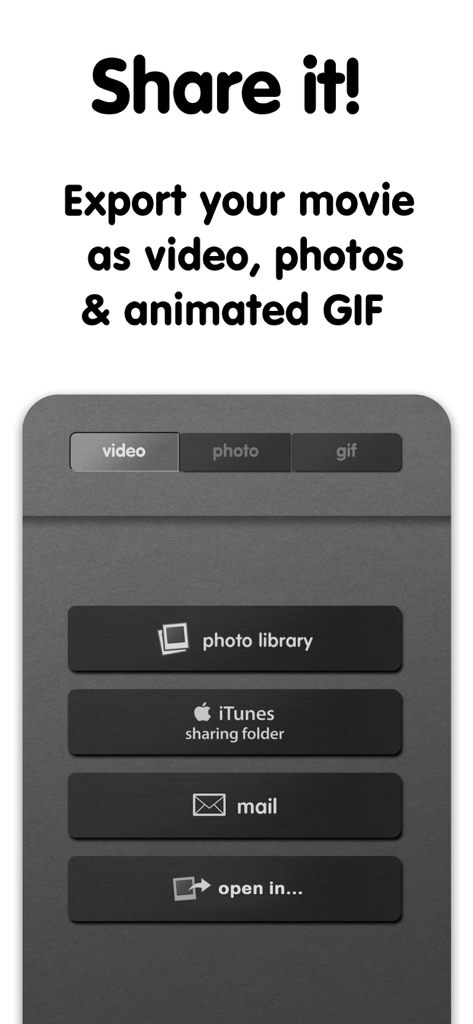
iMotion - iMotion 앱의 인터페이스는 비디오, 사진 및 애니메이션 GIF에 대한 내보내기 및 공유 옵션을 보여줍니다.

iMotion 앱의 인터페이스는 비디오, 사진 및 애니메이션 GIF에 대한 내보내기 및 공유 옵션을 보여줍니다.

설명

Bring Your Photos to Life with iMotion! iMotion makes it easy to create stunning time-lapse and stop-motion videos in just a few minutes. From creative storytelling to learning, memories, and social content, iMotion gives you everything you need to animate the world around you. Key features: - Time-Lapse & Stop-Motion: ****Create smooth, high-quality animations without technical complexity - Multiple Capture Modes: Choose the perfect way to create: time-lapse, manual capture, microphone trigger, library import - Professional Rendering Quality: Capture and export your creations in 4K UHD, 1080p, or 720p HD for high quality results - Full Camera Control: Adjust focus, exposure, and white balance manually to maintain full control over every frame - Easy Sharing: Export videos, photos, and animated GIFs directly to your Photo Library or share on social networks How It Works: 1. Capture photos or import frames using your preferred mode 2. Arrange and preview your animation with frame-by-frame precision 3. Customize settings and refine your result 4. Export and share your story in seconds Download iMotion and bring your time-lapse and stop-motion ideas to life. Subscribe to access to premium app features; subscription details are the following: - Length: weekly, yearly - Your payment will be charged to your iTunes Account as soon as you confirm your purchase - You can manage your subscriptions and turn off auto-renewal from your Account Settings after the purchase - Your subscription will renew automatically, unless you turn off auto-renew at least 24 hours before the end of the current period - The cost of renewal will be charged to your account in the 24 hours prior to the end of the current period - When canceling a subscription, your subscription will stay active until the end of the period. Auto-renewal will be disabled, but the current subscription will not be refunded - Any unused portion of a free trial period, if offered, will be forfeited when purchasing a subscription Terms of Use: https://www.apple.com/legal/internet-services/itunes/dev/stdeula/

Download

다운로드: App Store

이 페이지는 앱이나 개발자의 공식 페이지가 아니며, 정보 제공 및 논평을 목적으로 작성된 독립 편집 간행물입니다. 명시적으로 달리 언급되지 않는 한, 해당 앱이나 개발자는 MWM, Apple, Google Play, 앱 퍼블리셔 또는 앱 개발자와 제휴, 보증, 후원, 승인 또는 공식적으로 연결되어 있지 않으며, 이 페이지의 어떤 내용도 해당 앱이 MWM의 서비스를 사용하여 개발되었음을 의미하지 않습니다. 모든 상표, 로고, 스크린샷 및 기타 콘텐츠는 해당 소유자의 자산입니다.








