이 페이지는 앱이나 개발자의 공식 페이지가 아니며, 정보 제공 및 논평을 목적으로 작성된 독립 편집 간행물입니다. 명시적으로 달리 언급되지 않는 한, 해당 앱이나 개발자는 MWM, Apple, Google Play, 앱 퍼블리셔 또는 앱 개발자와 제휴, 보증, 후원, 승인 또는 공식적으로 연결되어 있지 않으며, 이 페이지의 어떤 내용도 해당 앱이 MWM의 서비스를 사용하여 개발되었음을 의미하지 않습니다. 모든 상표, 로고, 스크린샷 및 기타 콘텐츠는 해당 소유자의 자산입니다.
iMPC Pro 2
업계 표준 16패드 경험으로 비트에 생기를 불어넣으세요. 전문적인 샘플링 및 실시간 워핑부터 보컬 트랙 및 AUv3 통합까지, 방송용 히트곡을 만드는 데 필요한 모든 것이 여러분의 손끝에 있습니다.
주요 수치
다운로드
121K+
사용자 평점
4.3/5
총 평가 수
1K+
개발사
Akai Professional
카테고리
Music
지원 언어
1
최신 버전
2.2.1
크기
201.3 MB
출시일
2017년 12월 14일
기능
여러분의 손끝에서 펼쳐지는 전문적인 프로덕션
전설적인 MPC 워크플로우와 현대적인 곡 제작 도구의 힘으로 iPad를 하이엔드 녹음 스튜디오로 바꿔보세요.
상징적인 16패드 워크플로우
Note Repeat, 16 Levels, 그리고 전문적인 스윙으로 돋보이는 비트를 만들어 보세요. 전설적인 Akai의 느낌을 그대로 담았습니다.
완벽한 곡 구성
실시간 타임 워핑과 고급 믹싱으로 보컬 트랙과 라이브 악기를 녹음하여 비트 이상의 것을 만들어 보세요.
다음 스크린샷과 설명은 앱의 공식 스토어 목록에서 직접 가져온 것이며 앱 개발자의 자산입니다.
앱 스토어
스크린샷
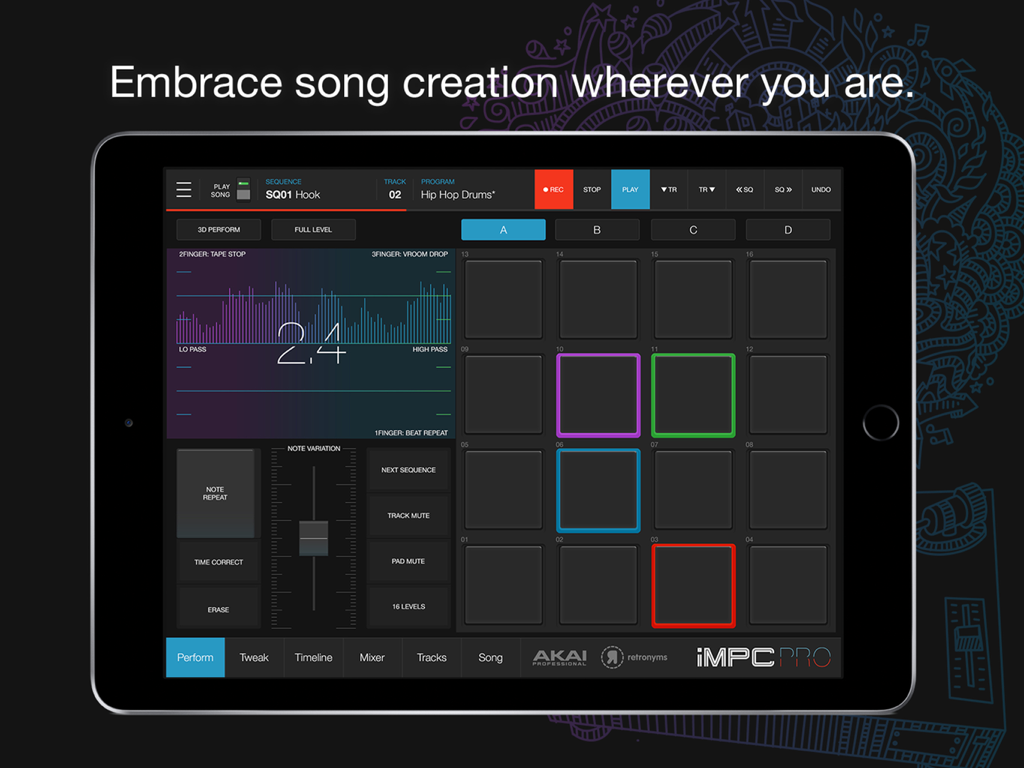
iMPC Pro 2 음악 프로덕션 인터페이스, iPad에 16패드 및 퍼포먼스 컨트롤 표시
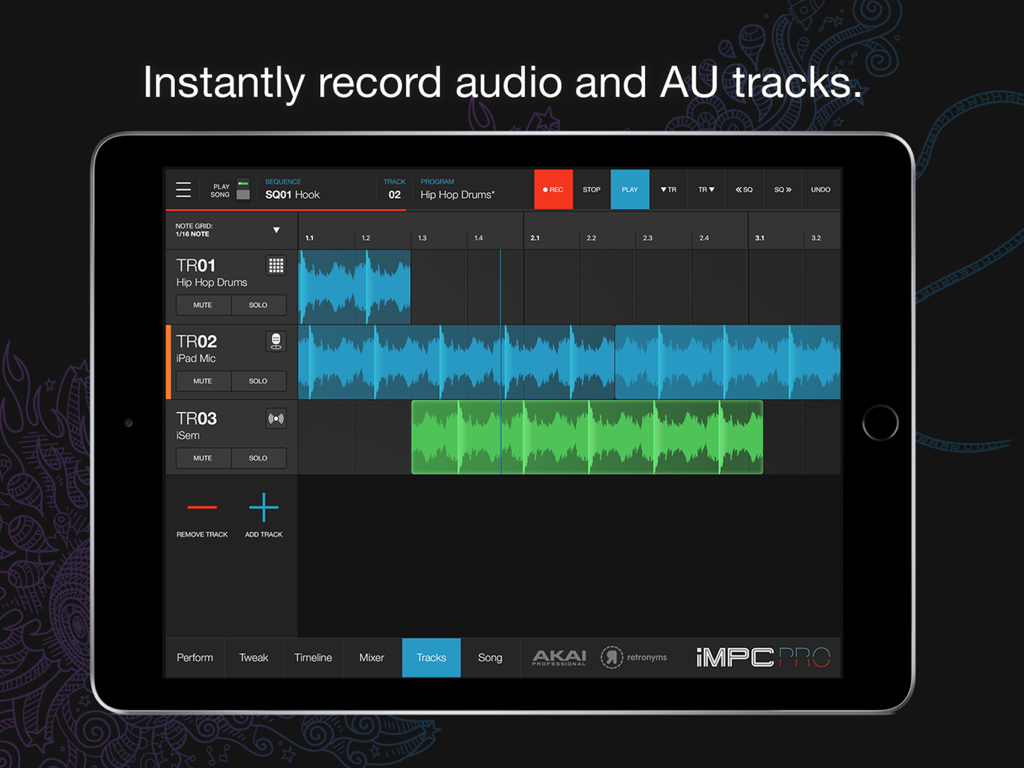
iMPC Pro 2 앱 인터페이스, iPad에서 멀티트랙 오디오 및 AU 녹음 표시
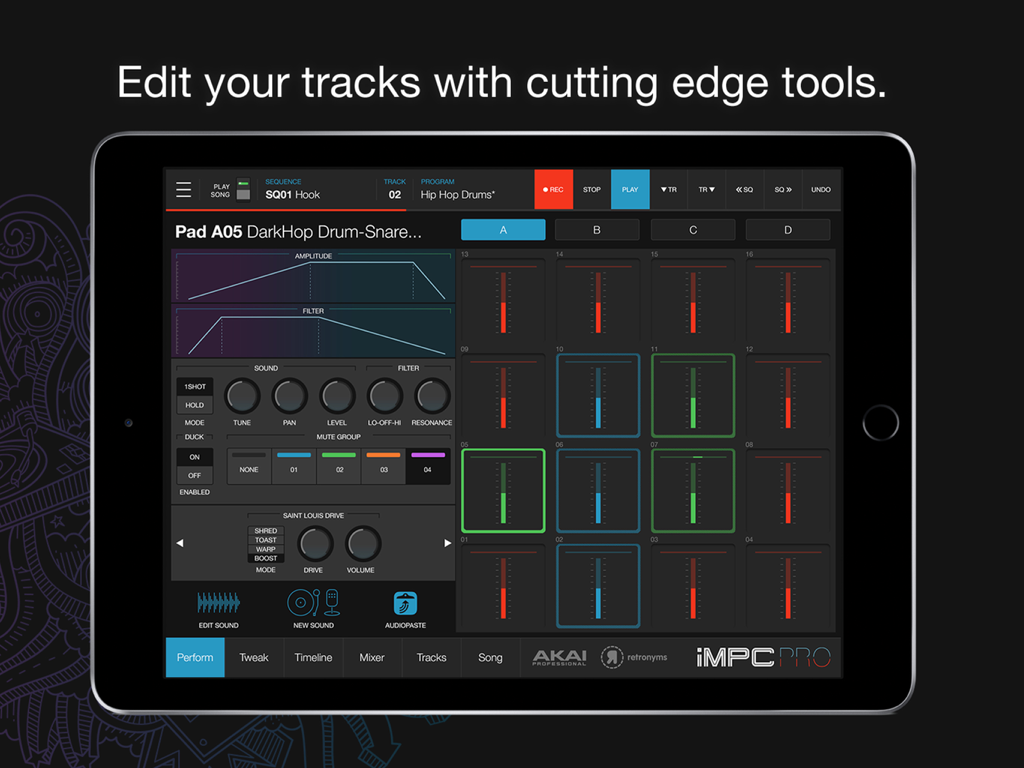
iMPC Pro 2 음악 프로덕션 인터페이스, iPad에서 16 드럼 패드 및 사운드 편집 컨트롤 표시
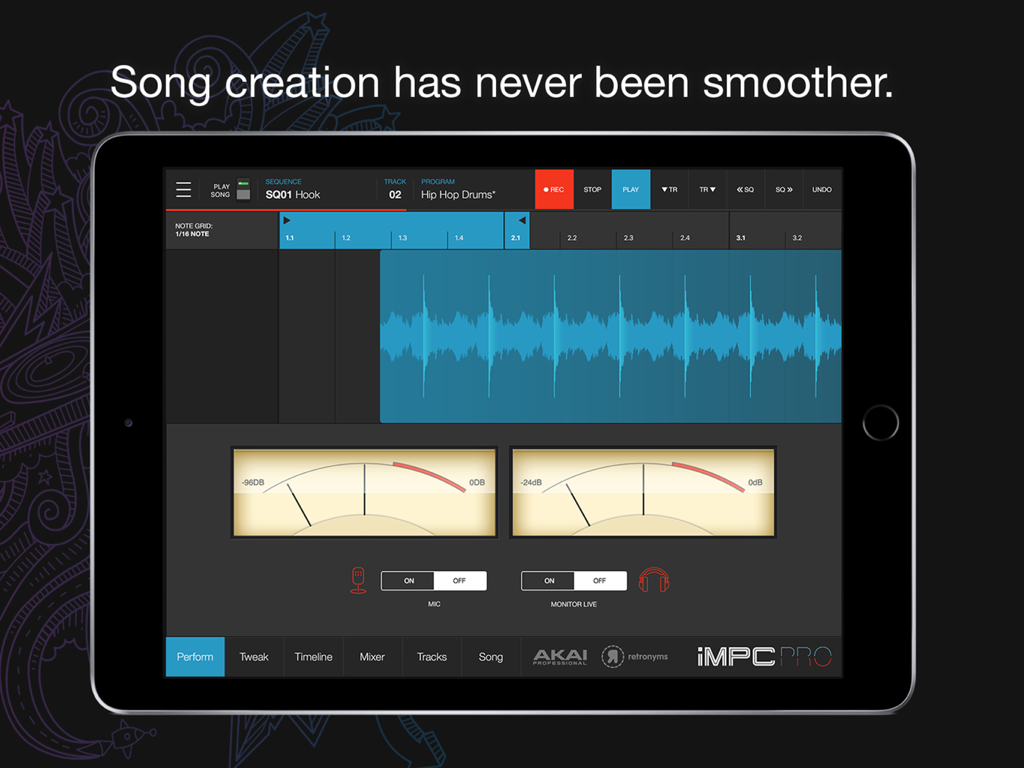
iMPC Pro 2 음악 프로덕션 앱, iPad에서 오디오 트랙 파형 및 녹음 컨트롤 표시
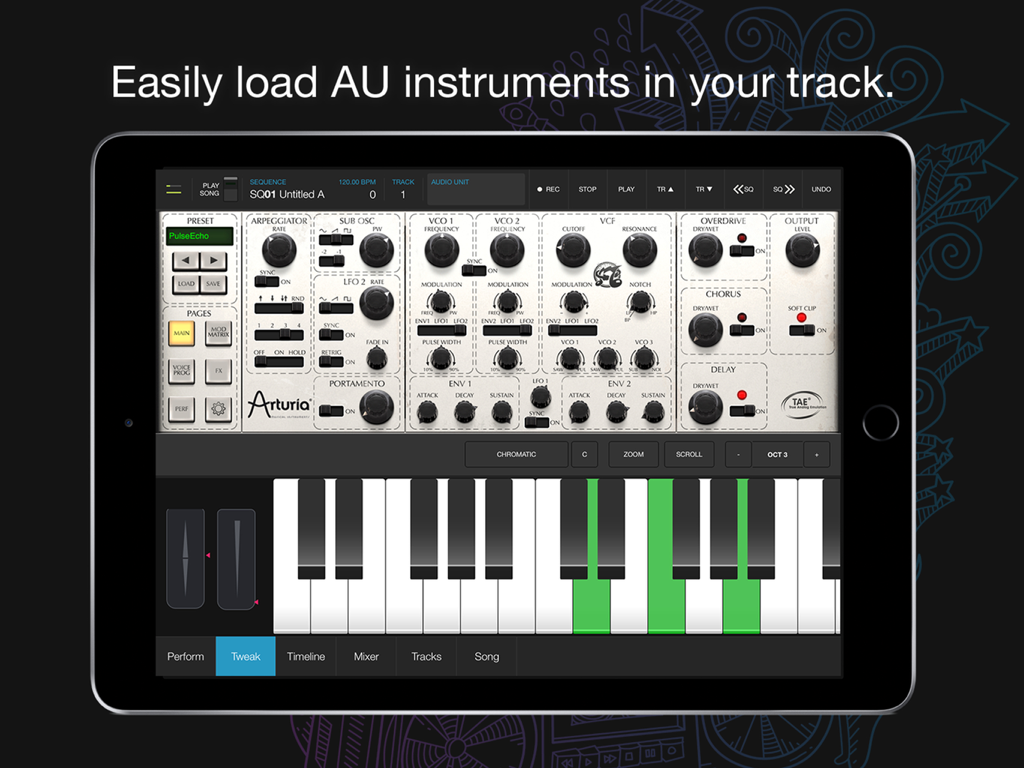
iMPC Pro 2 앱, iPad에서 가상 키보드 및 신디사이저 컨트롤과 함께 Audio Unit 악기 통합 표시
설명
iMPC Pro 2 fuses innovative song creation with the iconic MPC workflow. iMPC Pro gave us a powerful sampler and beatmaker, and now iMPC Pro 2 has evolved into a full fledged song creation tool with the addition of vocal tracks, Audio Units integration, a sleek new design and tons of new features!
AUDIO TRACKS:
Within the audio tracks, you can time warp, pitch shift, and rearrange your audio clips in real time. The sophistication of real time manipulation is captured in a simple workflow and sleek interface. You can choose from multiple input sources to record, including external mic channels, hardware audio interfaces, and IAA. Import existing projects from iMPC Pro and add your vocal tracks easily.
AUDIO UNIT TRACKS:
You can now load any Audio Units instrument into an Audio Unit Track! Control your AU instrument with a classic piano keyboard interface and an iMPC interface with note variation, Flux Link, Note Repeat, 16 Levels, and more. The app also features an improvement to the workflow for song creation. Song sequencing is faster, more powerful, and more flexible, so you have complete creative control.
100% NEW SOUND KIT AND MORE:
Designed exclusively for iMPC Pro 2, these kits cover some of the most iconic and cutting-edge beat genres available, from producers including ADSR, Rawcutz, SampleTools by Cr2, Niche Audio, and Sample Magic. Each kit includes 16 Hi Quality samples featuring sounds from 808’s to melodic hits and stabs, designed for the best user experience possible.
iMPC Pro 2 also comes with 5 additional Sound Packs for FREE (valued at $35). Grab these packs in the AudioCopy Content Store: Essential Club Collection, Classic Cuts, Dub 2 DnB, Melodic Collection, and The Diploma! You can use them in hundreds of AudioCopy compatible apps (including iMPC and iMPC Pro).
iMPC UNIVERSITY:
Unlock producer secrets and learn how to become a full fledged song creator with this tutorial series. iMPCU unlocks one course per day and gives you the tools you need to take your music to the next level. Fun for both new and experienced users, iMPC Pro 2 offers an expansive dive into the world of beatmaking and song editing through these courses. We’re excited for you to try it!
FEATURES:
Audio Tracks:
- Record from built in mic, external mics, audio interfaces, instruments, etc.
- Record from Inter App Audio Apps
- Warp Tracks and Clips to match tempo
- Access several quick editing features on Audio Clips (Pitch shift, Time Stretch, Amplify, Crop, Split, Duplicate)
- Drag to arrange Audio Clips, snap them to an adjustable grid setting
- Advanced waveform editing
AudioUnit integration:
- Audio Unit tweak mode with full keyboard support (including 2 dozen scale modes from Chromatic to Blues to Aeolian)
---
- 100% New Sound Set, with 5 additional free Sound Packs
- Sample sounds from Spotify
- 64 Track Mixer with EQ and 4 FX sends (Reverb, Delay, Chorus/Flange, and one Inter App Audio Effect)
- Chop-shop provides intuitive multi-touch editing, trimming, auditioning, splicing, splicing and processing samples
- Tracks View shows an overview of all the tracks in your song
- 16 Levels mode with attack, velocity, length, and tuning settings for quickly creating variations of sounds
- Live Sequence queuing for real-time performance and playback
- Time correct: 1/8 note - 1/32T with variable swing
- MPC Note Repeat featuring 1/8 note - 1/32T timing with latch
- IAA and Ableton Link support
- Share beats and songs seamlessly to YouTube
- 4 Mute Groups and custom-designed envelope filters for all pads
- AudioCopy and AudioPaste support
- Improved integration and support for iMPC Pro Packs and other Sound Packs from the AudioCopy Content Store
- Expert MIDI support including expanded options, multiple maps, and more
- Extensive undo/redo capabilities
- New Song Arrangement workflow and integrated Song Mode makes song creation easier than ever
- Drag entire Folders and Sound Packs directly to pads to load many sounds at once
이 페이지는 앱이나 개발자의 공식 페이지가 아니며, 정보 제공 및 논평을 목적으로 작성된 독립 편집 간행물입니다. 명시적으로 달리 언급되지 않는 한, 해당 앱이나 개발자는 MWM, Apple, Google Play, 앱 퍼블리셔 또는 앱 개발자와 제휴, 보증, 후원, 승인 또는 공식적으로 연결되어 있지 않으며, 이 페이지의 어떤 내용도 해당 앱이 MWM의 서비스를 사용하여 개발되었음을 의미하지 않습니다. 모든 상표, 로고, 스크린샷 및 기타 콘텐츠는 해당 소유자의 자산입니다.