Industrial Chronometer

Industrial Chronometer

다운로드: App Store
로고: Industrial Chronometer

산업용 크로노미터: 전문가 생산성을 위한 정밀 타이밍

밀리초 수준의 정밀도를 요구하는 엔지니어를 위해 제작된 실시간 현황, 다이나믹 아일랜드, 촉각적 볼륨 키 컨트롤로 주기 시간 및 시간/동작 연구를 최적화하세요.

다운로드: App Store

개발사

ulas ozalp

카테고리

Productivity

다운로드

200

사용자 평점

5.0/5

총 평가 수

0

지원 언어

1

정밀도의 실제 적용

이 인터페이스를 사용하는 200 명의 사용자.

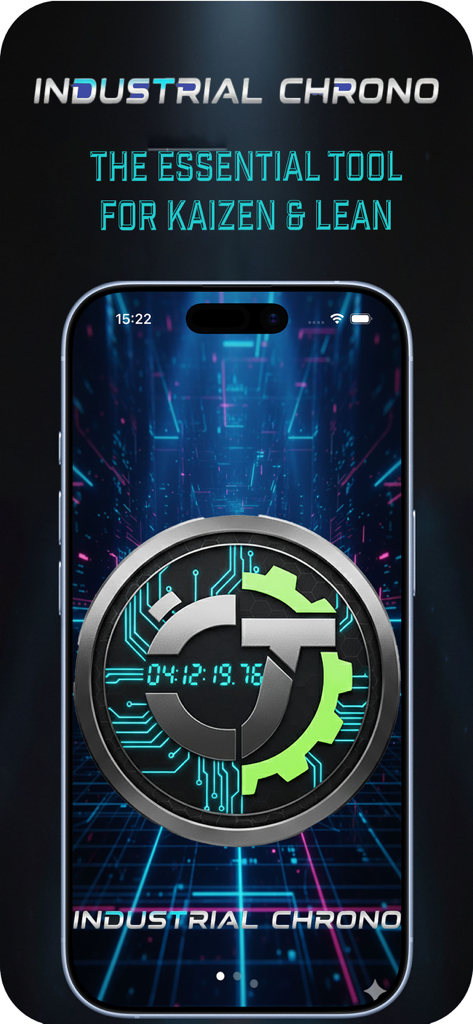
산업용 크로노미터 앱 홈 화면, 카이젠 및 린 생산을 위한 필수 도구라는 태그라인 표시

산업용 크로노미터 앱 홈 화면, 카이젠 및 린 생산을 위한 필수 도구라는 태그라인 표시

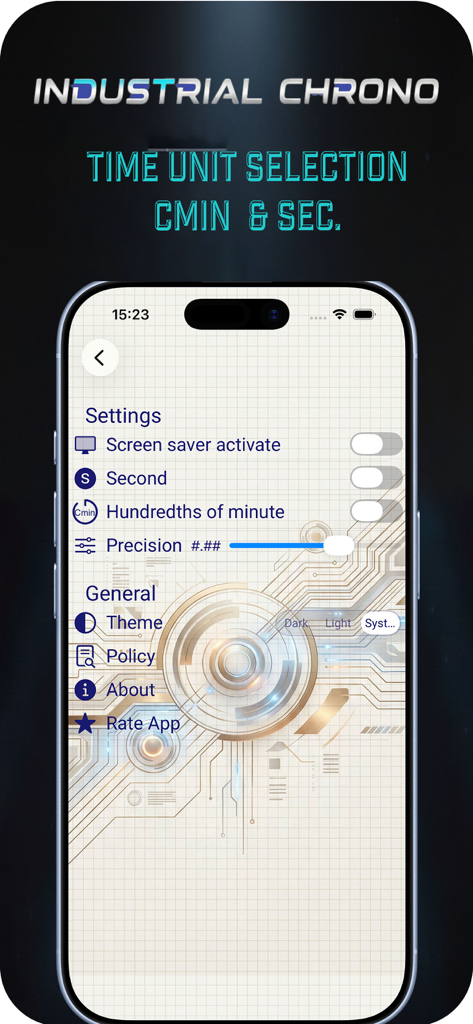
산업용 크로노미터 앱 설정 화면, 초 및 분의 100분의 1과 같은 시간 단위 선택 옵션 표시

산업용 크로노미터 앱 설정 화면, 초 및 분의 100분의 1과 같은 시간 단위 선택 옵션 표시

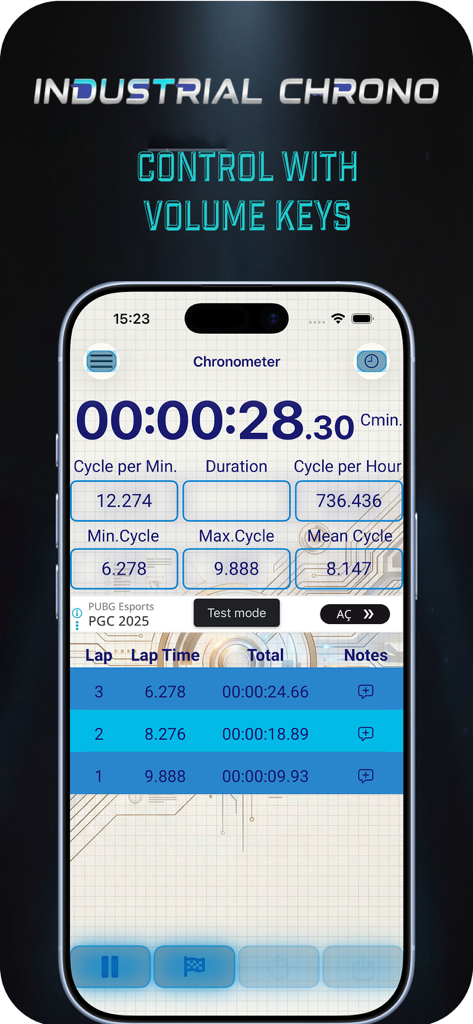
산업용 크로노미터 앱 인터페이스, 주기 시간 데이터 및 볼륨 키 제어 텍스트 표시

산업용 크로노미터 앱 인터페이스, 주기 시간 데이터 및 볼륨 키 제어 텍스트 표시

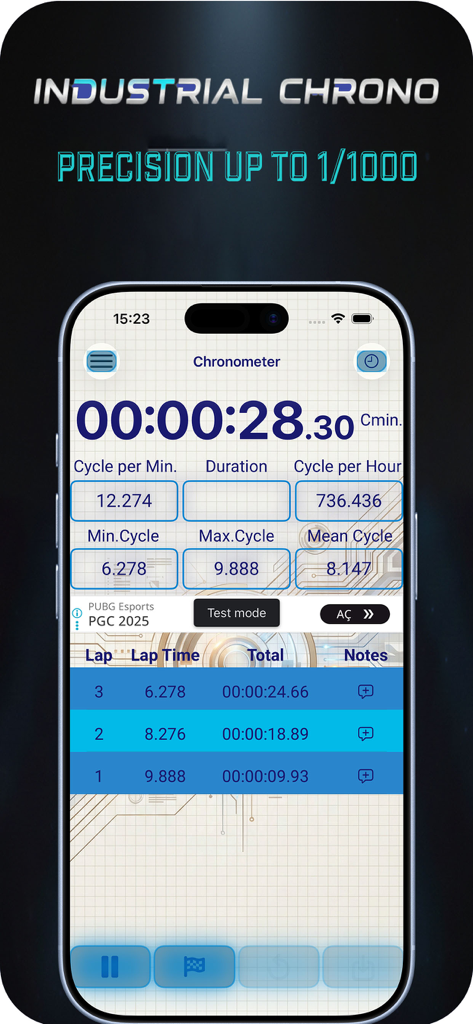
산업용 크로노미터 앱 인터페이스, 전문가 사용을 위한 주기 시간 및 랩 데이터 표시

산업용 크로노미터 앱 인터페이스, 전문가 사용을 위한 주기 시간 및 랩 데이터 표시

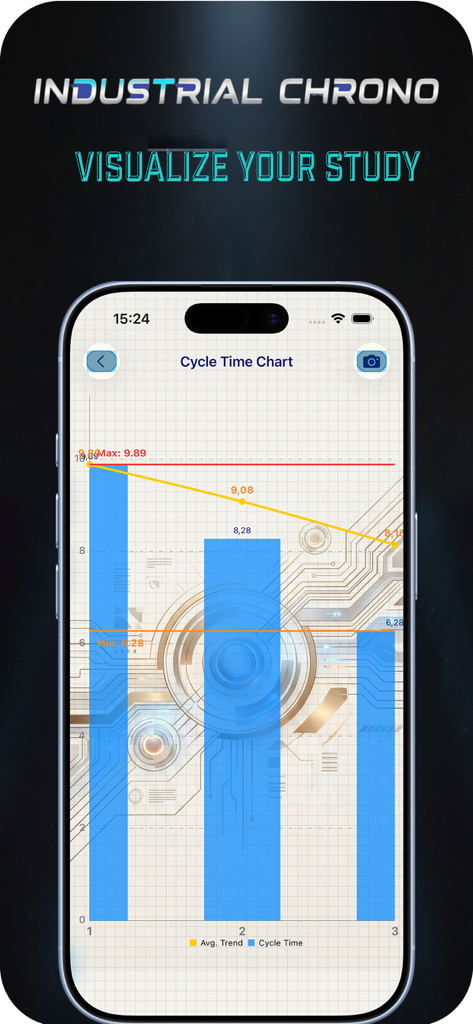
산업용 크로노미터의 주기 시간 차트, 시간 연구 데이터 시각화

산업용 크로노미터의 주기 시간 차트, 시간 연구 데이터 시각화

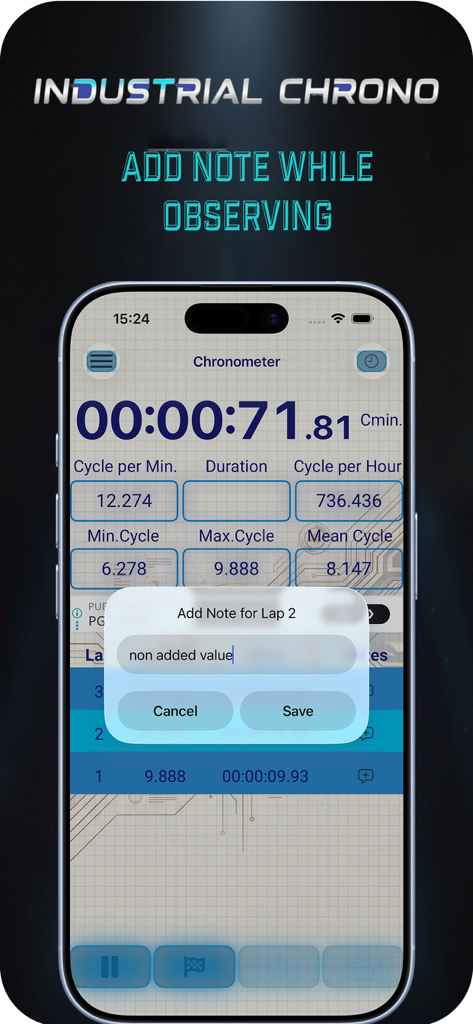
산업용 크로노미터 앱 인터페이스, 공정 관찰 중 기록된 랩에 메모를 추가하는 팝업 창 표시

산업용 크로노미터 앱 인터페이스, 공정 관찰 중 기록된 랩에 메모를 추가하는 팝업 창 표시

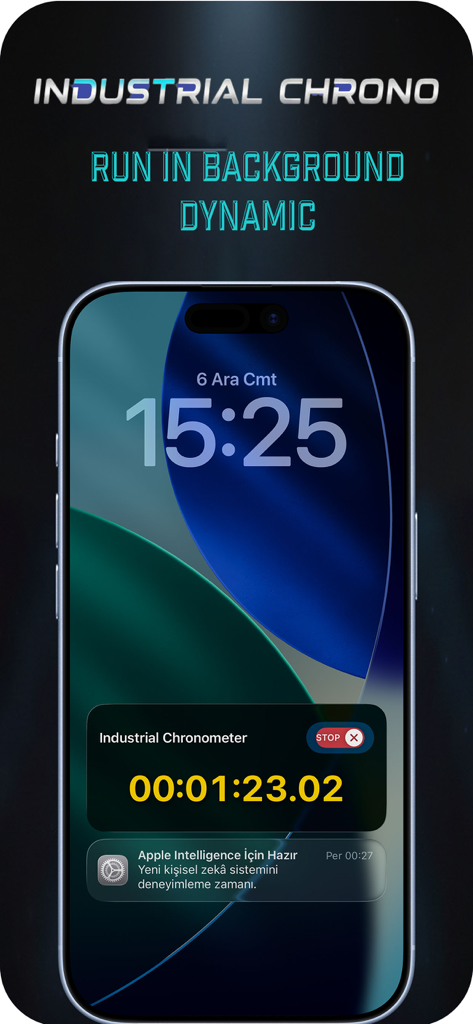
산업용 크로노미터 앱, iPhone 잠금 화면의 실시간 현황으로 정확한 타이머 표시

산업용 크로노미터 앱, iPhone 잠금 화면의 실시간 현황으로 정확한 타이머 표시

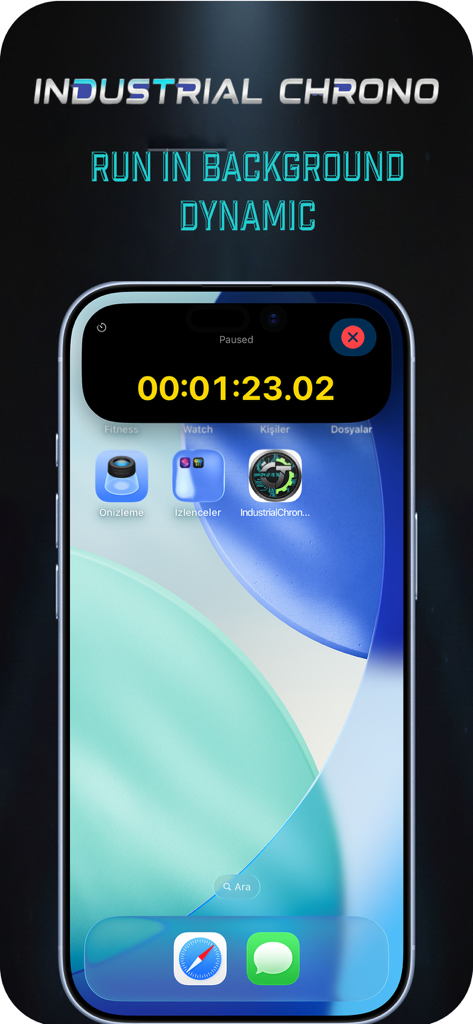
산업용 크로노미터 앱, iPhone의 다이나믹 아일랜드에서 활성 타이머 표시

산업용 크로노미터 앱, iPhone의 다이나믹 아일랜드에서 활성 타이머 표시

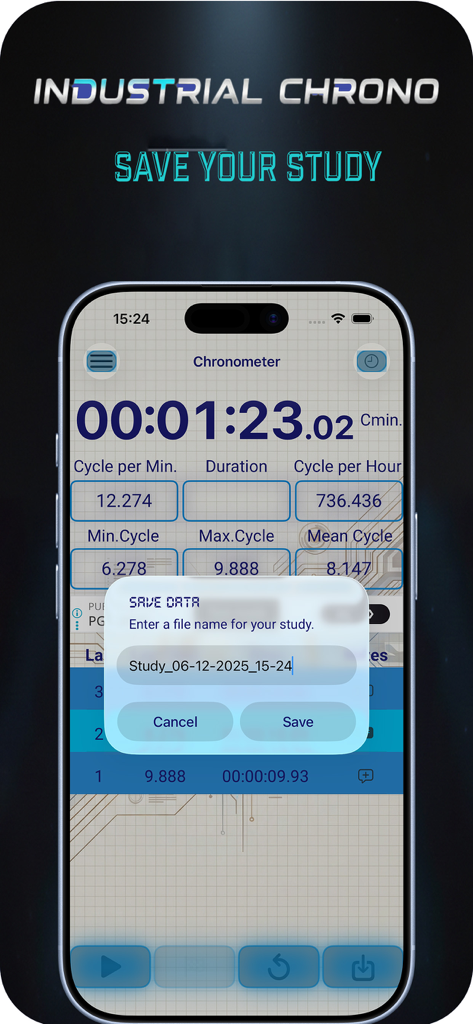
산업용 크로노미터 모바일 앱 인터페이스, 시간 및 동작 연구를 위한 데이터 저장 팝업 표시

산업용 크로노미터 모바일 앱 인터페이스, 시간 및 동작 연구를 위한 데이터 저장 팝업 표시

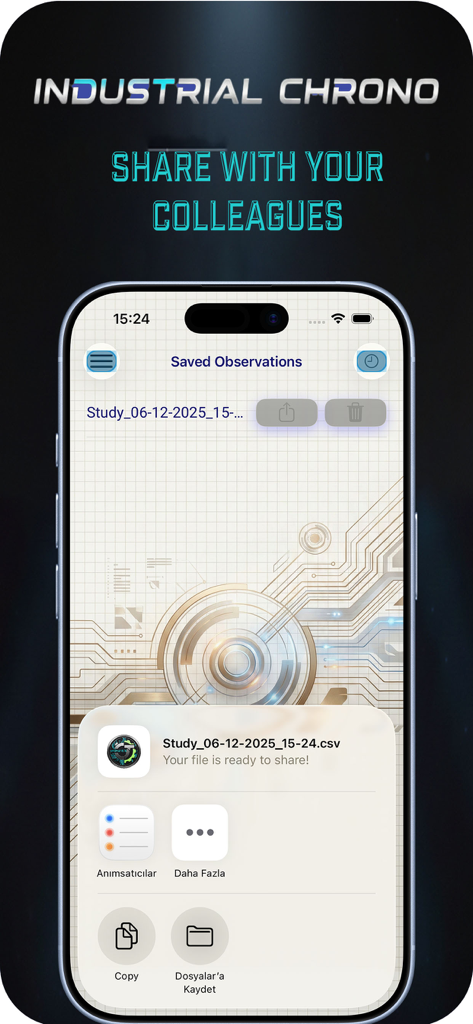
산업용 크로노미터 앱 화면, 저장된 연구 관찰 내용을 CSV 파일로 공유하는 옵션 표시

산업용 크로노미터 앱 화면, 저장된 연구 관찰 내용을 CSV 파일로 공유하는 옵션 표시

최고의 전문가 효율성을 위해 설계됨

이 앱을 돋보이게 하는 도구, 200 명의 사용자가 선택.

📲

원활한 핸즈프리 제어

기기를 잠금 해제하지 않고도 홈 화면 또는 다이나믹 아일랜드에서 직접 랩을 관리하고 주기 시간을 모니터링하세요.

🔘

촉각적 볼륨 키 트리거링

장갑을 낀 상태에서도 안정적인 작동을 위해 물리적 버튼을 사용하여 iPhone을 전문 등급 스톱워치로 변환하세요.

⏱️

산업 등급 데이터 정밀도

밀리초 단위의 정확한 분할 시간을 캡처하고 린 식스 시그마, 카이젠 또는 택트 시간 연구를 위한 상세 기록을 검토하세요.

앱 소개

에 대해 알아야 할 모든 것 Industrial Chronometer.

설명

Master your workflow with Industrial Chronometer, the ultimate precision timing tool designed for engineers, manufacturers, and efficiency experts. Whether you are timing production lines, measuring cycle times, or conducting time-and-motion studies, our app delivers the accuracy you demand with the modern convenience of iOS. Designed for Efficiency Forget the hassle of unlocking your phone to check or stop a timer. Industrial Chronometer fully integrates with the latest Apple technologies to keep your data accessible at a glance. Key Features: Dynamic Island Support: View your active timer, lap count, and current status continuously on supported devices. Interactive Live Activities: Control your chronometer directly from the Lock Screen. Start, Lap, and Stop your timers without ever opening the app—perfect for hands-free industrial environments. Millisecond Precision: High-accuracy timing engine built for professional standards. Lap Management: Record split times instantly and review detailed lap history to analyze performance gaps. High-Contrast Interface: A clean, industrial-grade UI designed for visibility in various lighting conditions. Volume Keys Using : Feel as real stopwatch and easy to use with glow Who is this for? Manufacturing Engineers: Measure Takt time and cycle times effortlessly. Process Improvement Specialists: Gather accurate data for Kaizen and Lean Six Sigma projects. Lab Technicians: Precise timing for experiments where every millisecond counts. Athletics & Training: Professional-grade lap splitting for coaches and trainers. Streamline your operations and capture time with absolute precision. Download Industrial Chronometer today and bring professional timing to your Dynamic Island.

최신 버전

2

크기

18.9 MB

출시일

2022년 3월 9일

작업 흐름의 모든 밀리초를 완벽하게 제어하세요

산업용 크로노미터를 사용하여 생산을 간소화하고, 낭비를 제거하고, 다이나믹 아일랜드에서 직접 정밀 데이터를 캡처하는 효율성 전문가 그룹에 합류하세요.

다운로드: App Store

App information, icons, screenshots, and descriptions displayed on this page are sourced from the Apple App Store and are the property of their respective developers. Download estimates and rankings are based on MWM's proprietary models and may not reflect actual figures. This page is provided for informational and analytical purposes only.

Believe this page infringes your intellectual property? File a dispute