Inkpad - Graphic Design
다운로드: App Store

이 페이지는 앱이나 개발자의 공식 페이지가 아니며, 정보 제공 및 논평을 목적으로 작성된 독립 편집 간행물입니다. 명시적으로 달리 언급되지 않는 한, 해당 앱이나 개발자는 MWM, Apple, Google Play, 앱 퍼블리셔 또는 앱 개발자와 제휴, 보증, 후원, 승인 또는 공식적으로 연결되어 있지 않으며, 이 페이지의 어떤 내용도 해당 앱이 MWM의 서비스를 사용하여 개발되었음을 의미하지 않습니다. 모든 상표, 로고, 스크린샷 및 기타 콘텐츠는 해당 소유자의 자산입니다.


로고: Inkpad - Graphic Design
다운로드: App Store

Inkpad - Graphic Design

데스크톱 도구의 강력함과 Apple Pencil의 직관적인 편리함으로 정밀한 벡터 아트워크, 맞춤형 로고 및 SVG 파일을 만드세요.

주요 수치

다운로드

406K+

사용자 평점

4.3/5

총 평가 수

900

개발사

Envoza Ltd

카테고리

Graphics & Design

지원 언어

11

최신 버전

3.3.18

크기

23.9 MB

출시일

2015년 12월 15일
기능

복잡함 없는 전문 벡터 디자인

데스크톱 스튜디오의 강력함이 iPad용으로 재탄생했습니다. Inkpad는 고가의 구독료나 가파른 학습 곡선 없이도 전문가용 로고, 일러스트레이션 및 SVG 디자인에 필요한 정밀함을 제공합니다.

Apple Pencil의 정밀함

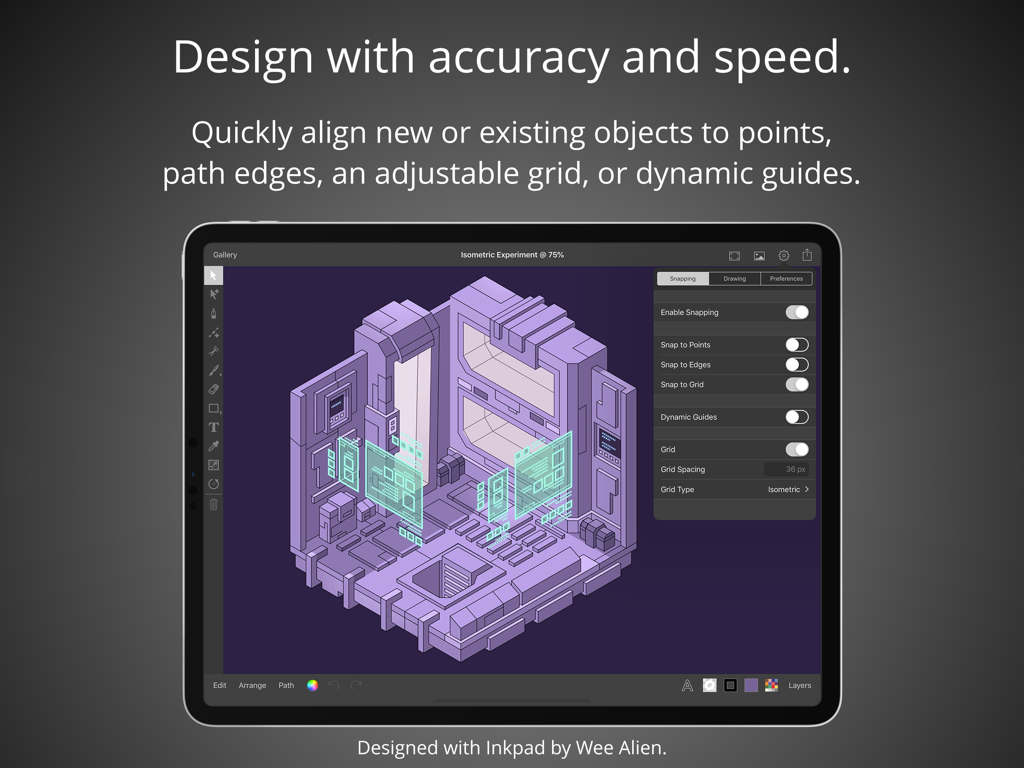
최고의 정확도로 그려보세요. 자유형 베지어 경로를 제작하든 그리드에 맞추든, 모든 스트로크는 유동적이고 전문적인 iPad 경험을 위해 최적화되어 있습니다.

번거로움 없는 전문가용 도구

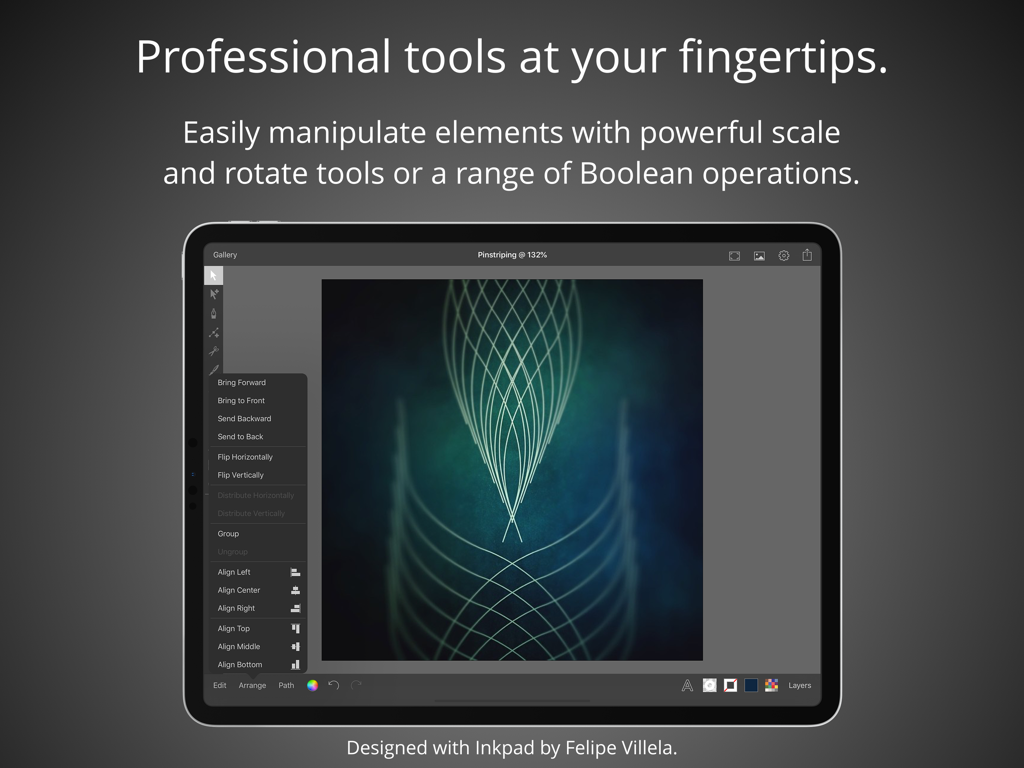
합치기(Unite) 및 빼기(Subtract)와 같은 강력한 불리언 연산을 활용하세요. 작업에 방해가 되지 않는 세련된 인터페이스로 무제한 레이어와 복잡한 타이포그래피를 관리할 수 있습니다.

다음 스크린샷과 설명은 앱의 공식 스토어 목록에서 직접 가져온 것이며 앱 개발자의 자산입니다.

앱 스토어

스크린샷
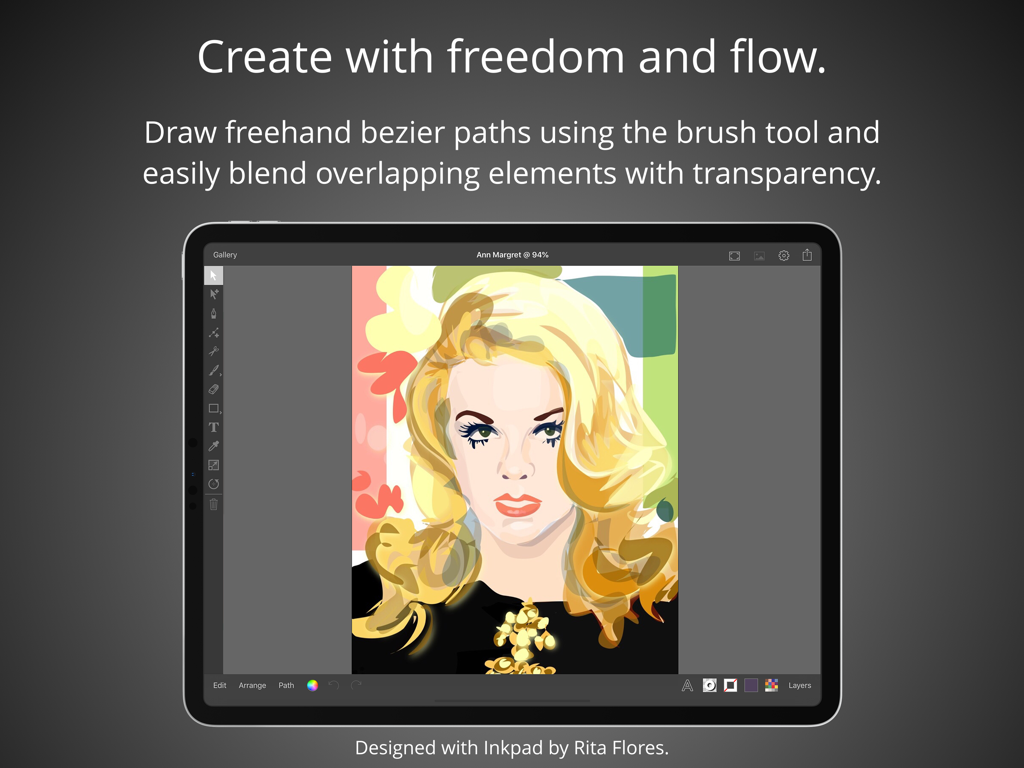
Inkpad - Graphic Design - Inkpad 그래픽 디자인 앱을 사용하여 iPad에서 제작한 벡터 초상화 일러스트레이션
Inkpad 그래픽 디자인 앱을 사용하여 iPad에서 제작한 벡터 초상화 일러스트레이션

Inkpad - Graphic Design - 정렬 및 스냅 도구를 사용한 등각 벡터 디자인을 보여주는 Inkpad iPad 앱
정렬 및 스냅 도구를 사용한 등각 벡터 디자인을 보여주는 Inkpad iPad 앱

Inkpad - Graphic Design - 복잡한 기하학적 아트와 편집 메뉴를 보여주는 iPad의 Inkpad 전문 벡터 디자인 도구
복잡한 기하학적 아트와 편집 메뉴를 보여주는 iPad의 Inkpad 전문 벡터 디자인 도구

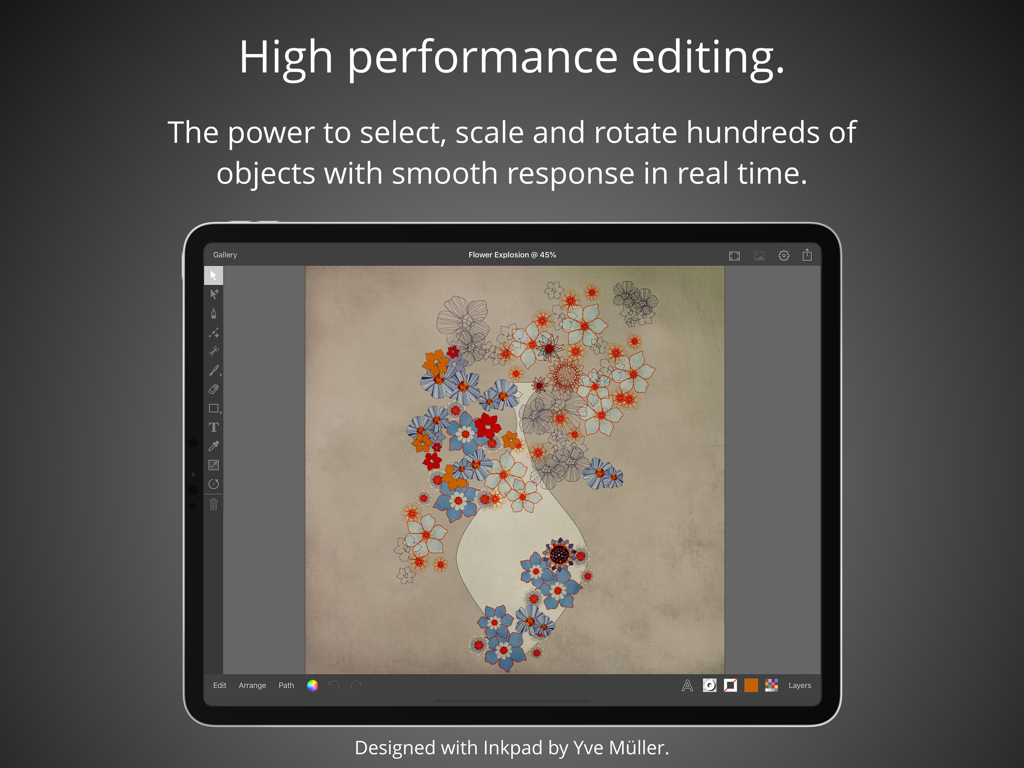
Inkpad - Graphic Design - 편집 도구와 함께 벡터 꽃 일러스트레이션을 보여주는 iPad의 Inkpad 그래픽 디자인 앱
편집 도구와 함께 벡터 꽃 일러스트레이션을 보여주는 iPad의 Inkpad 그래픽 디자인 앱

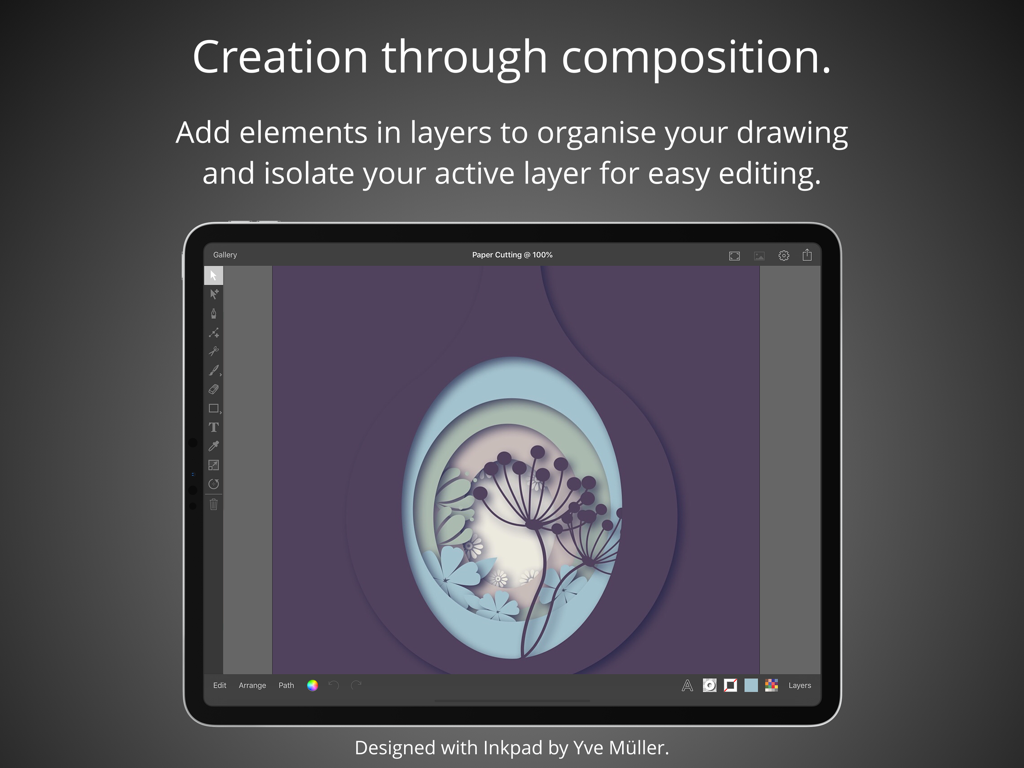
Inkpad - Graphic Design - 레이어드 페이퍼컷 스타일의 벡터 아트워크를 보여주는 iPad의 Inkpad 그래픽 디자인 앱
레이어드 페이퍼컷 스타일의 벡터 아트워크를 보여주는 iPad의 Inkpad 그래픽 디자인 앱

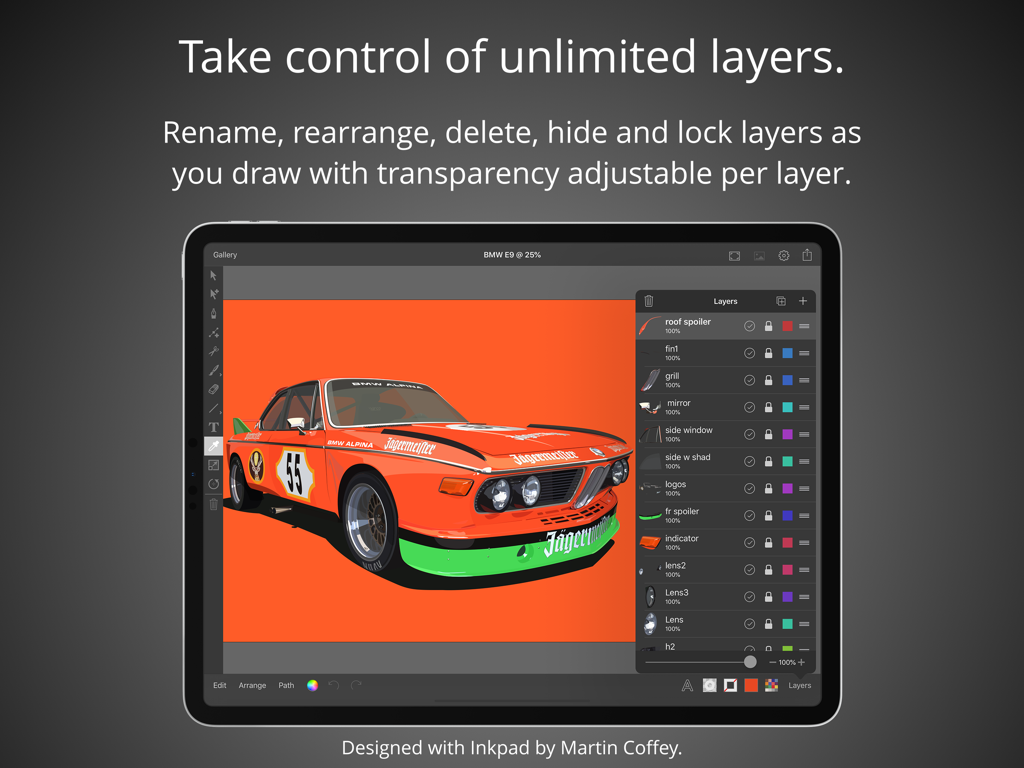
Inkpad - Graphic Design - 벡터 자동차 일러스트레이션과 레이어 관리 패널이 포함된 Inkpad 앱 인터페이스를 보여주는 iPad 화면
벡터 자동차 일러스트레이션과 레이어 관리 패널이 포함된 Inkpad 앱 인터페이스를 보여주는 iPad 화면

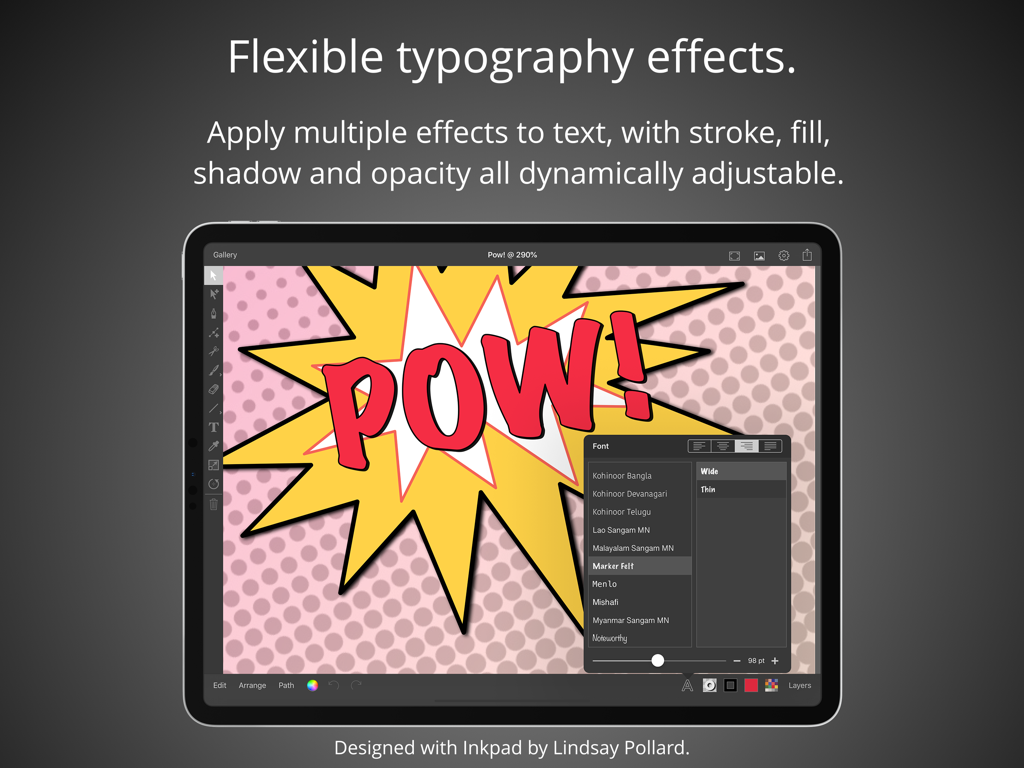
Inkpad - Graphic Design - 만화책 스타일의 텍스트로 유연한 타이포그래피 효과를 보여주는 iPad용 Inkpad 앱 스크린샷
만화책 스타일의 텍스트로 유연한 타이포그래피 효과를 보여주는 iPad용 Inkpad 앱 스크린샷

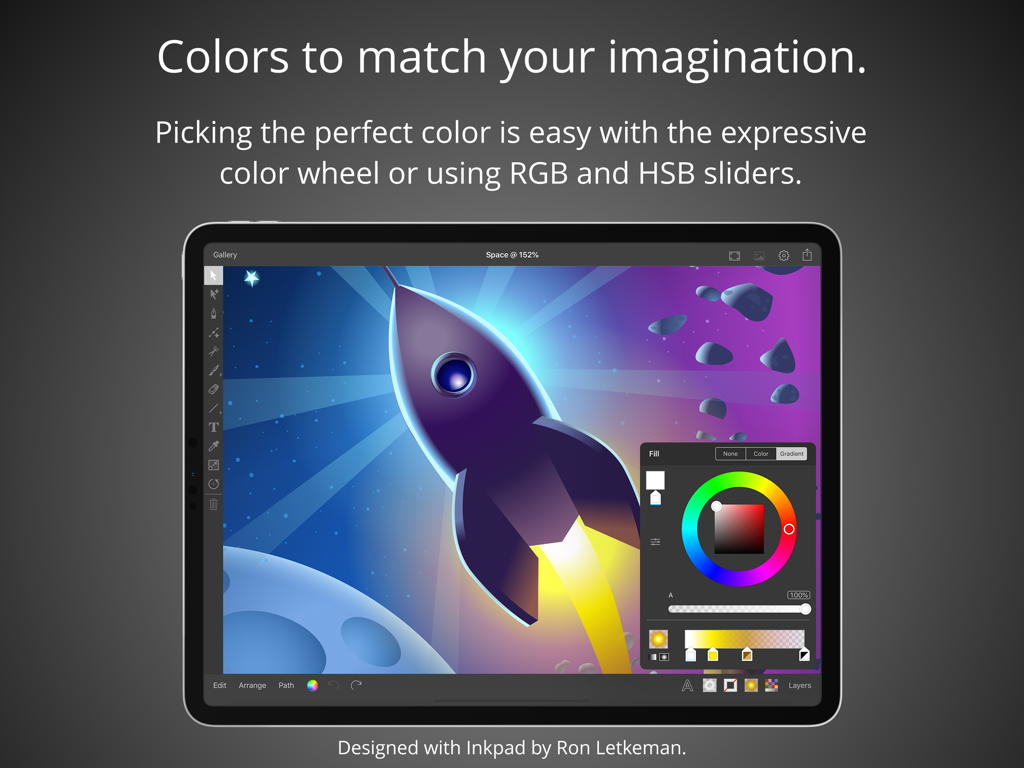
Inkpad - Graphic Design - 로켓 함선 벡터 일러스트레이션 위에 색상 휠과 슬라이더를 보여주는 iPad의 Inkpad 앱 인터페이스
로켓 함선 벡터 일러스트레이션 위에 색상 휠과 슬라이더를 보여주는 iPad의 Inkpad 앱 인터페이스

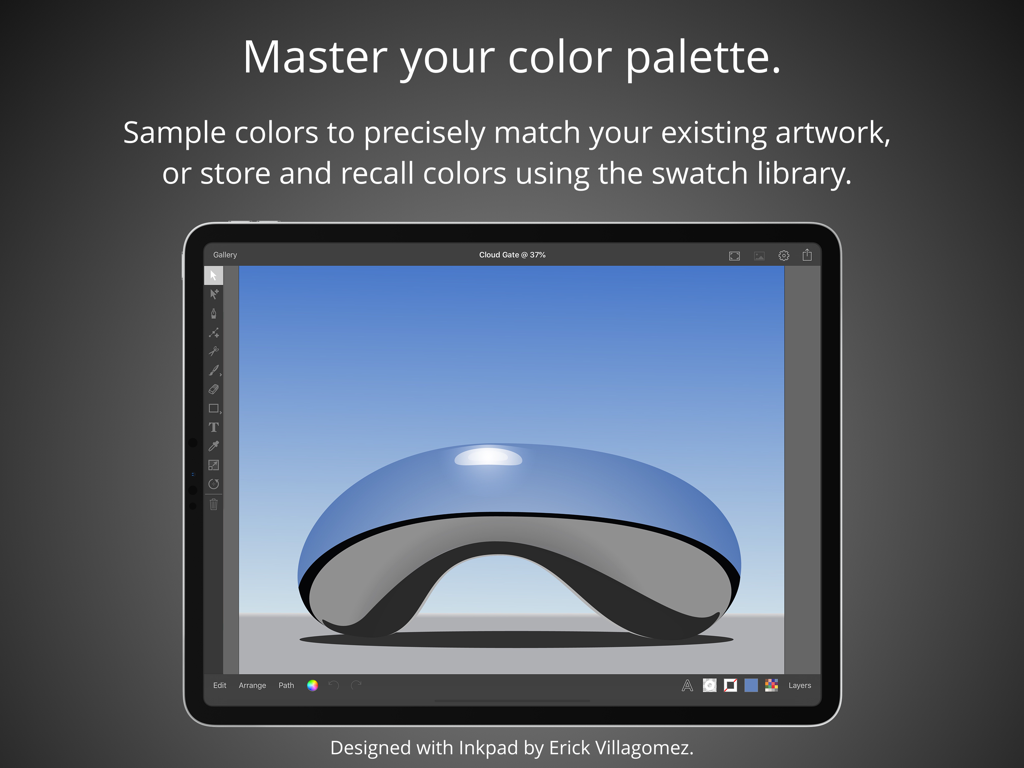
Inkpad - Graphic Design - 반사되는 푸른 조각상의 벡터 일러스트레이션과 색상 팔레트 기능을 보여주는 iPad의 Inkpad 그래픽 디자인 앱
반사되는 푸른 조각상의 벡터 일러스트레이션과 색상 팔레트 기능을 보여주는 iPad의 Inkpad 그래픽 디자인 앱

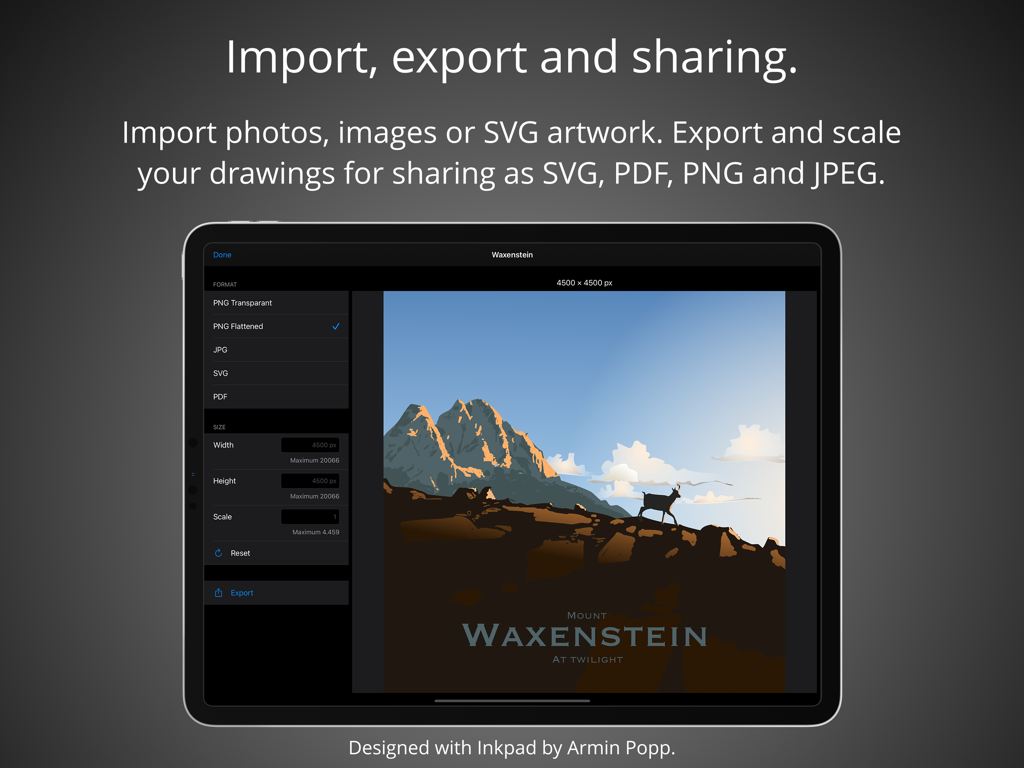
Inkpad - Graphic Design - 벡터 아트워크 내보내기 및 공유 설정을 보여주는 iPad의 Inkpad 앱 인터페이스

벡터 아트워크 내보내기 및 공유 설정을 보여주는 iPad의 Inkpad 앱 인터페이스

설명

Create beautiful vector artwork on your iPad with Inkpad. Draw with accuracy and speed. Quickly align new or existing objects either to a grid, points, or path edges. Alternatively draw freehand bezier paths using the brush tool. Select, scale and rotate hundreds of objects with high performance in real time. Cutout elements of artwork, photographs or patterns with masks. Flexible typography effects. Position text at any angle or to follow along paths. Apply multiple effects to text, with stroke, fill, shadow and opacity all dynamically adjustable. If the over seventy built in fonts don’t quite fit your design, you can import any of the millions of OpenType and TrueType fonts available. Take control with unlimited layers. Feel free to add as many or as few elements in each layer to organise your drawings. Rename, rearrange, delete, hide and lock layers as you draw. Isolate the active layer for easy editing. Adjust each layers transparency independently to get your ideal composition. Powerful editing at your fingertips. Easily manipulate single or multiple elements with powerful scale and rotate tools. Associate individual elements into groups. Interactively edit gradient fills on the canvas. Perform a range of Boolean operations on paths, including Unite, Intersect, Exclude and Subtract Front. Colors to match your imagination. Picking the perfect color is easy with the freedom of the expressive color wheel. Or modify colors using RGB and HSB sliders. Enter the hexadecimal value to precisely match existing artwork colors. Sample colors using the dropper. Store and recall colors from the swatch library. Import, export and sharing. Import drawings from desktop vector applications as SVG and include photos directly from your camera roll, or import PNG and JPEG images from cloud services. Export your drawings for sharing or importing into other apps as SVG, PDF, PNG and JPEG to all cloud storage services. Send drawings as photos directly to your camera roll. Light & dark modes. Light and dark mode system appearances with the option to override the system setting to light or dark mode for Inkpad. Apple Pencil. If you’ve got an iPad Pro or the 2018 iPad, Inkpad works great with the Apple Pencil. Praise for Inkpad. Some of the kind feedback received in emails and App Store reviews: “Works perfect on latest iPad Pro, Apple Pencil.” “It’s really beautiful to use with an iPad Pro.” “Inkpad is one of the killer apps for the iPad.” “Inkpad is my favorite graphics app on any platform. Inkpad is just the right balance of enough power without being too complicated.” “If you’ve worked with Illustrator or Inkscape, this is the vector drawing app to download for your iPad. Especially nice with the iPad Pro with Apple Pencil.” “I love this vector drawing app for its easy-to-use interface and pared-down tool bar. It covers the essentials perfectly and the developers are very responsive to questions.” “Inkpad is my main vector design tool for mobile. This is the app that Adobe Draw should be.” “Thank you guys, I use this app all the time.” “If you used to work with Inkpad in the past you should get this app to continue working with it.” Acknowledgements. Thank you to Martin Coffey, Rita Flores, Yve Müller, Armin Popp, David Rivera, Nicolas Saez, Erick Villagomez, Felipe Villela and Jason Wray for contributing artwork to the ‘Designed with Inkpad’ app preview video and screenshots. Please visit our website to see more of their artwork and for links to their portfolios. History. Inkpad was originally created by Steve Sprang in 2011, but it disappeared from the App Store in 2015. I took over development because my wife Lindsay uses Inkpad and I wanted to ensure the continued development and support of a product we and others enjoy so much. Terms and Conditions: http://inkpad.art/terms-and-conditions/ Privacy Policy: http://inkpad.art/privacy/

Download

다운로드: App Store

이 페이지는 앱이나 개발자의 공식 페이지가 아니며, 정보 제공 및 논평을 목적으로 작성된 독립 편집 간행물입니다. 명시적으로 달리 언급되지 않는 한, 해당 앱이나 개발자는 MWM, Apple, Google Play, 앱 퍼블리셔 또는 앱 개발자와 제휴, 보증, 후원, 승인 또는 공식적으로 연결되어 있지 않으며, 이 페이지의 어떤 내용도 해당 앱이 MWM의 서비스를 사용하여 개발되었음을 의미하지 않습니다. 모든 상표, 로고, 스크린샷 및 기타 콘텐츠는 해당 소유자의 자산입니다.







