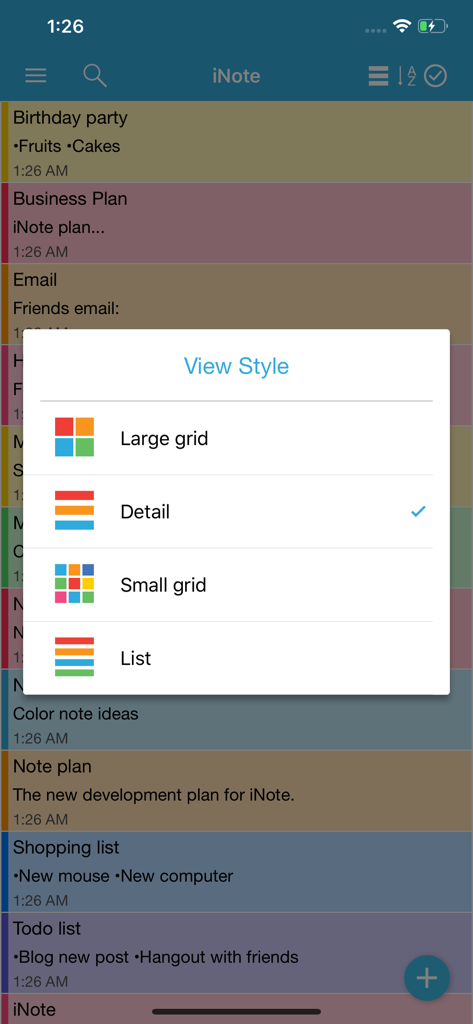
iNote Pro 앱에서 메모 보기 스타일을 큰 그리드, 상세, 작은 그리드 또는 목록으로 변경하는 옵션을 보여주는 메뉴
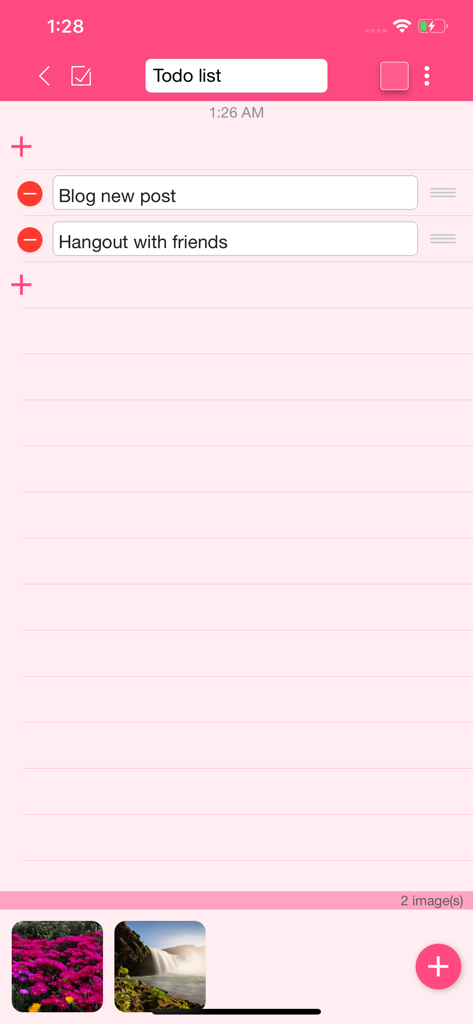
이미지가 첨부된 핑크 테마 할 일 목록을 보여주는 iNote Pro 인터페이스
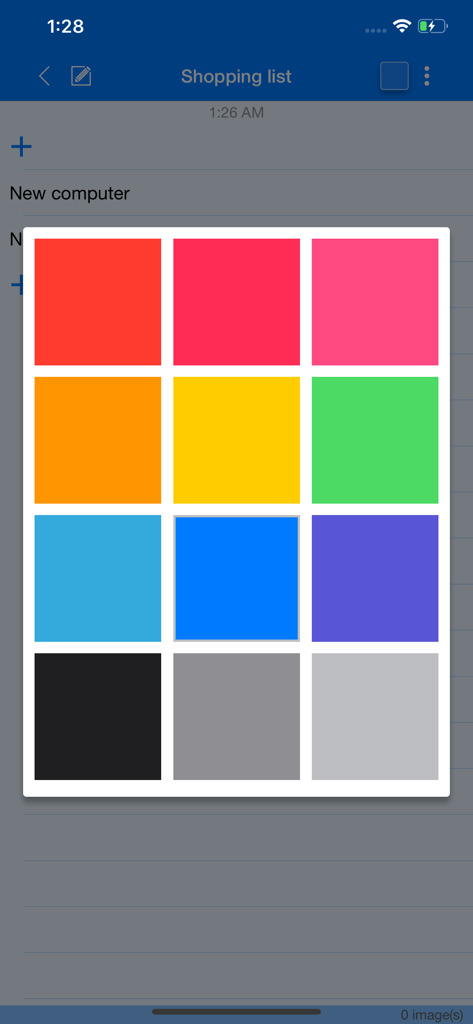
메모 및 할 일 목록 분류를 위한 iNote Pro 컬러 팔레트
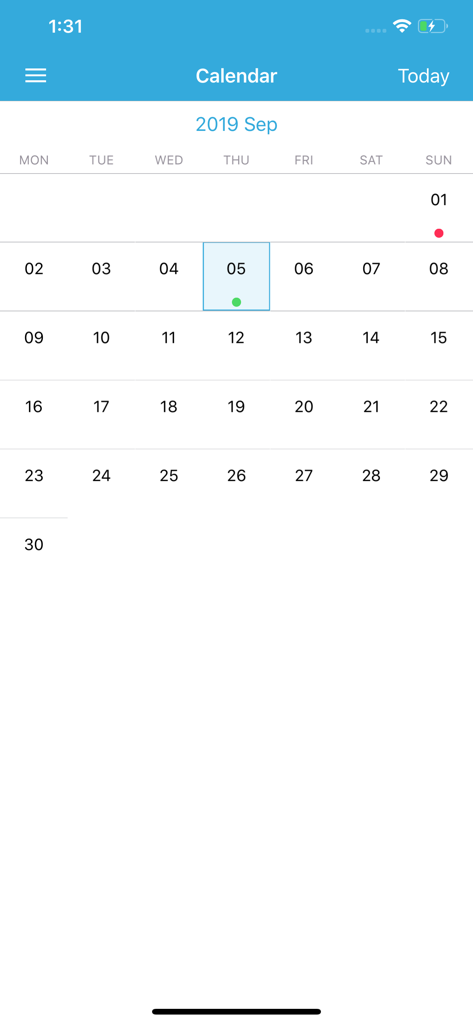
컬러로 구분된 메모와 일정을 표시하는 iNote Pro 앱의 캘린더 보기
일상을 한눈에 정리하세요
이 앱을 돋보이게 하는 도구, 47K+ 명의 사용자가 선택.
🎨
시각적인 컬러 카테고리
별도의 컬러를 사용하여 메모, 업무 할 일 또는 쇼핑 목록을 즉시 식별함으로써 인지 부하를 줄이고 필요한 것을 더 빨리 찾을 수 있습니다.
📌
고정된 위젯 접근
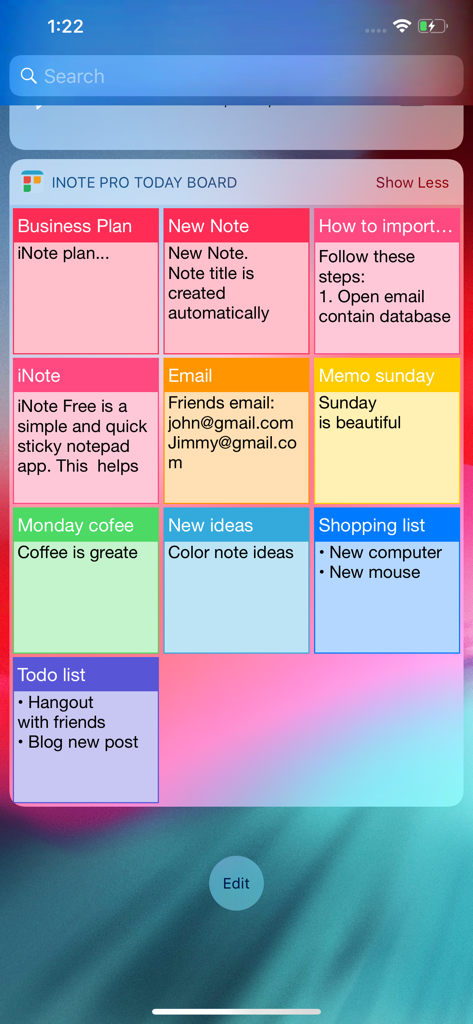
가장 중요한 메모를 Today 보드 위젯에 표시하여 앱을 열지 않고도 잠금 화면에서 즉시 접근하세요.
✅
스마트 체크리스트 및 알림
일일 업무를 완수하는 즐거움을 경험하고 반복 알림을 설정하여 모든 마감 기한과 약속을 완벽하게 지키세요.
앱 소개
에 대해 알아야 할 모든 것 iNote Pro - Sticky Color Note.
설명
iNote Pro is a simple and quick sticky notepad app. This helps you organize your notes, memos, messages, emails, shopping lists, check lists and to-do lists by COLOR. Taking color notes with iNote is never easier than before.
MANAGE NOTE BY COLOR
Each note has a main color so you can group these notes by a color-category in a professional way like: memos, to-do lists, shopping lists, emails, travels, and ideas...
ADD IMAGES TO NOTE
Notes now can attach photos. All photos are sync with icloud too.
DISPLAY NOTE WITH MANY OPTIONS
You can view your notes in grid (like sticky note), quick list, or detail list. This app helps you sort notes by color, remind time, updated time, created time, or title name. So you can view these note quickly and super easily.
SYNC WITH ICLOUD, NEVER LOST YOUR NOTE
Your notes is sync with your iCloud account, so you can take note on iPhone and use on your iPad and vise versa. You will never lost note because your data is saved on iCloud.
BACKUP & IMPORT EASILY
You can backup your data, send via email then import them on all of your devices when ever you want. This app supports importing notes from ColorNote app on other devices, so you will never miss your notes.
FAST CREATE TODO LIST
In the checklist mode, you can take note quickly and re-arrange to-do items easily. When clicking on each item, you can check or un-check as done by a quick tap. Checked item will be slashed like the way you check them on your notebook.
REMIND AND CALENDAR
With each note, you can add a reminder. Then the app will notify you when the even happens. You can also repeat these events daily, weekly, monthly or yearly depend on your settings.
And you can view these events in calendar mode. It will help you have a quick view of events on specific month and day.
PIN ON TODAY BOARD WIDGET
You now can pin notes on to Today Board up to 12 notes, then you can access these note every where, at any time you need from Notification Center.
KEY FEATURES:
- Organize notes by color, display with many layout options
- Attach photos to note
- Sync with iCloud, backup and import notes
- Checklist notes for To do list and Shopping list
- Remind notes and calendar
- Pin notes on Today Board
iNote supports up to 12 languages: English, Vietnamese, Spanish, Japanese, Simplified Chinese, Traditional Chinese, German, French, Turkish, Portuguese, Russian, Italian. The list will be continue updated.
최신 버전
5.4.2
크기
14.8 MB
출시일
2016년 9월 17일
오늘부터 여러분의 세상을 컬러로 정리해 보세요
손쉬운 컬러 코딩과 원활한 iCloud 동기화로 생산성을 유지하는 수천 명의 시각적 사고가들과 함께하세요. iNote Pro를 다운로드하고 지금 바로 할 일을 관리해 보세요.
App information, icons, screenshots, and descriptions displayed on this page are sourced from the Apple App Store and are the property of their respective developers. Download estimates and rankings are based on MWM's proprietary models and may not reflect actual figures. This page is provided for informational and analytical purposes only.
Believe this page infringes your intellectual property? File a dispute