Instant Photo Note
Instant Photo Note
다운로드: App Store

이 페이지는 앱이나 개발자의 공식 페이지가 아니며, 정보 제공 및 논평을 목적으로 작성된 독립 편집 간행물입니다. 명시적으로 달리 언급되지 않는 한, 해당 앱이나 개발자는 MWM, Apple, Google Play, 앱 퍼블리셔 또는 앱 개발자와 제휴, 보증, 후원, 승인 또는 공식적으로 연결되어 있지 않으며, 이 페이지의 어떤 내용도 해당 앱이 MWM의 서비스를 사용하여 개발되었음을 의미하지 않습니다. 모든 상표, 로고, 스크린샷 및 기타 콘텐츠는 해당 소유자의 자산입니다.


로고: Instant Photo Note
다운로드: App Store

Instant Photo Note

정리되지 않은 카메라 롤에 파묻히는 것을 멈추세요. 메모를 추가하고, 음성으로 이야기를 설명하고, 즉시 공유 가능한 앨범이나 동영상을 만드세요. 한 번 결제하고 영원히 소유하며 개인 정보를 100% 보호하세요.

주요 수치

다운로드

400

사용자 평점

5.0/5

총 평가 수

0

개발사

Erik Doerr

카테고리

Photo & Video

지원 언어

5

최신 버전

1.7.9

크기

2.5 MB

출시일

2025년 3월 12일
기능

이미지뿐 아니라 이야기까지 담아내세요

이름 없는 사진의 바다에 빠지는 것을 멈추세요. Instant Photo Note는 디지털 정리를 내레이션이 포함된 추억으로 바꿔줍니다. 바로 공유, 인쇄 또는 보관할 수 있도록 준비됩니다.

받아쓰기로 즉석에서 만드는 내레이션

몇 주 후에 세부 사항을 기억하려 애쓰지 마세요. 음성-텍스트 기능을 사용하여 기억이 생생할 때 사진에 이름, 장소, 이야기를 즉시 추가하세요.

구독 없음, 완전한 개인 정보 보호

한 번 결제하고 영원히 소유하세요. 귀하의 데이터를 수집하거나 사진을 추적하지 않으므로 가족의 추억이 비공개로 유지된다는 마음의 평화를 얻을 수 있습니다.

다음 스크린샷과 설명은 앱의 공식 스토어 목록에서 직접 가져온 것이며 앱 개발자의 자산입니다.

앱 스토어

스크린샷
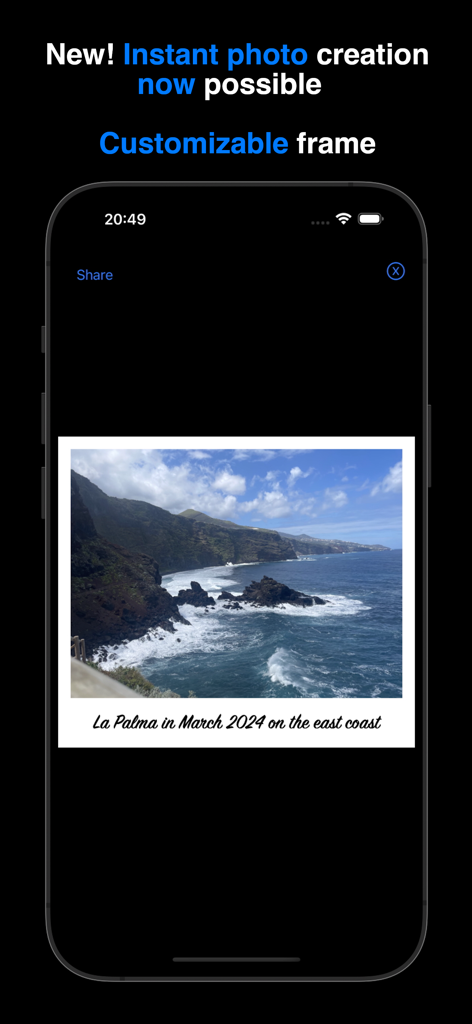
Instant Photo Note - Instant Photo Note 앱이 흰색 사용자 정의 프레임에 텍스트 캡션이 있는 해안 풍경 사진을 보여주는 모습
Instant Photo Note 앱이 흰색 사용자 정의 프레임에 텍스트 캡션이 있는 해안 풍경 사진을 보여주는 모습

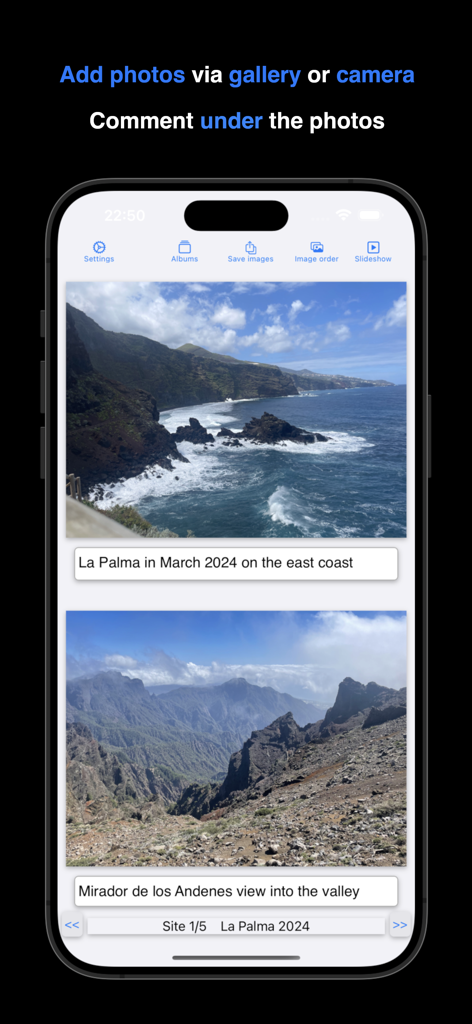
Instant Photo Note - Instant Photo Note 앱에서 텍스트 캡션이 있는 여행 사진을 보여주는 iPhone 화면
Instant Photo Note 앱에서 텍스트 캡션이 있는 여행 사진을 보여주는 iPhone 화면

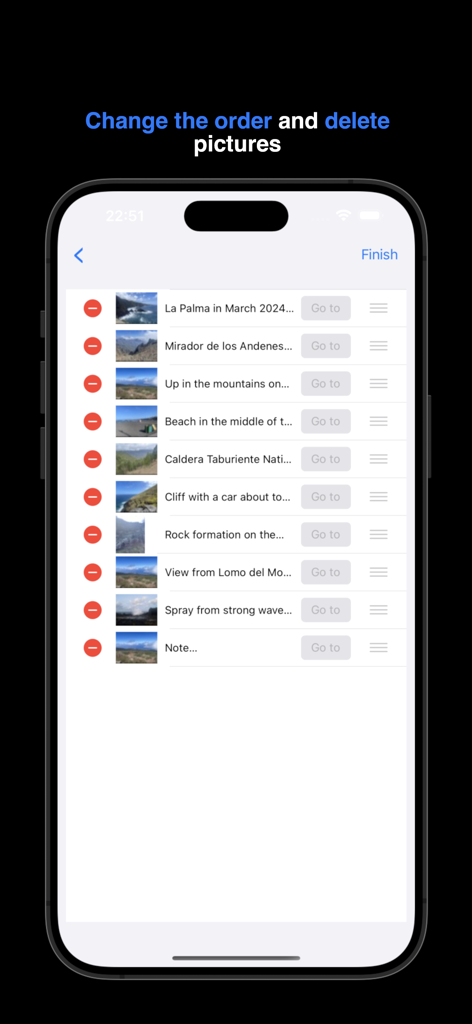
Instant Photo Note - Instant Photo Note 앱 인터페이스에서 앨범 내 사진의 순서를 재정렬하고 삭제하는 방법 표시
Instant Photo Note 앱 인터페이스에서 앨범 내 사진의 순서를 재정렬하고 삭제하는 방법 표시

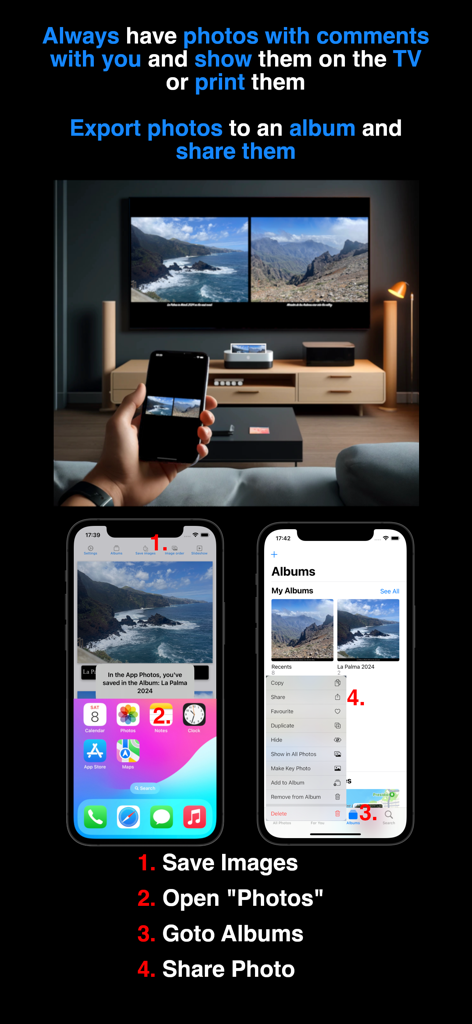
Instant Photo Note - 캡션이 추가된 사진을 휴대폰으로 표시하여 대형 TV 화면에 미러링하고 앨범 내보내기 및 공유 단계를 보여주는 사람
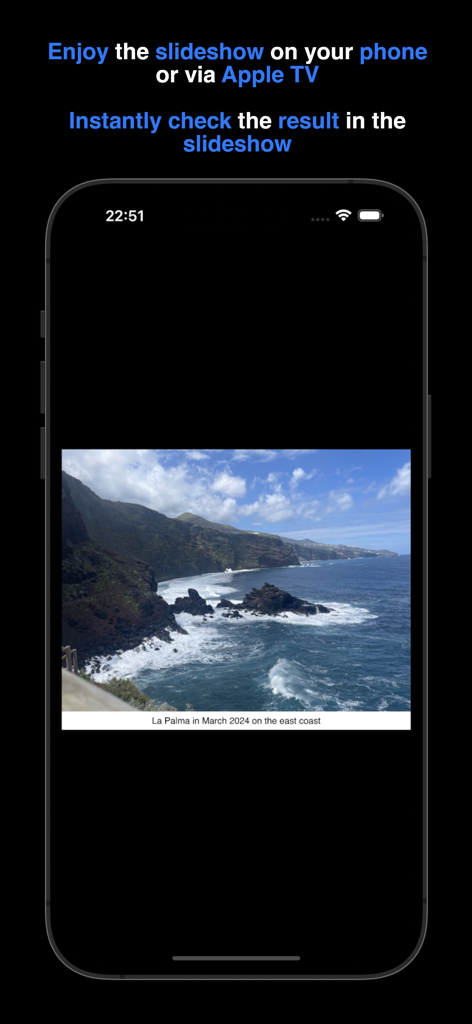
캡션이 추가된 사진을 휴대폰으로 표시하여 대형 TV 화면에 미러링하고 앨범 내보내기 및 공유 단계를 보여주는 사람

Instant Photo Note - 슬라이드쇼 중에 설명 텍스트 메모가 있는 바위 해안선의 휴가 사진을 보여주는 iPhone 화면
슬라이드쇼 중에 설명 텍스트 메모가 있는 바위 해안선의 휴가 사진을 보여주는 iPhone 화면

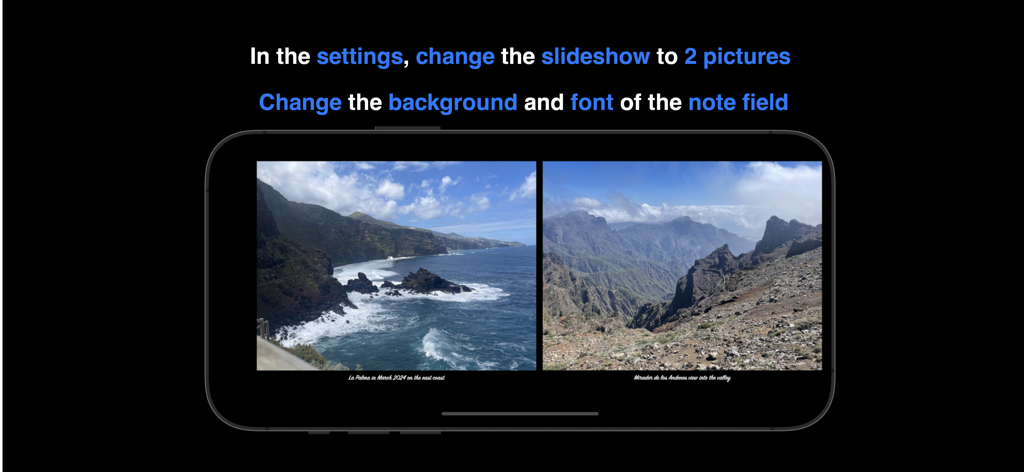
Instant Photo Note - 맞춤 메모가 있는 슬라이드쇼에서 두 개의 사진을 나란히 보여주는 Instant Photo Note 앱

맞춤 메모가 있는 슬라이드쇼에서 두 개의 사진을 나란히 보여주는 Instant Photo Note 앱

설명

Instant Photo Note solves your "photo problem": No more sorting photos, trying to remember everything, and adding captions once you're back home. You can simply take photos during your holiday, birthday party, etc. from the app or add existing photos from the gallery. Notes such as date, location, memories... are possible. Sit back and relax at home while enjoying your commented photos – your albums are already complete. You can instantly print your commented photos, share them via social media, or enjoy them on your TV using a USB stick or Apple TV. There is a FAQ and video tutorials (e.g., printing albums, sharing on social networks, etc.) for the app at https://frede.app/ Payment • No hidden costs, no subscription, just pay once and use forever. Privacy Policy • does not collect, store, or transmit any personal data. Adding Notes to Photos • Take a photo within the app with the camera or select an existing one from the gallery. • Write a note or a memory under the photo. • You can customize the text color, font, and size, as well as the background color of the note field and and of the frame (around the photo). • Use your keyboard's dictation function to create notes easily. Digital photo albums • Each photo belongs to a digital photo album • Each album has a freely selectable title • You can scroll forwards and backwards in the album to view your photos, comment on them or add new photos. • The overview of an album shows the order of the photos, which you can change by simply moving or deleting them. • You can select a photo from the album overview and jump directly to its position in the album. • Due to storage limitations, the number of albums and photos per album is restricted. Zoom • Use pinch-to-zoom or long-press to open a new window, where you can share, save, or print a single photo directly. • Zoom into the photo to review details. Create a Movie • Save and share your photos from an album as a movie. Photos will be displayed with their notes, and you can adjust the transition time between photos. Slideshow • View your photos as a slideshow. The transition duration between photos can be adjusted, and notes are displayed alongside them. • Choose to view one photo or two photos at once. Save/export • Export selected photos with their notes while browsing. • Exported photos can be found in the Apple Photos app under the corresponding album title. • To save storage space, exported photos are compressed. Settings • The frame color and frame width around the photo can be freely chosen • Customize the background color, font, and text color of the note field. • Set the transition duration between photos before creating a movie. • For the slideshow, the duration of the photo change, the number of photos (1 or 2) and the size of the note field can be set. These settings also apply to the export. Privacy Policy: https://frede.app/en/privacy-policy-of-instantphotonote/ Terms of Use: https://frede.app/en/terms-of-use-of-instantphotonote/

Download

다운로드: App Store

이 페이지는 앱이나 개발자의 공식 페이지가 아니며, 정보 제공 및 논평을 목적으로 작성된 독립 편집 간행물입니다. 명시적으로 달리 언급되지 않는 한, 해당 앱이나 개발자는 MWM, Apple, Google Play, 앱 퍼블리셔 또는 앱 개발자와 제휴, 보증, 후원, 승인 또는 공식적으로 연결되어 있지 않으며, 이 페이지의 어떤 내용도 해당 앱이 MWM의 서비스를 사용하여 개발되었음을 의미하지 않습니다. 모든 상표, 로고, 스크린샷 및 기타 콘텐츠는 해당 소유자의 자산입니다.








